CRM integration plays a key role in business growth today. The numbers tell the story - 91% of companies with more than 10 employees use CRM systems. We've seen how connecting these platforms with existing tools creates a smooth workflow. Companies still stuck with manual processes often get poor customer experience ratings and can't spot ways to get better.
Cross-platform workflows make everything run smoothly. Here's a simple example - changes you make in Google Calendar automatically show up in your CRM platform thanks to integration. Our data shows that CRM integration solutions can make process automation up to 80% faster. On top of that, it saves time, boosts productivity, keeps customers happy, and cuts costs in the long run. Both B2B and B2C customers now rate their experience just as highly as products and services when buying.
This piece will walk you through CRM integration basics, its value to sales and support teams, and how a single source of truth helps departments work better together. You'll learn how your CRM can team up with marketing automation to send qualified leads to the right sales rep automatically. Best of all, you'll see how to stop jumping between apps and cut out repetitive data entry.
What Is CRM Integration
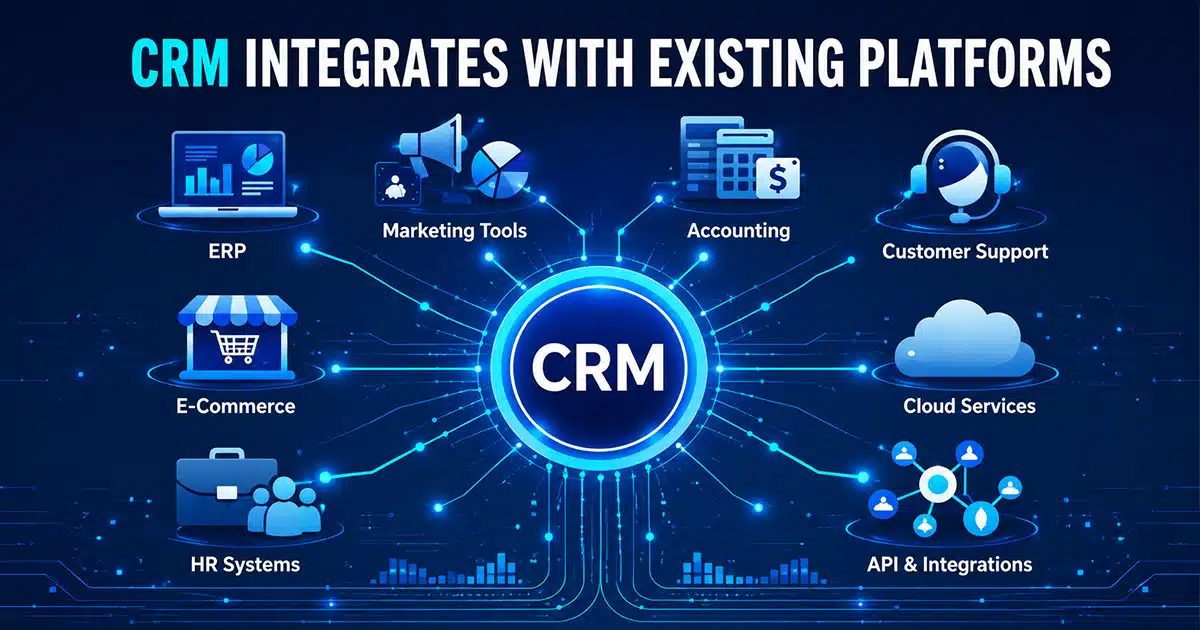
CRM integration connects your customer relationship management CRM system with other software tools to create seamless data flow across multiple systems. It allows crm software, accounting software, marketing automation software, and project management software to sync data automatically. This approach eliminates manual data entry, improves data accuracy, and keeps customer information up to date across every crm platform.
By integrating CRM, businesses break data silos and start consolidating customer data from multiple data sources, such as email marketing software, social media, enterprise resource planning, inventory management, and support tickets. Through application programming interfaces, api integration, pre-built connectors, or a crm integration platform, teams gain access to reliable crm data, sales data, and inventory data in one crm solution.
Effective crm system integration helps sales teams, sales reps, and marketing teams streamline business processes, align sales and marketing efforts, and track customer interactions across the entire customer journey. The benefits of CRM integration include stronger operational efficiency, better customer service interactions, higher customer satisfaction, improved customer experience, and the ability to deliver exceptional customer experiences through personalized customer experiences.
Why CRM Integration Is Important For Sales And Support Teams
CRM integration connects sales and support teams through shared customer data and aligned workflows. When both teams rely on one CRM system, they respond faster, collaborate better, and deliver consistent customer experiences across every stage of the customer journey.
Shared Customer Visibility
CRM integration provides sales teams and support teams with unified customer information inside one CRM platform. Customer records include purchase history, previous customer interactions, support tickets, and communication logs from multiple systems. This shared sales visibility removes confusion and prevents customers from repeating the same details across teams.
Accurate customer data supports better conversations. Sales reps understand active issues before outreach. Support agents see contract details and product usage during service interactions. A single source of truth improves data accuracy and strengthens customer relationships by ensuring every response reflects full context.
Faster Response And Resolution
CRM system integration reduces response times by syncing data across communication tools, inventory management, and accounting software. Support teams no longer search across platforms for answers. Real-time access to CRM data allows faster issue resolution and smoother customer service interactions.
Sales teams also benefit from speed. Lead updates, deal stages, and follow-up tasks sync automatically through CRM integration solutions. Timely responses improve conversion rates and customer satisfaction. Faster action builds trust and improves customer experience during high-impact moments.
Sales And Support Alignment
CRM integration aligns sales and support efforts by connecting workflows and data sources. Marketing automation, CRM software, and customer service platforms share relevant data automatically. This alignment ensures smooth handoffs between teams and eliminates internal friction.
Sales teams gain insight from customer feedback collected by support teams. Support agents understand sales promises and customer expectations. Aligned teams create consistent messaging and deliver seamless customer journeys that improve retention and long-term value.
Automation And Productivity Gains
CRM integration automates routine tasks such as data entry, follow-ups, and status updates across multiple systems. Sales reps focus on closing deals instead of managing CRM data manually. Support teams prioritize active cases without administrative delays.
Automation improves operational efficiency and reduces errors. CRM API integration ensures data sync without manual effort. Streamlined workflows allow teams to scale without added complexity. Higher productivity, improved data security, and better customer relationships become sustainable outcomes of integrated CRM systems.
Core Benefits Of CRM Integration For Growing Companies
CRM integration helps growing companies connect systems, unify customer data, and streamline business processes. When a CRM system works seamlessly with other tools, teams gain accuracy, speed, and sales visibility that directly support scalable growth and stronger customer relationships.
Automation And Team Productivity
CRM integration removes repetitive manual work by connecting the CRM platform with marketing tools, accounting software, and project management software. Automated workflows handle data entry, contact updates, follow-ups, and lead assignments across multiple systems. Sales reps spend less time on admin tasks and more time on real customer conversations that drive revenue.
Sales teams benefit from synced sales data and automated task creation. Marketing automation software schedules campaigns using real-time CRM data. Customer service teams receive updated customer records without switching tools. This sales automation improves operational efficiency, reduces human error, and allows teams to focus on high-impact work that supports business operations and long-term growth.
Unified Customer Data Access
CRM system integration creates a single source of truth by consolidating customer data from multiple data sources. Customer information from email marketing software, social media, support tickets, and sales interactions flows into one CRM solution. Teams avoid data silos and work with consistent, up-to-date information.
A unified CRM platform allows sales teams, support agents, and marketing teams to track customer interactions across the full customer journey. Accurate customer records support smarter decisions and better coordination between departments. This visibility strengthens customer relationships and helps teams manage customer relationships with confidence and clarity.
Better Customer Experience Delivery
CRM integration solutions enable personalized customer experiences by syncing data across communication tools and customer service interactions. Support teams access complete customer profiles instantly, which reduces response times and avoids repeated questions. Faster resolutions directly improve customer satisfaction and trust.
Marketing efforts also benefit from integrated CRM data. Campaigns use relevant data to deliver targeted messages at the right moment. Personalized outreach improves engagement and conversion rates. A connected CRM system allows businesses to deliver exceptional customer experiences that feel consistent, helpful, and timely across every touchpoint.
Higher Data Accuracy And Trust
CRM API integration ensures data accuracy by syncing information automatically across platforms. API integration and pre-built connectors reduce manual data entry and eliminate conflicting customer records. Teams rely on enhanced data accuracy when making decisions across sales, marketing, and finance.
Reliable CRM data improves reporting and forecasting. Leaders gain clear insights into sales data, customer feedback, and performance metrics from one integration platform. Accurate data builds internal trust and supports data security standards. Strong data integrity allows businesses to scale operations without fear of costly errors.
Sales And Marketing Alignment
CRM integration connects sales and marketing efforts by sharing real-time data between systems. Marketing automation and CRM system integration ensure leads move smoothly from campaigns to sales reps. Lead scoring and prioritization use shared data to highlight high-intent prospects.
Sales teams receive better-qualified leads with full interaction histories. Marketing teams track campaign performance using CRM functionality and feedback from sales outcomes. This alignment improves conversion rates, shortens sales cycles, and creates a more efficient revenue engine that supports sustainable growth.
Lower Operational And Technology Costs
CRM integration reduces operational costs by minimizing duplicate work and improving system efficiency. Integrated CRM and enterprise resource planning tools streamline billing, inventory data, and forecasting. Businesses avoid extra software purchases by maximizing existing technology investments.
Integration services also deliver faster ROI by connecting tools that already exist within the business. Custom integrations or pre-built integrations help systems work together naturally. Reduced labor costs, fewer errors, and smoother workflows allow growing companies to scale without unnecessary overhead or complexity.
CRM Integration With Email, Chat, And Support Tools
Your CRM system and communication tools work together to build a unified workspace. This combination makes customer interactions more meaningful and productive. Teams can avoid the frustrating back-and-forth between applications that slows them down and leads to errors.
Email Integration With Gmail And Outlook
CRM integration revolutionizes customer communication management. Gmail or Outlook connections to your CRM system automatically sync every client interaction with their contact records. This two-way sync will give a real-time view of customer emails in your CRM without manual effort.
The real-world benefits are clear. Email tracking lets you see when prospects open messages or click links. Your team can focus on the most engaged leads first. The CRM captures all responses while you schedule emails to reach customers at the perfect time.
CRM-personalized email templates eliminate hours of repetitive writing. The system's true value shines when you respond to customers with their complete history, purchase records, and past conversations at your fingertips.
Live Chat And Messaging Platform Integration
Live chat tools linked to your CRM are a great way to get instant value by combining conversations with customer data. The system automatically saves chat transcripts to customer profiles, so manual updates become unnecessary.
Support teams get rich insights about customer behavior and priorities to solve issues faster with a personal touch. Sales teams benefit most when CRM data helps route conversations to the right team members.
Companies that connect marketing automation with their CRM see 53% higher conversion rates. This success comes from using combined data to target specific audiences with messages that appeal to customers at the perfect moment.
Connecting CRM With Helpdesk Software
Helpdesk and CRM integration creates what many call the ultimate customer service advantage. Both systems hold vital but different customer information. Support agents get a complete picture to solve issues quickly when these systems work together.
Two-way helpdesk CRM integration syncs customer tickets with sales data automatically. Support teams can see vital details like potential deals, activities, lead scores, and sources right in each ticket. Sales teams view support tickets for each lead and contact to learn about customer challenges.
This comprehensive approach stops customers from repeating themselves across departments. Teams get instant alerts when contacts create tickets, respond to existing ones, or share feedback.
These integrations create a single source of truth across customer-facing channels. Every interaction becomes more informed, efficient, and satisfying for teams and customers alike.
CRM Integration For Better Customer Data Management
CRM integration transforms customer data into a reliable business asset by connecting multiple systems into one cohesive framework. When customer information stays consistent and accessible, teams gain clarity, improve data accuracy, and support stronger customer relationships across every business function.
Single Source Of Truth
CRM system integration creates a single source of truth by consolidating customer data from multiple systems into one CRM platform. Customer records from sales, marketing campaigns, accounting software, and customer service interactions remain aligned and up to date. This unified structure prevents conflicting data and supports confident decision-making.
A centralized CRM solution allows every department to rely on the same customer information. Marketing teams personalize outreach with accurate profiles. Sales teams track customer interactions without gaps. Support teams resolve issues faster with full context. Consistent data strengthens trust and improves customer satisfaction across the organization.
Real-Time Data Synchronization
CRM integration solutions enable real-time sync across platforms, which keeps customer data current at every touchpoint. API integration, webhooks, and application programming interfaces transfer updates instantly between CRM software, enterprise resource planning systems, and communication tools.
Immediate data updates reduce errors and improve collaboration. Address changes, contact details, and status updates reflect instantly across marketing automation, billing, and inventory management systems. Teams avoid delays caused by batch updates and gain confidence in data accuracy. Real-time synchronization also improves customer experience by ensuring interactions rely on relevant data.
Elimination Of Data Silos
CRM integration breaks data silos by connecting software tools that traditionally operate in isolation. Without integration, departments store customer information separately, which leads to gaps, duplication, and inconsistent reporting. Integrated CRM platforms consolidate data from multiple data sources into one shared environment.
Sales data, marketing efforts, support tickets, and customer feedback flow into a single CRM system. Teams collaborate with shared visibility and avoid conflicting customer records. Removing data silos improves operational efficiency, supports better analytics, and allows businesses to manage customer relationships with a complete and accurate view.
Duplicate Record Control
CRM system integration reduces duplicate customer records through standardized identifiers and data matching rules. CRM integration platforms apply validation logic that detects repeated entries across multiple systems. Clean data improves reporting accuracy and ensures reliable customer insights.
Duplicate control improves customer experience by preserving complete interaction histories. Sales reps and support teams access unified records instead of fragmented profiles. Accurate customer records also support marketing automation and sales forecasting. Strong data hygiene allows businesses to scale CRM functionality without data chaos.
Data Governance And Security
CRM integration supports data governance by defining how customer data moves, updates, and stays protected across systems. Integration services enforce access rules, audit trails, and permission controls that maintain data security and compliance standards.
A governed CRM platform protects sensitive customer information while allowing teams to access relevant data. Secure CRM API integration prevents unauthorized changes and ensures traceability. Strong governance builds trust in CRM data, supports regulatory compliance, and protects customer relationships as business operations expand.
Common CRM Integration Challenges And How To Avoid Them
CRM integration offers many benefits, but I've seen several challenges that can derail even the most promising projects. A good grasp of these hurdles helps create a smoother integration experience.
Handling API Limitations And Rate Caps
API rate limits create serious roadblocks when syncing CRM data across platforms. Most CRM systems set these limits to protect their resilient infrastructure, though they can slow down data synchronization during peak operations. To cite an instance, Salesforce allows 100,000 requests per day while Microsoft Dynamics caps at 60 requests per minute.
These limitations need effective management through:
- Smart batching that adjusts batch size based on API response times
- Token bucket algorithms to control request rates
- Backpressure mechanisms that slow upstream systems when downstream capacity runs low
API issues cause 63% of companies to struggle with data sync. This makes adaptive rate management vital for reliable CRM connections.
Managing Integration Costs
The real cost of CRM integration often goes beyond original estimates due to overlooked factors. Data migration services, productivity dips during transitions, and ongoing maintenance add to hidden costs.
Ready-made integration solutions cost 70-80% less than custom development when you factor in long-term maintenance. The smart approach is to look at both direct subscription costs and engineering time needed for implementation and support before starting any integration project.
Ensuring Data Security And Compliance
New CRM connections mean new security risks. Integration increases data breach risks and makes compliance with GDPR or CCPA more complex. This makes complete security measures essential.
Customer data needs protection through end-to-end encryption during transit, field-level security controls, and detailed audit logs of all data access. Data retention policies should be in place to avoid keeping customer information longer than needed.
Avoiding Over-Reliance On Automation
Automation streamlines processes, but too much of it risks alienating customers. Research shows 75% of consumers would rather talk to humans than AI, which makes finding the right balance between automation and human interaction critical.
Automation should make relationships better, not replace them. Many businesses make the mistake of putting internal processes ahead of customer experience. The best approach is to use CRM automation for routine tasks like lead qualification and data entry, while keeping complex negotiations and problem-solving in human hands.
Successful CRM integration needs careful planning around technical limits, budget considerations, security requirements, and striking the right balance between automated efficiency and personal connection.
How CRM Integration Improves Team Productivity
Your bottom line takes a hit when sales and support teams spend too much time on manual CRM tasks. A closer look at daily operations shows how CRM integration can eliminate busywork and create more time for meaningful customer interactions.
Reducing Manual Data Entry
Manual data entry silently kills productivity in most businesses. About 40% of sales professionals still update their CRM systems by hand. The numbers are striking - 72% spend roughly an hour each day on this repetitive task. Sales representatives lose 5-10 precious hours every week that they could spend building stronger customer relationships.
Manual updates not only waste time but also lead to errors and inconsistencies that hurt data quality. Data flows automatically between systems with proper CRM integration. Your team gets back their lost hours while data becomes more accurate and complete.
Simplifying Internal Processes
CRM integration changes scattered processes into smooth, connected workflows. Teams waste valuable time switching between apps and fixing conflicting information across platforms without integration. Constant app-switching breaks concentration and slows down important handoffs.
Systems that work together create unbroken workflows where information moves naturally between departments. A prospect's web form submission automatically creates their record in the CRM. The system then assigns them to the right sales representative and sets up follow-up automation. This automation keeps leads moving through your sales pipeline without delays or missed chances.
Teams get back several hours each week once these automated updates start running. They can focus on activities that generate revenue instead of paperwork.
Making Cross-Platform Task Management Better
Today's work happens across many platforms. Unified task management becomes crucial for productivity. CRM task management integration connects customer data with project tasks. This creates a central hub for all team activities.
This integration offers:
- Tasks are automatically assigned based on customer actions or milestone changes
- Customer information and tasks available on mobile devices
- Team members working together on projects without communication gaps
The most valuable feature might be smart task creation based on system events. The CRM creates and assigns follow-up tasks to the right team members when contract status changes or customer requests come in. This smart system makes sure nothing gets missed while sales, support, and operations work together toward common goals.
CRM Integration Use Cases Across Different Industries
Different industries use CRM integration to solve unique business challenges. Here's how four key sectors use these integrations to boost their operations and customer experiences.
Retail: Syncing POS And Inventory Systems
Retail businesses benefit from connecting CRM with point-of-sale and inventory systems to create powerful business intelligence. This integration helps retailers track customer purchase history, monitor product availability, and analyze product segment profitability. Businesses can identify their most loyal customers, their "Top Spenders," by centralizing customer information from all retail channels. This data helps create targeted marketing campaigns for these valuable customers.
CRM-enabled POS systems give sales associates a significant advantage. Staff can make informed product recommendations and tailor the shopping experience with customer data and purchase history readily available. The integration also ensures customers get consistent experiences whether they shop in-store or online.
Healthcare: Managing Patient Interactions
Healthcare organizations use CRM integration to create patient-centered care. Medical CRM acts as a central hub for patient data that authorized healthcare professionals can access easily. The system makes personalized communication possible, optimizes referral management, and coordinates care between different providers.
Healthcare organizations with proper CRM implementation see better patient participation, satisfaction, and loyalty. The system identifies high-risk patients for early interventions, which leads to fewer hospital readmissions and better health outcomes. CRM integration must follow strict HIPAA compliance standards to protect sensitive patient information.
Education: Centralizing Student Data
Educational institutions need to manage relationships with prospective students, current enrollees, alumni, and donors. CRM integration in education provides a 360-degree view of every student by connecting insights from recruitment, admissions, student experience, and advancement into one unified profile.
This complete approach delivers results schools using integrated CRM platforms have seen student retention rates increase by 6.8%. The Central New Mexico Community College used CRM integration to unite information about students, alumni, parents, and employers who hire students. This created a complete view of every interaction.
Finance: Automating Client Onboarding
Financial service firms rely on CRM integration to connect their front, middle, and back offices. This connection optimizes multi-stakeholder processes like client onboarding, compliance, and Know Your Customer (KYC) verification. The system uses flexible workflows to simplify processes across departments.
Financial CRM integration helps institutions deliver personalized customer engagements, scale service interactions, and improve onboarding experiences. The automation features boost efficiency and reduce risk. This happens by reusing business processes across channels while automating data collection, document generation, and workflows. Financial advisors can develop deeper client relationships and maximize client value with this approach.
How To Choose The Right CRM Integration Strategy
Picking the right CRM integration strategy can feel overwhelming when you face numerous options. My years of experience with CRM solutions have taught me that successful integration starts with a clear picture of your business needs.
You should first assess your current systems and identify the problems you want to solve. Your goals might include eliminating data entry, improving customer communication, or getting better reports. Many businesses jump into CRM integration without mapping their processes and end up finding that their new system creates more problems than it solves.
A review of your existing technology stack comes next. Which platforms must connect to your CRM? The most valuable team integrations should get priority. Note that not every system needs a direct connection - intermediary platforms can bridge gaps quickly.
Here are the integration approaches you can think over:
- Point-to-point integration - Direct connections between specific applications
- iPaaS (Integration Platform as a Service) - Using middleware to connect multiple systems
- API-first integration - Building custom connections using application programming interfaces
- Pre-built connectors - Using ready-made integration tools from your CRM vendor
Your technical resources play a vital role in this decision. The choice depends on whether you have developers who can build custom integrations or need pre-built solutions. It also factors in your budget - custom development can get pricey upfront, but offers better flexibility later.
Scalability should be your priority in strategy planning. Your CRM integration needs to grow with your business without major redesigns. Some businesses outgrow their original integration approach and switch to more resilient solutions as their customer data expands.
The right CRM integration strategy lines up with your business processes and leaves room to grow. A full assessment before implementation helps you avoid expensive mistakes and creates a smooth data flow that boosts operational efficiency.
Best Practices To Maximize CRM Integration Results
The success of your CRM integration depends on proven best practices that maximize your ROI. I've implemented dozens of systems and learned that picking the right CRM that matches your organization's needs is significant. Many businesses skip through this step, only to find their system doesn't support their unique goals.
Your integration goals should be measurable and aligned with your business objectives before implementation. This arrangement will give meaningful improvements instead of just checking technical boxes.
A detailed implementation strategy with clear timelines, scope, and resource allocation helps avoid making pricey mistakes. The system needs customization to fit your specific workflows. You should connect it with email, calendar software, and customer service tools.
Staff training needs special focus. Your employees need detailed instructions before they use the system. This prevents them from going back to spreadsheets or disconnected processes.
Data quality management starts on day one. You need regular audits to prevent data decay, especially when customer information changes often.
The integration should solve specific business problems instead of connecting everything possible. Focus on high-impact integration points that give tangible business results.
Remember to back up all application data before any integration. You don't want a wiped system.
CRM Integration With Gain.io For Seamless Customer Communication
Need a practical CRM integration solution? Gain.io is an all-in-one CRM platform that brings scattered leads, contacts, and deals together in a unified dashboard. Traditional systems often let follow-ups slip through the cracks, but Gain.io's smart automations keep your communication with prospects and customers consistent.
Gain.io works best with its simple email integration. Your inbox syncs directly with Gain.io, which means no more switching between applications constantly. The system logs your emails automatically under each contact or deal and creates a smooth communication flow without extra work. You can also track email opens and customer engagement live, which helps you learn about customer behavior better.
The platform connects easily with Gmail, Google Calendar, and Outlook without any complex setup. This integration delivers what we discussed in this piece - a single source of truth for all customer data. Sales teams can focus on closing deals instead of juggling multiple tools. These are some of the key features of Gain.io.
We designed Gain.io for easy communication, and it creates a natural workflow between planning and execution. Smart automations turn customer insights into useful steps by responding to lead behavior and engagement signals. Teams can build strong customer relationships at scale while protecting revenue and improving conversion rates.
FAQs
Does CRM Integration Require Custom Development?
CRM integration does not always require custom development. Many CRM integration solutions offer pre-built connectors and integration platforms that sync data across systems using APIs, which reduces cost and setup time while maintaining data accuracy.
Can CRM Integration Support Remote And Distributed Teams?
CRM system integration supports remote teams by centralizing customer data in one CRM platform. Sales reps and support teams access up-to-date information, track customer interactions, and collaborate across locations without relying on multiple tools.
How Long Does CRM Integration Take To Implement?
Implementation time depends on system complexity and data sources. Simple CRM integrations with pre-built integrations may take days, while custom integrations across enterprise resource planning or inventory management systems may take several weeks.
Does CRM Integration Improve Customer Retention?
CRM integration improves customer retention by enabling personalized customer experiences. Unified customer data helps teams respond faster, track customer feedback, and deliver consistent support across the full customer journey.
What Types Of Data Can CRM Integration Sync?
CRM integration can sync customer records, sales data, inventory data, support tickets, marketing campaign data, and customer interactions. API integration ensures seamless data flow across multiple systems and software tools.
Is CRM Integration Secure For Sensitive Customer Data?
CRM integration platforms use data security measures such as encryption, access controls, and audit logs. Secure CRM API integration protects customer information while maintaining compliance with data governance standards.
Can Small Businesses Benefit From CRM Integration?
Small businesses benefit from CRM integration by automating processes, reducing manual data entry, and improving operational efficiency. Even a simple CRM system integration helps manage customer relationships and scale business operations effectively.