A customer 360 view pulls every interaction a customer has with your business into one profile. Sales calls, support tickets, emails, deal history. All of it sits in a single place instead of scattered across five tools.
Most guides on this topic assume you have a data warehouse, an MDM platform, or an engineering team to build one. Salesforce, Profisee, and RudderStack all sell this as a data infrastructure problem. For most SMBs and agencies, that's overkill.
A CRM built for this can give you the same result without the extra stack. No SQL, no identity resolution, no separate data team. Just one CRM where sales, support, and marketing already see the same customer record. This guide covers what a real 360 view includes and how to build one inside your CRM.
What Is A Customer 360 View
A customer 360 degree view is a single profile that brings together every interaction a customer has had with your business. Sales calls, support tickets, purchases, and emails all live in one record instead of scattered systems.
Analyzing customer data this way surfaces patterns you'd otherwise miss. Teams can track customer lifetime value, spot early churn signals, and understand what actually drives customer satisfaction. Unlike customer data platforms built for enterprise data teams, a CRM-native 360 view works without extra infrastructure. It also strengthens customer loyalty, since every team responds with full context instead of making customers repeat themselves.
Customer 360 View Vs. Customer 360 Platform
A customer 360 view and a customer 360 platform sound like the same thing. They solve different problems for different companies.
A customer 360 view is the outcome. It's a single profile showing every touchpoint a customer has had with your business, built inside whatever system you already use to manage relationships.
A customer 360 platform is a separate infrastructure layer. Salesforce Customer 360, Profisee, and RudderStack all fall into this category. They pull data from multiple systems into a data warehouse or MDM layer, then model it into unified profiles. RudderStack even builds identity graphs directly in your data cloud.
That approach makes sense for enterprises running dozens of disconnected tools with dedicated data engineers on staff. For most SMBs and agencies, it's more infrastructure than the problem calls for.
A CRM-native 360 view skips the extra layer entirely. Sales, support, and marketing data already live in one system, so there's no warehouse to build or SQL to write. Agencies get the same benefit per client account, without hiring a data team just to see who talked to whom last week.
Customer 360 Platform | CRM-Native 360 View | |
|---|---|---|
Setup | Requires data warehouse or MDM layer | Built into your existing CRM |
Technical skill needed | Data engineering, SQL, identity resolution | None required |
Best fit | Large enterprises with dedicated data teams | SMBs, startups, and agencies |
Data sources | Pulls from many disconnected systems | Centralized where sales, support, marketing already work |
Time to value | Weeks to months | Immediate, no build phase |
Ongoing maintenance | Requires data engineers | Handled through normal CRM upkeep |
Agency use case | Not addressed | Per-client account tracking built in |
Why SMBs And Agencies Need A 360 View

SMBs and agencies juggle customer relationship management across sales, support, and marketing without one unified customer view. Data lives in disparate systems instead of a single place. Here's why that gap costs more than it looks like.
Get a Complete Customer Picture
Consolidating customer data from every touchpoint gives teams a full picture instead of fragments. A sales rep can see the same customer journey a support agent already tracked, without asking the customer to repeat themselves.
Manual data collection across spreadsheets and separate tools leaves gaps that grow over time. Pulling everything into one centralized CRM record closes those gaps and keeps every team working from the same information.
Reduce Data Silos
Disparate systems create blind spots that slow teams down and frustrate customers. Marketing sees one slice of the relationship, sales sees another, and neither has the full story.
Master data management solves this at the enterprise level, but SMBs rarely need that scale. Solid data management inside a CRM removes the silos and directly improves sales productivity without adding a data engineering layer or a separate platform to maintain.
Improve Sales Follow-Up
Reps who can see full purchase history close deals faster because they're not guessing what a customer already bought or discussed. Context replaces cold outreach, especially when CRM tools help sales teams manage leads from first touch through close.
Knowing customer preferences before a call changes how that conversation goes. A rep who knows what a customer values sounds prepared instead of scripted, and follow-ups land better because they're based on something real.
Personalize Customer Interactions
Personalized customer experiences depend on knowing more than a name and email address. Teams need context on past interactions to make each conversation feel specific rather than generic, which is exactly what a modern customer engagement CRM is built to support.
Strong customer experience comes from consistency across every channel, not just one great interaction. When every team pulls from the same profile, personalization stops depending on which rep answers.
Make Faster Customer Decisions
Operational efficiency improves when teams stop hunting across tools for basic answers. Decisions that used to take a day of digging happen in minutes with everything in one place.
Better customer service comes from speed and accuracy together, not one at the expense of the other. That speed also strengthens customer retention, since customers notice when a business remembers them instead of starting over each time, especially when you're using integrated contact management to build stronger relationships.
Signs Your Business Is Missing A Customer 360 View

Some warning signs show up long before anyone calls it a data problem. Here's how to tell your business is missing a real customer 360 view.
Customer Data Lives in Separate Tools
When crm systems, spreadsheets, and support software each hold a different piece of the story, nobody has a complete picture. Sales and marketing teams end up working off assumptions instead of relevant data.
Integrating data across these tools takes manual effort that rarely happens consistently. Most teams patch it together for a quarter, then let it slide until customer relationships start feeling disconnected again, instead of relying on a simpler CRM sales workflow that keeps everything connected by default.
Sales Reps Lack Customer Context
A rep without visibility into past transactional data walks into every call blind. They can't reference what a customer bought, complained about, or asked for last month, so the conversation starts from zero every time.
That gap shows up fast in customer behavior. Deals stall because reps can't tailor the pitch, and customers notice when a business treats them like a stranger.
Follow-Ups Get Missed
Without a shared system, follow-ups depend on memory instead of process. Marketing efforts and sales outreach overlap or contradict each other because nobody can see what the other team already sent.
Targeted marketing campaigns lose their edge when timing is off. A customer who just complained to support doesn't need a promotional email an hour later, but that's exactly what happens without shared visibility.
Customer Information Gets Duplicated
Duplicate records are one of the clearest data quality problems a business can have. The same customer shows up three times under slightly different details, and every team pulls a different version.
Marketing campaigns built on duplicated records waste budget targeting the same person twice or missing them entirely. Cleaning this up after the fact costs far more time than preventing it in the first place.
Teams Spend Too Much Time Finding Data
Customer service teams lose real time just locating basic account details before they can even start solving a problem. That delay shows up directly in response times and customer frustration.
The time spent searching is time not spent helping. A unified system turns a five-minute hunt into a five-second lookup, freeing teams to focus on the actual conversation instead of the paperwork around it.
What Data Belongs In A Customer 360 View

A comprehensive view of a customer needs specific building blocks, not just a pile of data points. Using dynamic contact management for smarter relationship tracking makes those building blocks usable across teams. Here's what actually belongs in it and why each piece matters.
Contact Information
Basic contact details form the foundation of any customer profile: name, email, phone, and role. Email, calendar, and contact integration keeps those details up to date automatically. Without this, every other data point about an individual customer has nowhere to attach.
Keeping this layer accurate matters more under the General Data Protection Regulation and other data protection regulations. Outdated or duplicated contact records create compliance risk on top of the operational mess they already cause.
Company And Account Details
For B2B businesses, the account sits above the individual contact. Company size, industry, and billing details give context that shapes how a deal or support case should be handled, and they also make it easier to track deals from lead to close with clear stages and ownership.
This layer also captures third-party data like firmographics, which sharpens marketing strategies and helps teams tailor outreach to what the account actually needs instead of guessing.
Sales And Pipeline Activity
Deal stage, deal value, and past purchases tell the story of a customer's entire history with the business. That history is what makes data-driven decision-making possible instead of relying on gut feel, especially when it's organized inside a sales pipeline that actually works.
Tracking this over time also supports predictive analytics, since patterns in visual pipeline activity often hint at what a customer needs next, from an upsell to a renewal conversation.
Communication History
Every email, call, and meeting note should live in the same place as the rest of the profile. This gives the full picture of customer lifetime engagement, not just the most recent touchpoint.
Analytics tools can pull from this history to spot trends across accounts, turning scattered conversations into something a team can actually act on.
Customer Interactions
Customer support interactions and customer feedback round out the profile with the details that shape retention. A ticket history shows patterns that a sales note alone never would, especially in environments like retail where CRM tools help teams stay organized across locations and channels.
Together with everything else, this closes the loop on customer needs. Teams stop reacting to isolated moments and start seeing the relationship as a whole.
How To Build A Customer 360 View Without A Data Warehouse

A comprehensive customer profile doesn't require a data warehouse or an engineering team. It just needs a clear process. Here's how to build one directly inside your CRM, step by step.
Define The Customer Record
Start by deciding what a complete customer profile actually looks like for your business. That means agreeing on which fields matter, from contact details to deal stage, before pulling any data together.
Skipping this step leads to a messy structure later. A clear definition upfront makes it easier to manage data consistently as more sources and teams get added to the profile.
Identify Your Data Sources
List every place customer information currently lives, from your CRM to your support desk to your email inbox. Most businesses find data spread across more sources than they expected, which is why choosing CRM tools that fit your workflow matters before you start connecting everything.
This step maps the entire customer journey before you try to connect anything. Knowing where the gaps are now saves time later, when you're trying to figure out why a profile looks incomplete.
Connect Your Data Sources
Once you know where the data lives, connect those tools directly to your CRM. CRM with built-in email integration and other native connections handle most of this without custom development work.
This is where customer intelligence starts taking shape. Sales, support, and marketing teams stop working from separate records and start pulling from the same source, in real time, without manual exports.
Standardize Customer Information
Different tools format the same information differently. One system might log a phone number one way, another a different way, and that inconsistency breaks any attempt at a comprehensive customer picture.
Standardizing formats and field names before merging data prevents duplicate records and mismatched profiles. This step is tedious, but it's what makes everything downstream actually reliable.
Create A Unified Customer Profile
With sources connected and formats standardized, the CRM can now merge everything into one comprehensive customer profile per contact or account. This becomes the single place every team checks first.
A complete view here means fewer customer inquiries slipping through the cracks. Reps and support agents work from the same record instead of piecing together fragments from memory or old notes.
Add Sales And Interaction History
Layer in deal history, support tickets, and communication logs to round out the profile. This is what turns a basic contact record into something teams can actually use for personalized experiences.
These customer insights compound over time. The longer a profile builds, the more useful it becomes for spotting patterns, informing marketing teams, and shaping how the next conversation should go.
Customer 360 View Tools And Integrations To Connect

A working customer view depends on connecting the right tools, not just the CRM. Leveraging smart CRM features for sales teams ensures those connections stay reliable and actionable. Here's what typically needs to plug in, and how each piece adds business value to the picture.
CRM
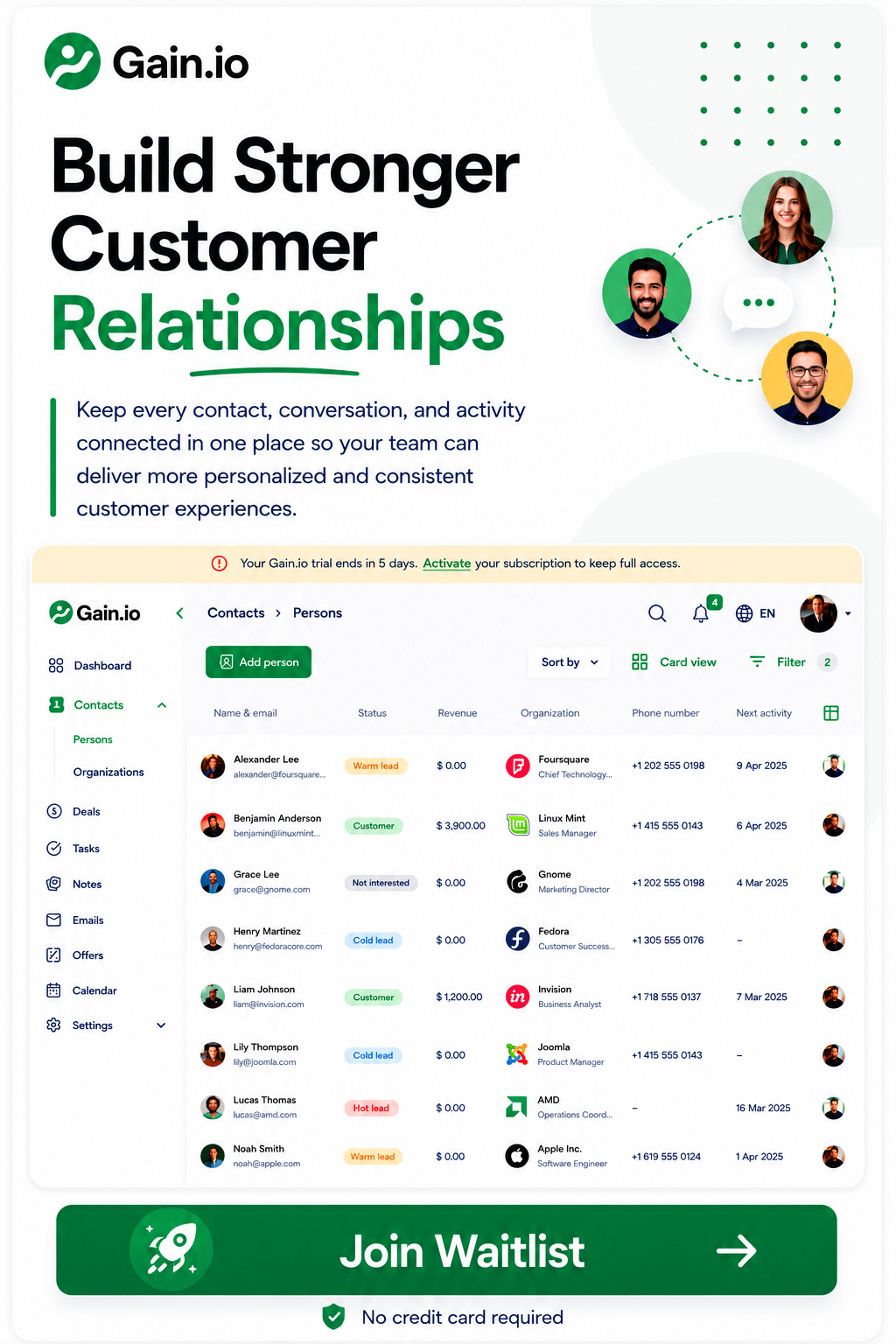
The CRM is the center of the customer view, since it's where sales, support, and marketing already meet. Gain.io is built to centralize this data natively, so account and deal information sit in one record without a separate integration layer, offering a simpler alternative in the Gain.io vs Salesforce CRM comparison.
Reliable data here sets the foundation for everything else connected to it. Weak data accuracy at the CRM level spreads downstream fast, so this is the layer worth getting right before adding more tools on top.
Email And Communication Tools
Connecting email and calendar tools captures conversations that would otherwise live outside the customer record entirely. Calls, meetings, and email threads all add context that shapes customer engagement over time, which is why CRM email integration is so important.
This connection also supports data governance, since communication history stays tied to the right contact instead of scattered across personal inboxes. That consistency matters once more than one rep touches the same account.
Support Platforms
Support tools bring in ticket history, resolution times, and recurring issues that sales rarely sees otherwise. That visibility gives teams a deeper understanding of where a customer relationship actually stands.
Support data also flags accounts at risk before they churn. Feeding that signal back into the CRM helps teams drive customer loyalty by catching problems early instead of reacting after a customer has already checked out.
Marketing Tools
Marketing platforms add campaign engagement, email opens, and website activity to the profile. This closes the loop between what a customer sees and how they respond, which sharpens the next campaign.
Combined with CRM data, this connection also supports cross selling by showing which customers are already engaging with related content or offers. Marketing stops guessing and starts working from real signals.
Automation And Integration Tools
Automation tools move data between systems without manual entry, keeping every connected platform in sync as records update. This matters most when pulling in external data sources beyond the core stack.
Some of these tools now use artificial intelligence to flag inconsistencies or suggest missing fields automatically. That extra layer speeds up business processes that used to require someone manually checking records for gaps.
Final Thoughts
A customer 360 view doesn't have to mean building a data warehouse or hiring a data team. For most SMBs and agencies, the CRM already sitting at the center of daily work can do the job.
Getting there takes a clear process: define the record, connect the right sources, standardize the data, and layer in history over time. Skip the enterprise-scale infrastructure unless your business actually operates at that scale.
Agencies get an added benefit here, since the same approach works per client account without extra tooling. Start with what's already in your CRM. Connect the tools that fill the biggest gaps first. The full picture builds from there, one clean record at a time.
FAQs
Can A Small Business Build A Customer 360 View Without A Data Team?
Yes. Most small businesses already have everything needed inside their CRM. The tools, contacts, deals, and support tickets typically already exist somewhere. The work is connecting them, not building new infrastructure. Skip the data warehouse and MDM layer unless the business operates at enterprise scale with dozens of disconnected systems feeding into it.
How Much Customer Data Should A 360 View Include?
Enough to answer basic questions without digging: contact details, deal history, support tickets, and recent communication. More isn't automatically better. A profile packed with unused fields slows teams down instead of helping them. Start lean, then add categories only when a real gap shows up in day-to-day work.
Can A CRM Replace A Customer 360 Platform?
For most SMBs and agencies, yes. Enterprise 360 platforms exist to unify data across dozens of disconnected systems using MDM or a data warehouse. A CRM already centralizes sales, support, and marketing data for smaller teams, so that extra layer often adds cost without adding value.
How Often Should Customer 360 Data Be Updated?
Ideally in real time, through direct integrations rather than manual updates. Static reports go stale the moment a new deal closes or a support ticket opens. A CRM connected to email, support, and marketing tools keeps the profile current automatically instead of relying on someone remembering to update it.
What Is The Easiest Way To Start A Customer 360 View?
Start with the tool your team already lives in, usually the CRM. Map where customer data currently sits, connect the two or three tools with the biggest gaps first, and standardize field names before merging anything. Trying to connect everything at once is where most of these projects stall out.