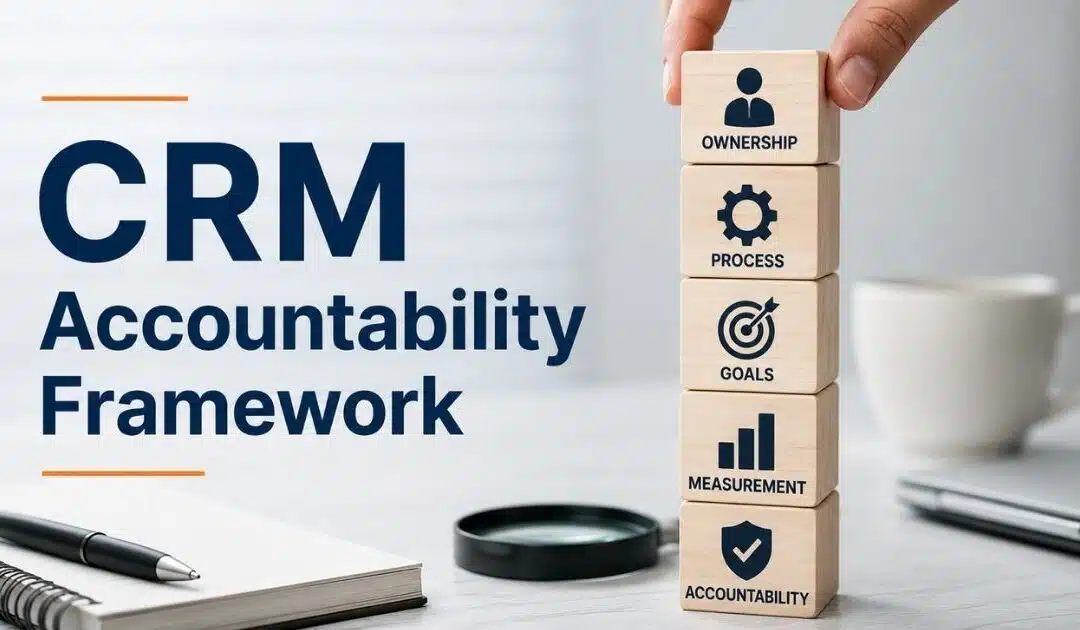
Many companies invest in CRM software but still struggle with poor data, missed follow-ups, and weak sales visibility. The problem is usually not the CRM itself. Lack of accountability creates inconsistent updates, broken workflows, and unreliable reports. Teams start working from assumptions instead of real customer data.
A strong CRM accountability framework fixes that problem. It creates clear ownership, standard processes, and measurable expectations across sales, marketing, and RevOps teams. Managers gain better forecasting. Sales reps follow cleaner workflows. Leadership gets accurate pipeline insights.
This guide explains how CRM accountability works, why it matters, and how to build a framework that improves adoption, data quality, and revenue performance.
What A CRM Accountability Framework Really Means
A CRM accountability framework is a structured accountability system that helps sales teams follow the sales process with consistency. It defines responsibility, expected behavior, and daily actions across the business. Companies use accountability frameworks to improve CRM utilization, manage CRM data quality, and support better business outcomes. Without accountability, CRM systems turn into messy databases with unreliable reports and poor pipeline visibility.
Strong CRM accountability creates clear processes, setting goals, and measurable metrics for every team member. Managers can track performance through real-time dashboards, analytics, and CRM tools. Leadership gains better control over sales, marketing, customer engagement, and compliance. Salespeople stay accountable for leads, follow-ups, and data updates.
Successful organizations establish this framework as a foundation for continuous improvement, coaching, training, and growth. Consistent execution matters because small gaps in CRM management can affect outcomes, cost, and long-term success across the enterprise.
Key Components Of A High-Performance CRM Accountability Framework
A high-performance CRM accountability framework creates structure across sales, marketing, and customer management. It helps teams follow the sales process with consistency and accuracy. Clear accountability improves CRM utilization, strengthens data quality, and supports better business outcomes. Companies with strong CRM management often achieve faster growth, cleaner pipelines, and more reliable forecasting.
Clear Roles And Ownership
Every accountability framework needs defined responsibility. Sales teams must know who manages leads, updates crm data, and handles customer follow-ups. Without ownership, crm systems quickly become disorganized. Reports lose accuracy, and managers struggle to track performance.
Clear accountability also improves team behavior and compliance. According to Salesforce, high-performing sales organizations are 2.3 times more likely to maintain structured sales processes. Strong ownership creates better execution across the business. Employees stay accountable because expectations are clear from day one.
Standard Sales Processes
Consistent sales processes create better control across the pipeline. Every salesperson should follow the same steps for lead qualification, follow-ups, and customer updates. A structured process reduces confusion and supports predictable business outcomes.
HubSpot reports that companies with defined sales processes see up to 28% higher revenue growth. Standard workflows also improve crm utilization because teams use crm tools the same way. Managers can coach more effectively when daily actions follow a repeatable framework. Better consistency leads to stronger sales performance over time.
Real-Time Metrics And Dashboards
Real-time dashboards help organizations track key metrics without delays. Managers can monitor sales activity, pipeline health, crm data quality, and customer engagement from one platform. Fast access to data supports faster decisions and better accountability.
Modern crm systems now depend heavily on analytics and dashboards. Gartner states that data-driven organizations are three times more likely to improve decision-making success. Accurate reports also help leadership establish realistic goals and identify challenges early. Strong visibility keeps sales teams focused on expected outcomes instead of assumptions.
Regular Coaching And Feedback
Strong accountability systems need regular feedback and coaching. Managers should review performance, discuss challenges, and support continuous improvement. Short coaching sessions often work better than long monthly reviews because problems get solved faster.
Sales enablement research shows ongoing coaching can improve win rates by nearly 20%. Feedback also improves crm utilization because salespeople understand how their daily actions affect business results. Effective coaching builds responsibility across the team. Employees stay engaged when leadership provides support, direction, and measurable expectations.
CRM Training And Adoption
CRM technology only works when teams use it consistently. Proper training helps employees understand processes, dashboards, analytics, and reporting standards. Many companies invest heavily in crm tools but still struggle with low adoption.
Forrester reports that poor crm adoption remains one of the biggest challenges in enterprise sales management. Training creates confidence and reduces resistance across teams. Successful organizations treat crm accountability as part of company culture, not just software implementation. Better adoption improves data quality, customer management, and long-term business success.
CRM Roles And Responsibilities That Prevent Data Chaos
Clear roles inside a crm accountability framework prevent confusion, duplicate records, and missing updates. Every team member should understand their responsibility inside the sales process. Strong ownership improves crm data quality, pipeline visibility, and customer management. Structured accountability also helps organizations maintain consistent execution across sales, marketing, and leadership teams.
Sales Reps Own Data Accuracy
Salespeople create most of the crm data inside the system. Their daily actions affect reports, dashboards, forecasts, and customer records. Poor updates often create data chaos across the business. Missing lead details and outdated pipeline stages reduce crm utilization and weaken decision-making.
LinkedIn research shows sales reps spend nearly 20% of their time searching for incomplete information. Accurate updates improve accountability and support better business outcomes. Managers can track performance more effectively when data stays current. Strong habits from sales teams build a cleaner and more reliable crm framework.
Managers Enforce CRM Standards
Managers play a critical role in crm accountability. They establish processes, review dashboards, and coach employees on expected behavior. Without management support, teams often ignore workflows and compliance standards. Accountability systems lose structure when leaders fail to monitor execution.
Salesforce reports that high-performing sales organizations are 2.1 times more likely to use consistent pipeline reviews. Regular oversight improves crm data quality and strengthens sales performance. Managers also help teams solve challenges before they affect customers or revenue growth. Clear leadership creates stronger accountability across the enterprise.
Marketing Teams Control Lead Quality
Marketing teams manage lead sources, campaign tracking, and customer engagement data. Poor lead management creates duplicate contacts, incorrect records, and weak reporting. A strong accountability framework defines how marketing transfers leads into crm systems.
HubSpot found that companies with aligned sales and marketing teams generate 208% more revenue from marketing efforts. Clean handoffs improve pipeline accuracy and reduce confusion for salespeople. Shared responsibility between departments supports better collaboration and business success. Consistent lead management also improves analytics and long-term customer relationships.
RevOps Teams Maintain System Structure
RevOps teams help organizations manage crm tools, workflows, dashboards, and reporting standards. They create the framework that keeps processes consistent across teams. Without structure, companies struggle with disconnected systems and poor visibility.
Gartner states that organizations with mature RevOps functions achieve higher forecast accuracy and faster revenue growth. RevOps teams also track metrics, monitor compliance, and improve crm utilization. Their work supports continuous improvement across sales management and customer operations. Strong system governance reduces costly data problems before they spread.
Leadership Drives Accountability Culture
Leadership sets the tone for crm accountability across the business. Executives must treat crm management as a business priority, not just a technology task. Employees follow standards more consistently when leadership stays involved and visible.
Research from McKinsey shows companies with strong accountability cultures outperform competitors in operational performance. Leaders should review reports, support training, and reinforce expected outcomes regularly. Clear direction helps teams stay focused on goals, customer experience, and business growth. A strong accountability culture creates better behavior across every level of the organization.
CRM Adoption Challenges And How Accountability Solves Them
Many companies invest heavily in CRM systems but still struggle with poor adoption. Employees skip updates, avoid workflows, and create incomplete customer records. Weak accountability often causes the problem. A strong CRM accountability framework combined with clear CRM adoption strategies to improve CRM ROI creates structure, improves behavior, and helps teams follow processes consistently across the business.
Low User Adoption
Many sales teams resist CRM tools because they see them as extra work. Salespeople often focus only on closing deals instead of updating CRM data. Poor adoption affects reports, dashboards, and pipeline visibility across the organization.
Freshworks research shows nearly 43% of CRM customers use fewer than half of their system features. Clear accountability changes that behavior. Managers can track CRM utilization through simpler sales workflows in their CRM, dashboards and performance metrics. Teams become more accountable when leadership connects CRM usage to business outcomes and sales success.
Poor Data Quality
Incomplete customer records create major business challenges. Missing emails, outdated leads, and duplicate contacts reduce trust in CRM systems. Sales and marketing teams struggle when reports contain inaccurate data.
Experian reports that poor data quality costs organizations millions every year through lost productivity and weak decision-making. Accountability systems help establish clear responsibility for CRM data updates and can be reinforced with integrated contact management to organize customer information. Managers can review compliance regularly and coach employees when problems appear. Consistent execution improves data quality and supports stronger customer management across the enterprise.
Weak Process Compliance
Many organizations create sales processes but fail to enforce them. Teams start using different workflows, which creates confusion across the pipeline. Inconsistent processes reduce forecasting accuracy and hurt customer experience, especially in complex B2B sales CRM environments for revenue teams.
Salesforce data shows high-performing companies are far more likely to enforce standardized CRM processes. Accountability frameworks create structure and control around expected daily actions. Leaders can track process compliance through analytics and real-time dashboards. Clear standards help sales teams manage leads more effectively and improve long-term business growth.
Limited Manager Oversight
Managers often lack visibility into CRM activity. Without proper oversight, teams miss follow-ups, delay updates, and ignore sales goals. Weak management support creates accountability gaps across the business.
Gartner states that organizations with strong sales management practices achieve better forecast accuracy and higher revenue performance. Regular sales pipeline CRM reviews and coaching sessions help managers identify problems faster. Better oversight also improves employee engagement and accountability. Teams perform more consistently when leadership actively supports CRM management and process discipline.
Lack Of Training And Support
Many companies implement CRM technology without proper training. Employees struggle to understand dashboards, reports, workflows, and system expectations. Confusion reduces confidence and slows CRM adoption across sales and marketing teams.
Forrester research shows poor user training remains one of the biggest barriers to CRM success. Structured onboarding, choosing CRM tools that fit your workflow, and continuous improvement programs help employees use CRM tools more effectively. Strong support also improves accountability because teams understand their responsibilities clearly. Better training creates stronger adoption, cleaner data, and more successful CRM outcomes over time.
KPI Metrics That Measure CRM Accountability Success
A CRM accountability framework needs measurable results. Clear KPI metrics help organizations track CRM utilization, sales performance, data quality, and process compliance. Strong reporting also helps leadership identify gaps early. Companies that monitor the right CRM metrics usually achieve better business outcomes and stronger customer management, especially when paired with CRM adoption best practices for sales teams.
CRM Data Completion Rate
CRM data completion rate measures how consistently teams update customer records, leads, and pipeline details. Incomplete data creates reporting issues and weak forecasting. Accurate records help sales teams make better decisions and improve customer engagement.
Research from Validity found that poor CRM data quality affects nearly 44% of business revenue projections. Strong accountability systems and dynamic contact management for smarter relationship tracking establish clear expectations for data updates. Managers can track completion rates through dashboards and analytics. Better data quality improves CRM management, reporting accuracy, and overall business performance.
Sales Activity Consistency
Sales activity metrics track calls, follow-ups, meetings, and pipeline updates inside CRM systems. Consistent execution helps organizations maintain visibility across the sales process, and automating sales tasks to stay focused and organized can support that consistency. Low activity often signals weak accountability or poor CRM adoption.
HubSpot reports that companies with structured sales tracking achieve higher win rates and stronger pipeline accuracy. Managers can use dashboards to monitor daily actions and coach employees more effectively. Regular activity tracking also improves employee accountability and customer communication. Strong consistency creates better long-term sales outcomes.
Pipeline Update Accuracy
Pipeline accuracy measures how well salespeople maintain deal stages, close dates, and revenue forecasts inside CRM tools. Outdated opportunities create confusion for leadership and reduce trust in reports.
Salesforce research shows high-performing sales organizations are far more likely to maintain accurate pipeline management practices. Accountability frameworks help teams follow standard processes for opportunity updates, as shown in case studies where teams close deals faster with Gain.io. Managers gain better visibility into business growth and forecast reliability. Accurate pipelines also support stronger decision-making across sales, marketing, and revenue operations teams.
CRM Adoption Rate
CRM adoption rate tracks how actively employees use CRM technology during daily operations. Low utilization often means teams rely on spreadsheets, notes, or disconnected systems instead of the official platform, which is why CRM for startups and small sales teams should emphasize simplicity and fit to everyday workflows.
Forrester states that low CRM adoption remains one of the biggest barriers to CRM success. Accountability systems improve adoption by creating clear responsibility and measurable expectations. Leadership can track login activity, workflow usage, and reporting behavior through real-time dashboards. Better CRM utilization strengthens collaboration, customer management, and operational efficiency across the business.
Response Time Performance
Response time metrics measure how quickly sales teams follow up with leads and customer inquiries. Slow responses reduce engagement and hurt conversion rates. Fast communication improves trust and customer experience, especially when supported by CRM with email integration to streamline communication.
Lead response studies from InsideSales found that contacting leads within five minutes can increase conversion chances significantly. Accountability frameworks help organizations establish response standards and monitor performance consistently. Managers can identify delays through CRM reports and coaching sessions. Faster follow-ups improve pipeline movement, customer satisfaction, and overall sales success.
CRM Governance Best Practices For Sales And RevOps Teams
Strong CRM governance helps sales and RevOps teams maintain clean data, consistent processes, and reliable reporting. Without structure, CRM systems become difficult to manage. Governance creates accountability across the business and supports better customer management, forecasting, compliance, and long-term operational success, especially when backed by smart CRM tools for sales teams.
Clear CRM Access Rules
Every organization needs clear rules for CRM access and permissions. Employees should only access the data and tools required for their roles. Poor access control increases the risk of data errors, duplicate records, and compliance problems.
IBM reports that data breaches caused by internal errors remain one of the biggest business security risks. CRM governance frameworks help managers establish secure processes and accountability standards. Controlled access also improves data quality and system reliability. Sales and RevOps teams can work more effectively when responsibilities stay clearly defined.
Standard Data Entry Policies
Consistent data entry policies improve CRM data quality and reporting accuracy. Teams should follow the same rules for customer records, lead updates, deal stages, and pipeline management. Inconsistent formats create confusion across sales and marketing operations, whether in B2B, services, or retail teams using CRM tools to stay organized.
Research from Gartner shows poor data quality costs organizations an average of millions every year. Standard policies help teams maintain better compliance and execution. Managers can track data consistency through dashboards and analytics. Strong governance creates cleaner reports, better forecasting, and more accurate business outcomes across the enterprise.
Regular CRM Audits
CRM audits help organizations identify outdated records, duplicate contacts, and broken workflows before they create larger problems. Regular reviews also improve accountability because teams know leadership monitors system quality closely.
Salesforce recommends routine CRM audits to improve performance and maintain long-term CRM utilization. RevOps teams can use reports and dashboards to track system health and employee activity, which is especially valuable for real estate agents using CRM tools to save time. Audits also support continuous improvement across customer management and sales operations. Better visibility helps businesses solve challenges faster and maintain stronger CRM performance.
Shared Sales And RevOps Goals
Sales and RevOps teams work better when they share common goals and metrics. Misaligned priorities often create reporting gaps, process confusion, and pipeline issues. Governance frameworks help establish unified accountability across departments.
HubSpot research shows aligned sales and operations teams generate stronger revenue performance and better customer engagement. Shared KPIs improve communication and create more consistent execution across the business. Leadership can also manage performance more effectively when teams follow the same framework for how CRM helps sales teams manage leads. Better alignment supports growth, forecasting accuracy, and operational efficiency.
Continuous Training And Reviews
CRM governance requires ongoing training and performance reviews. Employees need regular updates on workflows, compliance standards, dashboards, and CRM tools. One-time onboarding rarely supports long-term CRM success.
Forrester states that continuous training improves CRM adoption and employee engagement significantly. Regular reviews help managers coach teams and identify process gaps early. Better support also strengthens accountability and encourages consistent behavior across the organization, especially when combined with CRM tools that help startups grow smarter. Companies that invest in training usually achieve stronger CRM utilization, cleaner data, and better business outcomes.
Common CRM Accountability Mistakes That Hurt Revenue Growth
Many businesses invest in CRM systems but still struggle with weak revenue growth and poor pipeline visibility. Small accountability mistakes often create bigger operational problems over time. Clear CRM management, consistent execution, and strong leadership support help organizations avoid costly gaps in performance and customer management.
Unclear Team Responsibilities
Unclear responsibility creates confusion across sales and marketing teams. Employees may assume someone else updates CRM data, follows up with leads, or manages pipeline stages. Important customer information often gets missed when ownership stays undefined.
Gallup research shows employees perform better when role expectations remain clear. Strong accountability frameworks establish who manages each process inside the CRM system. Managers can track execution more effectively through dashboards and reports. Better ownership also improves collaboration, data quality, and customer experience across the business.
Poor CRM Data Habits
Weak data habits damage forecasting, analytics, and customer management. Salespeople may skip updates, enter incomplete records, or leave outdated opportunities inside the pipeline. Over time, poor CRM data reduces trust in reports and dashboards.
Validity research found that poor CRM data quality affects sales productivity and business performance significantly. Accountability systems help organizations create better compliance around data updates. Regular reviews and coaching improve consistency across sales teams. Clean data also supports stronger decision-making and long-term revenue growth.
Lack Of Process Enforcement
Many companies establish sales processes but fail to enforce them consistently. Teams start using personal workflows instead of standard CRM procedures. Inconsistent execution creates reporting gaps and weakens pipeline visibility.
Salesforce states that high-performing organizations rely heavily on structured sales management practices. Managers should monitor CRM utilization and process compliance regularly. Clear accountability improves employee behavior and supports predictable business outcomes. Strong enforcement also helps teams manage customer interactions more effectively across the sales cycle.
Limited Leadership Involvement
CRM accountability often fails when leadership treats CRM as only a technology tool. Employees usually follow standards more consistently when executives stay involved in reviews, reporting, and performance discussions.
McKinsey research shows organizations with strong leadership accountability achieve higher operational success. Leaders should review dashboards, monitor metrics, and support continuous improvement across departments. Active leadership creates stronger accountability culture and better employee engagement. Consistent support also improves CRM adoption and long-term business growth.
Weak Training And Coaching
Employees cannot follow CRM processes effectively without proper training and support. Many businesses focus on software implementation but ignore coaching and skill development. Poor onboarding often creates low CRM utilization and weak accountability.
Forrester reports that ongoing CRM training improves adoption and employee performance significantly. Managers should provide regular feedback, process reviews, and coaching sessions. Better support helps teams manage customer data and sales activities more accurately. Strong training also improves consistency, pipeline management, and overall CRM success.
Steps To Build A CRM Accountability Framework That Scales
A scalable CRM accountability framework helps businesses maintain consistent execution as teams grow. Clear processes, measurable goals, and strong leadership support improve CRM utilization and customer management. Companies that build structured accountability systems usually achieve better sales performance, cleaner data, and stronger business outcomes over time, especially when their CRM platform fits existing workflows and scales with the team.
Step 1: Define Clear Team Responsibilities
Every accountability framework starts with role clarity. Sales teams, managers, marketing staff, and RevOps teams should understand their responsibilities inside CRM systems. Clear ownership prevents confusion around leads, customer updates, and pipeline management.
Gallup research shows employees perform better when expectations stay clearly defined. Managers should establish who handles CRM data updates, reporting, and customer communication. Defined accountability also improves compliance and team collaboration. Strong ownership creates a better foundation for consistent CRM management and long-term business growth.
Step 2: Create Standard CRM Processes
Standard processes help organizations maintain consistency across sales activities and customer interactions. Every employee should follow the same workflow for lead qualification, follow ups, deal stages, and reporting, all grounded in a clearly defined sales process with steps and benefits. Consistent execution improves visibility and forecasting accuracy.
Salesforce reports that companies with structured sales processes achieve stronger revenue performance than businesses without process discipline. Standard workflows also improve CRM utilization because teams use the platform consistently. Clear processes reduce operational challenges and help managers coach employees more effectively through measurable actions and metrics.
Step 3: Set Measurable KPI Metrics
Strong accountability depends on measurable performance metrics. Businesses should track CRM adoption, pipeline updates, response times, and CRM data quality through real-time dashboards. Clear KPIs help leadership monitor outcomes and identify gaps quickly, and tools that emphasize usability—like those compared in Gain.io vs Salesforce CRM—can make those KPIs easier to track and act on.
Gartner research shows that data-driven organizations make faster and more accurate business decisions. Measurable goals also improve employee accountability because expectations stay visible across the team. Managers can use reports and analytics to track progress consistently. Better KPI tracking supports continuous improvement and stronger customer management across the organization.
Step 4: Train Teams Consistently
CRM technology alone cannot create accountability. Employees need regular training, coaching, and support to follow processes correctly. Many organizations fail because teams never fully understand CRM tools, dashboards, or reporting standards.
Forrester states that continuous CRM training improves adoption and operational efficiency significantly. Managers should provide feedback sessions and process reviews regularly. Better support helps employees manage customer data and pipeline activities more accurately. Consistent training also improves engagement, compliance, and long-term CRM success across growing teams.
Step 5: Review Performance Regularly
Regular performance reviews help businesses maintain accountability as operations scale. Managers should monitor dashboards, reports, and sales metrics weekly or monthly. Early reviews help organizations identify process gaps before they affect revenue growth.
McKinsey research shows companies with strong performance management practices outperform competitors operationally. Leadership should focus on coaching, feedback, and continuous improvement instead of only tracking numbers. Consistent reviews also strengthen accountability culture across sales, marketing, and RevOps teams. Better oversight supports stronger execution and long-term business success.
How Gain.io Supports CRM Accountability And Sales Execution
A strong CRM accountability framework depends on visibility, consistency, and clear ownership. Gain.io — all-in-one CRM to grow your sales and team helps sales and RevOps teams manage leads, track deals, automate follow-ups, and maintain accurate CRM data from one centralized platform. The system combines contact management, task tracking, visual sales pipelines, and real-time dashboards to improve CRM utilization and sales execution.
Teams can monitor pipeline progress, assign responsibilities, and track daily actions without scattered spreadsheets or disconnected tools. Automation features also reduce missed follow-ups and repetitive manual work. Managers gain better visibility into performance, forecasting, and customer engagement through structured workflows and reporting tools. Gain.io focuses on operational simplicity, which helps growing businesses improve accountability, maintain cleaner CRM processes, and support long-term revenue growth.
FAQs
Why Does CRM Accountability Matter For Revenue Growth?
CRM accountability helps sales teams maintain accurate CRM data, follow consistent sales processes, and manage customer relationships more effectively. Strong accountability improves forecasting, pipeline visibility, and business outcomes. Companies with structured CRM frameworks often achieve better sales performance and operational control.
Can Small Businesses Build A CRM Accountability Framework?
Yes. Small businesses can create a simple accountability framework with clear responsibilities, KPI metrics, and standardized CRM processes. Even basic CRM tools and dashboards help teams track leads, customer interactions, and sales activities more consistently. Strong accountability supports long-term business growth and cleaner CRM management.
Does CRM Accountability Improve Customer Experience?
Yes. Better CRM accountability improves customer response times, follow-ups, and data accuracy across sales and marketing teams. Consistent execution helps organizations deliver smoother customer experiences and stronger engagement throughout the sales process.
Which Teams Should Participate In CRM Accountability?
Sales, marketing, RevOps, leadership, and customer support teams should all participate in CRM accountability. Shared responsibility improves CRM utilization, data quality, and reporting accuracy. Cross-functional alignment also reduces process gaps and supports stronger business performance across the organization.
Can CRM Automation Reduce Accountability Problems?
Yes. CRM automation helps teams manage follow-ups, task reminders, reporting, and pipeline updates more effectively. Automated workflows reduce manual effort and improve process compliance across the business. Better automation also strengthens accountability because managers can track performance and customer activities in real time.
Studies by Gartner and CIO.com consistently show that 47% to 63% of CRM projects underperform or fail outright. The root cause rarely traces back to bad software. Instead, poor planning, inadequate change management, and data quality issues derail most implementations before they gain traction.
CRM implementation means far more than installing software. It encompasses configuring your CRM system to match business processes, migrating customer data from legacy systems, integrating existing tools like email and marketing automation platforms, and fundamentally changing daily workflows for your sales team, marketing staff, and customer service teams. For most businesses, this includes sales pipeline management, lead tracking, customer interaction history, reporting, and workflow automation.
This article delivers a practical CRM implementation checklist designed for small and mid-sized B2B and B2C organizations. The checklist follows a chronological structure from initial planning through post-launch optimization.
Foundations Of A Successful CRM Implementation
Organizations that invest time in planning before selecting CRM software demonstrate significantly higher adoption rates and ROI realization. This section covers the groundwork that separates successful CRM implementation from costly failures.
Goal Setting And Business Objectives
Establishing clear business objectives is important to avoid scope creep in CRM implementation. Document 3 to 5 specific, measurable objectives before any configuration begins. Rather than vague goals like “improve sales,” aim for precision: “increase lead-to-opportunity conversion from 15% to 20% within 12 months” or “reduce average sales cycle from 90 days to 70 days.”
Defining business goals is essential before selecting a CRM, as it helps ensure that the chosen system aligns with the organization’s unique requirements and objectives. Each objective should map directly to CRM capabilities. Lead management and lead scoring support conversion improvement. Pipeline visibility supports cycle time reduction. Customer interactions tracking supports retention metrics.
Stakeholder Alignment And Governance
Failed CRM projects frequently suffer from inadequate cross-functional alignment. Sales, marketing, customer success, finance, and IT often have conflicting priorities and different use cases for the CRM. A successful CRM implementation requires a structured approach to integrate it smoothly into business processes, which includes defining clear goals and aligning stakeholders.
Establish a simple governance model with defined roles. The executive sponsor (typically a C-level leader) holds final decision authority on scope and resources. A dedicated project manager handles day-to-day coordination and timeline management. Key user representatives from each department advocate for their team’s needs. IT provides technical guidance and integration support.
Budget And Resource Planning
CRM implementation costs for SMBs typically include several categories. Software licensing runs $50 to $150 per user annually for cloud CRM solutions. Data migration services range from $5,000 to $50,000 depending on complexity. Integration development costs $10,000 to $100,000 or more based on the number and complexity of connections. Consulting services for mid-market implementations typically run $50,000 to $300,000. Add internal staff time and user training to complete the picture.
Industry benchmarks suggest SMBs should budget 1% to 3% of annual revenue for CRM and related technology investment. For a $10 million revenue company, this translates to $100,000 to $300,000 annually. Organizations often underestimate data migration costs, which frequently consume 30% to 50% of total implementation budget.
High Level CRM Requirements Definition
Capturing high-level CRM requirements early clarifies who will use the system, what core processes it must support, and what reporting needs exist. Before evaluating vendors, conduct short discovery workshops with each department to understand current processes and pain points. These workshops typically take 2 to 4 weeks.
Gather requirements categorized as “must-have” versus “nice-to-have” capabilities. Example requirements include “single view of customer interactions across email, calls, and meetings” for sales reps, “pipeline visibility by region and segment” for managers, and “marketing campaign tracking with lead source attribution” for marketing teams.
Change Management And Adoption Strategy
Planning user adoption from day one separates successful implementation from expensive failures. Research from Forrester identifies adoption as the top driver of CRM ROI, more influential than feature set or vendor selection. Organizations with effective change management achieve 70% to 85% active user adoption within 90 days. Those without deliberate adoption strategies often see only 30% to 40%.
Tactics for driving adoption include early involvement of power users, structured pilot groups, internal CRM champions, and transparent communication about “what is in it for me” for each role. Identify 3 to 5 power users per department who will champion the CRM and support peers after launch, building on proven CRM adoption strategies to improve CRM ROI.
Timeline And Implementation Approach
Two primary approaches exist for CRM deployment. Big bang implementations deploy the entire system organization-wide in a single go-live event, typically completed in 8 to 14 weeks. Phased implementations roll out by region, department, or product line over 12 to 24 weeks.
Phased rollouts have higher adoption rates and lower risk, as issues can be identified within one group before expanding. However, phased approaches extend calendar time and delay benefits realization. For organizations with fewer than 100 CRM users and simple data migration, big bang approaches are often acceptable. For more complex deployments, phased approaches are generally safer.
CRM Implementation Checklist: Step By Step
This core section presents the implementation checklist as a sequential guide for deploying a new CRM system. Each step covers what to do, who should be involved, and what “done” looks like. Key steps in CRM implementation include setting up a cross-functional team, mapping data fields, integrating with existing tools, and conducting rigorous testing.
Capture Detailed CRM Requirements
Move from high-level business needs to detailed CRM requirements across sales, marketing, service, and leadership reporting. Document user stories that guide configuration: “As a sales rep, I need to log customer interactions in under 60 seconds” or “As a sales manager, I need real-time pipeline visibility by rep and territory.”
Group requirements into categories:
Contact and account management
Lead management and lead tracking
Opportunity and sales pipeline tracking
Customer interactions history
Analytics and reporting
Workflow automation
Prioritize requirements to avoid scope creep. Phase 1 should focus on high-value capabilities that directly support stated business objectives. Defer nice-to-have requirements to post-launch phases so you avoid common CRM implementation mistakes to avoid. This discipline keeps the initial launch focused and achievable within timeline.
Select And Validate The CRM System
Choosing the right CRM software is crucial for long-term success, as no single CRM solution fits every business; it should align with budget, user needs, and technical ecosystem. System choice should align with defined CRM requirements, business objectives, integration capabilities, and budget rather than brand recognition alone, and many teams benefit from following structured tips for choosing CRM tools that fit your workflow before committing to a platform.
Hands-on trials with real sample data provide far better insight than vendor presentations. Have 3 to 5 internal users work with sample data in a test environment for one week. Test key workflows: lead assignment, opportunity progression, and reporting by segment. Verify the system handles your data volumes efficiently.
Design Processes, Pipelines, And Custom Fields
Map existing sales, marketing, and service processes into structured CRM workflows and pipelines. Document your current sales process from initial contact through deal closure, then translate it into pipeline stages with clear entry and exit criteria.
Customizing the CRM involves tailoring it with custom fields, objects, and page layouts that fit unique sales processes. However, overcomplicating the CRM system with too many custom fields can make it hard to use and maintain. Limit custom fields to data that directly supports decision making, segmentation, or compliance. Common justified fields include industry, company size, budget authority, and product interest.
Plan And Execute Data Migration
A well-planned data migration is essential to avoid data loss, duplication, or inconsistencies, which can undermine user trust in the new system. Follow a stepwise process: source system inventory, data quality assessment, cleansing and deduplication, field mapping, and test imports, especially for high-impact entities like your sales pipeline CRM to improve sales visibility and performance.
Creating data migration guidelines helps maintain data quality and consistency during the transfer to a new CRM system. Document field mappings explicitly, including handling of combined or split fields (full name to first and last name, for example). Run at least two test migrations into a sandbox environment before final cutover.
Implement Integrations And Automation
Integrating a CRM with existing business tools is essential for creating a seamless flow of information and ensuring data integrity across systems. Prioritize core integration capabilities: CRM with email integration to streamline sales communication, calendar integration, marketing automation, accounting or ERP, and website forms.
Begin with a few high-impact automations before building advanced flows. Lead assignment rules that route a new lead to the appropriate rep based on territory or product interest provide immediate value. Task reminders ensure consistent customer engagement while leveraging tools that automate sales tasks to stay focused and organized. Follow-up sequences maintain momentum with prospects.
Train, Launch, And Stabilize
Training employees on the new CRM system is essential for driving high adoption rates and maximizing return on investment, as even the best-configured CRM can fail without proper user training. Outline a structured user training program tailored to roles: sales reps, managers, marketers, service agents, and executives, and address common CRM adoption challenges, mistakes, and best practices for sales teams.
Comprehensive user training is essential for driving high adoption rates and maximizing the return on investment (ROI) of a CRM system. User training should include practical exercises, such as hands-on practice with the CRM, to ensure employees are comfortable using the system effectively. Mix formats: live workshops for real-time questions, recorded video modules for self-paced learning, and job aids for quick reference.
Data Migration, Quality, And Governance Of CRM Implementation
CRM success hinges on clean, reliable data. Data migration often consumes 30% to 50% of implementation effort and carries the highest risk of delays and quality issues. This section focuses on migration planning, quality controls, and ongoing governance.
Data Inventory And Assessment
Identify all current data sources: legacy CRMs, spreadsheets, email marketing tools, accounting software, and support systems. Most organizations have customer information scattered across multiple channels and systems.
Evaluate data completeness, duplication, and relevance. Decide what should actually move into the new CRM system versus remaining archived in legacy systems. A brief checklist of core entities every implementation must address includes:
Customer accounts and contacts
Leads and prospects
Opportunities and sales history
Activities and customer interactions
Products and pricing
Consider compliance requirements when handling inactive contacts, consent records, and regional privacy rules. Defining user roles and setting up security permissions is necessary for compliance with regulations such as GDPR.
Data Cleansing And Standardization
Fix inconsistent formats before or during migration to improve segmentation and reporting. Common issues include phone numbers stored in varying formats, inconsistent country names, and unstandardized job titles.
Apply normalization rules: standardized industry lists, lead source picklists aligned with marketing categories, and ISO country codes. Use deduplication rules and matching logic (combining email, phone, company name, and domain) to merge duplicate contacts and accounts without losing interaction history.
Field Mapping And Transformation
Map legacy fields to new CRM data fields, including handling of combined or split fields. Document transformation logic explicitly. If legacy system stores “last contact date” but new CRM differentiates email, call, and meeting dates, specify how to handle the conversion.
Use custom fields when necessary but limit them to data that supports business objectives and analytics. Validate sample mappings with business users to ensure nothing important is lost or misinterpreted during migration.
Migration Testing And Cutover Strategy
A well-planned data migration process is crucial to avoid data loss, duplication, or inconsistencies when implementing a new CRM system. Run at least one trial migration into a sandbox environment to validate volumes, field mappings, and relationships at scale.
Conduct user validation sessions where key stakeholders verify records against the old system for accuracy and completeness. At least 5% to 10% of high-value records (major customers, large opportunities) should be manually validated.
Ongoing Data Governance And Ownership
Assign data ownership roles: a data steward or CRM administrator responsible for data quality policies and regular audits. Business process owners should be accountable for data quality in their domain.
Implement simple governance practices: quarterly data health reviews, automated reports on incomplete or stale records, and documented data quality standards. Apply validation rules and mandatory fields only where necessary to balance data quality with usability.
User Adoption, Training, And Change Management
This section addresses the people-centric part of the implementation checklist. Behavior change, not technology configuration, determines whether your CRM investment delivers returns. Research consistently cites adoption as the top driver of CRM ROI.
Role-Based Training Design
Creating role-based training programs, documentation, and user guides encourages CRM adoption. Build training paths tailored for different roles: front-line sales reps need to log activities and update opportunities, managers need pipeline reviews and team reporting, executives need dashboard navigation.
Providing structured training and onboarding can significantly improve data quality and workflow efficiency within a CRM system. Mix formats to accommodate different learning styles: live workshops for real-time interaction, short video modules for self-paced learning, and job aids for quick reference after launch, recognizing how CRM adoption is changing modern sales teams and their expectations.
Communication And Engagement Plan
Transparent communication from leadership explains why the CRM implementation is happening and what will change. The executive sponsor should communicate business rationale, expected benefits, and commitment to making the system work.
Establish a communication cadence: project kickoffs, milestone updates, and pre-launch countdowns via email or internal channels. Address concerns directly. If sales reps worry about perceived micromanagement, explain how activity data supports coaching and performance improvement rather than surveillance.
Pilot Programs And Feedback Loops
Run a structured pilot with one team or small group to test the CRM solution in real conditions. Involving end-users in the CRM process can help improve adoption rates. Pilot participants should understand they are testing the system and that their feedback shapes the final launch, especially when you aim to get more from your CRM with a simpler sales workflow.
Establish specific feedback mechanisms: weekly pilot calls, short surveys, and an ideas backlog tracked by the project team. Use pilot findings to refine workflows, custom fields, and training materials before full rollout.
Adoption Metrics And Dashboards
Define clear adoption KPIs: logins per user, records created or updated, activity logging rates, and pipeline coverage. Effective CRM systems provide real-time dashboards and customizable reports that allow users to track key performance indicators (KPIs) such as sales pipeline value and conversion rates.
Build simple dashboards that managers review weekly to spot teams or individuals struggling with usage. Track adoption by department, region, or manager to identify patterns and target interventions.
Correlate adoption metrics with business outcomes like win rate or response times. Monitoring adoption metrics and providing ongoing support is key for post-launch success in CRM initiatives. If high-adoption reps show better forecast accuracy, that correlation demonstrates tangible value.
Continuous Coaching And Support
Support for users should continue long after launch. Establish a clear point of contact or admin team for CRM questions. Quick response times in the first 90 days maintain momentum and user confidence.
Schedule regular refresher sessions and new feature briefings to keep skills current. Document common questions in an internal knowledge base, reducing repeated one-off support requests. Ongoing support is often where organizations decide to engage external partners. A well-implemented CRM requires continuous attention to optimize workflows and address emerging needs.
Post-Launch Optimization Of CRM Implementation
Go-live represents the midpoint of CRM implementation, not the end. Gartner research suggests that 60% to 70% of CRM value is realized post-launch through refinement, advanced automation, and broader integration. The focus shifts from setup tasks to performance measurement, refinement, and scaling of CRM solutions, which aligns with a broader CRM implementation guide for scalable business growth.
Defining CRM Success Metrics
List key performance indicators linked to earlier business objectives: lead conversion, sales cycle length, customer lifetime value, and customer retention rates. Key features to look for in a CRM include lead management capabilities, sales pipeline tracking, and the ability to automate routine tasks to enhance customer service.
Set baseline values before CRM go-live to enable before-and-after comparisons. Without baselines, organizations often overestimate or underestimate CRM impact. Include both adoption metrics and business metrics for a complete picture.
Monitoring performance metrics after launching the CRM is essential to confirm whether the implementation is on the right path and to identify areas for improvement. Review metrics monthly for the first six months, then quarterly once performance stabilizes.
Pipeline, Lead Management, And Forecast Accuracy
Evaluate whether new CRM workflows improved lead management, opportunity tracking, and forecast reliability. Measure forecast accuracy variance before and after implementation as a concrete success indicator.
Refine pipeline stages, qualification criteria, and required data fields based on how deals actually progress in the new system. If historical data shows “Proposal” stage deals close at 40% but stage definition assumes 10%, recalibrate probabilities.
Identify bottleneck stages where deals accumulate. If many opportunities stall in “Negotiation,” investigate whether process changes, additional resources, or automated follow ups could accelerate progression.
Process And Workflow Refinement
Conduct recurring process reviews every 90 days where stakeholders assess which CRM workflows add value and which need simplification. Gather both quantitative data (time saved, automated tasks completed) and qualitative feedback from users.
Some automations or custom fields may need retirement if they add complexity without impact. Apply a minimalism principle: features and complexity should be justified by demonstrable business value, particularly in environments running a B2B sales CRM guide for revenue teams where clarity and focus are critical.
Document changes and update the internal CRM playbook. This documentation ensures new hires learn current best practices rather than outdated procedures.
Advanced Automation And Integration Expansion
After stabilizing basics, add more advanced automations: lead scoring based on engagement signals, renewal reminders for approaching contract dates, and customer health scoring combining multiple data points. These capabilities optimize workflows and reduce manual effort while strengthening how CRM helps sales teams manage leads.
Consider deeper integrations with marketing campaign platforms, customer success systems, and finance applications once core flows prove reliable. Social media integration can enhance customer engagement tracking across multiple channels, which is especially important for high-growth teams evaluating top CRM tools that help startups grow smarter.
Monitor system performance and user experience as automation volume grows. Advanced capabilities should always be justified against clear business needs, not added for novelty. Collaboration tools and other systems should connect only when they solve genuine problems.
Regular CRM Health Checks
Conduct periodic CRM health checks covering adoption, data quality, system performance, and strategic alignment. A semiannual or annual formal review should result in a prioritized improvement backlog for the next period.
Include security, access controls, and audit logs in health checks to ensure compliance and risk management. Verify that data flow between integrated systems remains accurate and that no new issues have emerged.
External specialists can provide independent assessments and benchmarking where internal perspective has limitations. These reviews help identify blind spots and compare performance against industry standards, similar to insights from a sales acceleration case study on closing deals faster with Gain.io.
How Gain.io Supports CRM Implementation Success
Gain.io helps organizations move from planning to a successfully deployed CRM system focused on sales workflows and pipeline management. Our services address every phase of the implementation checklist, from initial discovery through long term success.
Key services include requirements discovery workshops that translate business objectives into detailed CRM requirements, implementation checklist design tailored to your organization’s context, and data migration planning that prevents the quality issues undermining most deployments. We configure custom workflows, pipelines, and integrations with existing tools to create a unified system for managing customer relationships powered by an all-in-one CRM to grow your sales and team.
Gain.io brings established best practices and benchmarks from implementations across multiple industries. Our approach ensures your right CRM system delivers measurable business performance improvements, leveraging Gain.io features — smart CRM tools for sales teams to support day-to-day execution. Contact Gain.io for help building or executing your CRM implementation checklist.
FAQs
How Long Does A Typical CRM Implementation Take?
CRM implementation timelines depend on business requirements, CRM requirements, existing data, data migration complexity, custom fields, integration capabilities, multiple tools, and workflow automation setup. Customer relationship management success also depends on user training, ongoing support, customer information accuracy, and collaboration tools across sales and customer support teams, whether you are running a large deployment or a focused CRM for startups and small sales teams.
Who Should Own The CRM Implementation Internally?
Successful CRM implementation requires decision-making leaders who understand business operations, customer relationships, customer interactions, sales performance, sales forecasts, marketing campaigns, and business goals. Sales and customer stakeholders should also collect feedback, manage customer relationships, optimize workflows, and align customer service teams with CRM solutions.
When Is The Right Time To Replace A Legacy CRM System?
Businesses should replace a CRM system when existing tools create data flow issues, customer satisfaction problems, customer retention challenges, sales pipeline limitations, or workflow automation gaps. A new CRM with advanced features, social media integration, lead management, and better data security supports business growth effectively, and comparisons like Gain.io vs Salesforce CRM can clarify which platform best fits your needs.
How Detailed Should My CRM Implementation Checklist Be?
A requirements checklist should cover CRM software selection, CRM vendors, customer data structure, business processes, sales history, lead tracking, customer base management, multiple channels, marketing automation, social media engagement, integrate smoothly planning, and track record monitoring to support successful CRM implementation without missing operational priorities.
Can Small Businesses Implement A CRM Without External Consultants?
Small businesses can manage CRM implementation internally when business needs, own criteria, and business requirements remain manageable. The right CRM system helps sales team members handle new lead tracking, customer interactions, sales and customer alignment, custom workflows, customer relationship management, and business growth without external consultants, including use cases like CRM tools that help retail teams stay organized.
CRM success for sales teams depends on measurable adoption rather than just deploying a CRM system. Installing the software is the easy part. The real challenge is changing daily behavior so every rep, manager, and leader relies on the CRM to manage leads, opportunities, and accounts. Without that shift, your CRM investment becomes an expensive database no one trusts.
This article breaks down seven concrete adoption metrics that reveal whether your sales team actually uses the CRM as the single source of truth. When tracked consistently, these metrics connect system usage to business outcomes like reliable pipeline numbers, improved conversion rates, and better business performance within two quarters. Gain.io serves as a sales performance and revenue platform that helps managers track these metrics from a single place, turning raw CRM data into actionable insights.
What Is CRM Adoption For Modern Sales Teams
CRM adoption refers to how consistently sales teams use a CRM platform to manage customer relationships, sales activities, and internal workflows. Strong crm user adoption helps organizations improve sales visibility, streamline collaboration, and support better decision-making across departments.
Modern businesses often rely on success metrics and performance metrics to evaluate how effectively teams use their CRM systems. Companies monitor engagement metrics, crm engagement, and user behaviour to understand how sales representatives interact with the platform. Tracking user groups also helps identify different usage patterns across departments or roles.
Businesses that identify bottlenecks early can improve effective adoption and reduce operational inefficiencies. Teams that review the system regularly can detect role-specific gaps, improve training strategies, and encourage better platform usage. Higher CRM adoption ultimately supports stronger sales performance, improved forecasting accuracy, and more consistent customer management processes, illustrating how CRM adoption is changing modern sales teams.
7 CRM Adoption Metrics Every Sales Manager Should Track
These seven adoption metrics form a practical scorecard that connects CRM usage to sales outcomes. Together, they help sales managers coach more effectively, spot adoption issues early, and make data driven decisions about training and process changes. To measure CRM adoption effectively, businesses should focus on metrics across three core categories: usage, data quality, and business performance, and pair these with structured CRM adoption best practices and change management strategies to turn metrics into behavior change.
The basic formula for CRM Adoption Rate is (Number of Active CRM Users / Total Potential Users) × 100. But that surface-level number only tells part of the story. The metrics below dig deeper into usage patterns, user engagement, and business impact.
1. Daily And Weekly Active CRM Users
Daily Active Users (DAU) is a key metric that tracks how effectively teams incorporate the CRM into their daily routines, providing insights into user engagement and adoption rates. This metric measures the percentage of licensed users who log into the CRM system and perform at least one meaningful action per day or week.
Active Usage Rate is the percentage of licensed users who log in and perform meaningful actions within a defined period. Passive logins where reps view-only without updating records should be filtered out. Query CRM APIs for actions exceeding 30 seconds to differentiate real engagement from quick check-ins.
Benchmarks for 2026 suggest aiming for at least 85 percent weekly active usage for quota-carrying reps and 70 percent for leadership. Below 70 percent signals the CRM is a compliance checkbox rather than a workflow hub. Sharp usage declines week over week indicate training gaps or process friction that needs immediate attention.
2. Depth Of Feature Usage Across The Sales Team
Measuring feature usage helps identify which CRM tools are most utilized by the team, revealing patterns in adoption and highlighting areas where additional training may be needed. This metric looks at engagement with core modules like opportunity pipelines, task management, CRM with integrated email functionality, and forecasting tools.
A high login rate without meaningful feature usage can hide weak CRM adoption and limited process change. One B2B services firm discovered 60 percent login rate but only 20 percent task completion. After targeted training on sequences and playbooks, win rates improved by 12 percent.
Identify three or four key features tied to your business processes and track system usage for those specifically. For most sales teams, these include opportunity tracking, task management, calendar syncs, and pipeline reviews. Teams that use playbooks regularly show 18 percent higher close rates compared to those who ignore them.
3. CRM Data Completeness For Key Objects
Data Completeness measures the percentage of required fields filled out in records like leads, contacts, accounts, and opportunities. Target 90 to 95 percent completeness for mandatory fields. AI-enabled CRM software can lift this by 40 percent through auto-fill capabilities.
The effectiveness of a CRM system is directly tied to the quality of the data it contains, as poor data quality can lead to incomplete records and missed sales opportunities. Focus on specific fields that matter: contact role, deal stage, close date, next step, and deal value, supported by dynamic contact management for smarter relationship tracking. Tracking every optional field creates unnecessary burden.
High-quality data entry is essential for CRM effectiveness, as it ensures that users can rely on accurate information to make informed decisions and streamline business processes. One team raised opportunity completeness from 65 percent to 95 percent, enabling reliable win-loss analysis that identified pricing objections as a hidden 15 percent drag on close rates. Data Contribution & Quality includes metrics such as Data Completeness Score and Accuracy Rate to monitor data integrity.
4. CRM Data Freshness And Recency Of Activity
Data freshness measures how recently each active opportunity or account has been updated with notes, tasks, or stage changes. Tracking new data entry frequency is essential for understanding CRM adoption, as it indicates how consistently teams are logging critical information into the system.
Stale records create pipeline risk. Flag opportunities with no activity for more than 7 days in short cycles (30 days) or more than 14 days in long cycles (90 days). Dakota Analytics reports that neglected opportunities cost 20 percent of pipeline value.
One sales manager used “days since last activity” reporting to spot 30 percent of Q4 pipeline at risk. Targeted coaching on those deals rescued $2M before quarter end. This kind of visibility turns a few metrics into a key indicator of deal health.
Require meaningful updates on every open deal at least once per week for inside sales teams. Gain.io dashboards auto-surface stale records, reducing inspection time by 80 percent and enabling faster decision making.
5. Pipeline Coverage And Forecast Reliability
Pipeline coverage equals total pipeline value divided by quota for a given period. Common targets suggest maintaining three times quota in early quarters and adjusting based on win rate patterns. Enterprise sales teams often need 4x coverage while SMB teams work with 3x.
Tracking sales pipeline speed is crucial as it measures how quickly deals move through sales stages, helping to identify delays and improve the sales process. If reps do not rely on the CRM system, coverage ratios become misleading and forecast accuracy suffers.
Studies indicate that only 50% of sales teams use CRM data effectively for forecasts and decision-making, highlighting the critical need for accurate data entry. One team improved CRM adoption and saw forecast error drop from 30 percent to under 10 percent, enabling confident planning and resource allocation.
6. Lead To Customer Conversion Rates Driven By CRM
This metric tracks the percentage of leads that become customers and is one of the clearest signals connecting CRM adoption to sales revenue. Benchmarks suggest 15 to 20 percent conversion for well-managed pipelines.
Monitoring lead-to-customer conversion rates is essential for assessing CRM effectiveness, as a well-implemented CRM can significantly boost these rates, with phone calls alone increasing conversion likelihood by 70%. Consistent use of lead statuses, contact fields, and follow-up tasks inside the CRM improves conversion rates over one to two quarters.
One team standardized CRM processes and moved from a 12 percent to a 17 percent lead-to-customer rate. Compare conversion rates for leads fully managed inside the CRM versus those handled outside to quantify adoption impact and demonstrate business value.
7. Time To First Value For New CRM Users
Time-to-Value (TTV) measures how long it takes a new user to complete their first key action, such as logging their first real opportunity or closed deal. Target under 30 days for new reps to fully use core CRM workflows.
Shorter time to first value indicates an intuitive CRM setup, strong onboarding, and clear expectations for adoption success. Low user adoption can result in incomplete data, outdated records, and missed sales opportunities, leading teams to revert to less efficient tools like spreadsheets.
One growing sales team improved onboarding materials and templates, cutting time to first value from 45 to 22 days. This accelerated ramp time by 25 percent and improved user confidence with the system.
How To Validate CRM Adoption Metrics In Your Team
Validation means proving each adoption metric reflects real behavior and real business impact, not vanity numbers. Without validation, you risk making decisions based on metrics that look healthy but hide process bottlenecks or data accuracy problems.
This section walks through a repeatable validation process. The examples assume a modern CRM integrated with analytics capabilities. Managers should revisit and recalibrate these metrics quarterly as sales motions, territories, and product lines evolve.
Define Each Metric And Map It To Business Outcomes
Convert abstract concepts like “engagement” into concrete metrics such as percentage of reps logging activity five days per week. Each adoption metric needs a clear definition that everyone, from Sales to RevOps to leadership, interprets the same way.
Map each metric to a business outcome. Higher Daily Active Users should correlate with shorter sales cycles. Better data completeness should improve forecast accuracy. One team tied user login consistency to a 10 percent improvement in quarterly pipeline accuracy, validating that the metric mattered.
Document definitions in a shared playbook. Clear definitions prevent confusion when comparing adoption success across regions or teams and ensure consistent reporting.
Establish Baselines Using The Last 90 Days Of CRM Data
Establishing baseline metrics immediately after implementation helps track CRM adoption progress over time. Pull at least 90 days of CRM data to understand current adoption reality before setting targets.
Compute baseline figures such as the current percentage of opportunities with a next step field filled in, or the average days since last activity. A hypothetical Q1 2026 baseline might show 72 percent WAU, 82 percent completeness, and 12 days average freshness.
Segment baselines by role and region to see whether adoption gaps concentrate in new hires or specific territories.
Set Clear Thresholds For Healthy Versus At Risk Adoption
Translate baselines into thresholds. A rep might be “healthy” if they log in at least four days per week and update 95 percent of open deals weekly. Use simple traffic-light categories so front-line managers quickly see where coaching is required.
Align thresholds with sales cycle length and deal value rather than copying generic benchmarks. An inside sales team with a 30-day cycle needs 7-day freshness thresholds while a field sales team with 90-day cycles can work with 14-day thresholds.
Review thresholds every six months as the CRM system or sales motion changes. Role-Based Dashboards provide tailored metrics relevant to specific roles to deliver actionable insights.
Verify Data Quality Before Trusting Any Metric
Data Accuracy involves regular audits to ensure the information entered is correct and standardized. Poor CRM data quality, such as missing close dates, duplicate records, or inconsistent stages, makes adoption metrics misleading, and reinforces the need for structured CRM adoption strategies to improve CRM ROI.
Run a simple audit: randomly review a sample of opportunities and contacts to check whether fields match reality based on emails and meetings. Cross-check CRM data with external systems like email integration, calendar, or calling tools to validate that key customer interactions are captured.
Use data quality dashboards to spot patterns. If specific teams leave mandatory fields empty, that creates adoption issues affecting the entire pipeline. Validation should be ongoing, not a one-time clean-up, with monthly spot checks.
Connect Adoption Metrics To Sales Performance Trends
Overlay metrics like Daily Active Users with win rate, revenue per rep, or forecast accuracy for the same time period. Look for directional relationships where teams with higher feature usage show faster lead response times and better conversion rates.
One team improved data completeness from 60 percent to 90 percent and immediately saw more reliable pipeline coverage ratios. Use cohort analysis by hire date or training group to see how changes in onboarding affect both adoption and sales goals.
Use Insights To Adjust Training Processes And Incentives
Validated metrics should drive specific actions. Targeted training on opportunity stages or simplifying required fields that slow reps down addresses adoption gaps directly.
Creating a clear user adoption strategy with measurable goals and deadlines is essential for overcoming resistance and ensuring effective CRM usage across teams. Run small experiments: adjust one process, observe metric movement for 30 to 60 days, then decide whether to roll out more broadly.
One team shortened its stage list and saw both higher adoption and faster pipeline updates within one quarter. Validation succeeds when adoption metrics reliably predict business outcomes managers care about, which is especially important for startups selecting CRM tools that help startups grow smarter.
Best Practices To Improve CRM Adoption Metrics
These strategies help sales managers move key adoption metrics within the next quarter. Each practice ties directly to measurable changes in CRM data so you can track progress and demonstrate business impact. Creating a clear user adoption strategy with measurable goals and deadlines is essential to overcoming CRM adoption challenges and ensuring employees do not revert to previous behaviors.
Align CRM Workflows With Existing Sales Processes
Adoption rises when CRM stages, fields, and tasks mirror how the sales team actually sells rather than forcing an unfamiliar process. Involve top-performing reps in redesigning opportunity stages, required fields, and standard tasks to reduce friction so you can get more from your CRM with a simpler sales workflow.
One team removed redundant fields and cut opportunity update time by 25 percent, boosting data completeness. Re-validate workflows every six to twelve months as products and markets change so the CRM system stays aligned with business processes.
Updated workflows should immediately show improved usage and depth of feature metrics in your adoption dashboards.
Make CRM The Single Source Of Truth For Pipeline Reviews
Run every forecast call and pipeline review directly from the CRM system. This reinforces that if it is not in CRM, it does not exist. Stop accepting offline spreadsheets or slide decks as substitutes for a dedicated sales pipeline CRM view.
One leadership team mandated CRM-based forecasts by a specific quarter, leading to a 40 percent spike in activity logging. Making CRM central for reviews naturally raises users logging daily and improves pipeline coverage metrics. This discipline ensures forecast accuracy improves as adoption improvement takes hold.
Embed CRM Usage In Onboarding And Coaching
Give new reps clear expectations for CRM activity in their first 30, 60, and 90 days, tied to specific usage metrics. Use one-on-one coaching sessions to review both pipeline progress and CRM hygiene side by side.
Implementing Digital Adoption Solutions (DAS) can help employees learn CRM software features gradually, improving their confidence and engagement with the system over time. Role-specific playbooks and scenario-based exercises accelerate basic features mastery. Gain.io tracks whether onboarding cohorts hit adoption milestones faster over time as coaching improves, providing valuable insights for enablement teams.
Simplify Data Entry And Automate Repetitive Work
Reps resist CRM systems when data entry feels slow, duplicative, or disconnected from selling activities. Minimize required fields, use templates for notes, and leverage integrations to capture emails and meetings automatically, using sales task automation to stay focused and organized.
Automating data entry processes can alleviate pressure on employees and ensure that accurate data is consistently entered into the CRM system, enhancing user engagement. One team reduced required lead fields and saw a clear uptick in data completeness within a month.
Use automated reminders carefully so they support intentional updates like next steps and close dates. Improved automation shows measurable gains in both data freshness and depth of feature usage.
Recognize And Reward Strong CRM Adoption Behaviors
Presenting the value of CRM to employees can significantly motivate them to adopt the tool, as it helps them understand how it will reduce their workload and enhance their skills. Public recognition, small rewards, or friendly competition can motivate consistent CRM usage.
Spotlight reps who maintain near-perfect data completeness or consistently update all deals before forecast calls. One region implemented a monthly “clean pipeline” award that led to a 35 percent increase in timely opportunity updates.
Tie at least one quarterly objective to CRM adoption expectations, not just closed revenue. Sales managers can use objective metrics to identify and celebrate adoption champions.
Common Pitfalls When Interpreting CRM Adoption Metrics
These mistakes cause sales managers to misread adoption metrics or draw wrong conclusions. CRM adoption statistics from 2024 and 2025 show many teams overestimate adoption because they focus on surface-level indicators. Resistance to digital transformation is a common challenge in CRM adoption, but demonstrating how CRM improves sales productivity can help overcome these obstacles.
Relying Only On Login Counts To Judge Adoption
High login numbers without activity depth give a false sense of CRM success and hide process gaps. One team had weekly logins near 100 percent, but only half of opportunities had current stages or next steps.
Pair login data with metrics like records updated, task completion rates, and meetings logged per user. Gain.io dashboards display both logins and key action counts together to provide context.
Treat login-only improvements as a first step, not the end goal. Low user adoption rates become visible only when you examine what happens after the login.
Ignoring Data Quality When Tracking Business Performance
Forecasting and conversion metrics become unreliable if underlying pipeline data is incomplete or outdated. One team’s forecast accuracy looked poor, but the real issue was missing close dates and inconsistent stages.
Audit field completeness and last-update dates before basing strategic decisions on CRM-generated reports. Waste resources fixing the wrong problems when you skip this step. Improving data quality often precedes visible gains in conversion rates and revenue metrics.
Failing To Segment Metrics By Role Or Team
Averaging adoption metrics across all users hides whether issues concentrate with SDRs, AEs, or specific regions. One organization saw average adoption while inside sales excelled and field reps lagged significantly.
Always view dashboards segmented by role, team, tenure, and product line where relevant. Configure role-based views so each manager sees the segments they own. Targeted interventions based on segmentation prove more effective than broad programs that treat everyone the same, especially when refining how your CRM helps sales teams manage leads across different roles.
Setting Unrealistic Or Static Adoption Targets
Copying industry benchmarks without accounting for specific sales cycles, deal sizes, or territory complexity creates problems. A team with long enterprise cycles needs different activity and freshness targets than an SMB team.
Revisit targets at least twice per year based on actual performance trends and user feedback from the field. Static targets can discourage teams or hide the need to raise expectations as adoption improves. Year-over-year trend analysis supports informed target adjustments that reflect your actual business objectives, whether you run B2B, SaaS, or retail teams using CRM tools to stay organized.
Overlooking Qualitative Feedback From CRM Users
Metrics show what is happening, but feedback from reps explains why adoption is high or low. Organizations can effectively track CRM adoption by combining quantitative metrics with qualitative feedback.
User Feedback and Surveys provide direct insights into usability and help identify pain points. Pair dashboard reviews with quarterly feedback sessions about CRM workflows.
Encouraging open feedback from employees about their CRM experiences can provide valuable insights into user engagement challenges and help tailor strategies to improve CRM adoption. One team discovered friction with a particular form, leading to a change that boosted both user satisfaction and data entry rates.
How Gain.io Supports Strong CRM Adoption
Gain.io is a platform built to help sales leaders measure, understand, and improve CRM adoption using real-time metrics. It connects to your CRM and surfaces adoption insights like usage depth, data quality, and pipeline accuracy in one place, powered by smart CRM tools for sales teams.
Managers can configure dashboards for Daily Active Users, data completeness by field, and pipeline coverage across teams without heavy technical work. CRM analytics become accessible to front-line managers, not just RevOps specialists. Real-time alerts for stale data reduce inspection time by 80 percent, similar to results in a sales acceleration case study using Gain.io.
Gain.io enables sales leaders to tie adoption metrics directly to business outcomes like revenue growth and conversion rates. One client improved WAU by 25 percent and conversions by 14 percent in a single quarter using Gain.io as an all-in-one CRM to grow sales and teams and its dashboards to guide coaching and process changes.
The platform supports successful CRM implementation by providing the visibility sales teams need to coach effectively and hit targets consistently. Leaders evaluating options can use a B2B sales CRM guide for revenue teams to frame how Gain.io fits into their broader sales strategy. Consider exploring a demo to see how Gain.io could support your own CRM success story.
Frequently Asked Questions
How Often Should Sales Managers Review CRM Adoption Metrics
Review key metrics like Daily Active Users, data freshness, and pipeline coverage weekly to support coaching and hygiene checks. Conduct deeper monthly and quarterly reviews to spot trends and guide process changes. Automated weekly snapshots save managers from manually exporting and merging reports, freeing up 10 or more hours per month for customer relationships and coaching.
What CRM Adoption Metrics Make Sense For A Small Sales Team
Teams with fewer than ten reps should focus on a smaller set of metrics: logins, activity logging, and opportunity data completeness. Small teams can rely on direct observation and quick feedback loops but still benefit from consistent numeric baselines. Even in small teams, tracking lead-to-customer conversion rates tied to CRM usage highlights tangible business impact and justifies the CRM investment, especially when using a CRM for startups and small sales teams that stays simple to manage.
How Can We Track Adoption If Our CRM Reporting Is Limited
Start with whatever basic reports exist, such as user logins and record updates, and export data for further analysis where needed. Connecting the CRM to a specialized analytics platform like Gain.io overcomes native reporting gaps without rebuilding the CRM itself. Prioritize a few high-value metrics rather than trying to replicate a full enterprise dashboard on day one, and follow tips for choosing CRM tools that fit your workflow so reporting evolves smoothly.
Should Marketing And Customer Success Be Included In CRM Adoption Metrics
If marketing teams and customer service teams use the same CRM system, include them in adoption tracking with role-specific metrics. Campaign attribution completeness for marketing and renewal opportunity hygiene for customer success provide relevant benchmarks. Cross-functional adoption improves handoffs and creates a more accurate view of the customer lifecycle when everyone works from shared contact management to build stronger relationships.
How Long Does It Usually Take To See Results From Adoption Improvements
Behavioral changes in CRM usage can appear in metrics within a few weeks, but meaningful business performance shifts often take one to two quarters. Metrics like data completeness and Daily Active Users usually improve first, followed by better forecast accuracy and conversion rates. Using a platform like Gain.io helps teams see incremental wins sooner, which keeps momentum and executive support high for ongoing adoption improvement, particularly for teams comparing Gain.io vs Salesforce CRM when choosing their long-term platform.
CRM dashboards have become essential for revenue teams that need to make fast, informed decisions. Dashboards provide instant access to the current state of sales pipelines, customer service metrics, and marketing campaign effectiveness, replacing static spreadsheets with real-time visualizations that drive action.
For sales managers tracking pipeline coverage, marketers analyzing lead generation strategies, or customer success teams monitoring customer retention, a well-built dashboard consolidates the data that matters most. According to research from Gartner, organizations using analytics-driven sales tools achieve 1.5 to 2 times higher revenue growth compared to teams relying on intuition alone.
This guide walks through what CRM dashboards are, the core types every team should consider, and a practical five-step process to build dashboards that actually drive action. You will also learn which dashboard metrics matter most and how to maintain accuracy as your business scales.
What Is A CRM Dashboard?
A CRM dashboard is a visual, real-time interface within customer relationship management software that summarizes sales, marketing, and customer success performance indicators in one place. It pulls live data from deals, contacts, activities, tickets, and marketing campaigns to produce charts, tables, and scorecards that update automatically without manual refreshes.
CRM dashboards consolidate customer data from various touchpoints, allowing businesses to visualize the overall customer journey and identify trends and pain points, which enhances customer experience. Instead of digging through raw sales data or exporting reports to spreadsheets, team members see the metrics they need at a glance.
A modern CRM dashboard typically displays 5 to 10 key metrics. Common examples include open pipeline by stage, win rate, average deal size, customer acquisition cost, and churn rate. Cognitive psychology research suggests humans process 7 plus or minus 2 chunks of information effectively, so limiting visible metrics helps users focus on what matters.
Sales leaders use CRM dashboards to identify bottlenecks in the sales funnel, such as deals stuck in negotiation stages for more than 45 days. Marketing teams track campaign performance and correlate spend with lead quality, identifying channels that yield conversion rates above industry benchmarks. Customer success managers monitor churn signals like declining product usage, intervening early to boost net revenue retention and improving how sales teams manage leads and customer relationships.
Types Of CRM Dashboards
Most organizations need several focused dashboard views instead of one overloaded screen. CRM dashboards can be categorized into various types, including sales dashboards, marketing dashboards, and customer service dashboards, each tailored to meet the specific needs of different business functions. A 2024 Nucleus Research study found that focused dashboards improve user adoption by 40 percent and decision speed by 25 percent compared to all-in-one layouts prone to information overload.
A sales dashboard provides an overview of the various stages of the sales process, allowing sales leaders to track progress, identify opportunities, and optimize sales strategies. Sales dashboards provide an overview of the sales pipeline, allowing sales leaders to track progress, identify opportunities, and optimize sales strategies based on key performance indicators.
Key metrics on a sales pipeline CRM dashboard that improves visibility and performance include conversion rate by stage, average deal size, monthly sales growth, and sales velocity. Visual elements like funnel charts show where deals drop off, with healthy teams seeing 20 to 40 percent conversion per stage according to Salesloft benchmarks. Leaderboards compare sales rep performance on closed-won amounts, creating healthy competition.
Real-time reporting helps sales managers identify bottlenecks faster. For example, if deals are stalling at the proposal stage, managers can intervene with coaching or resources to shorten sales cycle length. A mid-sized tech firm using HubSpot dashboards increased pipeline coverage from 2.5x to 4x quota, boosting quarterly attainment by 18 percent.
Marketing Dashboard
A marketing dashboard helps marketing leaders monitor customer behaviors and campaign performance, enabling them to create targeted content and improve customer experience across channels. Marketing dashboards focus on campaign performance, helping marketing teams monitor customer behaviors and identify opportunities to improve customer experience across channels.
Key metrics include traffic sources, lead conversion rates, email engagement, and customer acquisition cost, especially when paired with a CRM with email integration to streamline sales communication. Marketing efforts become more efficient when teams can see which channels deliver qualified leads at acceptable costs. According to Content Marketing Institute research, content marketing delivers customer acquisition costs 62 percent lower than paid advertising.
Dashboards showing campaign ROI help marketing teams optimize budget allocation. One Marketo user reallocated 30 percent of spend to high-performing webinars after dashboard analysis revealed stronger lead quality scores, lifting overall marketing efficiency by 35 percent.
Customer Service Dashboard
A customer service dashboard emphasizes tracking customer complaints, open cases, and resolved cases, helping customer care representatives prioritize their work effectively. Customer service dashboards are designed to track customer interactions and support metrics, enabling customer care teams to prioritize cases and improve service efficiency.
Important metrics include ticket volume trends, first-response times, resolution rates, and customer satisfaction scores. Zendesk benchmarks suggest aiming for first-response times under 4 hours for 80 percent of cases and resolution rates exceeding 90 percent within SLAs. For industries like retail, CRM tools that help retail teams stay organized can feed these metrics into customer service dashboards to improve day-to-day execution.
By analyzing customer interactions and queries through CRM dashboards, businesses can improve response times and personalize support, leading to higher customer satisfaction and loyalty. Customer service data on dashboards helps teams track customer inquiries from initial contact through resolution, reducing average handle time and improving the overall customer experience.
Executive Dashboard
Executive dashboards provide high-level business insights for leadership teams, aggregating strategic metrics across the entire customer lifecycle. Rather than granular details, executives see revenue trends, customer retention rates, operational performance, and pipeline coverage ratios.
Key metrics include year-over-year revenue growth, net revenue retention targeting 110 percent or higher for mature SaaS companies, and overall sales productivity per representative. Summary scorecards and forecast charts support board-level decisions with drill-down capabilities for investigating drivers.
Gartner case studies show executives using such dashboards achieve 15 percent better forecast accuracy and 10 percent revenue uplift by adjusting strategies based on aggregated data rather than waiting for monthly reports.
Customer Analytics Dashboard
Customer analytics dashboards help businesses understand customer behavior and engagement trends at a deeper level. These dashboards surface patterns that inform personalization and retention strategies.
Key metrics include customer lifetime value calculations, churn rate tracking, and purchase frequency analysis. A healthy target for customer lifetime value to customer acquisition cost ratio is 3:1 or higher. Retention curves showing 70 percent day-30 retention indicate strong product-market fit.
Segmentation visuals and cohort analyses identify power-user segments early. SaaS firms integrating product analytics with CRM dashboards have driven 25 percent retention gains by targeting high-value customer segments with personalized outreach and by tracking focused sales performance metrics for SaaS teams.
How To Build A CRM Dashboard That Actually Drives Action
Building a CRM dashboard that drives real business outcomes requires a structured approach. A 2023 Forrester study found teams following systematic dashboard builds saw 33 percent faster insights and 19 percent higher user satisfaction compared to ad-hoc implementations. The following five steps apply whether you use native CRM dashboards or external analytics tools connected to your CRM system.
Every CRM dashboard must start from a concrete question. Are you trying to determine if the team is on track to hit Q4 pipeline targets? Which channels bring the highest-value customers? Without clear objectives, dashboards become cluttered with irrelevant widgets and vanity performance indicators.
Map primary stakeholders including VP Sales, Head of Marketing, RevOps, and Customer Success leads. Clarify their decisions, time horizons, and preferred level of detail. Group objectives into categories like revenue growth, pipeline coverage, acquisition efficiency, and customer retention or expansion.
When designing a CRM dashboard, it is crucial to consult with the intended users to understand their workflows and the specific metrics that would be most beneficial for them. Choosing the right platform matters just as much as layout, so apply principles for choosing CRM tools that fit your workflow before you start building. A worked example: an executive summary dashboard for board meetings might display quarterly actual revenue versus targets, 3.5x pipeline coverage ratio, and 120 percent net revenue retention, directly informing funding decisions.
Select Relevant Metrics And KPIs
Translate objectives into a focused set of 5 to 7 key metrics, choosing quality over quantity. Distinguish between leading indicators like new opportunities created and activities completed, and lagging indicators like closed-won revenue, churn rate, and customer lifetime value.
CRM dashboards help businesses monitor key performance indicators consistently, enabling teams to track progress toward goals and adjust strategies as needed for better outcomes. Recommended KPIs for sales dashboards include win rate (27 percent median per Salesforce benchmarks), average deal size, pipeline value by stage, and sales cycle length, closely aligned with sales KPIs for smarter revenue decisions.
Industry benchmarks suggest healthy B2B pipeline coverage often ranges from 3x to 4x quarterly quota, though exact targets vary by industry and sales motion. Each metric must support a decision or action. If a metric does not help someone make a better choice, it should not appear on the dashboard.
Metric Category
Example KPIs
Typical Benchmark
Pipeline Health
Pipeline coverage ratio
3x to 4x quota
Sales Performance
Win rate
25-30% B2B average
Customer Acquisition
CAC to LTV ratio
3:1 or better
Customer Retention
Monthly churn rate
Under 5%
Activity
Calls per rep weekly
50 calls
Clean And Standardize Dashboard Data
Even the best-designed CRM dashboards fail if underlying CRM data is inconsistent or incomplete. Practical data hygiene tasks include standardizing deal stages, enforcing required fields, normalizing lead source names, and deduplicating contacts and accounts.
Consider how inconsistent lead source values like “Paid Ads,” “Google Ads,” and “Paid Search” can break customer acquisition analysis on the dashboard. When sources are not normalized, customer acquisition cost calculations become unreliable, potentially showing $500 instead of the accurate $300.
Routine processes like monthly data audits and automatic validation rules in CRM software prevent bad inputs at the source. Teams using integration tools can centralize CRM, billing, and product usage data to improve data quality before visualizing metrics. Clean data enables accurate display data and trustworthy sales forecasts, and is a prerequisite for successful CRM adoption that transforms modern sales teams.
Design Intuitive Layouts And Visualizations
Layout determines whether team members grasp insights in seconds or struggle to find what they need. Use a simple visual hierarchy: strategic KPIs in the top-left, supporting breakdowns beneath them, and diagnostic details further down the page.
A well-designed CRM dashboard typically displays five to seven reports to avoid overwhelming users, focusing on the most critical metrics related to business goals. This aligns with cognitive limits of users to process information effectively.
An effective CRM dashboard should include customizable visualizations that allow users to tailor the display of data according to their specific needs and preferences. Key features of CRM dashboards include interactivity, which allows users to drill down into data points and explore specific metrics for deeper insights, especially when paired with a simpler sales workflow that gets more from your CRM.
Pair metric types with suitable visualizations:
Funnel charts for pipeline stages
Bar charts for team member comparisons
Line graphs for time-based trends like customer retention
Gauges for progress toward targets
Action-oriented widgets display alerts for overdue tasks, at-risk deals, or upcoming milestones to drive immediate action, especially when combined with automated sales tasks that keep reps focused and organized. Limit colors to 5-7 accessible hues with clear labels. A practical three-row sales dashboard layout might include headline KPIs in row one, a sales pipeline funnel in row two, and activity metrics in row three.
Validate, Iterate, And Operationalize Usage
Run a quick pilot by sharing a first version with 5 to 10 users and observing how they use it in real meetings. Note which metrics they actually reference, which visuals confuse them, and what they still need to export to spreadsheets.
CRM dashboards provide real-time updates on sales activities and performance metrics, allowing teams to make informed decisions quickly and effectively and directly support how CRM improves sales productivity. Integrate dashboards into recurring rhythms like weekly pipeline reviews, monthly marketing performance sessions, and quarterly business reviews.
Set clear expectations for update frequency and ownership. Assign someone accountable for keeping dashboard data accurate and relevant. Teams should review dashboards at least quarterly to adjust metrics and targets as strategy evolves, ensuring continuous alignment with business goals.
Essential Metrics To Track On A CRM Dashboard
While every company’s CRM dashboard is unique, a core set of key metrics repeatedly shows up in effective dashboards. CRM dashboards enable teams to track key performance indicators related to customer experience, such as customer retention rates and satisfaction metrics, which are crucial for informed decision-making.
Pipeline And Sales Performance Metrics
Sales forecasting uses historical data to predict future revenue and highlight gaps. Track opportunity count targeting 100 or more per rep quarterly, stage distribution balanced at 20-25 percent per stage, and sales velocity calculated as opportunities multiplied by win rate multiplied by average deal size divided by cycle length.
Win rate for B2B teams averages 27 percent according to Salesforce research. Forecast category accuracy helps ensure 75 percent of committed deals actually close, improving future revenue predictions, especially when you apply structured sales win rate strategies for B2B growth.
Customer Acquisition Metrics
Lead volume benchmarks around 500 monthly for mid-market teams. Conversion rates from MQL to SQL typically range from 10-15 percent. Customer acquisition cost should stay under $400-500 per customer according to HubSpot research, with source ROI analysis showing email delivering 40x return per DMA studies—figures that align closely with a robust B2B sales CRM guide for revenue teams.
Most CRM dashboards use multiple dashboards to compare acquisition trends, customer service efforts, and campaign ROI. Strong Customer Relationship Management CRM visibility delivers actionable insights that improve business performance and long term customer loyalty.
Customer Retention And Lifetime Metrics
Track monthly churn targeting 3-5 percent, customer lifetime value averaging $5,000 or more for SaaS, and expansion revenue contributing 20 percent of total revenue. Health scores above 80 indicate stable accounts unlikely to churn.
Advanced CRM dashboard features help businesses monitor retention risks, expansion opportunities, and account engagement. Multiple dashboards also provide actionable insights that strengthen customer loyalty, improve customer service efforts, and support overall business performance.
Activity And Productivity Metrics
Monitor calls and emails at 50 and 100 weekly respectively, meeting bookings at 10 per representative, and productivity ratios showing 3x quota coverage from activities per Gong.io data.
Effective CRM dashboards should include a mix of backward-looking, future-focused, and in-the-moment insights to provide a comprehensive view of business progress. Combining revenue metrics with customer behavior indicators and strong contact management to build stronger relationships yields a more accurate picture than revenue alone.
Best Practices For Maintaining And Scaling CRM Dashboards
Building a CRM dashboard is only the first step. Keeping it accurate, trusted, and scalable over years requires ongoing attention. Harvard Business Review research indicates that sustained data tools drive 5-6 percent annual revenue gains when properly maintained.
Maintain Data Accuracy
CRM dashboards become unreliable when data quality declines over time. Regular audits removing 10-15 percent duplicates and enforcing validation rules like mandatory close dates yield 98 percent forecast reliability.
Inaccurate deal stages can inflate the pipeline by 25 percent, skewing strategic decisions. One firm discovered its pipeline appeared 25 percent larger than reality due to inconsistent stage definitions. Ensure data accuracy through monthly audits and CRM rules requiring picklist fields. Clean data improves decision-making and builds trust in dashboard reporting, and tools like a streamlined Gain.io vs Salesforce CRM comparison can clarify which platform best supports your governance needs.
Set Role Permissions
Access control and role-based dashboard visibility prevent information overload and protect sensitive data. Sales teams see pipeline and activity metrics. Marketing views campaign performance. Executives access revenue summaries without granular rep-level data.
Utilizing CRM dashboards enhances team alignment by providing all departments with access to the same customer information and pipeline metrics, which improves communication and collaboration, especially when supported by smart CRM tools for sales teams in Gain.io. Limit sensitive customer or revenue data access appropriately. Customized dashboards lift usability by 35 percent as team members see only relevant metrics without navigating through irrelevant widgets.
Review Metrics Regularly
Dashboard metrics should evolve with changing business priorities. Quarterly KPI reviews ensure alignment with the current strategy. What mattered last year may not matter now, especially after product launches or market expansions.
Outdated metrics create unnecessary dashboard clutter. A growing firm conducting regular reviews aligned its dashboards with new product lines, achieving 15 percent better attainment. Continuous optimization improves dashboard relevance and keeps team performance tracking current.
Overloaded dashboards reduce usability and reporting clarity. A best practice for designing CRM dashboards is to limit the number of visible reports to five to seven, as this aligns with the cognitive limits of users to process information effectively.
Organize widgets, charts, and KPI sections logically with strategic metrics at top and supporting details below. Focused dashboard layouts improve team productivity. One sales team cut review meetings by 25 percent after streamlining their dashboard to six core widgets, accelerating decision-making.
Support Future Scalability
CRM dashboards should scale alongside business growth and operational complexity. Cloud architectures with API integrations handle 10x data growth without performance degradation.
CRM dashboards should support integration with external tools, enhancing the ability to analyze customer activity and improve cross-team collaboration. Flexible integrations and automation accommodate new departments and reporting layers. One scaling SaaS company added customer success and support metrics without rebuilding its entire dashboard infrastructure, avoiding 30 percent cost overruns—an approach that mirrors how an all-in-one CRM like Gain.io helps grow your sales and team.
How Gain.io Helps You Build Effective CRM Dashboards
Gain.io streamlines CRM dashboard creation by centralizing data from CRM platforms like Salesforce, billing systems such as Stripe, product analytics from tools like Mixpanel, and marketing platforms like Marketo into a unified layer. This integration enables richer specific metrics like channel-specific customer lifetime value that native CRM tools alone cannot provide.
For startups and smaller teams, these capabilities map closely to a CRM for startups and small sales teams, making advanced dashboards accessible without complex implementation. No-code builders offer pre-built dashboard templates for sales pipelines, marketing ROI, and customer success health. Drag-and-drop KPI configuration lets team members create custom dashboards without technical expertise. Role-based sharing options make it easy to distribute insights to internal stakeholders and external partners.
A customizable CRM dashboard through Gain.io pulls data from multiple sources to track sales performance alongside product adoption signals. Sales reps see activity metrics and pipeline health while sales leaders access forecast accuracy and team performance summaries, which is especially valuable when evaluating top CRM tools that help startups grow smarter.
Explore Gain.io for tailored walkthroughs matching your go-to-market model, or request a demo to see sample top CRM dashboard examples designed for revenue teams focused on business growth.
Frequently Asked Questions
How Many Dashboards Does A Growing Sales Organization Really Need?
Most mid-sized B2B organizations function well with five to eight core dashboards covering executive overview, sales pipeline, forecast, marketing acquisition, customer success health, and team activity views. A 2024 Nucleus Research study found optimal dashboard sets yield 28 percent higher engagement versus organizations maintaining 10 or more fragmented views.More dashboards are not automatically better. Overlapping views often confuse sales representatives and dilute focus. Start with a minimal set and add new dashboards only when a clear new decision-making need emerges from business operations.
How Often Should We Revisit Our CRM Dashboard Metrics And Layout?
Recommend a formal review at least once per quarter to ensure that metrics, targets, and segments still match current sales strategies and sales motions. Gartner research indicates 40 percent of dashboards become obsolete within a year without regular upkeep. Adjust more frequently during rapid changes like new product launches, major pricing updates, or entry into a new geographic market. Include both leadership and frontline sales reps in feedback sessions to catch usability issues early and maintain adoption.
What Is The Best Way To Encourage Daily Dashboard Adoption?
Tie dashboard views directly to weekly and monthly rituals. Use them to structure pipeline reviews, one-on-ones, and forecast calls. When dashboards become central to meeting discussions, adoption follows naturally. Keep personal dashboards for representatives simple and focused on controllable activities and goals. When reps see dashboards as helpful tools for tracking their own progress rather than surveillance mechanisms, daily engagement increases to 75 percent in mature organizations.
How Do We Combine Data From Multiple CRMs Or Systems Into One Dashboard?
Organizations with multiple regions, brands, or legacy systems often need an additional data layer to unify contact, deal, and revenue records. Data integration platforms normalize data via consistent identifiers like email hashes, merging records to prevent double-counting revenue by 15 percent. Tools like Gain.io pull, normalize, and model data from several CRMs and related tools into a single analytics layer. Consistent identifiers, standardized fields, and clear ownership over merged records maintain accuracy across regions and departments.
When Should A Company Move Beyond Native CRM Dashboards To Dedicated Analytics Tools?
Signs that native dashboards are no longer enough include complex multi-touch attribution needs, advanced analytics capabilities for cohort analysis, or heavy cross-system reporting requirements. Teams dealing with large data volumes exceeding one million records, many product lines, or strict governance requirements typically benefit from specialized analytics platforms. A 2025 Forrester wave analysis showed specialized platforms deliver 2x insight depth for scaled operations compared to native CRM views. Companies can keep CRM as the system of record for customer interactions while using modern analytics tools for cross-functional dashboard design and deeper analysis.
AI CRM is reshaping how sales teams build customer relationships and close deals in 2026. The integration of AI into CRM systems has moved far beyond simple automation, now delivering predictive analytics, intelligent lead management, and real-time personalization at scale. Sales and marketing teams using AI-powered tools report faster cycles, higher conversion rates, and improved customer satisfaction scores.
This guide covers everything you need to understand about AI CRM software, from core capabilities and benefits to AI sales assistant features, predictive sales analytics, and AI lead scoring. Whether you are evaluating your first AI CRM solution or looking to maximize your current platform, this resource provides the practical framework for making AI work for your sales operations.
What Is AI CRM?
AI CRM refers to customer relationship management software enhanced with artificial intelligence capabilities such as machine learning, natural language processing, and AI agents. Unlike traditional CRM systems that primarily function as databases requiring manual data entry, updates, and retrospective reporting, AI CRM continuously learns from every customer interaction to suggest or execute next best actions.
Traditional CRM platforms from the 1990s and early 2000s stored contact information and deal histories, but sales reps had to update records and generate their own reports manually. This approach led to outdated information, siloed insights, and missed opportunities. AI CRM changes this dynamic completely.
AI CRM integrates machine learning and other AI technologies into CRM software to automate, enhance, and optimize customer relationship management processes, helping businesses analyze vast amounts of customer data in real time. These systems ingest data from emails, calls, chats, website interactions, and external data sources to identify patterns, predict outcomes, and take action autonomously.
Benefits Of AI-Powered CRM Systems
AI-powered CRM systems deliver measurable advantages across every revenue function. From automating routine tasks to enabling hyper-personalized customer experiences, the benefits compound as AI learns from your data.
Higher Productivity Across Revenue Teams
AI CRM automates repetitive tasks like data entry, logging calls, and updating pipeline stages, freeing SDRs and AEs to focus on relationship-building. By integrating AI into CRM, businesses can reduce the time spent on manual data entry and coordination, allowing teams to focus on high-value activities.
Consider a mid-sized SaaS sales team that implemented Salesforce Einstein. Before AI, each rep spent roughly 20 hours weekly on administrative work. After deployment, auto-logging, AI email drafting, and automated pipeline updates reduced that time to just 6 hours weekly. That represents 14 hours per rep redirected toward actual selling activities.
Improved Customer Satisfaction And Retention
AI CRM enhances customer satisfaction by providing personalized experiences, which 71% of consumers expect and 76% find frustrating when absent. AI enables businesses to treat every customer as an individual without manually tracking every interaction.
The system uses behavioral signals and sentiment analysis from emails, tickets, and calls to flag at-risk accounts before they churn. By leveraging predictive analytics, businesses can identify at-risk customers early and take proactive steps to retain them, enhancing customer satisfaction and loyalty.
AI-powered chatbots and agents provide 24/7 support to resolve common inquiries instantly at any hour, with seamless handoff to human agents for complex issues.
More Accurate Sales Forecasting
Sales forecasting predicts future revenue and market trends with higher accuracy than manual methods. Machine learning models in AI CRM examine multi-year opportunity histories to predict close probabilities and revenue by week or quarter.
Teams that move from spreadsheet-based forecasting to AI driven forecasts typically reduce variance from target by 25% or more. The predictive models remain transparent enough for sales leadership to understand key drivers like deal size, stage duration, and engagement levels.
Actionable Insights From Unified Data
AI CRM unifies internal CRM data with external data such as firmographics, intent signals, and product usage telemetry. AI analyzes vast datasets to understand customer needs, creating tailored campaigns and recommending optimal products.
The system surfaces cross-sell opportunities, expansion-ready accounts, and silent churn risk segments that would otherwise remain hidden. Tailored recommendations suggest products or services based on a customer’s specific browsing and purchase history. Organizations implementing unified AI insights report up to 40% more upsell identifications.
Lower Operational Costs And Faster Cycles
AI-powered CRM systems can reduce operational costs by up to 60% and cut call time by up to 70%, significantly improving sales efforts. AI agents handle follow-ups, list building, and routine support inquiries without human intervention.
One support organization reduced its ticket backlog by 40% within three months of deploying AI assistance within their CRM platform. The system autonomously resolves common inquiries while routing complex issues to the right specialists, cutting average handle time substantially.
Key Capabilities To Look For In An AI CRM Software
When evaluating AI CRM solutions, look beyond marketing claims to assess actual embedded AI capabilities. The right platform should enhance daily workflows rather than requiring separate tools or modules.
Embedded Machine Learning For Predictive Insights
Native ML models for churn prediction, win probability, and product recommendations should operate directly within the CRM interface. Sales and customer success teams should consume these scores on contact, deal, and account views without switching applications. AI can analyze customer interactions to predict which leads are most likely to convert, helping sales teams focus their efforts effectively. Look for systems where scores update in real time based on new interactions.
Modern ai tools strengthen sales processes by delivering ai driven insights from crm data instantly. Platforms like salesforce crm and hubspot crm use ai powered automation to automate tasks and improve forecasting accuracy across teams.
AI Agents For Autonomous Execution
AI CRM systems utilize AI agents that can operate independently within workflows, initiating outreach and recommending actions based on real-time data. These agents watch for triggers such as new signups or contract renewals and automatically send emails or create tasks. AI-powered CRM systems can autonomously trigger actions, update data, and move processes forward without waiting for human input, cutting operational time by hours or even days. Human-in-the-loop controls remain essential so teams can approve or refine actions before full automation.
Generative ai helps automate tasks across business processes while reducing repetitive work. A sales focused crm equipped with ai powered automation improves operational speed and supports smarter decision making throughout customer engagement workflows.
Natural Language Interfaces And Summarization
Users should be able to query CRM data in plain language. Questions like “show deals likely to slip this month” should return fast, accurate answers without requiring complex reports or filters. AI-generated call, meeting, and ticket summaries feed into CRM records automatically, saving 20 to 30 minutes per interaction. This keeps records current while eliminating manual note-taking.
AI analyzes customer data from calls, emails, and meetings to generate actionable summaries. Advanced ai tools improve sales crm usability while supporting faster business processes through intelligent search, recommendations, and automated workflows.
Customer Sentiment Analysis And Intent Detection
AI CRM analyzes email tone, support chats, and social media mentions to score sentiment at contact and account levels. AI monitors customer feedback and communication across platforms to gauge emotions, allowing companies to respond to concerns instantly. When negative sentiment triggers, a success manager receives an alert to initiate proactive outreach before the customer considers alternatives.
AI driven insights from sentiment analysis help sales teams identify risks before escalation. Salesforce crm and hubspot crm integrate ai powered automation to automate tasks and strengthen customer retention strategies with proactive engagement.
Robust CRM Integration And Data Connectivity
AI CRM must integrate cleanly with marketing automation platforms, billing systems, product analytics, and collaboration tools. Examples include syncing billing data for renewal workflows, pulling product analytics for usage insights, and pushing alerts to Slack for immediate action. Strong CRM integration ensures unified data flow across the entire customer lifecycle.
Connected ai tools improve business processes by centralizing crm data from multiple sources. A sales focused crm with generative ai capabilities supports ai powered automation while helping organizations scale operations without fragmented systems.
How AI CRM Transforms Daily Selling With AI Sales Assistant
AI sales assistant capabilities embedded in CRM act as real-time coaches for sales reps, reducing ramp time for new hires by up to 50% through contextual guidance and automated research that improves pipeline efficiency.
Automated Lead Research And Enrichment
An AI sales assistant enriches leads with company size, tech stack, recent news, and key contacts using external data sources. This information flows directly into CRM records, cutting pre-call research time by up to 70%. Instead of manually searching LinkedIn and company websites, reps receive complete profiles ready for outreach, ensuring sales teams focus on conversations rather than data gathering.
Automated enrichment improves lead quality and accelerates sales processes. Sales activity tracking software centralizes customer data, surfaces ai driven insights, and supports sales crm teams with faster prospect evaluation and more accurate targeting decisions.
Intelligent Outreach Sequencing
AI suggests outreach channels and timing based on historical engagement and persona preferences. An SDR opening a new lead sees a recommended multi-touch sequence created inside the CRM in seconds. The system learns from successful conversions to continuously refine channel mix and cadence recommendations, streamline sales operations, and improve response rates.
Generative ai helps automate tasks by building optimized outreach sequences automatically. Sales automation software powered by AI improves sales workflow consistency while helping teams personalize communication across different stages of the customer journey.
Real Time Call And Meeting Support
Live prompts during calls provide objection handling suggestions, competitor facts, and relevant case studies. Automatic note-taking ties directly into CRM activities without rep effort. This support improves buyer experience by ensuring reps deliver relevant, informed responses in the moment rather than following up later with answers.
Natural language processing enables ai analyzes customer data in real time during meetings. Sales focused crm systems provide instant recommendations, helping teams improve communication quality and maintain accurate records without manual effort.
Email Drafting And Personalization At Scale
AI-generated email drafts reference role, industry, and recent activity pulled from CRM and external data. The system creates contextual messaging that feels personal while saving hours of writing time. Quick human review for accuracy and brand voice before sending maintains authenticity. Teams using AI-assisted email drafting report up to 25% higher reply rates.
AI powered chatbots and ai tools support large scale outreach without reducing personalization quality. Automated workflows streamline business processes while improving campaign consistency and helping sales teams manage higher communication volume efficiently.
Pipeline Management And Deal Coaching
AI flags stalled deals, missing stakeholders, or weak economic buyer relationships based on historical win patterns. Managers receive weekly AI summaries of risk and upside across the pipeline. Sales workflow visibility improves as the system highlights which deals need attention and recommends specific actions to move them forward.
Business intelligence dashboards combined with ai driven lead scoring improve forecasting accuracy. Hubspot crm and salesforce crm platforms use advanced ai capabilities to automate tasks and strengthen sales pipeline management across complex sales operations.
What Makes AI Lead Scoring Essential For Prioritized Pipelines
AI lead scoring uses machine learning to prioritize leads based on conversion likelihood, ensuring sales teams focus their efforts effectively. Compared to manual lead scoring approaches, this capability has become essential for efficient lead management in high-volume environments.
Data Inputs For Effective AI Lead Scoring
Key signals for AI lead scoring include company size, job role, website behavior, email engagement, and product usage events. Both first-party CRM data and external intent data improve scoring precision. The more relevant data points feeding the model, the more accurately it predicts which leads will convert.
AI analyzes customer data from multiple channels to deliver ai driven insights for sales teams. Advanced ai tools improve lead management accuracy while supporting stronger sales processes and more personalized outreach strategies.
Training And Validating Lead Scoring Models
Train models on at least 12 to 24 months of closed-won and closed-lost data for reliability. This historical data provides the patterns AI needs to distinguish high-potential leads from low-quality ones.
Periodic validation against actual conversion rates prevents model drift. Quarterly reviews ensure scores remain accurate as market conditions change.
Machine learning models strengthen sales crm performance by identifying changing buyer behavior patterns. Business intelligence reporting combined with ai capabilities helps organizations refine scoring logic and maintain long-term predictive accuracy across pipelines.
Operationalizing Scores In Sales And Marketing
Scores drive routing rules, SDR queues, campaign segmentation, and SLAs within the CRM. High-score leads receive same-day follow-up while lower scores enter automated nurture sequences.
AI-driven lead scoring can increase sales conversions by up to 30% by enabling teams to prioritize high-value leads based on engagement and historical data. Integrating AI into CRM systems can lead to a 30% increase in sales conversions through more personalized marketing efforts.
Automated workflows and ai powered automation improve response speed across sales operations. CRM follow-up automation helps sales focused crm platforms automate tasks, reduce manual routing delays, and help teams prioritize opportunities with greater consistency and efficiency.
Aligning Sales And Marketing Around Scoring
Regular reviews where sales and marketing adjust scoring logic based on field feedback maintain model relevance. Shared definitions of SQL and MQL within the CRM eliminate handoff confusion. Monthly alignment meetings ensure both teams trust the scores and act on them consistently.
Hubspot crm and salesforce crm platforms support better collaboration by centralizing crm data and reporting. Shared ai driven insights improve communication between departments and strengthen alignment around revenue goals and campaign performance.
Measuring Impact Of AI Lead Scoring
Track changes in conversion rates, speed to first touch, and pipeline quality before and after implementation. One organization saw 30% pipeline quality improvement within the first quarter of deploying AI lead scoring. These metrics demonstrate clear ROI and guide ongoing optimization efforts.
Generative ai and ai powered automation simplify reporting across business processes. Teams can automate tasks related to analytics, forecasting, and performance tracking while continuously improving sales workflow efficiency through smarter decision making.
Predictive Sales Analytics Inside AI CRM
Predictive sales analytics blends historical CRM data with real-time activity signals to forecast outcomes with greater accuracy. Sales data analysis at this level transforms how teams plan and execute.
Forecasting Revenue With Historical And Real Time Data
Multi-year CRM history combined with current activity and sentiment signals produces rolling forecasts at weekly or monthly intervals. Confidence bands show the range of likely outcomes. The integration of AI into CRM systems allows for continuous learning and optimization of processes, enabling organizations to refine workflows and improve targeting over time.
Predictive sales analytics helps sales teams improve forecasting precision using crm data, external data, and machine learning models. Advanced ai capabilities support smarter sales processes while automated workflows continuously adapt predictions based on changing customer behavior and market conditions.
Identifying At Risk Deals And Accounts
Signals such as reduced email replies, fewer product logins, or negative sentiment drive at-risk alerts. By leveraging predictive analytics, AI can identify at-risk customers early and recommend proactive outreach strategies to retain them, thus reducing churn. One enterprise saved a six-figure account by receiving early warning from the AI model when engagement dropped, allowing the success team to intervene before the renewal discussion.
Sentiment analysis combined with ai analyzes customer data to detect declining engagement patterns faster. Sales crm platforms use ai powered automation and business intelligence to alert teams early, helping organizations protect revenue and strengthen customer retention strategies.
Optimizing Pricing And Discount Strategies
AI analyzes win rates by discount level, segment, and competitor to suggest optimal pricing ranges. This data analysis helps sales leaders make informed decisions each quarter. The system identifies where discounts hurt margins without improving win rates, protecting profitability while maintaining competitiveness.
Generative AI and AI tools improve pricing recommendations by analyzing historical data and sales workflow trends. Sales focused crm systems automate tasks related to pricing optimization while helping businesses maintain profitability without sacrificing competitive positioning.
Territory And Capacity Planning
AI CRM estimates rep capacity, territory potential, and coverage gaps using past performance and market data. Adjustments for seasonality and new product launches keep plans realistic. Business intelligence features surface which territories are under-served and where additional investment would yield the highest returns.
AI implementation supports smarter business operations by balancing territory assignments with rep workload and pipeline quality. Hubspot crm and salesforce crm platforms deliver AI-driven lead scoring insights that improve planning efficiency and resource allocation decisions.
Dashboards For Revenue Operations Teams
Concise dashboards display AI-driven forecasts, risk indicators, and scenario simulations inside the CRM. Clean visuals replace dense tables, making insights accessible to non-technical users. Revenue operations teams gain visibility into pipeline health without building custom reports.
Advanced AI features simplify data analysis through interactive dashboards and real time reporting. AI powered crm systems centralize customer data, automate routine tasks, and improve decision making for revenue teams managing complex business processes and forecasting operations.
How AI Sales Automation Creates Smarter Workflows
AI sales automation orchestrates intelligent workflows that adapt based on customer behavior and engagement signals. Automated workflows cut cycle times by 25 to 40% compared to manual processes.
Trigger Based Workflow Automation
Workflows activate when a lead fills a form, attends a webinar, or hits a usage threshold in the product. AI selects next steps dynamically rather than following static rules. AI CRM systems can automate routine tasks such as data entry, lead scoring, and customer inquiries, significantly improving operational efficiency.
AI powered automation improves sales processes by adapting workflows using real time customer behavior signals. An AI sales automation strategy helps automate tasks, reduce delays, and optimize business operations without relying on rigid manual sequences or outdated workflows.
Multi Channel Customer Journeys
AI-driven orchestration coordinates email, in-app messages, SMS, and calls from a single CRM timeline. Journeys adapt in real time based on engagement rather than following rigid paths. This approach helps personalize marketing campaigns based on how each prospect interacts with content across channels.
AI analyzes customer data from multiple communication channels to deliver ai driven insights for sales teams. CRM systems centralize interactions, helping organizations improve customer engagement while maintaining consistent messaging across every touchpoint and platform.
Sales Playbooks Augmented By AI
Playbooks blend proven steps with AI suggestions for messaging and timing per persona. A SaaS renewal playbook, for example, adjusts outreach based on usage patterns and contract value. AI functionality enhances traditional playbooks by making them responsive to individual customer situations.
Generative AI strengthens sales workflow execution by personalizing outreach recommendations and improving decision making. Sales workflow automation strategies combine automation with historical data to guide teams toward higher conversion opportunities and stronger customer relationships.
Task Prioritization And Daily Planning
AI CRM creates ranked daily task lists for each rep based on revenue impact and urgency. This reduces context switching and helps new hires ramp faster. Reps start each day knowing exactly which activities will drive the most value, improving focus and execution.
AI capabilities improve operational efficiency by organizing priorities based on pipeline value and engagement signals. A sales calendar CRM uses intelligent automation to streamline daily planning and help sales teams maintain productivity consistently.
Compliance And Data Hygiene Automation
Automations deduplicate records, validate emails, and enforce data standards without manual review. Clean data is a prerequisite for reliable AI performance. The system flags inconsistencies and corrects them automatically, ensuring CRM data remains accurate and actionable.
Business intelligence and AI powered automation support stronger data governance across business processes. CRM automation maintains reliable CRM data quality, helping organizations improve reporting accuracy, forecasting precision, and long term operational performance across teams.
The Future Of CRM In An AI First Era
The future of CRM belongs to AI-first platforms that act proactively rather than simply recording interactions. By 2026 and beyond, the most successful sales teams will operate with systems that execute autonomously.
From Systems Of Record To Systems Of Action
CRM is shifting from passive databases to active systems that recommend and execute actions autonomously. AI-powered renewals and upsell motions happen automatically based on customer signals. The market for AI CRM platforms is expected to grow significantly, with a focus on enhancing customer-facing functions such as sales productivity and service automation.
AI powered automation transforms CRM platforms into proactive systems that automate tasks, optimize sales processes, and improve customer engagement. Advanced AI tools continuously analyze CRM data to deliver faster decisions and stronger operational efficiency across organizations.
Rise Of Agentic, Multi Agent CRM Systems
Multi-agent setups feature specialized AI agents handling outreach, research, and support while coordinating through the CRM. Each agent focuses on specific tasks while sharing context across the entire customer journey. This architecture enables more sophisticated automation without losing the cohesion of a unified customer view.
Generative AI and AI capabilities support intelligent collaboration between multiple AI agents inside sales focused CRM systems. Future CRM technology trends show how AI driven insights improve coordination, automate workflows, and strengthen customer relationship management across teams.
Deeper Personalization With External And Real Time Data
Future CRM systems will combine CRM history with streaming external data such as intent signals and market events. Hyper-personalized offers and content experiences generate on the fly based on current context. Advanced AI capabilities make it possible to deliver the right message at exactly the right moment in the customer lifecycle.
AI analyzes customer data from real time interactions, external platforms, and behavioral trends to improve personalization. Salesforce CRM and HubSpot CRM platforms use predictive analytics and intelligent automation to deliver more relevant customer experiences across channels.
Greater Focus On Trust, Governance, And Security
Clear governance, audit trails, and opt-out controls become essential as AI CRM grows more autonomous. Regulations and customer expectations demand transparency in how AI uses data. Organizations must balance automation benefits with responsible AI practices that maintain trust.
Business intelligence and AI powered automation require secure CRM systems with reliable governance standards. Clean CRM data, compliance controls, and transparent reporting processes help organizations maintain customer trust while scaling automated business processes responsibly.
Human Guided, AI Executed Customer Lifecycles
The near-term future features humans setting strategy, guardrails, and goals while AI executes most routine steps. Winning CRM setups balance automation with human judgment and creativity. Sales teams retain control over relationship decisions while AI handles administrative execution at scale.
AI tools streamline repetitive tasks across sales automation CRM workflow management while allowing teams to focus on strategic relationship building. AI implementation improves productivity, enhances decision making, and supports scalable customer lifecycle management without replacing human expertise.
How To Select The Right AI CRM For Your Organization
Selecting the right AI CRM requires focusing on outcomes rather than feature lists. Understanding top CRM trends for 2026 supports a methodical evaluation process that prevents costly mistakes and ensures the chosen platform delivers real value.
Clarify Outcomes Before Features
Define specific goals such as higher win rates, faster onboarding, or improved NPS before evaluating tools. Link each goal to measurable KPIs inside the CRM. Starting with outcomes ensures the selection process focuses on what actually matters for business operations.
AI tools should support measurable improvements across sales processes, customer engagement, and operational efficiency. Organizations that align AI implementation with business goals achieve stronger ROI and more effective CRM adoption across sales and customer success teams.
Assess Data Readiness And Architecture
Fragmented or low-quality data will limit AI impact regardless of chosen platform. Conduct a quick audit of fields, duplicates, and integration gaps before rollout. Clean, connected data is the foundation for all AI capabilities. Investing in data hygiene pays dividends immediately.
AI analyzes customer data more accurately when CRM data remains centralized and consistent. Automated workflows, business intelligence, and AI powered automation depend on reliable architecture to deliver predictive analytics and smarter decision making across business processes.
Evaluate AI Depth, Not Just Marketing Claims
Check whether AI capabilities are embedded in daily workflows or sit in separate experimental modules. Request live demos of real use cases such as AI lead scoring or deal risk alerts. Advanced AI features should feel natural within the interface, not require separate tools or complex configurations.
Salesforce CRM and HubSpot CRM platforms showcase AI driven insights through integrated workflows instead of disconnected features. A complete CRM software guide shows how sales focused CRM systems should automate tasks naturally while improving usability, reporting accuracy, and customer relationship management efficiency.
Consider Usability And Change Management
Intuitive interfaces, explainable recommendations, and in-app guidance increase adoption. Involve frontline reps and managers early in trials to gather feedback. AI implementation succeeds when users trust and understand the system’s recommendations.
Generative AI improves onboarding experiences by simplifying workflows and guiding users contextually. AI capabilities combined with intuitive CRM systems help sales teams adapt faster while improving productivity, collaboration, and confidence in automated business operations.
Plan For Scalability And Integration
The chosen AI CRM must adapt to new segments, products, and geographies without a full rebuild. Open APIs, marketplace apps, and low-code customization enable growth. Smart CRM platforms grow with your business rather than constraining expansion.
AI powered automation and scalable integrations improve long term business operations across multiple departments. Cloud CRM software with flexible architecture supports future growth while helping organizations automate tasks, connect systems, and maintain consistent customer experiences globally.
How Sentiment Analysis Helps AI CRM Platforms Scale
Sentiment analysis enables AI CRM platforms to detect customer emotions at scale, transforming reactive support into proactive engagement. This capability identifies dissatisfaction early with up to 85% accuracy.
Sources Of Sentiment Data In Modern CRM
Channels feeding sentiment analysis include email replies, support chats, call transcripts, surveys, and public reviews. This data flows into contact and account health scores automatically. The more touchpoints analyzed, the more accurate the overall sentiment picture becomes.
AI analyzes customer data from multiple channels to improve customer relationship management and identify behavioral trends faster. Advanced AI tools centralize customer interactions inside CRM systems, helping organizations build more accurate sentiment profiles and engagement strategies.
Analyzing Tone, Emotion, And Intent
AI models classify messages as positive, neutral, or negative while detecting urgency or dissatisfaction. A frustrated email response triggers different workflows than an enthusiastic inquiry. This classification happens in real time, enabling immediate response to shifting customer moods.
Natural language processing and generative AI strengthen sentiment analysis accuracy across customer communications. AI capabilities help sales teams and support operations identify emotional signals quickly while improving response quality and operational efficiency across workflows.
Triggering Proactive Outreach And Playbooks
Workflows create tasks or alerts when sentiment drops below a threshold for key accounts. Success playbooks for turning detractors into promoters activate automatically. Proactive outreach based on sentiment signals prevents churn before customers actively consider leaving.
AI powered automation improves customer engagement by triggering intelligent workflows based on sentiment trends. Sales focused CRM systems automate tasks, prioritize customer retention efforts, and help organizations respond proactively before dissatisfaction escalates into lost revenue.
Closing The Loop With Customers
Acknowledging feedback, resolving issues, and confirming satisfaction within the CRM timeline builds trust. Time-to-resolution serves as a core metric for sentiment-driven workflows. Customers appreciate when companies demonstrate they listened and took action.
Business intelligence dashboards inside AI CRM platforms track resolution efficiency and customer satisfaction trends. CRM data combined with automated workflows helps teams maintain accountability while strengthening long term customer relationships through transparent communication practices.
Improving Products And Processes With Insights
Aggregated sentiment data by feature or segment guides roadmap and process changes. One organization discovered a product improvement opportunity through AI sentiment trends, leading to a feature fix that reduced complaints by 60%. Customer interactions become a direct input to product strategy.
AI driven insights from sentiment analysis improve business processes, product development, and customer support planning. Automation tools that automate sales tasks use predictive analytics to identify recurring issues and guide smarter operational improvements across departments.
How To Manage External Data In AI CRM
External data enriches CRM records and improves AI model accuracy by 15 to 25%. Managing this data effectively requires clear governance and purposeful integration.
Types Of External Data To Enrich CRM Records
Valuable external data includes firmographic information, funding rounds, hiring trends, technology stack details, and third-party intent signals. Enrichment should be purposeful rather than accumulating data for its own sake. Each data type should connect to specific use cases in sales strategies or targeting.
Types Of External Data To Enrich CRM Records
Valuable external data includes firmographic information, funding rounds, hiring trends, technology stack details, and third-party intent signals. Enrichment should be purposeful rather than accumulating data for its own sake. Each data type should connect to specific use cases in sales strategies or targeting.
AI analyzes customer data alongside external market signals to improve targeting accuracy and customer relationship management. Sales task automation tools help sales teams identify growth opportunities, optimize sales processes, and strengthen account prioritization using more contextual and actionable CRM data.
Ensuring Data Quality And Freshness
Establish rules for update frequency, conflict resolution, and preferred data sources inside the CRM. Governance prevents stale or contradictory information from degrading AI performance. Regular audits verify that external data remains current and accurate.
AI powered automation improves business operations by maintaining clean CRM systems and reducing duplicate records automatically. Business intelligence and automated workflows ensure external data remains accurate, consistent, and reliable for predictive analytics, forecasting, and operational decision making.
Using External Data For Targeting And Segmentation
AI segments accounts by growth indicators, competitive technology, and market signals for personalized outreach. Use cases include account-based marketing and expansion plays. CRM solutions enhanced with external signals identify opportunities invisible in internal data alone.
Generative AI and predictive analytics improve customer engagement by helping organizations personalize outreach using external insights. Sales automation for higher conversions shows how sales focused CRM platforms automate tasks related to segmentation, campaign targeting, and account prioritization across complex customer journeys and markets.
Compliance, Privacy, And Ethical Use
Respect consent, data residency, and local regulations when importing external data. Clear privacy notices and opt-out mechanisms protect both customers and organizations. Ethical data use builds trust while avoiding regulatory penalties.
AI implementation within CRM systems requires transparent governance policies and secure data handling practices. Salesforce CRM and HubSpot CRM platforms support compliance management while helping organizations maintain customer trust through responsible automation and ethical business processes.
Linking External Data To Predictive Models
External factors like funding announcements or leadership changes improve predictive sales analytics and churn models. A funding event might trigger AI-driven outreach to capitalize on expanded budgets. Connecting external signals to predictive models creates competitive advantages in timing and relevance.
AI driven insights strengthen predictive analytics by combining CRM data with external behavioral trends and market intelligence. Automated workflows and AI capabilities help sales workflow management teams respond faster to changing customer conditions and emerging revenue opportunities.
Final Discussion
AI CRM represents a fundamental shift in how sales teams manage customer relationships and drive revenue in 2026. The technology has matured beyond experimental features into essential infrastructure for competitive sales operations. Businesses adopting AI-powered CRM tools have reported significant returns, including increases in revenue and faster sales cycles.
The organizations that succeed will be those that approach AI CRM with clear goals, clean data, and a commitment to execution over experimentation. Challenges like data silos and change management persist, but unified platforms with embedded AI agents deliver measurable outcomes.
Sales teams that embrace AI CRM now gain sustainable advantages in personalization, prediction, and productivity. The future belongs to teams that let AI handle routine execution while humans focus on strategy, relationships, and creative problem-solving.
FAQs
How Long Does It Typically Take To Implement An AI CRM?
Smaller teams can roll out core AI CRM capabilities in 4 to 8 weeks, focusing on essential features like lead scoring and automated workflows. Larger enterprises typically need 3 to 6 months for comprehensive data preparation, integration with existing systems, and change management across multiple departments.
Do I Need A Data Science Team To Use AI CRM Effectively?
Many modern AI CRMs provide prebuilt models and no-code configuration so non-technical teams can benefit immediately. Sales teams can use automation tools and AI insights without specialized expertise. Advanced customization or custom model development may still require data specialists, but most organizations achieve strong results without dedicated technical resources.
Can AI CRM Replace My Existing Sales And Marketing Tools?
AI CRM typically complements rather than fully replaces existing tools, becoming the central hub for customer data while integrating with email platforms, marketing automation systems, and support solutions. The best approach positions your CRM platform as the system of record that coordinates actions across your entire technology stack.
How Should We Start Measuring ROI From AI CRM Projects?
Begin by establishing baseline metrics for conversion rates, time spent on administrative tasks, average deal cycle length, and customer retention rates. Compare these baselines against results 3 to 6 months after AI features go live. Focus on metrics directly tied to revenue outcomes rather than activity volume.
What Skills Do Teams Need To Succeed With AI CRM?
Teams benefit most from basic data literacy, comfort with experimentation, and clear process ownership. Deep technical expertise is not required for most users. Success comes from understanding how to interpret AI recommendations, willingness to test new approaches, and taking ownership of specific workflows within the CRM.
Choosing the right CRM software shapes how your business manages customer relationships, tracks sales, and scales operations. For small and medium businesses, this decision often comes down to a fundamental trade-off: the comprehensive power of Salesforce CRM versus the streamlined simplicity of tools built specifically for smaller teams.
Salesforce has been recognized as the leading CRM solution for businesses of all sizes for twelve consecutive years, highlighting its dominance in the market. Yet that dominance does not mean it suits every organization. Simple CRM solutions aim to eliminate CRM fatigue by providing essential functionality without overhead, making them compelling alternatives for businesses that prioritize speed and ease over extensive customization.
This comparison breaks down the key differences between enterprise-grade and simplified CRM approaches, helping you determine which path aligns with your business needs, technical resources, and growth trajectory.
Salesforce CRM Vs Simple CRM Tools: Key Differences
The fundamental divide between Salesforce and simple CRM tools centers on control versus convenience.
Enterprise-grade customer relationship management platforms like Salesforce are built to handle complexity. They offer deep workflow automation, custom objects, flexible approval processes, role-based permissions, integration with hundreds of systems, AI-driven insights, and support for multiple business units. This power comes with a corresponding learning curve and resource requirements.
Simple CRMs provide user-friendly, quick-to-implement solutions tailored for small businesses. They focus on core functionalities like storing contact details and monitoring leads without the complexity of enterprise platforms. The interface is intuitive, configuration is minimal, and teams can start tracking sales within days rather than months, especially when following a dedicated guide to simple CRM for small teams.
Implementation timelines reflect this gap clearly. Salesforce deployments for SMBs typically require three to six months, involving discovery sessions, data migration, process mapping, customization, integration work, and user training. Simple CRM setup often happens in one to two weeks with self-service onboarding and guided wizards.
Target audiences differ accordingly. Salesforce tends to serve growing SMBs with 50 to 100 or more users, multiple territories, complex sales cycles, or regulatory requirements. Simple CRM tools work best for teams under 50 users with straightforward pipelines and limited technical resources.
Dimension
Salesforce CRM
Simple CRM Tools
Price Per User Monthly
$25 (Starter Suite) to $100 (Agentforce). Most SMBs pay $100
$0 to $15 for basic tiers, $40 to $70 for advanced plans
Core Feature Set
Custom objects, advanced automation, AI agents, forecasting, extensive security controls, full API access
Contact and deal tracking, email sequences, task reminders, basic integrations, standard dashboards
Setup Time
3 to 6 months with internal or external resources
1 to 2 weeks with self-service onboarding
Resource Requirements
Dedicated admin or consultant, significant training, IT support
Minimal admin needs, self-guided training
Scalability
Multi-department enterprise scale with complex rules and territories
Sufficient for small teams but limited for complex operations
Hidden Costs
Fewer add-ons, but upgrade pressure when hitting limits on custom fields or pipelines
Fewer add-ons but upgrade pressure when hitting limits on custom fields or pipelines
Feature Complexity And Customization
The feature sets between enterprise and simple CRM systems differ not only in breadth but in depth. A simple CRM is designed to help manage customer relationships without the complexity of advanced enterprise solutions, focusing on essential tools for tracking customer interactions, sales, and follow-ups. Understanding what each approach offers helps you match capabilities to your actual business processes.
Salesforce CRM Features
Salesforce offers advanced automation capabilities through Salesforce Flow, which supports multi-step approval workflows, process orchestration, conditional branching, and triggers. In 2026, the Agentforce platform enables autonomous AI agents that proactively identify stalled deals, perform account research, and initiate outreach sequences. This reflects the broader trend shifting toward AI-native tools that minimize manual entry for sales representatives.
Customization options in Salesforce allow businesses to tailor the software to meet their specific needs and workflows. Users can create custom fields, custom objects, Lightning components, page layouts, record types, profiles, and permission sets. A highly configurable CRM platform allows businesses to adapt the system as their processes change over time, ensuring ongoing relevance and efficiency.
Salesforce offers over 5,000 integrations through its AppExchange, making it a more versatile option compared to other CRMs that have fewer integration capabilities. The Salesforce AppExchange covers everything from well-known platforms to niche software, making it a robust choice for businesses with complex integration needs. This seamless integration capability proves particularly important for larger enterprises with diverse tech stacks.
Reporting and advanced analytics include built-in customizable dashboards, forecasting tools, deal insights, and predictive analytics in higher tiers. Tight integration with Tableau and Data Cloud enables organization-wide business intelligence and helps identify trends across sales performance metrics.
Simple CRM Tool Features
Simple CRMs focus on core functionalities that matter most: contact management, lead and opportunity management, pipeline tracking, and basic customer interaction logging. Teams evaluating options can benefit from a structured overview of the best CRM choices for small businesses. Zoho CRM Standard plan, starting around $14 per user monthly, provides contact, account, deal, and task tracking. Freshsales Growth plan includes built-in phone, chat, email integration, and visual pipeline management.
Key features to look for in a simple CRM include automation for tasks and reminders, a customizable sales pipeline, customer interaction tracking, and seamless integrations with other business tools. Understanding the benefits of CRM automation for sales and growth helps clarify which of these capabilities will matter most as your team scales. Automation tends to be simpler than enterprise alternatives, with workflows limited to basic triggers, email follow-ups, and straightforward branching logic.
Integration options are essential but focused. Simple CRMs typically connect with email, calendar, basic marketing tools, and sometimes native telephony, making CRM email integration and syncing especially important for day-to-day usability. They rarely offer the full API support or ERP connections that enterprise platforms provide.
Reporting tools deliver standard metrics through pre-built dashboards: pipeline stage counts, conversion rates, and basic revenue forecasts. Advanced analysis capabilities like cross-business unit reporting, custom object joins, or predictive scoring are either unavailable or locked behind premium tiers.
Implementation And Setup Requirements
Implementation involves more than software installation. It requires process design, data migration, workflow configuration, user training, and change management, all of which are covered in depth in a CRM implementation guide for scalable growth. The gap in required time, cost, and risk between enterprise CRM and simple tool implementations is substantial.
Salesforce Implementation Process
For SMBs adopting Salesforce, expect a three to six month timeline from kickoff to go-live. This includes discovery sessions, process mapping, data cleaning, customization, integration with other systems like ERP or marketing automation, security role setup, testing, and sandbox configurations.
Resource requirements are significant. Businesses typically need either an internal admin or specialist, or they hire external consultants. Salesforce admin salaries in the US market range from $70,000 to $110,000 annually. Implementation costs for SMBs can run from $5,000 to $15,000 at a minimal level, scaling to tens of thousands for more complex deployments.
Data migration complexity adds to the challenge. Historical data often lives in multiple systems including legacy CRMs, spreadsheets, and disconnected tools. Ensuring proper data relations, deduplication, field mapping, and import transformation takes considerable time. One case study involving DataArt’s migration from a legacy system to Salesforce required reconciling disconnected systems, handling multi-year data, and managing hybrid front ends.
Training and adoption present ongoing challenges. Because of the learning curve, users sometimes resist or make inconsistent use of the system. Successful rollouts often involve deploying to small teams first, leveraging the Trailhead learning platform, establishing internal champions, and following change management best practices while also avoiding common CRM implementation mistakes that derail adoption.
Simple CRM Setup Process
Simple CRMs provide self-service onboarding, built-in setup wizards, default pipelines, pre-defined stages, and guided imports from CSV or popular tools like Gmail and Outlook. Freshsales allows free plan users to import basic contacts and configure pipelines in hours.
Setup timelines measure in days rather than months: import data, define stages, assign roles, and integrate one or two email and calendar tools. Minimal technical expertise is required. Teams typically begin using basic features almost immediately, and training happens through peer guidance or short video resources.
The benefits of using a simple CRM include centralized customer data, streamlined sales automation, cloud-based collaboration, improved customer retention, and effective lead management. Following a structured CRM implementation guide for successful deployment helps teams unlock these advantages faster. These advantages contribute to faster adoption rates compared to enterprise implementations, where complexity can slow user engagement.
Cost Structure And Total Ownership
List pricing reveals only part of the financial picture. Total cost of ownership must account for admin staffing, training, add-ons, implementation services, and ongoing maintenance. The difference between enterprise and simple tools is dramatic.
Salesforce Pricing Reality
Salesforce pricing in 2026 ranges from the Starter Suite at $25 per user per month to Agentforce 1 Sales at $550 per user per month. Most SMBs land on the Pro Suite at $100 or the Enterprise at $175 per user per month.
Many features essential for business operations are gated behind higher tiers. API access, advanced workflows, and custom objects often require mid to high-tier subscriptions. Adding these capabilities as add-ons can push costs close to the next pricing tier.
Hidden costs accumulate quickly. Premium support plans, storage overages, extra sandbox environments, AppExchange apps with separate billing, implementation consulting, and internal admin salaries all add up. According to industry data, the median customer cost for Salesforce deployments reaches $74,700 annually based on real purchases, with larger setups negotiating discounts.
For a 50-user SMB using the Enterprise tier at $175 per user monthly, license costs alone reach $105,000 annually. With implementation, consulting, and support, total annual expenses easily climb to $150,000 to $200,000.
Simple CRM Cost Structure
Simple CRMs typically offer more affordable pricing models suitable for startups and businesses with tighter budgets. Plans often start free or range from $7 to $15 per user monthly with modest feature sets. Zoho CRM Standard costs approximately $14 per user monthly, while Freshsales Growth plan costs $9 to $15 per user monthly.
Many simple CRMs include basic automation, reports, and integrations at entry-level plans. Cost extras for AI features or advanced capabilities exist but involve smaller incremental increases than enterprise alternatives.
For a 50-user team at $20 per user monthly, annual license costs total $12,000. At $30 per user monthly, that rises to $18,000 annually. Including onboarding and training adds perhaps a few thousand more. Data suggests businesses using simple CRMs incur minimal hidden costs, though hitting limits on storage, users, or custom fields may force plan upgrades.
Scalability And Growth Considerations
SMBs planning for growth must consider how their CRM handles expansion beyond simply adding users. Scaling involves increased complexity, new workflows, security requirements, integrations, and data volume.
Salesforce Scalability
Salesforce is built for enterprise scale. The platform supports multiple business units, territory management, sales forecasting, global data governance, high API volumes, and large record counts. Advanced security features, role-based access, and compliance capabilities accommodate regulatory requirements.
Salesforce’s cloud-based platform allows for real-time access and collaboration from anywhere, which is a significant advantage over many other CRM solutions that may not offer the same level of accessibility. Scalability is a critical feature, allowing businesses to adjust their operations and capabilities as the business grows.
The Agentforce AI platform adds autonomous agents that can handle sophisticated sales processes. Integration capabilities extend to ERP, billing, and marketing platforms at scale. Because of modular architecture, companies can expand features incrementally over time without wholesale replacement.
Simple CRM Scalability Limits
Simple CRMs may face scalability issues, be unable to support rapid growth, or handle complex processes. Typical limitations include caps on user counts, storage amounts, custom fields, workflows, or API calls.
Once a business develops complex pipelines, multiple product lines, or needs cross-business unit reporting and heavy automation, simple CRMs stretch beyond their design parameters. Migration to enterprise systems can prove complex, costly, and disruptive, requiring data exports, re-mapping, workflow rebuilding, and retraining.
Workarounds through third-party integrations or additional modules add cost and complexity, eroding the original simplicity advantage. A scalable CRM solution should accommodate needs of both small startups and large enterprises, adapting to increased data volume and user demands without compromising performance. Cloud-based CRM platforms typically offer better scalability compared to on-premises solutions.
Technical Support And Resources
Support quality and available resources vary significantly between enterprise and simple CRM platforms, affecting how quickly teams resolve issues and maximize system value.
Salesforce Support Ecosystem
Salesforce maintains an extensive support infrastructure. The Trailhead learning platform offers interactive training modules covering everything from basic navigation to advanced development. Documentation is comprehensive, and the Trailblazer Community provides forums where users share solutions and best practices.
A global network of certified consultants and partners offers implementation guidance, customization services, and ongoing support. Support tiers range from standard to Premier and Signature, with response time guarantees at higher levels. For enterprise customers, premium support is often bundled, while smaller organizations may pay 20 to 30 percent of license fees for upgraded support packages.
Simple CRM Support Options
Simple CRM support typically includes email or chat during business hours, knowledge base articles, video tutorials, and community forums. Many tools provide onboarding resources but lack the robust change management or consultancy services available from enterprise vendors.
Response times and service level agreements tend to be less stringent than enterprise alternatives. Premium support or dedicated onboarding services, when offered, come at an additional cost.
Because simple CRMs have fewer moving parts with less customization and fewer integrations, the support burden is inherently lower. Teams require less specialized assistance, and most issues are resolved through self-service resources.
SMB Size And Industry Considerations
Business characteristics, including industry type, employee count, sales cycle complexity, technical maturity, and anticipated growth trajectory, significantly influence which CRM approach makes sense.
Studies show that many SMBs prioritize budget, ease of use, and speed of deployment over advanced key features. Industry analysis indicates that small businesses prefer straightforward plans, transparent pricing, and low implementation risk. According to a 2024 Gartner Tech Trends Survey, small businesses with fewer than 250 employees are more likely to maintain or reduce software spending year-over-year compared to midsize or enterprise companies increasing their investments.
Regulated industries like finance and healthcare may require governance capabilities, audit trails, and security features that push organizations toward enterprise solutions regardless of size. Product companies with complex quoting, territory management, and commission structures similarly benefit from enterprise features earlier in their growth. Professional services firms with recurring billing and client projects often start with simple tools but eventually need more sophisticated reporting tools and automation.
Effective CRM systems should integrate seamlessly with existing business tools, allowing for automatic syncing of customer data and deeper insights into sales performance without disrupting workflows. Evaluating your current tech stack and integration needs helps determine whether enterprise or simple approaches better serve your operations.
What To Look For In A Modern CRM For SMBs
Small businesses need CRM systems that simplify business processes, improve customer engagement, and drive growth. The right platform blends automation, analytics, and integrations without complexity or a steep learning curve.
Choose CRM Systems That Fit Business Needs
A modern CRM must align with specific business needs, not overload teams with unnecessary features. Many other crm systems fail due to poor fit, especially for small businesses. Compare options like microsoft dynamics crm and salesforce vs crm carefully. Evaluate how each platform supports customer management, adapts to business processes, and avoids rigid structures. A great CRM scales with business growth, supports customers, and works better than other crm solutions without creating friction.
Focus On Sales Automation And Workflow Efficiency
Strong sales automation reduces repetitive tasks and streamlines the sales cycle. Look for tools that support lead and opportunity management, sales forecasting, and sales performance tracking. SMBs benefit from platforms that simplify complex workflows without heavy configuration. Tools like Power Automate can automate processes, while advanced systems handle more complex workflows easily, much like the leading sales automation software platforms in 2026. Effective sales teams rely on automation tools that improve accuracy and reduce manual workload.
Prioritize Customer Engagement And Experience
A CRM should enhance customer engagement, customer interaction, and overall customer experience. Features like customer inquiries tracking and customer service management tools ensure faster response. Integrated customer service applications help manage communication across channels. Systems that analyze customer behavior help improve customer satisfaction and bring in new customers, especially when built on a dedicated customer engagement CRM strategy. Businesses that invest in engagement see stronger retention and improved relationships.
Evaluate Integration And Ecosystem Capabilities
Modern CRM platforms must support seamless integration with existing tools like accounting software, marketing software, and ecommerce platforms. The strength of a microsoft ecosystem or other ecosystems depends on native integrations and flexibility. Tools like power apps extend functionality, while cloud architecture ensures scalability. For some teams, exploring open source CRM platforms and ecosystems can provide additional flexibility and control. Avoid systems that create data silos. Instead, choose solutions that unify data across microsoft products or other platforms.
Look For Analytics, Customization, And Usability
Advanced CRM tools offer advanced analytics, reporting tools, and customizable dashboards to deliver deeper insights. These features help identify trends, improve business performance, and support strategic decisions. A simple user interface reduces the learning curve and improves adoption. Platforms like microsoft dynamics or those where salesforce offers strong customization options provide flexibility, while comparisons of simple CRM versus all-in-one CRM platforms help clarify which direction best fits your stage of growth. A great crm balances usability, insights, and a robust suite of essential features without overwhelming users.
Salesforce CRM Vs Simple CRM: Which Should You Choose?
The right choice depends on where your business sits today and where you expect to be in three to five years.
Choose Salesforce CRM if your organization has 100 or more employees, operates complex sales processes with multiple stages or territories, maintains dedicated IT resources or budget for consultant support, and can allocate $50,000 or more annually for CRM investment. Salesforce integrates seamlessly with a wide range of software, enabling businesses to streamline their operations with ease. Companies expecting rapid expansion or operating in regulated industries benefit from the platform’s enterprise capabilities and long-term scalability.
Choose simple CRM tools if your business has fewer than 50 employees, follows straightforward sales cycles, operates with limited technical resources, and needs to keep CRM spending under $25,000 annually. Simple CRMs provide essential tools for customer management without requiring extensive training or dedicated admin staff. Early-stage companies can also benefit from structured comparisons of CRM platforms tailored to new startups. Teams prioritizing quick deployment and ease of use will see faster adoption and more immediate value from streamlined platforms.
For businesses expecting significant growth, plan transitions early. If starting with a simple CRM, verify that the chosen tool supports data export, has API or integration capacity, and will allow affordable migration to enterprise systems when processes demand more complex workflows. Reviewing a curated list of the best CRM software for small sales teams can help ensure your initial choice won’t block future upgrades. Designing processes with scale in mind through clean data practices and disciplined pipeline stages reduces friction when upgrading later.
Many CRM platforms offer pre-built applications and tools that enhance customization, enabling businesses to automate key processes and streamline workflows. The goal is matching your current needs with a solution that grows alongside your customer engagement requirements without forcing premature complexity or leaving you stuck when expansion arrives.
Contains information related to marketing campaigns of the user. These are shared with Google AdWords / Google Ads when the Google Ads and Google Analytics accounts are linked together.
90 days
__utma
ID used to identify users and sessions
2 years after last activity
__utmt
Used to monitor number of Google Analytics server requests
10 minutes
__utmb
Used to distinguish new sessions and visits. This cookie is set when the GA.js javascript library is loaded and there is no existing __utmb cookie. The cookie is updated every time data is sent to the Google Analytics server.
30 minutes after last activity
__utmc
Used only with old Urchin versions of Google Analytics and not with GA.js. Was used to distinguish between new sessions and visits at the end of a session.
End of session (browser)
__utmz
Contains information about the traffic source or campaign that directed user to the website. The cookie is set when the GA.js javascript is loaded and updated when data is sent to the Google Anaytics server
6 months after last activity
__utmv
Contains custom information set by the web developer via the _setCustomVar method in Google Analytics. This cookie is updated every time new data is sent to the Google Analytics server.
2 years after last activity
__utmx
Used to determine whether a user is included in an A / B or Multivariate test.
18 months
_ga
ID used to identify users
2 years
_gali
Used by Google Analytics to determine which links on a page are being clicked
30 seconds
_ga_
ID used to identify users
2 years
_gid
ID used to identify users for 24 hours after last activity
24 hours
_gat
Used to monitor number of Google Analytics server requests when using Google Tag Manager
1 minute
PostHog is used to collect anonymous usage statistics and product interaction data to help improve website performance and user experience.