CRM automation plays a critical role in improving sales efficiency and supporting business growth. Organizing customer data and streamlining workflows, it helps teams focus on high-value activities instead of repetitive tasks. One of the key benefits of CRM is its ability to reduce manual effort, which leads to fewer mistakes in managing customer information and sales processes.
Modern CRM systems also help sales teams track the company's interactions with prospects and customers across multiple touchpoints. This visibility supports better communication and stronger decision-making. As a result, teams can focus on building customer relationships and delivering personalized experiences that drive more engagement.
With improved efficiency and better insights, CRM automation benefits enable businesses to scale operations, improve conversion rates, and create long-term value across the entire sales cycle.
What Is CRM Automation In 2026
CRM automation means using rules, triggers, and AI inside your customer relationship management system to run routine sales and customer tasks in the background. Think of it as your silent assistant that handles the busy work while you focus on the relationship.
This differs from generic marketing automation because it centers on sales process workflows. Lead assignment, deal stage updates, renewal alerts, and cross-team handoffs all happen inside the CRM system without manual effort.
Here is a quick before-and-after scenario. In a manual workflow, a new lead arrives Tuesday morning. A rep manually checks territory rules, creates a follow-up task in a spreadsheet, and sends a generic welcome email. That lead might wait 24 hours for a real response. With CRM automation, the same lead is captured, scored based on customer behavior, routed to the right person, and receives a personalized confirmation within minutes.
Modern CRM automation in 2026 includes AI copilots, call summaries, and predictive lead scoring based on historical data. This is not just basic email sequences anymore. The rest of this article focuses on the concrete business benefits you can feel in your pipeline.
Key CRM Automation Benefits For Sales Efficiency And Growth
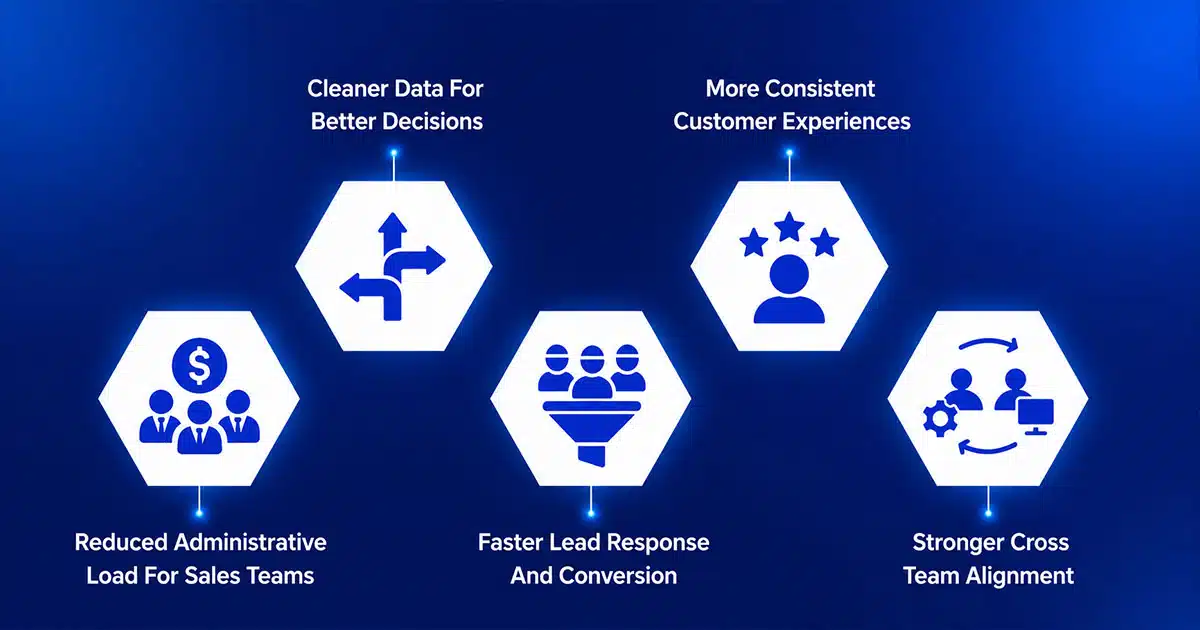
Seven core crm automation benefits appear across daily sales process, customer interactions, and business processes. Each section highlights practical impact across sales teams, marketing teams, and customer service teams.
Reduced Administrative Load For Sales Teams
Sales reps lose time to manual tasks, repetitive tasks, routine tasks, manual processes, manual data entry, and data entry tied to the sales pipeline.
crm automation and crm automation software remove that load through automated workflows, automation tools, and automation capabilities inside a crm system.
- automate repetitive tasks across the sales process
- reduce reliance on spreadsheets and manual tracking
- improve sales performance and increased sales efficiency
- free time to close deals and engage potential customers
Result: sales teams focus on revenue instead of admin overhead using automation software and automated systems.
Cleaner Data For Better Decisions
Accurate customer data, crm data, and customer information shape forecasting and planning.
crm platforms and business software apply automation technology to:
- store customer data in structured formats
- eliminate duplicates and errors
- enrich records using historical data
- generate actionable insights for leadership
Result: better decisions across customer relationship management and stronger visibility into future sales.
Faster Lead Response And Conversion
crm automation accelerates response time across the sales pipeline and sales pipeline management.
- auto-assign leads to sales reps
- trigger follow-ups based on customer behavior
- optimize sales cycles and improve close deals rates
- support predict future sales through structured workflows
Result: higher conversions and stronger performance across potential customers and current and prospective customers.
More Consistent Customer Experiences
Automation standardizes touchpoints across marketing and customer service teams.
- support customer service functions and customer service efforts
- improve customer experience and customer satisfaction
- deliver improved customer satisfaction across lifecycle stages
- increase customer retention and customer engagement
Result: reliable experiences across marketing and customer service without gaps.
Deeper Personalization At Scale
crm automation combines customer behavior, customer insights, and segmentation.
- enable customer segments for targeted outreach
- support marketing automation and marketing automation software
- improve marketing campaigns and marketing efforts
- use ai powered systems and artificial intelligence for personalization
Result: stronger engagement and better ability to improve customer interactions.
Stronger Cross-Team Alignment
crm automation aligns sales marketing and customer teams across workflows.
- connect sales and marketing teams with shared crm solution
- sync updates across marketing and customer service
- track customer sentiment and engagement signals
- ensure visibility across customer service teams
Result: unified execution across customer relationship management environments.
Scalable Revenue Operations As You Grow
crm automation supports growth across complex workflows and advanced automation setups.
- manage client relationships and manage customer relationships at scale
- support business growth through automation tools and automation capabilities
- adapt to expansion using crm platforms and business software
- maintain efficiency across automation technology and automated systems
Result: scalable operations that grow with team size and market expansion.
CRM Benefits FAQs
- benefits of crm automation include efficiency, accuracy, and scalability
- crm automation can help reduce manual processes and improve outcomes
- crm automation tools support long-term optimization
- crm benefits extend across sales marketing and customer operations
How CRM Automation Drives Day-to-Day Sales Efficiency
The abstract benefits show up in a typical workday. A rep starts their morning with an automated pipeline snapshot showing new leads scored overnight, next actions prioritized, and upcoming meetings. Instead of checking five systems, they see one clean view.
During prospecting, the rep focuses on conversation. The CRM handles logging the call outcome, creating the next step, and queuing a follow-up template. As a result, well-designed sales automation software turns a discovery call that used to take an hour to document into a five-minute wrap‑up.
Managers gain insights too. Automated reports, pipeline snapshots, and coaching alerts replace manual spreadsheet work. Coaching conversations become focused because the manager sees exactly where each team member needs support.
Time thieves automation removes, especially when you design a simpler sales workflow to get more from your CRM: get more from your CRM with a simpler sales workflow.
- Manual call logging after every conversation
- Creating follow-up tasks in separate tools
- Compiling weekly pipeline reports by hand
- Chasing reps for missing deal updates
- Tracking customer interactions across scattered channels
Key CRM Automation Workflows To Implement First
Start simple. Teams new to CRM automation should prioritize high-impact, low-complexity workflows that deliver quick wins.
New lead capture and routing: When a lead arrives, the CRM captures it, scores it, and routes it to the right sales rep based on territory. This single workflow prevents lead loss and improves response times immediately, reflecting broader best practices in how CRM helps sales teams manage leads.
Follow-up reminders: Automated reminders create tasks at optimal timing and queue templated follow-ups. This removes the most common cause of lost deals: forgotten follow-ups, which is the core focus of dedicated CRM follow-up automation for better sales conversions.
Renewal alerts: A workflow that monitors contract end dates and creates renewal tasks three months before expiration ensures no existing customer falls through the cracks.
Dormant lead reactivation: Periodically identify leads with no contact in 60+ days, reassign them, and trigger reactivation outreach.
Launch in phases. Validate each workflow against response time or conversion metrics before adding complexity.
Best Practices To Get The Most From CRM Automation
CRM automation helps businesses improve efficiency, manage customer relationships, and support sales growth. When implemented correctly, it reduces manual effort, aligns teams, and creates better visibility across the entire customer journey.
Align CRM Automation With Business Goals
Organizations must define clear objectives before implementing any CRM solution. Whether the focus is lead generation, improving customer relationships, or increasing sales productivity, automation should support measurable outcomes.
A well aligned CRM platform ensures that marketing campaign activities, sales workflows, and service processes work toward the same goals. When teams understand how automation fits into the broader strategy, they can use CRM technology more effectively to manage customer relationships and improve results, while avoiding the common mistakes outlined in CRM adoption explained for sales teams.
Focus On Data Quality And Customer Insights
Accurate data is essential for effective CRM automation. Poor data quality leads to incorrect insights, missed opportunities, and weak decision making. Businesses should regularly clean and update customer data to maintain reliability.
Understanding customer needs through data analysis helps teams personalize communication and improve customer experience. Access to accurate customer information allows businesses to manage contacts better and build stronger relationships and make better use of CRM tools.
Automate Repetitive Tasks And Workflows
Automation works best when applied to repetitive tasks that consume time and resources. Purpose-built sales automation software and CRM systems can streamline repetitive tasks such as lead assignment, follow up reminders, and email campaigns.
By reducing manual effort, sales teams can focus more on engaging with potential customers and closing deals. Automation also helps reduce errors and ensures consistent execution across marketing and sales activities.
Personalize Customer Interactions Across The Journey
CRM automation enables businesses to deliver personalized experiences at every stage of the customer journey. From initial contact to post sale engagement, teams can tailor messaging based on customer behavior and preferences.
Personalization helps businesses build loyal customers by delivering relevant communication at the right time. CRM systems also support targeted marketing campaigns that improve engagement and conversion rates.
Use CRM Automation To Scale Growth
As businesses grow, CRM automation helps teams manage increasing volumes of customer interactions without adding complexity. Automation supports scalable processes that improve efficiency and consistency, so it is critical to apply solid tips for choosing CRM tools that fit your workflow.
Platforms such as Salesforce CRM demonstrate how businesses can scale operations while maintaining strong customer relationships. Guidance on top CRM tools that help startups grow smarter shows how similar principles apply in earlier stages. By using the right CRM and automation strategy, companies can generate more leads, improve sales productivity, and drive long term business growth.
Common Pitfalls When Rolling Out CRM Automation
CRM automation improves efficiency and visibility, but poor implementation often creates confusion, data issues, and low adoption. Teams must avoid common mistakes to ensure automation delivers value across customer interactions and business operations.
Choosing The Wrong CRM Platform
Selecting the right CRM is critical for long term success. Many businesses adopt tools that do not match their workflows or scale requirements. A poor fit leads to low adoption and fragmented processes, which is why applying structured tips for choosing CRM tools that fit your workflow matters early.
Teams often fail to evaluate how CRM platforms support real use cases such as managing sales pipelines or marketing campaigns. Without the right CRM, organizations struggle to generate more leads and maintain consistent processes across departments, a risk that is especially acute for CRM for startups and small sales teams.
Poor Data Visibility And Access
CRM systems must provide instant access to accurate customer data. Without proper data structure, teams cannot rely on the system for daily operations.
Incomplete or outdated records reduce visibility into customer interactions and prevent teams from making informed decisions. When data is inconsistent, sales and support teams lose the ability to track interactions effectively and respond to customer needs in real time.
Lack Of Personalization In Customer Engagement
Automation should enhance personalized interactions, not replace them with generic messaging. Many companies rely too heavily on automated workflows without considering customer context.
When personalization is missing, customer engagement drops and communication feels irrelevant. Businesses need to use CRM data to create meaningful interactions that reflect customer behavior and preferences, often powered by a CRM with email integration to streamline sales communication.
Weak Process Alignment Across Teams
CRM automation requires alignment across sales, marketing, and support teams. Without coordination, different teams use the system inconsistently, leading to gaps in data and workflow execution.
Disconnected processes prevent teams from gaining a better understanding of the customer journey. When teams fail to collaborate, they miss opportunities to address issues quickly and improve overall performance.
Ignoring Performance And Optimization
CRM automation is not a one time setup. Many businesses fail to monitor system performance or refine workflows over time.
Without regular analysis, companies miss opportunities to improve engagement and optimize processes. Continuous evaluation helps teams reduce errors, improve efficiency, and ensure CRM automation supports long term growth.
How To Measure The Impact Of CRM Automation On Growth
Leadership needs to see that automation drives revenue, not just convenience. Track these metrics before and after rolling out new workflows:
| Metric | What It Shows |
|---|---|
| Time to first response | Speed of lead engagement |
| Meetings booked per rep | Whether saved time converts to activity |
| Win rate by lead source | Which channels benefit most |
| Sales cycle length | Speed of deal progression |
| Net revenue retention | Impact on renewals and expansion |
| Run comparisons over at least one full sales cycle. One month of data is noise; one quarter shows the trend. Combine quantitative metrics with qualitative feedback from reps and customers to gather information for refining workflows. |
A simple internal dashboard showing response time trends, meetings booked, and conversion rates makes the business case visible to leadership without deep analysis.
Why Gain.io Is Built For Modern CRM Automation
At Gain.io, we built our CRM platform specifically for sales teams who want automation power without technical complexity. Our visual workflow builders make automation setup transparent. You see exactly what triggers, what actions follow, and when.
We streamline common revenue workflows with templates for lead routing, follow-up sequences, and renewal alerts. Our smart CRM features for sales teams include AI-assisted task creation that drafts suggested next steps based on deal context, so reps can quickly identify their priorities. Native integrations with email and calendar tools keep everything connected without manual effort.
Our all-in-one CRM to grow your sales and team interface stays simple enough for reps to understand while giving operations leaders flexibility to model complex processes. Event-based triggers feel natural to sales users rather than forcing technical language.
We invite you to see automation in action for your specific sales cycle. Reviewing a real sales acceleration case study on closing deals faster with Gain.io can clarify what to prioritize first. Start with a live walkthrough of how to set up lead routing for your most common deal type, or explore which workflow would deliver the biggest immediate ROI for your team.
FAQs
How Much Time Can A Small Sales Team Realistically Save With CRM Automation
Even a three to five person team can reclaim several hours per week per person by automating logging, follow-ups, and basic reporting. Specific benchmarks show reps saving over two hours per day. Measurable gains usually appear within the first full quarter after rollout. Track time spent on admin before and after to build your internal business case.
Do You Need A Dedicated RevOps Hire Before Investing In CRM Automation
Not to start. A dedicated hire helps at scale, but simple, high-impact workflows can be owned by a sales leader or founder using a modern CRM. Platforms keep setup understandable for non-technical operators. Bring in RevOps support as your team grows and workflows multiply.
Can CRM Automation Work For Non SaaS Or Offline Businesses
The core benefits apply to agencies, consultancies, manufacturing, and service businesses that manage relationships with current and potential customers. A regional services company can automate renewal reminders and site visit follow-ups just as effectively as a SaaS company automates trial expirations. Model automation on your own sales cycle and customer touchpoints.
How Do You Keep Automated Messages From Feeling Robotic
Use natural language and limit the number of automated touches. Always include room for reps to add a personal note when it matters. Segment audiences so messages reference real context like product used, role, or recent activity. Review automated copy at least twice a year to keep tone fresh and send the right message to the right person.
What Is A Good First Project If Our Team Has Never Used Automation Before
Start with routing new demo requests, sending a confirmation, and creating a follow-up task. This workflow is simple, visible, and delivers a quick win. Your team will see value as fewer leads slip through and response times drop in the first month. Treat this first project as a learning loop to refine standards for all future automation work.