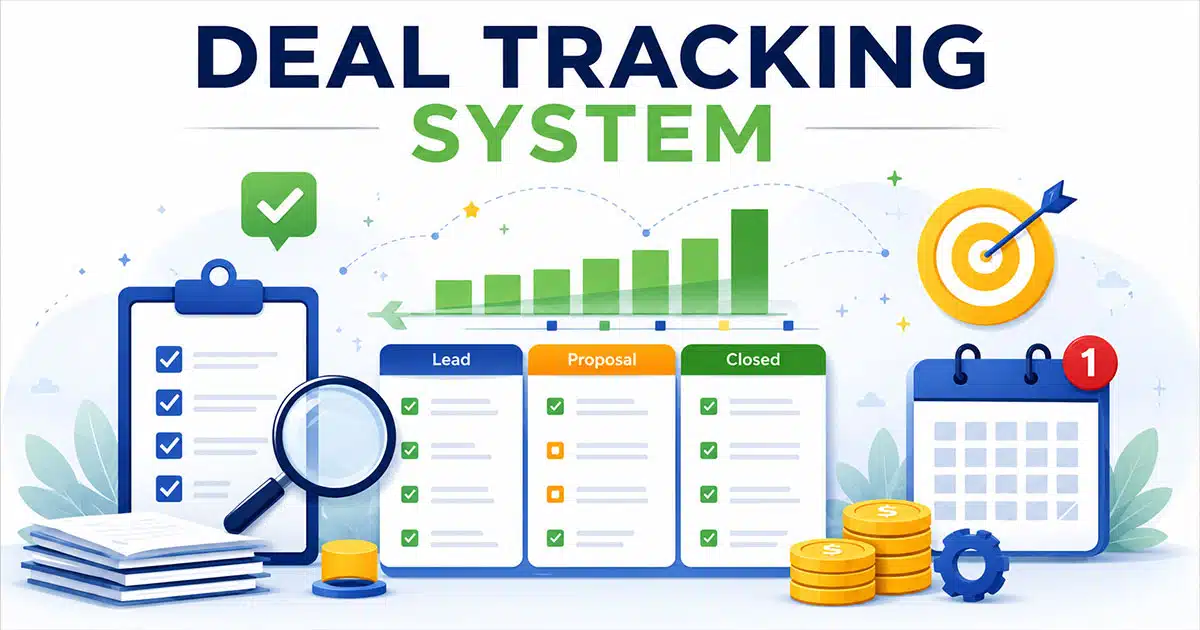
A deal tracking system is the operating hub where every opportunity, activity, and forecast lives in one place. It is where your entire sales process becomes visible, manageable, and repeatable.
This article focuses on practical, in-the-weeds use of deal tracking for B2B sales. No abstract CRM theory. No jargon-heavy frameworks. Just clear guidance on what a deal tracking system does, why it matters, which key features to look for, and how to roll one out successfully with your team.
The examples here reference current sales realities. Longer buying committees. Multi-channel communication across email, Slack, and Zoom. Extended sales cycles that require tracking deals across months, not weeks. If your team is planning their tech stack for 2026 and beyond, this is for you.
What Is A Deal Tracking System
A deal tracking system is the combination of software, process, and shared discipline used to follow every deal from first touch to closed-won or closed-lost. It is not just a database. It is how modern sales teams organize and manage deals across the entire sales cycle.
This importantly differs from a generic CRM. A CRM stores contacts and relationships. A deal tracking system focuses on live opportunities. It tracks stages, ownership, momentum, value, expected close dates, decision makers, and next steps. The distinction matters because tracking sales activities on open deals requires a different mindset than managing a contact database.
Think about the concrete elements. Each deal record captures who the buyer is, what stage the opportunity sits in, how much revenue is at stake, when it might close, and what needs to happen next. The system shows deal progress in real time and flags when something stalls.
Here is a practical example. A SaaS company creates a deal record on January 15, 2026 for a mid-market prospect. The record tracks discovery through demo, proposal, and negotiation. Every email, call note, and meeting summary lives in that record. When the deal moves to the Proposal Sent stage, the stage updates instantly. When it sits idle for too long, the system surfaces it.
The system is only as good as the data quality and the daily usage habits of reps and managers. Without consistent updates, you are back to guessing. With clean data entry and regular attention, you get a visual sales pipeline that reflects reality.
Why Deal Tracking Systems Matter For Revenue Teams
Revenue leaders in 2026 care about two things. Hitting targets and avoiding surprises at the end of the quarter. A deal tracking system addresses both by improving sales visibility across deals and activities.
Pipeline chaos is the enemy of revenue forecasting. Without a system, nobody knows which deals are real, who owns what, or which accounts are stuck. Reps have different definitions of stages. Managers spend meetings asking for status updates instead of coaching. Forecasts become guesses.
Deal management software fixes this by creating a single source of truth. Everyone sees the same pipeline. Everyone uses the same stage definitions. Everyone knows what needs to happen to move deals forward.
The benefits show up in specific ways. Forecasting gets cleaner because deal data reflects reality. Coaching improves because managers can review call notes and stage history instead of asking vague questions. Handoffs between SDRs, AEs, and customer success teams become smoother because context transfers with the deal record.
Picture a VP of Sales running a Monday forecast call. She pulls up the dashboard and immediately spots three deals stuck in Proposal Sent for more than 21 days. Instead of waiting until Friday to realize something is wrong, she can coach reps on those specific opportunities that morning.
Finance, marketing, and operations teams also rely on accurate deal data. Finance needs pipeline visibility for capacity planning. Marketing uses deal sourcing data to understand which campaigns drive real pipeline. Operations tracks the health of the entire sales cycle to identify bottlenecks.
Features To Look For In A Deal Tracking System
Not all deal management software is created equal. Teams should focus on features that remove friction instead of impressive-sounding extras that nobody uses daily.
The following sections describe real capabilities from the perspective of the people using them. SDRs managing early-stage leads. AEs working complex deals. Sales managers running forecast calls. RevOps keeping the system clean. Each feature should make their work easier, not add administrative burden.
Visual Pipeline And Deal Stage Management
A visual sales pipeline is the heart of any deal tracking system. Drag-and-drop boards let reps move deals across stages like Qualified, Demo Completed, Proposal Sent, and Verbal Commit. The interface should feel intuitive enough that new reps understand it within a single onboarding session.
Each stage needs clear entry and exit criteria. A deal should not move to Demo Completed without a meeting actually happening. It should not hit Proposal Sent without a document going out. These criteria keep the pipeline honest.
Managers can filter by owner, region, or segment to see where deals are getting stuck. If half the team has opportunities stalled in the same stage, that signals a coaching opportunity or a process problem.
Centralized Communication History
Every email, call note, meeting, and message tied to a deal should live in one place. Nobody should scroll through their inbox to get context before a call.
Good deal tracking software integrates with Gmail, Outlook, Zoom, and Slack. These CRM with email integration capabilities automatically log activities to the right deal record. The result is a complete communication history that anyone on the team can access.
Here is a real scenario. A new account manager takes over an existing customer before a renewal call. Instead of asking the previous rep for background, she reviews the full conversation history from the last 90 days. She knows what objections came up, what features the customer requested, and what the last conversation covered.
Centralized history prevents embarrassing missteps. No offering an intro demo to someone who sat through a technical deep dive last week. No asking questions the customer already answered twice.
Reporting, Dashboards, And Forecasting
Simple dashboards should show current pipeline coverage, win rates by stage, average deal cycle length, and forecast for the current and next quarter. Leaders should be able to slice data by rep, team, product line, and segment without needing a data analyst.
Customizable dashboards allow different roles to see different views. A CRO reviewing a dashboard on March 1, 2026 might focus on Q2 pipeline coverage and whether the team needs to add more opportunities. A sales manager might focus on individual rep performance and coaching opportunities.
Forecast views should blend stage-based probabilities with rep-level judgment. Static percentages are not enough. The best forecasting capabilities combine deal health indicators with real context about what is happening in each opportunity.
Charts and graphs should be clean. A few key metrics per view is better than flooding dashboards with dozens of charts nobody checks. Sales analytics work best when they surface the information that drives data driven decisions, not just numbers for numbers sake.
Automation And Reminders
Basic workflow automation makes good habits easier to follow. The system can auto-create follow-up tasks after a demo, send reminders when a deal sits idle for more than a set number of days, and update fields when stages change, helping teams automate sales tasks to stay focused.
Here is an example. The system reminds a rep to follow up three days after sending a proposal. Without that reminder, the deal might slip through the cracks at month end. That single automated workflow can save deals.
Automation should support good habits without feeling rigid or overwhelming. The goal is to automate repetitive tasks so reps can run more meetings and discovery calls instead of managing admin work. Manual data entry eats time. Automated workflows give that time back. Focus on a few high-impact workflows. Too many rules create noise. Too few rules create chaos. The balance is different for every team, but starting simple is always better.
Integrations, Customization, And Scalability
A deal tracking system should connect with the tools you already use. Marketing automation platforms, customer support software, billing systems, and document signing tools all benefit from seamless integration with your deal pipeline. Custom fields, pipelines, and views let RevOps reflect your unique sales process without hiring developers. Every company sells differently. The system should adapt to you, not force you into a generic template, similar to a modern sales pipeline CRM built for visibility and performance.
Consider a team that starts with a single pipeline for SMB customers in early 2025. By 2026, they add enterprise and partner channels. A flexible platform handles this growth without requiring a migration to new software. API access becomes important as teams scale. Larger organizations need to connect deal data with other systems for advanced analytics, project management, and operational reporting. A unified platform that plays well with others saves headaches down the road.
How To Choose The Right Deal Tracking System
Choosing the right system starts with understanding your process, not with a vendor feature checklist. The best deal management platform is the one your team will use consistently. Guidance on choosing CRM tools that fit your workflow applies here too. Here is how to evaluate your options.
Define Your Sales Process Clearly
Before looking at any software, map your sales stages. Write down the criteria for each stage. Identify who owns each part of the process. This clarity helps you evaluate whether a tool fits your reality instead of forcing you into generic templates, especially when you are also evaluating a broader B2B sales CRM for revenue teams. Teams that skip this step often end up with a system that does not match how they sell. Take the time to define your entire sales process first.
Clear process definition also improves deal insights across stages. Teams exploring scaling external ai partnerships benefit from structured workflows. Ai powered tools rely on defined inputs. Surveyed private equity firms often emphasize clarity before adopting predictive analytics or building predictable revenue engine models.
Look For Pipeline Visibility And Simplicity
The system should show live deal data without version debates or conflicting spreadsheets. Everyone should see the same pipeline. Dashboards should surface at-risk deals immediately. Simplicity matters more than feature count. If the tool requires hours of training before reps can log a deal, adoption will suffer. Look for clean interfaces that show what matters without clutter, similar to leading visual sales pipeline software to manage deals.
Strong visibility improves deal insights and reduces confusion across teams. Platforms like salesforce sales cloud highlight how clear dashboards support decisions. Robust reporting capabilities combined with predictive analytics help teams build a predictable revenue engine without overwhelming users with unnecessary complexity.
Check Customization And Flexibility
Your sales process will evolve. The system should let you add custom fields, create new pipelines, and adjust views without calling support or hiring a developer. Ask vendors how teams modify the system as they grow. The answer tells you a lot about how painful changes will be in six months, and whether you can get more from your CRM with a simpler sales workflow.
Flexible systems support scaling external ai partnerships and evolving workflows. Ai powered customization allows teams to adapt without disruption. Surveyed private equity firms often prioritize tools that adjust easily, while predictive analytics continues to improve deal insights as processes mature over time.
Evaluate Activity And Context Tracking
Buyer-seller activities are leading indicators of deal progress. The best sales tracking tools capture emails, calls, meetings, and messages automatically. This context helps reps and managers understand what is happening without constant status updates, and is a key way that CRM improves sales productivity. Look for integrations with the communication tools your team uses daily. If logging activities requires manual data entry, it will not happen consistently.
Accurate tracking improves deal insights and supports predictive analytics models. Ai powered systems reduce manual work and capture context automatically. Robust reporting capabilities help teams analyze activity patterns, while surveyed private equity firms rely on structured data to refine predictable revenue engine strategies.
Ensure Real Time Updates And Collaboration
Deal data should update in real time. When a rep moves a deal to a new stage, the whole team should see it immediately. Collaboration features like notes, mentions, and shared activity feeds keep everyone aligned. Field sales teams and remote sellers especially need real time updates. Waiting for nightly syncs creates confusion and delays, and undermines the core principles of a modern sales deal tracking guide for teams.
Real time visibility strengthens deal insights and improves coordination. Platforms inspired by salesforce sales cloud show how instant updates support team alignment. Ai powered collaboration tools enhance communication, while predictive analytics benefits from continuously updated data across the entire pipeline.
Consider Ease Of Use And Adoption
The most powerful system means nothing if reps do not use it. Evaluate how quickly new hires can learn the tool. Look for intuitive interface design that makes basic crm functionality easy to access. Run a day-in-the-life test during your evaluation. Have a rep live fully in the trial system for a week. Their feedback will tell you more than any demo, especially for startup teams comparing options in a CRM for startups and small sales teams context.
Ease of use directly impacts deal insights and long term adoption. Ai powered interfaces simplify workflows and reduce friction. Surveyed private equity firms often value usability alongside robust reporting capabilities, as both contribute to building a predictable revenue engine supported by reliable predictive analytics.
How To Implement A Deal Tracking System With Your Team
Software alone does not fix pipeline issues. Behavior change makes the difference. The same is true when you use a CRM to help sales teams manage leads effectively. Here is how to implement a system that your team will use consistently from day one.
Set Clear Pipeline Stages And Deal Criteria
Define exactly what each stage means and what must happen before a deal moves forward. Write these definitions down and share them with the entire team. Vague stages create vague pipelines. Clear criteria keep everyone honest about deal progress and deal health. Agree on definitions before going live, whether you are running B2B cycles or adapting CRM tools that help retail teams stay organized.
Clear definitions improve lead management and create consistency across pipelines. Teams handling real estate deals or complex cycles benefit from structured stages. Early clarity also supports ai powered lead scoring and ensures future integrations, including external ai partnerships, work without confusion.
Import Existing Deals And Organize Data Properly
Bring your current deals into the new system with clean, accurate information. This is not the time to import garbage from old spreadsheets. Review each deal and update close dates, values, and stages to reflect reality. Poor data at launch creates distrust. Clean data at launch builds momentum, especially when you rely on dynamic contact management for smarter relationship tracking.
Clean data improves lead management and strengthens system reliability. Data security becomes easier to maintain when records are accurate. Teams migrating from tools like hubspot sales hub often see better performance when they start fresh instead of carrying outdated or duplicate records.
Align Team Roles And Responsibilities
Clarify who owns what. SDRs create and qualify leads. AEs work opportunities through close. Customer success handles renewals. Someone in RevOps or sales operations should own configuration, training, and ongoing cleanup. When roles are clear, handoffs between teams work smoothly and it is easier to manage contacts better and build stronger relationships. Customer data moves with the deal record instead of getting lost in transitions.
Defined roles improve lead management and reduce friction during handoffs. Ai powered lead scoring works better when ownership is clear. Teams exploring external ai partnerships also rely on structured responsibilities to ensure smooth collaboration and consistent deal execution across functions.
Train Team On Daily Usage And Updates
Run focused training sessions that show reps exactly how to log activities, move deals, and update information. Short Loom-style videos work well for reference. Live Q&A calls during the first month address questions as they come up. Set measurable adoption goals. Something like 100% of live deals updated weekly and no active deals living in spreadsheets after 30 days gives the team a clear target, similar to how CRM tools that help real estate agents save time emphasize simple, repeatable daily habits.
Consistent training improves lead management and increases adoption across teams. Natural language processing features can simplify updates and reduce friction. Teams familiar with platforms like hubspot sales hub often adapt faster when training focuses on real workflows instead of generic system walkthroughs.
Monitor Usage And Optimize Workflow Continuously
Review adoption metrics regularly. Are reps logging activities? Are deals moving through stages? Are forecasts getting more accurate? Monthly audits help catch issues early. RevOps can clean up duplicates, close stale deals, and refine workflows based on real usage patterns. The system should get better over time, not decay.
Ongoing optimization supports lead management and drives more deals over time. Data security improves with regular cleanup. Teams using ai powered lead scoring and exploring external ai partnerships can refine workflows continuously to match evolving sales strategies and performance goals.
Best Practices To Close Deals Faster With Your System
A deal tracking system is not just for logging information. It is a daily decision tool that helps you close deals faster when used well and is one of the main ways CRM improves sales productivity. Here is how to get the most from it.
Keep Deal Stages Clear And Consistent
Every rep should use the same stage definitions. When someone says a deal is in Proposal Sent, everyone should know exactly what that means. Consistency enables accurate forecasting and meaningful comparisons across the team. Review stage definitions quarterly. As your sales process evolves, your stages should evolve too, following best practices from any solid sales deal tracking guide for modern teams.
Consistent stages improve deal accuracy and make reporting capabilities more reliable. Teams using ai driven insights gain better visibility into pipeline performance. Developing ai enabled workflows becomes easier when stage definitions stay structured and aligned across the entire sales cycle.
Prioritize High Value Opportunities First
Use the system to identify and prioritize high value opportunities that deserve the most attention. Filter by deal size, close date, or deal health to focus your time where it matters most. Sales reps have limited hours. The system should help them spend those hours on deals that move revenue, not on opportunities that will never close, just as a focused sales pipeline CRM improves visibility and performance.
Prioritization improves deal accuracy and supports reporting capabilities for better forecasting. Ai driven insights help identify which opportunities deserve focus. Developing ai enabled systems further improves decision making and ensures teams invest time in deals with the highest potential impact.
Maintain Accurate And Updated Deal Data
Stale data creates bad decisions. Build habits around updating deal information regularly. Close dates should reflect reality. Values should match current conversations. Stages should represent what has happened, not what you hope will happen. Mandatory fields for new deals help enforce data quality from the start. Validation rules catch missing information before it clutters reports, and strong dynamic contact management keeps records consistent across your system.
Accurate data strengthens deal accuracy and improves reporting capabilities across dashboards. Ai driven insights rely on clean data to deliver meaningful outputs. Developing ai enabled processes becomes more effective when systems receive consistent, structured, and reliable deal information over time.
Follow Up Based On Real Activity Context
Review the communication history before every follow-up. Know what was discussed, what objections came up, and what the customer asked for. This context turns generic check-ins into valuable conversations. Tracking deals with full activity history gives you an edge, especially when your CRM provides robust email integration to streamline communication. You know more than the competitor who is winging it from memory.
Context-driven follow-ups improve deal accuracy and enhance reporting capabilities by reflecting real engagement. AI-driven insights highlight next best actions. Developing ai enabled strategies helps teams personalize outreach and maintain consistent communication across every stage of the deal.
Review Pipeline Regularly And Remove Stalled Deals
Dead deals clog your pipeline and distort your forecast. Review opportunities weekly to identify deals that have stalled. If nothing has moved in 30 days and there is no clear next step, it might be time to close it out. Regular pipeline reviews keep your forecast honest and reinforce why sales visibility matters more than ever. They also free up mental energy that was tied to opportunities that were never going to close.
Regular reviews improve deal accuracy and keep reporting capabilities clean and reliable. Ai driven insights help identify stalled deals faster. Developing ai enabled workflows ensures teams maintain a healthy pipeline and focus only on opportunities that can realistically convert.
Why Choose Gain.io For Deal Tracking
Gain.io is an all-in-one CRM to grow your sales and team, built specifically for sales teams that need effective deal tracking without unnecessary complexity. The platform gives you visual pipeline management, centralized communication history, and simple task management to manage deals from first touch to closed-won.
With Gain.io, your entire sales cycle becomes visible. Every deal has a clear stage, owner, and next step. Every conversation is logged in one place. Every follow-up task stays connected to the deal it supports, powered by Gain.io features and smart CRM tools for sales teams.
The intuitive interface means reps can start tracking deals on day one without weeks of training. Drag-and-drop pipelines let you customize stages to match your process. Email integration keeps customer interactions attached to the right records automatically, supporting the workflows described in our broader sales deal tracking guide for modern sales teams.
For teams moving beyond spreadsheets or struggling with overly complex CRM platforms, Gain.io offers a focused solution. It does what sales teams need without the bloat of features built for support teams or project management use cases, as highlighted in our Gain.io vs Salesforce CRM comparison.
Modern sales teams deserve tools built for how they work. Gain.io delivers the visibility, simplicity, and structure to close deals faster and build customer relationships that last, as shown in our sales acceleration case study on closing deals faster with Gain.io.
Frequently Asked Questions
How Is A Deal Tracking System Different From A Traditional CRM
A CRM is the broader relationship database that stores contacts, companies, and historical interactions. A deal tracking system focuses tightly on live opportunities, pipeline stages, and forecast health. In many top sales tracking tools, the two are part of the same platform. But teams still need to design specific deal views and workflows. Think of it this way: your CRM has a section for contacts, a section for accounts, and a section for deals. The deal tracking system is how you manage that deals section actively.
When Should A Small Team Invest In A Deal Tracking System
Once a founder or early sales hire is juggling more than 15 to 20 active deals at a time, spreadsheets start to break down. Context gets lost. Follow-ups slip. Forecasting becomes guesswork. If you are planning to add more reps in 2026, put a system in place before hiring. New people benefit from structure from day one. Many tools like Gain.io have free or low-cost tiers, so small teams can start early without heavy budget impact.
How Long Does It Take To Set Up A Basic Deal Tracking Workflow
A simple pipeline with a few custom fields can be live in one to two weeks if one person owns the project. Import your deals, define your stages, configure basic automations, and train the team. More complex environments with multiple regions, products, or teams might take four to six weeks including testing and training. Time-box the project to avoid scope creep. Getting live fast matters more than perfecting every detail before launch.
What Metrics Should I Track Inside My Deal Tracking System
Focus on a handful of core metrics that drive decisions. Total pipeline by stage shows volume. Win rate shows conversion. Average sales cycle length shows velocity. Average deal size shows value. Activity-based indicators like meetings per opportunity and days since last touch help identify deals that need attention. Avoid flooding dashboards with dozens of charts. The best sales tracking software makes key metrics easy to find without overwhelming users.
How Can I Keep Data Clean Over Time
Data hygiene comes from clear rules and consistent habits. Set mandatory fields for new deals so nothing enters the pipeline incomplete. Use validation rules to catch inconsistent entries. Run monthly audits where RevOps or managers close out dead deals and merge duplicates. Document management practices help too. When everyone knows the rules and follows them, your market data stays accurate and your forecasts stay reliable.