Small businesses in 2026 face a stark reality: spreadsheets and scattered inboxes no longer cut it. Hybrid work has fragmented communication across Slack, Zoom, and personal emails, making it easy for leads to slip through the cracks. Meanwhile, buyer expectations have intensified. Industry benchmarks show that 80 percent of customers will switch brands after a poor service experience, putting pressure on every follow-up and response time. Local service providers, agencies, and online shops operate under tighter budgets than ever, often needing solutions under $20 per user monthly.
A simple CRM offers the answer. Think of it as a lightweight, intuitive customer relationship management system that takes hours to set up rather than weeks, designed specifically for teams of 2 to 25 people. This guide from Gain.io compares five leading simple CRMs, outlines what features matter most, and provides practical implementation advice to get your team up and running with minimal disruption.
What Is A Simple CRM For Small Businesses

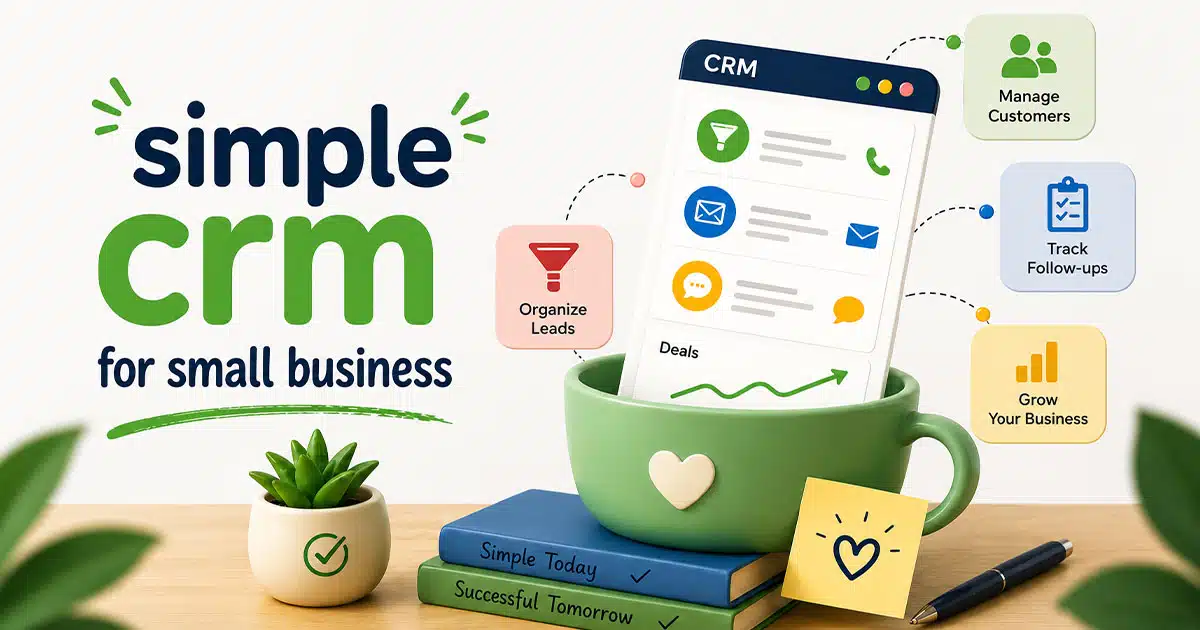
A simple CRM fundamentally centralizes customer data, sales pipelines, and daily activities into one accessible dashboard. CRM systems help small businesses manage customer interactions and data throughout the customer lifecycle, improving relationships and driving sales growth. Unlike enterprise platforms like Salesforce or Dynamics 365 with dozens of modules, mandatory training, and costs exceeding $75 per user, a simple CRM features a minimalistic interface closer to Google Workspace or Notion. You get drag-and-drop pipelines, one-click email logging, and preset templates deployable in minutes rather than months.
For a typical small business, this means replacing chaos with clarity. Consider a three-person landscaping company that previously tracked leads on a shared Excel sheet by neighborhood and service type. With a user friendly CRM and a structured migration from Excel to CRM process, they now see deal values, last activities, and automated reminders in a unified view. This shift alone can boost close rates by 20 to 30 percent according to case studies from similar small teams. The goal is covering 80 percent of daily tasks without overwhelming users with features they will never touch.
Top 5 Best Simple CRMs For Small Businesses
Selecting the right CRM platform starts with understanding what separates good options from poor fits. The five tools below were chosen based on ease of use (G2 and Capterra ratings above 4.5/5), transparent pricing at small business scale, onboarding that takes less than a day, and essential CRM features like pipelines and email tracking. Each review follows a consistent structure covering core features, pricing, pros, and suitability for small businesses.
| CRM | Best For | Starting Price | Free Plan |
|---|---|---|---|
| HubSpot CRM | Free-forever entry point | $0 | Yes |
| Gain.io | Fast setup, simple pipelines | $9.50/user/mo | Trial only |
| Zoho CRM | Budget-conscious teams | $14/user/mo | Yes |
| Pipedrive | Visual pipeline management | $14/user/mo | No |
| Insightly | Light project + CRM combo | $29/user/mo | Yes |
1. Hubspot CRM

HubSpot CRM remains one of the most widely adopted free-entry CRMs for startups and small businesses in 2026, powering over 200,000 businesses globally. Its no-credit-card-required forever-free plan makes it particularly attractive for teams hesitant to commit financially before testing. User-friendly CRMs for small businesses include HubSpot, Monday CRM, and Zoho CRM, and HubSpot consistently ranks among the easiest for users transitioning from spreadsheets.
Core Features
- Contact and company records with unlimited storage for tracking customer information
- Customizable deals pipeline using drag-and-drop functionality for deal management
- Email tracking with open and read notifications for interaction tracking
- Meeting scheduler integrating with Zoom and Google Calendar
- Basic automation for task assignment and reporting dashboards showing pipeline value
Pricing
The free tier supports unlimited users but limits advanced automation and custom reports. HubSpot CRM includes a free plan with unlimited users and features like contact management and email tracking. The Starter plan costs $9 per seat per month, unlocking two-way email sync and up to 2,500 marketing contacts.
Pros
HubSpot offers a polished, mobile-first interface that mirrors Gmail’s familiarity. Its extensive free academy provides over 10,000 video tutorials for self-guided learning. The modular hub structure allows seamless scaling to marketing tools or service tools without data migration.
Why It Suits Small Businesses
HubSpot CRM suits small businesses needing immediate free visibility into sales without commitment, allowing growth from solopreneur to 10-user teams while integrating natively with Gmail and Outlook.
2. Gain.io

Gain.io positions itself as a streamlined simple CRM tailored for owner-led small teams seeking frictionless pipelines and task management. Setup takes under 10 minutes, and the platform focuses on core essentials without upselling traps common in competitors, acting as an all-in-one CRM to grow your sales and team. This modern CRM reflects 2026 small business realities where time and budget constraints demand immediate value.
Core Features
- Unified contact and company profiles with activity timelines for complete customer journey visibility
- Visual drag-and-drop sales pipelines customizable to four to seven stages for deal tracking
- Email integration that logs threads automatically for communication history
- Task reminders with snooze options for managing follow-ups effectively
- One-page dashboards showing open deals and revenue forecasts for sales tracking
Pricing
Gain.io has one simple plan with all features included. No tiers, no hidden limits. It costs 9.50/seat/month. Many CRM providers offer free or low-cost plans, with some options available for teams of three or more users, making it easier for small businesses to manage customer relationships without high costs.
Pros
Gain.io’s intuitive UI earns praise for Notion-like simplicity. Transparent all-in pricing avoids hidden fees that plague competitors. Wizard-driven setup enables fast onboarding, and the platform extends to invoicing without requiring workflow rebuilds.
Why It Suits Small Businesses
Gain.io excels for small businesses prioritizing daily usability over feature overload. Teams under 10 see 90 percent adoption rates thanks to non-intrusive automations and mobile parity.
A local trades business can replace a cluttered spreadsheet with a visual pipeline that shows exactly which jobs need quotes and which await customer approval, paying a flat $9.50 per seat with no hidden upsells as the team grows. A five person agency using Gain.io cut missed follow ups by 25 percent within a quarter, per this sales acceleration case study.
3. Zoho CRM

Zoho CRM stands out for small to mid sized businesses desiring customizable yet simple workflows, with over 250,000 small business adopters in 2026 leveraging its AI assistant Zia for predictions. Zoho offers Bigin for micro-businesses and Zoho CRM for those needing more flexibility, making it a frequent inclusion when choosing the best CRM options for small business. Bigin is a stripped-down version of Zoho CRM focused strictly on pipeline visualization.
Core Features
- Contact and company management with custom fields for segmenting customer data
- Multi-pipeline views supporting different sales cycles and lead management
- Email tracking and templates for consistent messaging across sales teams
- Meeting scheduling with Zia suggestions for optimizing sales activities
- Drag-and-drop automation builder and funnel analytics for reducing manual effort
Pricing
The free edition supports up to three users with 5,000 records and one pipeline. The Standard plan starts at $20 per user monthly ($14 annually), adding advanced segments and web forms for capturing leads.
Pros
Deep customization without code allows workflows matching unique processes. Seamless Google Workspace integration enhances productivity. The robust mobile app with offline sync earns Zoho CRM a 4.4/5 rating from over 10,000 Capterra small business reviews.
Why It Suits Small Businesses
Zoho CRM fits small businesses balancing simplicity with tailored automations, supporting growth to 25 users without performance lags or forced upgrades.
4. Pipedrive

Pipedrive excels as a pipeline-centric CRM for small sales teams, serving 100,000+ small business customers in 2026 with its focus on visual deal tracking and features comparable to the best visual sales pipeline software to manage deals. Pipedrive focuses on closing deals with its activity-focused prompts and simplified interface for sales tracking, making it a favorite among B2B services and consulting firms.
Core Features
- Contact and organization records with deal associations for complete contact records
- Drag-and-drop visual sales pipeline supporting multiple boards and stages
- Email sync with click tracking for monitoring deal progress
- Scheduler and calendar links for coordinating sales meetings
- Automation rules for activities and dashboard reports on deal velocity
Pricing
The Essential plan costs $19 per user monthly ($14 annually), including one pipeline and basic reporting. No free tier exists, but 14-day trials allow thorough testing before commitment.
Pros
Pipedrive’s laser focus on sales clarity provides revenue projections per stage. The intuitive interface reduces training to hours rather than days. Over 400 integrations including Stripe make it versatile, scoring 4.5/5 on G2 for usability across 20,000+ reviews.
Why It Suits Small Businesses
Pipedrive is ideal for small businesses where pipeline visibility drives revenue, minimizing distractions for field-based sales reps who need mobile access and quick updates.
5. Insightly

Insightly CRM targets project-oriented small teams, combining CRM with task management for over 15,000 users, including many retail and service teams that benefit from CRM tools that help retail teams stay organized. Monday CRM is recommended for businesses needing to manage projects post-sale, featuring a visual and customizable platform, but Insightly offers a tighter blend of sales and project management tools for service-focused companies.
Core Features
- Contact and company profiles with relationship maps for understanding customer interactions
- Customizable pipelines integrated with project management boards
- Email tracking and templates for maintaining communication consistency
- Smart scheduler for coordinating client meetings and follow-ups
- Workflow automations and reporting on both pipeline and project status
Pricing
The Plus plan costs $29 per user per month, with no free tier but trials available. This covers unlimited pipelines and built-in project management tools, reducing the need for separate software.
Pros
Built-in project tools reduce tool sprawl for service teams tracking both sales and delivery. Strong customization supports service workflows, and Microsoft 365 sync keeps data accurate across platforms.
Why It Suits Small Businesses
Insightly suits small businesses blending sales and projects, like consultancies tracking billable hours per deal or agencies managing client deliverables alongside new business development.
How To Pick The Right Simple CRM From These Five
The core differences distill to focus areas: HubSpot for all-in-one growth with marketing automation potential, Gain.io for streamlined operations without bloat, Zoho for no-code customization, Pipedrive for pipeline purity, and Insightly for project fusion. This reflects the broader simple CRM vs all-in-one CRM comparison for 2026. Using a CRM can help small businesses centralize sales information and processes, which is essential for efficient relationship building and sales management.
Prioritize three to four criteria before trialing: budget under $20 per user, user count between 2 and 25, sales stage complexity, and add-on needs like marketing or project features. Take at least a 14-day trial with 30 to 50 real contacts, running a full week of daily work inside the CRM. Involve at least one frontline user in the decision so the chosen tool fits actual workflows rather than just management dashboards.
CRM | Ideal Team Size | Starting Price | Key Strength | Main Limitation |
|---|---|---|---|---|
HubSpot | 1-10 | $9/user | All-in-one ecosystem | Complexity grows with hubs |
Gain.io | 2-20 | $9.50/seat | Streamlined simplicity | Newer platform |
Zoho CRM | 3-25 | $20/user | Deep customization | Steeper learning curve |
Pipedrive | 2-15 | $19/user | Pipeline clarity | Limited marketing features |
Insightly | 5-25 | $29/user | Project integration | Higher starting cost |
Key Features To Look For In A Simple CRM
Feature lists overwhelm most buyers, so this section narrows the focus to capabilities that remove daily friction. A simple CRM should focus on essential tools like contact management, interaction tracking, and basic reporting to avoid overwhelming users with complex features. Every feature connects directly to real small business scenarios like following up with online inquiries within 24 hours.

Contact And Company Management
A simple CRM stores names, emails, phone numbers, roles, and notes in one shared contact database rather than scattered inboxes. Dedicated contact management CRM tools for growing businesses centralize customer information, making it easier for small businesses to track interactions, manage sales pipelines, and automate follow-ups, which enhances customer service and retention.
The full history of emails, calls, and meetings per contact means any team member can pick up a conversation without asking colleagues for context. Basic segmentation through tagging customers by industry, location, or deal size enables targeted follow-ups. A new hire can understand a long-time client’s history in minutes thanks to well-organized contact records.
Visual Sales Pipeline
A visual sales pipeline uses Kanban-style boards where you drag deals through stages like New Lead, Qualified, Proposal Sent, Won, and Lost. Understanding how a visual sales pipeline improves deal clarity helps small business owners see on a single screen how much potential revenue sits in each stage for the current month.
Prefer CRMs allowing custom stage names matching your real sales process rather than forcing generic labels. Pipeline views help prioritize which deals need attention by filtering on age, value, or last activity date. This clarity in deal management often increases sales velocity by 25 percent according to implementation studies.
Task Management And Reminders
Integrated task management schedules callbacks, quote follow-ups, and renewal checks without relying on personal to-do apps. Effective CRM systems help businesses automate repetitive tasks, such as follow-up reminders and customer contact alerts, ensuring important activities are not forgotten, especially when you get more from your CRM with a simpler sales workflow.
Automated reminders for overdue activities reduce lost opportunities and help owners keep a consistent follow-up rhythm. Setting a task to revisit every new lead within 48 hours of first contact prevents the 30 percent drop-off common when responses are delayed. Calendar sync with Google Calendar or Outlook enhances this for teams already living in those tools.
Email Integration And Communication History
Basic email integration connects your inbox to log messages automatically to the right CRM records. Understanding why CRM email integration is important highlights how key features of user-friendly CRMs typically include contact management, email integration, and sales automation. You see who opened a proposal email, use templates for common replies, and avoid copy-pasting into the CRM manually.
Check whether your preferred provider (Gmail, Microsoft 365) is supported natively. Many CRM platforms with email integration support integration with email, accounting software, and scheduling apps to streamline workflows and improve data accuracy. This reduces manual effort and keeps customer data consistent across systems.
Simple Reporting And Dashboards
Simple does not mean no reporting. A good CRM offers a handful of clear dashboards showing total open deals, conversion rate, and expected revenue this month. Using a CRM can significantly reduce the time spent on manual data entry and tracking, allowing small businesses to focus more on customer engagement and relationship building.
Look for click-and-filter style reports rather than complex report builders requiring training. A small agency might check weekly which channels (referrals, social media, website form) generated the most deals, adjusting effort accordingly.
Integrations With Existing Tools
Lightweight integrations with accounting software, invoicing, forms, and other existing tools save double entry and keep customer information consistent. A simple CRM should be easy to integrate with existing tools like email and accounting software to streamline workflows and eliminate duplicate data entry.
Reference typical small business tools like Xero, QuickBooks Online, Stripe, and Google Workspace. Integrating your CRM with other software tools can eliminate duplicate data entry and create a complete view of customer interactions and purchase history. Using third-party integration tools like Zapier can help connect various web services and automate workflows, enhancing the CRM’s functionality without complex setups.
How To Choose The Right Simple CRM For Your Business
Feeling overwhelmed by options is normal. This practical decision framework helps owners, managers, and first-time CRM buyers cut through the noise, similar to broader tips for choosing CRM tools that fit your workflow. The approach follows five steps: clarify goals, map current workflows, shortlist tools, run realistic trials, and decide using clear criteria.

Clarify Your CRM Goals
Identify three to five concrete goals before looking at vendors. Examples include “never forget a follow-up,” “see weekly pipeline value,” or “reduce quoting delays by 50 percent.” Choosing a CRM system should focus on essential features that match your business needs, avoiding unnecessary complexity that may overwhelm users.
Clear goals avoid chasing unnecessary features and make measuring success straightforward. A local services business might set a goal to increase conversion from inquiry to booked job by 15 percent within six months. Write these goals down and share them with anyone involved in the selection.
Map Your Current Customer Journey
Sketch how leads come in, how they get qualified, what steps lead to a sale, and how customers are supported afterward. This map identifies where a simple CRM will have the greatest impact, such as slow responses to website forms or missed renewals.
A brief example: website inquiry leads to phone call, then on-site visit, quote sent, job completed, and review requested. Even a rough diagram informs CRM configuration later and highlights bottlenecks worth fixing.
Shortlist And Compare Tools
Narrow options to three or four CRMs including Gain.io and at least one widely known provider like HubSpot or Pipedrive. Criteria include budget, required integrations, user-friendliness, and real customer reviews from businesses of similar size, especially for a CRM for startups and small sales teams.
Many simple CRM alternatives exist for small teams to avoid heavy, complicated workflows. Ignore extremely complex enterprise tools requiring long implementations unless a clear, unique need exists. Use vendor documentation and video tours to gauge everyday usage before starting trials.
Run A Focused Trial Period
Structure a two-week trial where the team enters real leads, logs calls, and moves deals across stages daily. Involve two to three future power users, collecting feedback on speed, clarity, and friction points, much like guidance on top CRM tools that help startups grow smarter.
Measure simple metrics: time to log a call, number of follow-ups completed, clarity of the main dashboard. Document impressions while fresh, noting what felt intuitive versus confusing. The best CRM software for your situation becomes clearer through hands-on testing.
Make A Decision And Plan The Rollout
Set a firm decision date to avoid endless evaluation. Communicate clearly to the team why a specific CRM was chosen based on trial results. When selecting a CRM, consider its scalability to ensure it can grow with your business, accommodating more users and advanced features as needed.
Create a written rollout plan covering data import, training sessions, and when the old system (or spreadsheet) will be retired. Appoint a CRM “owner” internally to answer questions and keep adoption on track during the first 90 days. Review progress after 60 to 90 days to tweak pipelines and reports as the team gains experience.
Steps To Implement A Simple CRM Successfully
Even the simplest CRM can fail without a plan or clear expectations. Implementation for a small business does not require months. Many teams go fully live within one to two weeks with the right preparation, especially when following a simple CRM for small teams guide.
Prepare Your Data
Gather contacts from spreadsheets, email address books, invoicing tools, and other sources into a single master list. Clean data by removing duplicates (typically 20 percent of records), fixing email formats, and standardizing organization names before import.
Limit the first import to active and recently active customers and leads to keep the CRM focused. Most tools including Gain.io offer CSV import and simple field mapping wizards to streamline this step.
Design A Simple Pipeline
Translate your real sales process into four to seven clear stages everyone understands. Sample names include Inquiry, Qualified, Quote Sent, Negotiation, Won, and Lost. Keep stages broad initially, adding detail later only if consistently needed, aligning with best practices on how to track deals from lead to close.
Agree as a team on what must happen before a deal moves from one stage to the next. This clarity ensures consistent data and meaningful reporting from day one.
Configure Fields And Basic Automations
Create only the most necessary custom fields: service type, lead source, region, or deal value. Starting lean prevents overwhelming users with forms they ignore. Simple and effective CRM solutions often allow mobile access for on-the-go customer management, so test fields on mobile too.
Begin with a few simple automations: assigning new leads to an owner, setting follow-up tasks automatically, or sending internal notifications when deals advance. Document all automations for future adjustments.
Train Your Team
Keep training sessions short and focused, around 30 to 45 minutes each. Cover daily tasks like creating contacts, updating deals, and logging notes. Demonstrate typical scenarios the team faces rather than generic feature tours.
Record sessions or create quick reference guides with screenshots for new hires. Managers should use the CRM daily to model expected behavior. Key features of a simple CRM often include an intuitive interface, automated reminders, and easy integration with existing tools to streamline workflows, making training faster.
Monitor Adoption And Improve
Track basic adoption metrics: number of deals updated, tasks completed, and notes added per user each week. Regular feedback loops through brief monthly check-ins reveal what feels clumsy and what works well.
Make small, incremental changes rather than frequent sweeping redesigns of pipelines or fields. Simple CRMs are designed for this kind of continuous refinement without technical bottlenecks. The best crm for small businesses balances ease of use with enough power to grow revenue over time.
AI Features And What They Actually Cost
Most 2026 CRM platforms now bundle an AI assistant, but the pricing models behind them vary widely. Some charge per credit, some cap usage by tier, and one option on this list skips AI billing entirely. Here is what each ranked CRM actually charges for its AI features.
| CRM | AI Feature | Billing Model | What Triggers Extra Cost |
|---|---|---|---|
| HubSpot CRM | Breeze | Credit-based ($10 per 1,000 credits) | $0.50 per resolved conversation, $1.00 per qualified lead surfaced |
| Gain.io | Not currently offered | N/A | No AI tier or usage fees to budget for |
| Zoho CRM | Zia | Tier-inclusive | Included at Desk Enterprise ($40/agent/mo) or across Zoho One ($37/user/mo annual) |
| Pipedrive | AI Assistant & Summaries | Mixed (tier plus credits) | Roughly $5 to $15 per user/month in credits above the Professional tier, per third-party estimates |
| Insightly | AI Copilot | Tier-inclusive with cap | Included in Professional ($49/user/mo), capped at 75 queries per month |
These figures reflect what each vendor currently publishes for its AI add-ons, not Gain.io's own claims about competitors, and AI pricing changes often. Confirm current rates directly with each vendor before budgeting for a specific plan.
FAQs
How Do I Move From Spreadsheets To A Simple CRM Without Losing Data
Start by auditing your spreadsheet columns to understand what information you track. Export to CSV format, then use the CRM’s import tools to map fields correctly. Test with a small sample first to confirm mapping accuracy before importing the full dataset. Keep the old spreadsheet read-only for two weeks during the transition while training your team inside the CRM. HubSpot CRM is considered the easiest CRM for users transitioning from spreadsheets, but most simple CRMs offer guided import wizards that make migration straightforward.
How Quickly Can A Small Business See Results After Implementing A Simple CRM
Many small businesses notice better visibility and fewer missed follow-ups within the first four to six weeks of consistent use. Short-term indicators include improved response times, more organized pipelines, and clearer views of upcoming work. More measurable revenue improvements typically appear over three to six months as habits solidify and CRM data becomes more reliable for forecasting and decision-making.
Can A Simple CRM Support Both Sales And Basic Customer Service
Most simple CRMs allow tracking post-sale activities such as support requests, renewal tasks, or follow-up calls alongside active deals. You can use custom fields, separate pipelines, or tags to distinguish between sales opportunities and ongoing service work. As you evaluate how CRM helps sales teams manage leads, remember that businesses with heavy support volumes may eventually add a dedicated help desk tool, but a simple CRM often handles both sales teams and service teams needs adequately at early stages.
How Secure Is Customer Data Inside A Simple CRM
Reputable CRM vendors in 2026 use encryption in transit, encrypted databases, regular backups, and role-based access controls as standard protections. Review each vendor’s security page, data center locations, and compliance statements for regulations like GDPR or CCPA. Set internal policies on access, passwords, and device security to complement the CRM’s built-in safeguards. Simple does not mean less secure; many small business CRMs prioritize straightforward, well-documented security practices.
What If My Business Outgrows A Simple CRM In A Few Years
Many small businesses use a simple CRM for several years before needing advanced features, if ever. Choose a vendor supporting clean data exports to CSV or via API so migration remains possible later. Some tools, including Gain.io, scale with additional advanced features while preserving the same simple core interface. Focus first on adoption and process discipline, as these matter more to results than chasing features you may never need.