Small businesses today face a critical decision when selecting customer relationship management software. With CRM adoption among small businesses sitting at 44% according to Nucleus Research, those who do adopt see remarkable results. Users report 34% higher revenue growth and 29% faster sales cycles compared to businesses still relying on spreadsheets and scattered notes.
The numbers tell a clear story. HubSpot’s 2024 State of CRM report shows that small businesses using CRM systems experience 41% higher customer retention rates. Pipeline visibility alone can boost close rates by 28%, while automation cuts manual tasks by 40%. Effective CRM selection depends on three factors: ease of use, scalability, and integration with your existing tools. These elements drive the 47% productivity gains that make CRM essential for competing with larger firms.
Why CRM Helps Small Businesses Grow
A CRM system centralizes your customer data and fuels business growth. Forrester reports that 91% of businesses with over 10 employees now use CRM, with users seeing 8% higher sales per rep on average.
Keep Customer Info Organized
Scattered customer information costs real money. Gartner research shows that small businesses lose 20 to 30% of potential revenue when contact data lives in different places. Your sales reps waste time hunting for information instead of closing deals.
A proper contact management system eliminates these data silos. HubSpot CRM stores unlimited contacts on their free plan. Zoho handles 5,000 records free for three users. Capsule CRM, serving customers in over 170 countries since 2009, integrates with Google Suite for seamless contact syncing, and specialized CRM tools that help retail teams stay organized follow the same principles for in-store and online sales.
Real results matter here. Retailers using organized CRM platforms reduce duplicate entries by 50%, which directly improves data accuracy. Just watch out during migration. Poor data transfer can cause 15% data loss without proper tools and planning.
Make Sales Easier To Track
Pipeline visibility transforms how you close deals. Salesforce data confirms that sales tracking through sales pipeline CRM to improve visibility and performance increases win rates by 28%. You can actually see where each opportunity sits and what needs attention next.
Pipedrive’s visual pipelines help small business teams close deals 20% faster. Monday CRM offers unlimited pipelines with simple drag and drop functionality. Freshsales provides dashboards that visualize your entire sales process, including AI lead scoring, showing how a visual sales pipeline improves deal clarity and keeps opportunities moving.
The impact adds up quickly. One e-commerce firm tracked 300% more deals after implementing proper sales pipeline management. Dynamics 365 automates follow-ups, saving 10 hours weekly per rep. That freed time goes directly into revenue-generating activities.
Help Teams Work More Efficiently
Automation reduces manual work by 40%, according to HubSpot research. Your small teams should focus on managing customer relationships rather than data entry.
Bitrix24 offers free access for unlimited users and includes task management and email integration to streamline sales communication. EngageBay provides multi-pipeline capabilities for 15 users free, boosting visibility into task assignment and progress. Microsoft Dynamics uses AI to cut effort while integrating with Teams for seamless communication.
Aberdeen Group found that teams using CRM automation see 47% productivity gains. Zoho’s no-code customization lets you fit the system to your business processes without needing IT support, especially when you automate sales tasks to stay focused and organized. This flexibility makes a real difference for lean operations.
Support Smarter Decisions
Reporting dashboards enable accurate forecasting that drives smart decisions. Nucleus Research found that CRM users are 2.8 times more likely to forecast revenue accurately compared to those without proper systems.
Pipedrive offers AI insights that surface opportunities and risks. Dynamics provides real-time analytics for quick decision making. HubSpot includes customizable reports that track the KPIs that matter to your business.
Here is a real example. A SaaS startup improved their forecasting by 35% using Zoho analytics, eventually hitting 95% accuracy on their projections. When you can predict revenue reliably, you make better decisions about hiring, marketing campaigns, and inventory.
Deliver Better Customer Experience
Personalization lifts retention by 41%, according to HubSpot’s 2024 research. Your CRM software helps you remember every customer interaction and respond appropriately.
Freshsales provides 24/5 support even on their free plan. Salesforce CRM offers custom fields that let you tailor interactions to individual customer preferences. Modern CRM tools now include AI chat features that boost response times by 50%.
The stakes are high here. PwC research shows that 73% of customers switch after just one bad experience. Your CRM becomes the foundation for delivering the customer experience that keeps people coming back and referring others.
Key Features To Look For In Small Business CRM
Choosing the right CRM software requires focus on features that actually drive results. Look for capabilities that deliver 29% faster sales cycles without overwhelming your team, and use tips for choosing CRM tools that fit your workflow as a checklist during evaluation.
Keep The Interface Simple And Easy To Use
Less Annoying CRM built their entire reputation on minimalism. Monday’s drag and drop interface requires no training at all. HubSpot’s free version stays intuitive enough for startups to adopt immediately.
This matters more than you might think. Capterra’s 2024 survey found that 70% of small businesses cite usability as their top selection criterion. Gartner reports that 62% abandon complex CRM platforms within the first year.
Zoho offers quick onboarding through their Zwitch migration tool. When your team can start using the system productively within days rather than weeks, you see returns faster. A simple CRM that gets used beats a powerful one that collects dust.
Look For Strong Contact And Deal Management
Contact management and pipeline management form the core of any CRM system. Bitrix24 offers unlimited contacts. HubSpot does too. Pipedrive builds deal pipelines with clear stages so you always know where opportunities stand, illustrating how CRM helps sales teams manage leads from first touch through closed-won.
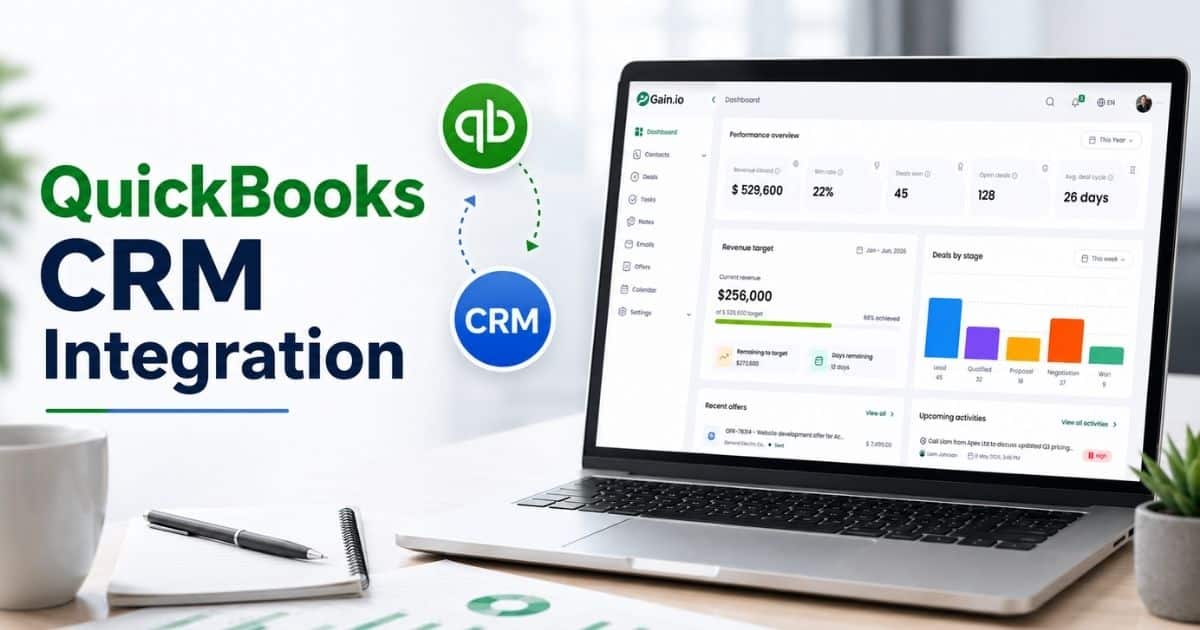
Capsule integrates with QuickBooks for combined deal and accounting software tracking. This connection keeps your financial picture clear while managing customer relationships.
Research shows that strong contact and deal management correlates to 25% higher close rates. Your contact database becomes the foundation for every sales activity and marketing campaign, especially when you get more from your CRM with a simpler sales workflow. Get this right and everything else works better.
Check Automation For Daily Sales Tasks
No-code workflows save hours every week. Monday and Zoho both offer visual automation builders that anyone can use. Salesforce’s MuleSoft handles complex automation needs for growing teams.
The time savings are substantial. Forrester research shows automation saves 14 hours per month per user on routine tasks. EngageBay’s predictive scoring assigns leads automatically, so your sales reps focus on the highest potential opportunities.
Marketing automation tools and automating routine tasks reduce the administrative burden that drains your team’s energy. Look for automation capabilities that match your actual daily workflows rather than theoretical use cases, using a sales automation software complete guide to benchmark what you really need.
Ensure Reporting Is Clear And Actionable
Custom dashboards in Dynamics 365 and Pipedrive AI reports surface the insights you need. HubSpot templates visualize data in formats that make sense without requiring data science degrees.
Surveys consistently show that 80% of CRM users value actionable insights for their decisions. Reports should answer specific questions: Which sales activities generate results? Where do deals stall? What marketing campaigns drive revenue?
Advanced analytics matter, but clarity matters more. If your reports require explanation, they will not get used. Prioritize CRM features that present customer insights in immediately useful formats.
Choose A CRM That Scales With Your Business
Start free and upgrade as your business grows. HubSpot offers a path from free to Starter plans as you need more features. Dynamics provides flexible pricing that adjusts to your team size. Salesforce handles up to 10,000 contacts and beyond, while many CRM options for startups and small sales teams are built to grow alongside you.
This matters because 55% of small businesses outgrow their initial CRM within two years, according to Techaisle research. Picking a CRM provider with clear growth paths saves you the pain and cost of switching later.
The right CRM solution grows with you. Check that free plans and entry tiers connect smoothly to higher levels without forcing painful migrations or losing your CRM data.
Common Mistakes Small Businesses Make When Choosing CRM
Nearly half of CRM implementations fail due to poor fit, according to Gartner. Avoiding CRM implementation mistakes can cut your churn risk by 35% and save thousands in wasted investment.
Overlooking scalability leads to switches that cost $10,000 or more annually. Ignoring integration wastes 20% of time on manual syncs between disconnected business systems. Neglecting training drops usage by 40%, turning your investment into expensive shelfware.
Many small businesses chase features over usability. Remember that 62% abandon complex tools they cannot figure out. Free plans can also limit growth. Bigin restricts you to 500 records while Zoho offers 5,000. Skipping trials results in a 25% regret rate. Take the time to test before committing.
How To Pick The Best CRM Options For Small Business
Systematic evaluation ensures fit. Companies that run proper trials see 91% success rates with their CRM selection. Match your CRM to specific goals for that 34% revenue lift, especially if you follow a dedicated B2B sales CRM guide for revenue teams.
Define Business Needs And Goals
Start by mapping your sales pipeline and contact needs. Solopreneurs often do well with simpler tools like Bigin. Teams benefit from more robust options like Zoho CRM with its collaboration features, while startups can look at CRM tools that help startups grow smarter for fast-changing environments.
Be specific about what you need. Lead management? Email marketing? Project tracking? Task management? Write down your must-haves versus nice-to-haves.
Research shows that 40% of CRM mismatches come from vague goals at the start. Spend time here to avoid painful corrections later. Your business needs should drive every decision in the selection process.
Evaluate Ease Of Use And Adoption
Test interfaces yourself. HubSpot reduces the learning curve significantly compared to enterprise tools. Have your actual sales teams try the system during evaluation.
Capterra confirms that 70% of small businesses prioritize usability above all else. If your team will not use it, features do not matter, and understanding CRM adoption challenges, mistakes, and best practices helps you design for real-world usage.
Look for intuitive navigation, clear layouts, and logical workflows. The best CRM software helps rather than hinders daily work. Consider how quickly new team members could get productive with the system.
Check Integration With Existing Tools
Your CRM needs to connect with your existing tools. Zoho integrates with Slack and Zapier. Bitrix24 offers over 100 app connections out of the box.
Good integration saves 25% of time otherwise spent on manual data transfers. Check connections to your email, calendar, accounting software, and communication tools.
Look for dedicated mobile app options too. Your sales reps need mobile access to customer information when meeting clients or traveling. Integration flexibility determines how well your CRM fits into your actual workflows.
Compare Pricing And Scalability
Free CRM solutions work well for getting started. HubSpot offers 1,000 contacts free. Paid plans typically run $10 to $50 per user per month, with Dynamics offering enterprise-grade options.
The average CRM cost sits around $25 per user monthly. Factor in what happens as your business grows. Will you hit contact limits? Need features locked behind higher tiers?
Look at inexpensive CRM options that offer clear value without hidden costs. An affordable CRM that scales smoothly beats a cheap one that forces expensive migrations later.
Assess Reporting And Analytics Capabilities
AI forecasting in Pipedrive and Dynamics boosts accuracy significantly. HubSpot’s custom report builder handles most small business needs without complexity.
Remember that CRM users are 2.8 times more likely to forecast accurately. Your reports should show sales tracking metrics, deal progress, and customer journey insights.
Look for dashboards that answer your specific questions. Which sales activities produce results? Where do deals get stuck? What is the real health of your pipeline? Actionable data drives better decisions.
Test With Free Trials Or Demos
Most CRM platforms offer 14-day trials as standard. Use this time intentionally. Test real scenarios with actual customer data rather than dummy entries, similar to how a SaaS startup in a sales acceleration case study using Gain.io ran full pipeline tests before scaling.
Research shows that 80% of businesses convert to paid plans after meaningful trial experiences. Run through your complete sales cycle during the test period.
Capture a new lead. Log a call. Start a follow-up sequence. Check a revenue report. Get feedback from the people who will use the system daily. This investment of time prevents costly mistakes.
CRM Implementation Tips For Small Teams
Proper rollout achieves 85% adoption rates, according to Aberdeen Group research. A structured implementation approach yields the 47% productivity gains that make CRM worthwhile, especially with an all-in-one CRM to grow your sales and team that centralizes daily work.
Start With A Clear Setup Plan
Migrate data carefully using tools like Zoho’s Zwitch. Define your pipeline stages before entering any data. Plan your custom fields and deal stages to match your actual sales process.
A clear plan reduces errors by 50% compared to ad-hoc implementations. Document what goes where and who owns which responsibilities.
Start simple. You can always add complexity later. Getting the basics right from day one prevents the messy data problems that undermine CRM value over time.
Train Your Team From Day One
In-app guidance like Dynamics offers helps users learn while working. But dedicated training time matters too. Companies that invest in proper training see 60% higher usage rates.
Do not assume people will figure it out. Walk through common scenarios together. Show how the CRM makes daily work easier rather than adding burden.
Focus training on the activities your sales teams perform most often. Make sure everyone understands how to track customer interactions and update deal stages consistently.
Keep Data Clean And Organized
Data management problems cause real revenue loss. Deduplication tools prevent the 20% revenue hit that comes from messy records and confused customer communication.
Set standards for how information gets entered. Create naming conventions. Assign someone to review data quality regularly.
Clean CRM data means accurate reports and confident decisions. Dirty data means confusion, mistakes, and eroded trust in the system. Prioritize data hygiene from the start so your smart CRM tools for sales teams can generate reliable insights.
Focus On Daily Usage Habits
Gamification in Pipedrive boosts engagement by 30%. But simple habit formation matters more than fancy features. Build CRM usage into daily routines.
Make it the first thing sales reps check each morning. Require deal updates before meetings. Celebrate wins tracked in the system.
Usage drives value. A CRM only works when people actually use it consistently. Focus on making daily engagement easy and rewarding.
Review Performance And Adjust Regularly
Quarterly audits improve ROI by 25%. Look at what is working and what is not. Gather feedback from users about pain points and wished-for improvements.
Your business processes change over time. Your CRM configuration should evolve too. Regular reviews keep the system aligned with actual needs.
Track adoption metrics alongside business outcomes. Are deals closing faster? Is customer information more accessible? Use data to guide adjustments and justify continued investment.
Comparing Popular CRM Options For Small Businesses
Top CRM platforms vary based on your specific needs. HubSpot leads free tier usage with 40% market share among small businesses. The right comparison focuses on value for your situation.
Compare Features Based On Real Needs
Pipedrive excels at visual pipelines for sales-focused teams. Bitrix24 provides an all-in-one platform combining CRM with project management and service tools.
Match features to your actual daily activities. Do you need heavy email marketing integration? Complex deal stages? Simple contact tracking or visual sales pipeline software to manage deals?
Avoid comparing feature lists in isolation. The best CRM software for your team depends entirely on what you will actually use weekly.
Look At Pricing Versus Value
Free CRM options vary significantly. EngageBay offers 250 contacts free. HubSpot provides 1,000. Pipedrive starts at $14 per user with smart features included.
Consider value rather than just price. A $20 per month tool that saves five hours weekly delivers better return than a free tool that wastes time.
CRM | Free Users/Contacts | Key Strength | Starting Paid Price |
|---|---|---|---|
HubSpot | 2 users / 1,000 contacts | Free core features | $20/user/month |
Zoho CRM | 3 users / 5,000 contacts | Customization | $14/user/month |
Pipedrive | Trial only | Visual pipelines | $14/user/month |
Bitrix24 | Unlimited users | All-in-one platform | $49/5 users/month |
Freshsales | 3 users | Support quality | $9/user/month |
Evaluate Ease Of Setup And Use
Monday offers no-code setup that anyone can handle. Capsule CRM has provided reliable, straightforward service since 2009. Look for platforms that respect your limited setup time.
Consider how long before your team becomes productive. A CRM that takes weeks to configure delays your return on investment.
Setup complexity often signals ongoing complexity. Choose a customizable CRM that stays manageable as you add features and users over time.
Check Integration And Flexibility
Zoho connects smoothly with GSuite. Dynamics integrates deeply with Teams. Check that your critical existing tools connect without painful workarounds, and consider industry-focused options like CRM tools that help real estate agents save time if you need niche integrations.
Flexibility matters as your business systems evolve. Can you add new integrations later? Does the CRM support common connection tools like Zapier?
Your CRM becomes the hub for customer information. It needs to play nicely with everything else you use daily.
Consider Support And Community Resources
Freshsales provides 24/5 support even on free plans. Salesforce CRM offers a vast community for self-help and learning. Consider what happens when you get stuck.
Support quality varies dramatically. Read reviews specifically about support experiences. Fast, helpful responses save hours of frustration.
Community resources extend official support. Active user forums, template libraries, and tutorial videos help you get more value from your chosen platform.
How Gain.io Helps Small Businesses Simplify CRM
Gain.io acts as a practical small business CRM software that centralizes workflows without complexity. A unified customer relationship management CRM structure connects sales, marketing teams, and service teams in one place, reducing fragmentation. Built-in marketing tools help manage campaigns and track engagement without switching platforms.
Clean dashboards and automation streamline daily tasks while delivering advanced CRM features such as reporting and pipeline visibility. Teams can align faster, respond to customer needs, and maintain consistent communication across touchpoints.
By simplifying data access and collaboration, Gain.io strengthens customer engagement and creates a clear competitive advantage for growing businesses that need efficiency without heavy systems.
FAQs
What CRM Features Matter Most For Small Teams?
Contact and deal management form the foundation. After that, prioritize simple automation and clear reporting. Capterra research shows 70% of small teams rank usability as their top criterion. Pipeline tracking boosts win rates by 28%, so visual deal management deserves attention. Skip advanced features you will not use in the first year. Focus on what helps you track customer interactions and close deals faster.
How Long Does CRM Implementation Take For Small Businesses?
Most small businesses complete implementation in one to four weeks. HubSpot setups can happen in hours for simple needs. More complex configurations with data migration take up to 30 days. Aberdeen research shows 85% of teams finish under two weeks when they follow a clear plan. Start simple, train your team properly, and expand capabilities over time rather than trying to implement everything at once.
Can A Small Business Switch CRM Easily Later?
Yes, though it costs time and money. Tools like Zoho’s Zwitch simplify data migration between platforms. About 25% of small businesses switch CRM annually, with average switching costs around $5,000 when you factor in data migration, retraining, and productivity loss. Choose a CRM that scales to minimize switching needs—resources like a Gain.io vs Salesforce CRM comparison can clarify trade-offs. But do not stay with a poor fit just because switching feels hard.
What Is The Average Cost Of CRM For Small Business?
CRM costs range from free to $50 per user monthly. Free tiers account for 40% of small business CRM adoption. Paid plans average $25 per user per month. Factor in implementation time, training costs, and potential add-ons when calculating total investment. Many businesses start free and upgrade as needs grow. Look at value delivered rather than just sticker price.
How Does CRM Improve Customer Relationships For Small Teams?
Personalization enabled by CRM boosts retention by 41%, according to HubSpot research. Real-time customer insights help you respond faster and more appropriately to individual needs. CRM reduces churn by 20% through better follow-up and consistent communication. When every team member can see complete customer history, everyone delivers better service. That consistency builds trust and drives referrals that grow your business.