Choosing the right CRM software can feel overwhelming when you’re running a small business with limited time and budget. Between scattered spreadsheets, overflowing inboxes, and missed follow-ups, your team loses deals that should have closed. The good news? In 2026, CRM tools designed specifically for small businesses have become more accessible, affordable, and intelligent than ever. Cloud-based platforms now offer AI-driven insights, simple automation, and fast setup times measured in hours rather than weeks. This guide breaks down the 7 top CRM tools for small business, similar to other comparisons of the best CRM software for small sales teams, covering everything from free starting points to scalable solutions. You’ll learn which features actually matter, how to evaluate vendors for your specific needs, and why modern options like Gain.io are changing how sales teams close deals faster.
What Is a Small Business CRM?
A small business CRM is cloud-based software that centralizes contacts, deals, emails, and customer history for teams typically under 50 employees. Instead of juggling spreadsheets and scattered inboxes, you get one shared view of every lead and customer interaction.
Here’s what a CRM replaces in practical terms:
- Spreadsheet chaos: No more hunting through Excel files to find a prospect’s last touchpoint
- Inbox fragmentation: All customer communications visible in one timeline, not buried across team members’ email accounts
- Manual tracking: Deal stages update automatically, eliminating “who’s responsible for this lead?” confusion
- Lost follow-ups: Task reminders tied directly to contacts and deals keep nothing slipping through cracks
In 2026, even micro-businesses with 1-10 people rely on CRM for AI-assisted follow-ups, basic sales forecasting, and simple automations that save hours weekly, especially when they automate sales tasks to stay focused and organized. According to HubSpot’s 2025 State of Inbound report, 91% of small businesses using CRM report increased sales.
“Small business CRM” typically means lower price points ($10-50/user/month), faster setup (often live in a day), and pre-built templates instead of heavy customization. The platforms below were selected for ease of use, value, and small-team fit, not enterprise bloat.
Top 7 CRM Tools for Small Business (2026)
This section covers seven leading CRM platforms, organized by their primary strengths. Each tool includes core CRM features like contact management, deal tracking, basic reporting, and email integration, similar to the smart CRM tools for sales teams found in modern platforms like Gain.io. The differentiators come down to specific advantages for different business types.
Pricing reflects publicly advertised rates as of early 2026, always verify current costs on vendor sites before purchasing. Let’s examine each option.
1. HubSpot CRM – Best Free Starting Point for Growing Teams
HubSpot CRM remains the go-to free CRM for startups and small teams needing an all-in-one starting point. Launched in 2014 as a freemium platform, it now supports unlimited users on its core tier with no contact limits.
Key features for small businesses:
- Unified contact timeline showing every call, email, and meeting chronologically
- Built-in email templates with open and read tracking that benefit from CRM with email integration to streamline sales communication
- Customizable sales pipelines for deal stages
- Meeting scheduler integrating with Google and Outlook calendars
- Basic marketing tools including form builders
The core HubSpot CRM stays free indefinitely. Starter bundles begin around $20/user/month (billed annually) when you need advanced reporting, marketing automation beyond 2,000 emails monthly, or sales sequences.
Pros: Zero-entry barrier means onboarding in hours. Strong learning resources (rated 4.5/5 on G2 for tutorials). Over 1,000 integrations including Slack and Zoom. Easy scaling path to paid sales, marketing, and service hubs.
Cons: Pricing escalates quickly, full automation suites can hit $800/month for mid-sized teams. AI insights and advanced CRM features require upgrades, which frustrates scaling micro-businesses according to 2026 Capterra reviews.
2. Pipedrive – Best for Visual Sales Pipelines
Pipedrive was built by salespeople who were frustrated with clunky CRM platforms. Its visual sales pipeline uses Kanban-style boards where you drag deals between stages, making daily sales activities intuitive.
Core capabilities:
- Drag-and-drop pipeline boards for deal management
- Activity scheduling tied directly to deals
- Two-way email sync with Gmail and Outlook, underscoring why CRM email integration is important for accurate records and follow-ups
- 400+ integrations including QuickBooks and Mailchimp
- AI suggestions prioritizing deals by win probability
The Essential plan starts at $14/user/month (billed annually) or $24 monthly. Advanced tier at $39/user/month adds an AI sales assistant that suggests next actions. A 14-day free trial is available.
Strengths: Extremely intuitive UI, achieving 95% adoption rates in small sales teams per Pipedrive’s metrics. Setup takes under 2 hours. Forrester studies show AI insights increase deal velocity by 28%.
Trade-offs: Limited native marketing automation; you’ll need Zapier for email sequences. Add-ons like Campaigns ($32/user) or calling ($49/user) can push total costs over $100/user for a complete stack.
3. Gain.io – Best Lightweight CRM for Micro-Businesses
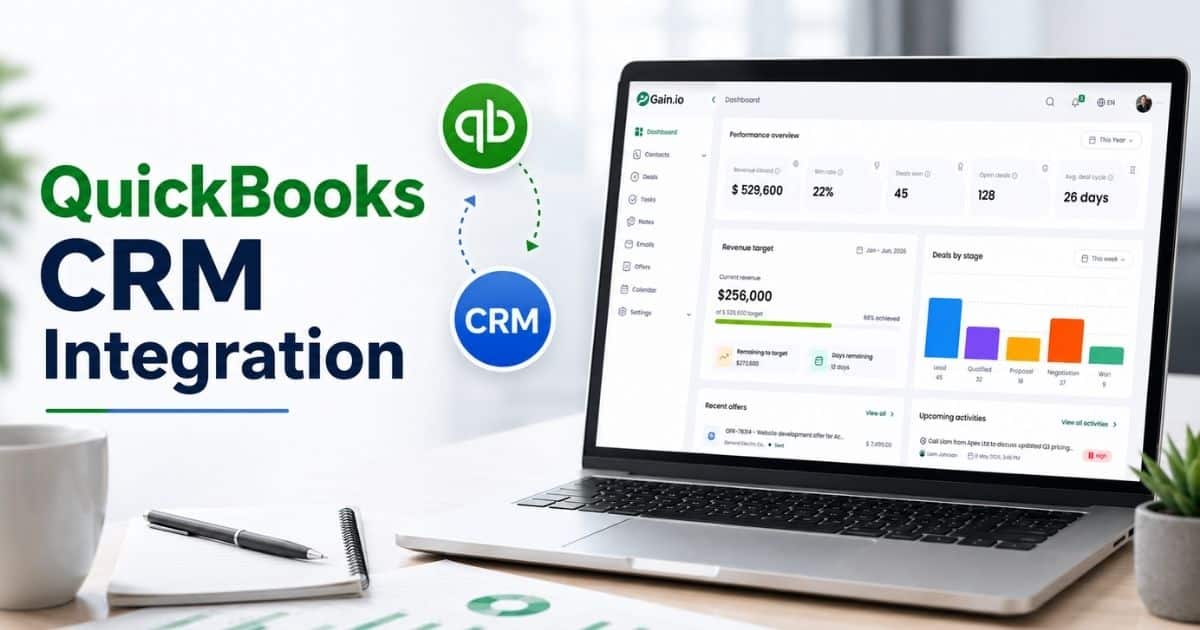
Gain.io takes a different approach: an all-in-one CRM to grow your sales and team, built specifically for teams of 1-20 people who want AI-powered workflows without enterprise complexity. The platform centers on doing fewer things exceptionally well rather than overwhelming users with features they’ll never touch.
What sets Gain.io apart:
- Centralized contact and deal hub with timeline views showing every interaction
- No-code automations for follow-ups (email drips triggered by stage changes)
- AI for call summarization and lead enrichment, pulling LinkedIn data
- Native integrations with Gmail, Stripe, and calendar apps
- Mobile apps with offline sync for field sales reps
Pricing is refreshingly simple: $29/user/month flat for all features, unlimited deals, and unlimited contacts. No tier confusion, no surprise upgrade prompts.
Strengths: Setup takes under 30 minutes via guided imports from spreadsheets. Early users report 40% time savings on admin compared to Pipedrive. Opinionated templates prevent setup paralysis. SOC 2 compliance handles security concerns. Product Hunt reviews average 4.7/5 with comments like “finally a CRM that doesn’t fight you.”
Ideal for: Service professionals, consultants, and agencies wanting a simple CRM that scales to 50 users without forcing tier jumps, similar to guidance on CRM for startups and small sales teams. If your sales team needs to track customer interactions without wrestling complex configurations, Gain.io delivers.
4. Freshsales – Best for All-in-One Sales and Basic Marketing
Freshsales, part of the Freshworks suite, appeals to SMBs wanting CRM, basic marketing automation, and telephony from one vendor, especially teams focused on how CRM improves sales productivity. Its Freddy AI handles lead scoring using behavioral signals like page visits and email engagement.
Standout features:
- Freddy AI for lead scoring and deal insights predicting close dates
- Built-in phone with call recording
- Visual pipelines with contact management
- Customizable dashboards and reporting
- Email orchestration for marketing campaigns
A free tier supports 3 users with core features. Paid Growth plans start at $15/user/month (annual) or $21 monthly, including 24/5 support, rare for budget CRM vendors.
Advantages: AI works out of the box, boosting lead qualification by 20% per Freshworks data. Quick 1-2 day setup. Strong fit for SaaS companies and agencies wanting unified views that reduce tool sprawl.
Weaknesses: Interface feels busier than ultra-simple alternatives. Advanced chatbots require Freshchat add-ons at $15 extra, creating ecosystem lock-in.
5. Less Annoying CRM – Best for Simplicity and Flat Pricing
Less Annoying CRM does exactly what the name promises: no complexity, no multi-tier pricing confusion, no aggressive upsells. Since 2010, it’s served non-technical owners who want minimal setup.
Key functionality:
- Central contact database with note histories
- Basic pipelines for tracking leads
- Tasks and calendar sync
- Simple reporting without overwhelming filters
- Straightforward email logging
The pricing model: $15/user/month. Period. One plan, unlimited everything, no contracts, 30-day refund policy, U.S.-based phone support.
Pros: 5-minute onboarding. 99% uptime. Perfect for first-time CRM users. A 10-person consultancy reported 50% faster contact logging after switching.
Constraints: Limited automations (no email sequences). Only 30 basic integrations (Google Workspace, Mailchimp). Best for teams valuing simplicity over depth, if you need advanced analytics or marketing tools, look elsewhere.
6. Salesforce Starter / Essentials – Best for Long-Term Scalability
Salesforce Starter (formerly Essentials) offers small businesses entry into the world’s largest CRM ecosystem, though some teams may compare it against Gain.io vs Salesforce CRM when evaluating fit. If you’re planning significant growth, starting here avoids painful migrations later.
Main features:
- Lead and opportunity tracking with configurable workflows
- Einstein AI basics for insights
- Email integration and mobile AI capabilities
- Access to 7,000+ apps via AppExchange
- Customizable dashboards and business analytics
Pricing starts at $25/user/month (annual billing). Higher tiers and add-ons can push costs to $100+/user, but deliver enterprise-grade capabilities.
Advantages: Unmatched scalability. Deep customization options. A vast third-party ecosystem for when your business outgrows “small.”
Drawbacks: Steeper learning curve requiring 10+ hours of training. Complex setup compared to simpler alternatives. Risk of overbuying if you only need basic contact and deal tracking. Gartner Magic Quadrant critiques note that small teams often struggle with configuration overhead.
7. Bonus Pick – Niche and Industry-Specific CRMs to Consider
Beyond general-purpose platforms, many small businesses thrive with niche CRM tools tailored to their industry, including CRM tools that help retail teams stay organized. Real estate agents, marketing agencies, contractors, and professional services firms often find that industry-specific solutions reduce customization time dramatically, especially when using CRM tools that help real estate agents save time.
Categories worth exploring:
- Agency-focused platforms with built-in project management and client portals
- Contractor CRMs featuring estimate builders, job scheduling, and crew management
- Practice management tools for consultants combining CRM with billing and deliverable tracking
Evaluation criteria for niche tools:
- Pre-built workflows and templates matching your industry’s sales processes
- Billing and project management overlap, reducing tool count
- Compliance features relevant to your sector
The trade-off? Niche CRMs may lock you into narrower use cases with limited integrations. For teams wanting industry flexibility with modern AI capabilities, platforms like Gain.io offer a balanced approach, simple enough to customize for any workflow, powerful enough to handle complex deal management.
Core CRM Features Small Businesses Should Prioritize
Before committing to any platform, understand which features actually get used by teams of 3-30 people. This checklist applies whether you’re evaluating the seven tools above or exploring other CRM vendors.
Focus on capabilities that drive daily adoption, not impressive-sounding enterprise add-ons.
Contact and Company Management
Good contact management means centralized records containing names, roles, notes, past emails, calls, and purchase history, all visible without clicking through multiple screens, enabling you to manage contacts better and build stronger relationships.
What to look for:
- Quick filtering and segmentation by lead source, industry, city, or lifecycle stage
- Easy import from spreadsheets, Google Contacts, or legacy accounting software
- Custom fields for tracking your specific customer data (contract renewal dates, service tiers, referral sources)
- Basic permission controls and privacy compliance (GDPR, CCPA)
A local service provider might import 500 contacts from Google Sheets and instantly visualize open opportunities by stage, reducing follow-up oversights by up to 30%.
Pipeline, Deals, and Task Tracking
A deal pipeline visualizes opportunities moving through stages: “New Lead” → “Qualified” → “Proposal” → “Closed Won/Lost,” and teams that get more from their CRM with a simpler sales workflow tend to keep these stages lean and actionable. Task management ties directly to deals so your team knows exactly who needs to do what today.
Essential pipeline management elements:
- Drag-and-drop deal cards between stages
- Task assignments linked to specific contacts and deals
- Clear visibility into “today’s actions” without manual list-making
- Automatic tasks triggered when deals change stages
Modern platforms increasingly pair pipelines with simple automation, when a deal moves to “Proposal Sent,” the CRM automatically schedules a follow-up call for three days later.
Automation and AI for Small Teams
Automation should focus on high-value workflows: lead assignment, follow-up reminders, email sequences, and data enrichment so your CRM truly supports how sales teams manage leads. In 2026, 65% of CRM platforms offer no-code automation builders per Gartner.
Practical automation examples:
- Send a follow-up email 24 hours after a form submission
- Alert a sales rep when a high-value lead revisits your website
- Auto-assign new leads based on territory or deal size
- Enrich contact records with LinkedIn data automatically
Nucleus Research found automation saves teams 10 hours weekly on routine tasks. Avoid over-complicated workflows that nobody can maintain, Gain.io’s approach emphasizes accessible, no-code automations owners can set up in minutes.
Integrations with the Tools You Already Use
Your CRM system should connect seamlessly with email (Gmail/Outlook), calendars, accounting software, and marketing platforms, a core principle in many tips for choosing CRM tools that fit your workflow. Integration eliminates duplicate data entry and keeps information synchronized.
Must-have integrations:
- Two-way email sync capturing customer communications automatically
- Calendar sync for scheduling meetings and tracking sales activities
- Accounting software connections (QuickBooks, Xero) linking deals to invoices
- Marketing tools for tracking campaign performance against pipeline
Platforms like Gain.io are designed to slot into existing stacks via native connectors and open APIs rather than forcing wholesale replacement of your essential business tools.
Mobile CRM and Remote Access
With hybrid and remote work standard by 2026, strong mobile apps are non-negotiable. Aberdeen research shows mobile access boosts field rep productivity by 35%.
Mobile must-haves:
- Contact lookup and quick note logging
- Push notifications for tasks and deal updates
- Offline capture that syncs when connectivity returns
- Biometric logins and security controls
Reporting, Dashboards, and Forecasting
Even small teams benefit from dashboards showing open deals, forecasted revenue, and recent activity in real time.
Key reports to expect:
- Sales by rep and pipeline by stage
- Win/loss rates and sales cycle length
- Basic customer retention or churn metrics
- AI-assisted trend alerts and anomaly detection
Non-technical owners should build or tweak reports without needing a data analyst. Modern CRM features include sales forecasting within 15% accuracy based on deal velocity patterns.
How To Choose The Right CRM For Your Small Business
Follow a structured approach to evaluate options quickly. Match features, pricing, and usability with your current stage to avoid overcomplicated tools or limited systems, especially for founders weighing top CRM tools that help startups grow smarter.
Step 1: Map Your Processes And Non-Negotiables
Start with your current workflow. Outline how you capture, qualify, and convert leads, especially if you follow a structured B2B sales CRM guide for revenue teams. Define must-have features before comparing tools.
Understanding your customer relationship management needs helps align business processes with small business crm software. Clear mapping improves lead management, ensures clean crm data, and helps manage leads effectively.
Document how you currently find leads, track deals, and manage customer relationships. Create a simple flow: lead capture → qualification → proposal → close → ongoing service.
Identify 3–5 must-haves (two-way email sync, visual pipeline, accounting integration). Separate these from nice-to-haves like advanced AI. Involve someone from sales and leadership to avoid one-sided requirements.
Step 2: Set A Realistic Budget (And Time Budget)
Balance cost with expected ROI. Consider subscription fees, onboarding time, and internal effort required to adopt the CRM.
Evaluating small business crms cost ensures affordability. The right tool helps streamline sales processes, supports automating routine tasks, and boosts efficiency without sacrificing customer satisfaction or long-term scalability.
Typical 2026 pricing ranges from free tiers to $50/user/month for advanced features. Factor hidden costs: onboarding time (calculate ~20 hours), data cleanup, and potential consulting.
Calculate simple ROI: if you close 2 extra deals monthly from better follow-ups, does that cover subscription costs? Set both financial and implementation time limits (“live within 30 days”).
Step 3: Build A Shortlist Of 3–5 CRMs
Narrow your options based on usability, integration, and scalability. Avoid tools that exceed your needs or budget.
Shortlisting the top crm tools for small business helps compare features. Focus on tools that improve targeted marketing efforts, enhance communication tools, and support stronger customer relationships across teams.
Use peer recommendations, G2/Capterra reviews, and vendor sites. Ensure your shortlist includes at least one very simple tool, one mid-range option, and one scalable platform.
Filter out CRM platforms that don’t integrate with your existing tools or clearly exceed budget.
Step 4: Test With Real-World Scenarios And Free Trials
Hands-on testing reveals usability gaps. Simulate actual workflows to see how the CRM performs in daily operations.
Testing ensures your CRM supports real workflows, improves lead management, and fits your team’s pace. Strong usability directly impacts customer satisfaction and helps maintain consistent business processes.
Use 14–30 day trials to run realistic scenarios: import actual customer information, log calls, send sample emails, generate reports. Assign 2–4 team members from different roles to evaluate.
Focus on user experience. Measure how fast new users can complete tasks. Test support quality by submitting a real question during trials.
Step 5: Plan Implementation, Training, And Data Migration
A CRM only works if your team adopts it. Focus on clean data, structured onboarding, and clear internal processes.
A structured rollout ensures clean crm data, improves automating routine tasks, and supports long-term adoption, aligning closely with a detailed CRM implementation guide for successful deployment. Proper setup strengthens customer relationship management and helps manage leads consistently.
CRM success depends on clean data and consistent usage. Before migrating:
- Export and backup from your old system (CSV format)
- Audit data to remove duplicates and obvious errors
- Test import with a sample file first
- Schedule brief role-based training sessions
- Create simple internal how-to guides
Set clear adoption metrics (90% of deals logged within 60 days) and designate an internal CRM champion. Choose vendors offering strong onboarding resources for smoother migration.
Common CRM Mistakes Small Businesses Should Avoid
Even the best CRM software fails when implementation goes sideways, which is why it’s critical to understand CRM implementation mistakes to avoid. Poor decisions early on create friction, reduce adoption, and limit long-term ROI for small teams.
Overcomplicating The Setup From Day One
Starting with an overly complex setup slows adoption and creates confusion across teams.
Many teams overbuild workflows instead of focusing on improving customer relationships across the entire sales cycle. A customizable crm should evolve gradually, not overwhelm users from the beginning.
Small teams often try recreating every imagined process with complex fields and workflows before anyone has used the CRM. Start lean: core contact fields, a simple pipeline, and a handful of automations.
Add complexity only after the team is comfortable with daily use. Modern tools encourage “start simple” templates that prevent configuration paralysis. Review quarterly to remove unused fields.
Choosing Features Over Adoption
Feature-heavy platforms often fail when usability is ignored.
Many crm providers compete with advanced features, but small teams need simplicity. Overloaded sales tools and email marketing tools reduce adoption instead of supporting real workflows.
The most feature-rich CRM is worthless if your team won’t use it. Research shows a large percentage of CRM failures stem from poor user experience, leading to low engagement.
Focus on usability, speed, and clarity. Measure adoption by logins, records updated, and tasks completed in the first 60–90 days. Involve end users in selection.
Ignoring Data Quality And Maintenance
Poor data quality breaks trust and leads to bad decisions.
Incomplete records and duplicate entries limit access to detailed customer information. Without proper data discipline, automation tools fail and reporting becomes unreliable.
Bad data, duplicates, missing fields, outdated contacts quickly erode trust in your crm system. Set simple hygiene rules such as required fields and regular cleanup routines.
Assign data ownership even in small teams. Use built-in automation to catch errors and maintain consistent data management practices.
Underestimating Training And Change Management
Skipping training creates inconsistent usage patterns across the team.
Even simple systems need guidance. This is especially important for mid sized businesses transitioning from spreadsheets to structured workflows with new sales tools and processes.
“It’s simple, no training needed” leads to confusion and partial adoption. Schedule short role-based sessions and follow-up Q&A during the first month.
Record walkthrough videos for onboarding new hires. Reinforce usage through internal accountability and regular check-ins.
Not Measuring Outcomes From The CRM Investment
Without clear metrics, it is impossible to validate success or identify gaps.
Tracking performance across the entire sales cycle helps evaluate ROI. Focus on improving customer relationships using data insights instead of relying on assumptions.
Many teams never check whether the CRM increases revenue or saves time. Define key KPIs before rollout such as deals closed, response time, and pipeline velocity.
Use reporting dashboards to track progress. Revisit your strategy annually and adjust your crm setup based on business growth and changing needs.
Why Gain.io Is a Modern CRM Choice for Small Businesses
Gain.io represents a new approach to CRM for small businesses: purpose-built for sales teams who want powerful capabilities without enterprise complexity. The platform combines contact and deal management with AI-assisted workflows, email sync, and simple automation, all under a transparent $29/user/month flat price, as illustrated in a sales acceleration story on how companies close deals faster with Gain.io.
Key benefits for small businesses:
- Fast setup: Live in days, not months, via guided imports and opinionated templates
- Transparent pricing: No tier confusion or surprise upgrade prompts as you scale
- Strong integrations: Connect with Gmail, Outlook, Stripe, calendars, and 100+ apps
- Accessible AI: Call summarization, lead enrichment, and predictive next actions without technical configuration
- Sales-first design: Every feature exists to help sales reps close deals, not manage support tickets
Gain.io avoids the common pitfalls discussed earlier, over-complexity, poor adoption, and feature bloat by focusing on what actually drives business growth for teams of 1-50 people. The result? Sales teams stay organized, work smarter, and close more deals.
Start your free trial to experience how a modern, streamlined CRM transforms your entire sales process.
FAQs
How long does it realistically take a small business to implement a new CRM?
Simple cloud CRMs can be live in a few hours for basic use. Full rollout, including data cleanup, custom fields, and team training, typically takes 2-4 weeks for teams under 20 people. Factors that lengthen timelines include messy legacy data, heavy customization requirements, and limited internal capacity. Speed things up with phased rollouts: start with just new leads and open deals, then expand. Platforms like Gain.io minimize setup time with templates and guided imports designed for small teams.
Can a very small team (1-3 people) get value from a CRM, or is it overkill?
Solo founders and micro-teams often benefit most from CRM adoption. The software acts as external memory for leads, follow-ups, and customer history that would otherwise scatter across notebooks and email threads. The key is choosing a low-friction tool with quick data entry. Free or inexpensive CRM options make adoption virtually risk-free. Start with basic contact and task management, expanding to automation only when comfortable.
What’s the best way to migrate from spreadsheets or another CRM without losing data?
Begin with a thorough export and backup (CSV format), plus a quick audit to remove duplicates. Most modern CRM platforms offer guided import tools and field mapping to align spreadsheet columns with CRM fields. Test migration with a small sample file first to validate mappings before importing your full contact database. Some vendors, including Gain.io, provide migration assistance specifically tailored to spreadsheet users.
How many user seats should a small business start with when buying a CRM?
Include all front-line revenue roles (sales, account management) plus at least one owner/manager for oversight. Limiting access too much creates shadow systems, personal spreadsheets and private notes that undermine CRM value. Review seat usage after a few months and adjust based on who actively uses the platform. Most tools make adding or removing users straightforward as your team changes.
How secure are cloud-based CRMs for storing customer and deal information?
Reputable CRM providers use encryption in transit and at rest, role-based permissions, and regular backups. Check for certifications relevant to your region: SOC 2, ISO 27001, or GDPR compliance statements. Small businesses should still adopt good practices: strong passwords, two-factor authentication, and clear access policies. Modern platforms like Gain.io build security into their architecture even for teams without dedicated IT staff.