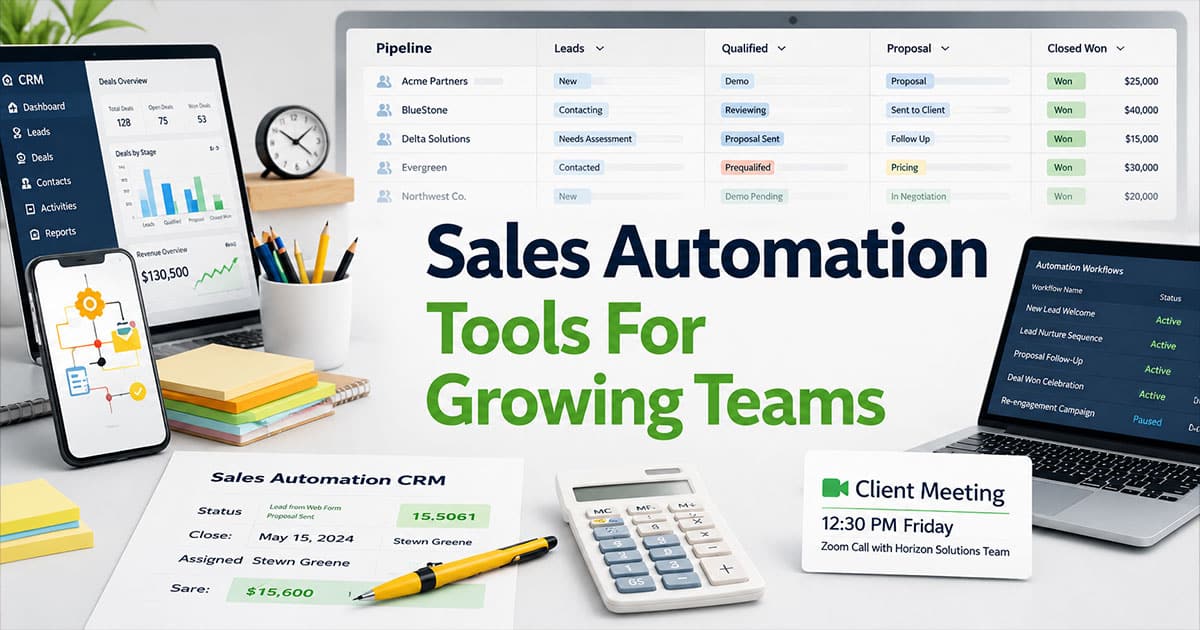
Growing sales teams face a predictable problem. Manual processes that worked with three reps start breaking down at ten. Leads sit in shared inboxes too long. Follow-ups depend on individual habits rather than consistent cadences. Pipeline data becomes unreliable because reps update records differently or not at all.
Sales automation tools solve these problems by handling repetitive sales tasks automatically. The result is faster response times, consistent customer interactions, and cleaner data that supports accurate forecasting. This article breaks down seven categories of sales automation tools, names specific platforms worth evaluating in 2026, and explains how to select and implement the right stack for your team without creating chaos.
What Are Sales Automation Tools?
Sales automation tools are software systems that automatically handle repetitive tasks throughout the sales process. These include lead capture from website forms, routing leads to the right reps, triggering follow up emails when prospects go quiet, logging activities to your CRM, and generating reports without manual data entry. The goal is removing administrative tasks that consume selling time while ensuring nothing falls through cracks as teams scale.
In a typical B2B sales cycle, automation touches every stage. A first website visit triggers tracking. Form submission captures lead data and routes it based on territory or deal size. If the prospect does not respond within a set timeframe, follow-ups launch automatically. Demo scheduling happens through calendar links rather than back-and-forth emails. Post-meeting notes get transcribed and pushed to the CRM. Renewal reminders fire based on contract dates. This end-to-end coverage creates a sales pipeline that is transparent and predictable rather than dependent on individual rep discipline.
The distinction between basic and advanced automation matters for growing teams. Basic rule-based automation follows simple conditional logic: if a lead fills a form, create a task; if a deal reaches a certain value, notify the sales manager. More sophisticated, data-driven automation incorporates intent signals, behavioral attributes, and lead scoring to prioritize and personalize actions. For example, some platforms monitor buying signals across data sources and alert reps when prospects show interest in relevant product categories. Basic automation prevents chaos. Data-driven automation drives competitive differentiation.
Sales automation tools differ from CRM software and marketing automation platforms, though the lines blur. A B2B sales CRM system like Salesforce or HubSpot serves as the system of record, storing customer data with some built-in workflow automation. Marketing automation tools like HubSpot Marketing Hub focus on nurturing broad audiences with educational content across marketing campaigns. Sales automation platforms are narrower in scope but deeper in function for sales-specific processes. HubSpot Marketing might nurture 10,000 website visitors. HubSpot Sales Hub ensures the 50 most qualified leads get a human follow-up call within 24 hours.
Types Of Sales Automation Tools For Growing Teams
This section breaks down seven key categories of sales automation tools with concrete examples and use cases. Each category addresses a specific phase or function in the sales cycle. Growing teams typically implement these categories sequentially as they scale, starting with the foundations and adding specialized tools as bottlenecks emerge. The goal is helping you identify which categories solve your immediate problems versus those you can add later.
Customer Relationship Management And Core Automation
CRM platforms serve as the central system of record for all customer and prospect data while handling foundational workflow automation. A modern sales automation CRM for growing teams such as HubSpot Sales Hub, Salesforce Sales Cloud, or Pipedrive manages lead capture from web forms, automatic assignment based on territory or round-robin rules, lifecycle stage progression, and sales pipeline updates.
A concrete example: a new demo request submitted on your website is automatically logged in the CRM, assigned by territory to the appropriate account executive, and creates a follow-up task within five minutes. No rep needs to check a shared inbox or manually enter the lead.
For growing teams with 10 to 50 sales reps, standardizing basic workflows around new opportunity created, stage changes, and stalled deal alerts should happen before adding specialized tools. These foundational automated workflows ensure consistent sales data and reduce manual effort across the team.
HubSpot tends to work better for teams wanting an all-in-one platform with built-in marketing integration. Salesforce offers more customization and complexity for teams planning to double headcount within 18 to 24 months, though it typically requires dedicated admin resources for configuration, so some growing teams compare Gain.io vs Salesforce CRM when weighing usability against enterprise-scale flexibility.
Sales Engagement And Multichannel Outreach Platforms
Sales engagement platforms build sequenced outreach across email, phone, and social channels, then log everything back to the CRM automatically. These tools make consistent follow-up possible at scale without requiring reps to track dozens of conversations manually.
Platforms like Outreach, Salesloft, and Apollo.io handle multi-step campaigns that would be impossible to manage manually. A new SDR can launch a 10-step sequence across 14 days with email on day one, LinkedIn message on day two, email on day four, and phone call attempts on days five, seven, and ten. Every touch gets tracked and logged without the SDR documenting each action.
Key automation features include automatic reply detection that stops further emails when a prospect responds, meeting booking triggers that log calendar events, and snooze rules that pause sequences when prospects engage but are not yet ready to meet. Growing teams typically introduce these tools once they have three to five SDRs who need consistent, reportable outbound motion and campaign discipline.
Lead Capture, Routing, And Qualification Tools
Lead capture and routing automation prevents a common scaling problem: inbound leads sitting in shared inboxes or spreadsheets and going stale while reps chase them manually. This bottleneck costs deals and damages customer experience.
Web forms and chatbots in HubSpot or Freshsales capture leads automatically. Specialized routing tools like LeanData or Chili Piper then distribute them based on rules. A concrete routing example: all EMEA leads with deal size above $20,000 are automatically routed to the enterprise team within two minutes, with an automatic Slack alert to the assigned account executive.
Automated qualification rules use firmographic data like company size, industry, and revenue along with behavioral signals like page visits and demo attendance to prioritize which leads hit a rep’s queue the same day versus which enter nurture tracks. This ensures sales team members focus on highest-probability opportunities first, improving sales productivity and preventing qualified leads from falling through cracks.
Scheduling, Meeting, And Hand-Off Automation
Scheduling tools remove the back-and-forth email cycle that wastes hours weekly for teams running dozens of demos. This friction point extends sales cycles and frustrates prospects.
Tools like Calendly, Chili Piper, and HubSpot meeting links enable streamlined flows. A prospect clicks a link in a sequence email, selects a 30-minute discovery slot from available times, and receives automatic confirmation plus reminder emails. No rep involvement required until the meeting itself.
Automation handles post-meeting hand-offs as well. Summary emails generate automatically, opportunity stages update, and follow-up tasks or internal notes get created for solutions consultants or customer success teams. For globally distributed sales teams, automated time zone handling and round-robin routing among multiple reps are essential capabilities, ensuring prospects book with the right person at a convenient time regardless of geography.
Conversation Intelligence And Call Automation Tools
Conversation intelligence tools like Gong, Chorus, and Sybill automatically record, transcribe, and analyze sales calls and video meetings. This transforms sales conversations from ephemeral events into searchable, analyzable data.
Specific automated outcomes include key moments flagged such as pricing discussion, competitor mention, or objection raised. Automatic notes push into the CRM. Suggested next steps appear after discovery calls. This replaces the manual effort of writing call summaries and updating records after every conversation.
Sales managers in growing teams can use this data for sales coaching at scale, reviewing patterns across all lost opportunities in a quarter rather than manually sampling a handful of calls. These tools help standardize successful talk tracks and shorten ramp time for new hires by providing searchable libraries of top-performing calls, acting as a scalable alternative to constant live shadowing.
Proposal, Contract, And E-Signature Automation
Proposal and contract tools cut cycle time between verbal commitment and signed paperwork. This bottleneck often costs teams deals that go cold during lengthy approval and signature processes.
PandaDoc, DocuSign, and Better Proposals feature pre-approved templates, automatic field population from CRM data, and secure e-signature workflows. A concrete workflow: once an opportunity moves to Verbal Commit in HubSpot, a proposal generates with pricing pulled automatically from the product catalog and sends for internal approval without manual document creation.
Automation also manages renewal reminders and contract term tracking so account managers do not rely on ad hoc spreadsheets. This reduces missed renewal revenue and supports customer relationships through proactive outreach before contracts expire.
Data Enrichment, Validation, And Reporting Tools
Growing teams quickly run into sales data problems: missing phone numbers, bounced emails, inconsistent titles, and fragmented reporting across multiple channels. Poor data quality corrupts otherwise well-designed automation, making a dedicated sales pipeline CRM for visibility and performance increasingly important as volume scales.
Data tools like ZoomInfo, Clearbit, and Clay automatically enrich and clean records at creation time. Email verification platforms like Clearout check deliverability before outreach begins. This ensures reps work with complete, accurate customer data without manual research.
Automated reporting using CRM dashboards or BI platforms generates weekly pipeline, activity, and conversion reports without manual spreadsheet work. Accurate, automatically updated data is crucial for forecasting and for more advanced automation. Pipeline management becomes reliable when the underlying data stays current through automation rather than dependent on rep discipline, which is a core promise of well-implemented B2B sales CRM systems.
7 Sales Automation Tools Growing Teams Should Evaluate In 2026
This section provides concrete vendor options spanning the categories above. The list is representative rather than exhaustive. Each tool has specific strengths for growing teams, and selection should map to your priorities and current tech stack.
1. HubSpot Sales Hub
HubSpot Sales Hub is an all-in-one CRM and sales automation platform suited for small to mid-sized marketing and sales teams wanting marketing, sales, and service data in one place, similar in positioning to Gain.io as an all-in-one CRM to grow your sales and team for organizations that prioritize simplicity and clear pipelines. Key strengths include integrated email sequences, meeting links, deal pipelines, and reporting, plus a free plan that supports early-stage teams.
By 2026, many B2B SaaS companies use HubSpot to centralize website forms, chat, email tracking, and basic forecasting without stitching together multiple tools. The platform includes Breeze AI, which adds Copilot and agents for outreach and content generation. For teams prioritizing ease of use and marketing alignment, HubSpot often represents the best sales automation software starting point.
2. Salesforce Sales Cloud
Salesforce Sales Cloud is a highly customizable CRM and automation platform favored by larger or rapidly scaling teams needing complex territory rules and multi-region structures. Its strengths include workflow automation, approval processes, and deep integration with a broad ecosystem of sales engagement, intelligence, and analytics tools.
Einstein Opportunity Insights predicts at-risk deals using engagement and historical patterns. However, Salesforce typically requires an admin or implementation partner to configure, making it more suitable for organizations with dedicated operations resources. For enterprise sales automation software needs, Salesforce remains the dominant choice.
3. Gain.io
Gain.io serves as a sales CRM built specifically for sales teams focused on building relationships, managing opportunities, and closing deals faster. The platform provides visual sales pipelines for tracking deals from lead to close, contact management for organizing prospects and customers throughout the sales lifecycle, and task management designed around sales follow-ups, reminders, and deal-related actions.
Teams use Gain.io to maintain full visibility into their pipeline without the complexity of enterprise platforms. CRM with email integration supports sales outreach and engagement tracking, while calendar features highlight sales meetings, demos, and follow-ups. Notes capture sales conversations, deal insights, and decision history in a centralized location. For growing teams wanting a modern, dependable CRM without unnecessary complexity, Gain.io delivers the core capabilities needed to stay organized and close more deals.
4. Apollo.io
Apollo.io combines a large B2B contact database with outbound sequencing tools in a single platform. Growing teams use Apollo.io to build targeted prospect lists by industry, role, and technology stack, then launch email and call sequences directly from the same interface without switching between tools.
Built-in enrichment and filtering features are particularly useful for lean teams without separate data providers. For sales and marketing teams running outbound campaigns, Apollo.io reduces the tool sprawl that typically comes with managing data, sequencing, and engagement separately.
5. Calendly
Calendly eliminates back-and-forth scheduling emails by letting prospects book directly from available time slots. Teams embed Calendly links in email signatures, outbound sequences, and website pages to enable prospects to book discovery calls or demos independently.
Advanced features include round-robin routing that distributes meetings across team members, pooled availability for group scheduling, and automated reminders that reduce no-shows. For high-volume demo teams running 30 or more discovery calls weekly, these automation features significantly reduce the manual effort of coordinating calendars.
6. PandaDoc
PandaDoc streamlines document creation, approval, and e-signature for growing sales teams. The platform pulls product and pricing data from CRM records to generate accurate, on-brand proposals and contracts in minutes instead of hours.
Analytics on proposal views and time spent per section help sales professionals follow up strategically with late-stage prospects. Teams report five to ten day reductions in close cycles after implementing automated proposal workflows. For sales operations focused on closing deals faster, PandaDoc removes a common bottleneck in the entire sales process.
7. ZoomInfo
ZoomInfo provides detailed company and contact intelligence including firmographics, technographics, and buying intent signals. Automation with ZoomInfo data keeps CRM records complete and updated, powering accurate routing, segmentation, and personalized outreach.
By 2026, many revenue operations teams rely on enrichment tools like ZoomInfo to maintain data quality across multiple systems without manual research. For sales and marketing efforts dependent on accurate targeting, this category of tool has become essential rather than optional.
How Sales Automation Tools Help Growing Teams Scale Sustainably
Teams growing from founder-led sales to multi-rep organizations face specific challenges. Inconsistent follow-ups mean some leads get contacted in two hours while others wait two days. Messy hand-offs lose information between SDRs and AEs. Opaque pipelines prevent managers from seeing where deals are truly stuck. Automation addresses these problems systematically.
Reclaiming Selling Time From Administrative Work
Industry research shows sales reps spend 35 to 45 percent of their time on non-selling tasks like logging calls, updating CRM fields, and sending recap emails. Automation returns these hours by handling routine work automatically.
Consider a day-in-the-life for an account executive on a 20-person team before automation: 9:00 to 10:00 AM updating seven opportunity fields from discovery calls, 10:00 to 10:30 AM manually logging four call summaries, 10:30 to 11:00 AM sending recap emails to three prospects, 11:00 AM finally reaching out to new leads. After automation: call recordings auto-transcribe with notes pushed to the CRM, opportunity fields update based on conversation topics detected, recap emails send from templates within five minutes, freeing the AE to begin prospecting by 9:15 AM. This reclaimed time translates into more discovery calls per week and higher quota attainment when teams automate sales tasks to stay focused and organized.
Creating Consistent, Repeatable Sales Processes
Automation enforces standardized stages, qualification criteria, and follow-up cadences so results do not depend solely on individual rep habits. All inbound product demo requests automatically receive a same-day email, a call within 24 hours, and a seven-day nurture sequence if no response, regardless of which rep is assigned.
This consistency enables cleaner reporting and easier experimentation. A/B testing subject lines or call scripts becomes possible across the entire team. Teams that standardize processes before scaling typically report 15 to 25 percent higher close rates because prospects experience predictable, professional touchpoints rather than inconsistent engagement.
Onboarding New Reps Faster And More Predictably
Pre-built sequences, templates, and playbooks within automation platforms shorten ramp time for new hires. Automated onboarding flows assign learning tracks, provide templated outreach for the new rep’s early prospects, and auto-suggest tasks for the first 60 days.
Conversation intelligence libraries and recorded best-practice calls help new hires model top performers without requiring constant live shadowing. Teams report new reps reaching 50 percent productivity within six to eight weeks when a robust sales automation CRM and clear playbooks are in place, versus 12 to 16 weeks without them.
Improving Pipeline Visibility And Forecast Accuracy
Automatically updated stages, synced activities, and standardized close dates produce reliable sales funnel data for sales leaders and revenue teams. A VP of Sales reviewing week-by-week pipeline changes uses dashboards populated from automation rather than manual spreadsheet uploads, often supported by an AI sales assistant for pipeline efficiency that flags risks and prioritizes deals.
Visibility becomes real-time and granular: stage-to-stage conversion rates, days-in-stage by rep, at-risk deals flagged automatically. This supports hiring plans, quota setting, and board reporting for scale-ups preparing for funding rounds or international expansion. Forecast accuracy typically improves by 10 to 15 percentage points when automation replaces manual data entry.
Elevating The Customer Experience At Every Touchpoint
Well-implemented automation leads to faster responses, fewer dropped hand-offs, and clearer communication for buyers. Timely meeting reminders send automatically. Post-demo summaries generate and send within two hours. Proactive renewal check-ins trigger based on product usage data or contract dates, often driven by broader sales automation software that coordinates tasks across account managers and success teams.
Teams should set guardrails to avoid over-automation: frequency caps limiting touches per week, tone requirements ensuring personal language rather than robotic messages, and personalization mandates including prospect name and company context. When automation respects these guardrails, buyers perceive it as helpful service rather than spam.
How To Choose The Right Sales Automation Stack For Your Team
Choosing the right sales automation tool is less about finding the single best option and more about finding the right combination for your team size, sales motion, and budget. The following sections walk through practical decision-making steps for a 2026 buying cycle.
Start With Your Current Process And Biggest Bottlenecks
Map your existing sales funnel from first touch to close, noting where leads stall or data gets lost. Concrete bottleneck examples include slow response to inbound forms, poor follow-up on trial signups, or inconsistent note-taking after sales calls.
Teams should choose automation categories that directly relieve their top two or three constraints, not what competitors are buying. A team with strong inbound volume but poor routing should prioritize lead assignment automation. A team with multiple SDRs but inconsistent follow-up should prioritize engagement sequencing, while others may benefit more from a broader sales automation software stack that standardizes follow-ups and reporting.
Prioritize Strong CRM Integration And Data Flow
For most growing teams, the CRM is the center of gravity and all other sales tools should integrate tightly to avoid duplicate records and swivel-chair work. Integration questions to evaluate: Do activities sync in real-time or with delay? Are custom fields supported bidirectionally? How are conflicts resolved when the same data exists in two systems?
Teams planning a major CRM migration should sequence that work before rolling out numerous additional tools, as migrations often destabilize existing integrations. Getting the foundation right with your customer relationship management system prevents compounding problems later.
Balance Power With Ease Of Use
Some automation platforms are highly customizable but require dedicated admins. Others are easier for small teams but less flexible. Salesforce versus Pipedrive illustrates this tradeoff clearly.
Involve frontline sales reps in demos and trials, checking that daily workflows like log a call or add a contact to a sequence feel natural and quick. Adoption is usually a bigger risk than feature gaps. A simpler tool used well often beats a complex platform used reluctantly by frustrated reps who create workarounds instead of following the intended process.
Consider Security, Compliance, And Governance
Data privacy and regional regulations matter in 2026. GDPR in Europe, state-level privacy laws in the United States, and sector-specific requirements for healthcare and financial services all affect how you can use automation.
Revenue and operations leaders should collaborate with IT or security teams to review data handling, permissions, and audit trails for any new tool. A team operating in Germany and the US must ensure any scheduling or conversation tool respects GDPR’s data minimization and consent rules in the EU while complying with US state laws elsewhere.
Plan For Costs, Contracts, And Future Growth
Model total cost of ownership over 24 to 36 months including seat licenses, implementation, integrations, and ongoing admin time. Small teams up to ten users typically budget $200 to $500 monthly for a foundational stack. Mid-sized teams with 20 to 50 reps often allocate $2,000 to $5,000 monthly. Larger teams may invest $10,000 or more.
Start with shorter contracts or pilots for new categories, especially for teams still refining their sales strategy. Select tools that scale with added seats, regions, and product lines without requiring complete automation rebuilds annually. Custom pricing negotiations often become available as team size grows.
Implementation Of Sales Automation Tools Without Disrupting Your Team
Even the best sales automation solutions fail if rolled out too quickly or without sufficient support. This is a frequent problem for fast-growing teams eager to automate tasks immediately.
Roll Out In Phases, Not All At Once
Start with a pilot group of five to ten users, focusing on one or two high-impact workflows. Expand only after metrics and feedback are positive. A concrete timeline: 30-day pilot for outreach sequences followed by 60-day scale-up.
Avoid turning on every automation rule simultaneously. This often leads to confusion, duplicated messages, and data issues. A team might pilot a new demo request routing workflow with five AEs for 30 days, measure time-to-first-contact improvement, gather feedback, refine the routing logic, then expand to all 20 AEs in week five.
Train Reps On Workflows, Not Just Features
Successful training connects tool capabilities to daily tasks through real scenarios like handling a new inbound lead or updating a renewal opportunity. Generic feature training leads to underutilization; workflow-based training drives adoption.
Create step-by-step internal guides and short screen-recorded videos tied to specific roles: SDR, account executive, account manager. Revisit training after 30 to 60 days to reinforce best practices once reps have lived experience with the tool.
Manage Change And Build Buy-In Early
Involve a small group of champion reps during evaluation and configuration so they can advocate for the tool and support peers during rollout. Clear communication from sales leadership is essential: why the change is happening, what will improve, and how success will be measured.
Incentivize early adopters who share time-saving automation use cases with the team. Recognition creates positive peer pressure and accelerates adoption across the organization.
Measure Adoption And Impact From Day One
Define concrete success metrics before launch: response time to inbound leads, number of manual data entry actions, meetings booked per rep, time spent on administrative tasks. Use tool usage dashboards and CRM reports to track adoption trends over the first 90 days.
Regular check-ins with frontline reps capture qualitative feedback that complements quantitative metrics. Identifying where more support or refinement is needed early prevents problems from compounding.
Iterate, Simplify, And Retire Unused Automations
Automation setups tend to accumulate complexity over time, creating overlapping rules and confusing experiences for buyers and reps. Schedule quarterly reviews to prune unused sequences, outdated templates, and low-value workflows.
Retire underperforming outbound sequences after reviewing reply rates and replace them with simplified, more targeted versions. A lean automation stack is more maintainable and easier for new hires to understand.
Why Sales Automation Matters More Than Ever In 2026
Buying behavior, remote and hybrid sales teams, and increased competition make efficient, consistent processes essential in 2026. Buyers expect faster responses. A 24-hour delay in follow-up often means lost opportunities to competitors. Remote teams cannot rely on hallway conversations to coordinate. Hand-offs must be documented and timely through automation.
Automation supports strategic initiatives across different sales motions. Account-based selling requires coordinated, personalized campaigns across small numbers of named accounts. Product-led growth motions need AI sales automation to nurture free trial users and identify expansion opportunities. International expansion demands consistent processes that help new teams operate effectively across time zones from day one.
The key insight is that automation multiplies good process and skilled reps rather than replacing them. A team with poor processes and weak reps will automate repetitive tasks that produce chaos. A team with strong sales fundamentals, clear stages, and skilled reps will use automation to get more from their CRM with a simpler sales workflow and scale their effectiveness exponentially. Thoughtful design and governance remain keys to long-term success with any sales automation platform.
Sales Automation With Gain.io
Gain.io stands among the best sales automation tools for teams that want clarity without complexity. It supports modern ai sales workflows by keeping pipelines structured and easy to track, making it especially suitable as a CRM for startups and small sales teams that need organization without heavy admin overhead. From lead generation to closing, the platform simplifies marketing and sales processes without overwhelming users with unnecessary features.
Built as practical sales software, Gain.io helps manage contacts better and build stronger relationships, organize deals, and manage customer relationships in one place. Its smart CRM tools for sales teams and strong sales pipeline management ensure every opportunity stays visible, improving sales performance across teams.
While not a heavy marketing automation software, it connects smoothly with existing tools. The ai powered approach focuses on structure and visibility rather than over-automation. Gain.io fits teams searching for the right sales automation software to support consistent growth, smarter decisions, and better revenue intelligence driven by clear, actionable data.
Frequently Asked Questions
When Is The Right Time For A Growing Team To Invest In Sales Automation Tools?
Teams typically see the most value once they have a repeatable sales motion and at least a few reps experiencing the same bottlenecks. Concrete markers include consistent inbound volume of 50 or more web form submissions monthly, multiple reps following similar sales steps, or 50 or more opportunities in the pipeline simultaneously. Investing too early, before processes are sketched out, risks automating chaos. Waiting too long leads to missed deals and overwhelmed reps scrambling with spreadsheets. The sweet spot is when one specific bottleneck costs the team five or more hours weekly and directly impacts close rates or sales cycles.
How Many Tools Do We Actually Need To Get Started?
Most growing teams can begin effectively with three core components: a CRM with basic automation, a scheduling tool, and either a sales engagement platform or lead routing solution depending on their primary channel, with a focus on how CRM helps sales teams manage leads efficiently from day one. A typical starter stack for a 15-person team might include HubSpot Sales Hub for CRM and email sequences, Apollo.io for data and engagement, and Calendly for scheduling. This costs roughly $500 to $800 monthly and covers lead capture, routing, outreach sequencing, and scheduling without overwhelming the team with too many integrations. Additional categories like conversation intelligence or advanced enrichment can be added once basics work smoothly.
What Are The Most Common Mistakes Teams Make When Switching On Automation?
Over-automating messages is frequent: sending seven to ten touches per week to prospects, treating sequence caps as optional, using generic templates without personalization. Failing to keep data clean corrupts automation triggering and routing logic. Not involving reps in the design leads to workflows that do not match how reps actually work, causing workarounds rather than adoption. Neglecting to monitor early results means problems go unnoticed for months. In practice, prospects receive duplicate emails from overlapping sequences, or reps ignore automated tasks they find irrelevant. Pilot testing, rep feedback loops, and metrics tracking from day one prevent these issues.
How Much Should We Budget For Sales Automation In 2026?
Small teams up to ten users typically allocate $200 to $500 monthly for a foundational stack including CRM, engagement, and scheduling. Mid-sized teams with 20 to 50 reps often budget $2,000 to $5,000 monthly across multiple tools. Larger teams with 100 or more reps may invest $10,000 or more monthly. These ranges reflect direct subscription costs. Indirect costs like implementation, which often runs $5,000 to $20,000 for mid-market deployments, integration work, and ongoing admin time should factor into 24 to 36 month total cost of ownership projections. Hidden costs include change management time, training content creation, and occasional tool-switching if early choices prove poor fits.
How Do We Know If Our Sales Automation Tools Are Actually Working?
Success shows in concrete metrics: faster lead response times with a goal of first contact within two hours for inbound, reduced manual data entry tracked by time spent in CRM per rep daily, higher meeting volume measured as demos per SDR weekly, improved stage-to-stage conversion rates comparing pre and post automation periods, and more reliable forecasts comparing accuracy month over month. Compare performance over several months before and after implementation. Collect feedback from reps and sales managers on how tools affect daily work. Adoption rates and qualitative sentiment matter as much as quantitative metrics. A tool that improves close rate by five percent but causes reps to spend extra time working around it is not truly successful.