A CRM system should help your sales team stay focused on opportunities, conversations, and closing deals. But many companies are still running CRM software chosen years ago, before remote selling, heavier automation, and AI-supported workflows became standard. The result is familiar: sales reps update records at the last minute, managers export spreadsheets for forecasts, and leaders question whether the data can be trusted.
The question is not whether a newer tool has more features. The real question is when to switch CRM platform because your current CRM system no longer supports your business goals. This guide breaks down the seven signals, how to decide whether to fix or replace your current CRM, and how to plan a lower-risk move.
When CRM Platforms Become A Growth Bottleneck
A CRM bought 3 to 5 years ago may have been perfect when the company needed basic contact management, email logging, and a simple sales pipeline. Today, growing businesses often need stronger automation, real time analytics, marketing integration, cleaner data flows, and better visibility across the customer journey.
Research shows the problem is widespread. CRM projects often underdeliver, with many studies estimating failure or underperformance rates between 30% and 60%. CSO Insights has also found that fewer than 40% of CRM users adopt the system fully, which makes poor adoption one of the main reasons customer relationship management software fails.
The gap gets wider as teams scale. Generating basic monthly sales forecasts or tracking pipeline conversion should not take days or require exporting to pivot tables. If leaders spend hours cleaning reports before every board meeting, the crm platform is no longer acting as the source of truth.
When To Switch CRM Platform- 7 Signals
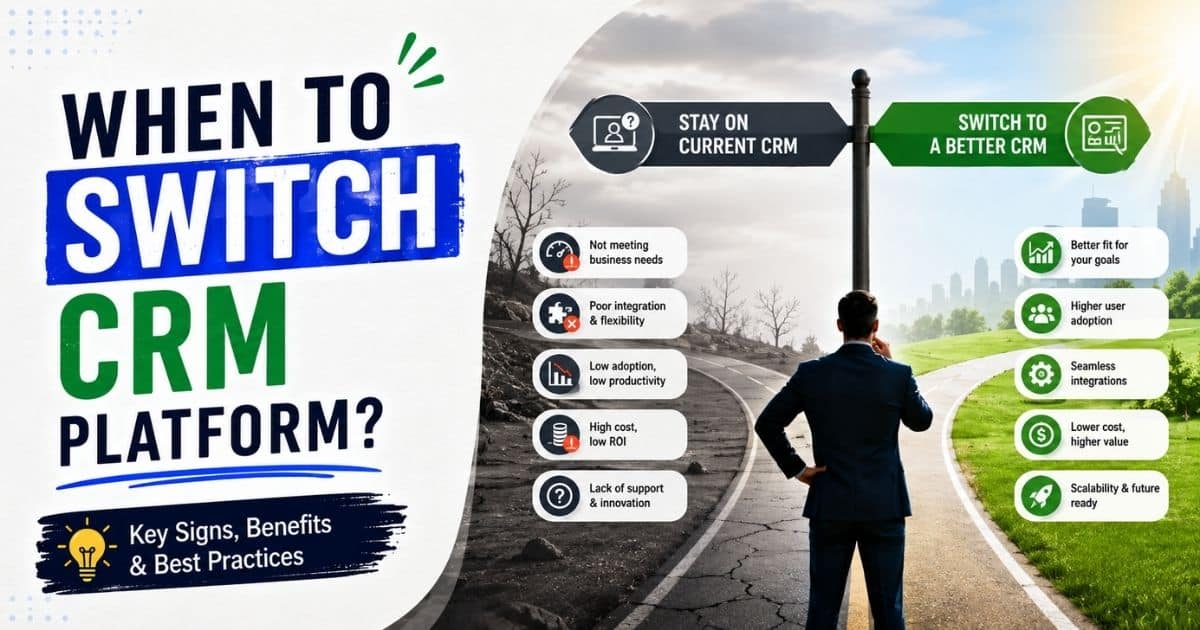
If three or more of these signals are present, the total cost of staying may be higher than the cost of a new crm. The strongest indicators that it’s time to switch CRM platforms include low user adoption, unreliable data, and a lack of scalability as business needs evolve.
Signal One: Teams Avoid The CRM Or Only Update It Before Meetings
Low adoption is easy to spot. Deals live in spreadsheets, customer data sits in personal notes, and sales reps update the system only before pipeline reviews. Indicators of low user adoption include teams reverting to spreadsheets or external notes because the CRM is too complex or lacks essential mobile access.
A practical benchmark helps: if fewer than about 70% to 75% of expected calls, emails, meetings, and follow ups are logged within 24 hours, forecasts become unreliable. Nearly 75% of CRM users value ease of use over robust functionality, highlighting the need for a user-friendly, intuitive interface.
This usually happens because the user interface is cluttered, the mobile version is weak, fields feel irrelevant, or data entry takes too long. User experience can make or break CRM adoption within a team; complicated dashboards and interfaces can hinder productivity and discourage use. When the CRM feels like admin work instead of a daily workspace, more training rarely fixes the core issue.
Signal Two: Your CRM Does Not Integrate Cleanly With The Rest Of Your Stack
A lack of seamless integration with the wider tech stack forces manual data entry and creates departmental information gaps. Sales conversations may sit in email, campaign context may sit with marketing teams, and billing or product signals may live in other tools.
The integration problem is not rare. CIOReview reported that 89% of organizations struggle with a backlog of data or system integration tasks. Before migrating, map all third-party integrations to ensure they are fully compatible with your target platform.
A modern CRM should connect cleanly with email, calendar, marketing tools, sales engagement platforms, analytics, and collaboration apps. Choosing a CRM with email integration to streamline communication helps ensure activity data stays accurate without extra admin work. If your current solution depends on fragile exports, copy-paste updates, or custom scripts that keep breaking, the CRM tools are slowing revenue execution.
Signal Three: Reporting, Forecasting, And Customer Data Quality Are Unreliable
Poor data hygiene characterized by duplicate records, outdated contacts, and “junk” data undermines decision-making and forecasting. If your CRM’s data isn’t aligning with business decisions, such as dealing with duplicate entries or spending hours cleaning up data, your CRM is failing to do its job.
B2B contact data often decays by roughly 20% to 30% per year as people change jobs, titles, companies, and email addresses. Tools that provide dynamic contact management for smarter relationship tracking can reduce the impact of this decay. Apollo has reported average B2B data decay around 22.5% annually, with much higher rates in fast-moving sectors.
When reports never match finance numbers, pipeline stages are outdated, and leaders export more data every month to fix dashboards by hand, the current system is no longer reliable. A new CRM system with better validation, deduplication, and user workflows may be faster than trying to rebuild trust in an old CRM.
Signal Four: The CRM Cannot Keep Up With Headcount Growth Or New Business Models
A CRM platform that worked for 5 reps can fail at 30. For startups and small teams, choosing a CRM for startups and small sales teams early can delay painful upgrades later. Limits appear as slow page loads, field caps, record restrictions, confusing permissions, or pricing that makes every new seat painful.
The problem gets bigger when business needs evolve. A company may add new regions, account-based selling, channel partners, or multiple product lines. If the current CRM cannot model those changes clearly, teams create workarounds outside the system.
If you often find yourself saying, ‘I wish these features were available in my CRM’, or creating workarounds because it doesn’t have the features you need, it’s time for a change. If operations teams spend more time patching workflows than improving the sales cycle, the CRM hold on growth is real.
Signal Five: Support, Security, And Compliance Have Become Risky
Older systems may lack built-in tools for global data privacy regulations like GDPR or CCPA. That matters when teams handle more customer data, enter new regions, or need tighter access controls.
Warning signs include slow CRM vendor responses, unclear data recovery processes, weak audit logs, and limited role-based permissions. If legal or security teams need parallel spreadsheets or external logs because the CRM cannot support required governance, risk is spreading across the business.
A modern platform should protect data, support clear permissions, and give leaders confidence that sales and marketing teams are using customer information responsibly.
Signal Six: Your CRM Lacks Modern Automation And AI Capabilities
By 2026, a CRM’s inability to integrate AI-driven automation and modern communication tools has become a critical performance bottleneck. SearchLab reports that many CRMs now include predictive analytics, automated enrichment, and conversational AI features, while Gartner expects AI agents to become common across enterprise apps.
If your CRM lacks AI-powered features like predictive analytics and automated lead scoring, you’re missing out on competitive advantages that can drive growth. Applying sales workflow automation strategies alongside these capabilities helps teams turn data into consistent, scalable execution. AI capabilities in CRMs can enhance customer experiences through predictive analytics, automated lead scoring, and personalized marketing efforts, which are crucial for competitive advantage.
Modern CRMs now require AI-driven predictive analytics, automated ticket routing, and voice-to-action features to maintain competitive efficiency. Choosing a sales automation CRM for growing teams ensures those capabilities actually improve day-to-day selling. For sales teams, the most useful automation often includes lead routing, activity reminders, next-step prompts, and follow-up support tied to real sales conversations. Platforms that automate sales tasks to keep teams focused and organized usually see higher adoption and more consistent execution.
Signal Seven: The Total Cost Of Staying Has Quietly Overtaken The Cost Of Switching
Switching CRM systems can incur direct costs such as implementation, import assistance, and training, as well as indirect costs like lost productivity during onboarding and potential downtime during the switch. Companies that switch to a new CRM often face hidden costs, including the time spent by top sales representatives focusing on the rollout instead of their sales pipeline.
But staying also has hidden costs. These include hours spent fixing reports, missed sales opportunities from poor follow ups, technical issues, add-ons used to patch missing functionality, and managers losing confidence in forecasts.
If your CRM is slow, clunky, or keeps crashing, it’s doing more harm than good, leading to lost productivity and missed opportunities. A well-designed platform should clearly show how CRM improves sales productivity by removing friction from daily work. If your team is spending more time fixing problems with the CRM than actually using it to close deals or collaborate, it’s a sign that the system is no longer effective.
When To Switch Or Fix Your Current CRM System
Not every frustration justifies an immediate CRM migration. Sometimes the current crm system needs cleanup, not replacement. The decision should separate configuration drift from true platform limits. Teams running complex account-based motions may benefit from a dedicated B2B sales CRM guide for revenue teams to clarify what their next platform must support.
Many businesses continue using outdated workflows without reviewing whether the issue comes from poor setup, weak adoption, or actual platform limitations. A structured evaluation helps teams avoid unnecessary migration costs and operational disruption.
Assessing The Gap Between Strategy And Your Current CRM Platform
Start by mapping your sales process, business goals, and customer journey against what the current CRM can actually support. If your team has moved into account-based selling, multi-product deals, or a more complex revenue model, your sales pipeline CRM for visibility and performance may need to support more nuanced stages, roles, and handoffs.
Document gaps clearly: missing fields, broken data flows, weak marketing integration, limited reporting, or no way to automate workflows. This gives leaders a grounded reason to consider a CRM switch rather than a vague complaint that the crm feels outdated.
Sales workflows often evolve faster than CRM configurations. Simplifying sales processes and adopting a simpler sales workflow in your CRM can often restore alignment without a full rebuild. Without regular audits, businesses face inaccurate reporting, duplicate records, disconnected customer data, and slower decision-making across sales, marketing, and customer service operations.
When Optimizing Your Current System Is The Better Move
Staying put can make sense for small businesses with limited data, teams under strict budget pressure, or companies locked into a contract. Before switching CRMs, try high-impact fixes: simplify layouts, remove unused fields, standardize stages, improve permissions, and clarify ownership.
Measure the results. Track adoption, time to update a deal, report accuracy, and whether reps can complete common tasks faster. Even if you later choose a new platform, this cleanup reduces data migration risk.
Many CRM systems underperform because teams never establish clear processes or governance rules. Improving user training, field consistency, and automation logic often delivers measurable efficiency gains without changing platforms completely.
Building An Internal Business Case For A CRM Switch
A strong business case includes quantified pain, target outcomes, estimated cost, and timeline. Show how the current solution affects revenue, forecast accuracy, collaboration, and closing deals.
Interview power users, sales leaders, marketing teams, and finance. Ask where the old system blocks work, creates duplicate effort, or hides sales opportunities. The case is stronger when it connects CRM problems to revenue outcomes.
Leadership teams usually approve CRM migration projects faster when the proposal includes operational impact, financial risk, expected productivity improvements, customer retention goals, and realistic implementation timelines backed by measurable business data.
Setting A Realistic Timeline And Budget For Change
Small and midsize teams usually need 8 to 12 weeks from kickoff to primary go-live, with more time for complex data or multiple regions. Begin planning migration 9 to 12 months before your current CRM contract expires.
Budget for licenses, implementation, import support, integration work, data migration, training, and internal time. Creating a migration strategy with clear timelines and assigned responsibilities is essential for a successful CRM migration.
Unexpected costs commonly appear during CRM implementation projects. Investing early in sales task automation tools to boost productivity can offset some of these costs by freeing capacity during implementation. Businesses should reserve additional budget for custom integrations, workflow adjustments, data cleanup, user onboarding, testing phases, and post-launch technical support requirements.
Aligning Stakeholders Around The Decision To Move
CRM decisions affect more than sales operations. Sales and marketing teams, finance, leadership, and administrators all rely on accurate data.
Assign an executive sponsor, project owner, data owner, and department champions. Clear ownership reduces confusion during the implementation process and helps CRM users understand what will change in the new system.
Cross-functional alignment reduces implementation resistance and improves adoption after launch. Teams that communicate expectations early usually experience smoother transitions, stronger user engagement, faster onboarding, and fewer operational disruptions during migration.
How To Choose A New CRM Platform
The right crm is not always the one with the longest feature list. The better choice is the platform that helps your team productive, keeps data accurate, and supports how you actually sell. For many teams, a Gain.io vs Salesforce CRM comparison clarifies whether they need a heavyweight enterprise suite or a leaner sales-focused tool.
Businesses should evaluate how the CRM platform handles customer interactions, reporting accuracy, workflow automation, and collaboration across departments. A crm that matches real business needs usually delivers stronger adoption and long-term operational stability.
User Experience, Adoption, And Mobile Access
Ease of use should be tested, not assumed. Ask sales reps to update a deal, add notes, schedule a meeting, and log a call from a phone in under 60 seconds.
A user friendly interface matters because CRM success depends on daily use. If the new CRM is not user friendly, adoption will fall and the same shadow systems will return.
Poor user experience often causes low adoption, inconsistent data entry, delayed updates, and lost productivity. Teams usually avoid CRM systems that require excessive clicks, confusing navigation, or difficult onboarding process steps.
Data Model Flexibility And Integration Depth
Your new CRM system should reflect real selling relationships: leads, contacts, accounts, opportunities, partners, and more data as the company grows. It should also integrate with other tools your team already uses.
Do not wait until after purchase to test integrations. Confirm that your email, calendar, reporting, and marketing systems can connect without creating brittle workflows.
Strong marketing integration improves campaign tracking, lead routing, attribution reporting, and customer journey visibility. Businesses using disconnected systems often struggle with duplicate customer interactions, reporting gaps, and fragmented sales conversations.
Automation, AI Capabilities, And Analytics
Evaluate automation around lead assignment, sales task creation, reminders, email follow-ups, and record updates. Advanced reporting should help managers see conversion rates, deal movement, and pipeline risk without analyst support.
AI powered features should be judged by practical value, not buzzwords. Predictive scoring, summaries, and recommendations are useful only when they improve prioritization and action.
Advanced tools should simplify operations instead of creating unnecessary complexity. Well-implemented sales automation software to streamline workflows can automate workflows, reduce repetitive admin tasks, improve forecasting accuracy, and support faster decision-making across sales and marketing teams.
Security, Compliance, And Governance Features
Look for role-based access, audit logs, encryption, multifactor authentication, and field-level permissions. Teams operating in regulated regions should confirm consent tracking, data retention controls, and privacy workflows. Governance is especially important when CRM users span multiple teams, regions, or customer segments.
Weak CRM setup practices often create security risks, inconsistent permissions, broken data flows, and compliance problems. Clear governance policies help businesses maintain accurate records, secure customer data, and operational accountability.
Total Cost Of Ownership And Vendor Partnership
Compare full cost, not sticker price. Include licenses, add-ons, admin time, training, implementation, integrations, and future upgrades.
Ask each CRM vendor for multi-year pricing scenarios. A new platform should remain affordable as records, users, automations, and reporting needs expand.
Businesses should also evaluate vendor support quality, roadmap transparency, and long-term scalability. Some advanced features require additional costs later, creating hidden expenses that affect budget planning and overall CRM value.
Planning And Executing a Low-Risk CRM Migration
The complexity of data migration is a significant risk when switching CRMs, as it can lead to failed adoption, busted integrations, or confusing workflows if not managed properly. Treat migration as a structured project, not a weekend export.
Organizations that follow a phased migration strategy usually reduce operational disruption, protect customer data, improve onboarding outcomes, and maintain stronger business continuity throughout the transition process between the current CRM and the new CRM platform.
Designing Your Future State Before Touching Any Data
Define how leads, deals, activities, stages, and handoffs should work in the new CRM before moving data. Align field names, stage definitions, required inputs, and dashboard needs.
Decide what not to migrate. Old custom fields, dead pipelines, inactive contacts, and outdated reports can bring old problems into the new system.
A structured future-state design helps businesses avoid poor CRM setup decisions, inconsistent reporting structures, duplicate workflows, and unnecessary complexity. Clear planning improves sales pipeline visibility, automation logic, and collaboration across sales and marketing teams.
Cleaning, Mapping, And Migrating Customer Data
Auditing and cleaning your data before migration helps ensure that only accurate and relevant information is transferred to the new CRM system. Deduplicate contacts, standardize values, archive stale records, and confirm ownership.
Run at least one test migration before the final cutover. Keep backups of the current system and document how every object and field maps into the new CRM platform.
Customer data quality directly affects forecasting accuracy, reporting reliability, customer interactions, and workflow automation. Businesses that skip data validation often face broken integrations, inaccurate dashboards, duplicate records, and poor user experience after migration.
Rolling Out The New CRM To Teams
Start with a pilot group of power users, then expand once issues are resolved. Set a clear cutover date when new records move only into the new system, while the old CRM remains read-only for a limited time.
Use interactive training based on workflows, not feature tours. Training should cover sales meetings, notes, follow-ups, deal updates, and pipeline reviews.
Interactive training improves onboarding process efficiency and helps CRM users understand real workflows faster. Teams usually adopt modern crm systems more successfully when training reflects daily sales conversations, reporting tasks, and customer relationship management activities.
Ensuring Adoption And Measuring Early Wins
Monitoring and optimizing the new CRM post-launch is crucial to track user adoption rates and system performance, ensuring the migration meets business needs.
Track daily active users, activities logged, deal updates, and forecast accuracy. Leaders should use CRM dashboards in regular meetings so teams see that accurate data matters.
Businesses should also measure response times, workflow completion rates, pipeline movement, and reporting accuracy after launch. Early performance improvements help leadership validate CRM success, identify training gaps, and reinforce long-term adoption across growing businesses.
Reducing Risk During And After Migration
Avoid migrating during your industry’s busiest sales quarter, major marketing launches, or holiday seasons to minimize disruption. Maintain backups, exports, and fallback plans during the transition.
A formal review 60 to 90 days after launch helps identify technical issues, training gaps, and workflow changes needed to make the new CRM more effective.
Risk reduction plans should include rollback procedures, system monitoring, integration testing, and executive oversight. Businesses that review CRM performance regularly usually identify hidden costs, advanced feature gaps, and operational inefficiencies before they create larger problems.
Signs You Should Delay A CRM Switch
A crm switch will not fix unclear processes. If you move broken workflows into a new CRM, you will likely recreate the same problems at a higher cost.
Businesses should evaluate operational maturity, internal alignment, and workflow stability before starting CRM migration. Delaying implementation temporarily can reduce hidden costs, prevent poor adoption, and improve long-term CRM success across growing sales and marketing teams.
When Your Go-To Market Motion Is Still In Flux
If pricing, territories, packaging, or the sales cycle changes every few weeks, it may be too early to lock in a complex design. Use the time to document what is working and what should become standard.
Frequent operational changes often create unstable CRM setup requirements, inconsistent reporting structures, and weak automation planning. Businesses should first stabilize customer journey stages, sales pipeline definitions, and internal sales conversations before selecting a modern crm platform.
When You Lack Internal Ownership And Governance
A new tool needs an owner. Without clear rules for fields, stages, permissions, and reporting, the new CRM system will drift quickly. Assign ownership before migration. Vendors can help, but long-term CRM success depends on internal discipline.
Weak governance usually causes inconsistent customer data, duplicate workflows, broken data flows, and reporting confusion. Clear ownership structures help CRM users maintain data quality, improve accountability, and support long-term operational consistency across departments.
When Training Culture And Change Management Are Weak
If teams ignored past training or still use spreadsheets for core work, fix the adoption culture first. Build habits around clean notes, timely updates, and consistent opportunity stages. A stronger onboarding process will make any new system easier to adopt later.
Poor adoption often comes from weak interactive training, unclear expectations, and poor user experience. Businesses that improve coaching, workflow accountability, and daily CRM habits usually experience stronger adoption rates and better customer interactions after migration.
When Budget And Capacity Are Too Constrained
Switching requires money and attention. If top performers are needed for a major launch or critical quarter, delay the cutover and prepare in the background. Use the waiting period to clean data, document requirements, and compare platforms.
Limited resources can delay implementation timelines, reduce training quality, and increase migration risk. Businesses should avoid CRM transitions during periods of operational pressure, staffing shortages, or major revenue targets that require maximum team focus.
When Vendor Changes May Soon Alter The Equation
If the current CRM vendor is releasing major updates, changing pricing, or improving missing features, set a review date. Do not wait indefinitely, but give real changes a defined window to prove value.
Some CRM vendors release advanced features, integration upgrades, and automation improvements that solve existing limitations without requiring full migration. A structured review process helps businesses evaluate whether platform improvements support changing business needs effectively.
Why Teams Switched To Gain.io
Teams switch to Gain.io when they want a focused sales CRM that keeps opportunities, contacts, activities, and conversations organized without unnecessary complexity. This includes specialized use cases like CRM tools that help real estate agents save time while staying on top of fast-moving deals. Gain.io is built for sales teams that need smart CRM tools and features such as clear contact management, visual pipelines, sales task management, notes, collaboration, email integration, and calendar support.
Gain.io helps reps manage customers, manage contacts better and build stronger relationships, track sales conversations, schedule demos, plan follow ups, and move deals through the pipeline with less friction. It is a strong fit for teams that want an all-in-one CRM to grow sales and team centered on sales execution rather than a heavy system packed with features they will not use.
If your current CRM makes it harder to manage customer relationships, prioritize deals, or keep the sales pipeline current, Gain.io gives your team a cleaner way to manage leads with a practical CRM, stay organized, and close deals faster.
Frequently Asked Questions
How Long Does A Typical CRM Migration Take From Start To Finish?
Small to midsize teams usually need 8 to 12 weeks from kickoff to primary go-live, then another 4 to 8 weeks for stabilization. Larger companies with multiple databases, regions, or complex integrations should expect a phased rollout.
How Can We Minimize The Risk Of Losing Customer Data During A CRM Switch?
Start with a full backup, clean the data before moving it, and run test migrations with sample records. Keep the old CRM in read-only mode after cutover so teams can validate records and resolve exceptions.
What If Our Team Is In The Middle Of A Critical Sales Period Or Product Launch?
Do not cut over during peak sales activity if you can avoid it. Use that period for requirements, cleanup, and vendor evaluation, then schedule the actual move in a calmer window.
How Should We Handle Overlapping Contracts With Our Current CRM Vendor?
Review notice periods, data export rights, and early termination terms early. Propose negotiating shorter extensions or phased downsizing with the current vendor if needed, especially when moving off large multi-year agreements.
When Do AI Capabilities Justify Switching To A New CRM Platform?
AI capabilities justify a switch when manual prioritization is causing missed leads, weak follow-up timing, or poor forecasting. Evaluate AI based on proven use cases, safe data access, and whether the features help your team act faster in real sales workflows.