WhatsApp has become one of the first places customers reach out to before they buy. A quick product question, a pricing request, a follow-up on an order. All of it happens in a chat window that most CRMs never see. This creates a gap. Sales reps reply on WhatsApp, but the conversation never makes it into the CRM. Context gets lost. Follow-ups get missed. Deals slip through the cracks.
WhatsApp CRM integration closes that gap. It connects your WhatsApp Business account directly to your CRM, so every message, contact, and conversation gets logged automatically. Reps can see full customer history before replying. Managers can track response times and deal progress without switching apps. This guide covers how WhatsApp CRM integration works, why sales teams need it, and how to set it up for your business.
What Is WhatsApp CRM Integration
WhatsApp CRM integration connects your WhatsApp Business account to your CRM system. Every conversation, contact, and message gets synced automatically, so sales teams no longer juggle between two separate apps.
This kind of WhatsApp integration usually works through the WhatsApp Business API, which allows CRMs to send and receive WhatsApp messages directly from a shared inbox. Once connected, a WhatsApp CRM gives reps full visibility into past chats, deal stages, and customer details, all without leaving their workflow.
How Does WhatsApp CRM Integration Work
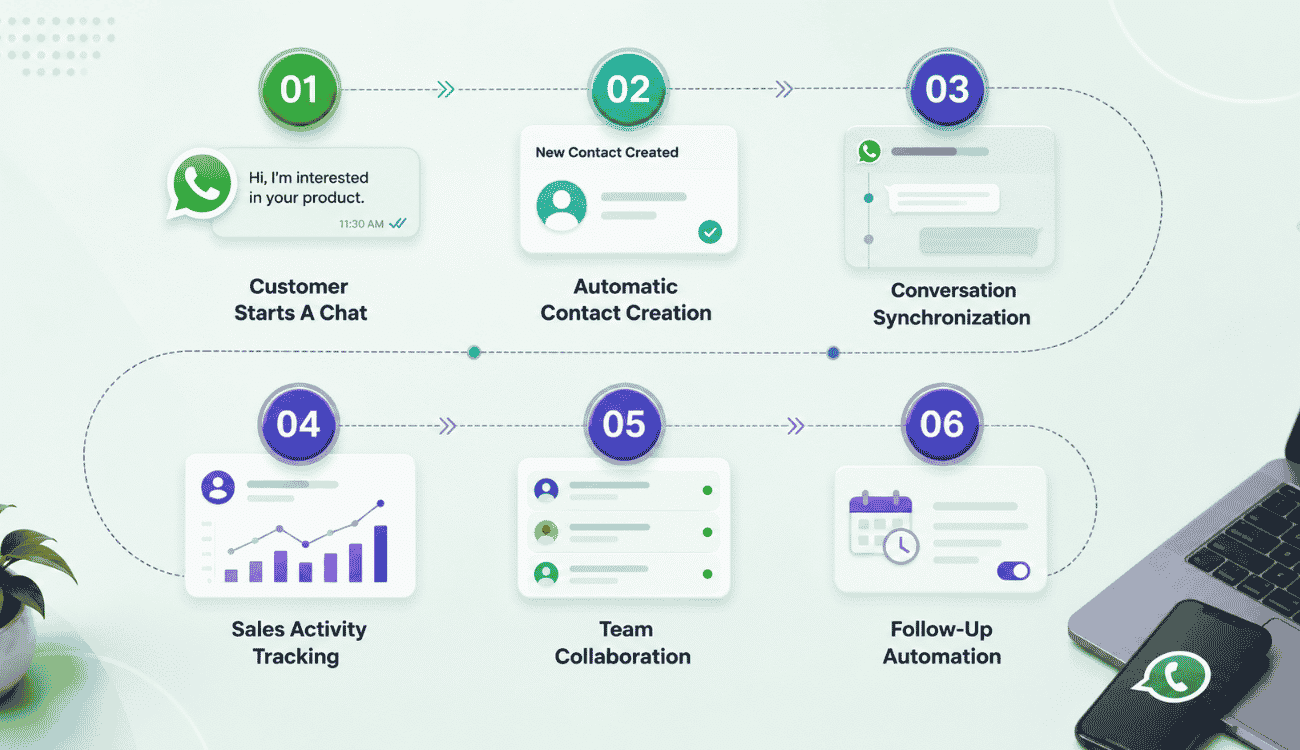
Connecting a CRM with WhatsApp integration follows a clear sequence, from the first customer message to automated follow-ups. Here is how the process moves from a single chat to organized customer data across your CRM systems.
Customer Starts A Chat
The process begins the moment a customer messages your WhatsApp business number. Whether it's a product question or a support request, this first message becomes the starting point for everything that follows inside your CRM.
Once you integrate WhatsApp with your CRM, this chat is no longer isolated inside the WhatsApp business app. It flows straight into your system, giving reps immediate context and setting up smooth customer conversations from the very first reply.
Automatic Contact Creation
When a new number messages you, CRM with WhatsApp integration creates a contact record automatically. There's no manual data entry needed, so reps can focus on responding instead of updating spreadsheets.
This contact record pulls in the customer's name, number, and chat history as customer data within the CRM. Over time, this builds a complete profile for every person reaching out on WhatsApp, keeping records consistent across your entire sales pipeline.
Conversation Synchronization
Every message sent or received gets synced in real time between WhatsApp and the CRM. Reps can view WhatsApp conversations directly inside their CRM dashboard, without switching between two separate apps.
This sync works both ways, so replies sent from the CRM appear instantly in WhatsApp too. It keeps WhatsApp messages organized by contact and deal, so nothing gets buried in a personal inbox or lost between shift changes.
Sales Activity Tracking
Every chat, call log, and follow-up gets tracked automatically as part of the sales activity tied to that contact. This gives managers a clear picture of what is happening across WhatsApp Business conversations at any moment.
Reps can log deal stages, set reminders, and track response times without leaving the chat window. This visibility helps teams spot delays early and respond faster, which directly supports better customer satisfaction across the board.
Team Collaboration
When multiple reps handle leads, a shared inbox makes collaboration simple. Anyone on the team can view past customer conversations before replying, so customers never have to repeat themselves.
This shared visibility also helps managers reassign chats when reps are unavailable. Since everything lives inside the CRM, handoffs between team members feel seamless, and no conversation gets left waiting for a reply, mirroring the benefits of a dedicated sales collaboration CRM for stronger team alignment.
Follow-Up Automation
Once a conversation is logged, follow-up reminders can be set automatically based on deal stage or customer inactivity. This keeps leads warm without reps needing to track every chat manually.
Automated nudges make sure no WhatsApp conversations go cold after the first reply. Combined with synced customer data, this turns WhatsApp into a reliable part of the sales pipeline instead of a separate, disconnected channel.
Benefits Of WhatsApp CRM Integration For Sales Teams
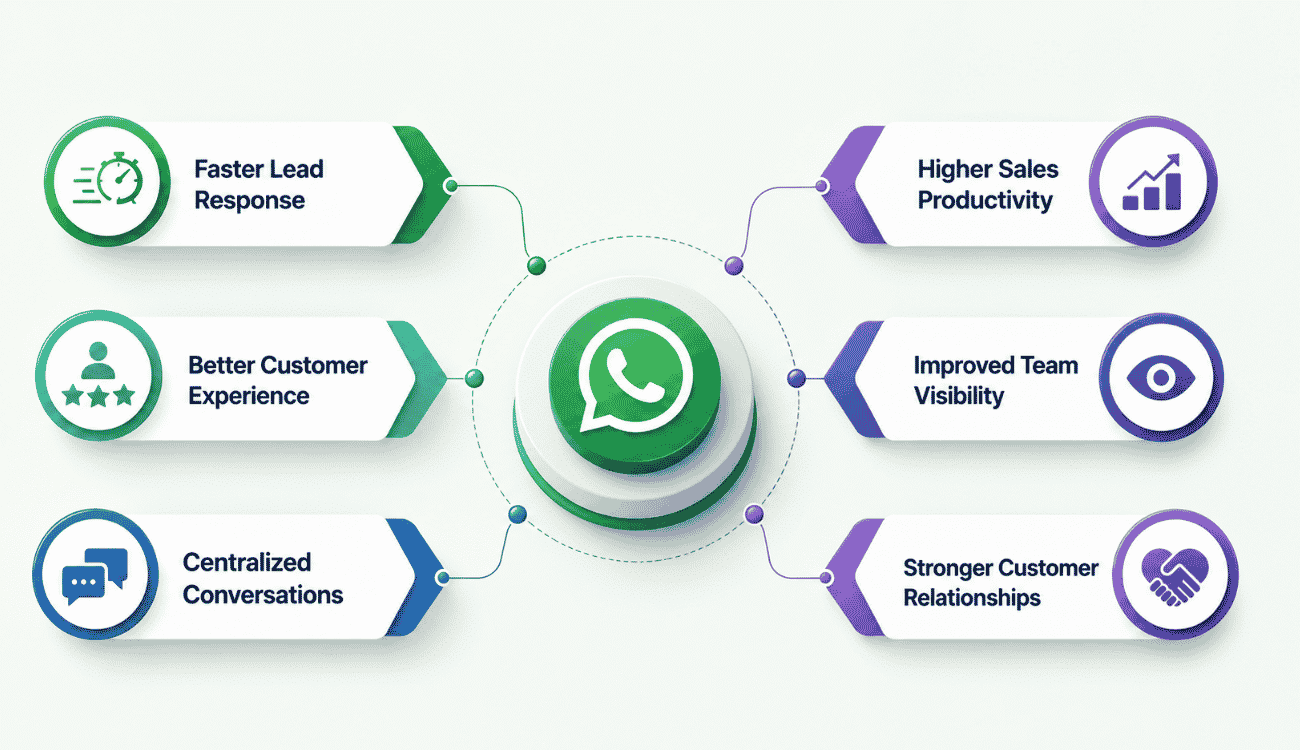
Once you connect WhatsApp to your CRM, sales teams see real gains in speed, visibility, and customer relationships. Here are the biggest benefits WhatsApp CRM integration brings to daily sales work.
Faster Lead Response
When leads message on WhatsApp, speed matters more than almost anything else. With CRM WhatsApp integration, incoming messages land directly in the rep's dashboard, so there's no delay between a lead reaching out and a rep seeing it.
This setup removes the back and forth of checking a separate phone or app. Reps using WhatsApp CRM software can reply within minutes instead of hours, which often makes the difference between closing a deal and losing it to a faster competitor.
Better Customer Experience
Customers expect quick, personal replies on WhatsApp, not generic scripted responses. Integration with WhatsApp gives reps full context on past orders, questions, and preferences before they even type a reply.
This context turns every reply into something more relevant and less repetitive for the customer. Whether a business runs on Zoho CRM or another customer relationship management system, having WhatsApp history on hand makes every interaction feel more personal and less transactional.
Centralized Conversations
Without CRM integration, WhatsApp chats stay stuck on individual phones or shared devices. Once conversations sync into the CRM, every message becomes part of one central record tied to the right contact.
This centralization means no rep has to search through old chats or ask a colleague for context. Everything a team needs, from first message to last reply, lives inside the customer relationship management system, fully organized and easy to find.
Higher Sales Productivity
Switching between apps wastes time reps could spend closing deals. When teams integrate WhatsApp directly into their CRM, replying, updating deal stages, and logging notes all happen from one screen.
This single-screen setup cuts down on repetitive tasks and manual updates. Sales teams using WhatsApp API connections report fewer missed follow-ups, since reminders and deal stages update automatically as conversations move forward.
Improved Team Visibility
Managers often struggle to track what's happening across individual WhatsApp chats. With CRM WhatsApp integration, every conversation becomes visible on one dashboard, showing response times, open chats, and deal progress at a glance.
This visibility helps managers step in early when a lead goes cold or a rep needs support. It also makes performance reviews easier, since customer engagement data is tracked automatically instead of relying on manual reports.
Stronger Customer Relationships
Consistent, well-informed replies build trust over time, and WhatsApp is often where that trust starts. When reps have full conversation history on hand, customers feel remembered rather than treated as a new ticket each time.
This consistency strengthens customer relationship management across the entire sales cycle, not just at the first touchpoint. Over time, businesses using WhatsApp CRM software often see stronger retention, since customers stay engaged with a brand that responds quickly and remembers their needs.
Key Features Of A WhatsApp CRM Integration
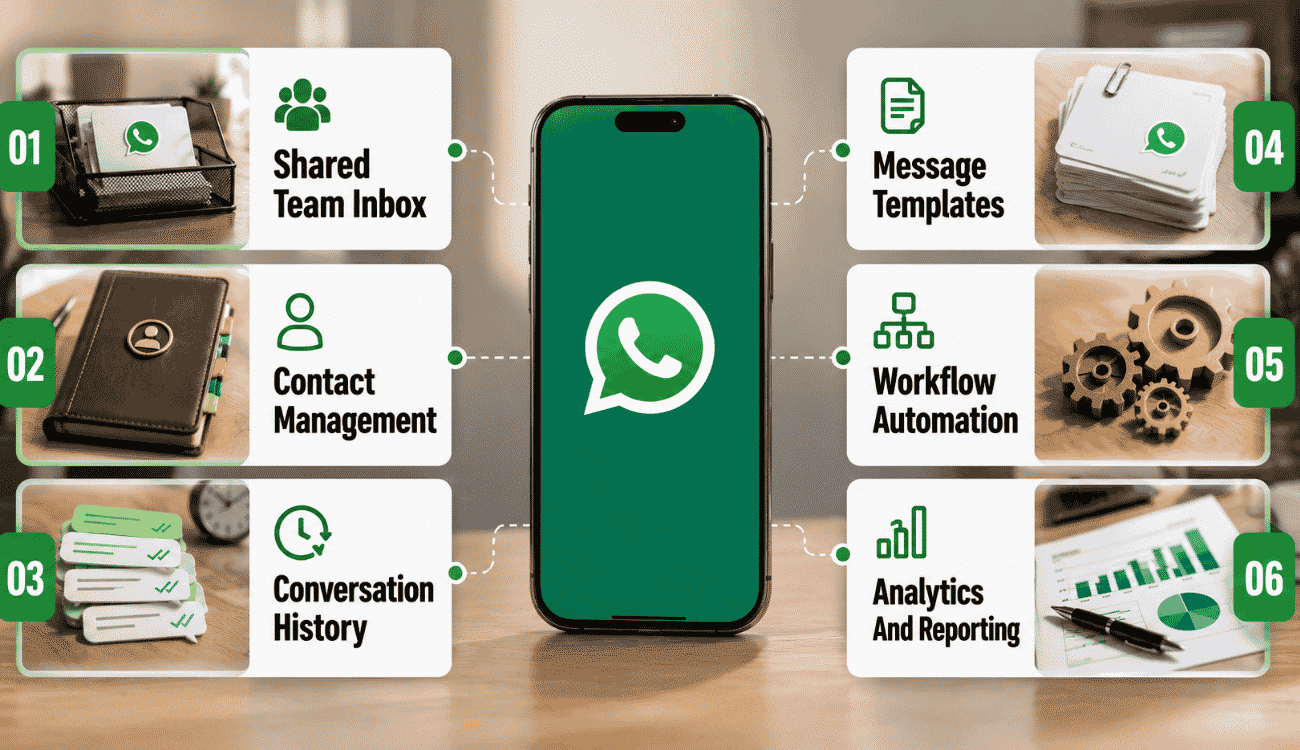
Not every WhatsApp CRM solution offers the same depth. Here are the core features that let sales teams manage conversations, automate tasks, and stay on top of customer communication at scale.
Shared Team Inbox
A shared inbox lets multiple reps manage conversations from one central screen instead of juggling separate devices. Any team member can pick up a chat, see prior replies, and respond without asking a colleague for context first.
This setup is a core part of WhatsApp business integration for sales teams, since it removes bottlenecks when one rep is busy or off shift. Leads never sit unanswered just because the one person handling that chat is unavailable.
Contact Management
Every person who messages gets a contact profile created automatically, complete with name, number, and message history. Reps don't need to manually add or update details after each conversation.
This is one of the whatsapp crm capabilities that saves the most admin time across a sales process, similar to how smart CRM features organize and manage sales activities in a central, searchable system. Instead of scattered notes or spreadsheets, every contact stays organized and searchable, ready whenever a rep needs full context before replying.
Conversation History
A full conversation history means reps can scroll back through every past message tied to a contact, without digging through old chats manually. This includes questions asked, replies given, and any follow-ups sent.
For sales teams, this history removes the need to repeat questions customers already answered. Whether a business runs a native WhatsApp integration or a third-party connector, having chat history on hand keeps replies relevant and personal.
Workflow Automation
Workflow automation handles repetitive tasks like assigning new chats, sending reminders, or updating deal stages, all without manual input from reps. CRM automation for sales and growth follows the same principle across channels, streamlining workflows and reducing manual effort. This keeps conversations moving even when a team is stretched thin.
Solutions that offer native WhatsApp integration often build automation directly into the chat interface, so reps trigger actions without switching screens, much like a sales automation CRM that centralizes workflows and data. This saves time across the sales process and reduces the chance of a lead getting forgotten.
Message Templates
WhatsApp templates let reps send pre-approved messages for common situations, like order confirmations, follow-ups, or appointment reminders. This keeps replies consistent while still saving time on repetitive typing.
Templates matter most for businesses handling high message volume, where speed and consistency both count. A solid WhatsApp CRM solution keeps these templates organized and easy to update, so messaging stays accurate as products or policies change.
Analytics And Reporting
Analytics turn raw chat activity into numbers that actually matter, like response times, open conversations, and rep performance. Managers get a clear picture of team output without manually reviewing every chat.
This reporting layer helps identify where customer communication breaks down, whether it's slow replies or unanswered messages. Teams that manage conversations through a connected system can spot these gaps early and fix them before they affect customer satisfaction.
How Sales Teams Use WhatsApp CRM Integration
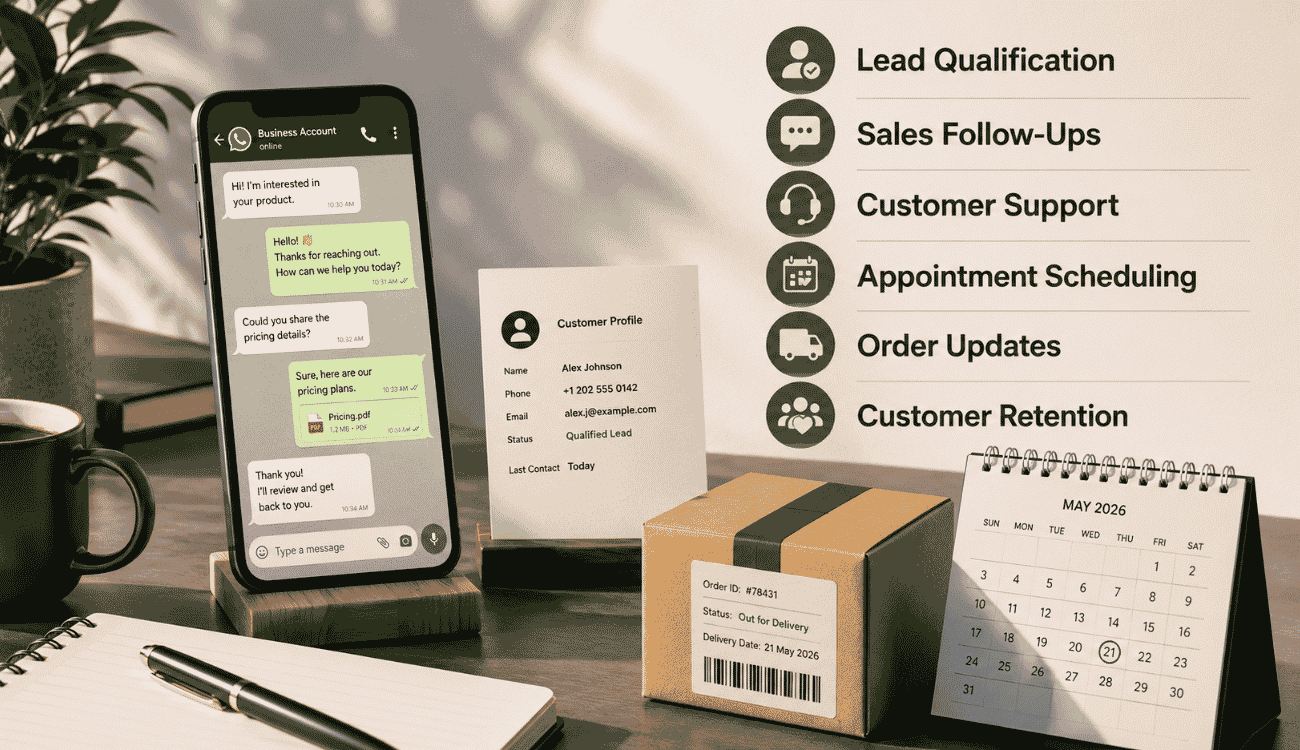
WhatsApp CRM integration supports far more than just replying to messages. Here's how sales teams apply it across different stages of the customer journey, from first contact to long-term retention.
Lead Qualification
When a new lead messages in, reps can send WhatsApp messages directly from the CRM, asking qualifying questions without switching apps. Answers get logged automatically, so nothing needs to be typed twice.
CRM software often uses message templates for these early questions, keeping the process quick and consistent across every rep. This speeds up customer management right from the first interaction, helping teams filter serious buyers from casual inquiries faster.
Sales Follow-Ups
Follow-ups often get missed when reps rely on memory or scattered notes. With automation tools built into the CRM, follow-up reminders trigger automatically based on deal stage or how long a lead has gone quiet, helping teams avoid common sales follow-up mistakes that hurt conversions.
This keeps customer interactions consistent, since no rep has to manually track who needs a nudge. Teams following a clear WhatsApp marketing strategy use CRM follow-up automation for better sales conversions to keep leads warm without adding extra manual work.
Customer Support
Customer support teams use WhatsApp CRM integration to manage support tickets alongside sales conversations, all from one dashboard. This gives support reps the same context sales reps have, so customers don't repeat their issue twice.
Some CRMs let teams automate responses for common questions, cutting down wait times during busy hours. When combined with customer retention CRM strategies to boost loyalty and revenue, this setup makes personalized customer support possible even at scale, since reps still see full history before replying to anything automated.
Appointment Scheduling
Scheduling calls or demos over WhatsApp often gets messy without a system to track confirmations. CRM integration lets reps send scheduling links or message templates directly in the chat, then logs the booking automatically, especially when paired with sales task automation tools to boost productivity.
This removes back-and-forth messaging just to confirm a time slot. Customer management stays organized since every scheduled appointment ties back to the original conversation, keeping context intact for whoever handles the call.
Customer Retention
Retention often depends on how well a business remembers past interactions. With full conversation history synced in the CRM, reps can send timely check-ins or offers based on real customer behavior, not guesswork.
This approach turns WhatsApp into a long-term retention channel instead of a one-time sales tool. Combined with a broader WhatsApp marketing strategy, consistent and personalized customer support keeps customers engaged well past the first purchase.
How To Choose And Integrate The Right WhatsApp CRM
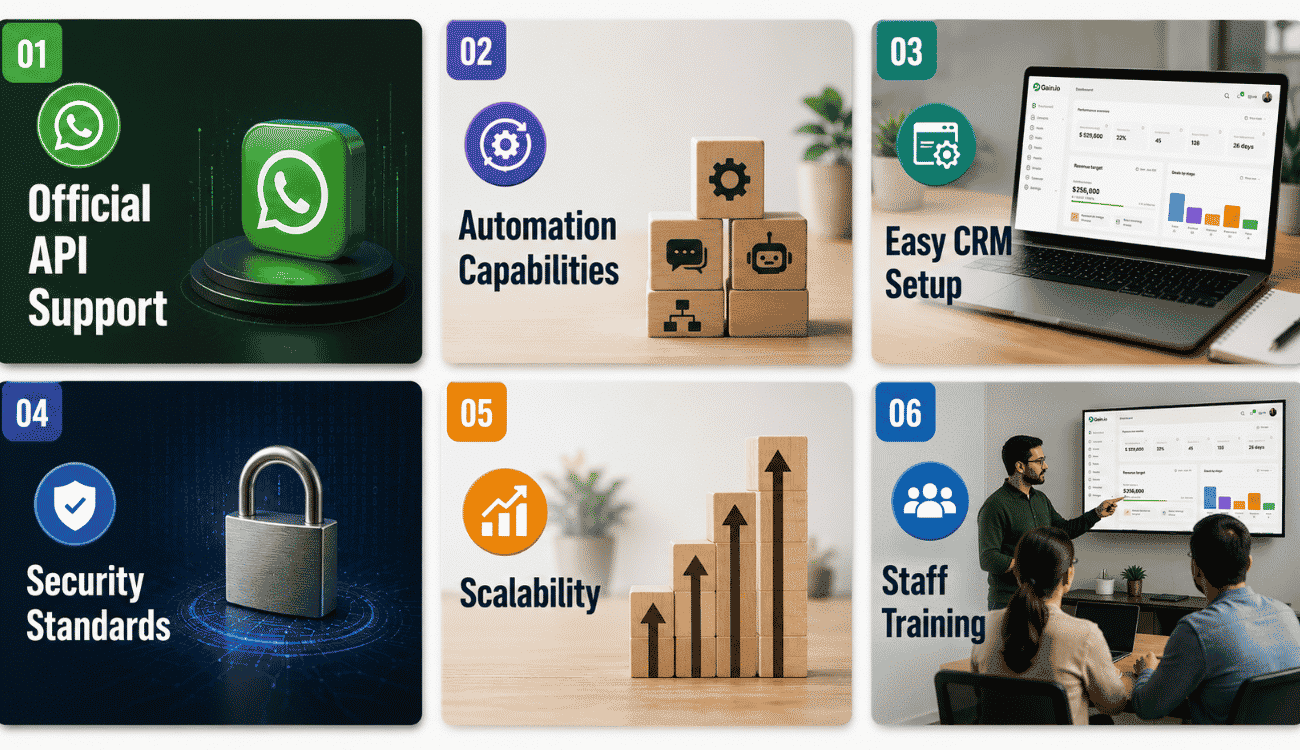
Not every WhatsApp CRM fits every business the same way. Here are the key factors to check before choosing a platform, so the setup actually supports sales reps and service teams long-term.
Official API Support
The best WhatsApp CRM options connect through official API access rather than unofficial workarounds. Official support means fewer restrictions on messaging volume and lower risk of account bans over time.
Native integration through the official API also keeps WhatsApp contacts and message history properly synced with CRM data. This matters most for businesses that depend on this messaging app as a primary channel for daily business communication.
Automation Capabilities
Strong automation capabilities save sales reps from repetitive manual work, like assigning chats or sending reminders. Look for platforms that support automated replies, follow-up triggers, and deal stage updates without extra plugins, similar to tools that automate sales tasks to stay focused and organized.
Service teams benefit the most from automation during high message volume, since it keeps response times steady even when the team is stretched thin. Weak automation usually means more manual work piling up as customer messages grow, and it also limits the sales automation benefits for higher conversion rates that come from faster, more consistent follow-ups.
Easy CRM Setup
A CRM that takes weeks to configure delays results and frustrates the team using it. Look for platforms with a straightforward setup process, clear documentation, and minimal technical steps to connect WhatsApp.
Easy setup matters most for smaller teams without dedicated IT support. The faster a business gets WhatsApp contacts and conversations synced, the sooner sales reps can start using real customer data instead of working from scratch.
Security Standards
Customer messages often include personal details, so security can't be an afterthought. Check for encryption standards, access controls, and compliance certifications before connecting any CRM to a WhatsApp Business Account.
Strong security protects both customer relationships and business reputation. A platform that takes crm data protection seriously reduces risk for service teams handling sensitive information across daily conversations.
Scalability
A CRM that works fine with a small contact list might struggle once message volume grows. Check how the platform performs with larger teams, higher chat volume, and multiple integrations running at once, and whether you need a simple CRM vs an all-in-one CRM solution as your operations scale.
Scalability matters for any business planning to grow its WhatsApp contacts and daily conversations over time. The right platform should handle that growth without slowing down response times or breaking existing automation, while still offering the ease of use you’d expect from a simple CRM for small teams.
Staff Training
Even the best WhatsApp CRM solution fails without proper training for the team using it. Sales reps and service teams need clear guidance on message templates, automation rules, and daily workflows.
Investing time in training upfront prevents mistakes that damage customer relationships later. Teams that understand the system fully tend to use its full capabilities, rather than relying only on basic messaging features.
Common Challenges And Best Practices
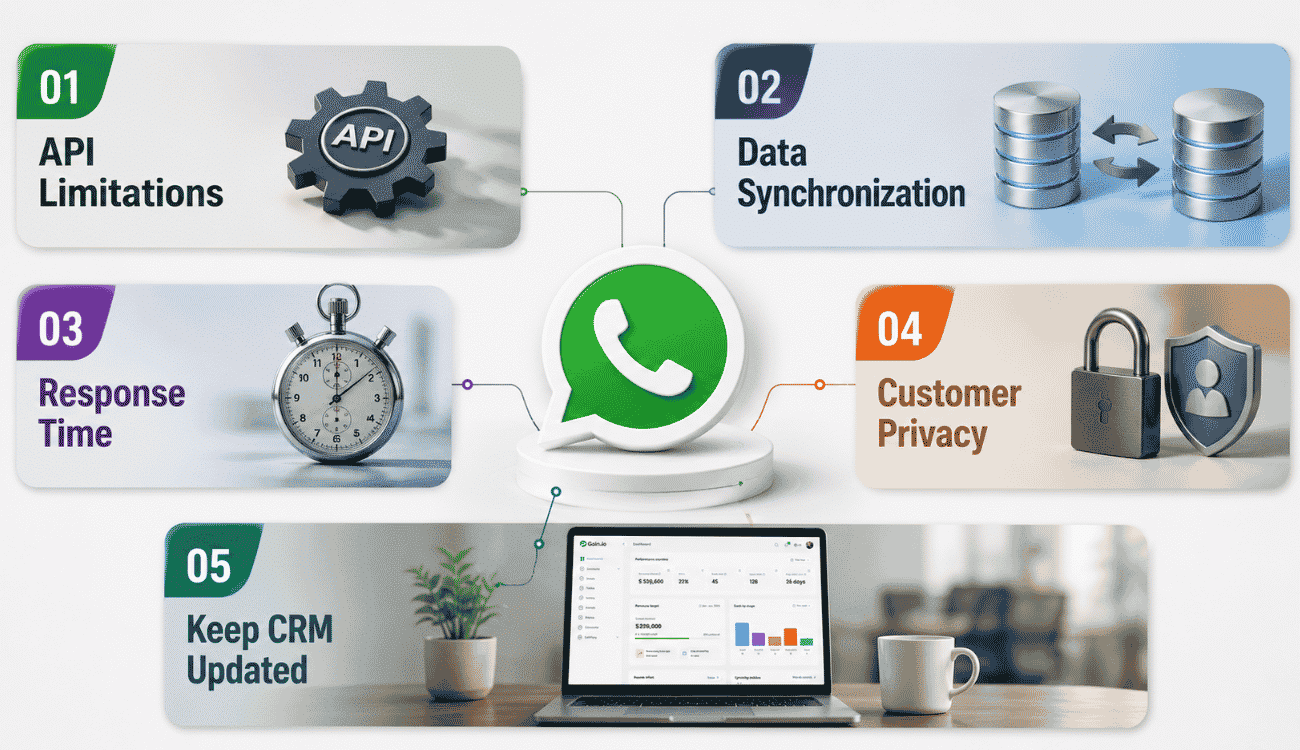
WhatsApp CRM integration solves a lot of problems, but it also comes with a few common challenges. Here's what to watch for, along with practical ways to avoid disruptions to daily work.
API Limitations
Some CRM providers rely on unofficial WhatsApp connections, which can restrict messaging volume or risk a banned WhatsApp account. This creates unpredictable disruptions right when a business depends on WhatsApp communication the most.
Choosing a CRM provider with official API access avoids this risk entirely. It keeps CRM WhatsApp connections stable, so sales reps don't lose access to conversations during high-volume periods or sudden platform changes, and it also makes it easier to plug into broader sales automation software for end-to-end workflows.
Data Synchronization
Poor synchronization means messages, contacts, or deal updates don't match between WhatsApp and the CRM. This creates duplicate data entry, where reps end up fixing the same contact details more than once.
A reliable sync process removes this friction completely. When data flows correctly both ways, teams avoid manual data entry altogether, keeping lead management accurate and saving time that would otherwise go into fixing mismatched records, especially when combined with sales admin tasks automation.
Response Time
Slow replies on WhatsApp often lose leads to faster competitors, especially when customers expect near-instant answers. Without automation, response time depends entirely on how quickly a rep happens to check messages.
Platforms that automate repetitive tasks, like sending instant acknowledgments, help close this gap. Leveraging top sales automation software tools alongside WhatsApp CRM means faster replies support enhancing customer engagement, which directly improves how leads move through the pipeline instead of going cold.
Customer Privacy
Handling personal details over WhatsApp raises real privacy concerns if data isn't stored securely. Weak security practices put customer trust at risk, especially when sensitive information moves between a WhatsApp account and the CRM.
Choosing a CRM provider with strong encryption and access controls protects this data properly. Clear privacy practices also support better sales forecasting, since accurate, trusted data leads to more reliable pipeline predictions.
Keep CRM Updated
An outdated CRM often means missed features, security gaps, or broken automation over time. Regular updates keep the system aligned with the latest WhatsApp API changes and integration requirements.
Staying current also supports long-term lead management, since new features often improve how conversations sync or how reports get generated. Businesses that keep their CRM updated avoid disruptions that come from falling behind on system changes and are better positioned to apply modern sales workflow automation strategies.
Final Discussion
WhatsApp CRM integration is becoming less of an option and more of a default expectation for sales and support teams. Customers are already leveraging WhatsApp to ask questions, request pricing, and follow up on orders, often before a business even opens its CRM. Managing that conversation across multiple channels without losing context is what separates fast-growing teams from ones stuck in scattered chats and spreadsheets.
Strong contact management, synced conversation history, and automated messages turn WhatsApp from a side channel into a real extension of the sales pipeline. For any business trying to manage leads and improve customer service at scale, tighter business integration between messaging apps and the CRM isn't optional anymore; it's the standard.
FAQs
Can I Integrate WhatsApp With Any CRM?
Not every CRM supports WhatsApp out of the box. Integration capabilities vary, so check if the platform offers native support or needs a third-party connector. A proper setup should allow two-way messaging, not just forwarded alerts for customer chats.
Do I Need The WhatsApp Business API For CRM Integration?
For most growing teams, yes. The WhatsApp Business API supports higher message volume, multiple users, and workflow automation, unlike the basic app. It also allows promotional messages and automated replies within Meta's guidelines, which the standard app restricts.
How Secure Is WhatsApp CRM Integration For Customer Data?
Security depends on the CRM provider, not WhatsApp alone. Look for encryption, access controls, and clear data policies before connecting. In the same way that CRM email integration improves secure, centralized communication, strong integration capabilities paired with transparent security practices protect customer chats from unauthorized access or data leaks.
What Types Of Businesses Benefit Most From WhatsApp CRM Integration?
Businesses handling high customer inquiries, like e-commerce, real estate, or service teams, benefit most. Anywhere deal management moves quickly, WhatsApp integration keeps conversations organized, especially when paired with a CRM that includes email integration and an email tracking CRM to monitor engagement. Smaller teams gain too, since automation cuts down repetitive tasks significantly.
How Can WhatsApp CRM Integration Improve Sales Performance?
Faster replies and organized deal management shorten sales cycles considerably. Workflow automation handles repetitive tasks like follow-ups and reminders, freeing reps to focus on closing. Over time, this consistency helps improve customer satisfaction and drives stronger conversion rates.