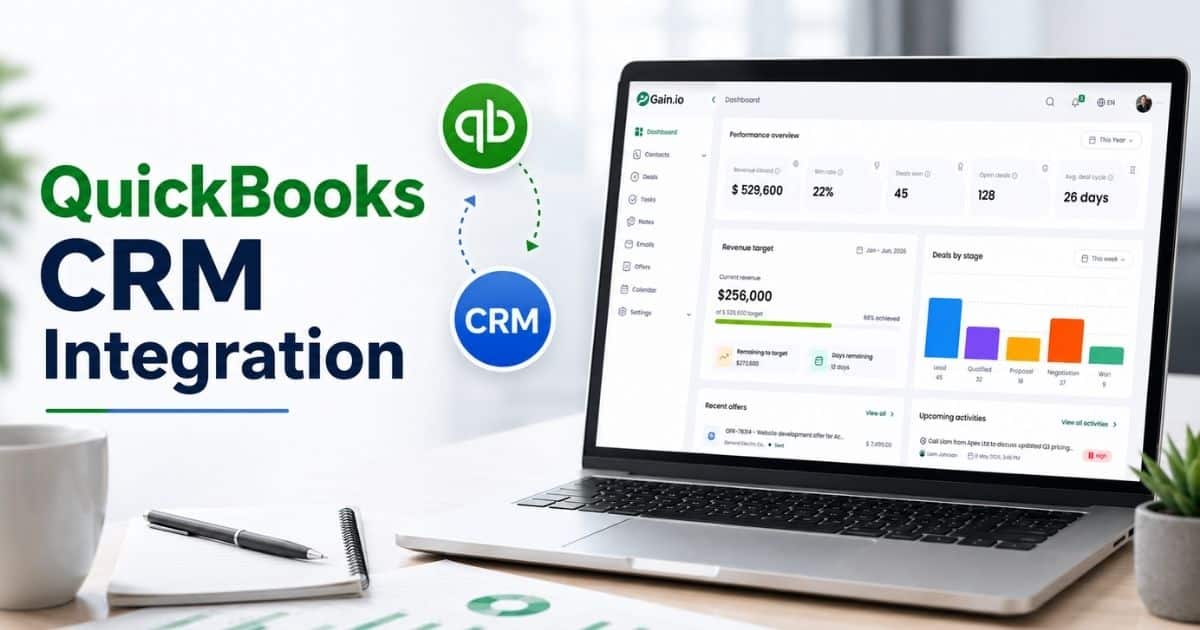
Sales teams juggle meetings, follow-ups, deals, and customer interactions every day. Many businesses still rely on disconnected CRM tools, Google Calendar, Outlook Calendar, and manual work that cause double booking, missed appointments, and stalled deals. A sales calendar CRM brings clarity by unifying sales CRM data, calendar events, contact details, and communication history within one system.
With a unified CRM calendar and Google Calendar integration, sales reps schedule appointments, log calls, set reminders, and manage follow-up tasks without switching tools. A clear calendar view improves sales pipeline visibility, pipeline health, and lead status across deal stages. Teams stay on the same page, track upcoming events, and reduce forgotten tasks through automated reminders. Better activity tracking supports data-driven decisions, stronger customer relationships, and higher sales performance, while saving time and improving overall efficiency across the whole team.
What Is Sales Calendar CRM
A sales calendar CRM is a sales CRM system that combines customer data, contact details, and communication history with a shared calendar view. Sales teams use a CRM calendar to manage calendar events, sales activities, and customer interactions in one platform. Meetings, follow-ups, scheduled activities, and upcoming events stay visible across the team’s schedule, which helps avoid double booking and missed appointments. Shared access and clear ownership keep the whole team aligned and focused on active opportunities.
With Google Calendar integration and Outlook Calendar sync, sales reps schedule appointments, set reminders, and track follow-up tasks without switching tools. Automated reminders, activity tracking, and logged calls support lead capture, lead status updates, and deal stages management. Strong pipeline health visibility and essential features help sales teams monitor performance, optimize processes, and support better decision-making while managing customer relationships more efficiently.
Key Features Of A Sales Calendar CRM
A sales calendar CRM brings structure and clarity to daily sales operations by unifying calendars, customer data, and sales activities in one system. Core features focus on visibility, automation, and alignment, which help sales teams manage follow-ups, monitor pipeline health, and improve overall efficiency without manual work or switching tools.
Unified CRM Calendar View
A unified CRM calendar view gives sales teams clear visibility into meetings, follow-ups, sales task management, and upcoming events in one place. Calendar events connect directly with customer details, contact records, and previous interactions, which helps sales reps understand context before every call or meeting. Shared access ensures the whole team stays on the same page while managing the team’s schedule.
This calendar view supports better activity tracking across the sales pipeline. Sales managers gain clarity on deal stages, stalled deals, and ownership. Clear sales visibility CRM reduces forgotten tasks, missed appointments, and double booking while improving coordination across sales reps and appointment setters.
Google And Outlook Calendar Integration
Google Calendar integration and Outlook Calendar sync connect external calendars with the CRM calendar. Sales reps schedule activities, calls, and meetings directly from the sales CRM while keeping personal and team calendars aligned. Automatic sync prevents scheduling conflicts and keeps availability accurate across the whole team.
CRM integration also supports shared notes, follow-up reminders, and real-time updates. Changes reflect instantly across connected calendars, which helps sales teams manage customer interactions smoothly. Better alignment between tools saves time, reduces manual work, and supports a clear sales communication workflow across sales activities.
Automated Reminders And Follow Ups
Automated reminders help sales teams stay consistent with follow-up tasks, follow-up emails, and scheduled activities. The system sends timely alerts before meetings, calls, or deadlines, which reduces missed appointments and stalled deals. Sales reps focus on conversations instead of tracking reminders manually.
Sales automation CRM allows teams to set reminders based on lead status, deal stages, or sales process milestones. Follow-ups stay structured and predictable, which supports stronger customer relationships. Reliable reminders improve sales performance and ensure no opportunity slips through the cracks.
Sales Pipeline And Deal Tracking
A sales calendar CRM links calendar events with the sales pipeline to show how activities impact pipeline health. Each meeting, call, or task connects with deal stages, qualified leads, and opportunity timelines. Sales teams gain clarity on which activities move deals forward. It helps to ease the process of sales deal tracking.
Pipeline tracking through a calendar view helps managers monitor performance and spot risks early. Clear timelines highlight stalled deals and missed follow-ups. Better visibility supports data-driven decisions, improved forecasting, and stronger control over the entire sales process.
Lead And Customer Activity Management
Lead and customer activity management centralizes communication history, contact details, logged calls, and previous interactions. Sales reps view customer details alongside scheduled activities, which improves preparation and personalization. Clear records reduce confusion and support consistent communication.
Activity tracking helps teams manage new leads, lead capture, and lead status updates efficiently. Strong visibility into customer interactions supports better relationship building. Centralized records also help small businesses maintain continuity as teams grow and manage more deals.
Team Scheduling And Shared Access
Team scheduling features provide shared access to calendars, tasks, and activities across the sales team. Clear ownership and visibility help sales reps coordinate schedules and avoid conflicts. Managers gain insight into workloads and availability without manual check-ins.
Shared access supports alignment across the whole team and improves sales team collaboration. Appointment setters, sales reps, and managers work within one system, which reduces miscommunication. Better coordination improves overall efficiency and keeps sales activities moving smoothly.
Reporting And Performance Insights
Reporting features turn calendar data into actionable insights. Sales leaders monitor performance through activity tracking, follow-up completion, and meeting frequency. Clear metrics connect daily actions with results, which supports better decision-making.
Performance insights help teams identify gaps in the sales process and optimize processes over time. Data-driven visibility improves forecasting accuracy and accountability. Strong reporting tools help sales teams close more deals while maintaining clear control over customer relationships.
Benefits Of Using A Sales Calendar CRM
A sales calendar CRM improves how sales teams plan, execute, and track daily sales activities. Clear visibility, structured follow-ups, and shared access help reduce manual work, strengthen customer relationships, and support consistent sales performance across the entire sales process.
Better Visibility Across Sales Activities
A sales calendar CRM provides clear visibility into meetings, follow-ups, calls, and scheduled activities through a centralized calendar view. Sales teams see upcoming events, deal-related tasks, and customer interactions in one place. Clear timelines help sales reps prepare better and stay focused on priority opportunities.
Managers gain real-time insight into team activity levels and pipeline health. Clear visibility highlights stalled deals, missed appointments, and workload gaps early. Strong activity tracking supports smarter planning and keeps the whole team aligned around shared goals.
Stronger Follow-Up Consistency
Automated follow-ups play a major role in closing deals, yet forgotten tasks often slow progress. A sales calendar CRM supports consistent follow-up tasks through automated reminders and structured schedules. Sales reps receive alerts for calls, emails, and meetings tied to specific leads and deal stages.
Consistent follow-ups improve response rates and reduce missed opportunities. Clear reminders help sales teams maintain momentum across the sales pipeline. Better structure ensures customer interactions stay timely, relevant, and aligned with the sales process.
Improved Team Alignment And Collaboration
Shared calendars and team scheduling features keep sales reps, managers, and appointment setters on the same page. Clear ownership of calendar events and tasks reduces confusion and overlap. Shared access improves coordination across the team’s schedule.
Collaboration improves when everyone works within one system. Sales teams avoid double booking and last-minute conflicts. Better alignment strengthens communication, improves accountability, and supports smoother handoffs between roles throughout the sales process.
Higher Sales Productivity
A sales calendar CRM reduces manual work by unifying CRM tools, calendars, and activity tracking in one platform. Sales reps schedule appointments, log calls, and manage follow-up reminders without switching tools. Saved time supports more customer conversations and focused outreach.
Automation rules handle repetitive tasks such as reminders and activity updates. Sales teams spend less time on administration and more time on selling. Higher productivity directly supports better sales performance and improved deal velocity. Sales reps will get hands on experinence on a sales calender crm.
Healthier Sales Pipeline Control
Calendar-based visibility helps sales teams understand how activities affect pipeline health. Meetings, follow-ups, and tasks link directly to deal stages and lead status. Clear timelines help teams identify stalled deals early.
Managers use this visibility to monitor performance and adjust priorities. Strong pipeline control supports better forecasting and data-driven decisions. Clear insight into sales activities helps teams focus efforts where results matter most.
Better Customer Relationships
Centralized customer data, communication history, and shared notes improve the quality of customer interactions. Sales reps access contact details and previous interactions directly from calendar events. Better context supports personalized conversations and stronger trust.
Consistent communication improves long-term customer relationships. A sales calendar CRM helps sales teams stay organized and responsive throughout the customer journey. Strong relationships increase deal success and long-term value.
Smarter Decision Making With Data
A sales calendar CRM turns activity tracking into actionable insights. Reports connect follow-ups, meetings, and calls with sales outcomes. Sales leaders gain clarity on what drives results.
Data-driven visibility supports better planning and strategy adjustments. Clear metrics improve accountability and performance monitoring. Better decisions help sales teams close more deals while improving overall efficiency across the organization.
How A Sales Calendar CRM Improves Daily Sales Productivity
A sales calendar CRM removes daily friction by organizing schedules, tasks, and customer interactions in one system. Clear visibility, automation, and shared access help sales reps manage priorities, reduce manual work, and focus on high-impact sales activities.
Clear Daily Sales Priorities
A sales calendar CRM presents daily tasks, meetings, and follow-ups in a structured calendar view. Sales reps start the day with clear priorities instead of searching across CRM tools, email tracking, and other tools. Each calendar event links to customer details, previous interactions, and deal stages, which supports faster preparation.
Clear priorities reduce forgotten tasks and last-minute stress. Sales reps spend less time deciding what to do next and more time executing planned sales activities. Better structure improves focus and keeps the sales process moving consistently.
Faster Scheduling And Task Management
Scheduling appointments becomes faster when calendar events connect directly with contact details and customer data. Sales reps schedule activities, set reminders, and manage follow-up tasks from one platform. Google Calendar integration and Outlook Calendar sync prevent conflicts and double booking.
Efficient scheduling reduces delays and back-and-forth communication. Automated reminders ensure meetings and calls stay on track. Less manual coordination saves time and supports higher daily output across the sales team.
Reduced Manual Work Through Automation
Automation rules handle repetitive tasks such as follow-up reminders, activity updates, and lead status changes. Sales reps avoid manual data entry and focus on conversations and relationship building. Automated follow-ups keep leads warm without extra effort.
Reduced manual work improves consistency and accuracy across sales activities. Sales teams maintain momentum even during busy periods. Time saved through automation directly supports improved sales productivity and better pipeline health.
Better Focus On High-Value Leads
A sales calendar CRM highlights qualified leads, active deal stages, and upcoming customer interactions. Sales reps understand which opportunities need attention each day. Clear timelines prevent stalled deals and missed follow-ups.
Focused effort on high-value leads improves conversion rates. Sales teams allocate time based on pipeline health and lead status instead of guesswork. Better focus leads to more deals and stronger daily performance.
Team Alignment And Accountability
Shared calendars provide visibility into the team’s schedule and sales activities. Managers and sales reps stay aligned on ownership, availability, and follow-up responsibilities. Clear accountability reduces overlap and confusion.
Alignment supports smoother collaboration across the whole team. Sales leaders monitor performance and support reps where needed. Strong coordination improves daily efficiency and keeps productivity high without added pressure.
Differences Between A Sales Calendar CRM And Traditional CRMs
A sales calendar CRM focuses on daily execution through a shared calendar view, while traditional CRMs emphasize record management. Calendar-driven workflows, automation, and scheduling tools help sales teams manage activities, follow-ups, and customer interactions with greater clarity and speed.
| Feature Area | Sales Calendar CRM | Traditional CRM |
|---|---|---|
| Calendar View | Built-in CRM calendar shows meetings, follow-ups, and upcoming events in one view | Limited or secondary calendar with less visibility |
| Scheduling | Direct scheduling of appointments with Google Calendar and Outlook Calendar integration | Often relies on external calendar tools |
| Follow-Up Management | Automated reminders and follow-up tasks tied to deal stages and lead status | Manual reminders with higher risk of forgotten tasks |
| Sales Activities | Strong activity tracking linked to calendar events and sales pipeline | Activity logs are separated from daily schedules |
| Pipeline Visibility | Clear timelines improve pipeline health and deal stage awareness | Pipeline views focus more on records than timing |
| Team Alignment | Shared access supports team’s schedule, clear ownership, and accountability | Limited visibility across the whole team |
| Productivity Focus | Designed to reduce manual work and improve daily sales productivity | Focused more on data storage than execution |
How To Choose A Modern Sales Calendar CRM
Choosing the right sales calendar CRM requires a focus on daily usability, automation, and visibility. The right system should support sales teams with clear scheduling, strong pipeline control, and seamless calendar integration while reducing manual work and improving overall efficiency.
Calendar-Centered Workflow Design
A modern sales calendar CRM should place the calendar at the center of daily sales activities. Meetings, follow-ups, tasks, and upcoming events must appear clearly in a single calendar view. Sales reps should access customer details, previous interactions, and deal stages directly from calendar events.
A calendar-centered design improves focus and reduces context switching. Clear timelines help sales teams manage priorities and avoid stalled deals. Strong visibility supports better execution across the sales process and keeps daily work organized.
Seamless Calendar Integrations
Google Calendar integration and Outlook Calendar sync play a critical role in daily adoption. A modern sales calendar CRM should sync events automatically and reflect real-time updates across all connected calendars. Accurate availability helps prevent double booking and scheduling conflicts.
Strong integration reduces dependency on other tools. Sales reps schedule appointments and manage follow-up reminders from one platform. Fewer tools lead to better consistency, saved time, and smoother coordination across the team’s schedule.
Built-In Automation And Reminders
Automation rules help sales teams maintain consistency without extra effort. A modern sales calendar CRM should support automated reminders, follow-up tasks, and activity updates based on lead status or deal stages. Reliable reminders reduce missed appointments and forgotten tasks.
Automation improves daily productivity and pipeline health. Sales reps spend less time on manual work and more time on customer interactions. Predictable follow-ups support stronger customer relationships and higher sales performance.
Pipeline Visibility And Activity Tracking
Strong pipeline visibility connects sales activities with results. A modern sales calendar CRM should link meetings, calls, and tasks directly to the sales pipeline. Clear timelines highlight progress, stalled deals, and high-priority opportunities.
Activity tracking supports data-driven decisions and performance monitoring. Managers gain insight into daily execution and workload balance. Better visibility helps teams optimize processes and focus efforts where results matter most.
Team Access And Scalability
Shared access and role-based visibility support growing sales teams. A modern sales calendar CRM should provide clear ownership, team scheduling, and collaboration features. Sales reps, managers, and appointment setters need aligned access to calendars and customer data.
Scalability matters for small businesses and expanding teams. The right system adapts as deal volume and sales activities increase. Strong team alignment improves efficiency and supports long-term sales success.
Common Sales Planning Challenges Without A Sales Calendar CRM
Sales planning becomes fragmented without a sales calendar CRM. Disconnected calendars, manual tracking, and scattered customer data create daily friction for sales teams. Poor visibility, missed follow-ups, and weak coordination reduce sales performance and make pipeline management harder than necessary.
Scattered Sales Activities Across Tools
Sales teams often rely on multiple CRM tools, Google Calendar, Outlook Calendar, spreadsheets, and email integration to manage sales activities. Meetings, follow-ups, and tasks stay spread across systems with no shared calendar view. Sales reps waste time switching tools just to understand daily priorities.
Scattered workflows reduce overall efficiency and increase manual work. Important customer interactions lose context because communication history and calendar events stay separate. Poor visibility makes activity tracking unreliable and increases the risk of stalled deals and missed opportunities.
Missed Follow Ups And Forgotten Tasks
Without a CRM calendar, follow-up tasks depend heavily on memory or manual reminders. Sales reps miss follow-up emails, calls, and scheduled activities when calendars and sales CRM data remain disconnected. Forgotten tasks directly impact lead status and deal stages.
Missed follow-ups weaken customer relationships and slow the sales process. Qualified leads lose interest when response timing slips. Sales teams struggle to maintain consistency, which leads to lower conversion rates and reduced pipeline health.
Lack Of Clear Pipeline Visibility
Traditional CRMs often focus on records rather than timelines. Sales teams lack a clear view of how calendar events connect with the sales pipeline. Meetings and calls exist separately from deal stages, which hides real progress.
Poor visibility makes it harder to spot stalled deals and weak activity levels. Managers struggle to monitor performance or support sales reps effectively. Decision-making becomes reactive instead of data-driven, which hurts forecasting accuracy and sales planning.
Poor Team Coordination And Scheduling Conflicts
Without shared access to schedules, teams face frequent double booking and availability conflicts. Appointment setters, sales reps, and managers operate without visibility into the team’s schedule. Ownership of meetings and follow-ups remains unclear.
Poor coordination causes missed appointments and internal confusion. Customer interactions suffer when handoffs fail or meetings overlap. Lack of alignment reduces productivity and increases frustration across the whole team.
Heavy Manual Work And Low Productivity
Manual tracking of sales activities consumes valuable time. Sales reps update calendars, log calls, and manage reminders separately across other tools. Manual work reduces focus on lead generation and customer conversations.
Low automation leads to inconsistent execution and poor activity management. Sales teams spend less time selling and more time managing systems. Productivity drops, deals slow down, and overall efficiency suffers without a centralized sales calendar CRM.
How Gain.io Powers A Modern Sales Calendar CRM
Gain.io delivers a modern sales calendar CRM that unifies scheduling, customer details, and sales activities in one system. Sales teams manage calendar events, log calls, capture leads, and track communication history without switching tools. Shared notes, clear ownership, and a unified calendar view keep every sales rep aligned on daily priorities and customer interactions.
Gain.io supports lead generation through landing pages, lead capture workflows, and automation rules that trigger follow-up emails and reminders automatically. A free plan and flexible paid plans give teams access to essential features and advanced features as they scale. Strong reporting helps monitor performance, review pipeline health, and support data-driven decisions. One platform replaces scattered tools, improves overall efficiency, and helps sales teams close more deals with confidence.
FAQs
Can A Sales Calendar CRM Replace Separate Calendar Tools?
Yes, a sales calendar CRM can reduce dependence on separate tools by combining CRM calendar features with Google Calendar and Outlook Calendar integration. Sales teams manage calendar events, follow-ups, and sales activities within one system.
Does A Sales Calendar CRM Support Small Businesses?
Yes, a sales calendar CRM works well for small businesses by reducing manual work and tool switching. A free plan or free tier often covers essential features such as scheduling, follow-up reminders, and basic activity tracking.
Is A Sales Calendar CRM Useful For Remote Sales Teams?
Yes, remote sales teams benefit from shared access, team schedules, and clear visibility into customer interactions. A unified calendar view helps the whole team stay aligned across locations and time zones.
Can A Sales Calendar CRM Improve Lead Response Time?
Yes, automated reminders, follow-up tasks, and clear lead status tracking help sales reps respond faster to new leads. Faster response improves lead generation results and supports better conversion rates.
How Does A Sales Calendar CRM Help With Lead Capture?
A sales calendar CRM connects lead capture with scheduled activities and follow-ups. Leads from landing pages or forms appear with customer details, upcoming events, and communication history, which supports faster qualification.
What Makes A Sales Calendar CRM Different From Zoho CRM Or Other Tools?
A sales calendar CRM places daily scheduling and execution at the center of the sales process. Traditional CRM tools like Zoho CRM focus more on records, while calendar-driven systems emphasize activity tracking and productivity.
Does A Sales Calendar CRM Help Prevent Deals Slipping Through The Cracks?
Yes, clear calendar visibility, automated reminders, and follow-up tracking reduce missed activities. Sales reps maintain consistent engagement, which lowers the risk of stalled deals and missed opportunities.