Sales teams need a simple and reliable way to manage conversations without jumping between tools, and that is where CRM with email integration becomes essential. A connected system helps teams bring emails, customer data, and follow-up activities into one place, making every interaction easier to track and understand.
It also gives sales reps a clearer view of past conversations, ongoing deals, and the next steps they should take with each lead. When email lives inside the CRM, the entire sales process feels smoother and more organized. This kind of setup reduces manual work, supports better decision-making, and helps teams communicate with confidence across every stage of the pipeline.
Why Email Integration Matters In CRM Systems
Email integration strengthens a CRM by centralizing conversations, improving accuracy, and giving teams complete visibility into customer interactions. It also reduces manual work and helps businesses maintain consistent and meaningful communication while keeping all your customer data accessible across the entire workflow.
Centralized Data Creates Stronger Visibility
A crm with email integration helps teams organize customer data, crm data, and all your customer data inside one connected crm platform. Instead of navigating different inboxes or scattered tools, every email flows directly into the CRM with full context. This creates clearer visibility into customer interactions and reduces confusion caused by disconnected communication.
With everything stored in the crm system, teams can review past discussions easily and understand the complete history behind each relationship. This level of clarity strengthens coordination, reduces repeated questions, and helps businesses maintain smoother and more reliable customer interactions.
Reduced Manual Data Entry Improves Accuracy
Manual data entry often leads to missing details, inconsistent records, and unnecessary workload. Email integration removes these challenges by automatically syncing conversation history, contact updates, and related information into the CRM without extra steps.
By reducing manual effort, the crm solution maintains accurate records and ensures important details are never lost. This streamlined approach saves time, eliminates repetitive tasks, and allows teams to spend more energy on customer relationships instead of administrative work.
Stronger Customer Relationships Through Connected Communication
Customer relationships grow when communication feels relevant and informed. Email integrated crm technology helps teams access full communication history before replying, allowing them to respond with context and confidence.
When teams understand customer preferences and concerns, they can personalize conversations more effectively. This strengthens trust, reduces friction, and helps businesses create more meaningful interactions with every customer they support.
Faster Access To Customer History Enhances Support Quality
A CRM with email integration gives agents instant access to previous messages, attachments, or discussions without switching tools. This eliminates the slow process of checking multiple inboxes or searching through old threads for missing details.
Faster access to history helps agents deliver answers more quickly and accurately. Customers notice the efficiency immediately, and the improved experience builds confidence in the company’s ability to provide reliable and attentive support.
Email Becomes A Reliable Source Of Actionable Insights
Email integration turns simple conversations into valuable insight. When emails sync into the CRM, teams can analyze communication patterns, identify common questions, and understand customer interactions more deeply.
These insights help refine marketing messages, improve follow-up strategies, and create more purposeful customer relationships. Over time, email becomes more than a communication method and evolves into an important guide for better decision-making.
Unified Systems Remove Disconnected Processes
Teams often lose time by switching between inboxes, spreadsheets, and CRM dashboards to manage communication and data. Email integration solves this by bringing everything together into one unified system.
With a connected workflow, teams stay organized, reduce delays, and communicate with customers in a more coordinated way. No message gets overlooked, no information gets scattered, and every interaction feels more consistent and professional.
What Problems Email-Integrated CRMs Solve For Sales Teams
Email-integrated CRMs remove the friction that slows down a sales team and replace scattered communication with a unified, more predictable workflow. They help teams manage sales leads more efficiently, reduce unnecessary manual steps, and streamline sales and marketing processes at every stage of the pipeline.
Lost Context Across Multiple Tools
A sales team often struggles when conversations sit across different inboxes, spreadsheets, and disconnected tools. Without a centralized system, sales reps waste time searching for information instead of moving deals forward.
Email integration solves this by pulling every message, attachment, and update into one place. With the entire communication timeline inside the CRM, teams avoid misunderstandings, reduce mistakes, and keep deals progressing without delay.
Slow Response Times Due To Fragmented Visibility
When emails live outside the CRM, reps cannot instantly see where each lead stands inside the sales funnel. They jump between apps, open old threads, and manually piece together important details.
A CRM with built-in email access gives immediate visibility into customer status, last contact, and upcoming tasks. Faster understanding leads to faster responses, which helps teams maintain momentum and prevents leads from losing interest.
Missed Opportunities From Inconsistent Follow-Up
Manual follow-up is one of the most common reasons sales opportunities slip away. Reps forget to message a lead, overlook an old email, or lose track of a conversation buried in their inbox.
Email integration supports more reliable follow-up by connecting conversations directly to tasks, reminders, and sales automation workflows. This ensures leads receive timely touchpoints and never fall out of the funnel because of a missed message.
Inefficiencies Caused By Manual Work
Without integration, reps enter data manually every time they receive an email. This slows down daily operations and introduces errors that impact reporting and forecasting.
Email-integrated CRMs sync messages automatically, linking them to specific contacts and opportunities. This reduces repetitive tasks, saves hours of work each week, and helps the sales team stay focused on closing deals instead of updating records.
Poor Alignment Between Sales And Marketing Processes
Sales and marketing processes often suffer when communication is scattered or incomplete. Without shared visibility, teams cannot coordinate campaigns, understand lead quality, or identify the best next step for each prospect.
With email integrated into the CRM, marketing sees how leads engage, and sales reps understand the campaigns prospects have interacted with. This alignment improves targeting, strengthens communication, and supports a smoother handoff between departments.
Difficulty Prioritizing High-Value Leads
When reps cannot quickly assess email activity or engagement, they struggle to identify which sales leads deserve immediate attention. Valuable prospects often get the same time and effort as cold leads.
Email integration helps highlight behavior, interest, and urgency based on real interactions. Sales reps can prioritize outreach more intelligently, focusing on leads that show intent and moving others through the funnel at the right pace.
Gain.io CRM Email Overview
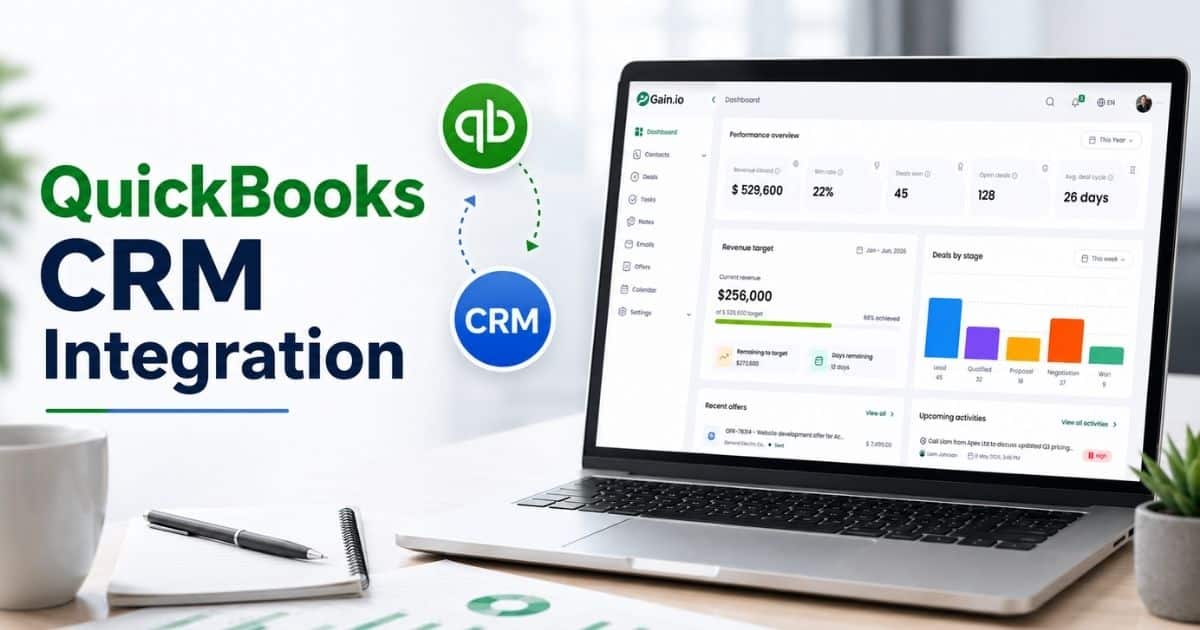
Email integration becomes far more effective when the CRM is built to keep communication, contact details, and workflow management in one place. Gain.io offers a clean and focused approach to customer relationship management by bringing essential CRM tools and CRM features together so teams can manage conversations without juggling a separate CRM or switching between multiple apps.
Unified CRM Software For Organized Communication
Gain.io provides a streamlined environment where teams can manage contacts, track activities, and keep important information in one location. This structure helps eliminate the confusion that comes from using multiple tools and keeps every communication thread easier to follow.
With essential CRM software functions available from a single dashboard, teams gain better visibility into their pipeline and maintain a more organized customer relationship management process overall.
Email Inside The CRM For Simpler Workflows
Email integration inside Gain.io supports a smoother workflow because messages connect directly to contacts and tasks within the platform. Teams no longer depend on external inboxes or separate CRM setups to follow conversations, which reduces friction and keeps information accurate.
This connected approach improves responsiveness and makes it easier to maintain continuity across ongoing discussions. It also helps sales and support professionals stay aligned without needing to move between multiple tools.
Essential CRM Features To Support Daily Activities
Gain.io includes core crm features that support everyday communication and task management. Users can manage contacts, organize tasks, and view timelines from one central area, making the platform practical for small teams and growing businesses.
These capabilities help teams stay on top of commitments and follow-ups. They also prevent details from being lost in scattered tools or separate CRM systems that do not integrate well with communication channels.
Simpler Processes Without A Separate CRM
Many teams rely on a separate CRM and external email apps, which creates unnecessary steps and inconsistent information. Gain.io minimizes those issues by combining essential tools in one place, reducing the need to manage multiple disconnected systems.
This simplifies data flow, improves accuracy, and allows teams to focus on communication and follow-up activities rather than juggling multiple platforms.
Accessible CRM Option For Growing Teams
Gain.io provides a straightforward CRM solution suitable for small teams and businesses that prefer a clean, functional environment instead of a complex setup. With an option to get started as a free CRM, teams can explore key features without heavy commitments.
This makes the platform a practical choice for organizations that value simplicity, usability, and well-structured communication without unnecessary complexity.
How Email Sync Works Inside A CRM
Email sync connects your inbox with the CRM, so every message, update, and interaction flows into one unified space. A synced system helps teams track conversations, review engagement, and manage email campaigns without leaving the CRM environment.
Automatic Logging Keeps Conversations Organized
Email sync pulls messages directly into the CRM as soon as they arrive. Every conversation attaches to the correct contact or deal automatically, which removes the need for manual linking or searching through separate inboxes.
A clear timeline of discussions helps teams understand context quickly and maintain a complete communication history that supports more effective crm email marketing activities.
Real Visibility Through Email Tracking
Email tracking shows when messages are opened and viewed. Sales and marketing teams gain valuable insight into how leads and customers interact with communication.
A deeper look at email engagement data guides follow-up timing, message adjustments, and prioritization decisions. Teams use these insights to refine conversations and build stronger outreach strategies.
Integrated Email Campaigns Run From One Place
Email campaigns become easier to manage when they run directly from the CRM. A unified platform connects email crm tools with contact records, tasks, and pipeline stages, making campaign execution more structured and predictable.
A single workflow helps teams send targeted campaigns, segment audiences, and monitor performance without switching tools, which improves efficiency and reduces misalignment.
Consistent Communication Across All Channels
Email integration provides a reliable way to keep communication consistent across the entire customer experience. Messages stay attached to the right profiles, allowing teams to reference details quickly during sales or support conversations.
A connected environment ensures that everyone on the team sees the same information, preventing repeated questions and helping customers feel more understood during each interaction.
Better Decision Making Through Engagement Insights
Engagement insights from email tracking support smarter decision making throughout the sales and marketing process. Teams can evaluate what type of messaging performs best, which contacts engage most, and where improvements may be needed.
A more informed approach leads to stronger relationships, better timing, and more effective outreach as teams build campaigns that reflect real customer behavior and preferences.
Sending And Tracking Emails From Inside The CRM
Sending emails directly from the CRM helps teams manage communication more efficiently by connecting messages to contacts, deals, and ongoing activities. A built-in system keeps everything organized, allowing teams to send personalized messages without relying on external email marketing software or switching between multiple tools. A connected environment supports faster communication and a more consistent workflow.
A CRM that includes email marketing capabilities allows teams to create messages using email templates, track engagement, and manage follow-ups within the same platform. This setup reduces complexity and makes it easier to maintain accurate records. A fully integrated email marketing crm or email marketing platform provides clear visibility into opens, replies, and contact behavior. With access to email marketing tools and customer insights, teams can send messages that match audience needs and build stronger communication over time.
Why Sales Teams Prefer A Unified Inbox Over Multiple Tools
A unified inbox helps sales teams stay organized, reduce distractions, and communicate with prospective clients more confidently. A single place for conversations supports faster responses, better contact management, and clearer visibility into every interaction happening throughout the sales cycle.
Clearer Organization Helps Teams Manage Contacts Effectively
A unified inbox brings all communication into one space, which makes it easier to manage contacts without switching between different apps or email accounts. Sales professionals can view messages, tasks, and follow-ups alongside important contact details, creating a more structured workflow.
A centralized view reduces confusion, eliminates lost messages, and ensures every prospective client receives consistent attention throughout the sales process.
Faster Responses Strengthen Momentum
Sales teams work best when they can reply quickly and keep conversations moving. A unified inbox supports this by placing all relevant information within reach, allowing teams to respond with context instead of searching across multiple platforms.
A faster response improves first impressions and helps teams promote positive interactions that build trust early in the relationship.
Better Visibility Into Customer History
A scattered toolset makes it difficult for teams to remember what was discussed and when. A unified inbox stores every message under the correct profile, giving teams a complete view of past conversations.
A clear communication timeline helps sales professionals interact with prospective clients more thoughtfully, reducing mistakes and improving overall communication quality.
Reduced Complexity Creates Smoother Workflows
Multiple apps add friction, extra steps, and unnecessary delays. A unified inbox removes those obstacles by keeping messages in one connected system where teams can manage contacts and communication together.
A simplified workflow gives sales teams more time to focus on selling rather than searching for messages or updating different tools.
Stronger Relationship Building Through Consistent Communication
A unified inbox helps teams maintain a steady rhythm in their outreach. Prospective clients receive timely follow-ups, personalized replies, and consistent attention because conversations stay organized and accessible.
A clear communication path supports better relationship-building and encourages positive engagement throughout the sales journey.
What Email Tracking Reveals About Lead Behavior And Engagement
Email tracking gives sales and marketing teams a deeper understanding of how leads interact with marketing emails. A clearer view of behavior helps teams improve targeting, refine communication, and build stronger, data-driven strategies that support growth across the entire pipeline.
Engagement Data Shows Real Interest Levels
Email engagement data highlights who opens messages, who clicks links, and who revisits important information. A closer look at these actions helps teams understand which leads show genuine interest and which contacts may require a different approach.
Patterns in engagement guide follow-up timing and message style, helping teams communicate with more precision and awareness.
Data Analytics Helps Identify Lead Quality
Data analytics transforms raw engagement activity into meaningful insights. Teams can see which messages perform well, which topics generate interest, and which leads stay active through the funnel.
A deeper understanding of behavior helps sales and marketing teams prioritize high-value leads and adjust communication strategies based on real patterns rather than assumptions.
Segmentation Improves Personalization
Customer segmentation becomes more accurate when teams analyze how different groups interact with marketing emails. Engagement levels reveal which audiences respond best to specific content types, messaging styles, or offers.
A more personalized approach helps companies build stronger relationships and maintain communication that matches each group’s needs.
Targeted Campaigns Become More Effective
Email tracking supports targeted campaigns by showing what content resonates with leads at different stages. Teams can adjust headlines, calls to action, and timing to create campaigns that feel more relevant and timely.
A targeted approach increases the chances of meaningful engagement and helps campaigns deliver better overall performance.
Better Decisions Shape Smarter Outreach
A clearer picture of engagement improves decision-making throughout the sales and marketing process. Teams can identify what works, where improvements are needed, and how messaging should evolve.
A more informed strategy leads to stronger communication, better alignment between teams, and a smoother path for leads as they move through the funnel.
How Eliminating Tab Switching Improves Sales Productivity
Reducing unnecessary switching between email, CRM windows, documents, and communication tools helps sales professionals stay focused, move faster, and maintain a smoother workflow. A connected workspace improves attention and supports consistent progress across every stage of the sales cycle.
A User-Friendly Interface Keeps Everything Within Reach
A user-friendly interface gathers messages, contact details, and task information in one place, which reduces the need to jump from tool to tool. Sales professionals work more efficiently when key actions sit inside a single dashboard.
A unified environment also removes common distractions and allows teams to review information quickly without losing momentum or breaking their concentration.
Mobile Access Keeps Productivity High On The Go
Mobile apps help sales teams respond faster and stay updated, no matter where they work. Remote and on-the-go access supports better communication and improves overall responsiveness.
A mobile-friendly setup ensures that reps handle tasks, check client messages, and review ongoing conversations without needing a full desktop environment.
Automation Tools Reduce Repetitive Tasks
Automation tools assist teams by handling repetitive activities such as logging interactions, updating records, or scheduling reminders. Fewer manual steps help teams move through their workload faster.
A streamlined process allows sales professionals to spend more time speaking with prospects and less time managing administrative duties.
Workflows Become More Predictable And Consistent
Automation tools help automate workflows that guide teams through a consistent process. Steps such as follow-ups, task assignments, and routine outreach become smoother and more predictable.
A structured workflow removes guesswork and helps sales professionals stay aligned with priorities that move deals forward.
Better Focus Leads To Higher Output
A connected workspace improves focus by eliminating interruptions caused by multiple tabs and disconnected systems. Sales professionals maintain a clearer rhythm when everything they need sits inside one environment.
A focused approach leads to faster responses, improved accuracy, and stronger productivity across the entire team.
Common Email Sync Issues To Watch For
Email sync problems usually show up in a handful of predictable ways. Incorrect matching happens when shared inboxes, forwards, or look-alike addresses link a message to the wrong contact, which quietly corrupts deal history. Duplicate records pile up when the same person emails from more than one address or alias. Partial sync visibility, where only some team members see a thread, usually traces back to permission settings rather than a sync failure. Setup complexity and low team adoption are the two issues that cause the other four, since a sync nobody trusts or understands gets ignored, and an ignored sync stops catching problems early. Reviewing matching rules and permission settings during rollout heads off most of these before they affect real deals.
Core Email Integration Features Modern CRMs Must Include
Email integration becomes truly valuable when a CRM supports the full communication cycle, from sending and tracking messages to automating follow-ups. Modern sales teams depend on structured workflows, reliable visibility, and tools that strengthen engagement without adding extra complexity.
Automation Features That Strengthen Everyday Communication
Automation features help teams maintain momentum by handling routine communication tasks automatically. Instead of manually scheduling reminders or sending repetitive updates, the CRM triggers the right actions based on lead behavior or timeline events.
Such automation saves time for sales teams and improves consistency across every touchpoint. Messages go out on schedule, important follow-ups never slip through the cracks, and prospects receive timely communication that keeps them engaged.
Marketing Automation Features For Smarter Outreach
Marketing automation features support campaigns that adapt to user behavior. Teams can map journeys, segment contacts, and trigger messages based on actions like clicks, replies, or website visits.
This approach improves relevance and ensures each lead receives communication tailored to their stage in the cycle. Stronger alignment between timing and interest usually results in higher engagement rates and better conversion outcomes.
Marketing Automation For Predictable Workflows
Marketing automation helps shape predictable workflows that reduce manual effort. Steps such as qualifying leads, assigning tasks, or updating deal stages can be handled automatically once specific conditions are met.
This structure keeps the sales process cleaner and reduces pressure on reps who otherwise manage dozens of small tasks daily. Predictable workflows support faster decision-making and improve collaboration between sales and marketing teams.
Email Marketing Automation For Targeted Sequences
Email marketing automation helps businesses send messages that match what leads want to see. Instead of sending random updates, the CRM delivers sequences triggered by actions, interests, or customer segments.
Targeted delivery keeps communication relevant and helps leads move naturally through the funnel. Teams gain more control over timing and tone, and messages feel less intrusive because they arrive when behavior suggests real interest.
Automated Emails That Support Consistency
Automated emails help teams maintain consistent communication without relying on constant manual input. Messages such as welcome emails, follow-up sequences, or lead-nurture campaigns stay on schedule and ensure no contact is overlooked.
Consistent communication builds trust, reinforces brand reliability, and keeps prospects informed throughout their journey. Strong automation also frees sales teams to focus on conversations that genuinely require human involvement.
Integrated Tools That Keep Campaigns Connected
Integrated tools make email features more powerful by linking them to contact records, tasks, and pipeline stages. Campaign performance becomes easier to analyze when engagement details sit beside deal updates and task history.
Modern CRMs use integration to support smarter planning and review. Teams gain clearer insight into which messages work, which actions drive responses, and where improvements are needed. This connected structure strengthens strategy and increases overall communication effectiveness.
Where Email Integration Fits Inside A Complete Sales Workflow
Email integration plays an essential role throughout the entire sales cycle by connecting communication, tasks, and customer insights in one place. Sales and marketing teams gain a clearer understanding of lead behavior and can coordinate efforts without relying on scattered tools.
Email becomes a central part of the marketing strategy when synced into the CRM. Messages connect directly to contacts, making it easier to support marketing processes, track engagement, and measure how leads move through different marketing campaigns.
A connected workflow allows marketing teams and sales professionals to collaborate more effectively. Every email interaction, campaign touchpoint, and follow-up becomes part of a unified flow that supports better decisions and a smoother journey for every prospect.
How CRM Email Integration Helps Teams Prioritize High-Intent Leads
CRM email integration gives teams the clarity needed to identify which leads deserve immediate attention. A connected system reveals engagement, organizes communication, and supports structured workflows that help teams focus on prospects who show the strongest signs of interest across the sales cycle.
Customer Segmentation Offers Clearer Insight Into Lead Behavior
Customer segmentation becomes more accurate when email activity flows directly into the CRM. Segments form based on real actions such as opens, clicks, replies, and interest indicators that highlight which leads engage the most.
Segmented groups help teams focus on the right prospects instead of treating every contact the same. A more organized view of lead behavior supports stronger targeting and faster identification of buyers who are ready to move forward.
Automated Email Sequences Nurture Leads Consistently
Automated email sequences help leads receive timely and relevant communication without requiring manual effort from the team. Sequences adapt to customer behavior and guide each contact through a more personalized journey.
A consistent nurturing rhythm creates momentum that moves leads closer to purchase decisions. High-intent prospects reveal themselves through rapid engagement, repeated interactions, or strong reactions to sequence content.
Automated Email Campaigns Highlight Serious Prospects
Automated email campaigns provide valuable insights into who responds, who ignores communication, and who interacts repeatedly. High engagement often signals deeper interest or a clearer need for the solution.
Campaign data helps teams separate casual readers from engaged prospects. This clarity makes it easier to decide who should receive immediate outreach and who needs longer-term nurturing.
Automation Workflows Surface Priority Leads Instantly
Automation workflows speed up identification by flagging actions that show genuine intent. When leads open key messages, click product links, or revisit important content, automated alerts notify the team instantly.
Lead scoring models also become more accurate when workflows gather behavioral signals automatically. Sales professionals gain faster visibility into high-value prospects without manually reviewing each email activity log.
Bulk Emails Provide Broad Insight Into Engagement Patterns
Bulk emails help teams observe engagement trends across large segments. When sent through an integrated CRM, these messages reveal who interacts frequently compared to those who do not respond at all.
Broad engagement patterns highlight leads worth immediate attention. High-intent prospects usually stand out because they interact more often or show interest across multiple emails and touchpoints.
Consistent Data Helps Teams Act At The Right Moment
Reliable engagement signals help sales teams reach out exactly when interest peaks. When all email activity appears inside the CRM, timing decisions become easier and more accurate.
A synchronized view of sequences, campaigns, and workflows helps teams connect with high-intent leads before their interest fades. Strong timing increases conversion potential and reduces missed opportunities created by delayed outreach.
Gain.io Email Sync Features For Efficient Sales Operations
Email sync becomes most effective when messages, contact updates, and follow-ups stay connected inside one system. Gain.io supports efficient sales operations by keeping communication aligned with ongoing activities, helping teams stay organized and respond with confidence throughout the sales cycle.
Flexible Email Builder Options For Clear Communication
Gain.io includes email builder tools that simplify message creation and support structured communication. Users can shape content easily and keep messaging aligned with outreach goals without depending on external tools.
Clear formatting and consistent layout options strengthen the quality of communication, helping teams deliver messages that make sense for every stage of the sales process.
Drag And Drop Editor For Faster Email Creation
The drag-and-drop editor offers a straightforward way to assemble emails quickly. Teams can insert elements, adjust placement, and refine layout without any technical complexity.
Quick construction of messages helps sales professionals prepare outreach more efficiently, especially when working with time-sensitive communication.
Drop Email Builder And Drop Email Editor For Custom Layouts
Gain.io also provides drop email builder and drop email editor options that support deeper customization. Users can arrange sections, apply structure, and form layouts that reflect different communication styles.
Custom design options help teams produce emails suited for newsletters, updates, onboarding, or follow-up sequences without additional design tools.
Web Forms To Capture And Sync Lead Information
Web forms create a smooth path for capturing new leads and connecting them directly to the CRM. Submitted details sync automatically, so contact profiles remain accurate without extra manual steps.
Reliable data helps sales teams follow up faster and maintain better visibility into prospect activity.
Landing Page Builders That Support Lead Generation
Landing page builders extend the lead-capture process by presenting offers, downloads, or sign-up opportunities in a clean, focused format. Information collected from these pages updates CRM records instantly.
Immediate syncing gives sales professionals a clearer view of new interest, helping them prioritize leads and coordinate more effective outreach.
What Factors Define The Best CRM With Email Integration
Selecting the best CRM with email integration depends on how well the platform connects communication, contact management, and workflow automation. Strong alignment between email activity and CRM data helps teams work faster, stay organized, and build deeper relationships with prospects and customers.
Strength Of The Email and CRM Connection
Robust integration ensures that emails sync smoothly with contact records, tasks, and deals. A strong connection reduces the effort required to track conversations and keeps communication history visible inside the CRM.
Reliable syncing also prevents data gaps and helps teams understand how each contact interacts with messages, which supports better decision-making throughout the sales process.
Quality Of CRM Tools That Support Daily Workflows
Solid crm tools help teams manage tasks, track deals, and organize follow-ups without friction. Platforms that combine these capabilities with email syncing create a more unified work environment for sales and marketing teams.
A dependable structure reduces wasted time and improves coordination, helping teams maintain steady communication with leads and customers.
Flexibility Of CRM Software For Different Team Sizes
Sales and marketing teams need CRM software that adapts to various workflows rather than forcing rigid structures. Flexible systems allow users to customize pipelines, manage contacts in their own style, and adjust features as they grow.
Adaptability ensures that teams remain productive whether they manage a small list of clients or run complex processes across multiple roles.
Effectiveness Of CRM Email Marketing Tools
Strong crm email marketing tools support targeted outreach, segmented communication, and consistent follow-ups. Features such as templates, scheduling, and engagement tracking help teams communicate clearly and maintain steady contact.
High-quality tools make outreach smoother and ensure every message fits the customer’s current stage in the journey.
Ability To Support CRM With Email Marketing At Scale
Teams often need more than simple email sending. A top-tier system should help manage larger campaigns, nurture leads, and coordinate marketing efforts using connected communication.
Scalable features prevent bottlenecks and keep communication effective even as contact lists grow and processes expand.
Support For Marketing Tools That Strengthen Outreach
Useful marketing tools inside the CRM help teams plan campaigns, manage lists, and analyze engagement patterns. Simple access to these features inside one platform reduces tool-switching and keeps workflows aligned.
Stronger alignment across marketing and sales helps campaigns perform better and ensures every lead receives communication that feels relevant and timely.
Why Gain.io Becomes A Strong Choice For Sales-Focused Teams
Sales-focused teams benefit from platforms that keep communication clear, organized, and easy to manage. Gain.io supports this by offering essential features in a simple workspace that helps teams stay productive and responsive throughout the entire sales cycle. A free plan allows smaller teams to explore core functions without commitment, making adoption smoother and more accessible.
Teams looking for scalable growth appreciate how Gain.io aligns with advanced needs. Access to marketing automation tools, sms marketing, and options that connect well with growing processes creates a flexible environment that evolves with the business. The platform also supports upgrades toward more structured setups, including a professional plan that introduces additional capabilities for teams that require stronger automation and expanded communication features.
FAQs
How Does CRM Email Integration Support Personalization?
CRM email integration supports personalization by connecting past conversations, engagement activity, and contact preferences. Teams craft messages that match each lead’s interests because all communication history and behavior insights stay visible inside one organized system.
Why Does Centralized Communication Reduce Missed Follow-Ups?
Centralized communication keeps emails, notes, and tasks together, making pending follow-ups easier to identify. Teams avoid switching tools or checking scattered inboxes, which reduces missed opportunities and supports more consistent outreach.
How Does Email Integration Improve Collaboration Between Teams?
Email integration improves collaboration by giving sales and marketing teams access to the same communication history. Shared visibility reduces confusion, strengthens alignment, and helps both groups coordinate messaging and strategy more effectively.
Why Do Integrated Email Insights Matter For Lead Scoring?
Integrated email insights highlight opens, clicks, and engagement patterns. These signals reveal genuine interest, helping teams score leads more accurately and prioritize prospects who show stronger intent or are ready for the next step.
How Does CRM Email Integration Support Long-Term Relationship Building?
Integration supports long-term relationships by keeping communication informed and consistent. Teams understand a customer’s history and preferences, allowing them to deliver messages that remain relevant throughout the entire lifecycle.
Why Do Growing Teams Prefer Email Inside The CRM?
Growing teams prefer integrated email because it reduces complexity and supports smoother workflows. A unified workspace removes unnecessary steps, shortens response times, and keeps everyone aligned as responsibilities expand.
How Does Email Integration Improve Data Accuracy Over Time?
Email integration improves accuracy by syncing messages and updates automatically. Teams avoid manual entry errors, maintain cleaner records, and rely on up-to-date information for planning, reporting, and communication.
For more on this topic, see our guide on Essential CRM Email Sync To Stop Manual Errors.
Meetings booked from these threads are only useful if they actually happen on time, which is why pairing email integration with a dedicated CRM calendar keeps every follow-up visible in one place.