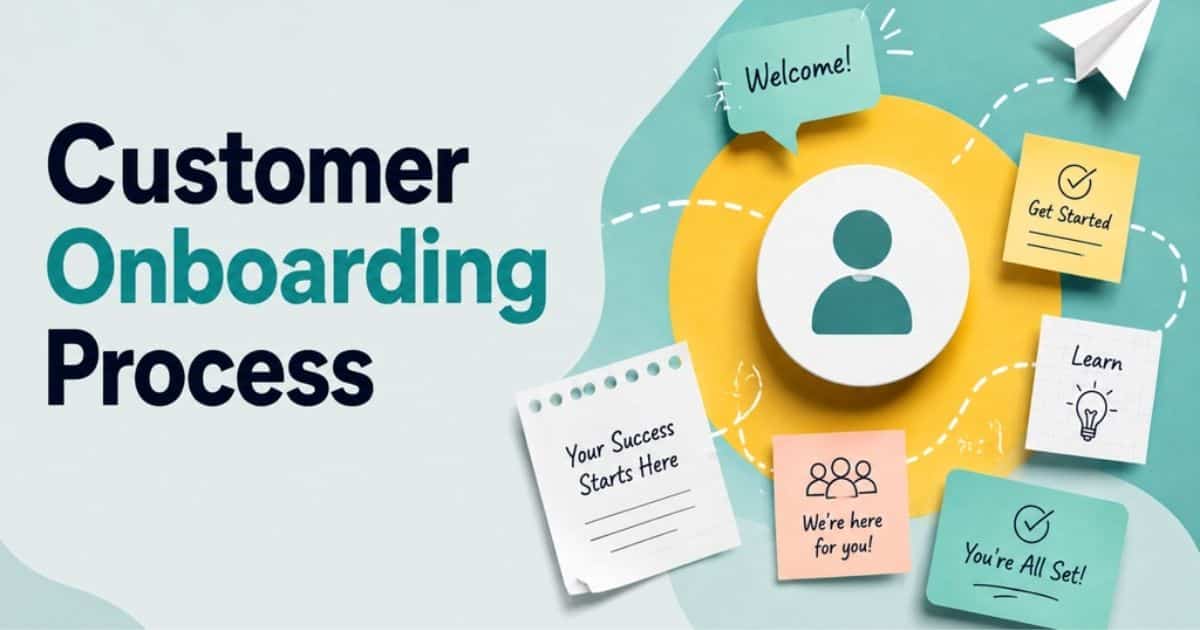
A customer onboarding process turns a signed deal into a successful customer relationship. It gives new customers clear next steps, sets expectations, and helps them reach value without unnecessary friction. For lean teams, a structured process also reduces repetitive work and keeps sales, customer success, and support aligned.
A typical onboarding process covers the sales handoff, customer goals, assigned responsibilities, key milestones, follow-ups, and progress tracking. CRM software for modern sales teams can bring those activities into one place while helping teams automate routine tasks.
Poor onboarding can create confusion, delay time to value, and increase early churn. Clear ownership, simple workflows, timely communication, and relevant customer data help teams create a smoother experience without adding unnecessary complexity.
What Is A Customer Onboarding Process
A customer onboarding process is a structured set of steps that helps new customers successfully start using a product or service. It usually begins after a purchase and guides customers toward their first meaningful outcome. A successful customer onboarding process may include goal setting, product guidance, training, follow-ups, and progress tracking.
The customer success team often manages these activities to support customer success and improve customer satisfaction. Effective onboarding also creates a smoother experience throughout the customer lifecycle, helping customers understand the product, adopt key features, and build long-term value.
Why The Sales-to-Onboarding Handoff Breaks Down

Sales-to-onboarding handoffs often fail because important customer context gets lost between teams. Unclear ownership, weak communication, and delayed follow-ups can damage the onboarding experience before new customers take their first steps.
Incomplete Customer Information
Sales conversations often reveal valuable details about a customer’s goals, expectations, challenges, and preferred use cases. When those details stay with the sales team, onboarding specialists may have to start from scratch. Customers then repeat information they already provided.
Complete records give the onboarding team a clearer view of the customer journey. CRM notes and mentions can capture customer feedback, requirements, and commitments made during the sale. Better context also helps connect the product or service with customer goals, creating a smoother onboarding experience.
Unclear Ownership After The Deal
The deal may be closed, but onboarding still needs a clear owner. Without one, sales might assume customer success has taken over while the customer success team waits for a formal handoff. Small delays can quickly become frustrating for new customers.
Clear responsibility removes that uncertainty. Teams can assign ownership for kickoff calls, setup tasks, follow-ups, and milestone reviews. Lean teams can also use CRM workflows to make responsibilities visible. Strong accountability supports customer retention and contributes to higher customer lifetime value.
Misaligned Customer Expectations
Customers usually enter an onboarding journey with specific expectations about outcomes, timelines, support, or product capabilities. Problems arise when sales promises and onboarding realities do not match. Even a capable product or service can create frustration when expectations were never aligned.
Sales and onboarding teams should document important commitments before the handoff occurs. Clear milestones help customers understand what comes next and what they can realistically achieve. Regular customer feedback can then reveal gaps early, giving teams time to adjust the onboarding strategy.
Missing Handoff Processes
Without a defined handoff process, teams often rely on individual habits. One customer may receive detailed context, while another gets little more than a name and contact record. Such inconsistency makes the onboarding journey harder to manage as the customer base grows.
A repeatable handoff should specify what information sales provides, when the transfer occurs, and who is responsible next. CRM automation can create tasks, move records, and trigger notifications without constant manual coordination. Standardization also makes key onboarding metrics easier to monitor.
Delayed Follow-Up After The Sale
The first few days after a purchase can strongly influence the onboarding experience. Silence after the deal leaves new customers unsure about what happens next. Delays can also reduce momentum before they have a chance to experience meaningful product value.
Quick communication keeps the customer journey moving. A welcome message, kickoff invitation, or clear next step can reassure customers that their onboarding is already underway. CRM follow-up automation can handle routine reminders, while personal outreach addresses important questions and customer feedback.
Who Owns Customer Onboarding?
Customer onboarding is usually owned by the customer success team, although sales, implementation, and support may handle specific responsibilities. Ownership depends on the product, customer segments, and complexity of the onboarding journey.
For lean teams, one person should remain accountable for keeping tasks, communication, and milestones on track. Clear ownership matters because customer onboarding is important for early product adoption, customer satisfaction, and long-term customer lifetime value. Customer onboarding strategies should also reflect different customer needs rather than forcing every account through the same path.
A customer-centric onboarding process gives customers clear expectations while making internal responsibilities easy to understand. Customer onboarding software can support that structure by assigning tasks, automating reminders, tracking progress, and keeping customer information accessible across teams.
How To Build A Customer Onboarding Process Inside Your CRM

A CRM can turn a scattered client onboarding process into a repeatable system. Clear goals, assigned tasks, milestones, and timely follow-ups help teams create effective onboarding while giving customer success managers better visibility, especially when built on a scalable CRM implementation.
Define The Customer’s Onboarding Goal
Every customer should start with a clear outcome. A new user may need to complete setup, learn core features, or reach a specific business result. Recording that goal in the CRM gives the team a practical reference point throughout onboarding.
Customer goals can also vary across segments, so avoid treating every account the same. A strong contact management CRM foundation ensures those differences are captured and visible. The goal should guide the customer onboarding program, from the first conversation to the point where onboarding success becomes measurable. Clear goals also help customer success managers understand what progress should look like.
Create A Standard Onboarding Workflow
A standardized workflow gives every client onboarding process a clear structure without making the experience rigid. CRM stages can cover welcome communication, setup, training, adoption, and completion. Each stage should have a defined action and expected outcome.
Templates can make effective onboarding easier to repeat across new users and existing customers. Teams can adjust the workflow when customer needs differ, but the core process should remain consistent. Good best practices reduce guesswork and help teams deliver a more reliable onboarding experience.
Assign Owners And Responsibilities
Onboarding involves more than one person in many organizations. Sales may provide customer context, while customer success managers handle setup, training, and follow-ups. Support teams may step in when technical questions arise. Without clear ownership, important tasks can easily fall between teams.
CRM task assignments make responsibility visible from the start. Each activity should have an owner and, where useful, a deadline. Clear accountability and structured lead and customer management in CRM help teams respond faster to customer signs of confusion or inactivity and keep the entire customer relationship better coordinated.
Set Milestones And Completion Criteria
Milestones give customers and internal teams a shared definition of progress. A milestone might involve completing setup, activating a key feature, attending training, or reaching a specific product outcome. Each one should connect directly to the customer’s onboarding goal.
Completion criteria also make onboarding success easier to measure. Customer success managers can use CRM stages and customer interaction tracking to see which accounts have reached each milestone and which ones remain stuck. Clear checkpoints help teams identify problems early instead of waiting until the customer onboarding program is nearly complete.
Automate Routine Follow-Ups
Routine follow-ups can consume significant time when teams manage many accounts manually. CRM automation can trigger welcome messages, reminder emails, task assignments, and internal alerts based on customer activity or workflow stages.
Automation should support the human side of client onboarding, not replace it. Personal outreach still matters when a customer needs guidance or shows signs of difficulty. Smart automation gives customer success managers more time for conversations that require judgment while keeping routine communication consistent.
Track Customer Progress In Your CRM
Progress tracking gives teams a real-time view of where each customer stands. CRM records can show completed tasks, missed milestones, communication history, and product activity. Customer signs such as inactivity or repeated support requests can help teams spot accounts that need attention.
Teams should review progress throughout the onboarding journey rather than only at the end. Data from the CRM can reveal where new users commonly slow down and where existing customers need additional support. Those insights help refine best practices and improve the entire customer relationship.
Customer Onboarding Metrics To Track

Customer onboarding metrics show whether customers are progressing toward value or getting stuck along the way. The right measures help reduce repetitive tasks, improve onboarding materials, and reveal whether customers feel supported throughout the experience.
Time To Value
Time to value measures how long customers take to reach a meaningful outcome after onboarding begins. A shorter timeframe often indicates that customers understand the product, complete essential steps, and reach their intended goals without unnecessary friction.
Clear success criteria make time to value easier to measure. A welcome email, focused onboarding materials, and timely guidance can also help remove early barriers. Faster progress toward value can strengthen customer loyalty and create a more positive first impression.
Onboarding Completion Rate
Onboarding completion rate shows the percentage of customers who finish the required onboarding steps. A high rate suggests that the process is clear and manageable, while a low rate may point to confusing tasks, poor communication, or unnecessary complexity.
CRM workflows can highlight where customers stop progressing, while project management tools can organize tasks and reduce repetitive work. A well-planned CRM implementation ensures those workflows are aligned with your onboarding process. Feedback from incomplete accounts may also reveal whether the process feels too complicated or fails to keep customers engaged.
Customer Activation Rate
Customer activation rate measures how many customers reach the actions that indicate meaningful product adoption. The exact action depends on the product. It might involve creating a project, inviting teammates, completing setup, or using a core feature.
Activation provides a stronger signal of onboarding quality than completion alone. A customer might finish the onboarding materials without understanding the product or reaching a meaningful outcome. Clear success criteria and direct customer feedback help determine whether activation actually reflects value.
Time To First Value
Time to first value measures how quickly a customer experiences an initial benefit from the product or service. The first value does not need to represent the customer’s final goal. It should be an early outcome that demonstrates practical value.
Better onboarding materials, clearer instructions, and timely communication can shorten the path to that first result. Even a simple welcome email can give customers a useful first action. When customers reach value sooner, they are more likely to stay engaged and develop stronger customer loyalty.
Onboarding Drop-Off Rate
Onboarding drop-off rate shows how many customers stop progressing before completing important onboarding steps. A high drop-off rate can signal confusing workflows, excessive tasks, weak follow-ups, or a gap between customer expectations and the actual experience.
Drop-off patterns can reveal exactly where the onboarding experience loses momentum. Customer feedback may explain whether people feel overwhelmed, unsupported, or unsure about the next step. Comparing drop-off with activation and completion rates can expose the weakest parts of the onboarding journey.
Common Customer Onboarding Mistakes To Avoid

Customer onboarding mistakes can create friction before customers fully understand a product or service. Weak handoffs, unclear goals, and poor follow-up can reduce customer engagement, hurt retention, and make successful customer onboarding harder to achieve.
Poor Sales-to-CS Handoffs
Sales teams often hold important customer context that customer success teams need after a deal closes. When that information gets lost, onboarding clients may need to repeat their goals, requirements, or expectations. The experience can quickly feel disconnected.
A clear handoff should include customer goals, promised outcomes, key contacts, and relevant conversations. CRM workflows can keep that information accessible and help teams create an effective onboarding process, especially when CRM adoption challenges and best practices are addressed early. Better coordination also strengthens the ongoing relationship and gives customer success teams more context.
Too Much Information At Once
Customers can struggle when onboarding delivers too many instructions, features, documents, and training sessions at the same time. Information overload can make the product feel more complicated than it actually is. It can also reduce customer engagement during the earliest stage.
Successful customer onboarding should focus on what customers need first. Break training into smaller steps and introduce advanced features later. Short onboarding materials, guided tasks, and timely communication can help customers understand the product without feeling overwhelmed.
No Clear Customer Goal
Onboarding becomes harder to manage when customers do not know what they are expected to achieve. Teams may focus on completing internal tasks rather than helping customers reach a meaningful outcome. Customer onboarding matters because early progress often shapes long-term product adoption.
Start by defining a specific customer goal and connecting onboarding activities to it. Customer success teams can then measure progress against relevant key metrics. Clear goals also make it easier to identify whether onboarding is delivering value or simply moving customers through a checklist.
Manual Follow-Up
Manual follow-up can become a major burden when teams manage many customers at once. Important reminders may get delayed, routine tasks can consume valuable time, and some customers may receive inconsistent communication. Such gaps can weaken customer engagement.
CRM automation can help teams automate repetitive tasks such as reminders, task creation, and routine emails. Human outreach should still handle complex questions and important customer moments. Avoiding common CRM implementation mistakes helps maintain that balance and keeps communication consistent while giving teams more time to support customers.
Lack Of Progress Visibility
Teams cannot easily improve onboarding when they cannot see where customers are in the process. A lack of visibility can hide missed tasks, stalled accounts, and customers who need additional support. Problems may only become obvious after customer engagement has already declined.
CRM records can provide a shared view of onboarding stages, completed activities, and outstanding actions. Teams can connect that information with key metrics to identify patterns and improve workflows. Better visibility also helps protect customer retention rate by making intervention possible before accounts become disengaged.
No Post-Onboarding Check-In
Onboarding should not end the moment a customer completes the final setup task. Without a follow-up conversation, teams may miss unresolved questions, adoption challenges, or opportunities to strengthen the ongoing relationship. Customers may also assume support becomes less available after onboarding.
A post-onboarding check-in allows teams to collect feedback and confirm whether the customer reached the intended outcome. Customer testimonials can also reveal what worked well. Continued engagement after onboarding supports customer retention and helps turn a successful onboarding experience into long-term loyalty.
Customer Onboarding Tools And Integrations To Connect

The right onboarding tools help lean teams guide customers without creating extra manual work. Connected systems can improve onboarding effectiveness, keep customers informed, and help teams deliver a consistent user onboarding experience from sale to long-term success.
CRM
A CRM gives teams a central place to manage customer information, onboarding stages, tasks, and communication history. Key features such as custom fields, workflows, task assignments, and activity tracking can keep important onboarding details connected to the sales process.
Customer success teams can use CRM data to guide customers through the right next steps. Account activity also provides useful context when customers need help. Better visibility into organized sales pipelines and activities supports successful onboarding while helping teams understand the value of your product throughout the entire relationship.
Email And Communication Tools
Email and communication tools with strong CRM email integration help teams keep customers informed before, during, and after onboarding. Welcome emails, meeting reminders, product tips, and milestone updates can create a predictable communication rhythm without requiring every message to be sent manually, especially when paired with modern sales communication tools.
Personalized communication can also help engage customers at important moments. Teams can use customer data and email tracking CRM features to send relevant guidance based on onboarding progress, product usage, or specific needs. Consistent communication makes user onboarding easier and helps customers understand what to do next.
Customer Support Platforms
Customer support platforms give new customers a clear place to ask questions and report problems during onboarding. Ticket management, knowledge bases, live chat, and response tracking are among the key features that can support a smoother onboarding experience.
Quick access to help can prevent small issues from becoming major adoption barriers. Support teams can guide customers through setup problems and common questions while onboarding teams monitor recurring issues. Shared customer context also helps create a more connected experience across the entire relationship.
Product Analytics
Product analytics tools show how customers actually interact with a product after onboarding begins. Usage data and sales automation insights can reveal which features customers use, where they stop, and whether they reach important activation points. Such insights provide a practical view of onboarding effectiveness.
Usage patterns can also help teams guide customers toward features that deliver more value. For example, low engagement with a key feature may indicate a need for better education or targeted outreach. Product data turns user behavior into actionable insights for successful onboarding.
Automation And Integration Tools
Automation and integration tools connect onboarding activities across different systems. They can move customer data between platforms, create tasks, trigger notifications, and start follow-up sequences when specific actions occur. Email, calendar, and contact integration reduces repetitive work and improves process consistency.
A connected workflow also keeps customers informed without requiring constant manual coordination. For example, a completed sales process can trigger an onboarding task automatically. Strong CRM adoption strategies plus better integration help teams engage customers at the right time while giving them more opportunities to focus on delivering the value of your product.
How Lean Teams Can Improve Customer Onboarding

Lean teams do not need complex systems to deliver effective onboarding. Choosing CRM tools that fit your workflow and a well-designed onboarding process can simplify customer interactions, reduce manual effort, and give support teams enough structure to create a smooth onboarding experience.
Standardize Repeatable Onboarding Workflows
A repeatable workflow gives every customer a clear sequence of actions, from initial setup to activation. Structured onboarding also makes it easier to define responsibilities, deadlines, and checkpoints without rebuilding the process for every account.
Templates can cover common steps such as account setup, welcome communication, and training sessions. A setup wizard can guide customers through basic configuration, while internal workflows handle tasks that require human attention. Flexibility still matters when customer needs differ.
Automate Routine Customer Follow-Ups
Routine follow-ups can quickly become a burden when a small team manages many accounts. Automated reminders, emails, and task assignments can keep onboarding moving without requiring someone to remember every customer interaction.
Automation works best when it supports, rather than replaces, personal communication. For example, an email can remind customers about an upcoming training session, while a support team member handles questions that require context. CRM with email integration makes such coordination easier and keeps customers informed without overwhelming staff.
Keep Customer Tasks Simple And Focused
Customers are more likely to complete onboarding when each step feels manageable. Too many forms, instructions, or setup requirements can create friction before customers understand the product’s value. Simplicity should guide the entire onboarding experience.
A setup wizard can break complex configuration into smaller actions and show customers what comes next. Short instructions can also make it easier to understand how customers interact with important features. Focused tasks reduce confusion and help maintain momentum.
Give Every Customer A Clear Success Path
Customers need to understand what successful onboarding looks like. A clear success path connects early actions with the outcomes customers expect from the product. Without that direction, completing tasks can become the goal instead of achieving meaningful value.
Customer context should shape the path. One account may need training sessions, while another may require a faster setup process and product guidance. A structured onboarding approach can accommodate those differences while keeping milestones and expectations easy to understand.
Use CRM Data To Spot Onboarding Gaps
CRM data can reveal where customers slow down, miss tasks, or stop responding during onboarding. Activity records, completed milestones, communication history, and account details give teams useful customer context for identifying recurring problems.
Patterns become more useful when reviewed across multiple accounts. Support teams may notice repeated questions, while customer-facing teams may find certain steps causing delays. Those insights can help refine the onboarding process, improve workflows, and create a smoother onboarding experience.
Final Discussion
A strong customer onboarding process does not need a large team or complicated system. Clear ownership, simple workflows, timely communication, and measurable milestones can help lean teams create a smoother experience. CRM automation can handle repetitive work while giving customer-facing teams better visibility into each account.
The most effective approach keeps the customer’s goals at the center of every step. Track where customers progress, where they struggle, and when they reach value. Use those insights to refine your onboarding process over time. When sales, customer success, and support work from the same customer context, onboarding becomes more consistent and easier to scale.
FAQs
How Do You Create A Customer Onboarding Checklist?
Start with the actions customers must complete to reach their first meaningful outcome. Include account setup, key product steps, training, required information, milestone dates, and follow-up tasks. Assign an owner to each internal task and define what completion means.
What Should Happen After Customer Onboarding Is Complete?
The customer should move into an ongoing success phase with clear goals and continued support. Review whether they reached the expected onboarding milestones, confirm that key features are being used, and identify any remaining questions. A follow-up check-in can also uncover opportunities to improve adoption and customer satisfaction.
How Can You Personalize Onboarding Without Adding Manual Work?
Use customer data to create different onboarding paths based on needs, use cases, company size, or product requirements. CRM workflows can automate routine emails, reminders, task assignments, and milestone updates. Personal outreach can then focus on customers who need guidance rather than repeating the same steps for everyone.
When Should Customer Onboarding Begin After A Sale?
Customer onboarding should begin as soon as practical after the sale, ideally with a clear handoff before the customer loses momentum. Sales should transfer relevant goals, expectations, requirements, and commitments to the onboarding owner. A welcome message can then confirm the next steps and establish a clear starting point.
How Do You Know If An Onboarding Process Is Too Complex?
High drop-off rates, repeated questions, missed milestones, and long delays can indicate excessive complexity. Customer feedback can reveal where people feel confused or overwhelmed. Review each onboarding step and remove actions that do not contribute to product adoption, customer goals, or a meaningful outcome.