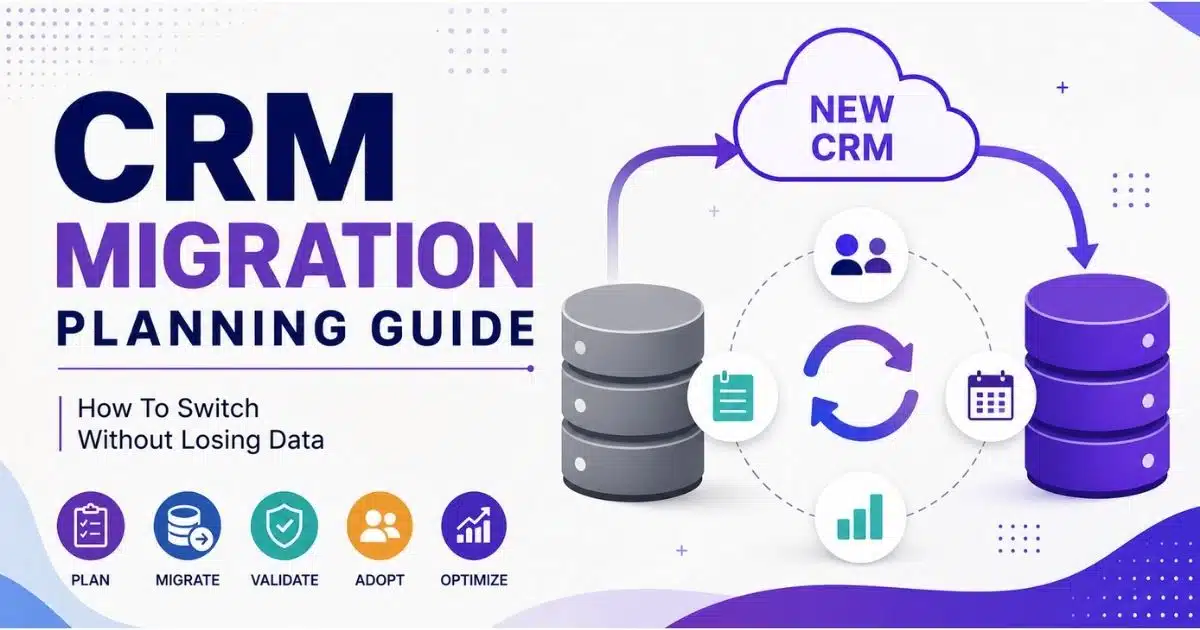
A CRM migration can improve sales visibility, streamline workflows, and support long-term business growth, but only when it is planned and executed carefully. Moving from one CRM software platform to another involves more than transferring records. Teams must protect data quality, preserve critical relationships, maintain integrations, and prepare users for new processes.
Without a structured approach, organizations risk data loss, reporting issues, and reduced user adoption. A well-defined CRM migration checklist helps reduce these risks by providing clear steps for planning, testing, validation, and deployment. This CRM migration planning guide explains how to move customer, sales, and operational data safely while maintaining business continuity.
By following proven migration practices, organizations can achieve a successful migration and maximize the value of their new CRM platform without disrupting day-to-day operations.
What Is CRM Migration And Why Careful Planning Matters
CRM migration is the process of transferring an organization’s customer data, workflows, and business processes from one CRM platform to another, ensuring that all critical components are accurately mapped and functional in the new environment. In practice, CRM data migration is not just exporting contacts from an old CRM and importing them into a new CRM . It includes moving accounts, leads, contacts, opportunities, activities, notes, attachments, custom fields, reports, automations, permissions, and integrations.
A customer relationship management CRM platform often becomes the operating system for sales. That means a migration process touches customer relationships, revenue forecasts, sales follow-ups, deal history, and marketing automation data. If existing CRM data is incomplete, duplicated, or poorly structured, moving data without cleanup can create weak data accuracy in the new CRM system from day one.
When It Is Time To Switch CRM Systems
It may be time to leave an existing CRM system when license costs keep rising without added value, reps avoid the CRM system and use spreadsheets, reports cannot be trusted, integrations break often, or the platform cannot support new sales motions. Security or compliance gaps around sensitive data are another strong signal.
CRM dissatisfaction is common. Workbooks research cited by Digit FYI found that more than 60% of sales and marketing leaders feel stuck with underperforming CRM systems, while only 31% believe their CRM does the job. Still, not every problem requires a new CRM. Some common challenges in CRM come from weak training, poor configuration, or unclear ownership rather than a bad platform.
A practical rule is simple: if three or more warning signs apply, start evaluating a new CRM system early. Confirm the business case first so the CRM migration creates clear upside instead of risk for its own sake.
How Long CRM Migration Typically Takes
Small teams with clean customer data and minimal integrations may finish in 1 to 3 weeks. Mid-market teams with moderate customization, several sales tools, and meaningful historical data often need 8 to 12 weeks. Large businesses with complex data structures, multiple regions, strict compliance, and many integrations can need 4 to 6 months or more.
Duration depends on data volume, data quality issues, number of integrations, custom objects, regulatory requirements, and internal resource availability. Underestimating the time and resources required for a CRM migration can lead to delays and budget overruns, as many migrations take longer than initially anticipated due to data volume and complexity.
Start planning 6 to 12 months before a renewal or major restructuring. Build 20% to 30% slack for API limits, data anomalies, unexpected approvals, and newly discovered workflows.
Risks Of Poorly Planned CRM Migrations
Weak planning can cause data loss, broken automations, data corruption, missed sales follow-ups, inaccurate forecasts, and compliance issues around consent or retention. Data loss is a significant risk during CRM migration, often occurring due to improper backups or errors in the data transfer process, which can disrupt business operations.
Data corruption can happen during CRM migration if data is not correctly mapped or transformed, leading to inaccurate or unusable data in the new system. Common examples include contacts attached to the wrong accounts, lost activity history, invalid stage values, or integrations that silently stop writing sales emails and meetings to the right records.
System downtime is a common challenge during CRM migration, which can negatively impact customer service and business operations if not managed properly. Treat the project as core revenue infrastructure with executive sponsorship, not a side task handed entirely to IT.
Key Outcomes A Well Planned CRM Migration Should Deliver
A successful CRM migration improves data quality, supports better sales performance, and ensures a smooth transition with minimal disruption to business processes. The best outcomes include cleaner CRM data, faster reporting, better pipeline visibility, consolidated customer history, fewer manual tasks, and more reliable forecasting.
Define success metrics before work begins. Examples include duplicate rate below 1% to 2%, required data fields completed on more than 95% of active records, weekly active user adoption, forecast accuracy, and sales cycle length. These metrics guide what to migrate CRM data for, what to archive, and which workflows to redesign.
A well-executed CRM migration can lead to significant long-term savings by improving efficiency, reducing manual tasks, and enhancing customer satisfaction, which can translate into increased sales and higher profits.
Core Concepts: Data Migration, Data Integrity, And User Adoption
Data migration is the technical movement of records and configuration. Data integrity means records remain correct, complete, consistent, and connected after transferring data. User adoption means sales teams use the new CRM in daily work, from logging sales conversations to updating opportunities and scheduling follow-ups, and strong adoption is what turns CRM into a strategic revenue-generating system for modern sales teams.
Many migrations move the data but fail commercially because users do not trust the migrated data or the new workflow adds effort. A successful CRM data migration requires rigorous planning, data cleansing, and user adoption strategies. The technical and human sides must move together.
Assess Current CRM Systems And Define Migration Objectives
The first 2 to 3 weeks of a CRM migration should focus on discovery, alignment, and requirements. A successful CRM migration requires careful planning, including a thorough assessment of the current CRM system, defining migration objectives, and assembling a cross-functional migration team to ensure all perspectives are represented.
Audit Your Existing CRM Landscape
Audit existing data to evaluate the quality, age, and relevance of current records before migration. A pre-migration data audit should catalog CRM instances, connected marketing tools, email and calendar tools, finance systems, custom fields, reports, dashboards, and record volumes.
Ask practical questions: What share of opportunities have no owner? How many contacts have invalid emails? Which outdated records have not been touched in years? Poor data quality in the existing CRM system can lead to migration failures, as issues like duplicate records and incomplete data fields can carry over to the new system.
Map Business Processes And Pain Points
Document how leads become qualified opportunities, how reps manage follow-ups, how managers review pipeline, and how marketing automation passes engagement signals into sales. The goal is not to copy the old process. It is to identify where the existing CRM helps and where it creates friction.
For example, if reps enter the same customer data into two systems, the new CRM solution should remove that duplication and directly support how CRM improves sales productivity. If pipeline stages are unclear, the new sales process should make stage movement easier and more consistent so the CRM genuinely helps teams manage leads throughout the sales process.
Define Clear Migration Objectives And Scope
Turn audit findings into specific goals: reduce duplicates by 50%, preserve three years of sales activity, consolidate two regional systems into one CRM system, or improve forecast accuracy. Objectives should cover data integrity, stable data integration, better reporting, and stronger user adoption.
Prioritize scope as must-have, nice-to-have, and later phase. This keeps the CRM migration strategy focused and protects the go-live date from scope creep.
Assemble Your CRM Migration Team And Governance
Successful project planning involves defining specific objectives and assembling a dedicated team. Include an executive sponsor, project manager, CRM admin, data specialist, sales operations lead, marketing representative, finance input, and power users from the sales team so the project can deliver measurable outcomes like faster deal cycles and better forecast accuracy.
Set governance rules early. Decide who approves field names, report retirement, access permissions, and integration priorities. Clear ownership prevents delays when tradeoffs appear.
Document Non-Negotiable Requirements And Constraints
Record legal, technical, and operational constraints before design begins. This includes data residency, retention, single sign-on, audit needs, mandatory reports, and data security requirements.
Ensure security compliance with regulations like GDPR and HIPAA during data transfer. Assessment of hidden costs is essential in CRM migration projects, including consulting fees and dual-licensing while the old and new systems overlap.
Design Target CRM Architecture And Migration Strategy
Design the future state before any bulk data load, especially around your sales pipeline CRM structure so stages, fields, and views match how deals actually move. A good migration strategy defines data structures, sales workflows, integration behavior, permissions, and the user experience in the new CRM.
Select Or Confirm The New CRM Platform
Choose a crm platform based on requirements, not generic feature lists. Look at usability, reporting, mobile access, integration options, customization limits, API capacity, and security controls. Cloud CRM remains dominant, with Sopro reporting that cloud CRM accounted for 58.2% of CRM revenue in 2024 in its CRM statistics roundup, and comparisons such as Gain.io vs Salesforce CRM can clarify which cloud approach best fits your team. Verify that all third-party tools and software are compatible with the new CRM system before committing to the final design.
A successful CRM migration starts with selecting a platform that aligns with long-term business goals. Future scalability, vendor support, implementation complexity, and adoption requirements should all influence the final platform decision.
Design The Data Model And Field Strategy
Define standard objects such as accounts, contacts, leads, and deals. Then decide which custom objects are truly needed and which legacy fields can be retired. Avoid field clutter, duplicate status fields, and overloaded fields that mix multiple meanings. Strong data structures make data mapping easier and improve data quality after go-live. Required fields should support sales decisions, not create busywork.
Well-structured CRM data improves reporting accuracy, automation reliability, and user adoption. Consistent field definitions help teams maintain cleaner records while reducing confusion caused by duplicate or unnecessary information.
Plan Your Integration And Surrounding Systems
Map each current connection: email, calendar, marketing automation, proposal tools, finance data, analytics, and other revenue systems. Decide what to rebuild, simplify, or remove. Good data integration reduces point-to-point sprawl and helps every sales conversation, meeting, and opportunity update land in the right place.
Integration planning prevents operational disruptions after migration, especially for critical channels like CRM with email integration that power day-to-day sales communication. Reviewing dependencies early helps teams identify critical workflows, eliminate redundant connections, and create a more efficient technology ecosystem around the CRM.
Choose A Data Migration Pattern And Phasing Approach
A big bang cutover moves everyone at once. A phased approach moves by team, region, or data domain, and can be tailored for specific segments such as retail sales teams using CRM tools. A phased execution of the migration helps avoid disruption of business operations, especially when open opportunities and active customers carry the highest risk, which is particularly useful for startups and small sales teams adopting CRM. Most mid-sized teams should run at least one test migration before final cutover. Higher-risk records, such as open deals and active customers, should be validated first, with older historical data moved later or archived.
Testing migration phases reduces risk and provides opportunities to identify issues before full deployment. Incremental validation helps ensure critical records remain accurate while minimizing disruption to daily operations.
Define Security, Access, And Compliance In The New CRM
Set role-based access, field-level security, and audit logging before loading data. Sensitive data, such as financial details or regulated personal information, should only be visible to approved roles. Test permissions during trial runs so migrated data inherits the right visibility. Data security should be part of design, not a final checklist item.
A proactive security framework helps organizations maintain compliance, protect customer information, and reduce unauthorized access risks. Establishing governance policies early ensures data remains secure throughout the migration process and beyond.
Prepare, Cleanse, And Map Data For Migration
Preparation is where a CRM data migration project succeeds or fails. Data quality issues are one of the biggest risks in a CRM data migration project, as poor data can lead to migration failures and weak data accuracy in the new CRM system.
Run A Detailed Data Audit And Profiling Exercise
Profile completeness, duplicates, consistency, age, and relevance across accounts, contacts, leads, deals, activities, and notes. Segment existing data into must migrate, archive, and remove.
Sopro reported in 2026 that 76% of organizations say less than half of their CRM data is accurate and complete. That is why teams must prioritize data quality before the actual migration process begins.
Cleanse, Standardize, And De-Duplicate Records
Data cleansing involves removing expired contacts, merging duplicates, and fixing formatting errors, which is especially important when migrating messy Excel-based customer data into a CRM. Data cleansing is a critical step in the CRM data migration process, as it involves removing outdated, duplicate, or irrelevant data to ensure that only high-quality data is transferred to the new CRM system.
Standardize phone numbers, addresses, capitalization, lead source, industry, segment, and stage values. If two company records share the same domain, choose the most complete and recent record as primary, then merge history carefully. An Optif.ai example described reducing a database from 480,000 to 320,000 contacts and avoiding about $18,000 per year in CRM fees, showing how cleanup can reduce cost as well as risk.
Develop A Robust Data Mapping Specification
Develop a detailed mapping document that aligns fields from the old CRM to the new one. A strong data mapping file should include source field, destination field, data type, transformation rule, default value, owner, and required status.
This document should also cover relationships, such as contact-to-account links, parent accounts, opportunity owners, and activity history. The best practices CRM data migration teams follow always include business review of the mapping, because field names alone rarely explain sales meaning.
Set Up Staging, Backups, And Validation Rules
Backup all legacy data before initiating the migration process. Keep secure copies of the old CRM, exports, and transformed files with clear restore steps.
Use staging for data extraction, data transformation, and validation before loading into production. Define thresholds for missing fields, duplicate counts, and relationship errors. Automated checks help verify data accuracy faster than manual review alone.
Plan How To Handle Historical Data And Attachments
Not every record belongs in the new CRM. Decide how much historical data to migrate, what to archive, and whether large files should move or remain available through secure references.
A CRM data migration checklist should document archive location, access rules, retention periods, and how archived information connects to active sales records. Focusing on data quality is a critical best practice during CRM migration, as bringing messy data into the new system can lead to unreliable outcomes and decreased user adoption.
Execute, Test, And Cut Over To The New CRM System
Execution turns planning into a working sales environment. The actual migration process typically involves three main steps: extraction of data from the current system, loading it into the new CRM system, and verification to ensure that the data has been accurately transferred and all fields are correctly populated.
Conduct Trial Migrations And Dry Runs
Test migrations with a small representative sample of data to check for errors before the final transfer. Use sample data from multiple teams, deal stages, record ages, and custom field patterns. A test migration should expose mismatched picklists, missing relationships, slow loads, and transformation errors. Fix the issue log, rerun the process, and repeat until results are stable.
Multiple test cycles improve confidence in the migration process and reduce the likelihood of unexpected issues during production deployment. Early detection of mapping or transformation problems saves significant time and effort later.
Validate Data Quality And Integrity In The New CRM
Compare record counts, key fields, owner assignments, activities, notes, and relationships between source and destination. Validation should confirm not only that records exist, but that sales teams can use them in views, reports, and pipeline dashboards. Conduct final audits after migration to ensure data integrity and system functionality. Maintaining data integrity after the load protects trust in the new CRM.
Accurate validation helps ensure users can immediately rely on the new CRM environment. Reliable data improves reporting, forecasting, customer management, and overall confidence in day-to-day business operations.
Test Workflows, Automations, And Integrations End To End
Run real sales scenarios: new lead created, sales follow-up assigned, meeting scheduled, opportunity opened, quote activity logged, deal closed, and forecast updated, including vertical-specific workflows such as those used by real estate agents with CRM tools. Test email, calendar, marketing automation, and reporting flows. Use real sample records rather than configuration screens only. This confirms that the CRM supports business operations and does not just store data.
End-to-end testing verifies that critical business processes continue functioning after migration. Successful workflow testing reduces operational disruptions and helps users transition smoothly to the new CRM platform.
Plan And Execute The Cutover Strategy
Choose a low-volume go-live window and communicate it clearly. System downtime should be planned for during the final cutover of CRM migration, with owners assigned for each step. A cutover runbook should cover system freeze, final exports, final loads, validation, go or no-go decision, and user communication. Limited parallel use of old and new systems for 2 to 4 weeks can reduce risk, but rules must state where new data is entered.
A structured cutover approach minimizes confusion and ensures every stakeholder understands their responsibilities. Clear communication and documented procedures help teams manage the transition with greater confidence and control.
Establish Backup, Rollback, And Contingency Plans
Keep tested backups and define rollback criteria before final cutover. If critical revenue records are missing or core workflows fail, the team needs a documented decision path. Temporary manual processes may be acceptable for a short window, but they must be controlled. The aim is a smooth transition, not uncontrolled shadow systems.
Well-defined contingency planning reduces business risk and provides a safety net during migration. Teams can respond quickly to unexpected issues while maintaining continuity across sales, customer management, and operational processes.
Drive User Adoption And Change Management Around The New CRM
Prioritizing user experience during a CRM migration is crucial, as most migrations fail when the new system adds complexity or extra work for users. A successful CRM migration requires careful planning and execution, including a thorough needs assessment and stakeholder involvement to ensure all requirements are met, especially for revenue teams implementing a modern B2B sales CRM system.
Engage Stakeholders Early And Often
Involve sales leaders, reps, marketing, finance, and operations from discovery through rollout. Regular demos help users see how the new CRM solves real pipeline problems. Champions from each sales group can test layouts, challenge assumptions, and support peers after launch.
Early stakeholder involvement builds trust, reduces resistance to change, and increases user buy-in, which is essential to avoid common CRM adoption challenges and mistakes. Teams are more likely to adopt the new CRM when they contribute feedback and see their requirements reflected in the final solution.
Design The User Experience Around Real Workflows
Page layouts should match how reps sell: manage leads, log calls, update opportunities, add notes, send follow-ups, and schedule demos, all anchored in robust contact management to build stronger relationships. Remove unnecessary clicks and fields. When the CRM makes daily selling easier through a simpler sales workflow, data accuracy improves because reps keep records current.
A workflow-focused design reduces friction and encourages consistent system usage. Users can complete tasks faster, maintain cleaner records, and spend more time on revenue-generating activities rather than administrative work.
Build A Structured Training And Onboarding Plan
User adoption can be enhanced through adequate training and change management strategies during CRM migration. Train by role, not by feature list. Reps need practice with pipeline updates and follow-up tasks. Managers need dashboards and forecast views. Leaders need confidence in reporting.
Role-based training improves learning outcomes because users focus on the tools and processes most relevant to their responsibilities, and it is a core element of effective CRM adoption strategies to improve ROI. Practical training sessions help teams become productive more quickly after go-live.
Support Users Intensively During The First Weeks Post Go Live
The first 2 to 4 weeks matter. Provide office hours, quick guides, and fast answers to data questions. Implementing comprehensive change management is essential for CRM migration success, as it helps bridge the gap between launching the CRM and integrating it into daily workflows.
Immediate post-launch support helps resolve issues before they affect productivity. Quick assistance, clear guidance, and accessible resources give users confidence while adapting to new workflows and system processes.
Measure Adoption And Reinforce Desired Behaviors
Track logins, records updated, notes captured, tasks completed, pipeline stage movement, and dashboard use. Managers should run pipeline reviews from CRM data, not offline spreadsheets.
Adoption metrics provide clear visibility into how effectively teams use the CRM. Regular reviews and reinforcement encourage consistent behaviors, improve data quality, and help maximize long-term return on the migration investment.
Monitor, Improve, And Sustain CRM Performance Post Migration
Post-migration success depends on continuous optimization rather than a one-time implementation effort, making it important to fully leverage smart CRM tools for sales teams that keep workflows simple as you improve. Regular monitoring, governance, and performance reviews help organizations maintain data quality, support user adoption, and ensure the CRM continues to align with evolving business requirements and growth objectives.
Establish Data Quality And Governance Routines
Schedule recurring audits for duplicates, missing fields, stale deals, and inconsistent values. Assign owners for lead source hygiene, pipeline stages, and report definitions.
Consistent governance prevents data decay and maintains confidence in CRM reporting. Defined ownership and regular reviews help teams identify issues early, enforce standards, and preserve the quality of customer and sales information over time.
Track Business Outcomes And Migration Success Metrics
Measuring and optimizing the CRM system post-migration is vital; teams should track adoption metrics, process metrics, and business outcomes to ensure the new system delivers value. Compare results after a 3 to 6 month stabilization period. Look at forecast accuracy, conversion rates, sales cycle length, and rep productivity.
Tracking outcomes helps determine whether migration objectives have been achieved. Performance metrics provide valuable insights into user adoption, operational improvements, revenue impact, and areas that may require further refinement or optimization.
Iterate On Processes, Automations, And Integrations
Use real usage data to refine automations and integrations, expanding automated sales tasks that save time while trimming workflows that slow reps down. Remove rules that slow sellers down. Prioritize enhancements that improve operational efficiency or reporting accuracy.
Continuous improvement ensures the CRM remains aligned with user needs and business goals. Small adjustments based on actual usage patterns often deliver meaningful gains in productivity, data accuracy, and overall system effectiveness.
Plan For Future CRM Changes And Scalability
Review architecture at least annually. Growth into new markets, new products, or new sales motions should not require another disruptive migration, especially for SaaS companies that benefit from a well-planned CRM data migration strategy.
Proactive planning helps organizations adapt to future requirements without significant disruption. Scalable CRM architecture supports expansion, accommodates changing business processes, and reduces the likelihood of costly redesigns or migrations later.
Capture Lessons Learned To Improve Future Projects
Run a retrospective and document lessons about data preparation, validation, training, vendors, and communication. These lessons become the foundation for future CRM changes.
Documenting lessons learned creates institutional knowledge that benefits future initiatives. Teams can avoid repeating mistakes, improve project planning, strengthen execution processes, and achieve better outcomes in subsequent CRM-related projects.
How Gain.io Supports Successful CRM Migration And Revenue Operations
Gain.io helps sales teams treat CRM migration as a revenue operations upgrade, not just a technical data move. As a sales CRM, Gain.io all-in-one CRM focuses on contact management, visual sales pipelines, sales task management, notes and collaboration, email integration for sales conversations, and calendar management for sales activities.
During a migration, Gain.io can help teams centralize relevant data around leads, prospects, customers, deals, notes, emails, meetings, and follow-ups. That visibility helps teams preserve data integrity, reduce manual work, and create cleaner sales workflows after the move.
After go-live, Gain.io supports post-migration support through practical sales visibility: pipeline activity, contact context, deal notes, follow-up tasks, and calendar-driven sales execution. For teams that want one dependable CRM built around selling, Gain.io helps turn a successful CRM migration into better focus, stronger follow-through, and more confident revenue planning.
FAQs
How Much Budget Should We Allocate For A Typical CRM Migration?
Budget depends on users, data volume, customization, integrations, compliance, and cleanup needs. Small teams may spend less, while mid-market projects often require meaningful investment in internal time, outside expertise, tooling, training, and dual-licensing. Plan for hidden costs such as consulting, temporary overlap between systems, extra data cleansing, and post-migration support.
Should We Use A CRM Vendor Or A Third-Party Migration Partner?
A CRM vendor knows its own platform well and may provide native tools. A third-party partner may be better when the project includes multiple systems, complex data structures, data integration, or process redesign. Choose based on relevant experience, references, documentation quality, testing method, and support after go-live. Many teams use a hybrid model with internal owners guiding sales process decisions.
How Do We Handle CRM Migration Across Multiple Teams Or Regions?
Start by aligning definitions. “Account,” “customer,” “lead,” and “opportunity” must mean the same thing before moving into one CRM system. Use staging to consolidate, deduplicate, and normalize data before final migration. A phased rollout by team or region can reduce risk while still moving toward one shared sales view.
What If We Discover Serious Data Problems?
Triage by business impact. Fix open opportunities, active customers, ownership errors, and missing activity history before low-value archive records. Use backups, audit logs, and retained exports to repair records safely. Avoid mass manual edits without rules, because they can create new challenges in CRM data.
How Can We Future Proof Our CRM Migration?
Keep data structures simple, integrations documented, and governance active. Avoid unnecessary custom fields and brittle custom code when configuration can meet the need. Run regular health checks on data quality, adoption, performance, and reporting. A durable CRM setup gives sales teams room to grow without another disruptive move.