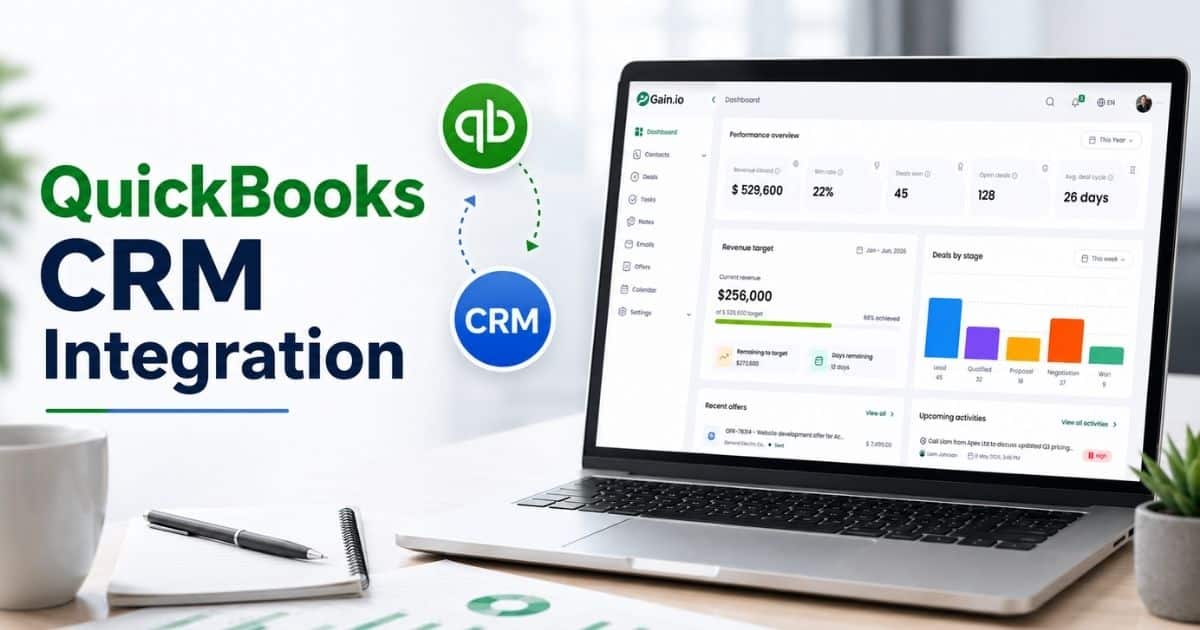
TL;DR: Nucleus Research found 50% of teams improved productivity using a mobile CRM, and 65% of mobile-CRM companies hit quota versus 22% without one. This guide covers 7 specific workflows that save the most time, how to build them, and how to measure the productivity gain.
Sales representatives continue to spend over half their workweek on tasks that do not involve direct selling. Data entry, logging customer interactions, updating deal stages, and chasing internal approvals consume upwards of 50 to 60 percent of a rep’s time, leaving fewer hours for prospecting and closing deals. This pattern persists even with modern CRM systems in place, creating a gap between technology investment and actual productivity gains.
This page focuses on 7 specific, ready-to-build workflows. For the general case for automating admin work, see our guide on reducing sales admin work; for follow-up sequencing specifically, see CRM follow-up automation.
CRM workflow productivity addresses this challenge by transforming your customer relationship management platform from a passive data repository into a proactive assistant. Through automation, conditional triggers, and standardized business processes, sales teams can eliminate repetitive tasks that drain selling time. The result is shorter sales cycles, better data accuracy, and more time spent on revenue-generating activities.
What Is A Time Saving CRM Workflow
A time-saving CRM workflow is a rules based sequence within your CRM platform that automatically performs predefined actions when specific conditions are met. These workflows operate on trigger condition action logic, eliminating manual work that slows down your sales process.
Consider a practical example. When a lead submits a form from a recent webinar, the workflow triggers assignment to the appropriate sales development representative within two minutes, initiates an email nurture sequence, and logs the activity. This reduces first response times from hours to minutes and improves connection rates significantly.
Unlike broader CRM automations focused on marketing campaigns or general reporting, these workflows target high friction points that directly impact selling time. They support SDRs, AEs, and account managers by addressing handoffs, idles, and follow ups. Beyond time savings, automated CRM workflows enforce data hygiene through required fields and standardized picklists, making pipeline visibility reliable for accurate forecasting. The trigger action structure also reduces context switching, where reps can lose up to 20 minutes each time they shift between tasks.
Top 7 Time Saving CRM Workflows Productivity For Sales Teams
This section covers seven practical workflows that sales and marketing teams can implement to reclaim hours each week. Each workflow follows a consistent structure covering its purpose, ideal trigger, automated steps, and expected time savings.
1. Instant Lead Routing And First Response Workflow
This workflow automatically distributes new leads from web forms, LinkedIn Lead Gen Forms, or event registrations to the optimal SDR based on territory, company size, or product interest signals. The trigger activates upon lead creation with filters like industry equals SaaS or company size falls between 50 and 500 employees.
Automated actions include assigning an owner via round robin or skills based routing, updating lead status to new, creating a same day call task, and sending a personalized thank you email within five minutes. When companies drop response times from four hours to under 15 minutes, connection rates increase by approximately 30 percent and qualified meetings from event leads rise by 25 percent, demonstrating how a well-implemented CRM helps sales teams manage leads more effectively.
Gain.io centralizes these incoming channels and applies routing rules that integrate with your existing CRM tools, bringing many of the core CRM automation benefits for sales and growth while preventing the lead leakage that affects a significant portion of inbound leads when manual processes are used.
2. Sales Qualified Lead Hand Off To Account Executive Workflow
This workflow standardizes the transition from marketing qualified to sales qualified leads based on BANT criteria covering budget, authority, need, and timeline. The trigger fires when an SDR updates the lead or opportunity stage to SQL or marks a qualification checkbox after a discovery call.
Automated steps create a new opportunity record, assign it to a territory matched account executive, generate a follow up task due within 24 hours, and post a summary in a shared sales channel with key details like pain points and next steps. The workflow also auto attaches call transcripts and discovery responses so AEs receive full context without hunting through customer records.
In distributed teams, this approach shortens handoff gaps from days to hours and reduces email back and forth by approximately 40 percent. Without automation, qualification drift causes more than a third of SQLs to stall due to poor handoffs.
3. Automated Meeting Follow Up And Recap Workflow
Connecting your CRM with calendar and meeting platforms enables a workflow that triggers every time a sales meeting ends. The workflow pulls attendee data, discussed topics, and next steps from meeting notes.
Automated actions populate a recap email template with dynamic inserts for meeting date, product modules covered, and action items. The email sends within one hour while the workflow creates due dated tasks for internal actions like sending pricing or sharing demo recordings. In Gain.io, reps customize only minor details rather than drafting emails from scratch.
For account executives handling five to seven follow ups daily, this automation saves 30 to 45 minutes each day. Teams report a 20 percent uplift in next meeting bookings when recaps arrive promptly, countering the follow up failures that result from delayed customer engagement.
4. Deal Stage Update And Stakeholder Notification Workflow
This workflow monitors opportunity stage or probability field changes and executes tiered actions for each transition. Triggers fire on updates such as moving from Discovery to Proposal Sent or from Negotiation to Closed Won.
Actions include notifying finance for deals exceeding specific annual contract value thresholds, alerting customer success on verbal commits, and auto adjusting close dates and forecast categories via formulas. On closed wins, the workflow spawns renewal tasks automatically.
This structure eliminates manager chase ups before pipeline reviews, where the majority of surprises arise from unlogged stage moves. With proper notifications, forecast error drops substantially, and sales managers save hours weekly on status checks.
5. Idle Opportunity Re Engagement Workflow
This workflow scans for opportunities with no activity logged for a defined period, typically 10 business days in mid funnel stages like Proposal or Negotiation. The trigger excludes closed records and evaluates logged calls, emails, or tasks.
Automated actions generate rep tasks, dispatch check in emails with value add content like case studies, or surface dashboard alerts. Cadences scale by deal size, with shorter intervals for smaller deals and longer intervals for six figure opportunities to match typical B2B buying cycles, and tools like Gain.io stand out when you compare Gain.io vs Salesforce CRM for simple, effective execution of these cadences.
Pipeline decay silently affects approximately 40 percent of opportunities. This workflow improves velocity by surfacing risks early and saves reps time otherwise spent on manual spreadsheet audits tracking stalled deals.
6. Renewal And Expansion Reminder Workflow
This workflow tracks contract dates stored in custom fields and triggers at 90 days before renewal or when usage crosses specific thresholds indicating expansion potential. Actions include creating preparation tasks for account managers, sending notifications, and emailing customers curated content about features released recently.
The workflow automatically attaches usage reports and NPS scores, providing instant context and preventing last minute scrambles that jeopardize a significant percentage of renewals. For SaaS teams, expansion signals like high utilization prompt upsell tasks that protect recurring revenue.
Account managers save approximately two hours weekly, and teams report retention improvements around 12 percent when these reminders are in place.
7. Sales Activity Logging And Data Hygiene Workflow
This workflow leverages integrations with email, calling tools, and marketing platforms to auto capture sends, clicks, call outcomes, and registrations as timeline events. This bypasses manual data entry that consumes over 20 percent of rep time.
Data hygiene extends to normalizing job titles via standardized libraries, enriching industries from enrichment sources, and flagging duplicate records created during data imports. Accurate customer data makes dashboards trustworthy and eliminates weekly cleanup sessions for RevOps teams.
Gain.io aggregates these activities centrally without requiring scattered integrations, yielding two to three hours of rep savings weekly while cutting error rates substantially.
How To Design And Implement Time Saving CRM Workflows
Effective CRM workflows improve productivity by reducing repetitive tasks and aligning business processes. A structured approach using automation tools, clear workflows, and data insights helps teams enhance efficiency, improve customer experience, and drive better results.
Identify Workflow Gaps And Bottlenecks
Start by auditing current processes using workflow management software to identify inefficiencies. Analyze where manual tasks slow down operations and where delays impact customer interactions. Understanding customer behavior helps teams pinpoint friction areas. This step improves operational efficiency and highlights opportunities to create workflows that simplify business processes while reducing dependency on repetitive manual work across teams.
Choose The Right Workflow Tools
Selecting the right workflow management tools ensures scalability and flexibility. Use project management software and automation tools that integrate with your CRM. These tools help manage data management processes, streamline communication, and improve seamless customer experience. Proper tool selection also supports integrating crm systems effectively, and following tips for choosing CRM tools that fit your workflow allows businesses to automate tasks while maintaining accuracy across different operational functions.
Build Automated And Scalable Workflows
Design workflows that automate tasks like lead routing, follow-ups, and updates. CRM workflow automation reduces manual intervention and improves workflow efficiency. Using workflow automation tools and automated systems ensures consistency across processes. Automated processes help teams save time, reduce operational costs, and allow sales reps to focus on high-value activities instead of repetitive administrative work, especially when guided by structured sales workflow automation strategies.
Align Workflows With Customer Needs
Workflows should reflect real customer behavior and expectations. Use insights to predict customer behavior and design customer service workflows that address customer inquiries efficiently. Updating customer records regularly ensures accurate customer information, supported by robust contact management to build stronger relationships. This alignment improves customer management, strengthens customer relationships, and ensures workflows deliver a seamless customer experience across all touchpoints.
Monitor Performance And Optimize Continuously
Track key performance indicators to evaluate workflow effectiveness. Monitoring metrics helps optimize workflows and improve enhancing efficiency across business operations. Regular analysis helps identify gaps and refine processes. Involving relevant team members ensures continuous improvement, while consistent updates help maintain efficient management and long-term workflow success.
How To Measure Productivity Gains From CRM Workflows
Measuring CRM workflow productivity helps teams understand efficiency, reduce wasted effort, and improve outcomes. Clear metrics, structured tracking, and aligned processes allow businesses to evaluate performance, optimize workflows, and support better decision-making across teams.
Define Clear Productivity Benchmarks
Start by defining measurable benchmarks for customer management and workflow performance. Track improvements in task completion speed, response time, and output quality. Use workflow management tools to establish baselines and compare results over time. Clear benchmarks help teams understand how changes impact efficiency and ensure efforts align with business operations and overall performance goals.
Track Customer Interaction Efficiency
Monitor how quickly teams handle customer inquiries and complete customer follow ups. Faster responses improve customer relationships and enhance seamless customer experience. Analyzing customer behavior helps identify delays and inefficiencies. Tracking these interactions ensures workflows support better engagement while reducing manual tasks and improving overall service quality across teams.
Measure Workflow Performance Metrics
Use key performance indicators to evaluate workflow success. Metrics like completion rates, turnaround time, and error reduction provide insights into performance. Workflow efficiency improves when teams focus on optimizing processes and reducing bottlenecks. Monitoring these indicators helps teams identify gaps and improve operational costs while ensuring consistent results across different business functions, especially when paired with disciplined sales deal tracking for modern sales teams.
Analyze Process Improvements Over Time
Compare performance before and after workflow changes to measure enhancing efficiency. Look at reductions in manual tasks, improved turnaround time, and better data management practices. Project management tools support tracking progress and maintaining accountability. Continuous analysis helps refine workflows and ensures long-term improvements in productivity and efficiency.
Align Teams And Optimize Continuously
Ensure relevant team members stay aligned with workflow goals and performance expectations. Integrating crm systems improves coordination across departments and supports efficient management. Regular reviews help teams optimize workflows and adapt to changing needs. This alignment strengthens collaboration, improves output quality, and ensures workflows deliver consistent productivity gains over time.
Common Challenges When Scaling CRM Workflows
Scaling CRM workflows introduces complexity across teams, systems, and processes. Without proper structure, businesses face inefficiencies, data issues, and misalignment. Addressing these challenges helps maintain performance, improve coordination, and support sustainable growth, which is where a well-designed sales automation CRM for growing sales teams becomes critical.
Tool Fragmentation And Integration Issues
Using multiple workflow management systems without alignment creates silos and inefficiencies. CRM workflow automation often fails when tools do not connect properly. Integrating project management software, lead management systems, and a CRM with email integration to streamline sales communication ensures smoother operations. Poor integration impacts customer service workflows and reduces overall effectiveness, making it harder to scale processes efficiently across teams.
Data Inconsistency And Management Problems
Incomplete or outdated customer information creates confusion across teams. Without proper data management, updating customer records becomes inconsistent. Workflow efficiency depends on accurate data, and errors can impact decision-making. Strong processes ensure reliable data flow, improve customer support, and maintain consistency across all systems and touchpoints within the organization.
Over Reliance On Automation Systems
While crm workflow automation improves efficiency, excessive dependence on automated processes can reduce flexibility. Automated systems may fail to handle unique customer service workflows or complex cases. Balancing automation with human input ensures better outcomes. Teams need to monitor workflows and adjust when necessary to maintain quality and effectiveness.
Lack Of Clear Process Ownership
Scaling workflows without defined ownership leads to confusion and delays. Efficient management requires clear accountability across project management and operational teams. When roles are unclear, workflows break down and performance suffers. Assigning responsibility ensures better coordination and helps teams manage increasing complexity as operations expand, supporting stronger sales time management for sales teams.
Difficulty Maintaining Workflow Consistency
As workflows grow, maintaining consistency becomes challenging. Variations in processes affect quality and customer support outcomes. Ensuring standardized workflows across teams helps maintain performance. Regular reviews and updates help teams adapt while preserving structure, allowing businesses to scale efficiently without compromising service quality or operational efficiency.
How Gain Io Supports Time Saving CRM Workflows
Gain.io provides sales teams with the infrastructure to build and orchestrate CRM workflows without complex custom code or scattered integrations. As an all-in-one CRM to grow your sales and team, the platform connects to popular CRMs and sales tools, centralizing triggers like new leads, stage changes, meeting completions, and renewal dates.
Visual workflow builders let teams create automated workflows using drag and drop interfaces. Reusable step templates accelerate setup for common actions like notifications and task creation, while guardrails prevent conflicting automations that disrupt efficient business processes, all powered by Gain.io features and smart CRM tools for sales teams.
Teams can replicate all seven workflows outlined in this article inside Gain.io, then iterate quickly as playbooks evolve. The platform supports streamlining processes across the customer journey, from customer acquisition through customer onboarding to renewal. For sales organizations focused on pipeline management and closing deals, Gain.io delivers the workflow automation software needed to reclaim selling hours and maintain clean customer relationship management CRM data, helping you get more from your CRM with a simpler sales workflow.
Frequently Asked Questions
How Quickly Can A Sales Team Realistically See Time Savings
Most teams implementing two to three of the simpler workflows, such as instant lead routing and meeting follow up, see noticeable time savings within 30 days. Quantifiable improvements like lower response times and more consistent logging typically appear in CRM reports by the end of the first full sales cycle. Larger process redesigns involving complex approval flows may take a full quarter to stabilize, though they often deliver bigger long term productivity gains, similar to the impact seen in a sales acceleration case study using Gain.io.
Do Small Sales Teams Still Need Automated CRM Workflows
Even teams with only three to five reps benefit from automation because every hour saved can be redirected to prospecting or customer conversations. A small team handling inbound demos can use simple routing and follow up workflows to cover more leads without hiring, especially when supported by a purpose-built CRM for startups and small sales teams. For these groups, using a CRM for startups and small sales teams ensures workflows stay lightweight and practical. Starting with lightweight workflows early makes scaling easier as headcount grows, and the numerous benefits compound over time as customer relationships expand.
How Do We Prevent Automation From Feeling Robotic To Prospects
Combine automation with personalization by using templates that include dynamic fields from customer preferences while still allowing reps to edit messages before sending. Limit automated emails to early stage touchpoints in the sales funnel, then switch to more tailored outreach once prospects engage or book a meeting. Review email copy regularly to ensure it reflects current voice and product messaging rather than generic text that damages customer satisfaction, and make sure your CRM with email integration captures those conversations accurately.
What Skills Does Our Team Need To Maintain These Workflows
Teams need basic process mapping skills, familiarity with CRM configuration screens, and an internal owner, often in RevOps, to manage changes. Modern productivity tools like Gain.io reduce the need for coding by offering visual builders and reusable components well-suited to a structured B2B sales CRM for revenue teams. Light documentation ensures future administrators can understand logic and dependencies before modifying live workflows supporting various business functions.
How Often Should We Review And Update Our CRM Workflows
Schedule a structured review at least once every quarter, aligned with sales planning cycles. Trigger additional reviews whenever major changes occur, such as new products, pricing models, or target segments. Regular tuning prevents outdated rules from blocking deals, misrouting leads, or generating irrelevant notifications and helps maintain a healthy sales pipeline CRM for improved visibility and performance. Teams that skip these reviews see approximately 25 percent of automation failures stemming from staleness in their workflow management processes.