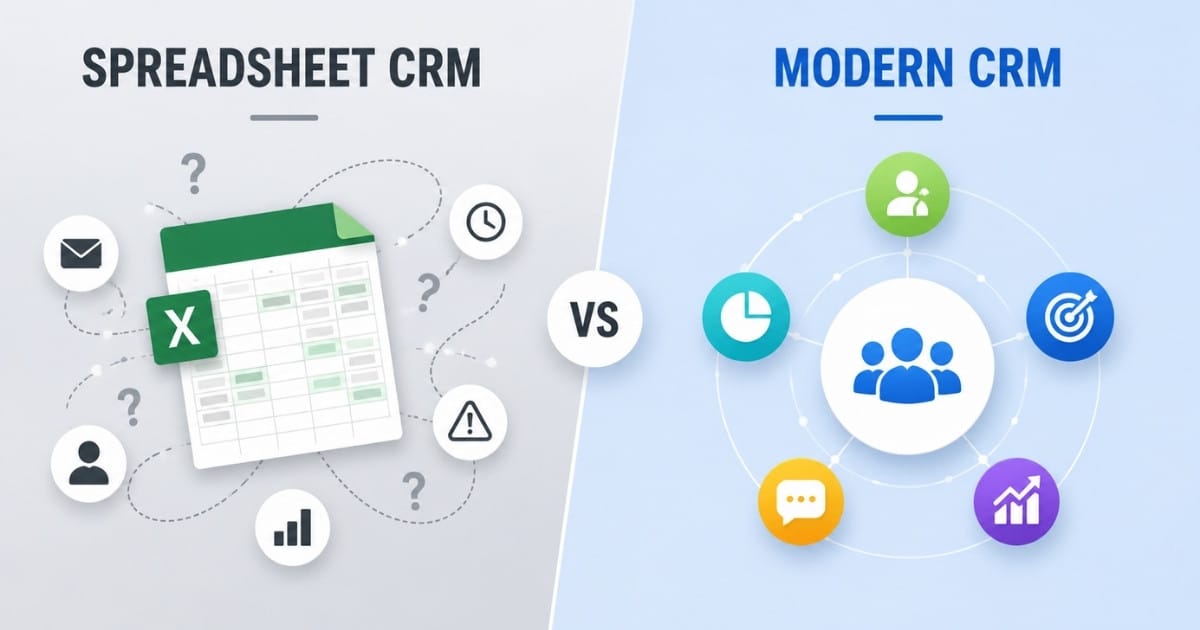
For most growing businesses, modern CRM is the better long-term choice because it reduces manual work, improves customer data accuracy, and gives sales teams a complete picture of customer relationships. Spreadsheet CRM can still work for very small teams that only need basic sales tracking and simple customer lists.
Choosing between spreadsheet CRM and modern CRM affects data management capabilities, team collaboration, automation potential, and scalability. The right choice depends on your business size, growth plans, and how much manual work your team can handle.
Below is a practical comparison of spreadsheet CRM versus modern CRM systems.
Spreadsheet CRM VS Modern CRM: Key Differences
The main difference comes down to manual data entry versus automated workflows. A spreadsheet CRM usually means managing customer data in Microsoft Excel, Google Sheets, excel sheets, or a CRM spreadsheet template. Modern CRM systems are dedicated, cloud-based platforms built specifically for customer relationship management.
Feature | Spreadsheet CRM | Modern CRM |
|---|---|---|
Data Storage | Stores data in manual spreadsheets | Stores data in a centralized database |
Data Accuracy | Higher risk of duplicate and outdated records | Built-in tools help maintain cleaner data |
Automation | Requires manual updates and follow-ups | Automates workflows, reminders, and tasks |
Team Collaboration | Limited real-time collaboration | Shared access across teams and departments |
Customer Tracking | Basic contact and activity tracking | Complete customer interaction history |
Reporting | Manual report creation | Real-time dashboards and analytics |
Scalability | Becomes difficult to manage as data grows | Designed to support business growth |
Integration Capabilities | Limited or no native integrations | Connects with business tools and applications |
Data Security | Relies on spreadsheet permissions and storage methods | Advanced security controls and user permissions |
Productivity | Time spent on repetitive administrative tasks | Streamlines processes and improves efficiency |
Data Management And Organization
How customer information is stored and accessed creates the foundation for relationship management. In a spreadsheet CRM, important data sits in rows, columns, tabs and formulas. In modern CRM platforms, customer data is connected across contacts, companies, deals, phone calls, meeting notes, emails, and support history.
Data Management Aspect | Spreadsheet CRM | Modern CRM |
|---|---|---|
Data Structure | Rows, columns, and tabs | Connected customer records |
Data Updates | Manual updates required | Automatic record updates |
Data Access | Search through multiple sheets | Centralized customer view |
Relationship Tracking | Formula-based data linking | Automatically linked records |
Data Consistency | Duplicate records common | Better data accuracy |
Scalability | Difficult with large datasets | Built for business growth |
Spreadsheet CRM Data Handling
Spreadsheet CRM stores customer data in rows and columns with manual entry requirements. Information stays static unless manually updated, and finding specific customer details requires scrolling, filtering, or checking multiple spreadsheets.
Data relationships between contacts, deals, and activities must be maintained through complex formulas or separate tabs. As businesses grow, spreadsheets become increasingly difficult to manage, leading to issues such as duplicate entries and conflicting information.
Spreadsheets do not support scalability; as data sets grow, spreadsheets become unwieldy and prone to errors, making spreadsheets unsuitable for managing large amounts of customer data. In 2024, 44% of businesses reported experiencing spreadsheet errors monthly, which can lead to lost opportunities and hinder revenue growth.
Modern CRM Data Management
Modern CRM creates dynamic customer profiles that automatically update from multiple touchpoints. Customer information links directly to emails, calls, meetings, purchase history, marketing campaigns and customer service conversations, especially when using Gain.io features — smart CRM tools for sales teams.
Relational databases connect all customer interactions without manual cross-referencing. CRM platforms can automatically capture new leads from various tools and update data as interactions occur, eliminating the need for manual data entry.
CRM systems centralize all customer information, allowing teams to access a complete view of customer interactions, which enhances collaboration and improves customer service. Unlike spreadsheets, a CRM makes it easier to know where deals stand, what happened last, and what should happen next.
Team Collaboration And Access
Multiple team members working with customer data creates different challenges in each system. A spreadsheet may keep a small team on the same page for a short time, but it becomes harder to trust as more sales reps, support staff, and managers edit the same sales data.
Collaboration Aspect | Spreadsheet CRM | Modern CRM |
|---|---|---|
Team Access | Shared spreadsheet access | Role-based permissions |
Activity Tracking | Limited change visibility | Real-time activity logs |
Data Ownership | Often unclear | Assigned ownership |
Internal Communication | External tools required | Built-in collaboration tools |
Task Management | Manual coordination | Automated task assignments |
Team Alignment | Information scattered | Shared customer timeline |
Spreadsheet CRM Collaboration
Spreadsheet CRM allows simultaneous editing but lacks strong real-time change tracking or conflict resolution. Team members can accidentally overwrite data, and version control becomes problematic with multiple editors, which is especially risky for customer-facing teams like those in retail that rely on CRM tools to stay organized.
Communication about customer activities happens outside the spreadsheet through separate channels. That means the sales team may use Google Workspace, chat apps, inboxes, calendar notes and multiple tools just to understand one customer relationship.
As businesses grow, spreadsheets become less effective for managing customer relationships due to limitations in scalability, automation, and collaboration. Even when Google Sheets or an Excel spreadsheet is shared correctly, duplicate data, missing follow-up notes, and unclear ownership can slow down closing deals.
Modern CRM Team Features
Modern CRM provides role-based access controls and real-time activity feeds. Team members see who performed actions and when, with built-in communication tools for customer-related discussions and CRM email integration that keeps conversations tied directly to customer records.
CRMs provide real-time updates and role-based access, allowing entire sales and support teams to work from the same live database securely. This helps managers, sales reps, and support teams access customer information without relying on outdated spreadsheet data.
Automated task assignments and notifications keep teams coordinated without manual coordination. CRM platforms offer comments, mentions, task ownership, shared timelines, and activity logs, so client relationships are not dependent on one person’s memory.
Automation And Workflow Capabilities
Business process automation determines how much manual work your team handles daily. This is where the difference between CRM vs spreadsheets becomes most visible, since effective sales automation benefits for higher conversion rates depend on tools that go far beyond basic formulas.
Automation Aspect | Spreadsheet CRM | Modern CRM |
|---|---|---|
Workflow Automation | Limited formulas only | Automated workflows |
Follow-Up Management | Manual reminders required | Automatic follow-up actions |
Lead Assignment | Manual distribution | Automated lead routing |
Email Automation | External tools needed | Built-in email sequences |
Task Creation | Manual task tracking | Automatic task generation |
System Integration | Limited connectivity | Connects business applications |
Spreadsheet CRM Automation Limits
Spreadsheet CRM offers basic formulas and conditional formatting but cannot automate customer communications or sales processes. Follow-up reminders require manual calendar entries or external tools.
Spreadsheets lack built-in project management capabilities, making it challenging to automate reminders and track task completion effectively. Lead routing, email sequences and pipeline updates need manual intervention for each customer.
A spreadsheet can support simple sales tracking, but it does not run the sales process. In 2024, sales reps were reported to waste an average of one hour daily on manual data entry, which can be significantly reduced through CRM automation features.
Modern CRM Automation Features
Modern CRM automates lead assignment, email campaigns and sales stage progression based on customer actions. Workflow triggers send follow-up emails, create tasks automatically and notify managers when deals need attention.
CRM systems can automate repetitive tasks such as lead assignments, follow-up reminders and customer onboarding emails, which enhances productivity for sales and support teams. CRMs automate repetitive tasks such as follow-up reminders and lead assignments, which increases productivity and allows sales teams to concentrate on high-impact activities.
Integration with marketing automation tools enables automated lead nurturing, drip email campaigns, scoring and targeted campaigns without manual intervention. When CRM tools integrate seamlessly with email, forms, calendars, and phone systems, CRM automation reduces repetitive tasks and gives teams more time for building relationships.
Reporting And Analytics
Understanding sales performance and customer trends requires different approaches in each system. Spreadsheets can calculate numbers, but modern CRM systems turn sales data into real-time dashboards and data-driven decisions with a few clicks.
Reporting Aspect | Spreadsheet CRM | Modern CRM |
|---|---|---|
Report Creation | Manual formulas and charts | Automated reports |
Dashboard Access | Static spreadsheets | Real-time dashboards |
Sales Forecasting | Manual calculations | Predictive forecasting |
Trend Analysis | Advanced spreadsheet skills needed | Built-in trend analysis |
Data Accuracy | Prone to reporting errors | More reliable insights |
Performance Tracking | Time-consuming updates | Instant performance visibility |
Spreadsheet CRM Reporting
Spreadsheet CRM requires manual chart creation and formula writing for basic reports. Sales forecasting depends on manual calculations and data manipulation.
Trend analysis needs advanced Excel skills and regular manual updates to maintain accuracy. If the source spreadsheet data contains duplicate entries, missing stages, or outdated values, the report becomes unreliable.
Spreadsheets are prone to human error, with 44% of businesses reporting spreadsheet errors monthly, which can lead to lost opportunities and inaccurate data management. Some research has also found that a large share of active spreadsheets contain critical errors, which is a serious risk when teams use spreadsheets for revenue forecasting.
Modern CRM Analytics
Modern CRM generates real-time dashboards showing pipeline health, conversion rates, and sales performance automatically. A dedicated sales pipeline CRM also improves visibility into deal stages, helping predictive analytics identify at-risk deals and growth opportunities.
Modern CRMs offer built-in reports that visualize sales pipelines, track close rates, and help forecast revenue. Sales Pipeline Management in CRMs uses visual, drag-and-drop pipelines to track deal stages, probabilities of closing, and expected revenue.
CRM systems provide sophisticated analytics and reporting capabilities that allow businesses to compare sales data across different years to identify seasonal trends in buying behavior. With CRM platforms, businesses can perform complex analyses to understand customer retention factors, such as the impact of timely feedback calls on repeat purchases.
CRMs enable the generation of accurate reports on team performance and sales metrics in a fraction of the time it would take to compile similar reports from spreadsheets. CRM platforms provide powerful reporting and analytics capabilities, enabling businesses to gain insights into sales performance and customer behavior, which aids in strategic decision-making.
Cost And Implementation Considerations
Budget and setup time often influence the initial choice between systems. Spreadsheet CRM looks cheaper at first, but the full cost depends on errors, missed follow-ups, duplicated work, and the time spent keeping records clean.
Cost Aspect | Spreadsheet CRM | Modern CRM |
|---|---|---|
Software Cost | Existing spreadsheet license | $20–$150 per user/month |
Setup Cost | Minimal upfront investment | Migration and setup costs |
Data Entry Cost | High manual effort | Reduced through automation |
Productivity Impact | More administrative work | Higher team efficiency |
Revenue Risk | Missed follow-ups and leads | Better opportunity tracking |
Return On Investment | Hidden long-term costs | Typically 2–4 month ROI |
Spreadsheet CRM Costs
Spreadsheet CRM has minimal upfront costs using existing Excel or Google Sheets licenses. For solo operators, freelancers, and very small businesses, spreadsheets work fine when the customer list is small and the sales process is simple.
However, hidden costs include time spent on manual data entry and lost opportunities from missed follow-ups. Employee productivity decreases as data volume grows and manual processes become unwieldy.
Manual cleanup can become incredibly time-consuming when a business grows past 100 to 200 active contacts, 20 to 30 active leads, or more than three to five people touching sales data. An HVAC contractor with an average job value of $1,200 losing three leads per month due to missed follow-ups can lose about $43,200 per year.
Modern CRM Investment
Modern CRM requires monthly subscription fees ranging from $20 to $150 per user based on features. Implementation costs include data migration, training, and initial setup time.
ROI studies show businesses typically recover CRM investments within 2-4 months through improved efficiency and sales performance. Using a CRM can reduce the time sales reps spend on manual data entry by over one hour per day, allowing sales reps to focus more on selling and building relationships with customers.
Moving from spreadsheets to a CRM also requires clean data. Before CRM adoption, teams should remove duplicate data, standardize field names, map sales pipelines, and decide who can edit sensitive customer information.
Security And Data Protection
Customer data security becomes increasingly important as businesses grow and regulations tighten. The question is not only who can open a file, but who can view, edit, export, share and recover customer information.
Security Aspect | Spreadsheet CRM | Modern CRM |
|---|---|---|
Access Control | Basic file permissions | Role-based access controls |
Data Encryption | Limited protection | Enterprise-grade encryption |
Audit Trails | Minimal change tracking | Detailed activity logs |
Data Backups | Manual backup processes | Automated backups |
Compliance Support | Manual compliance management | Built-in compliance tools |
Data Protection | Easily copied and shared | Strong security safeguards |
Spreadsheet CRM Security
Spreadsheet CRM relies on basic file sharing permissions with limited audit trails. Data backups depend on manual processes or basic cloud storage without advanced controls.
Compliance with GDPR, HIPAA and other regulations requires manual documentation and control processes. Spreadsheets can be easily shared, copied, downloaded, emailed or duplicated, which increases risk when sensitive customer information is involved.
A spreadsheet also makes it difficult to prove who changed a record and when. This becomes a serious data security issue if a customer asks about consent, deletion, access history, or incorrect information.
Modern CRM Security Features
Modern CRM provides enterprise-grade encryption, automated backups, and detailed audit logs. Role-based permissions control data access at granular levels.
CRM systems enhance data security by providing role-based access control, ensuring that only authorized personnel can access sensitive information. Unlike spreadsheets, which can be easily shared and duplicated, CRM platforms use encryption and automated backups to protect customer data from unauthorized access and data loss.
CRMs maintain an audit trail that tracks every change made to customer data, providing transparency and accountability that spreadsheets lack. CRMs enhance data security by providing role-based access control, encryption, and audit logs, which help protect sensitive customer information from unauthorized access.
Built-in compliance tools help businesses meet regulatory requirements automatically. Some CRM platforms also use security verification, performing security verification, a security service, and traffic checks to reduce exposure to malicious bots. When verification is successful, the system may allow access, while a failed check may generate a response ray id for investigation.
Spreadsheet CRM VS Modern CRM: Which Should You Choose?
Choose a spreadsheet CRM if you have fewer than 100 active customers, minimal team collaboration needs, and want to start customer management with existing tools. A CRM spreadsheet template can be enough when customer relationships are simple, follow-ups are rare, and one person owns the process.
Choose modern CRM if you need automation, have growing customer data, require team collaboration or plan to scale operations beyond basic tracking. Modern CRM systems are a stronger fit for growing businesses, mid-sized businesses, and teams that need sales pipelines, automated reminders, marketing campaigns, accurate reporting, and secure access control.
Both systems can work initially, but modern CRM becomes essential as businesses grow beyond basic customer management needs. For teams evaluating their options, a complete guide to CRM software for modern sales teams can clarify when it makes sense to move beyond spreadsheets and what features matter most. If your team is spending hours on data entry, losing visibility into deals, chasing updates across multiple tools, or struggling to make data-driven decisions, the spreadsheet is no longer just simple. It is limiting growth and more revenue.
Benefits Of Switching To A Modern CRM
Businesses that rely on spreadsheets often face limitations as customer data, sales activities, and team responsibilities grow. A modern CRM provides centralized data management, automation, and visibility that help teams work more efficiently and build stronger customer relationships, especially in CRM for startups and small sales teams that need simple, flexible tools as they grow.
Centralized Customer Information
A modern CRM stores all customer information in a single, organized platform. Contact details, communication history, sales activities, documents, and customer preferences remain accessible from one location through dynamic contact management for smarter relationship tracking.
Sales, marketing, and support teams can view the same customer records without searching through multiple spreadsheets or files. Better visibility helps teams deliver consistent customer experiences while reducing duplicate records and data silos, especially when using dynamic contact management for smarter relationship tracking.
Automated Sales And Follow-Up Processes
Manual follow-ups often lead to missed opportunities and inconsistent communication. Modern CRM platforms automate repetitive tasks such as lead assignments, email sequences, follow-up reminders, and deal stage updates.
Automation ensures prospects receive timely communication throughout the sales cycle. With CRM follow-up automation for better sales conversions, sales representatives spend less time on administrative work and more time engaging with potential customers, helping improve productivity and conversion rates.
Better Customer Experience
Customer expectations continue to increase across every industry. A modern CRM helps businesses deliver faster, more personalized interactions by providing instant access to customer information and previous conversations.
Teams can understand customer needs, respond more effectively, and provide relevant recommendations based on past interactions. Personalized communication strengthens trust, improves satisfaction, and encourages long-term customer loyalty.
Real-Time Performance Insights
Spreadsheet reporting often requires manual data collection and updates. A modern CRM offers real-time dashboards and analytics that provide immediate visibility into sales performance, pipeline health, and customer engagement.
Managers can monitor key metrics, identify trends, and make informed decisions without waiting for manual reports. Real-time insights help businesses respond quickly to changing market conditions and improve overall operational efficiency.
Improved Productivity Across Teams
A modern CRM streamlines collaboration by giving teams shared access to customer data, tasks, and workflows. Employees can track activities, assign responsibilities, and communicate more effectively within a single system.
Centralized processes reduce administrative burdens and eliminate unnecessary back-and-forth communication. As a result, teams complete tasks faster, maintain better alignment, and focus more time on revenue-generating activities that support business growth.
How To Transition From A Spreadsheet CRM To A Modern CRM
Moving from a spreadsheet CRM to a modern CRM requires careful planning and execution. A structured transition process helps protect data accuracy, improve user adoption, and minimize disruptions to daily operations.
Audit Existing Customer Data
A successful CRM migration begins with a thorough review of current customer data. Businesses should identify where customer records are stored, assess data quality, and determine which information needs to be transferred.
Review contacts, leads, opportunities, customer histories, and sales activities to uncover duplicate records, outdated information, and inconsistencies. A comprehensive audit provides a clear understanding of the data landscape and helps prevent migration issues later in the process.
Define Business Requirements And Goals
Before selecting or implementing a CRM, organizations should establish clear objectives. Understanding business needs helps ensure the new system supports current workflows and future growth plans.
Identify key requirements such as contact management, sales automation, reporting, customer support capabilities, integrations, and collaboration tools. Defining measurable goals also makes it easier to evaluate success after implementation and maximize the value of the investment.
Clean And Prepare Data For Migration
Data quality directly impacts CRM performance. Before importing information into the new platform, businesses should remove duplicate records, correct inaccuracies, standardize formats, and update outdated customer details.
A clean dataset improves reporting accuracy, enhances customer interactions, and reduces confusion for users. Preparing data properly also helps ensure a smoother migration process and minimizes the risk of errors once the CRM becomes operational.
Train Teams On The New CRM
Even the most advanced CRM will struggle to deliver results if employees do not understand how to use it effectively. Training should begin before the system goes live and continue throughout the adoption process.
Provide role-specific guidance for sales, marketing, customer service, and management teams. Practical training sessions, documentation, and ongoing support help employees build confidence and integrate the CRM into their daily workflows. Strong user adoption often determines the long-term success of a CRM implementation.
Monitor Adoption And Optimize Processes
CRM implementation does not end after migration. Businesses should continuously monitor system usage, employee engagement, and performance metrics to identify improvement opportunities.
Track user adoption rates, workflow efficiency, data accuracy, and reporting effectiveness. Gather feedback from teams to understand challenges and make necessary adjustments. Regular optimization ensures the CRM continues to align with business objectives while supporting productivity, customer relationships, and sustainable growth over time.
How To Transition From A Spreadsheet CRM To A Modern CRM
Moving from a spreadsheet CRM to a modern CRM requires careful planning and execution. A structured transition process helps protect data accuracy, improve user adoption, and minimize disruptions to daily operations.
Audit Existing Customer Data
A successful CRM migration begins with a thorough review of current customer data. Businesses should identify where customer records are stored, assess data quality, and determine which information needs to be transferred.
Review contacts, leads, opportunities, customer histories, and sales activities to uncover duplicate records, outdated information, and inconsistencies. A comprehensive audit provides a clear understanding of the data landscape and helps prevent migration issues later in the process.
Define Business Requirements And Goals
Before selecting or implementing a CRM, organizations should establish clear objectives. Understanding business needs helps ensure the new system supports current workflows and future growth plans.
Identify key requirements such as contact management, sales automation, reporting, customer support capabilities, integrations, and collaboration tools. Defining measurable goals also makes it easier to evaluate success after implementation and maximize the value of the investment.
Clean And Prepare Data For Migration
Data quality directly impacts CRM performance. Before importing information into the new platform, businesses should remove duplicate records, correct inaccuracies, standardize formats, and update outdated customer details.
A clean dataset improves reporting accuracy, enhances customer interactions, and reduces confusion for users. Preparing data properly also helps ensure a smoother migration process and minimizes the risk of errors once the CRM becomes operational.
Train Teams On The New CRM
Even the most advanced CRM will struggle to deliver results if employees do not understand how to use it effectively. Training should begin before the system goes live and continue throughout the adoption process.
Provide role-specific guidance for sales, marketing, customer service, and management teams. Practical training sessions, documentation, and ongoing support help employees build confidence and integrate the CRM into their daily workflows. Strong user adoption often determines the long-term success of a CRM implementation.
Monitor Adoption And Optimize Processes
CRM implementation does not end after migration. Businesses should continuously monitor system usage, employee engagement, and performance metrics to identify improvement opportunities.
Track user adoption rates, workflow efficiency, data accuracy, and reporting effectiveness. Gather feedback from teams to understand challenges and make necessary adjustments. Regular optimization ensures the CRM continues to align with business objectives while supporting productivity, customer relationships, and sustainable growth over time.
Why Businesses Choose Gain.io For Modern CRM Management
Businesses looking for a modern CRM solution often prioritize simplicity, efficiency, scalability, and ease of adoption. Gain.io focuses on helping organizations manage customer relationships through a centralized platform that supports sales, customer data management, team collaboration, and workflow efficiency, offering an all-in-one CRM to grow your sales and team.
A modern CRM should make it easier to organize customer information, track interactions, automate routine tasks, and gain visibility into business performance. Platforms like Gain.io are designed to support growing teams without adding unnecessary complexity to daily operations.
For companies moving away from spreadsheet-based processes, having a structured CRM environment can improve data accuracy, strengthen collaboration, and create more consistent customer experiences. With a focus on helping teams get more from their CRM with a simpler sales workflow, Gain.io aims to help businesses streamline customer management while providing the tools needed to support productivity, operational visibility, and long-term growth in an increasingly competitive market.
Frequently Asked Questions
What Are The Main Differences Between Spreadsheet CRM And Modern CRM?
Spreadsheet CRM uses Microsoft Excel, Google Sheets, or a CRM spreadsheet template for basic customer tracking with manual data entry. Modern CRM uses CRM software built for workflow automation, customer relationship management, sales pipelines, reporting, and collaboration. The key differences are structure, automation, and scale.
When Should I Switch From Spreadsheet CRM To Modern CRM?
Switch when you manage over 100 active contacts, have more than 20 to 30 active leads, need team collaboration features, want automated follow-ups, or require detailed sales reporting. You should also switch when multiple people update customer information, and the team no longer trusts the sales data.
How Much Does Modern CRM Cost Compared To Spreadsheet CRM?
Spreadsheet CRM costs are minimal upfront if you already use Microsoft Excel, Google Sheets or Google Workspace. The hidden cost is the time lost to manual data entry, reporting, cleanup, and missed sales opportunities. Modern CRM usually costs $20 to $150 per user monthly, depending on CRM features, integrations, and automation depth.
Can I Import My Spreadsheet CRM Data Into Modern CRM?
Yes, most crm systems allow imports from Excel and CSV files. Before moving spreadsheets to a CRM, clean your spreadsheet data by removing duplicate entries, standardizing fields, fixing formatting, and deciding which columns should become contacts, companies, deals, activities, or notes. A clean import helps the new CRM create a complete picture of customer relationships.
Is Spreadsheet CRM Secure Enough For Customer Data?
Spreadsheet CRM may be acceptable for a very small customer list with limited sensitive data, but it is not ideal for regulated or growing teams. Spreadsheets usually lack detailed audit logs, granular permissions, encryption controls, and automated compliance workflows. Modern CRM platforms offer stronger data security through role-based access, encryption, audit logs, and automated backups.