
Feature
Structured Ticket Creation And Management For Support Teams
Every customer message becomes a structured ticket inside one centralized ticket management system built to reduce confusion and response delays.
- Turn conversations into organized support tickets instantly
- Direct tickets to the right agent clearly
- Monitor progress from start to finish
- Keep complete conversation records securely
- Stay organized as request volume increases
14-day free trial · No credit card
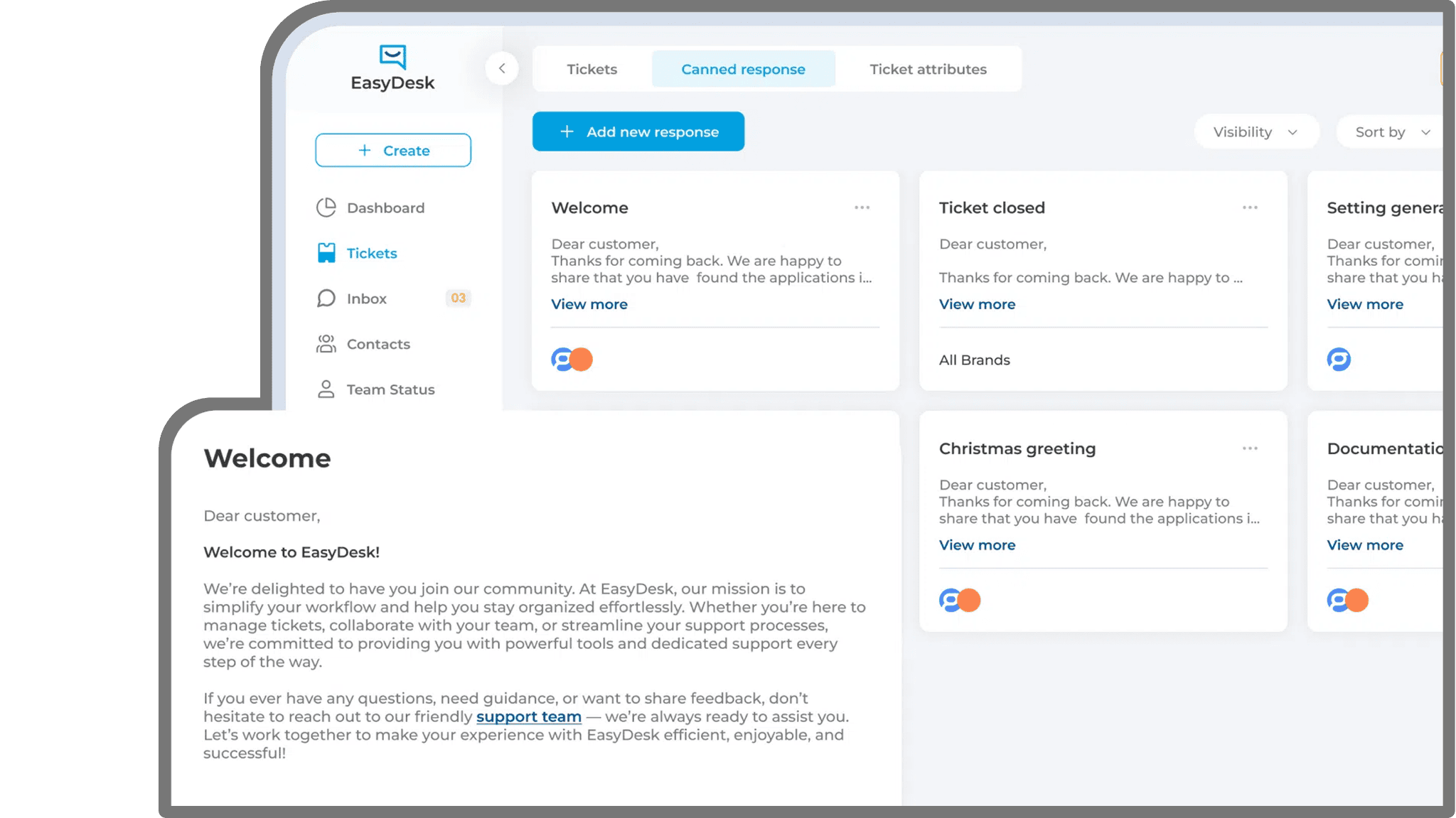
Ticket Disorganization Slows Customer Issue Resolution
Lack of structured ticket control creates confusion that weakens team efficiency and delays timely customer support delivery.
Fragmented Support Communication
Requests enter through different channels. Agents must collect scattered details manually before replying. That delay slows productivity and causes avoidable communication errors.
Undefined Responsibility Gaps
Ticket ownership is sometimes unclear. Agents hesitate or repeat the same work. That leads to slower replies and weaker accountability across support teams, reducing overall service efficiency significantly.
Limited Status Transparency
Inconsistent updates prevent teams from clearly understanding which tickets remain active, pending, or completed at any moment across support operations daily.
Context Spread Across Threads
Important details often remain separated across messages, requiring customers to restate information and increasing overall resolution time during many support interactions.
Weak Priority Structure
Urgent issues mix with routine inquiries when prioritization lacks structure, lowering responsiveness and weakening overall customer trust and satisfaction levels significantly.
Insufficient Performance Tracking
Managers lack structured ticket tracking software. Response efficiency becomes harder for teams to measure. Workload imbalance across agents also becomes difficult to identify clearly.
Gain.io – Ticket Creation And Management For Organized Support
Gain.io centralizes every customer request within a powerful helpdesk ticketing system. Each ticket receives defined ownership, visible status, and preserved conversation history so teams resolve issues instead of coordinating tasks.
Automatic Ticket Conversion
Customer messages from email, chat, or forms instantly become tickets inside your ticket management system. Every request enters one organized queue without manual entry.
Clear Assignment Control
Each new ticket reaches the right agent or team automatically. Clear ownership inside the ticket management system prevents confusion and helps customers receive faster responses.
Continuous Ticket Tracking
Agents track ticket progress clearly inside the support ticket system. Everyone knows which requests remain open, pending, or resolved, helping customers receive updates.
Unified Communication Record
Every message, reply, note, and attachment stays connected within one ticket. Agents see the full conversation history, so customers never need to repeat information again.
Organized Priority Handling
Priority labels highlight urgent requests immediately inside the ticketing system. Support teams respond faster to critical issues while routine questions continue moving smoothly.
Actionable Reporting Tools
Built-in reports show ticket volume, response speed, and resolution performance. Managers use insights from ticket tracking software to improve service quality and team efficiency.
Structured Ticket Control That Improves Support Speed
Unclear processes delay service delivery. A reliable ticketing system introduces clarity, responsibility, and measurable improvement across support operations.
- 100%VISIBLE REQUEST TRACKING
Complete Issue Accountability
Every interaction enters the ticket management system automatically, ensuring nothing remains hidden. No request stays unresolved, missed, delayed, or lacking proper follow-up.
- REAL-TIMEPROGRESS CLARITY
Instant Status Awareness
Ticket tracking software provides up-to-date progress visibility, helping managers evaluate workload distribution immediately.
- UNIFIEDCONVERSATION HISTORY
Centralized Customer Context
Customer support ticket software preserves full interaction records, eliminating repeated explanations and improving service consistency.
- 50%REDUCED WORK OVERLAP
Stronger Ownership Structure
Clear assignments within the support ticket system prevent duplicate handling and improve coordination between agents.
- 40%FASTER RESPONSE SPEED
Quicker Customer Replies
Defined workflows inside ticket management software help agents respond rapidly with full access to customer context. Ownership clarity stays strong across every support interaction stage.
- ScalableSUPPORT FOUNDATION
Controlled Growth Stability
As ticket volume rises, the ticketing system maintains structure and performance without increasing operational confusion. It ensures consistent workflows, faster resolution times, and better team coordination overall.
Advanced Ticket Management Features For Efficient Support
Unified Multi-Channel Capture
Customer requests from email, chat, and forms automatically become tickets inside the ticket management system. Every message enters one organized queue without manual sorting.
Flexible Status Management
Custom ticket statuses match your real support workflow stages. Teams clearly understand whether requests are open, pending, or resolved, helping customers receive accurate progress updates.

Direct Agent Allocation
Each ticket routes directly to the responsible agent or team. Clear assignment inside the support ticket system reduces confusion and helps customers receive quicker assistance.

Consolidated Interaction Records
Every reply, attachment, and internal note stays connected within one ticket. Agents instantly see the full conversation, so customers never repeat the same information again.

Structured Priority Queues
Priority labels highlight urgent tickets clearly inside the ticketing system. Teams address critical issues quickly while routine requests continue moving smoothly through the queue.

Performance Monitoring Dashboard
Dashboards show ticket volume, response speed, and resolution performance clearly. Managers use insights from ticket tracking software to improve service quality and team efficiency.

Organized Ticket Management Across Every Support Stage
- 01
Instant Ticket Generation
Customer communication from supported channels converts into structured tickets automatically, capturing all necessary details.
- 02
Defined Ownership Assignment
Each ticket moves directly to the correct agent or team, establishing responsibility immediately.
- 03
Ongoing Status Monitoring
Updates, internal notes, and responses remain attached within the ticket, ensuring full visibility throughout progress.
- 04
Organized Resolution Record
After completion, tickets close with complete documentation stored securely for reporting and future review.

Ticket Management Value Across Teams
Support Teams
Structured ticket access and defined ownership reduce confusion, helping agents resolve issues faster while maintaining quality.
Support Managers
Live dashboards and tracking insights provide oversight into workload distribution, service performance metrics and KPIs to measure.
Customer Success Teams
Detailed ticket history supports proactive communication and clearer understanding of recurring customer concerns.
Operations Leaders
Reliable ticket management software enhances efficiency, strengthens oversight, and supports scalable service growth.
Reliable Ticket Governance For Growing Teams
- Every ticket moves through predefined workflow paths
- Ownership stays clear from assignment to closure
- Workflow actions remain fully traceable at all times
- Support data stays unified across channels and teams
- Managers see workflow health without manual reporting

FAQ
Frequently Asked Questions
How Does Ticket Creation Work In A Helpdesk System?
In Gain.io, customer messages from email, chat, or forms automatically convert into structured support tickets. Each ticket captures customer details, timestamps, and conversation history so teams manage requests clearly in one place.
How Do Helpdesk Systems Prevent Duplicate Ticket Handling?
Gain.io prevents duplicate work by assigning each ticket to a specific agent or team. Clear ownership ensures requests receive proper attention without multiple agents responding to the same issue.
Can Ticket Status Categories Be Customized In A Ticketing System?
Gain.io allows teams to customize ticket statuses based on their support workflow. Agents can organize requests with stages like open, pending, or resolved for better visibility and progress tracking.
How Does Ticket Tracking Improve Support Team Performance?
Gain.io provides real-time ticket tracking and performance insights. Managers monitor response time, resolution progress, and workload distribution, helping support teams deliver faster and more consistent customer service.
Is Ticket Management Software Suitable For Growing Support Teams?
Gain.io scales easily as support demand grows. The structured ticket management system keeps requests organized, maintains visibility across teams, and helps businesses handle higher ticket volumes without confusion.
Upgrade Your Customer Support With Gain.io
Introduce clarity and accountability into your support operations through a dependable ticketing system built to eliminate disorder and reduce delays. Gain.io empowers teams to manage every request confidently while maintaining consistent response standards across expanding support demands.