
Mobile app
Every deal, every ticket, in your pocket
Deals, contacts, tasks and tickets on the same record you use at a desk. A ticket that lands after hours arrives with the deal attached, so whoever picks it up can answer properly without opening a laptop.

14-day free trial·No credit card·iOS and Android·Included in every plan
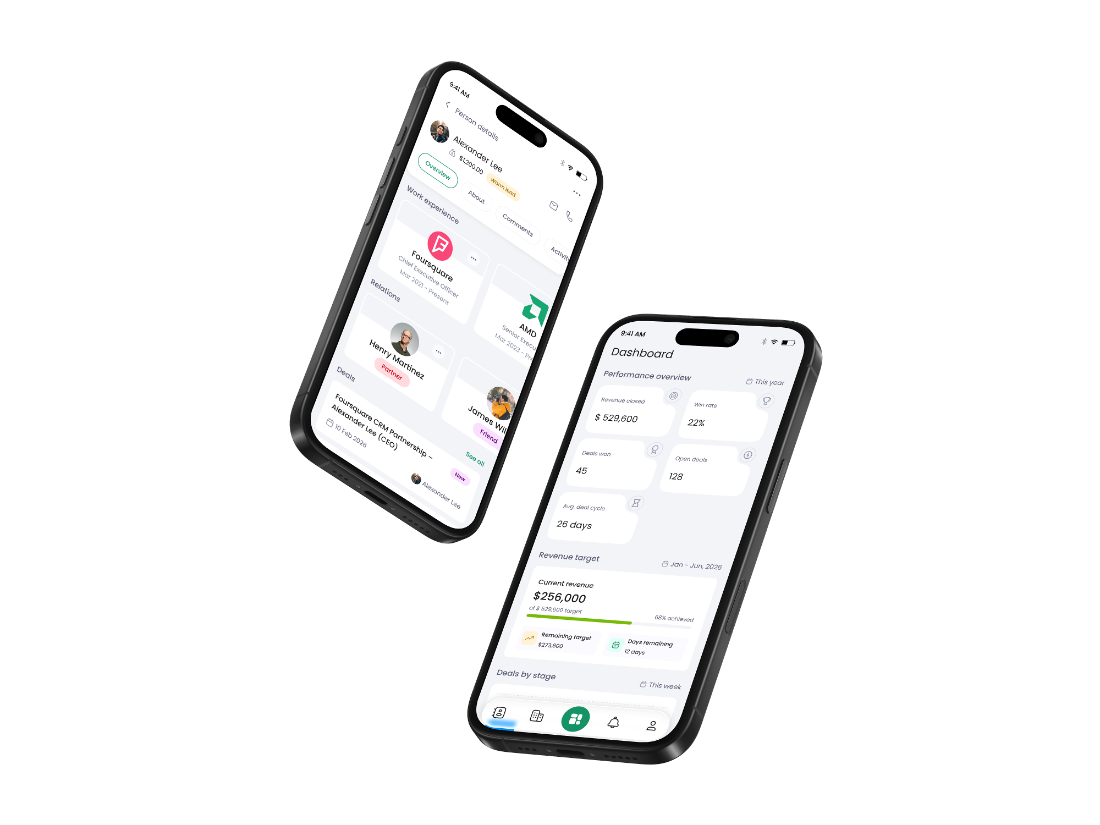
The screens you open between meetings
Tap through the five people open. Whatever you change here is changed on the web before you put the phone down.
The number, first thing
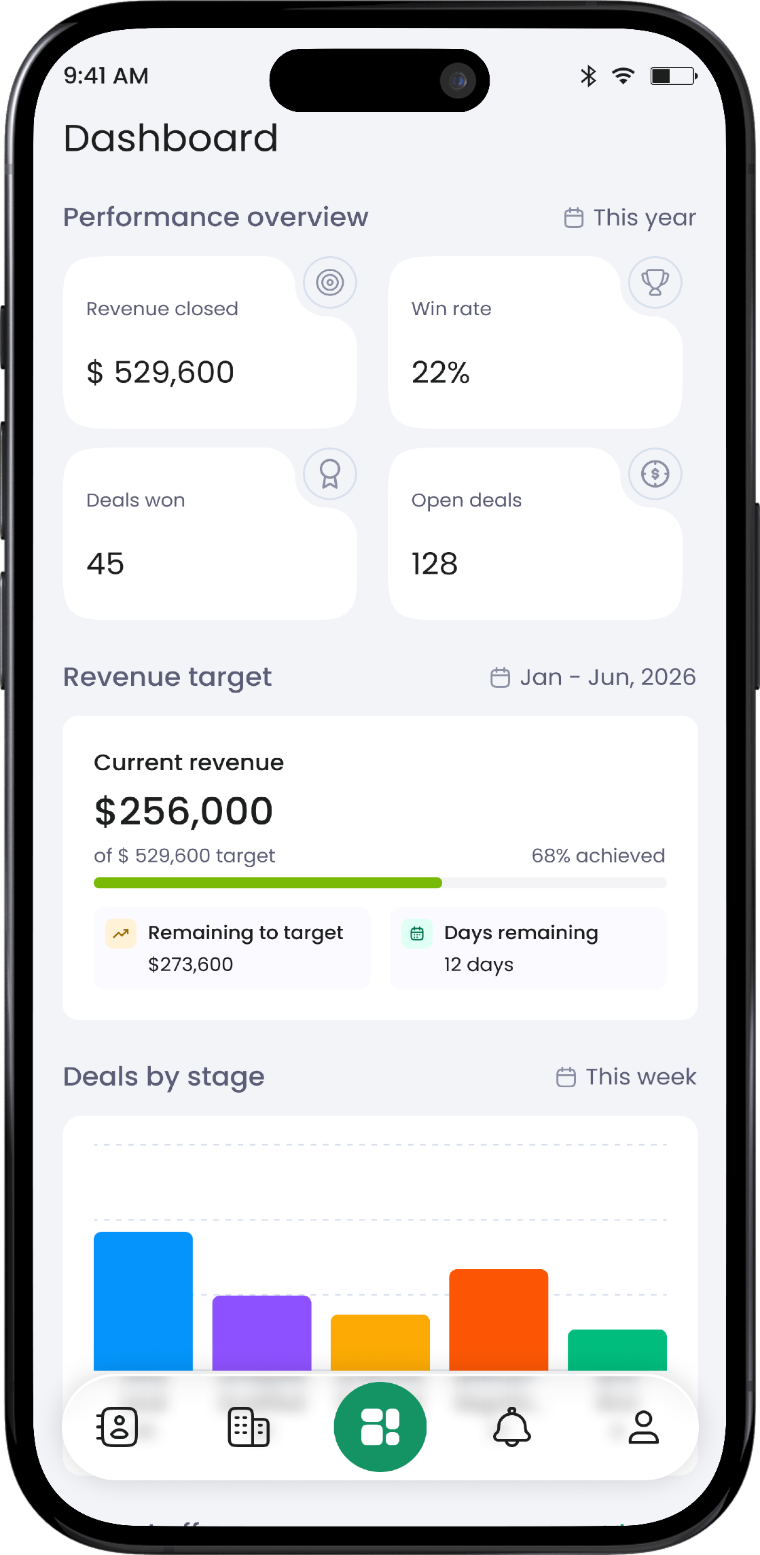
The app opens on performance. Revenue closed, win rate, deals won and open deals, then progress against the period target.
- Revenue target with the gap left to close and days remaining
- Deals by stage, so you can see where the pipeline is sitting
- Contacts, companies, notifications and profile on the bottom bar
A deal, with its stage clock running
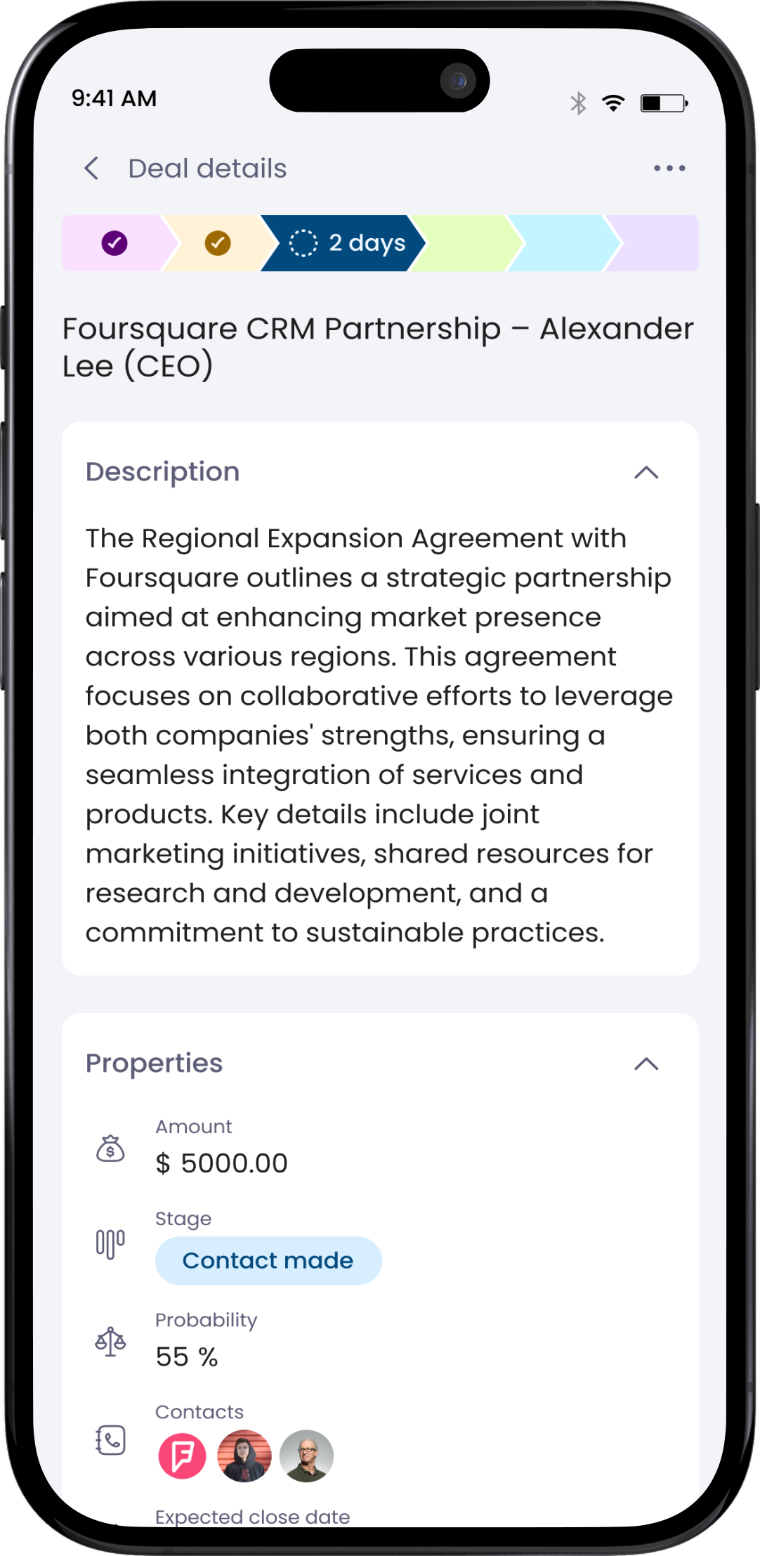
The stage tracker sits across the top and shows how long the deal has been where it is. Below it, the brief and the numbers that decide the forecast.
- Amount, stage, probability and expected close date in one panel
- Days-in-stage on the current step, so stalls are visible
- Every contact attached to the deal, ready to call or email
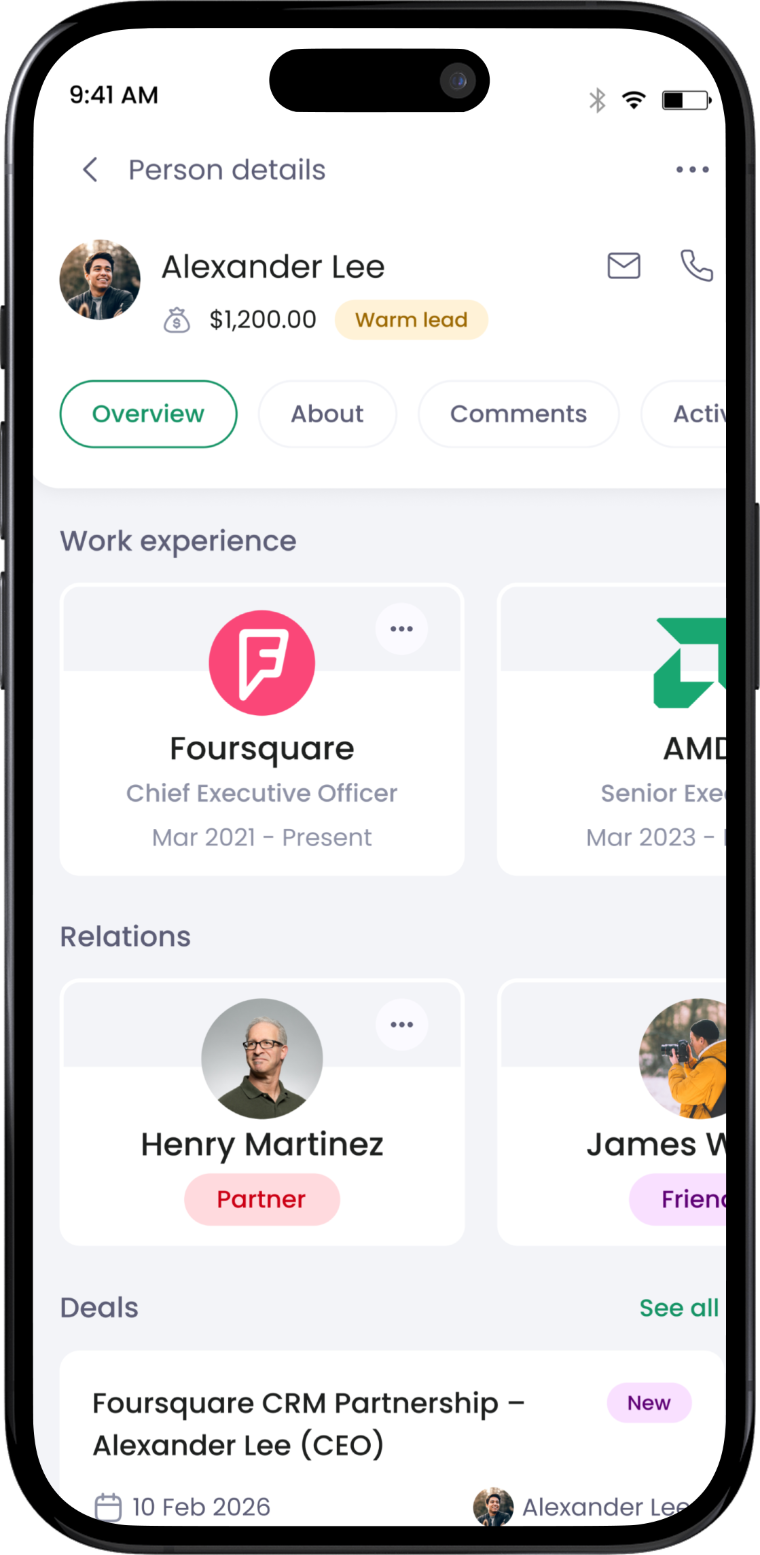
Who you are about to meet
Value and lead temperature at the top, then work history, the people they are connected to, and the deals open against them.
- Work experience, so you know the role you are selling into
- Relations, so you know who else you already know there
- Open deals with close dates, listed on the record
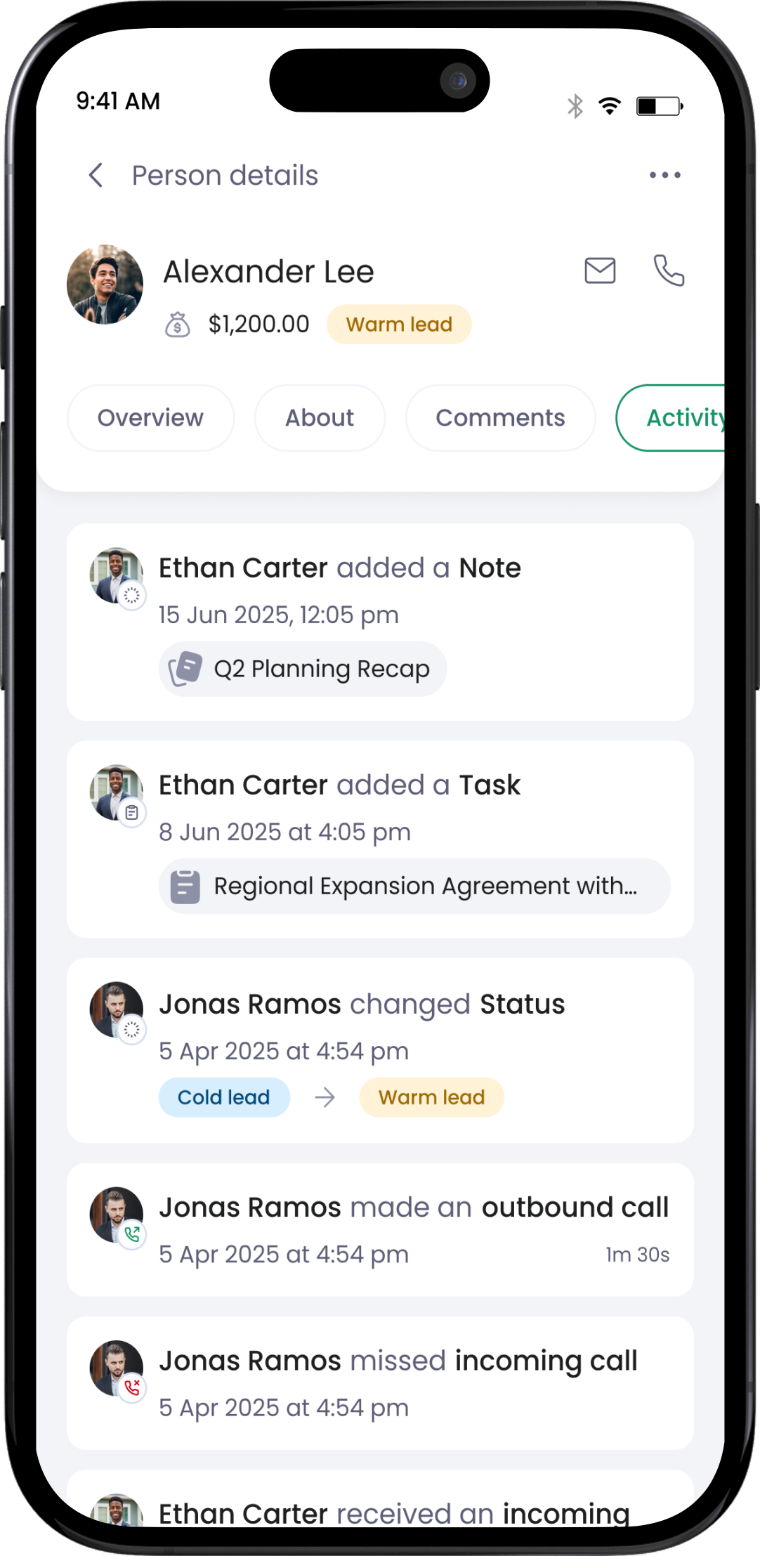
Everything that has happened, in order
Notes, tasks, status changes and calls land on the record as they happen, each one stamped with who did it and when.
- Outbound and missed calls logged with duration
- Status changes show the move — cold lead to warm lead — and the owner
- Notes and tasks appear in the same feed, not a separate tab
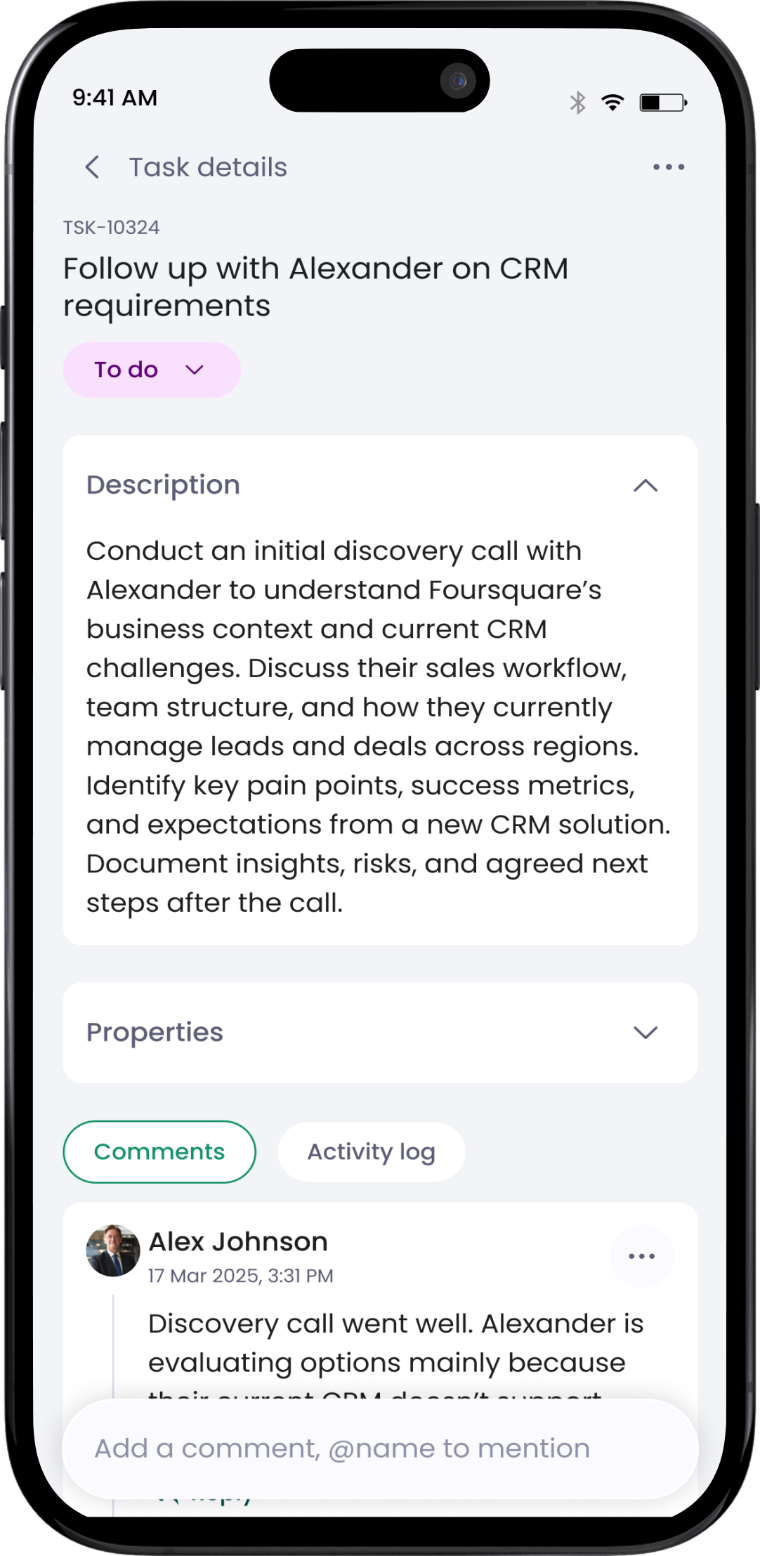
A task that carries its own brief
The reference, the status, the full description of what the task is for, and the thread where the team worked it out.
- Full description on the task, not a one-line reminder
- Comments and activity log side by side
- Reply with an @mention from the same screen
The three moments a phone beats a laptop
Mobile is not a smaller CRM. It is the part of the day when opening a laptop is not an option and the record still has to be right.
Two minutes in the lobby
Open the contact and see the last call, the open deal, the amount and who else at the company you have spoken to. No scrolling a thread to remember.
You walk in with the context, not the apology.
Logged from the car park
Change the stage, set the amount, add the next task and dictate a note while it is fresh. The activity log records the call length automatically.
The pipeline is accurate before you drive off.
A ticket that cannot wait
A customer writes in at 8pm. You see the ticket, the SLA clock, and the $41,000 deal they signed last month, and reply from the phone.
Nobody waits until morning to be recognised.
What the app does, and what it leaves to the desk
Day-to-day work is on the phone. Setup and configuration stay on the web, where a bigger screen is genuinely better.
Four things worth interrupting you for
Notification settings are per type and per channel, so the phone stays quiet about everything else.
A deal, task or ticket lands on you and the phone says so once — not four times.
A ticket approaches its response target and the owner hears about it before it breaches.
An @mention on any record opens straight to the thread it came from.
Stage changes on deals you own or follow, with who moved it and when.
Questions teams ask about the app
What we hear most often before a team rolls the app out.