Every small business needs a structured way to manage customer relationships, streamline operations, and support growth. A customer relationship management crm helps teams organize customer data, improve communication, and reduce manual effort across daily workflows. Choosing the right crm software ensures better alignment between sales, marketing, and service teams while maintaining efficiency.
Modern tools offer advanced crm features, including automation, analytics, and integration with social media tools, allowing businesses to manage tasks and track engagement from one place. The best crm for small companies often includes flexible pricing, such as a free plan or free crm options, making adoption easier without high upfront costs.
By selecting the right crm solution, businesses can deliver a consistent customer experience, use service tools effectively, and access key features that support long-term scalability.
What Is CRM For Small Companies
CRM for small companies refers to customer relationship management software designed to help businesses organize, track, and improve every interaction with their customers. A CRM solution acts as a central system where all customer data, communication history, and sales activities are stored and managed efficiently, especially when focused on helping sales teams manage leads effectively.
For small business operations, a CRM for small business simplifies lead management by capturing potential customers, tracking progress, and guiding them through the sales funnel. It also helps track customer interactions across emails, calls, and other touchpoints, ensuring no opportunity is missed.
Modern small business CRM software goes beyond basic contact storage. Tools like Zoho CRM and HubSpot CRM offer automation, reporting, and integration features that improve productivity and decision-making. These platforms are often considered among the best CRM solutions because they combine ease of use with powerful functionality.
Overall, customer relationship management and customer relationship management software help small companies build stronger relationships, improve sales outcomes, and maintain organized, scalable business processes, which is why dedicated CRM for startups and small sales teams can be so impactful.
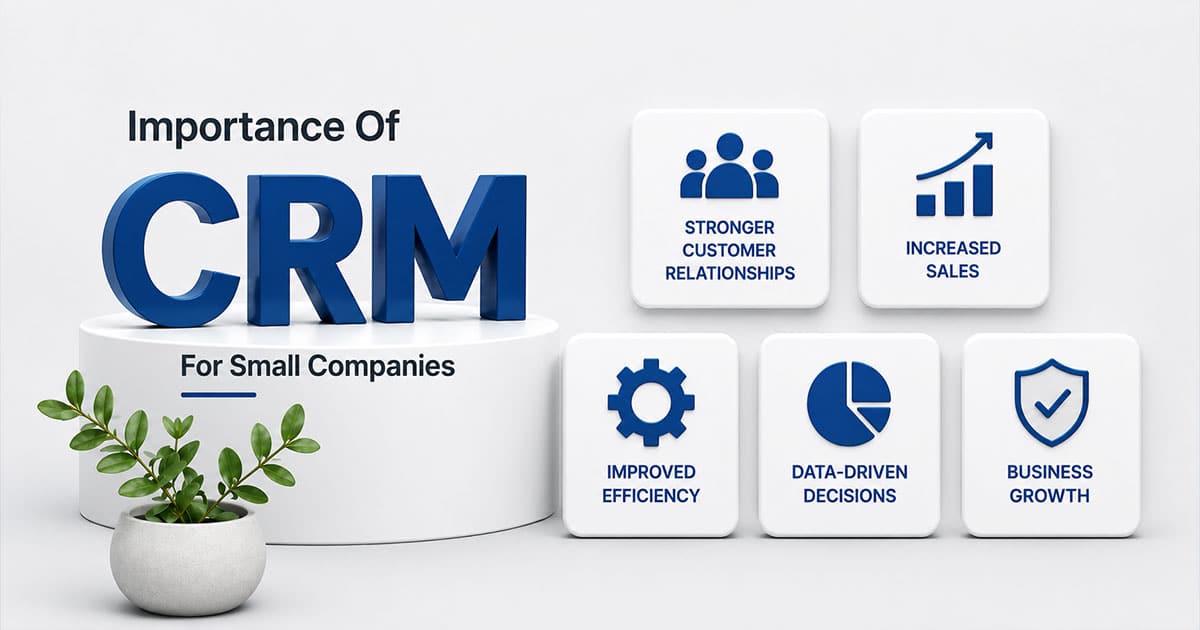
Top 7 Importance Of CRM For Small Companies
The seven areas below address challenges most small teams face after their first growth spurt. When a company scales from 10 to 50 customers, informal systems break down. Leads slip through cracks, follow-ups get missed, and revenue becomes unpredictable.
Each section focuses on one specific important area with concrete, real-world examples. These seven points also serve as a checklist when evaluating CRM tools like Gain.io. A CRM that addresses all seven creates a foundation for sustainable growth.
1. Stronger Customer Relationships And Retention
CRM keeps a complete history of every customer interaction in one accessible place. Email threads, call notes, meeting outcomes, and deal details all live in a single record. When a team member opens a contact, they see the full customer journey rather than fragments scattered across inboxes and notebooks.
Consider a local agency preparing for a 2026 renewal call with a client they served throughout 2025. Without CRM, the account manager scrambles through old emails and asks colleagues for context. With CRM, they open the client record and see every conversation, preference noted, and promise made. This context enables personalized service that builds trust.
The retention impact is significant. Widely cited research from Bain & Company shows that small increases in customer loyalty drive outsized profit gains. A 5% improvement in retention can boost profits by 25-95%. CRM supports this by enabling better customer relationships through consistent, informed interactions.
CRM also provides continuity when team members take time off or leave the company. The knowledge stays in the system, ensuring customers receive the same level of attention regardless of who handles their account.
2. Better Organization Than Spreadsheets And Inboxes
Spreadsheets and shared inboxes fragment customer information across multiple files and accounts. Duplicates accumulate, records become outdated, and finding specific information requires searching through endless rows or email threads. This disorganization wastes time and creates opportunities for mistakes.
CRM replaces scattered files with one source of truth through integrated contact management that builds stronger relationships. Contacts, deals, tasks, and documents live in a structured contact database where searching takes seconds rather than minutes. Need to find every deal that mentions a specific product add-on? A quick search returns results immediately instead of requiring manual review of multiple spreadsheets.
Studies show 29% efficiency gains when teams move from informal organization to structured CRM systems, a shift that also benefits retail teams using CRM tools to stay organized. Better organization also makes onboarding new hires faster. Instead of learning where different people keep their notes, new team members log in and see the entire pipeline on one board. They understand the business context within days rather than weeks.
3. More Predictable Sales And Revenue
Visual sales pipelines with defined stages transform random activity into measurable flow. Stages like “New Lead,” “Qualified,” “Proposal Sent,” and “Closed Won” create visibility into where every opportunity stands. This structure supports accurate sales forecasting for even small teams.
Historical CRM data enables informed projections. By analyzing conversion rates from 2024 to 2025, a company can forecast likely revenue for Q3 2026 with reasonable confidence. Teams of three or four sales reps can spot bottlenecks, such as proposals stalling in negotiation or follow-ups being neglected.
Predictable sales processes help small business owners plan responsibly. Knowing probable revenue for the next quarter informs decisions about hiring, cash flow management, and marketing spend. Salesforce data indicates that CRM users see 34% productivity improvements through this visibility.
Simple visual reporting delivers this value. Small companies do not need complex enterprise analytics. A dashboard showing pipeline by stage and forecast by month provides the clarity required for confident decision-making.
4. Higher Team Productivity Through Automation
Repetitive manual tasks drain time from activities that actually close deals. Sales automation handles routine work like sending a follow-up email two days after a quote, creating a task when a form is submitted, or updating deal stages based on customer actions.
A small B2B services firm might save hours each week by automatically logging emails and updating pipeline stages. Rather than manually tracking which leads need follow-up, the CRM triggers reminders and sequences based on defined rules. Marketing automation tools extend this capability to nurture leads through automated email sequences.
Automation improves consistency alongside efficiency, and broader sales task automation tools extend these gains across more of the sales process. Every lead receives the same minimum level of contact, preventing some prospects from slipping through while others get attention. Studies show 41% productivity boosts when teams implement automating routine tasks properly.
Tools like Gain.io keep sales task automations understandable without requiring technical scripting. Small teams can adjust workflows quickly as business processes evolve, rather than waiting for IT support or consultants.
5. Smarter Marketing And Campaign Targeting
CRM data reveals patterns that sharpen marketing efforts. When the system tracks which industries, company sizes, or sources produce the best customers, marketing teams can focus resources where they generate results.
A small company might segment 2025 leads by source: webinar attendees, organic search visitors, and referrals. Analysis shows referrals convert at twice the rate of webinar leads. This insight shapes 2026 marketing campaigns toward referral programs rather than additional webinar investment.
Syncing CRM with email and email marketing tools enables targeted sequences based on pipeline stage or last activity date. A prospect who received a proposal gets different messaging than someone who just downloaded a whitepaper. This relevance increases engagement and conversion.
Small teams run leaner, more effective campaigns instead of generic blasts to every contact in the database. Limited marketing budgets produce better ROI when guided by actual customer insights rather than assumptions.
6. Improved Customer Service And Response Times
CRM tracks support requests, questions, and issues in unified histories accessible to everyone on the team. When a customer calls, the person answering sees previous interactions without asking the customer to repeat their story. This speeds resolution and improves customer experience.
Consider a small e-commerce brand that notices unresolved customer requests from March 2026. Rather than waiting for complaints, they proactively follow up using CRM records. Service teams can set simple response-time goals and monitor them through dashboards.
Research shows 20-30% improvements in response times when companies implement CRM for customer communication. Faster, more accurate replies are often the easiest way for small firms to outshine bigger competitors with slower, more bureaucratic service processes.
The unified history also resolves disputes. When questions arise about what was promised or discussed, the CRM record provides clarity. This reduces friction and builds trust with customers.
7. Scalable Processes As The Business Grows
CRM forces teams to define clear stages, responsibilities, and hand-offs instead of relying on informal habits that exist only in founders’ heads, creating a solid base for sales workflow automation strategies that support further growth. A process documented in CRM, such as lead qualification criteria or customer onboarding steps, scales from 10 to 100 customers without breaking.
Without this structure, founders become bottlenecks. Every decision routes through the people who hold the knowledge, slowing growth and creating single points of failure. Documented workflows mean new sales reps or account managers can be productive quickly because the process exists in the system.
CRM supports new roles smoothly. When a company hires its first dedicated salesperson or splits account management from new business development, the system accommodates these changes without overhauling everything. The entire sales process stays visible even as responsibilities shift.
This scalability makes CRM an investment in future growth, not just a tool for managing current workload. Companies that implement CRM early avoid the painful data migration and process reconstruction required when growth forces a late transition.
Key CRM Features Small Companies Should Prioritize
Small teams should prioritize essentials over lengthy feature lists. The best CRM software for small companies includes capabilities that directly support the seven importance areas above without overwhelming users with complexity.
Each feature below maps to specific pain points. When evaluating CRM platforms, consider what a founder, sales rep, or marketer would actually do in the interface daily.
Centralized Contact And Company Records
A single shared record for each person and company forms the foundation of effective CRM, and dynamic contact management for smarter relationship tracking ensures those records stay accurate and actionable. Key fields include role, last interaction date, current deal value, and relevant notes. One screen should provide enough context to handle a renewal call without additional research.
Custom fields allow adaptation to specific niches. A subscription business might add “Subscription Start Date” and “Preferred Service Package” fields. A consulting firm might track “Primary Decision Maker” and “Budget Timeline.”
Start simple and expand only when clear needs arise. Over-engineered data models create friction that discourages daily use. The goal is customer contacts that inform action, not comprehensive data collection for its own sake.
Deal Pipelines And Task Management
Visual pipelines let teams drag deals from stage to stage, reflecting real conversations and progress, and well-defined custom sales stages for different teams keep those pipelines accurate and scalable. Integrated task management connects calls, demos, proposals, and follow-ups directly to each opportunity.
A salesperson might start each morning from a “Today’s Activities” view showing exactly what needs attention. This task management approach keeps every deal moving forward without requiring memory or separate to-do lists.
Most small companies benefit from starting with one simple, streamlined pipeline for new business. Add additional pipelines for renewals or expansions only when distinct processes warrant separation. Simplicity supports adoption.
Email Integration And Communication History
Syncing email accounts to CRM automatically logs customer communication without manual data entry. Before calling a client or prospect, a quick scan of the message timeline provides context.
This history proves valuable when resolving disputes or questions about previous discussions, especially when supported by reliable CRM email sync that keeps every message in one place. Checking what was promised in a late 2025 message takes seconds rather than requiring extensive email searches.
Calendar and meeting integrations link events to specific contacts and deals. New team members can review existing relationships through communication tools that capture the full customer relationship history.
Simple Automation And Reminders
Starter automations deliver immediate value without complexity. A follow-up reminder triggered 7 days after no reply, a welcome sequence for new contacts, or automatic task creation when leads enter the pipeline all reduce manual effort.
Workflow automation should use clear triggers and actions that non-technical users understand. Small teams need the ability to adjust automations quickly as they learn what works. Complex systems that require developers to modify become rigid rather than helpful.
Lead-scoring rules and qualification tags can be added gradually as data volume grows. Start with basics and expand based on actual needs rather than anticipated requirements.
Reporting And Dashboards For Small Teams
Core reports include pipeline by stage, forecast by month, and activity volume, which are also central when choosing the best CRM options for small business. A simple dashboard showing key metrics for the current quarter and the previous one side by side enables quick assessment.
Reviewing April-June 2026 conversion rates compared to the previous quarter helps refine qualification criteria and sales approaches. Reports should be readable at a glance on a laptop or mobile device without specialist training.
Advanced analytics belong in enterprise systems. Small companies need clarity on basic questions: How many deals are in the pipeline? What revenue is expected next month? Where are opportunities stalling?
How To Choose The Right CRM For Your Small Company
The CRM market is crowded with options ranging from simple contact databases to enterprise platforms that would overwhelm most small teams, so it is important to follow practical tips for choosing CRM tools that fit your workflow. Choosing the right CRM system requires focusing on actual needs rather than impressive feature lists.
A founder or small leadership team can complete this evaluation in days rather than months. Involve at least one everyday user in the decision process, not just management.
Start With Clear Problems To Solve
List specific issues before evaluating any CRM provider. Examples include “losing track of leads from our website,” “no visibility into renewal dates,” or “sales reps duplicating effort on the same accounts.”
This list becomes a filter for demos and trials. Focus attention on CRMs that address real outcomes rather than being swayed by features that sound impressive but do not solve actual problems.
Rank problems before talking to vendors. Revisit this list three to six months after adoption to measure whether the CRM delivered expected improvements.
Balance Simplicity With Growth Potential
The ideal CRM feels simple in week one but does not limit the company two or three years later. Test how easy it is to add a new field, pipeline, or basic automation without technical help.
A business that started with one product line in 2024 might add new services by 2026. The CRM should accommodate this evolution without requiring migration to a different platform as the business grows.
Extremely stripped-down tools may force a disruptive migration later. A flexible, modular CRM structure provides long-term advantages for small companies planning to scale.
Check Integration With Your Current Stack
CRM should connect to email, calendars, forms, and accounting tools already in use. Common systems for small firms include Google Workspace, Microsoft 365, and online invoicing platforms.
Integrations reduce double entry. Auto-creating contacts from form submissions or syncing calendar events to deal records saves time and improves data accuracy.
Test at least one or two integrations during the free trial period. A CRM that sits comfortably alongside existing tools creates less friction than one requiring complete workflow changes.
Evaluate Pricing, Seats, And Limits Carefully
Calculate total monthly cost based on expected users and contacts over the next one to two years. Typical pricing triggers include contact limits, automation volume, or advanced reporting tiers.
A five-person team planning to double headcount by the end of 2026 should project costs at 10 users before committing. Watch for hidden fees like mandatory onboarding or expensive add-ons for basic CRM features.
Transparent, predictable pricing structures help small companies budget appropriately. Less annoying CRM pricing models avoid surprise costs as usage grows.
Test Usability With Real Scenarios
Design a short checklist of everyday tasks: adding a contact, logging a call, updating a deal, running a report. Time how long each takes in candidate CRMs.
Involve at least one non-technical person in testing. If the system feels intuitive to them, adoption will be smoother across the team. Use real data from recent months rather than test contacts for meaningful results.
Pay attention to mobile access if the team spends time in the field or on-site with clients. A user friendly interface that works across devices increases actual usage rather than creating an ignored system.
How To Implement CRM Successfully In A Small Company
Success depends as much on habits and processes as on software features, which is why following a structured CRM implementation guide for successful deployment makes a difference. A practical roadmap from selection to measurable benefits takes about 90 days when approached methodically.
Phased rollout works better than attempting to configure everything from day one, just as startups benefit from selecting CRM tools that help them grow smarter rather than chasing every possible feature at once. Teams without full-time IT or operations staff can handle implementation by focusing on essentials first.
Clean And Import Your Existing Data
Gather contacts from spreadsheets, email tools, and legacy systems into one master file. Remove exact duplicates and outdated records before import to avoid cluttering the new system with bad data.
Dedicate one week to data preparation before going live. Use standard fields first, adding custom ones only where they clearly matter for daily work.
Clean data at the start leads to better reporting and builds user trust in the system. Staff who find accurate information become advocates rather than skeptics.
Define Simple Pipelines And Stages
Design a straightforward sales pipeline that mirrors the company’s real-world sales cycle. Example stages include “Inquiry,” “Qualified,” “Proposal Sent,” “Negotiation,” and “Won.”
Document what must happen before a deal moves to the next stage. This clarity aligns everyone on what progress looks like for each opportunity.
Start with one pipeline and add more only if clearly needed, such as distinct processes for new business versus renewals. Pipeline simplicity supports consistent usage.
Set Team Rules And Responsibilities
Small teams need agreed rules. Define who owns a contact, how quickly leads must be called, and how notes should be written. Create a short, one-page internal guide rather than a lengthy manual no one reads.
Examples include “log every customer call the same day” and “update deal value after each proposal.” Consistent habits make reports and forecasts reliable rather than approximate.
Leadership must model good CRM usage by keeping their own records current. If owners and managers use the CRM daily, others follow.
Train, Support, And Iterate
Schedule at least two focused training sessions: one at launch and one after a few weeks of use. A single internal “CRM champion” gathers questions and shares best practices with the team.
Collect feedback during the first 30-60 days and refine fields, views, or automations accordingly. Regular small adjustments prove more effective than large, infrequent overhauls.
Adoption improves when staff see the CRM saving them time within the first month. Quick wins build momentum for deeper usage.
Measure Early Wins And Communicate Them
Set clear success indicators such as faster response times, more follow-ups completed, or increased win rates. Compare January-March 2026 results to the previous quarter after CRM rollout.
Share improvements with the team so they see tangible benefits from new routines. Stories about deals saved because reminders prevented leads from going cold reinforce the value of consistent usage.
These quick wins create the foundation for expanding CRM usage over time. Success breeds adoption.
CRM For Small Companies With Gain.io
Gain.io is designed specifically for small and growing companies that need clarity without enterprise complexity. The platform combines contact management, visual sales pipelines, activity tracking, and simple automation in a clean, intuitive interface built for sales teams.
Fast setup means small business owners can be productive within days rather than weeks. Transparent pricing eliminates surprise costs as teams grow, and integrations with common tools like Google Workspace and Microsoft 365 fit Gain.io into existing workflows without disruption.
Gain.io serves as a partner that helps small companies turn everyday customer interactions into long-term, profitable relationships by offering smart CRM tools for sales teams. The focus remains on what matters for growing businesses: managing opportunities, tracking conversations, and closing deals faster without unnecessary features or steep learning curves.
Frequently Asked Questions
When Is The Right Time For A Small Company To Adopt A CRM
Clear signs include losing track of leads, having multiple people contact the same customer unknowingly, or heavy reliance on spreadsheets for customer data. Many small firms benefit from implementing CRM once they have a steady stream of new inquiries each month, not only after they become large. Early adoption is simpler and less disruptive. A company that implemented CRM just before doubling its sales team avoided the chaos that typically accompanies rapid growth without structured systems. Tools like Gain.io are light enough for early-stage businesses but scale as companies grow.
How Much Time Does It Take To Set Up A CRM For A Small Team
Realistic timeframes include a few days to choose and configure the system, plus one to two weeks to import data and refine pipelines. Most effort involves data cleaning and defining processes rather than technical installation. Start with a limited group of users for the first month to refine configuration before broader rollout. Cloud-based systems like Gain.io avoid server setup and can be accessed as soon as accounts are created. Incremental setup is acceptable; teams do not need to configure every feature at once.
How Can A Small Company Encourage Staff To Actually Use The CRM
Keep the system simple and remove unused fields that create friction. Demonstrate how CRM saves individuals time by eliminating repetitive updates or manual reminders they currently handle. Make CRM usage part of regular routines, such as reviewing pipelines in weekly meetings. Recognize good CRM habits publicly. Leadership consistency is crucial; if owners and managers use the CRM daily and reference it in conversations, others follow naturally.
What About Data Security And Privacy In Small-Business CRM
Even small companies must protect customer data through secure, reputable cloud providers. Important safeguards include encryption in transit and at rest, role-based access controls, and regular backups. Regulations like GDPR apply to companies serving European customers regardless of company size. A modern CRM reduces risk compared to ad hoc spreadsheets emailed between team members. Gain.io is built with small-business data protection in mind without requiring in-house IT expertise.
Can A CRM Help If A Company Has A Very Small Or Nonexistent Sales Team
CRM is valuable even when the founder or a single person handles sales, marketing, and customer service. The system tracks every conversation and deadline so the owner does not rely on memory alone for critical follow-ups. A solo consultant might use CRM to manage proposals, invoices, and recurring check-ins with clients. Starting early makes it easier to bring in additional team members later with full context available from day one. Systems like Gain.io scale from one user to larger teams without requiring a platform change.