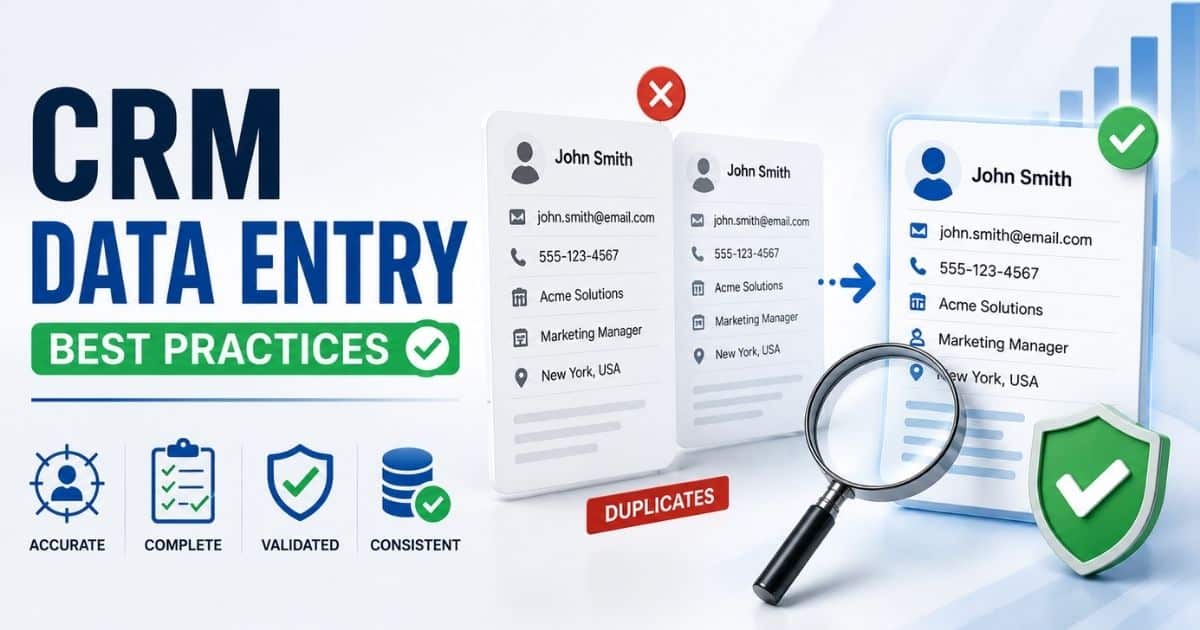
Customer relationship management systems are only as good as the data inside them. Sales teams, marketers, and support agents rely on CRM records every day to make decisions, track interactions, and build stronger customer relationships. When information is incomplete, outdated, or entered incorrectly, even the best CRM can become a source of confusion rather than a valuable business asset.
Many organizations invest heavily in CRM software but overlook the importance of consistent data entry. Small mistakes such as duplicate records, missing fields, or inconsistent formatting can lead to reporting errors, lost opportunities, and poor customer experiences. Following proven CRM data entry best practices helps keep records accurate, organized, and useful.
This guide covers the most effective CRM data entry best practices, common mistakes to avoid, and practical strategies to maintain high-quality data across your organization.
What Is CRM Data Entry And Why Is It Important
CRM data entry is the process of adding, updating, and managing customer data within a CRM system. Every phone number, contact detail, communication history, and customer interaction entered into a CRM platform becomes part of your customer relationship management strategy. Accurate CRM data entry helps sales teams, customer service teams, and other team members access reliable CRM data when they need it. Without accurate data, business operations can suffer from human error, duplicate entries, incomplete records, and outdated information.
The importance of CRM data entry goes beyond storing customer records. High quality CRM data supports better decision-making, stronger customer relationships, and improved operational efficiency. A well-defined CRM data management process uses data entry standards, validation rules, and standardized data entry methods to maintain data consistency across the CRM database.
Following CRM data entry best practices helps organizations maintain data integrity, improve data accuracy, and reduce data quality issues. Accurate CRM data, regular data audits, and up-to-date information create a stronger foundation for long-term growth and effective data management efforts.
What Problems Can Poor CRM Data Entry Cause
Poor CRM data entry affects more than customer records. Small mistakes can spread across the entire CRM system. Missing information, duplicate entries, and outdated data reduce data accuracy and make it harder for teams to trust CRM data. Over time, those issues affect sales, service, reporting, and daily business operations.
Duplicate Customer Records
Duplicate entries create confusion across the CRM database. Team members may contact the same person multiple times or miss important customer interactions. Sales teams often waste time sorting through duplicate customer records instead of focusing on opportunities.
Research from Validity shows that duplicate records remain one of the most common CRM data quality issues. Duplicate data also makes CRM data management harder. Reports become less reliable, and data quality metrics can quickly decline.
Lost Sales Opportunities
Accurate CRM data helps teams follow up at the right time. Poor data entry can leave customer records incomplete. Missing phone numbers, contact details, or communication history often result in missed opportunities.
A study from Gartner found that poor data quality costs organizations millions of dollars every year. When customer data is inaccurate or outdated, sales teams may target the wrong contacts. That can slow growth and reduce conversion rates.
Poor Customer Experience
Customers expect companies to know their history and preferences. Poor CRM data entry makes that difficult. Outdated information and missing data fields can lead to irrelevant conversations and delayed responses.
Customer service teams rely on accurate data to resolve issues quickly. When CRM records contain errors, customers may need to repeat information multiple times. That creates frustration and weakens customer relationships.
Inaccurate Reports And Forecasts
Business decisions depend on reliable CRM data. Poor data input affects reporting accuracy and makes forecasting less dependable. Even small errors can distort performance metrics and resource allocation plans.
According to IBM, poor-quality data costs businesses trillions of dollars globally each year. Inaccurate CRM data can produce misleading reports. Leaders may make decisions based on incorrect information rather than actual business performance.
Lower Team Productivity
Poor CRM data quality creates extra work for everyone. Team members spend time correcting records, searching for missing information, and verifying existing data. Simple tasks become more complicated than they should be.
Manual data entry also increases the risk of human error. Data management efforts shift from growth activities to fixing mistakes. Consistent data and standardized data entry practices help teams work faster and improve operational efficiency across the organization, especially when supported by CRM that boosts sales productivity.
5 CRM Data Entry Best Practices Every Team Should Follow
Strong CRM data does not happen by accident. Every team needs clear rules and consistent habits. A structured CRM data entry process helps maintain data accuracy, improve customer relationships, and reduce costly mistakes. The following CRM data entry best practices can help create a reliable CRM database that supports long-term business growth, especially when paired with modern CRM software for sales teams.
Set Clear Data Standards
Every CRM system should have documented data entry standards. Team members need clear instructions for entering names, phone numbers, addresses, and other key data points. Consistent formats help maintain data consistency across the CRM platform.
A simple rule can prevent many data quality issues. For example, every contact record should follow the same data formats. Standardized data entry reduces confusion and makes CRM data management easier as the database grows.
Make Important Fields Required
Required data fields help teams collect accurate customer data from the start. Contact details, company names, and customer status should never be left blank. Missing information often leads to incomplete records and weak reporting.
Research from Experian shows that incomplete customer data remains a major challenge for many organizations. Required fields improve data integrity and ensure teams have the information they need for customer interactions and daily business operations.
Use Validation Rules
Validation rules help catch errors before they enter the CRM database. They can verify phone numbers, email addresses, dates, and other critical information. Small checks create more accurate CRM data over time.
Data validation also reduces human error. Team members receive immediate feedback when data input does not match approved formats. As a result, organizations improve CRM data quality without adding extra manual reviews.
Reduce Manual Data Entry
Manual data entry often leads to mistakes. Typos, missing fields, and duplicate entries can quickly affect data quality. Automation tools help automate sales tasks to reduce repetitive work and improve operational efficiency.
Many CRM software platforms now support automated data capture and data enrichment services. Customer information can flow directly from forms, emails, and other systems. Less manual work means more reliable CRM data and fewer errors.
Audit Data Regularly
CRM data changes constantly. Contact records become outdated. Customer details change. Data decay affects every organization over time. Regular data audits help identify outdated information before it causes problems.
A report from ZoomInfo found that business contact data can become outdated at a rate of nearly 30% per year. Regular reviews help teams synchronize data, remove duplicate entries, and maintain up-to-date information. Consistent audits support accurate data entry and stronger data management efforts.
Regular audits and deduplication are crucial for maintaining long-term database accuracy and system health.
How To Create Standardized CRM Data Entry Rules
Clear rules are the foundation of accurate CRM data entry. Without standards, team members enter customer data in different ways. That creates data quality issues, duplicate entries, and inconsistent CRM records. Standardized rules help maintain data consistency and improve the value of your CRM system.
Define Required Fields
Every CRM platform should have mandatory data fields. Contact details, company names, phone numbers, and customer status are common examples. Required fields reduce missing information and create more complete customer records.
A report from Experian found that incomplete data remains one of the biggest data quality challenges for businesses. Clear requirements help teams collect key data points from the start. Better data input leads to more accurate CRM data and stronger business decisions.
Standardize Data Formats
Data formats should remain consistent across the CRM database. Dates, phone numbers, addresses, and financial data should follow the same structure. Consistent formats make CRM data management much easier.
Different formats can create confusion and reporting errors. Standardizing data formats improves data integrity and makes data access simpler for sales teams and customer service teams. It also helps teams synchronize data across connected systems and lays the groundwork for a smoother CRM implementation process.
Create Naming Conventions
Customer records should follow the same naming rules. Companies, contacts, and account names need a consistent structure. A simple convention prevents duplicate records and improves CRM data quality, especially when combined with dynamic contact management for smarter relationship tracking.
Clear naming rules also help team members find existing data faster. Data management efforts become more efficient when everyone follows the same process. Consistency reduces human error and supports reliable CRM data.
Document Entry Procedures
Written instructions help maintain accurate data entry across the organization. Every team member should understand how customer data enters the CRM system and how records should be updated to avoid common CRM implementation mistakes.
A documented CRM data entry process reduces confusion and supports data ownership. New employees can follow the same standards as experienced users. Clear procedures also strengthen data management and improve long-term data accuracy.
Review Rules Regularly
Business needs change over time. Data entry standards should evolve as new products, services, and customer requirements appear. Regular reviews help ensure CRM data remains useful and up to date.
Research from Gartner estimates that data decay affects a significant portion of business data each year. Regular data audits help identify outdated information, outdated data fields, and gaps in existing rules. Small updates keep CRM data quality high and support operational efficiency.
Which CRM Fields Should Be Required For Every Record
Required CRM fields help maintain accurate data from the moment a record enters the CRM system. Without mandatory fields, customer records often become incomplete or inconsistent. A well-structured CRM data entry process ensures every team member captures the information needed for sales, service, reporting, and customer relationship management.
Contact Information
Every customer record should include basic contact details. Full name, email address, phone number, and company name are essential data fields. Without this information, sales teams may struggle to reach prospects or customers.
Research from ZoomInfo shows business contact data changes frequently throughout the year. Accurate contact records help maintain up-to-date information and improve customer interactions. Strong CRM data quality starts with complete customer data.
Customer Status
Customer status shows where a contact stands in the customer journey. A CRM system should require fields such as lead, prospect, customer, partner, or inactive contact. Clear status information helps teams prioritize their efforts.
Consistent status tracking improves resource allocation and reporting accuracy. Team members can quickly identify opportunities and avoid confusion. Accurate CRM data also supports better forecasting and stronger business operations.
Lead Source
Lead source data shows where contacts originate. Common sources include website forms, referrals, social media, paid ads, and events. This field helps organizations understand which channels generate valuable customer data and supports CRM-based lead management for sales teams.
HubSpot research consistently shows that tracking lead sources improves marketing performance analysis. Reliable CRM data allows teams to invest in channels that produce results. Better data management leads to smarter business decisions.
Last Interaction Date
A CRM platform should require a record of the most recent customer interaction. This field provides context for future conversations and helps maintain an accurate communication history, especially when paired with dedicated sales activity tracking software.
Customer service teams and sales teams benefit from clear interaction timelines. Team members can see when a contact was last reached and what happened. Up-to-date records and strong contact management to build relationships improve customer experiences and reduce missed follow-ups.
Record Owner
Every CRM record should have a designated owner. Data ownership creates accountability and helps maintain data integrity across the CRM database. Without ownership, records can become outdated or neglected.
A defined owner ensures someone is responsible for updates, corrections, and data quality checks. Regular data audits become easier when responsibilities are clear. Strong data ownership supports consistent data and long-term CRM data management success. Schedule routine audits to identify and merge duplicate records and to update or remove bounce-prone email addresses, and combine them with smart CRM features that organize your sales data.
How To Prevent Duplicate Records And Data Inconsistencies
Duplicate records and inconsistent data can quietly damage CRM performance. They affect reporting, customer communication, and data accuracy. A few simple rules can help maintain a clean CRM database and improve CRM data quality across every department.
Use Unique Identifiers
Every customer record should have a unique identifier. Email addresses, customer IDs, or account numbers work well for this purpose. Unique values make it easier to spot duplicate entries before they enter the CRM system.
A report from Validity found that duplicate data remains a major CRM challenge for many organizations. Unique identifiers improve data integrity and help team members find the correct customer records quickly. Better record matching supports accurate CRM data entry and stronger data management.
Enable Duplicate Detection
Most CRM software includes duplicate detection tools. These tools compare contact details, phone numbers, and existing data before creating new records. Early detection prevents duplicate records from spreading across the CRM database.
Automated alerts reduce human error and improve operational efficiency. Team members can review possible matches before adding customer data. A simple check saves time and supports reliable CRM data over the long term.
Apply Validation Rules
Validation rules help maintain data consistency. They ensure customer information follows approved data formats and meets required standards. Incorrect data input can be blocked before it enters the system.
Data validation improves data accuracy and reduces common data quality issues. Contact records remain cleaner because users follow the same structure. Consistent data makes reporting, forecasting, and customer relationship management much more effective.
Limit Manual Entry
Manual data entry creates opportunities for mistakes. Typos, missing information, and duplicate entries often occur when team members enter large amounts of customer data. Automation tools can reduce those risks.
Many CRM platforms now support automated data capture from forms, emails, and integrated applications. Automated processes improve accurate data entry while reducing repetitive tasks. Less manual work often leads to higher-quality CRM data, particularly when using a CRM with built-in email integration.
Schedule Data Reviews
Regular reviews help identify duplicate records, outdated information, and incomplete records. Data decay affects every CRM database over time. Contact details and communication history can become inaccurate without routine checks.
Industry research suggests that business data can decay by around 20% to 30% annually. Regular data audits help organizations synchronize data, remove outdated data, and maintain up-to-date information. Consistent reviews protect data quality and strengthen overall CRM data management efforts. Regular data audits should include deduplication, cleanup of incorrect fields, and updates to outdated data to maintain the integrity of your CRM data, especially when supported by simplified CRM sales workflows.
How Can Validation Rules And Automation Improve CRM Data Accuracy
Validation rules and automation help maintain accurate CRM data without adding extra work. They reduce human error, improve data consistency, and keep customer records complete. Together, they create a stronger CRM data management process and support better business decisions.
Catch Errors Early
Validation rules check data before it enters the CRM system. They verify email addresses, phone numbers, dates, and other key data fields. Incorrect entries can be flagged immediately.
Early checks improve data accuracy and prevent common data quality issues. Team members receive instant feedback when information does not match approved standards. Small corrections at the start protect data integrity across the CRM database.
Enforce Consistent Formats
Data consistency is essential for reliable CRM data. Validation rules ensure customer data follows the same structure every time. Dates, phone numbers, and contact details remain uniform across all records.
Consistent formats make reporting more accurate and simplify data access. Sales teams can search CRM records more easily. Standardizing data formats also helps organizations synchronize data between multiple systems and applications.
Reduce Manual Work
Manual data entry often creates mistakes. Missing information, duplicate entries, and outdated data can quickly affect CRM data quality. Automation tools help eliminate many repetitive tasks.
Modern CRM software can capture customer data from forms, emails, websites, and integrated platforms. According to Salesforce research, employees can spend a significant portion of their workweek on manual administrative tasks. Automated data capture improves operational efficiency and supports accurate CRM data entry, especially when paired with email tracking CRM capabilities.
Keep Records Up To Date
Customer data changes frequently. Contact records, phone numbers, and company information can become outdated over time. Automation tools help update customer records without requiring constant manual reviews.
Data enrichment services can add fresh information from trusted sources. Automated workflows can also synchronize data across connected systems. Up-to-date information helps customer service teams and sales teams make better decisions during customer interactions.
Automated workflows can handle repetitive tasks such as logging activities, sending follow-up reminders, and updating customer records, significantly improving the efficiency and accuracy of CRM data entry processes through automated sales task management.
Strengthen Data Quality Control
Validation rules and automation work best when used together. Rules protect data at the point of entry. Automation maintains data quality after records enter the CRM platform.
Research from Gartner shows poor data quality continues to create significant business costs worldwide. Organizations that implement validation rules, regular data audits, and automation tools can improve CRM data quality and reduce data management efforts. The result is more accurate data, stronger reporting, and better customer relationship management.
Automate data capture by utilizing CRM integrations, such as email and calendar syncs, to automatically log customer interactions through a CRM with robust email integration.
Who Is Responsible For CRM Data Quality
CRM data quality is not the responsibility of one person or department. Every team that creates, updates, or uses customer data plays a role. Clear ownership and accountability help maintain accurate CRM data, reduce errors, and support a stronger customer relationship management strategy.
Sales Teams
Sales teams create and update a large portion of CRM records. They enter contact details, customer interactions, and opportunity information throughout the sales cycle. Accurate data entry at this stage and effective CRM-based lead management help maintain reliable CRM data.
Research from Salesforce shows that sales professionals spend a significant amount of time working with CRM data. Clean customer records help them focus on selling rather than correcting mistakes. Strong CRM data quality starts with consistent data input from the sales team.
Customer Service Teams
Customer service teams interact with customers daily. They often update contact records, communication history, and support information. Their updates help keep customer data accurate and up to date.
Incorrect or outdated information can affect future customer interactions. Customer service teams should follow data entry standards and validation rules when updating records. Consistent updates help improve data integrity across the CRM system.
Marketing Teams
Marketing teams collect customer data from forms, campaigns, events, and digital channels. Lead source information, customer preferences, and engagement data often enter the CRM platform through marketing activities.
Accurate customer data helps marketers segment audiences and measure campaign performance. Incomplete records can affect reporting and targeting efforts. Strong CRM data management depends on maintaining high-quality CRM data at every stage of the customer journey, which is especially critical for retail teams using CRM tools to stay organized.
CRM Administrators
CRM administrators help manage the overall data management process. They create validation rules, maintain data fields, monitor duplicate entries, and implement automation tools. Their work helps protect CRM data quality across the organization.
Administrators also support regular data audits and data access controls. They identify data quality issues before they become larger problems. A well-managed CRM database depends on active oversight, clear governance, and the right smart CRM features for sales teams.
Business Leaders
Business leaders play an important role in data ownership and accountability. They establish CRM data entry best practices and ensure teams follow standardized data entry rules. Leadership support often determines whether data quality remains a priority, including when they choose CRM tools that match team workflows.
According to Gartner, poor data quality continues to create significant financial costs for organizations worldwide. Leaders who invest in accurate CRM data, employee training, and regular data audits help improve operational efficiency. A culture of accountability creates better customer records and stronger business outcomes.
How Often Should You Audit, Clean, And Update CRM Data
CRM data is never static. Customer details change, employees switch roles, and businesses update contact information. Without regular reviews, even a well-managed CRM database can fill with outdated data. Scheduled audits, combined with dynamic contact management for relationship tracking, help maintain accurate CRM data and support better business decisions.
Review Critical Records Monthly
Customer-facing records should be reviewed every month. Contact details, phone numbers, customer status, and communication history can change quickly. Monthly checks help catch missing information before it affects customer interactions.
Many organizations experience data decay throughout the year. A monthly review keeps CRM records accurate and up to date. Small checks performed regularly are often more effective than large cleanup projects completed once a year.
Run Quarterly Data Audits
Quarterly audits provide a deeper look into CRM data quality. Teams can identify duplicate entries, incomplete records, outdated information, and inconsistent data formats. These audits help uncover problems that daily work may overlook.
According to industry data from ZoomInfo and Gartner, business contact data can deteriorate by 20% to 30% annually. Regular data audits help maintain data integrity and improve overall CRM data management. They also support better reporting and forecasting.
Update Customer Information Continuously
Customer data should be updated whenever new information becomes available. Sales teams and customer service teams often learn about changes during customer interactions. Fresh updates prevent records from becoming outdated.
A continuous update process supports accurate CRM data entry and stronger customer relationship management. Team members should treat CRM software as a living database rather than a storage system. Current data and dedicated sales activity tracking create more reliable CRM data for everyone.
Monitor Data Quality Metrics
Data quality metrics help measure the health of a CRM system. Common metrics include duplicate record rates, incomplete records, validation errors, and outdated contact records. Tracking these numbers helps teams identify trends.
Clear metrics make data management efforts more focused. Leaders can see where problems exist and allocate resources accordingly. Consistent monitoring supports operational efficiency and improves long-term CRM data quality.
Use Automation For Ongoing Maintenance
Automation tools can help maintain high-quality CRM data between audits. Automated data capture, validation rules, and data enrichment services reduce manual work and improve data accuracy. They also help synchronize data across connected platforms.
Research from Salesforce shows automation reduces time spent on repetitive tasks and administrative work. Automated processes help maintain consistent data and reduce human error. Combined with regular audits and automated sales task workflows, automation creates a strong foundation for accurate CRM data and reliable business operations.
AI automates the detection of duplicates and standardizes formatting, saving hundreds of manual hours, while continuously scanning records to correct errors and enrich customer data with information from public sources, especially when paired with a thoughtful CRM implementation strategy.
Which CRM Data Quality Metrics Should You Track
CRM data quality metrics help measure the health of your CRM database. Without clear metrics, data quality issues can go unnoticed until they affect reporting, sales, or customer service. Regular tracking helps organizations maintain accurate CRM data and improve long-term data management efforts.
Data Completeness Rate
Data completeness measures how many required data fields contain information. Missing contact details, phone numbers, or customer status fields can reduce the value of customer records. Complete records support better customer relationship management and reporting.
A high completeness rate indicates that team members follow CRM data entry best practices and are supported by modern CRM software for sales teams. Regular reviews can identify incomplete records before they affect business operations. Strong data completeness also improves data access and customer interactions.
Duplicate Record Rate
Duplicate entries create confusion and reduce CRM data quality. This metric tracks how many duplicate records exist within the CRM system. Lower duplicate rates usually indicate better data management, simpler sales workflows in your CRM, and stronger data entry standards.
Automated data management eliminates repetitive tasks like manual entry and duplicate detection, freeing sales teams to focus on building relationships, with representatives reclaiming an average of four hours weekly on data entry tasks by using CRM designed to improve sales productivity.
According to Validity research, duplicate customer records remain a common challenge for many businesses. Tracking duplicate rates helps organizations identify weaknesses in their CRM data entry process. Regular monitoring and smart CRM features to organize sales support cleaner and more reliable CRM data.
Data Accuracy Score
Data accuracy measures how closely CRM records match real customer information. Accurate data includes correct contact details, company information, and communication history. Errors in customer data can affect decisions and customer experiences, so it’s important to choose CRM tools that fit your workflow.
Many organizations use audits and validation rules to evaluate data accuracy. Accurate CRM data entry helps improve forecasting, sales performance, and operational efficiency. Reliable CRM data starts with maintaining correct information across all records.
Data Freshness Rate
Data freshness tracks how current customer records remain over time. Customer information changes frequently due to job changes, company updates, and new contact details. Outdated data can reduce the effectiveness of customer outreach.
Industry studies show that business data can decay by 20% to 30% each year. Organizations should monitor outdated information and regularly update records. Fresh data helps sales teams and customer service teams work more effectively.
Validation Error Rate
Validation error rate measures how often records fail validation rules during data entry. High error rates may indicate weak data entry standards, inconsistent formats, or training gaps among team members.
Tracking validation errors helps organizations improve accurate data entry and data consistency. Teams can identify common mistakes and refine their CRM data management process. Over time, fewer validation errors lead to higher-quality CRM data and stronger data integrity.
Set validation rules at the point of entry to prevent incorrect data by configuring required formats for phone numbers, emails, and postal codes.
How Gain.io Helps Maintain High CRM Data Quality
Gain.io helps organizations maintain high CRM data quality by keeping customer information organized, accessible, and consistent across the entire customer lifecycle. Instead of managing scattered spreadsheets or disconnected tools, teams can store customer records, contact details, communication history, tasks, and sales activities in one centralized CRM platform with smart CRM tools for sales teams.
The platform supports CRM data entry best practices through structured data fields, activity tracking, workflow automation, and centralized record management. Sales teams and customer service teams can access accurate customer data, reduce duplicate entries, and maintain up-to-date information without relying on manual processes. Automated workflows also help reduce repetitive tasks and improve operational efficiency.
With better visibility into customer interactions and CRM records, businesses can improve data accuracy, strengthen data integrity, and support smarter decision-making. The result is more reliable CRM data, stronger customer relationships, and a more effective customer relationship management strategy powered by simpler, streamlined sales workflows.
FAQs
Can Small Businesses Benefit From CRM Data Entry Best Practices?
Yes. Small businesses often have limited resources, which makes accurate CRM data even more important. Strong CRM data entry best practices help maintain customer records, improve data quality, and support better customer relationship management without adding unnecessary costs, especially when combined with a CRM built for startups and small sales teams.
Does CRM Data Decay Even If Nobody Changes The Records?
Yes. Customer data naturally becomes outdated over time due to job changes, company updates, and new contact details. Regular data audits help identify outdated information and maintain accurate CRM data across the CRM database.
Can CRM Data Quality Affect Sales Forecasting Accuracy?
Yes. Sales forecasts rely on accurate CRM data and complete customer records. Poor data accuracy, duplicate entries, and incomplete records can distort reports and lead to incorrect business decisions and resource allocation.
What Is The Difference Between Data Accuracy And Data Integrity?
Data accuracy refers to whether customer data is correct and up to date. Data integrity focuses on maintaining consistent, reliable CRM data across systems, records, and processes. Both are essential for effective CRM data management.
Can CRM Integrations Create Data Quality Problems?
CRM integrations can improve efficiency, but they can also create data inconsistencies if systems use different data formats or field structures. Clear data entry standards, validation rules, and synchronized data processes help maintain high-quality CRM data across connected platforms.