Studies by Gartner and CIO.com consistently show that 47% to 63% of CRM projects underperform or fail outright. The root cause rarely traces back to bad software. Instead, poor planning, inadequate change management, and data quality issues derail most implementations before they gain traction.
CRM implementation means far more than installing software. It encompasses configuring your CRM system to match business processes, migrating customer data from legacy systems, integrating existing tools like email and marketing automation platforms, and fundamentally changing daily workflows for your sales team, marketing staff, and customer service teams. For most businesses, this includes sales pipeline management, lead tracking, customer interaction history, reporting, and workflow automation.
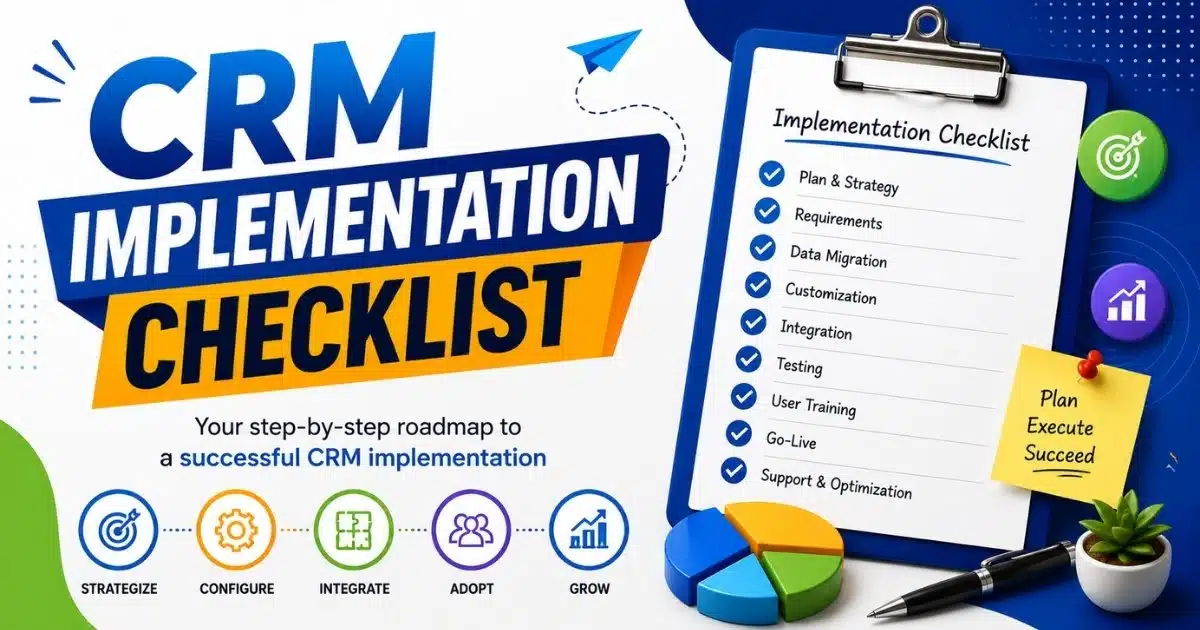
This article delivers a practical CRM implementation checklist designed for small and mid-sized B2B and B2C organizations. The checklist follows a chronological structure from initial planning through post-launch optimization.
Foundations Of A Successful CRM Implementation
Organizations that invest time in planning before selecting CRM software demonstrate significantly higher adoption rates and ROI realization. This section covers the groundwork that separates successful CRM implementation from costly failures.
Goal Setting And Business Objectives
Establishing clear business objectives is important to avoid scope creep in CRM implementation. Document 3 to 5 specific, measurable objectives before any configuration begins. Rather than vague goals like “improve sales,” aim for precision: “increase lead-to-opportunity conversion from 15% to 20% within 12 months” or “reduce average sales cycle from 90 days to 70 days.”
Defining business goals is essential before selecting a CRM, as it helps ensure that the chosen system aligns with the organization’s unique requirements and objectives. Each objective should map directly to CRM capabilities. Lead management and lead scoring support conversion improvement. Pipeline visibility supports cycle time reduction. Customer interactions tracking supports retention metrics.
Stakeholder Alignment And Governance
Failed CRM projects frequently suffer from inadequate cross-functional alignment. Sales, marketing, customer success, finance, and IT often have conflicting priorities and different use cases for the CRM. A successful CRM implementation requires a structured approach to integrate it smoothly into business processes, which includes defining clear goals and aligning stakeholders.
Establish a simple governance model with defined roles. The executive sponsor (typically a C-level leader) holds final decision authority on scope and resources. A dedicated project manager handles day-to-day coordination and timeline management. Key user representatives from each department advocate for their team’s needs. IT provides technical guidance and integration support.
Budget And Resource Planning
CRM implementation costs for SMBs typically include several categories. Software licensing runs $50 to $150 per user annually for cloud CRM solutions. Data migration services range from $5,000 to $50,000 depending on complexity. Integration development costs $10,000 to $100,000 or more based on the number and complexity of connections. Consulting services for mid-market implementations typically run $50,000 to $300,000. Add internal staff time and user training to complete the picture.
Industry benchmarks suggest SMBs should budget 1% to 3% of annual revenue for CRM and related technology investment. For a $10 million revenue company, this translates to $100,000 to $300,000 annually. Organizations often underestimate data migration costs, which frequently consume 30% to 50% of total implementation budget.
High Level CRM Requirements Definition
Capturing high-level CRM requirements early clarifies who will use the system, what core processes it must support, and what reporting needs exist. Before evaluating vendors, conduct short discovery workshops with each department to understand current processes and pain points. These workshops typically take 2 to 4 weeks.
Gather requirements categorized as “must-have” versus “nice-to-have” capabilities. Example requirements include “single view of customer interactions across email, calls, and meetings” for sales reps, “pipeline visibility by region and segment” for managers, and “marketing campaign tracking with lead source attribution” for marketing teams.
Change Management And Adoption Strategy
Planning user adoption from day one separates successful implementation from expensive failures. Research from Forrester identifies adoption as the top driver of CRM ROI, more influential than feature set or vendor selection. Organizations with effective change management achieve 70% to 85% active user adoption within 90 days. Those without deliberate adoption strategies often see only 30% to 40%.
Tactics for driving adoption include early involvement of power users, structured pilot groups, internal CRM champions, and transparent communication about “what is in it for me” for each role. Identify 3 to 5 power users per department who will champion the CRM and support peers after launch, building on proven CRM adoption strategies to improve CRM ROI.
Timeline And Implementation Approach
Two primary approaches exist for CRM deployment. Big bang implementations deploy the entire system organization-wide in a single go-live event, typically completed in 8 to 14 weeks. Phased implementations roll out by region, department, or product line over 12 to 24 weeks.
Phased rollouts have higher adoption rates and lower risk, as issues can be identified within one group before expanding. However, phased approaches extend calendar time and delay benefits realization. For organizations with fewer than 100 CRM users and simple data migration, big bang approaches are often acceptable. For more complex deployments, phased approaches are generally safer.
CRM Implementation Checklist: Step By Step
This core section presents the implementation checklist as a sequential guide for deploying a new CRM system. Each step covers what to do, who should be involved, and what “done” looks like. Key steps in CRM implementation include setting up a cross-functional team, mapping data fields, integrating with existing tools, and conducting rigorous testing.
Capture Detailed CRM Requirements
Move from high-level business needs to detailed CRM requirements across sales, marketing, service, and leadership reporting. Document user stories that guide configuration: “As a sales rep, I need to log customer interactions in under 60 seconds” or “As a sales manager, I need real-time pipeline visibility by rep and territory.”
Group requirements into categories:
- Contact and account management
- Lead management and lead tracking
- Opportunity and sales pipeline tracking
- Customer interactions history
- Analytics and reporting
- Workflow automation
Prioritize requirements to avoid scope creep. Phase 1 should focus on high-value capabilities that directly support stated business objectives. Defer nice-to-have requirements to post-launch phases so you avoid common CRM implementation mistakes to avoid. This discipline keeps the initial launch focused and achievable within timeline.
Select And Validate The CRM System
Choosing the right CRM software is crucial for long-term success, as no single CRM solution fits every business; it should align with budget, user needs, and technical ecosystem. System choice should align with defined CRM requirements, business objectives, integration capabilities, and budget rather than brand recognition alone, and many teams benefit from following structured tips for choosing CRM tools that fit your workflow before committing to a platform.
Hands-on trials with real sample data provide far better insight than vendor presentations. Have 3 to 5 internal users work with sample data in a test environment for one week. Test key workflows: lead assignment, opportunity progression, and reporting by segment. Verify the system handles your data volumes efficiently.
Design Processes, Pipelines, And Custom Fields
Map existing sales, marketing, and service processes into structured CRM workflows and pipelines. Document your current sales process from initial contact through deal closure, then translate it into pipeline stages with clear entry and exit criteria.
Customizing the CRM involves tailoring it with custom fields, objects, and page layouts that fit unique sales processes. However, overcomplicating the CRM system with too many custom fields can make it hard to use and maintain. Limit custom fields to data that directly supports decision making, segmentation, or compliance. Common justified fields include industry, company size, budget authority, and product interest.
Plan And Execute Data Migration
A well-planned data migration is essential to avoid data loss, duplication, or inconsistencies, which can undermine user trust in the new system. Follow a stepwise process: source system inventory, data quality assessment, cleansing and deduplication, field mapping, and test imports, especially for high-impact entities like your sales pipeline CRM to improve sales visibility and performance.
Creating data migration guidelines helps maintain data quality and consistency during the transfer to a new CRM system. Document field mappings explicitly, including handling of combined or split fields (full name to first and last name, for example). Run at least two test migrations into a sandbox environment before final cutover.
Implement Integrations And Automation
Integrating a CRM with existing business tools is essential for creating a seamless flow of information and ensuring data integrity across systems. Prioritize core integration capabilities: CRM with email integration to streamline sales communication, calendar integration, marketing automation, accounting or ERP, and website forms.
Begin with a few high-impact automations before building advanced flows. Lead assignment rules that route a new lead to the appropriate rep based on territory or product interest provide immediate value. Task reminders ensure consistent customer engagement while leveraging tools that automate sales tasks to stay focused and organized. Follow-up sequences maintain momentum with prospects.
Train, Launch, And Stabilize
Training employees on the new CRM system is essential for driving high adoption rates and maximizing return on investment, as even the best-configured CRM can fail without proper user training. Outline a structured user training program tailored to roles: sales reps, managers, marketers, service agents, and executives, and address common CRM adoption challenges, mistakes, and best practices for sales teams.
Comprehensive user training is essential for driving high adoption rates and maximizing the return on investment (ROI) of a CRM system. User training should include practical exercises, such as hands-on practice with the CRM, to ensure employees are comfortable using the system effectively. Mix formats: live workshops for real-time questions, recorded video modules for self-paced learning, and job aids for quick reference.
Data Migration, Quality, And Governance Of CRM Implementation
CRM success hinges on clean, reliable data. Data migration often consumes 30% to 50% of implementation effort and carries the highest risk of delays and quality issues. This section focuses on migration planning, quality controls, and ongoing governance.
Data Inventory And Assessment
Identify all current data sources: legacy CRMs, spreadsheets, email marketing tools, accounting software, and support systems. Most organizations have customer information scattered across multiple channels and systems.
Evaluate data completeness, duplication, and relevance. Decide what should actually move into the new CRM system versus remaining archived in legacy systems. A brief checklist of core entities every implementation must address includes:
- Customer accounts and contacts
- Leads and prospects
- Opportunities and sales history
- Activities and customer interactions
- Products and pricing
Consider compliance requirements when handling inactive contacts, consent records, and regional privacy rules. Defining user roles and setting up security permissions is necessary for compliance with regulations such as GDPR.
Data Cleansing And Standardization
Fix inconsistent formats before or during migration to improve segmentation and reporting. Common issues include phone numbers stored in varying formats, inconsistent country names, and unstandardized job titles.
Apply normalization rules: standardized industry lists, lead source picklists aligned with marketing categories, and ISO country codes. Use deduplication rules and matching logic (combining email, phone, company name, and domain) to merge duplicate contacts and accounts without losing interaction history.
Field Mapping And Transformation
Map legacy fields to new CRM data fields, including handling of combined or split fields. Document transformation logic explicitly. If legacy system stores “last contact date” but new CRM differentiates email, call, and meeting dates, specify how to handle the conversion.
Use custom fields when necessary but limit them to data that supports business objectives and analytics. Validate sample mappings with business users to ensure nothing important is lost or misinterpreted during migration.
Migration Testing And Cutover Strategy
A well-planned data migration process is crucial to avoid data loss, duplication, or inconsistencies when implementing a new CRM system. Run at least one trial migration into a sandbox environment to validate volumes, field mappings, and relationships at scale.
Conduct user validation sessions where key stakeholders verify records against the old system for accuracy and completeness. At least 5% to 10% of high-value records (major customers, large opportunities) should be manually validated.
Ongoing Data Governance And Ownership
Assign data ownership roles: a data steward or CRM administrator responsible for data quality policies and regular audits. Business process owners should be accountable for data quality in their domain.
Implement simple governance practices: quarterly data health reviews, automated reports on incomplete or stale records, and documented data quality standards. Apply validation rules and mandatory fields only where necessary to balance data quality with usability.
User Adoption, Training, And Change Management
This section addresses the people-centric part of the implementation checklist. Behavior change, not technology configuration, determines whether your CRM investment delivers returns. Research consistently cites adoption as the top driver of CRM ROI.
Role-Based Training Design
Creating role-based training programs, documentation, and user guides encourages CRM adoption. Build training paths tailored for different roles: front-line sales reps need to log activities and update opportunities, managers need pipeline reviews and team reporting, executives need dashboard navigation.
Providing structured training and onboarding can significantly improve data quality and workflow efficiency within a CRM system. Mix formats to accommodate different learning styles: live workshops for real-time interaction, short video modules for self-paced learning, and job aids for quick reference after launch, recognizing how CRM adoption is changing modern sales teams and their expectations.
Communication And Engagement Plan
Transparent communication from leadership explains why the CRM implementation is happening and what will change. The executive sponsor should communicate business rationale, expected benefits, and commitment to making the system work.
Establish a communication cadence: project kickoffs, milestone updates, and pre-launch countdowns via email or internal channels. Address concerns directly. If sales reps worry about perceived micromanagement, explain how activity data supports coaching and performance improvement rather than surveillance.
Pilot Programs And Feedback Loops
Run a structured pilot with one team or small group to test the CRM solution in real conditions. Involving end-users in the CRM process can help improve adoption rates. Pilot participants should understand they are testing the system and that their feedback shapes the final launch, especially when you aim to get more from your CRM with a simpler sales workflow.
Establish specific feedback mechanisms: weekly pilot calls, short surveys, and an ideas backlog tracked by the project team. Use pilot findings to refine workflows, custom fields, and training materials before full rollout.
Adoption Metrics And Dashboards
Define clear adoption KPIs: logins per user, records created or updated, activity logging rates, and pipeline coverage. Effective CRM systems provide real-time dashboards and customizable reports that allow users to track key performance indicators (KPIs) such as sales pipeline value and conversion rates.
Build simple dashboards that managers review weekly to spot teams or individuals struggling with usage. Track adoption by department, region, or manager to identify patterns and target interventions.
Correlate adoption metrics with business outcomes like win rate or response times. Monitoring adoption metrics and providing ongoing support is key for post-launch success in CRM initiatives. If high-adoption reps show better forecast accuracy, that correlation demonstrates tangible value.
Continuous Coaching And Support
Support for users should continue long after launch. Establish a clear point of contact or admin team for CRM questions. Quick response times in the first 90 days maintain momentum and user confidence.
Schedule regular refresher sessions and new feature briefings to keep skills current. Document common questions in an internal knowledge base, reducing repeated one-off support requests. Ongoing support is often where organizations decide to engage external partners. A well-implemented CRM requires continuous attention to optimize workflows and address emerging needs.
Post-Launch Optimization Of CRM Implementation
Go-live represents the midpoint of CRM implementation, not the end. Gartner research suggests that 60% to 70% of CRM value is realized post-launch through refinement, advanced automation, and broader integration. The focus shifts from setup tasks to performance measurement, refinement, and scaling of CRM solutions, which aligns with a broader CRM implementation guide for scalable business growth.
Defining CRM Success Metrics
List key performance indicators linked to earlier business objectives: lead conversion, sales cycle length, customer lifetime value, and customer retention rates. Key features to look for in a CRM include lead management capabilities, sales pipeline tracking, and the ability to automate routine tasks to enhance customer service.
Set baseline values before CRM go-live to enable before-and-after comparisons. Without baselines, organizations often overestimate or underestimate CRM impact. Include both adoption metrics and business metrics for a complete picture.
Monitoring performance metrics after launching the CRM is essential to confirm whether the implementation is on the right path and to identify areas for improvement. Review metrics monthly for the first six months, then quarterly once performance stabilizes.
Pipeline, Lead Management, And Forecast Accuracy
Evaluate whether new CRM workflows improved lead management, opportunity tracking, and forecast reliability. Measure forecast accuracy variance before and after implementation as a concrete success indicator.
Refine pipeline stages, qualification criteria, and required data fields based on how deals actually progress in the new system. If historical data shows “Proposal” stage deals close at 40% but stage definition assumes 10%, recalibrate probabilities.
Identify bottleneck stages where deals accumulate. If many opportunities stall in “Negotiation,” investigate whether process changes, additional resources, or automated follow ups could accelerate progression.
Process And Workflow Refinement
Conduct recurring process reviews every 90 days where stakeholders assess which CRM workflows add value and which need simplification. Gather both quantitative data (time saved, automated tasks completed) and qualitative feedback from users.
Some automations or custom fields may need retirement if they add complexity without impact. Apply a minimalism principle: features and complexity should be justified by demonstrable business value, particularly in environments running a B2B sales CRM guide for revenue teams where clarity and focus are critical.
Document changes and update the internal CRM playbook. This documentation ensures new hires learn current best practices rather than outdated procedures.
Advanced Automation And Integration Expansion
After stabilizing basics, add more advanced automations: lead scoring based on engagement signals, renewal reminders for approaching contract dates, and customer health scoring combining multiple data points. These capabilities optimize workflows and reduce manual effort while strengthening how CRM helps sales teams manage leads.
Consider deeper integrations with marketing campaign platforms, customer success systems, and finance applications once core flows prove reliable. Social media integration can enhance customer engagement tracking across multiple channels, which is especially important for high-growth teams evaluating top CRM tools that help startups grow smarter.
Monitor system performance and user experience as automation volume grows. Advanced capabilities should always be justified against clear business needs, not added for novelty. Collaboration tools and other systems should connect only when they solve genuine problems.
Regular CRM Health Checks
Conduct periodic CRM health checks covering adoption, data quality, system performance, and strategic alignment. A semiannual or annual formal review should result in a prioritized improvement backlog for the next period.
Include security, access controls, and audit logs in health checks to ensure compliance and risk management. Verify that data flow between integrated systems remains accurate and that no new issues have emerged.
External specialists can provide independent assessments and benchmarking where internal perspective has limitations. These reviews help identify blind spots and compare performance against industry standards, similar to insights from a sales acceleration case study on closing deals faster with Gain.io.
How Gain.io Supports CRM Implementation Success
Gain.io helps organizations move from planning to a successfully deployed CRM system focused on sales workflows and pipeline management. Our services address every phase of the implementation checklist, from initial discovery through long term success.
Key services include requirements discovery workshops that translate business objectives into detailed CRM requirements, implementation checklist design tailored to your organization’s context, and data migration planning that prevents the quality issues undermining most deployments. We configure custom workflows, pipelines, and integrations with existing tools to create a unified system for managing customer relationships powered by an all-in-one CRM to grow your sales and team.
Gain.io brings established best practices and benchmarks from implementations across multiple industries. Our approach ensures your right CRM system delivers measurable business performance improvements, leveraging Gain.io features — smart CRM tools for sales teams to support day-to-day execution. Contact Gain.io for help building or executing your CRM implementation checklist.
FAQs
How Long Does A Typical CRM Implementation Take?
CRM implementation timelines depend on business requirements, CRM requirements, existing data, data migration complexity, custom fields, integration capabilities, multiple tools, and workflow automation setup. Customer relationship management success also depends on user training, ongoing support, customer information accuracy, and collaboration tools across sales and customer support teams, whether you are running a large deployment or a focused CRM for startups and small sales teams.
Who Should Own The CRM Implementation Internally?
Successful CRM implementation requires decision-making leaders who understand business operations, customer relationships, customer interactions, sales performance, sales forecasts, marketing campaigns, and business goals. Sales and customer stakeholders should also collect feedback, manage customer relationships, optimize workflows, and align customer service teams with CRM solutions.
When Is The Right Time To Replace A Legacy CRM System?
Businesses should replace a CRM system when existing tools create data flow issues, customer satisfaction problems, customer retention challenges, sales pipeline limitations, or workflow automation gaps. A new CRM with advanced features, social media integration, lead management, and better data security supports business growth effectively, and comparisons like Gain.io vs Salesforce CRM can clarify which platform best fits your needs.
How Detailed Should My CRM Implementation Checklist Be?
A requirements checklist should cover CRM software selection, CRM vendors, customer data structure, business processes, sales history, lead tracking, customer base management, multiple channels, marketing automation, social media engagement, integrate smoothly planning, and track record monitoring to support successful CRM implementation without missing operational priorities.
Can Small Businesses Implement A CRM Without External Consultants?
Small businesses can manage CRM implementation internally when business needs, own criteria, and business requirements remain manageable. The right CRM system helps sales team members handle new lead tracking, customer interactions, sales and customer alignment, custom workflows, customer relationship management, and business growth without external consultants, including use cases like CRM tools that help retail teams stay organized.