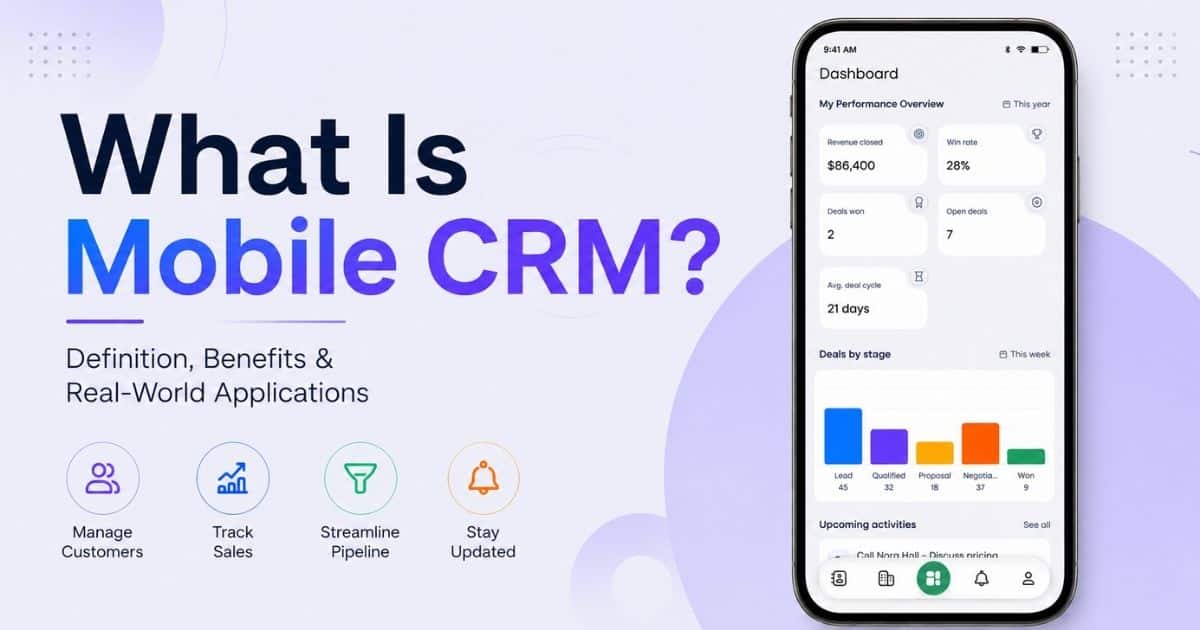
Your team doesn't run the business from a desk anymore. Deals happen in coffee shops, on job sites, and between meetings. That's why mobile CRM has become a must, not a nice-to-have.
A mobile CRM system puts your customer data right on your phone or tablet. No laptop required. Sales reps can update deals after a client meeting. Support teams can pull up a case history while standing in a warehouse. Mobile CRM software gives every team member instant access to the same information, no matter where they are.
For SMBs and agencies juggling small teams and big workloads, mobile CRM apps close the gap between the office and the field. This guide breaks down what mobile CRM actually does, the features that matter, and how to pick the right one for your business.
What Is Mobile CRM
Mobile CRM is customer relationship management software built for smartphones and tablets. It lets sales reps access customer data without sitting at a desk. Instead of waiting to get back to the office, sales teams can update deals, log calls, and check contact history right from their phones.
For sales professionals who spend most of their day meeting clients or working in the field, this matters. The benefits of mobile CRM come down to speed and accuracy. Your team gets real-time information wherever a deal happens to be.
How Does A Mobile CRM Work
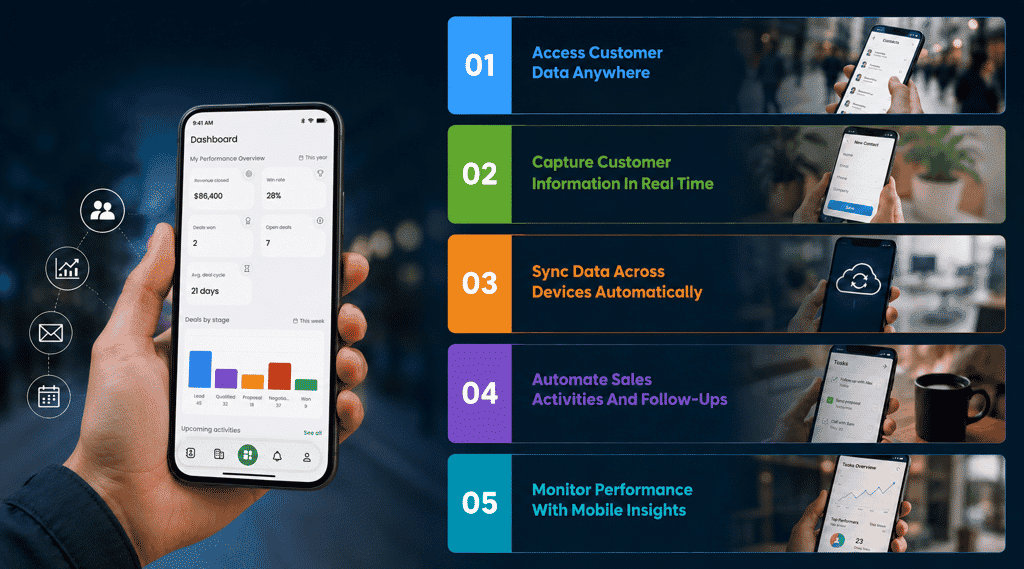
A mobile CRM works by connecting your customer relationship management system to a mobile app, so your team can manage customer interactions without being tied to a desktop. Here's a breakdown of how it actually functions day to day.
Access Customer Data Anywhere
Mobile crm tools give your team a direct line to customer records, no matter where they're standing. Whether someone's in a client meeting or waiting at the airport, they can pull up contact history, past conversations, and deal status in seconds. This is the core value of mobile crm solutions: your data isn't locked behind an office computer.
Capture Customer Information In Real Time
Instead of scribbling notes and entering them later, reps can log details the moment a conversation happens. A quick call, a new lead, an updated phone number, it all gets captured on the spot, and automated CRM follow-up workflows can kick in immediately. This keeps customer interactions accurate and reduces the back-and-forth of updating records after the fact.
Sync Data Across Devices Automatically
Good mobile crm platforms don't just work on one device. Update a deal on your phone, and it reflects instantly on a colleague's laptop. This seamless integration between devices means no one's working off outdated information, even when multiple people touch the same account. Modern platforms with smart CRM features to organize sales also offer offline access, so a weak internet connection in the field doesn't stop work from happening. Anything entered offline syncs the moment the connection comes back.
Automate Sales Activities And Follow-Ups
Workflow automation is where mobile CRM really saves time. Instead of manually tracking who needs a follow-up call or reminder, the system handles it. Reps can manage leads without juggling spreadsheets or sticky notes, and automated nudges make sure nothing falls through the cracks.
Monitor Performance With Mobile Insights
Dashboards built into the mobile app let managers check performance without waiting for a weekly report. Deal progress, team activity, and pipeline health are all visible from a phone screen. Because customer information is sensitive, secure data storage matters here too. Look for encryption and access controls before trusting any mobile crm system with real customer data.
Mobile CRM Adoption By The Numbers
Mobile CRM isn't a niche trend anymore. It's how most sales and support teams actually get work done. The numbers back this up clearly.
Mobile Workforce Growth
Remote and hybrid work reshaped how teams operate, and mobile devices became the default way people stay connected to their jobs. Around 70% of businesses now use mobile CRM systems, a clear sign that working from a single desk is no longer the norm for sales and support teams.
CRM Adoption Across Small Businesses
CRM adoption overall is close to universal among growing companies. 91% of companies already use CRM tools to manage their sales and customer data, and mobile access has become one of the top things businesses look for when picking a platform. In fact, 20% of CRM buyers specifically require mobile CRM access when evaluating new software, right alongside automation and integrations.
Smartphone Usage In Sales Teams
Sales reps live on their phones between meetings, calls, and travel. That's exactly why mobile crm apps matter so much for sales teams who can't afford to lose momentum waiting to get back to a laptop. Businesses that give sales professionals instant access to customer data through mobile devices see real results, not just convenience, including faster deal cycles like in a sales acceleration case study using Gain.io.
Mobile CRM Productivity Statistics
The productivity gains are hard to ignore. Mobile CRM can improve productivity by 14.6%, and businesses leveraging it are 150% more likely to exceed their sales goals, especially when paired with sales activity tracking software for real-time visibility. Separate research also found that revenue per salesperson increases by 41% when mobile access is included with real-time data. Less manual data entry, more time actually selling.
Future Trends In Mobile CRM Adoption
The mobile crm market itself is expanding fast. The global mobile CRM market is projected to grow from USD 22.9 billion in 2023 to about USD 68.0 billion by 2033. As the mobile app market keeps expanding and business tools become more connected, mobile crm platforms are only going to get more central to how sales and support teams work, not less.
Key Benefits Of Mobile CRM For Sales And Marketing Teams
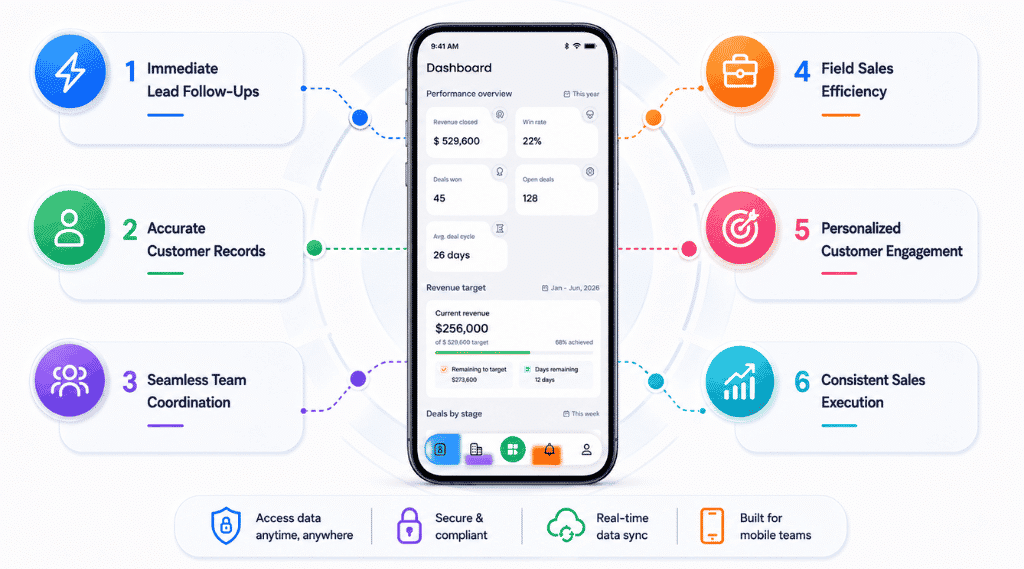
Mobile CRM changes the pace at which sales and marketing teams actually work by supporting simpler, more focused sales workflows inside a CRM. Here's what that looks like in practice.
Immediate Lead Follow-Ups
Speed matters more than almost anything else in sales. A lead that sits untouched for a day is a lead that's cooling off fast. With mobile CRM, reps can respond the moment a new lead comes in, whether they're between meetings or waiting on a flight. This kind of speed directly affects sales activities and how quickly deals move from first contact to close.
Accurate Customer Records
When reps can update records right after a call or meeting, information stays accurate. There's no gap between what happened and what's logged in the system. Teams can track customer interactions in real time instead of piecing things together from memory later, especially when using integrated contact management to centralize customer profiles. This also means less duplicate data and fewer awkward moments where a rep repeats a question the customer already answered.
Seamless Team Coordination
Sales and marketing don't always sit in the same room, but they need the same information. Mobile CRM keeps everyone working off the same sales pipelines, so a marketing update on a lead's engagement shows up instantly for the sales rep following up. This kind of coordination prevents mixed messages and keeps the customer experience consistent across teams, especially when you use a sales collaboration CRM to align marketing and sales.
Field Sales Efficiency
Reps working out in the field, at client sites, trade shows, or on the road, need tools that work as well on smartphones and tablets as they do on a desktop. Good mobile CRM apps run smoothly across different operating systems and don't lose functionality just because someone's on a smaller screen. Advanced features like offline access and GPS-based prioritization mean field reps aren't stuck waiting for a strong signal to keep working.
Personalized Customer Engagement
Access to full customer history means reps and marketers can tailor every interaction instead of sending generic messages. Whether it's a follow-up email or a support call, teams can deliver personalized support based on what a customer actually needs, not a one-size-fits-all script.
Consistent Sales Execution
Mobile functionality only helps if people actually use it, and that comes down to a user-friendly interface and strong CRM adoption strategies that drive real usage and ROI. When the app is intuitive, reps don't skip steps or fall back on spreadsheets. This consistency across the team means every deal gets the same level of attention, regardless of who's handling it or where they're working from. A few key factors shape this: how well the CRM supports offline work, how easily it fits into existing pipelines, and how comfortable teams actually are using it daily.
Must-Have Features In A Mobile CRM App
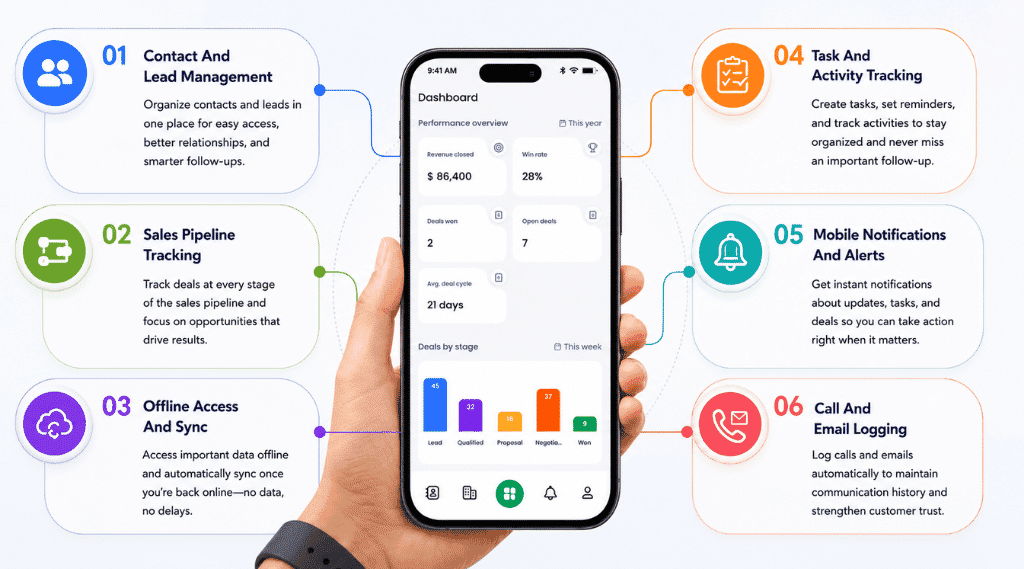
Not every mobile CRM app is built the same way. Here are the features that actually matter when you're choosing one for your team.
Contact And Lead Management
Good crm software should let reps view, add, and update contacts from anywhere without digging through menus. Every contact record should show the full picture, past conversations, deal stage, and notes, so nothing gets lost as leads move through the pipeline, especially when powered by dynamic contact management. A solid contact management CRM provides this foundation for managing customer relationships properly, since a missed or outdated contact detail can cost a deal.
Sales Pipeline Tracking
Reps need to see exactly where every deal stands without opening a spreadsheet. A solid mobile CRM app shows sales processes visually, much like a dedicated sales pipeline CRM for visibility and performance, so reps and managers can spot stalled deals early and prioritize the ones close to closing. Real time data here matters more than people realize. A pipeline that updates instantly keeps everyone working off the same numbers.
Offline Access And Sync
Field reps don't always have reliable internet, and that shouldn't stop them from working. A must-have feature is the ability to view and update records offline, with everything syncing automatically once a connection comes back. This keeps data management clean and avoids the mess of duplicate or conflicting entries when multiple people update the same account.
Task And Activity Tracking
Follow-ups, reminders, and daily tasks need to live inside the app, not scattered across sticky notes or separate to-do lists. When task tracking is built into the CRM and supported by automated sales task workflows, reps get a clear view of what needs attention that day, which keeps sales activities organized and nothing slips through.
Mobile Notifications And Alerts
Push notifications keep teams informed the moment something changes, a new lead comes in, a deal moves stages, or a customer replies. This kind of real time access means reps aren't checking the app every few minutes just to stay updated. It comes to them instead.
Call And Email Logging
Every call and email should log automatically or with minimal effort, so reps get real time customer data without manual entry eating into their day, especially when paired with a CRM built around email tracking and engagement insights. This also means anyone on the team can open a contact and immediately understand the full history of that relationship. An intuitive interface ties all of this together, since even the most advanced features fail if reps find them clunky to use, and that's what delivers a seamless customer experience on both ends.
How Mobile CRM Handles Offline Access And Data Sync
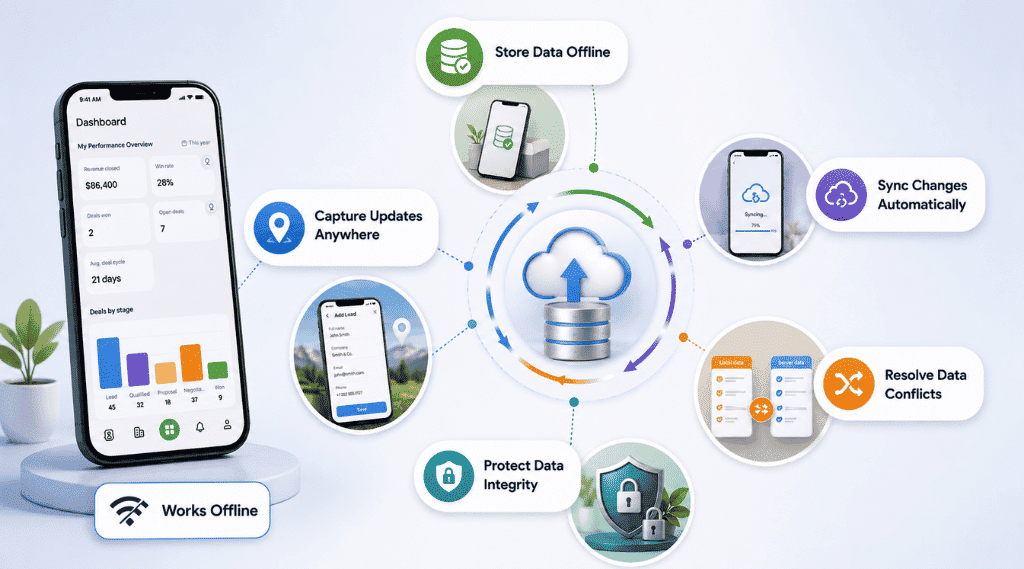
Internet connections aren't always reliable, especially for field teams. A CRM that only works with a strong signal isn't built for real sales work.
Store Data Offline
The right mobile crm stores a local copy of contacts, deals, and notes directly on the device. This means sales representatives can access customer information even in a basement office, a rural job site, or a building with dead zones. Offline storage is one of the key features that separates a genuinely field-ready CRM from one that only works well at a desk.
Capture Updates Anywhere
Offline access isn't just about viewing old data. Reps need to actually update records, log a call, note a new detail, close a deal stage, without waiting for a connection. Good crm functionality lets someone capture all of this in the moment, so nothing gets forgotten or scribbled down for later entry.
Sync Changes Automatically
Once the device reconnects, everything captured offline needs to flow back into the main crm system without anyone lifting a finger. This automatic sync is what makes offline mode actually useful instead of just a temporary workaround. Reps shouldn't need to manually upload notes or double check that their updates went through.
Resolve Data Conflicts
This is where most systems get it wrong. If two people update the same customer record while offline, whose version wins once both sync back? A well-built CRM system flags these conflicts instead of silently overwriting one person's work. Some platforms merge non-conflicting fields automatically and only ask a human to step in when two edits genuinely clash. Without this, teams end up with duplicate records or lost updates, the same mess accounting software runs into when two people edit a spreadsheet at once.
Protect Data Integrity
Offline data sitting on a phone or tablet is still customer information, and it needs the same protection as anything stored in the cloud. Encryption on the device itself matters here, not just during sync. This keeps sensitive records safe if a device is lost or stolen, and it's part of what customer support teams and IT departments should check before trusting any mobile CRM with real customer data.
Mobile CRM Use Cases By Industry And Role
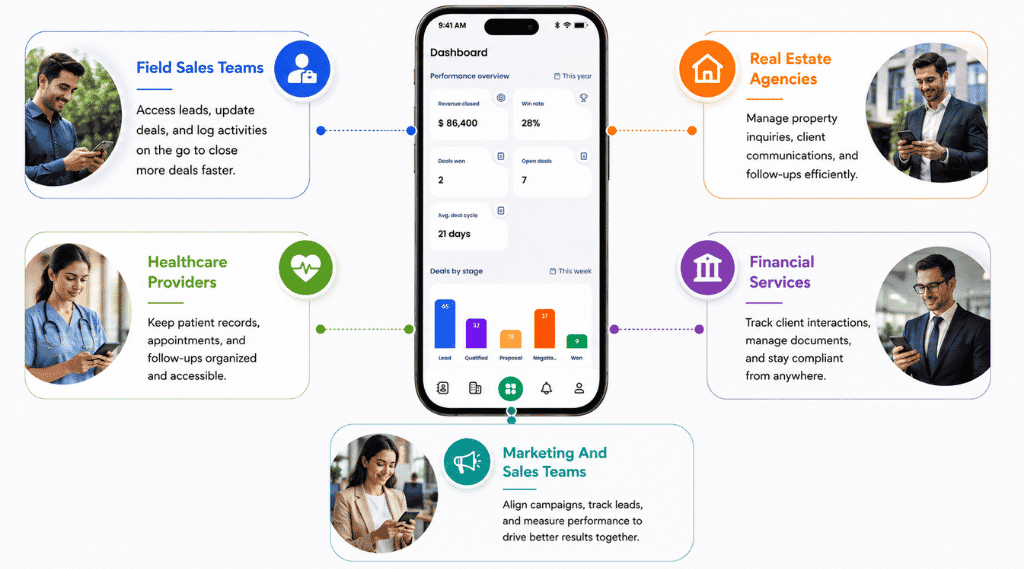
Different teams use mobile CRM in very different ways, depending on how and where they actually work.
Field Sales Teams
Field sales professionals spend most of their day away from a desk, moving between client visits, trade shows, and territory calls. Mobile CRM lets them track sales pipelines from wherever they are, updating deal stages right after a meeting instead of waiting until end of day, especially when paired with dedicated sales pipeline management tools. Offline capabilities matter a lot here too, since field reps often work in areas with weak or no signal. Push notifications keep them updated on lead activity and follow-up reminders without needing to check the app constantly.
Real Estate Agencies
Real estate agents are rarely in an office. Between property showings, client calls, and site visits, they need instant access to customer history, past inquiries, budget preferences, and previous conversations, right from their phone. Mobile CRM helps agents pull up a client's full profile moments before a showing, which makes every interaction feel prepared rather than rushed.
Healthcare Providers
Healthcare organizations use mobile CRM to manage patient relationships, appointment follow-ups, and referral coordination, particularly for administrative and outreach teams working across multiple locations. Having customer history available on a tablet or phone helps front-desk and care coordination staff respond to patient questions without digging through separate systems, while keeping sensitive information properly secured.
Financial Services
Financial advisors and agents often meet clients outside the office, at their homes, businesses, or over coffee. Mobile CRM gives them access to account details and prior conversations in real time, which builds trust during in-person meetings. Being able to update notes or flag a follow-up immediately after a meeting also keeps compliance and recordkeeping more accurate.
Marketing And Sales Teams
When marketing and sales work off the same mobile CRM, campaign engagement data and lead activity stay visible to both sides in real time. Marketers can see which leads are responding, while sales reps get instant context before reaching out. This kind of alignment directly supports business growth, since fewer leads fall through the cracks between the two teams.
How To Choose The Right Mobile CRM For Your Business
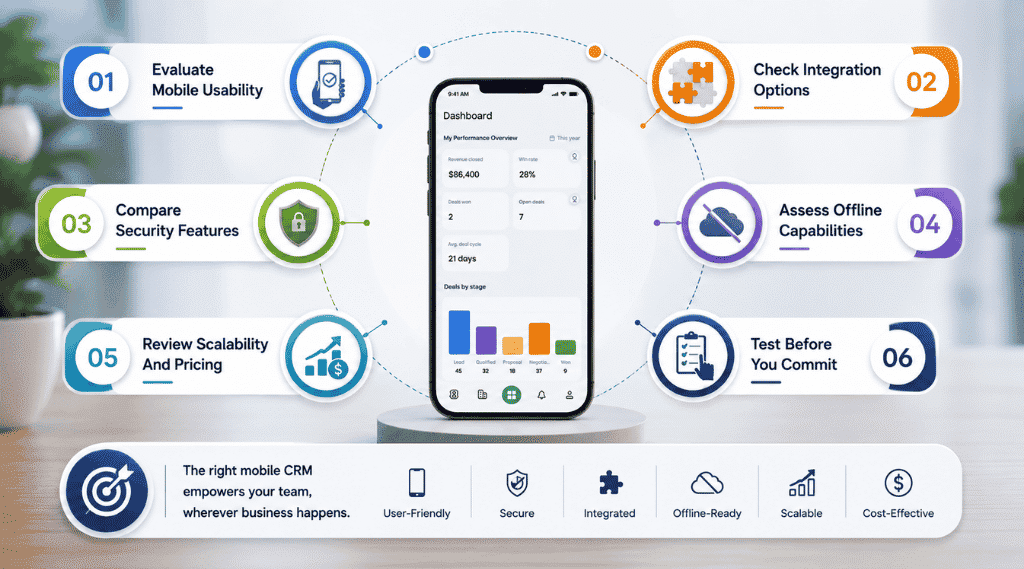
Picking a CRM isn't just about features on a page. It's about which platform actually fits how your team works day to day.
Evaluate Mobile Usability
Mobile crm refers to more than a shrunk-down version of a desktop tool. It should feel like it was genuinely optimized for mobile, with menus, buttons, and forms that make sense on a small screen. If reps have to pinch and zoom just to update a deal, adoption drops fast, no matter how powerful the backend is.
Test how quickly someone new to the app can access customer history or update a record without a tutorial. If it takes more than a few taps to do basic tasks, that friction adds up across an entire team and eventually affects sales performance.
Check Integration Options
A mobile CRM rarely works alone. It needs to connect smoothly with other business tools your team already relies on, email platforms, calendars, marketing software, even accounting tools. Poor integration means double data entry, which defeats the purpose of going mobile in the first place.
Look specifically at how well it syncs with communication tools like email and messaging apps. Customer service reps and sales teams both need call logs, emails, and chat history in one place, not scattered across three different systems.
Compare Security Features
Since mobile devices carry critical customer data, security can't be an afterthought. Check for encryption, both on the device and during sync, along with role-based access controls that limit who can see sensitive customer information.
Any platform handling customer profiles should make it easy to protect sensitive customer information without extra manual setup. Ask vendors directly how they handle lost or stolen devices, since that's often where real risk shows up.
Assess Offline Capabilities
Field teams need a CRM that keeps working without a signal. Check whether the app allows full offline access, viewing and editing records, or just limited read-only access when disconnected.
Also confirm how sync conflicts get handled once a device reconnects. A platform that silently overwrites data or creates duplicates will frustrate your team fast and create real data integrity problems down the line.
Review Scalability And Pricing
A CRM that works for five people might buckle under fifty. Check how pricing scales as you add users, and whether advanced features get locked behind higher tiers you'll eventually need, especially when comparing options like a simple Gain.io CRM versus enterprise tools like Salesforce.
Also consider how the platform supports customer service teams specifically, not just sales. A CRM built purely for sales pipelines might fall short once support tickets and customer satisfaction tracking come into play.
Test Before You Commit
Almost every serious mobile CRM offers a trial period. Use it with your actual team, not just yourself, since usability issues often only surface once multiple people are entering real data.
Pay attention to how reps react in the first week. If they're avoiding the app or reverting to spreadsheets, that's a signal worth taking seriously before signing a long-term contract.
Why Gain.io Is Built For Mobile-First Teams
Gain.io comes with a dedicated mobile app, not just a mobile-friendly website. It gives you real-time access to your deal pipeline, so reps can update opportunities right after a meeting instead of waiting to reach a desk. Smart CRM tools for sales teams include lead and contact management, activity tracking, and full customer interaction history built into the app, keeping context in one place for anyone picking up a conversation.
Gain.io is an all-in-one CRM where task and reminder management keeps follow-ups visible, so nothing slips just because someone's out of office. Gain.io also runs on a secure cloud platform with data encrypted in transit, and its Play Store listing confirms no user data gets shared with third parties.
FAQs
Can I Use Mobile CRM Without An Internet Connection?
Yes, most modern mobile CRM apps support offline access. You can view and update contacts, deals, and notes even without a signal. Once your device reconnects, everything syncs back to the main system automatically, so you don't lose any work done offline.
Does Mobile CRM Work The Same On Android And iPhone?
A well-built mobile CRM app should offer the same core functionality across both operating systems, pipeline tracking, contact management, task reminders, and real-time sync. Minor differences in layout or notifications can exist between platforms, but critical features shouldn't be missing on either one.
Is Mobile CRM Secure Enough For Sensitive Customer Data?
Reputable mobile CRM platforms use encryption both on the device and during data sync, along with role-based access controls to limit who can view sensitive information. Look for vendors who are transparent about how they handle lost or stolen devices, since that's usually where real risk shows up.
How Is Mobile CRM Different From Just Using A CRM's Website On My Phone?
A dedicated mobile CRM app is built specifically for smaller screens and on-the-go use, with offline access, push notifications, and touch-optimized navigation. A CRM's website accessed through a mobile browser often lacks these features and can be clunky to navigate, especially for tasks like logging calls or updating deal stages quickly.
What's The Real Cost Difference Between Mobile CRM And Desktop-Only CRM?
Most CRM platforms today include mobile access as part of the same subscription rather than charging separately for it. The bigger cost consideration isn't the app itself, but choosing a plan with the features your team actually needs, since some providers lock advanced mobile capabilities like offline sync behind higher-tier plans.