Choosing the right CRM platforms for new startups can define how a startup builds and scales customer relationships. Early decisions around customer relationship management influence sales performance, team collaboration, and long-term revenue growth. With dozens of customer relationship management systems available, founders must evaluate features, pricing, scalability, and usability carefully.
Modern customer relationship management software offers automation, analytics, and centralized customer data, but not every solution fits early-stage needs. Some platforms provide a free account to help startups test functionality before committing to paid plans. Others position advanced crm tools designed for complex pipelines and enterprise workflows.
A structured comparison process helps founders avoid costly mistakes and select a solution that supports growth from day one. This step-by-step guide explains how to evaluate options strategically and choose the right platform with confidence.
Why Startups Must Compare CRM Platforms
Selecting a CRM for startups is not a decision to rush. The platform you choose today shapes how your sales process scales tomorrow. With dozens of CRM solutions available, comparing options ensures you find a tool that matches your current needs without limiting future growth. Startups that skip this step often face steep learning curves, poor adoption rates, or expensive migrations within 18 months. Choosing the best CRM software or best crm solution early helps avoid reliance on only crm tools that fail to support growing businesses.
Understand Business Needs Before Choosing CRM
Every startup has unique workflows. A SaaS company tracking monthly recurring revenue needs different features than an agency managing client campaigns. Before looking at CRM software options, map out how your team handles leads today. Where do potential customers come from? How do you track customer interactions? What information matters most across the entire customer lifecycle and within your sales pipeline or sales funnel?
Document your current pain points. Maybe deals slip through because follow-ups get lost in email. Perhaps you struggle with tracking leads, capture leads effectively, or understanding how customer messages influence conversion. These gaps often lead to data silos that limit visibility across customer segments and existing customers.
Consider your team size and structure too. A two-person founding team needs simplicity. A ten-person sales organization needs task management, role-based user accounts, and crm analytics with analytics features. Understanding common crm features, core crm features, and basic features upfront supports better resource allocation and improves employee productivity.
Evaluate Scalability For Future Growth
The CRM you choose at five employees should still work at fifty. Scalability matters because switching crm systems mid-growth drains resources and risks losing valuable crm data. Look at how flexible pricing plans evolve as your business grows. A budget friendly crm or cheap crm software may work early but fail when business grows and demands increase.
Data from industry analyses shows that migration costs average $5,000 to $10,000 when startups outgrow limited free plans. Factor in the hidden costs of rebuilding sales automation, custom workflows, and customizable templates. Growing businesses benefit from a modern crm or agile crm that adapts without forcing complete overhauls.
Consider Budget And Cost Of Ownership
Budget constraints define startup decisions. The good news is that affordable CRM options exist for small businesses at every stage. HubSpot CRM offers a free plan, while Zoho CRM and other crm tools provide scalable crm platform options.
But sticker price is not the full story. Calculate total cost of ownership including implementation time, training, and integration with multiple tools. Cheap solutions that lack flexibility or require heavy customization often reduce customer satisfaction and long-term customer retention. The right customer relationship management platform balances upfront costs with long-term efficiency.
Prioritize Ease Of Use And Onboarding
Adoption determines CRM success. Studies indicate that 40% of startups face adoption barriers due to poor onboarding. If your sales reps struggle with navigation, sales calls, or deal updates, they revert to spreadsheets quickly. Prioritize systems that simplify building customer relationships and streamline workflows.
Test usability across communication tools, mobile access, and daily operations. A system that supports customer relationship management without friction improves adoption, strengthens sales automation, and reduces repetitive tasks.
Assess Integration With Existing Tools
Your CRM must connect with tools already used by your team. Integration with Google Workspace, marketing platforms, and project tools ensures smooth data flow. Without integration, teams rely on manual updates, which creates data silos and reduces efficiency.
Marketing automation, communication tools, and project systems should align with your crm platform. Integration also helps track customer messages, manage campaigns, and support the entire customer lifecycle without switching between systems.
Check Vendor Support And Training Resources
Reliable support ensures continuity. Evaluate how vendors handle onboarding, troubleshooting, and ongoing training. Strong support improves employee productivity and ensures compliance with data protection regulations.
For startups without IT teams, accessible resources reduce dependency on external help. Platforms that provide knowledge bases, tutorials, and responsive assistance help maintain performance while improving customer satisfaction.
Startups FAQs
Startups often ask whether to choose a free plan or invest early, how to avoid data silos, and how to scale without switching systems. The answer depends on aligning crm systems with business goals, ensuring flexibility, and focusing on long-term growth rather than short-term savings.
Key Features To Compare In CRM Platforms
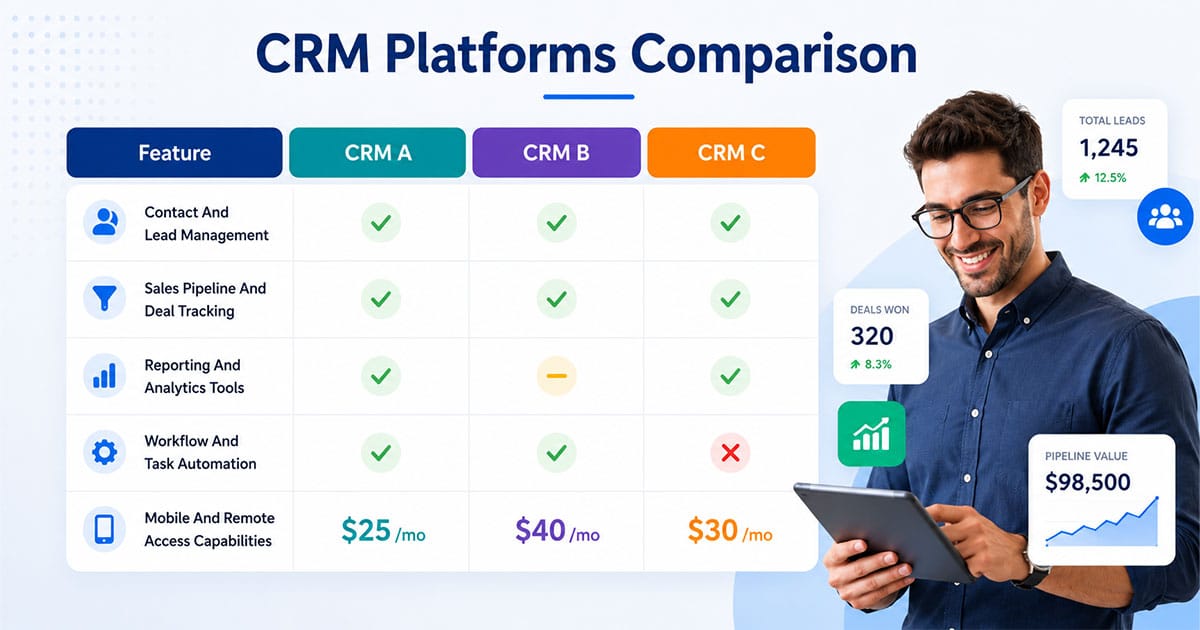
Feature lists can overwhelm startup teams. Focus on capabilities that directly impact your sales performance and customer engagement. The following areas deserve careful comparison across any CRM platforms you consider.
Contact And Lead Management
Effective contact management forms the foundation of any CRM. You need clean, organized records for every lead, prospect, and customer in your pipeline management system. Look for platforms that let you store email, phone, company, role, and interaction history on a single screen.
Lead management features help you prioritize who deserves attention. Lead scoring ranks prospects based on their potential value, letting sales professionals focus energy where it matters. The ability to segment customer data by source, industry, or deal size helps marketing teams target campaigns effectively.
Import and export capabilities matter too. You should move customer segments in and out of your CRM without losing critical information. Browser extensions or email integrations that update contact management records without switching tabs save hours weekly.
Sales Pipeline And Deal Tracking
A clear visual sales pipeline shows exactly where every opportunity stands. Look for customizable stages that match your actual sales process rather than generic templates. Drag-and-drop functionality lets you move deals through stages quickly during team reviews.
Pipeline management should surface stalled deals automatically. When an opportunity sits in the same stage for too long, you need visibility to take action. Deal tracking should capture not just value and close date but also the activities driving each opportunity forward.
Forecasting features help you predict revenue and report to stakeholders. Even basic projections based on pipeline stages give you more confidence than gut feelings. As your startup CRM needs grow, advanced analytics become valuable for optimizing your sales pipeline tracking.
Email And Communication Automation
Communication tools inside your CRM eliminate context switching. Look for native email integration that logs conversations automatically, tracks opens and clicks, and lets you send directly from contact records. This keeps all customer interactions in one place.
Marketing automation tools handle repetitive tasks like follow-up sequences, trial reminders, and onboarding emails. Basic automation found in most platforms covers scheduling and simple triggers. More advanced marketing automation supports branching logic, personalization, and multi-channel campaigns.
Some platforms include built-in calling, SMS, and chat. Freshsales stands out by offering phone, email, and chat integration even on lower tiers. Consider whether your sales reps need these communication tools natively or prefer integrating external services.
Reporting And Analytics Tools
Data drives decisions. Your CRM analytics should answer questions like “Which channels bring qualified leads?” and “Where do deals stall most often?” without requiring a data analyst to interpret results.
Standard reports include pipeline value by stage, win rates, deal velocity, and activity metrics. Marketing teams access campaign performance and lead source tracking. Sales managers need visibility into team performance and individual rep productivity.
Customizable dashboards let different roles see relevant metrics at a glance. The best CRM platforms balance depth with simplicity, offering powerful insights without overwhelming new users.
Workflow And Task Automation
Beyond email, workflow automation handles business processes that would otherwise consume hours. Automatic task creation after meetings, deal stage changes triggering notifications, and assignment rules based on territory or round-robin all automate repetitive tasks.
Start simple. Identify one or two workflows that consume time disproportionately, then build automation around them. Platforms like Zoho CRM offer AI-powered Zia predictions that suggest next actions and flag at-risk deals. Freshsales delivers AI scoring that helps prioritize high-potential prospects.
Resist the urge to automate everything immediately. Learn from direct customer interactions first. Build rules based on patterns you observe rather than assumptions about what might work.
Mobile And Remote Access Capabilities
Sales reps work from everywhere. Mobile access to your CRM should offer full functionality, not a stripped-down version of the desktop experience. Check whether mobile apps support contact lookup, deal updates, activity logging, and even offline access.
For distributed teams, mobile capabilities keep everyone aligned regardless of location. Push notifications about deal activity, upcoming tasks, or new leads keep your team responsive. Web tracking that follows prospects across devices provides richer customer behavior insights.
CRM Pricing Models And What Startups Should Know
Understanding pricing structures helps you budget accurately and avoid surprises. CRM vendors use various models, each with trade-offs for startup teams.
Free And Freemium Plans
Free CRM options provide risk-free entry points for early-stage teams. HubSpot CRM leads with a forever-free plan supporting unlimited users and up to 1,000,000 contacts. Zoho CRM offers its free plan for up to three users with basic task management and contact storage.
These plans work well for validation. Use them to learn what features you value before committing budget. However, recognize limitations. Free tiers often cap automations, restrict integrations, or limit reporting depth. Monitor when you start fighting these constraints.
Per User Per Month Pricing
The most common model charges per seat monthly or annually. Freshsales Growth starts at $9 per user, Zoho Standard at $14 to $20, and Pipedrive at $14 per user. Annual commitments typically reduce per-user costs by 10% to 20%.
Calculate costs for your projected team size over 12 to 24 months. A platform at $15 per user seems affordable until you multiply by fifteen sales reps. Some platforms like Monday CRM require minimum seat purchases (typically three), which impacts small teams.
Tiered Plans Based On Features
Most CRM software offers multiple tiers unlocking progressively more features. Basic plans cover contact management and simple pipelines. Professional tiers add automation features, advanced reporting, and integrations. Enterprise tiers include custom objects, AI capabilities, and dedicated support.
Match your tier to actual needs. Paying for enterprise features you will not use for 18 months wastes runway. However, ensure your chosen tier includes must-haves like the specific integrations or reporting depth your team requires.
Usage Based Or Consumption Pricing
Some platforms charge based on contacts stored, emails sent, or API calls made. This model works well if your usage stays predictable but creates budgeting challenges when activity spikes. SaaS startups with viral growth may see costs balloon unexpectedly.
Review usage limits carefully on any plan. Hitting thresholds mid-month can trigger overage charges or feature restrictions at inconvenient times.
Hidden Costs And Add Ons
Sticker prices rarely tell the whole story. Common add-ons include premium integrations, additional storage, advanced analytics modules, and phone support. Implementation services, data migration assistance, and custom training add to total cost of ownership.
Ask vendors explicitly about what is not included in base pricing. Service tools, web tracking, and specific automation features sometimes require separate purchases. Build these into your budget from the start.
Return On Investment Considerations
Evaluate CRM investment against time saved and revenue gained. Studies suggest that AI-powered CRM insights can improve sales efficiency by up to 30%. Automating repetitive tasks frees reps to focus on relationship-building activities that close deals.
Track metrics like deal velocity, win rate, and time spent on administrative tasks before and after implementation. These data points justify ongoing investment and guide decisions about tier upgrades.
Startup CRM Integration And Tech Stack Fit
Your CRM should enhance your existing workflow, not force a complete overhaul. Integration capabilities often separate adequate tools from great ones for growing businesses.
Integration With Marketing Tools
Marketing teams access lead data, campaign performance, and customer segments through CRM integrations. Native connections with email marketing platforms, advertising tools, and landing page builders streamline handoffs between marketing campaigns and sales follow-up.
HubSpot CRM excels here with its native marketing hub integration. Other platforms offer marketplace connectors for popular tools. Verify that the specific marketing automation tools your team uses integrate cleanly before committing.
Sync With Customer Support Systems
While your sales CRM focuses on revenue activities, customer service teams often need visibility into sales history. Look for integrations that share relevant context without duplicating data. When a support issue arises, access to deal history and sales notes helps teams respond appropriately.
Zoho CRM benefits from its ecosystem of over 45 integrated business apps, including support tools. This unified approach keeps customer data consistent across departments.
Link To Accounting And Finance Apps
Connecting your CRM to invoicing, billing, and accounting platforms eliminates manual data transfer. Sales reps can see payment status without switching systems. Finance teams get accurate pipeline forecasts for revenue planning.
Stripe integration matters particularly for SaaS startups tracking recurring revenue. HubSpot and Attio offer native Stripe sync, while others require add-ons or middleware solutions.
Connect With Communication Platforms
Slack, Microsoft Teams, and other team communication hubs should receive CRM notifications automatically. Deal updates, new leads, and task reminders pushed to channels where your team already works improve responsiveness.
These integrations keep everyone informed without requiring constant CRM logins. Real-time alerts about high-priority activities ensure nothing slips through the cracks.
Ensure Data Flow Across Systems
Integrated systems only help if data flows correctly. Test synchronization during trials. Do contacts created in one system appear in another? Are updates reflected consistently? Inconsistent data creates confusion and erodes trust in your CRM records.
Establish clear rules about which system serves as the source of truth for different data types. Document these decisions so team collaboration stays aligned.
Support For API And Custom Integrations
Sometimes native integrations do not exist for tools you need. API access lets developers build custom connections. No-code platforms like Zapier or Make can bridge gaps without engineering resources.
Evaluate API documentation quality and rate limits. Startups planning custom integrations should verify that the vendor supports their technical approach before committing.
Best Types Of CRM Platforms For New Startups In 2026
No single CRM fits every startup. Understanding platform categories helps you narrow options quickly based on your stage and priorities. Trade-offs exist in every choice between simplicity and depth, low cost and advanced capabilities.
Free And Freemium CRMs For First-Time Founders
Pre-revenue teams and newly funded startups often start here. Free CRM plans let you learn what matters without budget commitment. HubSpot CRM remains the most generous, offering unlimited users and substantial contact limits. Zoho CRM serves up to three users on its free plan with AI-powered Zia features.
Use these plans as learning tools. After 60 to 90 days, evaluate whether you are fighting limitations or operating comfortably. Many teams discover their actual needs differ from initial assumptions, making free trials valuable for informed decisions.
Typical restrictions include automation caps, basic reporting, limited integrations, and branded forms. Understand these constraints before building workflows that will break when you scale.
Sales-Focused CRMs For Growing B2B Pipelines
Once you have sales traction, dedicated sales CRM platforms offer deeper pipeline visibility and forecasting. Pipedrive excels with customizable Kanban boards and a sales-first approach. Close suits outbound-heavy teams under 20 people with high-velocity calling features.
These platforms help new sales reps ramp quickly because playbooks and stages are embedded in the system. Deal management becomes systematic rather than individual. However, configuration overhead may overwhelm very early teams who need months before using advanced features.
Expect stronger CRM analytics, sequence automation, and quota tracking compared to general-purpose tools.
All-In-One Platforms That Combine CRM And Operations
Some teams prefer unified workspaces combining CRM with project management, collaboration, and customer support. Monday Sales CRM integrates naturally with Monday.com project management tool features. Bitrix24 extends beyond CRM into team collaboration with free unlimited users for tasks and projects.
Cross-functional teams benefit from seeing sales, onboarding, and account management in one place. However, this approach risks complexity if you only need basic deal tracking for now. Evaluate whether breadth adds value or creates noise.
Vertical Or Niche CRMs For Specific Industries
Industry-specific CRMs ship with pre-built fields, workflows, and reports tailored to your vertical. Agencies, SaaS companies, real estate firms, and professional services each have dedicated options.
Setup happens faster because the platform speaks your industry language. However, switching away later becomes harder if the tool is tightly tied to that niche. Validate fit with a concrete use case during trials rather than assuming industry focus equals better fit.
Common Mistakes Startups Make When Choosing CRM
Learning from others' errors saves time and money. These patterns appear repeatedly across startup CRM implementations due to several mistakes.
Choosing Too Complex Systems Too Early
Salesforce Sales Cloud offers enterprise power but carries a steep learning curve. Research indicates 25% abandonment rates in small teams that adopt complex platforms prematurely. Features unused for months still consume implementation time and budget.
Match platform sophistication to your current reality. A two-person team does not need role hierarchies, territory management, or custom objects. Start simple and add complexity as genuine needs emerge.
Ignoring Customer Data Quality
Your CRM is only as valuable as the data inside it. Importing messy spreadsheets with duplicate contacts, outdated information, and inconsistent formatting creates problems from day one. Clean your data before migration rather than inheriting chaos.
Establish data entry standards early. Define required fields, naming conventions, and update schedules. This discipline pays dividends as your CRM data accumulates over months and years.
Underestimating Training And Adoption Needs
Buying a CRM does not mean your team will use it. Studies show 40% of startups face adoption barriers from poor onboarding. Budget time for training, documentation, and ongoing reinforcement.
Leadership must model usage. If founders ignore the CRM, everyone else will too. Make CRM updates part of daily standups and weekly reviews until habits form.
Skipping Trial Or Pilot Testing
Demo videos and feature lists do not reveal how a platform feels in daily use. Run real workflows through your top two or three options. Import actual contacts, log genuine activities, and involve teammates beyond just the decision-maker.
A week of hands-on testing exposes friction points that sales conversations hide. Discover problems before signing annual contracts.
Failing To Define Success Metrics
How will you know if your CRM investment succeeded? Define specific KPIs before implementation. Track deal velocity, win rates, follow-up response times, and time spent on data entry. Compare baseline measurements to post-implementation results.
Without clear metrics, you cannot justify continued investment or identify when a platform change makes sense.
Overlooking Scalability Limitations
Free plans have limits. Entry tiers cap features. What works at five users may break at fifteen. Review pricing changes and feature restrictions as business scales before committing.
Ask vendors explicitly about growth paths. Understand when you will hit ceilings and what upgrades cost. Build these transitions into your planning rather than confronting surprises mid-growth.
CRM Evaluation Framework For Startup Teams
A structured process helps teams make confident decisions faster. Follow these steps to compare CRM platforms systematically rather than bouncing between endless demos.
Define Objectives And KPIs
Start with outcomes, not features. What do you want your CRM to accomplish? Faster follow-ups? Better pipeline visibility? Improved team performance tracking? Document three to five specific goals.
Then identify metrics that measure progress toward each goal. If faster follow-ups matter, track average response time. If pipeline visibility is the priority, measure how often teams review dashboards. Clear objectives guide every subsequent decision.
Score Features Against Requirements
Build a simple scorecard listing your non-negotiables and nice-to-haves. Rate each platform against these criteria during evaluation. Weight critical requirements higher than optional features.
This approach prevents shiny feature syndrome where impressive capabilities distract from fundamental needs. Score based on what matters to your specific workflow, not general industry recommendations.
Run Side By Side Demos
Narrow to two or three finalists and test them simultaneously. Use the same sample data across platforms. Complete identical tasks in each system. Note time differences, confusion points, and moments of delight.
Involve end users, not just decision-makers. The person logging deals daily has different priorities than the founder reviewing reports weekly. Gather perspectives from everyone who will touch the system.
Gather Feedback From Early Users
After initial trials, solicit structured feedback. Ask specific questions like “Could you find information in under 30 seconds?” and “Did this save you time compared to our current process?” Quantify responses where possible.
Team buy-in determines adoption success. If users express frustration during trials, those concerns will amplify after go-live. Address objections before committing.
Evaluate Support And Implementation Time
How quickly can you get help when stuck? Test support channels during trials. Submit actual questions and measure response times and quality. Review available documentation, tutorials, and community resources.
Implementation timelines vary dramatically. Some platforms go live in an afternoon. Others require weeks of configuration. Match your available bandwidth to vendor expectations.
Decide Based On Data And Team Fit
Combine scorecard results with user feedback and practical trial experience. The best CRM for your startup balances objective feature fit with subjective usability preferences.
Trust your team's reactions. If a technically superior platform felt frustrating during testing, adoption will struggle regardless of capabilities. Choose the tool your team will embrace.
How Gain.io Helps Startups Compare CRM Platforms
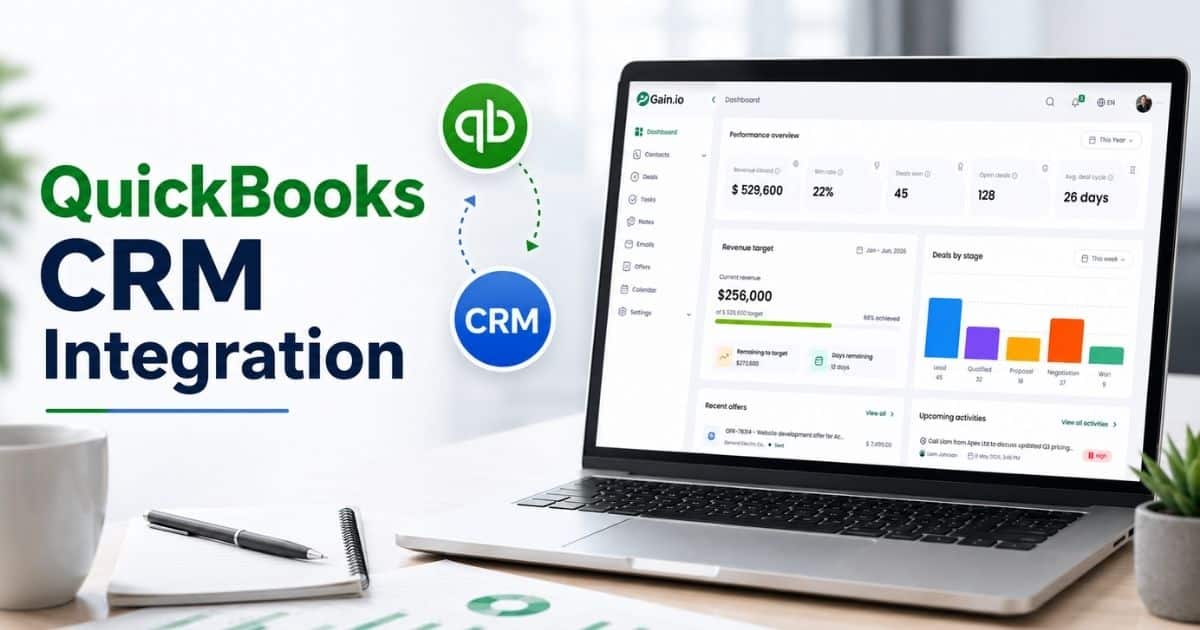
Gain.io simplifies the CRM comparison process by focusing on what matters most for sales teams. Rather than getting lost in feature matrices, Gain.io helps you evaluate platforms based on actual sales workflows and pipeline management needs.
The platform reduces setup complexity by up to 50% compared to traditional CRM implementations, letting small teams get started without dedicated administrators. With clear visibility into sales activity, deal progression, and team performance, Gain.io gives startups the insights they need to make confident decisions.
Integration with tools you already use means data flows smoothly from day one. For startups ready to streamline customer interactions and close deals faster, Gain.io offers a focused approach built specifically for sales-driven growth.
FAQs
What Should Startups Consider First When Comparing CRM Platforms?
Start with your actual workflows rather than feature lists. Map how leads enter your pipeline, how you track customer interactions, and where deals typically stall. Understanding these specifics helps you evaluate whether a platform solves real problems. Budget constraints, team size, and integration requirements should also guide initial filtering before diving into demos.
How Important Is User Adoption In CRM Success?
Adoption determines everything. Studies show 40% of startups face adoption barriers due to poor onboarding. A powerful CRM that nobody uses provides zero value. Prioritize ease of use, involve end users in evaluations, and ensure leadership models consistent usage. The best CRM is the one your team opens daily.
Can A Startup Switch CRM Platforms Easily Later?
Switching is possible but costly. Data migration typically runs $5,000 to $10,000 when moving from constrained free tiers to more capable platforms. Factor in retraining time, rebuilt automations, and re-established integrations. Choosing wisely upfront avoids these disruptions during critical growth phases.
Are Free CRM Plans Worth Using For Startups?
Free plans provide excellent starting points for early-stage teams. HubSpot CRM supports up to 1,000,000 contacts without payment. These tiers let you learn what features matter before committing budget. However, monitor constraints carefully. Automation limits, restricted reporting, and integration gaps push many teams to paid tiers within 90 days.
How Do Startups Measure CRM ROI?
Track metrics before and after implementation. Compare deal velocity, win rates, follow-up response times, and time spent on administrative tasks. AI-powered CRM features can improve sales efficiency by 30%. When your team closes more deals in less time, ROI becomes clear regardless of subscription cost.
For more on this topic, see our guide on CRM For Startups And Small Sales Teams.