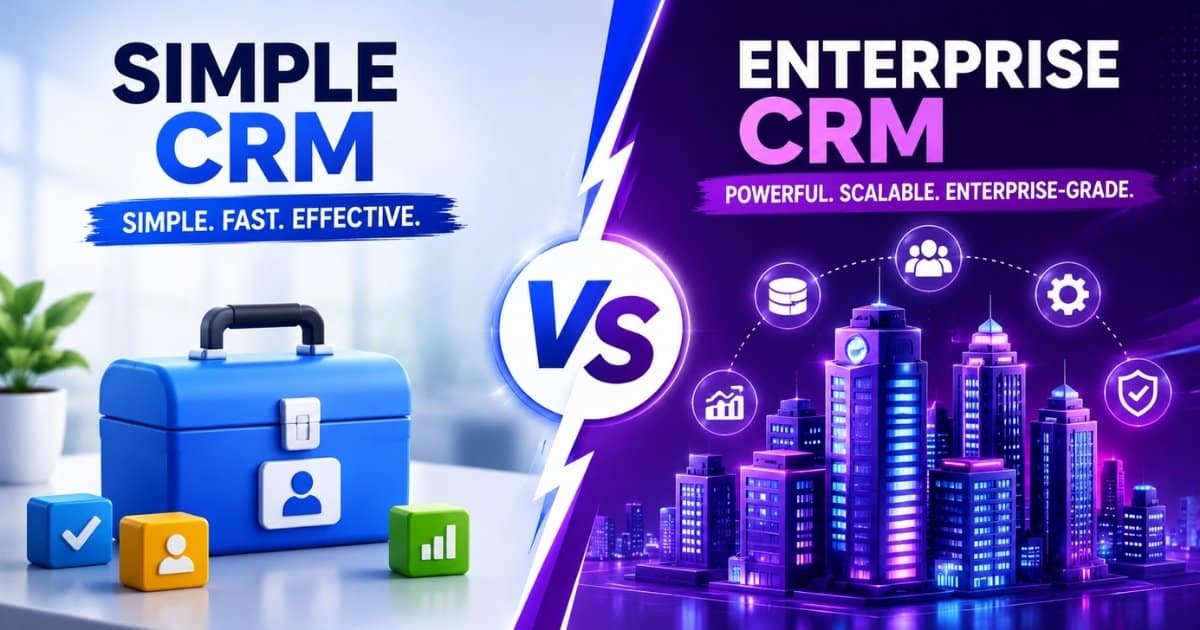
Choosing between a simple CRM and an enterprise CRM comes down to matching software complexity with your actual business needs. Small business CRM solutions handle contact management, basic sales pipelines, and straightforward reporting for teams that need quick wins. Enterprise CRM platforms support hundreds of users across multiple departments with advanced analytics, complex integrations, and robust compliance features.
The wrong choice creates real problems. Pick a simple system that cannot scale, and you face expensive migrations within two years. Select an enterprise platform before you need it, and you pay for features gathering dust while your sales team struggles with overwhelming complexity.
This simple CRM Vs enterprise CRM comparison breaks down the key differences in implementation, customization, cost, adoption, and security so you can identify which CRM system actually fits your team.
What Does Simple CRM Mean?
A simple CRM focuses on essential tools like contact management, basic sales pipelines, and simple reporting. These small business CRM systems serve teams of 5 to 50 users who need quick adoption with minimal setup. The emphasis falls on clean interfaces, fast onboarding, and transparent pricing rather than extensive customization capabilities.
Simple CRMs are designed for quick adoption with minimal setup. Most offer free tiers or straightforward per-user pricing between $10 and $30 per month. This approach protects profit margins by avoiding payment for advanced features small businesses do not need, and aligns with many recommendations in simple CRM guides for small teams.
What Does Enterprise CRM Mean?
Enterprise CRM software supports large companies with hundreds or thousands of users spanning multiple departments, regions, and business units. These platforms include advanced features like multi-level approval workflows, sophisticated territory management, and complex reporting hierarchies essential for managing large customer bases.
Enterprise CRM solutions from vendors like Microsoft Dynamics require extensive customization, integration with enterprise resource planning systems, and compliance with regulations such as GDPR, HIPAA, or SOX. The trade-off for this power is longer implementation timelines, higher total cost of ownership, and the need for specialized technical expertise, which is why some teams also compare simple CRM and all-in-one CRM options before committing.
Simple CRM Vs Enterprise CRM: Key Differences
The fundamental distinction centers on control versus simplicity. Simple CRMs prioritize user experience and speed of implementation, offering limited customization options that focus on essential features for small teams. Enterprise CRM platforms are built as relational databases with extensive customization capabilities for complex business processes.
Factor | Simple CRM | Enterprise CRM |
|---|---|---|
Target Business Size | Best for startups and small businesses with simple sales processes | Designed for large organizations with complex business operations |
User Capacity | Usually supports small teams with limited users | Supports hundreds or thousands of users across departments |
Implementation Time | Deployment takes days to weeks | Implementation often takes several months |
Setup Complexity | Minimal configuration with fast onboarding | Requires dedicated planning, customization, and technical expertise |
Pricing Structure | Lower monthly subscription costs | Higher licensing, implementation, and maintenance costs |
Customization Depth | Basic customization and workflows | Advanced customization with custom modules and workflows |
Workflow Automation | Simple automation for repetitive tasks | Multi-level workflow automation with approvals and conditions |
Data Migration | Basic import tools for existing data | Complex data migration across multiple systems |
Integration Capabilities | Connects with common business tools | Supports ERP, finance, analytics, and enterprise integrations |
Reporting And Analytics | Standard reports and pipeline visibility | Advanced analytics, forecasting, and executive dashboards |
Security And Compliance | Basic security for small business needs | Enterprise-grade security, audit logs, and compliance controls |
Scalability | Suitable for moderate business growth | Built for global operations and long-term scalability |
The choice depends on team size, budget, technical requirements, and future growth plans. A manufacturing company with 30 employees has fundamentally different needs than a financial services firm with 2,000 users spread across multiple business units, which is why many small and mid-sized teams compare Gain.io vs Salesforce CRM to understand where simplicity or enterprise depth matters most.
Implementation And Setup Complexity
Implementation time varies significantly between simple and enterprise CRM systems. The table below summarizes the core differences before examining each approach in detail.
Factor | Simple CRM | Enterprise CRM |
|---|---|---|
Timeline | Days to weeks | 3 to 9 months |
Technical Expertise | Minimal | Dedicated IT teams required |
Data Migration | Basic import tools | Complex multi-system integration |
Training | Self-guided | Extensive formal programs |
Simple CRM Implementation
Simple CRMs can be deployed in days to weeks with minimal technical expertise required. Most simple CRM options offer instant credit card signup and immediate access, allowing teams to start using core features within hours of signup.
Basic data import tools handle contact migration from spreadsheets or existing systems without requiring external consultants. Reduced, intuitive workflows encourage daily usage among employees, preventing system underutilization that plagues more complex deployments.
Enterprise CRM Implementation
Enterprise CRMs often take months to implement, requiring specialized training and dedicated IT teams. Timelines span 3 to 9 months for standard deployments, with global operations sometimes extending to 12 months or longer.
The process requires dedicated project managers, external consultants, and extensive planning including data audits, security reviews, and integration with existing systems like ERP and financial platforms. Procurement involves lengthy legal reviews and contract negotiations that add weeks to the timeline before implementation even begins.
Customization And Feature Depth
Customization capabilities differ dramatically between simple and enterprise CRM platforms. Understanding these differences helps teams avoid both feature gaps and unnecessary complexity.
Factor | Simple CRM | Enterprise CRM |
|---|---|---|
Custom Objects | Limited or none | Extensive with complex dependencies |
Workflow Automation | Basic triggers | Multi-level approval workflows |
Technical Requirements | None | Specialized programming knowledge |
Configuration Risk | Low | High (technical debt) |
Simple CRM Customization
Lightweight CRMs typically prioritize user experience and speed of implementation, offering limited customization options that focus on essential features for small teams. Basic field customization, simple workflow automation, and standard reporting cover most common business scenarios without technical expertise.
Small business CRMs are usually flexible, allowing for basic personalization that adapts to current processes without requiring expensive consultants. Pre-built templates and integrations provide opinionated data models that prevent over-customization while maintaining system simplicity, while strong contact management capabilities help teams build and maintain deeper customer relationships.
Enterprise CRM Customization
Enterprise CRM systems provide extensive customization capabilities, allowing organizations to create complex custom objects and intricate dependency rules essential for managing sophisticated workflows. Custom modules can address specific industry requirements that standard configurations cannot handle, but case studies on how teams close deals faster with Gain.io show that disciplined processes often matter more than sheer feature volume.
However, customization in enterprise CRMs often requires specialized knowledge, such as proprietary programming languages or complex declarative frameworks. This makes them more challenging to adapt without technical expertise and creates risk of accumulating technical debt through over-customization.
Cost And Pricing Structure
Pricing models and total cost of ownership vary dramatically between simple and enterprise CRM solutions. Small business CRM solutions typically have transparent, predictable pricing models, while enterprise CRM pricing can be complex, often involving custom pricing based on user volume and additional features, so it’s important to follow tips for choosing CRM tools that fit your workflow before committing.
Factor | Simple CRM | Enterprise CRM |
|---|---|---|
License Cost | $10-$30 per user monthly | $150-$300+ per user monthly |
Implementation Cost | Minimal | Significant (consultants, integration) |
Training Cost | Self-service | Formal programs required |
TCO vs License | Closely aligned | 2-3x license cost |
Simple CRM Pricing
Small business CRMs generally fall within the $10 to $30 per month range with transparent per-user pricing. Resources that compare the best CRM software for small sales teams can help you benchmark options in this range. Lightweight CRM tools generally have a total cost of ownership that closely aligns with their license cost since administration and training requirements remain minimal.
Small businesses can avoid paying for advanced features they do not need with simple CRMs, protecting profit margins. Annual contracts often provide 10 to 20 percent discounts compared to monthly billing, making budget planning straightforward.
Enterprise CRM Pricing
Enterprise solutions can exceed $300 per user per month for platforms like Salesforce Unlimited, with HubSpot Enterprise around $150 per user monthly. The total cost of ownership for enterprise CRM systems often includes not just the license fee, but also costs for implementation, training, and ongoing support.
Lightweight CRM tools generally have a total cost that closely aligns with their license cost, while enterprise systems can incur additional costs for administration, implementation partners, and ongoing training. For early-stage companies, CRM tools that help startups grow smarter often provide a better balance of cost and capability. Complex pricing tiers with feature restrictions drive users toward expensive plans, creating significant pricing discontinuities between tiers.
User Adoption And Learning Curve
User experience impacts team adoption and CRM success rates directly. As explored in CRM adoption best practices, CRM implementation failure rates hover between 30% and 60%, often due to a mismatch between organizational maturity and software complexity.
Factor | Simple CRM | Enterprise CRM |
|---|---|---|
Time to Basic Proficiency | 1-2 weeks | Weeks to months |
Full Team Adoption | 30-60 days | 3-6 months |
Training Requirements | Minimal | Extensive |
Change Management | Light | Critical investment |
Simple CRM User Experience
Lightweight CRMs are designed with a product-led philosophy, prioritizing user experience and speed of data entry. Intuitive interfaces designed for non-technical users require minimal training, leading to high CRM adoption rates due to familiar, consumer-app-like interfaces and simpler sales workflows that keep daily tasks straightforward.
Mobile-first design enables sales reps to update records easily from the field. Built-in onboarding guides and tooltips reduce time to productivity, with most teams reaching basic proficiency within one to two weeks and full adoption within 30 to 60 days, especially when the CRM is designed to help sales teams manage leads effectively.
Enterprise CRM User Experience
Enterprise platforms require extensive training and ongoing support due to complex interfaces. Enterprise CRM systems provide advanced features like multi-level approval workflows and complex reporting hierarchies, but these capabilities can overwhelm non-technical users.
Lower enterprise adoption rates among frontline users stem from overwhelming feature sets that obscure daily tasks. Investment in change management and user training becomes critical for success, and structured CRM adoption strategies can help, with full adoption typically requiring three to six months across the organization.
Team Size And Business Scale Considerations
Different CRM types align with specific business growth stages and organizational maturity levels. A simple CRM system is an excellent fit for small businesses as it delivers necessary features without overwhelming the team.
Startup teams under 20 employees benefit most from CRM for startups and small sales teams focused on basic contact management and sales pipeline visibility. The target market for these tools values speed and simplicity over depth.
Mid-market companies with 50 to 500 employees often reach a tipping point where simple systems become limiting. Multiple teams, complex reporting needs, and growing data volume push organizations toward enterprise features, especially when they want to layer in an AI sales assistant for pipeline efficiency. Small business CRM solutions often face scalability issues as they are designed for immediate productivity and ease of use, but may lack capacity to handle increasing data volumes and complex workflows as the business grows.
Large enterprises with 500 or more employees typically require enterprise CRM capabilities for compliance, scale, and cross-departmental coordination. Industry regulations in healthcare, finance, and government often mandate enterprise-grade data security and audit logs. Enterprise CRM systems are built with scalability in mind, allowing them to adapt to new requirements and handle large customer bases, while specialized CRM tools for retail teams address vertical-specific workflows within that broader ecosystem.
Integration And Technical Requirements
Integration capabilities vary between simple and enterprise CRM systems based on their fundamental architecture and intended user base.
Factor | Simple CRM | Enterprise CRM |
|---|---|---|
Pre-built Connectors | Popular SMB tools | Enterprise systems |
API Capabilities | Limited | Robust, bi-directional |
Custom Integration | Zapier-based | Developer resources required |
Data Model Complexity | Simplified | Multi-currency, multi-language |
Simple CRM Integrations
Pre-built integrations with popular small business tools like QuickBooks and Mailchimp cover most common scenarios. Choosing a CRM with email integration further streamlines communication by syncing messages, tracking engagement, and keeping conversations tied to contact records. Limited API capabilities restrict custom integration development but reduce complexity for teams without technical resources.
Focus remains on essential integrations rather than comprehensive system connectivity. Zapier and similar platforms enable basic workflow automation between apps, connecting CRM data to marketing automation and other cloud based CRM tools without custom development, especially when the platform includes smart CRM tools for sales teams out of the box.
Enterprise CRM Integrations
Robust APIs support real-time, bi-directional data sync with ERP and other enterprise systems. Native integrations with business intelligence tools, marketing automation platforms, and financial systems enable organizations to manage customer interactions across the entire customer journey.
Enterprise platforms within the Microsoft ecosystem can leverage deep integration with Dynamics 365 and related tools. Custom integration capabilities require developer resources and technical expertise but eliminate data silos that fragment customer data across disconnected systems when paired with dynamic contact management for smarter relationship tracking.
Security And Compliance Features
Security and compliance requirements often drive CRM selection decisions, particularly for organizations in regulated industries. Enterprise platforms have enhanced security and compliance features designed for high-risk, large-scale data environments.
Simple CRMs provide basic security suitable for most small to medium businesses, including data encryption in transit, basic role-based access control, and two-factor authentication. These features protect customer relationships by keeping centralized contact management secure without requiring dedicated security administration.
Enterprise CRM platforms require a fundamentally different approach to security to protect data and comply with regulatory requirements. Features include AES encryption at rest, advanced role-based access control, and SSO integration. Enterprise platforms offer granular field-level security, allowing you to hide specific data points such as personally identifiable information from certain roles.
Comprehensive audit logs are a feature of enterprise CRMs, providing an immutable record of who changed what and when. This capability proves essential for compliance with GDPR, HIPAA, SOX, and similar regulations that govern how organizations manage customer data.
Simple CRM Vs Enterprise CRM: Which Should You Choose?
Choose a simple CRM if you have under 50 users, straightforward sales processes, and want quick implementation. It is recommended to start with a user-friendly, specialized small business CRM and only scale up to a larger system as the company’s size or complexity demands it. Simple CRMs are more suitable for small businesses due to lower costs and shorter learning curves.
Choose an enterprise CRM if you need advanced customization, have complex compliance requirements, or manage over 500 users across multiple departments. As businesses scale, the need for advanced features such as multi-level approval workflows, sophisticated territory management, and complex reporting hierarchies becomes critical.
Consider hybrid solutions like HubSpot for mid-market companies needing enterprise features with simple CRM usability. These platforms balance sales analytics capabilities with accessible interfaces that drive CRM adoption.
Evaluate your current needs while planning for two to three years of future growth to avoid costly migrations. Both simple and enterprise CRM can drive business growth and strengthen customer relationships when properly matched to organizational requirements.
Final Discussion
Finding the right CRM means balancing current needs with growth potential. Many organizations struggle because they outgrow simple systems or drown in enterprise complexity before they need it.
Gain.io offers a practical middle path for teams navigating this decision. For small companies, Gain.io delivers essential contact management and sales pipeline features without overwhelming system complexity. As organizations grow, the platform scales to support multiple teams, marketing automation, and advanced analytics without forcing a complete system migration.
Whether you currently need a straightforward small business CRM system or anticipate enterprise-level requirements, Gain.io adapts to your trajectory. This flexibility helps teams avoid the common trap of selecting an AI powered CRM that either limits future growth or wastes budget on unused capabilities. Consider evaluating Gain.io alongside your shortlist to see how it aligns with your specific sales processes and forecast revenue goals.
FAQs
Can A Small Business Switch From A Simple CRM To An Enterprise CRM Later?
Yes, many businesses start with a simple CRM and move to an enterprise CRM as sales operations, customer data, and team structures become more complex. Early planning for scalability can reduce migration issues and data loss later.
Does CRM Complexity Affect Sales Team Productivity?
Yes, overly complex CRM software can slow down user adoption and reduce daily usage among sales teams. A clean CRM interface with simple workflows often improves productivity, pipeline visibility, and customer relationship management.
What Happens If A CRM Cannot Handle Business Growth?
A CRM system with limited scalability may create reporting gaps, workflow issues, and integration problems as customer volume increases. Businesses often face costly migrations when the platform cannot support advanced automation or larger teams.
How Important Is Mobile Access In CRM Software?
Mobile CRM access helps sales representatives update customer interactions, manage leads, and track sales activities from anywhere. Strong mobile usability also improves response time and supports better customer engagement across the sales cycle.
Can CRM Software Improve Customer Retention Rates?
No, CRM software alone cannot guarantee higher retention without proper sales processes and customer support strategies. However, strong contact management, customer insights, and automated follow-ups can help businesses build long-term customer relationships.