Your CRM is only as good as the data inside it. Over time, duplicate contacts, outdated information, incomplete records, and inconsistent data entries can quietly pile up. What starts as a small issue can eventually affect sales performance, reporting accuracy, customer communication, and team productivity.
Many businesses invest heavily in CRM software but overlook regular database maintenance. As a result, teams waste time searching for correct information, automation workflows break, and reports become less reliable. Poor data quality can also lead to missed opportunities and costly mistakes.
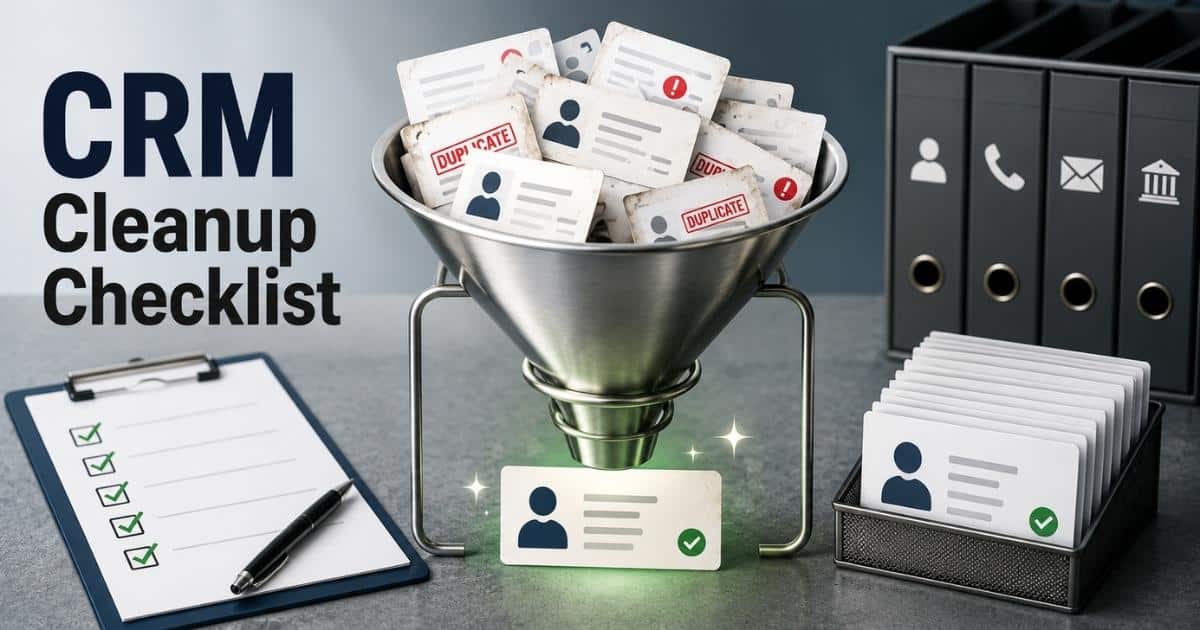
A CRM cleanup checklist helps you identify and fix those problems before they impact your business. This guide covers every step of the process, from auditing your database and removing duplicate records to setting up long-term data governance practices. By the end, you will have a clear roadmap for keeping your CRM clean, organized, and ready to support growth.
What Is A CRM Cleanup Checklist
A CRM cleanup checklist is a structured guide that helps businesses improve CRM data quality and maintain a clean CRM database. Over time, duplicate contacts, incomplete data, outdated data, and inconsistent fields can enter a CRM system through manual data entry, multiple systems, and various channels. As data decay increases, sales and marketing teams may struggle to find accurate data, manage contact data, and make data-informed decisions.
A CRM data cleanup process helps identify bad data, duplicate data, and dirty data across existing records. Sales and marketing professionals can use a cleanup checklist to remove or merge duplicates, standardize naming conventions, update phone number and job titles, and ensure custom fields are formatted correctly. The entire process supports better lead routing, effective marketing, and streamlined workflows.
Regular CRM cleanup helps keep data up-to-date, saves time, reduces errors, and supports better service. Clean CRM data allows teams to work more efficiently and focus on qualified leads instead of fixing database issues.
Common CRM Data Problems That Hurt Sales, Marketing, And Reporting
Poor CRM data affects more than your database. It can slow down sales cycles, reduce marketing performance, and create reporting errors. Many businesses focus on collecting data but overlook data quality. As a result, bad records accumulate and make it harder to trust the CRM system.
Duplicate Contacts
Duplicate contacts are one of the most common CRM data quality issues. The same contact can enter the CRM database through forms, imports, referrals, or different tools. Multiple records for one person create confusion for sales and marketing teams.
Sales representatives may contact the same prospect twice. Marketing professionals may send duplicate emails. Research from Validity shows that duplicate data affects nearly 44% of CRM users. A CRM cleanup checklist should always include removing duplicates and merging records to maintain clean CRM data.
Outdated Contact Information
Contact data changes constantly. People switch jobs, update phone numbers, and change email addresses. Without regular CRM data cleanup, outdated data remains in your database and reduces the value of your records.
Data decay is a serious challenge. According to ZoomInfo, B2B contact data can decay by more than 30% each year. Outdated information affects lead routing, sales outreach, and customer relationship management. Up-to-date data helps teams connect with qualified leads and improve marketing efforts.
Incomplete Records
Incomplete data creates gaps across the CRM system. Missing job titles, phone number fields, zip codes, or engagement history make it difficult to understand customer needs and behavior.
A sales team relies on complete data points to prioritize opportunities and personalize outreach. Missing details can lead to poor segmentation and weaker customer experiences. A strong cleanup checklist helps identify incomplete records and enrich them with relevant data before they affect business decisions.
Inconsistent Data Entry
Different employees often follow different data entry habits. One person may write "VP Sales" while another uses "Vice President of Sales." Similar inconsistencies appear in custom fields, record type values, and naming conventions.
Inconsistent fields make reporting less accurate and create challenges when data moves between multiple systems. Poor formatting also affects automation and workflow rules. Clear data standards help ensure data is formatted correctly and remains consistent across the entire CRM database.
Unreliable Reporting Data
Reports are only as accurate as the data behind them. Bad data, dirty data, and historical data errors can distort performance metrics and lead to poor decisions. Teams may think a campaign succeeded when the numbers are actually inflated by duplicate data.
Research from Gartner estimates that poor data quality costs organizations millions of dollars annually through inefficiencies and incorrect decisions. Clean data supports accurate reporting, better forecasting, and stronger data-informed decisions. Regular CRM cleanup keeps the database clean and improves trust in business reports.
How To Audit Your CRM Database Before Starting The Cleanup Process
A successful CRM cleanup starts with a proper audit. Jumping straight into data cleaning can create more problems than solutions. An audit helps you understand what exists in your CRM database, where data quality issues come from, and which records need attention first.
Review Database Health
Start with a high-level review of your CRM database. Look at the total number of contacts, companies, deals, and existing records. Pay attention to unusual growth patterns or inactive records that may indicate dirty data.
Many businesses underestimate the scale of data decay. According to Experian, around 30% of business data becomes inaccurate every year. A database review helps identify bad data, duplicate contacts, and outdated data before the CRM cleanup process begins.
Identify Duplicate Records
Duplicate data creates confusion across sales and marketing teams. The same contact may exist multiple times because of manual data entry, imports from different tools, or records collected from various channels.
Run duplicate detection reports to find matching names, email addresses, phone number fields, and company records. A CRM cleanup checklist should prioritize duplicate contacts because they affect reporting accuracy, lead routing, and customer relationship management. Early detection makes it easier to merge duplicates and maintain clean CRM data.
Check Data Completeness
Complete records help teams make better decisions. Missing job titles, zip codes, contact data, or engagement history reduce the value of your CRM system and make segmentation less effective.
Review key data points across your database. Identify fields with low completion rates and determine which information is essential for sales and marketing professionals. Accurate data helps support effective marketing, stronger outreach, and better service for customers.
Audit Field Consistency
Field consistency is often overlooked during CRM data cleanup. Different users may enter similar information in different formats. One record may use full state names while another uses abbreviations. Similar issues appear in custom fields and record type values.
Check whether data follows established naming conventions and data standards. Consistent records improve automation, reporting, and integrations with other tools. A clean CRM depends on data that is formatted correctly across every department.
Map Data Sources
Most CRM systems collect information from multiple systems. Data may come from web forms, spreadsheets, marketing platforms, customer support tools, and prior Excel imports. Each source can introduce unique data quality issues.
Create a list of all data sources connected to the CRM, especially if you are still managing contacts in spreadsheets and considering a CRM migration from Excel. Review how information enters the database and identify potential risks. A recent Salesforce report found that organizations use more than 1,000 applications on average, yet many remain disconnected. Understanding data flow helps streamline workflows and keeps the database clean after the audit is complete.
CRM Cleanup Checklist: Remove Duplicates, Outdated Contacts, And Incomplete Records
A CRM database becomes less reliable when duplicate contacts, outdated information, and incomplete records accumulate over time. A structured CRM cleanup checklist helps restore data quality and improve performance. Each step should focus on accuracy, consistency, and relevance so sales and marketing teams can work with confidence and fully leverage how CRM helps sales teams manage leads.
Find Duplicate Contacts
Duplicate contacts often enter a CRM system through manual data entry, imports from different tools, or data collected from various channels. Multiple records for the same contact create confusion and affect reporting accuracy.
Review records with matching names, email addresses, company names, and phone number fields. Many CRM platforms include duplicate detection tools that simplify the process. According to Validity, nearly 70% of businesses report issues related to duplicate data. A clean CRM starts with identifying and consolidating duplicate records across the database.
Merge Similar Records
Duplicate records should not simply be deleted. Each record may contain valuable contact data, engagement history, or historical data collected over time. A careful review prevents important information from being lost.
Compare data points before merging records. Retain the most accurate and up-to-date data while removing unnecessary duplicates. A complete profile gives the sales team better visibility into customer interactions. Proper record management also improves lead routing and customer relationship management efforts.
Update Outdated Information
Outdated data reduces the effectiveness of sales and marketing efforts. Job titles, phone number details, company information, and email addresses often change as contacts move between roles and organizations.
Data decay remains a major challenge. Research from Experian shows that business data can become outdated at a rate of around 30% each year. Review existing records regularly and replace outdated information with relevant data. Accurate data helps marketing professionals reach the right audience and supports better service across the customer journey.
Fill Missing Data Fields
Incomplete data makes it harder to segment audiences and qualify opportunities. Missing zip codes, contact details, custom fields, or engagement history limit the value of your CRM database.
Focus on fields that directly support sales, reporting, and effective marketing. Complete records help teams understand customer behavior and identify qualified leads faster. A strong CRM data cleanup process should include reviewing incomplete data and enriching records with verified information whenever possible.
Remove Obsolete Records
Not every record deserves a place in your database. Old contacts with no activity, invalid information, or irrelevant historical data can clutter the CRM and reduce overall data quality.
Set rules for identifying inactive records. Review engagement history, record type, and last activity dates before making decisions. Archiving or removing obsolete contacts keeps the database clean and improves reporting accuracy. A smaller database filled with clean data often delivers better results than a larger database full of dirty data and bad data.
How To Standardize CRM Fields, Naming Conventions, And Data Entry Rules
A CRM cleanup does not end after removing duplicate contacts and outdated records. Without clear standards, bad data can quickly return. Consistent CRM fields, naming conventions, and data entry rules help maintain clean CRM data and improve long-term data quality across the entire database.
Define Required Fields
Every CRM system should have a set of mandatory fields. Important information such as contact name, phone number, email address, job titles, company name, and record type should never be left blank.
Required fields reduce incomplete data and improve CRM data quality. Sales and marketing teams can access accurate data without searching through missing information. A recent Salesforce report found that poor data quality remains one of the biggest barriers to effective customer relationship management. Clear requirements help prevent those issues before they start.
Create Naming Standards
Different users often enter similar information in different ways. One person may use "CEO," while another enters "Chief Executive Officer." Similar inconsistencies appear across custom fields, company names, and contact data.
Establish naming conventions that everyone follows. Consistent formatting improves reporting, segmentation, and automation. It also helps other tools process information correctly. Standardized records make the CRM database easier to manage and reduce confusion across departments.
Standardize Field Formats
Data should look the same across every record. Phone number fields, zip codes, dates, and location information need consistent formatting rules. Without standards, data quality issues become harder to detect and fix.
Set rules that define how information should appear in the CRM. For example, phone numbers can follow one approved format, while special zip code fields can use a fixed structure. Proper formatting keeps data clean and improves integration between multiple systems.
Use Validation Rules
Validation rules help stop bad data before it enters the database. They verify whether information is formatted correctly and meets predefined requirements. This reduces the need for future CRM data cleanup.
Many modern CRM platforms support automated validation for email addresses, zip codes, and required fields. Research from Gartner estimates that poor data quality costs organizations millions each year. Validation rules help save money by preventing costly errors and reducing manual corrections, and they align closely with broader sales admin tasks automation strategies for sales teams.
Document Data Entry Policies
A clean CRM depends on consistent behavior from users. Even the best cleanup checklist will fail if employees follow different data entry practices. Written guidelines help create consistency across sales and marketing professionals.
Document rules for contact creation, field updates, custom fields, and duplicate record handling. Review policies regularly as processes evolve and business needs change. Clear documentation saves time, supports better service, and helps maintain a database clean enough to support accurate reporting and effective marketing.
Ways To Improve CRM Data Quality With Validation, Enrichment, And Automation
A CRM cleanup checklist should not stop at removing bad records. Long-term success depends on keeping data accurate after the cleanup process. Validation, enrichment, and AI sales automation for sales teams help maintain clean CRM data, reduce manual work, and prevent common data quality issues from returning.
Use Data Validation Rules
Validation rules act as the first line of defense against bad data. They check whether information meets predefined requirements before it enters the CRM system. This helps prevent incomplete data and inconsistent fields.
For example, a CRM can require a valid phone number format, email structure, or special zip code pattern before a record is saved. According to Gartner, poor data quality costs organizations an average of $12.9 million annually. Validation rules help reduce costly errors and improve overall CRM data quality.
Enrich Contact Records
Many CRM databases contain basic contact information but lack valuable business details. Missing job titles, company size, industry information, and engagement history limit the usefulness of existing records.
Data enrichment fills those gaps by adding relevant data from trusted sources. Sales and marketing professionals can better understand prospects and identify qualified leads. Richer contact data supports effective marketing campaigns and allows teams to deliver more personalized customer experiences, especially when paired with a dedicated contact management CRM for growing businesses and a centralized contact management system for growing teams.
Automate Data Updates
Manual data entry often leads to outdated data and duplicate records. Team members may forget to update contacts, which creates data quality issues over time. Automation helps keep records current without extra effort.
Modern CRM platforms can update records automatically through integrations with other tools and connected databases. When teams embrace CRM automation benefits for sales and growth and automate sales tasks to stay focused and organized, they free up capacity while keeping data reliable. Salesforce research shows that sales representatives spend only about 28% of their week actively selling. Automation helps save time by reducing repetitive administrative work and improving database accuracy.
Monitor Data Quality Metrics
A clean CRM requires continuous monitoring. Data quality can decline quickly as processes evolve and customer information changes. Regular reviews help identify problems before they affect reporting or customer relationship management.
Track metrics such as duplicate contacts, incomplete records, invalid phone number fields, and outdated contact data. Monitoring these data points provides a clear picture of CRM health. Consistent measurement also supports better data-informed decisions and stronger operational efficiency.
Build Automated Workflows
Automation can do more than update records. It can also enforce data standards and streamline workflows across sales and marketing teams. Purpose-built sales task automation tools and comprehensive sales automation software for end-to-end workflows reduce human error and help maintain a clean database over time.
Workflows can assign record type values, route qualified leads, flag duplicate data, or notify users about missing information. Organizations with strong automation strategies often experience higher productivity and better service outcomes. A CRM clean environment becomes much easier to maintain when repetitive tasks happen automatically.
CRM Governance Best Practices To Keep Your Database Clean Long Term
A successful CRM cleanup checklist delivers lasting results only when supported by strong governance. Without clear ownership and accountability, duplicate data, outdated records, and inconsistent fields can quickly return. Effective CRM governance helps maintain clean data, improve compliance, and protect the value of your CRM database over time.
Assign Data Ownership
Every CRM database should have clear ownership. When nobody is responsible for data quality, problems often go unnoticed. Duplicate contacts, incomplete data, and outdated records can accumulate quickly.
Assign responsibility to specific team members or departments. Data owners should monitor CRM data quality, review existing records, and enforce data standards. According to Experian, 95% of organizations see negative impacts from poor data quality. Clear ownership helps keep CRM data clean and reduces accountability gaps.
Schedule Regular Audits
A clean CRM requires ongoing reviews. Data decay affects contact data every day as people change jobs, switch phone numbers, or move to new companies. Regular audits help identify issues before they become major problems.
Create a recurring schedule to review duplicate data, incomplete records, and custom fields. Quarterly audits work well for many organizations. Consistent reviews improve data quality, support accurate reporting, and help sales and marketing teams maintain confidence in the CRM system.
Maintain Data Policies
Data policies create consistency across the organization. Without documented rules, employees may follow different data entry practices, which often leads to inconsistent fields and poor-quality records.
Policies should cover naming conventions, record type definitions, required fields, and procedures for removing duplicates. Clear guidelines help ensure data is formatted correctly and remains consistent across multiple systems. Strong policies also make CRM cleanup efforts more effective and easier to maintain.
Train CRM Users
Technology alone cannot solve data quality issues. Employees who use the CRM every day have a direct impact on database health. Poor habits often introduce bad data and duplicate contacts into the system.
Provide regular training for sales and marketing professionals. Teach proper data entry procedures, validation requirements, and CRM best practices that address common CRM adoption challenges and best practices and reflect how CRM adoption is changing modern sales teams. Research from Salesforce shows that organizations with ongoing user training often achieve higher CRM adoption rates. Well-trained users help maintain clean data and support better customer relationship management.
Track Governance Metrics
Governance works best when performance is measured. Key metrics help organizations understand whether their CRM cleanup and data management efforts are producing results. Without measurement, hidden problems can grow over time.
Monitor data points such as duplicate contact rates, record completeness, outdated data percentages, and validation errors. Use dashboards and reports to track trends. A data-driven approach helps teams make informed decisions, streamline workflows, and maintain a database clean enough to support effective marketing, accurate forecasting, and better service.
CRM Cleanup Tools, Metrics, And Maintenance Strategies For Ongoing Data Health
A CRM cleanup checklist is not a one-time project. Data quality changes constantly as new contacts enter the system and existing records become outdated. The right tools, metrics, and maintenance practices help protect your CRM database and ensure clean data remains a long-term business asset.
Use CRM Data Quality Tools
Modern CRM platforms offer built-in features that help maintain clean CRM data. Many tools can detect duplicate contacts, validate contact data, and flag incomplete records before they affect operations.
Third-party solutions can add even more functionality. Data enrichment platforms, duplicate management tools, and validation software help improve CRM data quality at scale. Implementing a sales automation CRM for growing sales teams or a CRM designed to improve sales productivity further connects data quality with pipeline execution. Organizations that use dedicated data quality tools often spend less time on manual data cleaning and more time on revenue-generating activities.
Track Key Data Metrics
You cannot improve what you do not measure. Data quality metrics help sales and marketing teams understand the health of their CRM system and identify problems early.
Monitor indicators such as duplicate data rates, incomplete data percentages, outdated contact records, and data accuracy scores. According to Gartner, poor data quality remains one of the leading causes of reporting and decision-making errors. Consistent measurement supports better data-informed decisions and stronger CRM governance, especially when paired with a simpler sales workflow that gets more from your CRM.
Automate Maintenance Tasks
Manual CRM clean-up can become time-consuming as databases grow. Automation helps reduce repetitive work and keeps data standards consistent across multiple systems.
Automated workflows can identify duplicate records, assign record type values, update custom fields, and notify users about missing information. Applying structured sales workflow automation strategies also helps streamline workflows and improve operational efficiency. A CRM clean environment becomes easier to maintain when routine tasks happen automatically.
Review Data On A Schedule
Even the best CRM database requires regular maintenance. Data decay continues as contacts change jobs, businesses relocate, and phone number details become outdated. Without routine reviews, bad data slowly returns.
Create monthly or quarterly review schedules based on database size and activity levels. Regular audits help identify dirty data, outdated data, and inconsistencies before they affect sales and marketing efforts. As shown when teams close deals faster with Gain.io and adopt an AI sales assistant for pipeline efficiency, disciplined review cycles support accurate reporting and stronger customer relationship management.
Adapt Processes Over Time
Business needs change. New products, sales processes, marketing campaigns, and integrations with other tools can introduce fresh data quality challenges. A maintenance strategy should evolve along with the organization.
Review data standards, naming conventions, and validation rules regularly. Evaluate how data flows through different tools and various channels. Research from Salesforce shows that high-performing organizations continuously refine their CRM processes. A flexible approach helps maintain a database clean, supports effective marketing, and ensures long-term CRM data health.
How Gain.io Helps Maintain Clean CRM Data And Improve Data Quality Over Time
Gain.io helps businesses maintain clean CRM data by reducing manual work and improving data consistency across teams. The platform centralizes customer information, sales activities, and communication records in one place. This makes it easier to manage contacts, track engagement history, and maintain accurate data throughout the customer lifecycle.
Built-in automation helps reduce data entry errors and keeps records up to date. Teams can standardize workflows, enforce naming conventions, and ensure important fields are completed correctly. These Gain.io features for sales teams also support better visibility into customer interactions, which helps sales and marketing teams make data-informed decisions, especially in complex environments that benefit from a dedicated B2B sales CRM for revenue teams.
With stronger data governance and streamlined processes, businesses can reduce duplicate contacts, improve data quality, and keep their CRM database organized over time. Choosing an all-in-one CRM like Gain.io to grow sales and team productivity and carefully choosing CRM tools that fit your workflow further reinforces these benefits. The result is a cleaner CRM, more reliable reporting, better lead management, and improved customer relationship management performance.
FAQs
How Often Should A CRM Cleanup Checklist Be Used?
Yes, a CRM cleanup checklist should be used regularly. Most businesses review CRM data every quarter, while larger databases may need monthly audits. Regular CRM cleanup helps reduce duplicate contacts, outdated data, and incomplete records before they affect reporting and sales performance.
Can CRM Data Cleanup Improve Lead Conversion Rates?
Yes, clean CRM data can improve lead conversion rates. Accurate contact data helps sales and marketing teams reach qualified leads faster. Better data quality also improves lead routing, customer segmentation, and personalized outreach across different channels, especially when supported by CRM follow-up automation for better sales conversions.
Does CRM Cleanup Help With Compliance Requirements?
Yes, CRM cleanup supports compliance by removing outdated records and maintaining accurate customer information. Clean data helps businesses manage consent records, reduce data quality issues, and keep customer relationship management processes aligned with privacy regulations, especially when paired with strong CRM adoption strategies to improve CRM ROI.
What Happens If Duplicate Data Stays In A CRM Database?
Duplicate data can create reporting errors and confuse sales and marketing professionals. Teams may contact the same contact multiple times or track inaccurate engagement history. Removing duplicates helps maintain a database clean and improves customer experiences, especially when combined with dynamic contact management for smarter relationship tracking.
Can Small Businesses Benefit From CRM Data Standardization?
Small businesses often deal with manual data entry and limited resources. Clear naming conventions, custom fields, and data standards help save time and reduce bad data. Standardized records also make CRM systems easier to scale as business processes evolve, especially when supported by a dedicated CRM for startups and small sales teams.