Every business running a customer relationship management system holds one thing hackers want most: sensitive customer data. CRM security is what stands between that data and a breach. It covers how you protect customer data from unauthorized access, how you maintain data integrity across your CRM, and how you stay aligned with data protection regulations like GDPR and CCPA.
Weak CRM data protection puts more than compliance at risk. It puts customer trust on the line. One exposed record, one missed permission setting, and sensitive data end up somewhere it shouldn't be.
This guide breaks down exactly how to set up strong data security for your CRM, step by step, so your customer relationship management system stays protected from day one.
What Is CRM Security
CRM security is the set of practices that protect your CRM system from data breaches and unauthorized access. It covers everything from user permissions to encryption, keeping sensitive CRM data safe at every level.
At its core, CRM data security means controlling who can view, edit, or export sensitive customer information. It also means staying aligned with regulatory compliance standards like GDPR and CCPA. Without it, your CRM becomes an easy target instead of a trusted system.
How To Set Up CRM Security: Step-By-Step
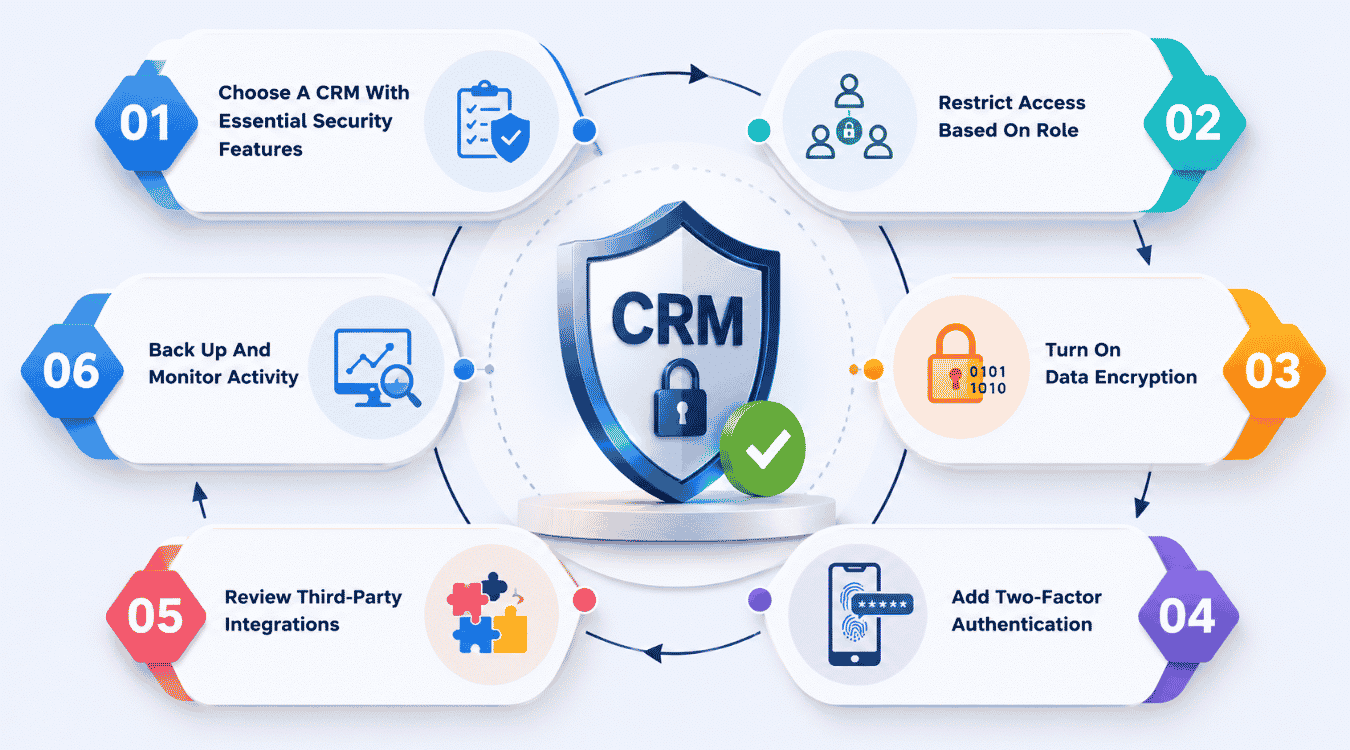
Setting up a secure CRM system takes more than flipping a few settings. It takes a clear process built on real security practices, not guesswork. These security practices protect your customer relationships from day one and keep sensitive data out of the wrong hands.
1. Choose A CRM With Essential Security Features
Start by picking a CRM that already has essential security features built in. Look for encryption, access controls, and compliance with the General Data Protection Regulation before you commit to a platform. A weak foundation makes every step after this harder, no matter how many extra tools you bolt on later. The right platform gives you the security tools you need without workarounds or third-party patches. Guides on choosing CRM tools that fit your workflow can help you evaluate options beyond just security checkboxes. Check the vendor's compliance page and ask direct questions about how they store and protect sensitive data before signing up.
2. Restrict Access Based On Role
Not everyone on your team needs full data access. Restrict access based on job function, so sales reps see leads and managers see reports, nothing more. This single step does more for protecting sensitive data than most people realize. It limits damage if one account gets compromised and keeps valuable data away from people who don't need it. Clear role design also improves how CRM helps sales teams manage leads, since only the right people can move deals forward. Set this up before you import a single contact, not after. Review these roles every few months, since teams change and permissions often get left behind.
3. Turn On Data Encryption
Data encryption keeps sensitive customer information unreadable to anyone without the right key. Encrypt data both at rest and in transit. This means information stays protected whether it's sitting in your database or moving between your CRM and other connected tools. Without encryption, a single breach can expose years of customer relationships in one move. Most modern CRMs offer this by default, but don't assume. Confirm it directly with your provider and check that encryption applies across backups too, not just to live records, especially if you're using a CRM with email integration to streamline sales communication.
4. Add Two-Factor Authentication
Passwords alone aren't enough anymore. Two-factor authentication adds a second layer of proof before anyone logs in, even if their password gets stolen. This is one of the simplest, most robust security measures you can apply, and it takes minutes to set up across most CRMs. It's also one of the best practices every security checklist recommends first because it directly supports how CRM improves sales productivity by keeping systems available and secure. Make it mandatory for every user, including admins. A single unprotected login is still an open door, no matter how secure the rest of your system is.
5. Review Third-Party Integrations
Every app connected to your CRM is a potential entry point. Review each integration and remove ones you no longer use. Check what data each tool can access before approving it, and avoid giving broad permissions when a narrow one will do. Safeguarding sensitive data means knowing exactly where it flows, not just how it's stored. Platforms that offer email, calendar and contact integration software can centralize this flow in a single, more controllable place. Loose integrations are one of the most common ways a secure CRM system gets exposed, often without anyone noticing until it's too late. Make this review a recurring task, not a one-time check.
6. Back Up And Monitor Activity
Set up automatic backups so you never lose data to an outage, ransomware, or human error. Pair this with activity monitoring to catch unusual logins or data exports early, before they turn into real damage. Together, these two habits protect valuable data and give you a clear record if something ever goes wrong. Tools that centralize notes and activity tracking for sales teams make incident investigation and ongoing monitoring far easier. This step closes the loop on a full CRM security setup and gives your team a way to respond fast instead of guessing what happened.
Common CRM Security Threats To Watch For
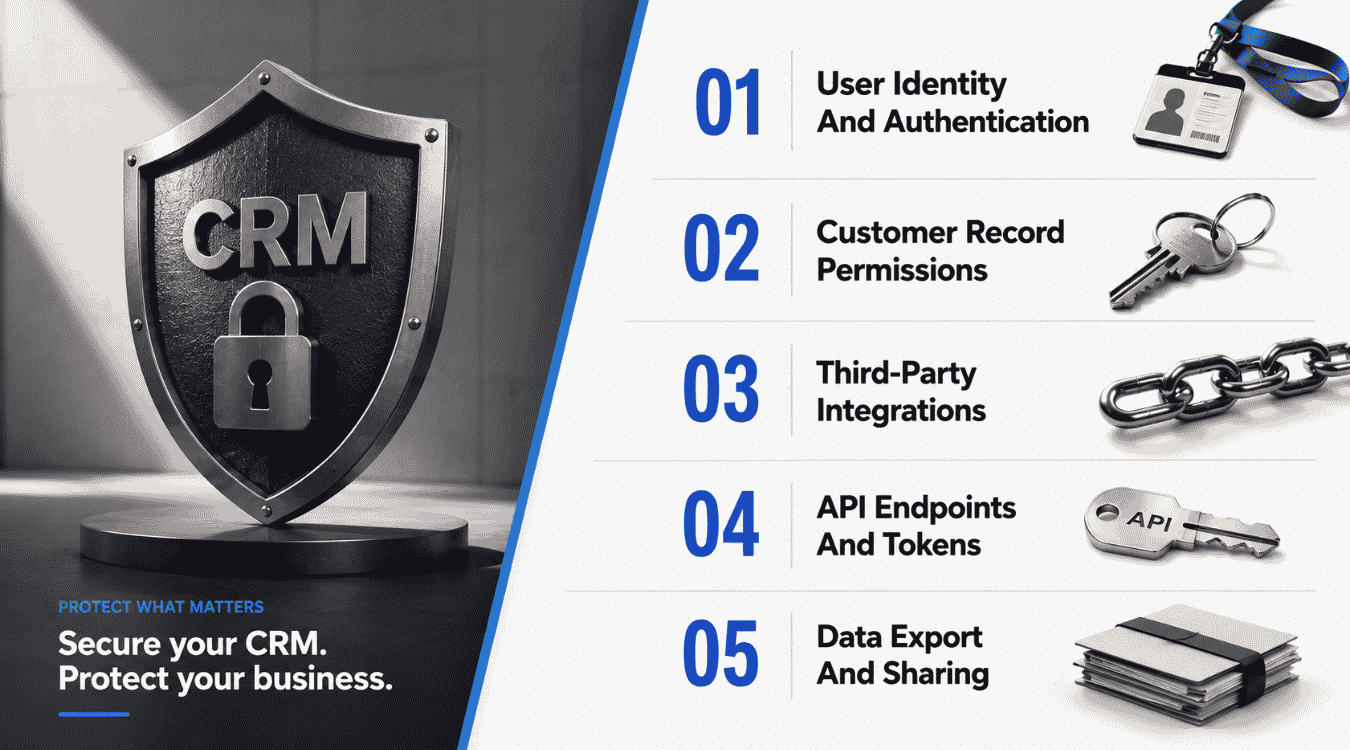
Every CRM environment faces threats that can disrupt business operations and damage customer trust. Knowing where these threats come from is the first step toward a secure CRM. Here are the five areas that need the most attention.
User Identity And Authentication
Weak login practices are still one of the biggest risks to CRM access. Stolen passwords, shared logins, and missing two-factor authentication all open the door to unauthorized user access. Once someone gets in with valid credentials, they can move through the system undetected for a long time. Every CRM provider should support strong authentication methods, and every team should require them without exception. Choosing an all-in-one CRM to grow your sales and team that has secure login controls built in makes this much easier to enforce. This is one of the simplest fixes, yet it remains one of the most overlooked.
Customer Record Permissions
Not every team member needs full access to every customer record. Loose permissions mean anyone can view, edit, or export sensitive information tied to customer interactions, even when it has nothing to do with their role. This is especially risky in industries like healthcare, where a healthcare provider handling patient data faces stricter obligations than most. Setting clear, role-based permissions keeps CRM software working the way it should, giving people only what they need and nothing more.
Third-Party Integrations
Third party apps connected to your CRM often carry more risk than the CRM itself. Each integration is a possible entry point, and many teams lose track of which tools still have access long after they stop using them. The security industry consistently flags integrations as a top cause of exposure. Reviewing every connected app, checking its permissions, and removing unused ones keeps your CRM environment tighter and harder to exploit while still allowing you to automate sales tasks to stay focused and organized with trusted tools.
API Endpoints And Tokens
APIs let your CRM talk to other tools, but unprotected endpoints and old tokens are an easy way in for attackers. Tokens that never expire, endpoints without rate limits, and unclear ownership all add up to real risk. Rotating tokens on a schedule and monitoring API traffic help keep this part of your CRM as secure as everything else.
Data Export And Sharing
Exporting data is routine, but it's also one of the easiest ways sensitive information leaves a secure CRM without anyone noticing. Bulk exports, unsecured file sharing, and unclear rules around who can pull data all raise the risk. Regular data backups matter here too, since they give you a way to recover if an export goes wrong or data gets deleted. Setting clear export rules and monitoring activity closely protects both your data and the relationships you've built with customers, while still letting your team get more from your CRM with a simpler sales workflow.
How To Choose A Secure CRM Provider
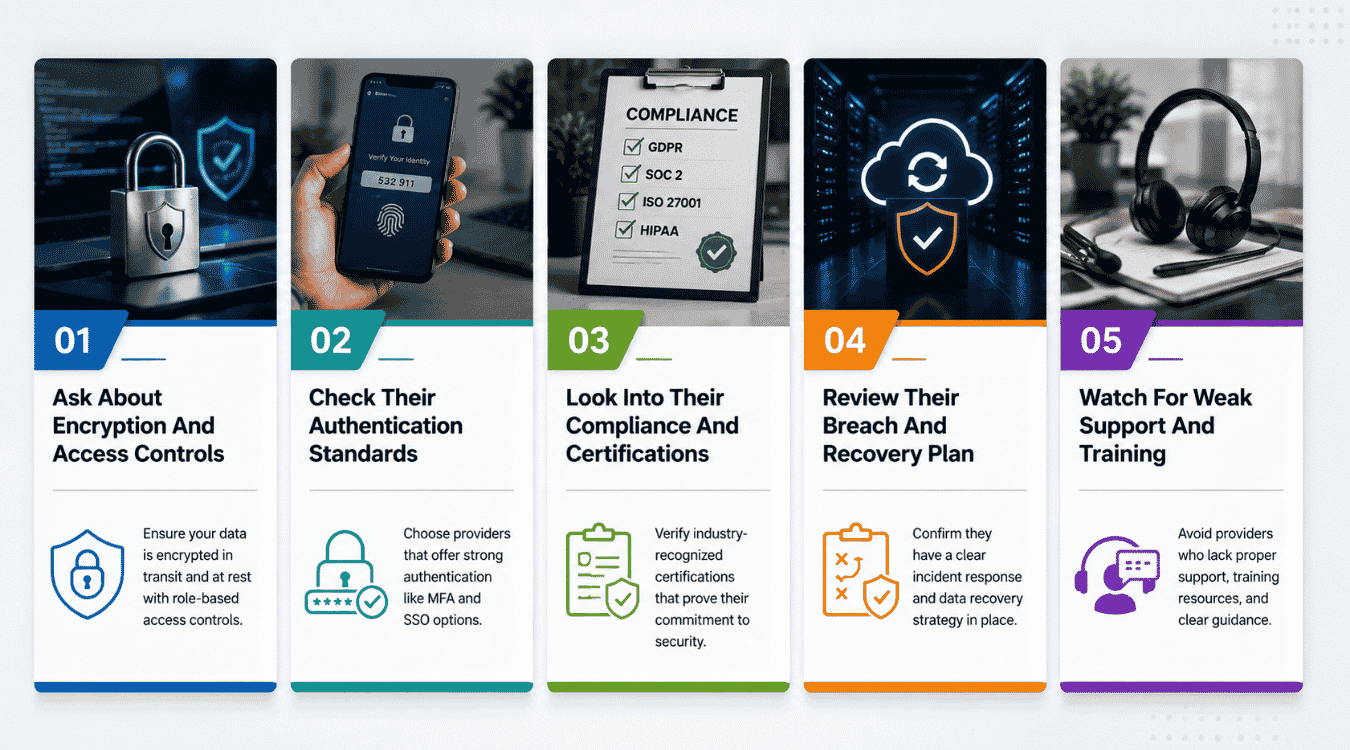
Not all CRM platforms protect customer information the same way. Choosing the right provider means looking past features and checking how seriously they treat security measures. Here's what to check before you commit.
Ask About Encryption And Access Controls
A secure provider encrypts sensitive customer details both at rest and in transit. Beyond encryption, check how they handle privileged access. Admins and support staff shouldn't be able to gain access to every customer record without a clear reason. Ask how they prevent insider threats and whether access is logged and reviewed. For many teams this ties directly into centralized contact management for growing teams, where all contact data lives in one place and needs tight controls. If a provider can't explain this clearly, that's a warning sign worth taking seriously.
Check Their Authentication Standards
Two-factor authentication should be standard, not an add-on. It stops most unauthorized access attempts even if a password gets exposed. Ask whether the provider supports a password manager for stronger credentials and whether login attempts from an unfamiliar mobile device trigger any alerts. Preventing unauthorized access starts here, and a provider that skips this basic step isn't ready to handle sensitive customer data, no matter how strong its smart CRM tools for sales teams might look on the surface.
Look Into Their Compliance And Certifications
Certifications like SOC 2 and ISO 27001 show a provider has been independently tested, not just self-reported. These standards cover how communication logs, customer details, and other records are stored and protected. A provider serious about compliance will share this information without hesitation. If they're vague about certifications, assume they don't have much to show.
Review Their Breach And Recovery Plan
Even strong providers face attempts to compromise their systems. What matters is how they respond. Ask about their plan for business continuity if a breach happens, including how fast they restore data and notify affected customers. Check whether they maintain audit logs that track every access attempt, since these records make it far easier to spot and stop phishing attempts before real damage is done. For teams that rely heavily on scheduling, it's also worth asking how recovery affects any CRM calendar for modern sales and support teams tied to your data.
Watch For Weak Support And Training
A secure provider trains its own staff to recognize phishing attempts and social engineering tactics designed to impersonate legitimate entities. Ask how they train support teams, since employees are often the easiest way for attackers to get in. This matters even more for fast-moving teams choosing top CRM tools that help startups grow smarter, where new staff ramp up quickly and need clear security guidance. A provider that takes staff training seriously is far more likely to protect your data the way you expect.
Access Control Strategies That Prevent Data Exposure
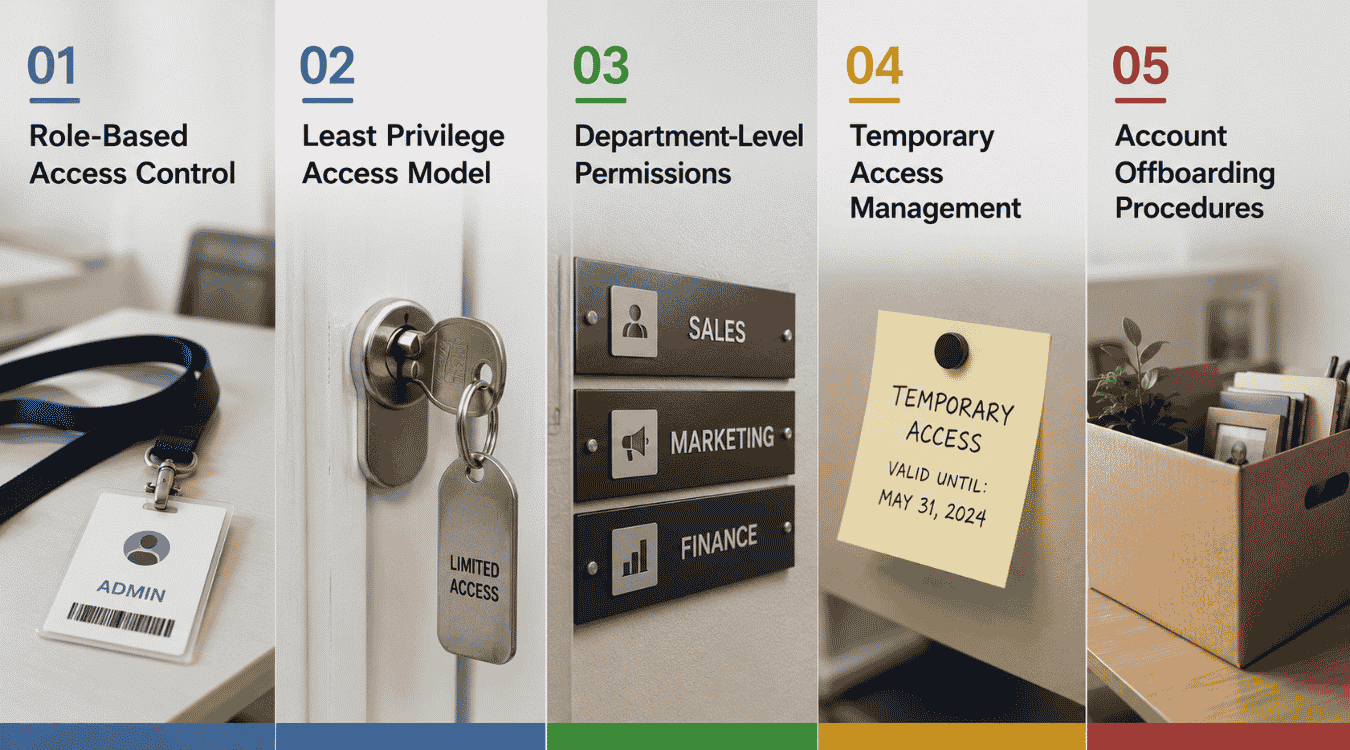
Most data exposure happens through access, not hacking. Strong access controls decide who can see sensitive information and who can't, closing the gaps that cyber threats usually exploit.
Role-Based Access Control
Role-based access ties permissions to job function, not individual preference. A sales rep sees leads, a manager sees reports, and no one gets more than their role requires. This structure stops weak passwords or a single compromised account from turning into a wider problem. It also protects intellectual property and other sensitive records that don't need to be visible company-wide, especially when combined with dynamic contact management for smarter relationship tracking.
Least Privilege Access Model
The least privilege model gives users the minimum access needed to do their job, nothing more. Even trusted employees don't get blanket access just because they've been around longer. This approach limits damage if an account is compromised by attackers impersonating legitimate entities through phishing or stolen credentials. It also makes audits simpler, since fewer people touch sensitive information in the first place, while a strong contact management system to build stronger relationships ensures the right people still have everything they need.
Department-Level Permissions
Different departments need different boundaries. Marketing shouldn't see billing details, and support shouldn't see internal deal notes. Setting permissions at the department level keeps data organized and reduces the risk of accidental exposure. It also makes it easier to apply additional security to departments handling especially sensitive information, like finance or legal, or to busy retail teams that use CRM tools to stay organized.
Temporary Access Management
Contractors, vendors, and third-party tools often need short-term access, not permanent accounts. Temporary access management lets you grant entry for a set period and revoke it automatically once the work is done. This closes a common gap where old accounts sit active long after they're needed, quietly increasing risk with every day they remain open, which is especially important for industries like real estate agents using CRM tools to save time.
Account Offboarding Procedures
When someone leaves the company, their access should leave with them. A clear offboarding procedure removes accounts, revokes credentials, and disables multi-factor authentication devices tied to that user immediately. Delayed offboarding is one of the most common causes of data loss, since former employees or compromised accounts can sit unnoticed for weeks. Pairing this with regular access reviews keeps your CRM clean and accountable. For CRM built for startups and small sales teams, documenting offboarding is just as important as onboarding. Strong access controls aren't a single setting. They're a system of decisions, roles, and reviews working together to keep sensitive data protected at every level, without slowing your team down.
Compliance & Customer Trust Issue With A CRM
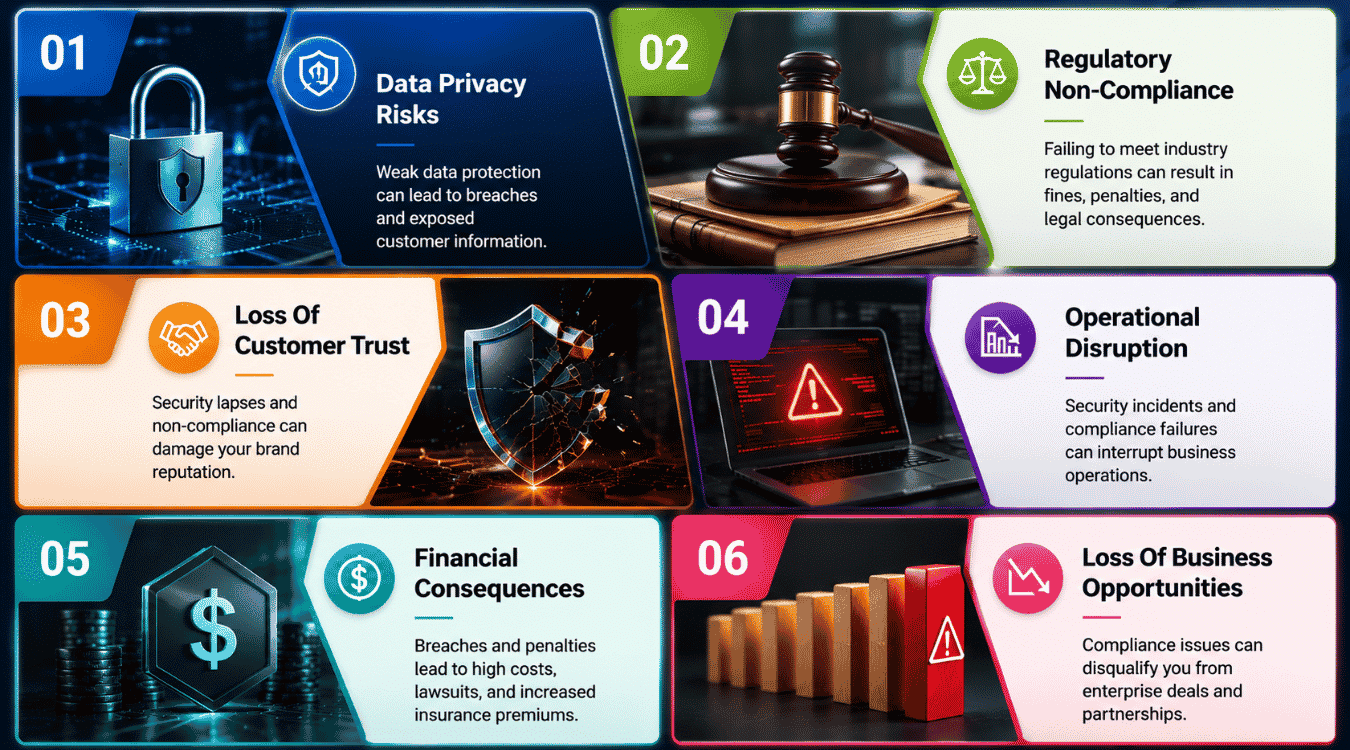
Compliance isn't just a legal checkbox. It's directly tied to customer trust. When a CRM fails to protect data properly, both break down at the same time.
Why Compliance And Trust Are Connected
Customers share purchase history, contact details, and personal information because they trust it stays protected. Ensuring compliance with regulations like GDPR and CCPA isn't separate from that trust, it's what earns it. When a business treats compliance as an afterthought, customers eventually notice, usually after something has already gone wrong.
Regulatory Requirements You Can't Ignore
Key takeaways from most data protection laws come down to a few basics: know what data you collect, limit who can access it, and be ready to prove it when asked. Role based access plays a major part here, since regulators expect businesses to show clear access rights tied to job function, not blanket permissions across the team.
How Data Mishandling Breaks Customer Trust
One exposed record is enough to undo years of goodwill. Whether it's a shared password or an overlooked permission, mishandled data turns a routine relationship into a liability. Businesses that treat this lightly often underestimate how fast trust disappears once customers feel their information wasn't handled carefully.
Monitoring And Reporting Requirements
Most compliance frameworks expect real-time monitoring, not periodic checks. That means tracking suspicious activity as it happens, not weeks later during a scheduled review. A secure CRM software setup should flag unusual logins, bulk exports, or access attempts outside normal patterns, giving your team a chance to respond before damage spreads.
Building Compliance Into Your CRM Infrastructure
Compliance works best when it's built into your CRM infrastructure from the start, not bolted on later. Implementing robust security measures like encryption, access logs, and automated alerts keeps your systems aligned with regulations while boosting efficiency instead of slowing teams down. This turns compliance from a burden into part of how the business runs day to day.
Quick-Action Checklists & Ongoing Maintenance
Strong CRM security doesn't happen overnight, but it doesn't need months either. Use these two checklists to get the basics locked down fast, then keep them running as part of regular maintenance.
7-Day Checklist
- Turn on two-factor authentication for every user, no exceptions
- Review current user roles and remove access that no one needs anymore
- Check that data encryption is active, both at rest and in transit
- List every third-party integration connected to your CRM
- Remove any integration or app you no longer use
- Confirm automatic backups are running and set to a regular schedule
- Set a strong, unique password policy and recommend a password manager
30-Day Checklist
- Set up role-based access control across every department
- Apply the least privilege model to admin and support accounts
- Set up audit logs to track logins, exports, and permission changes, especially around any offer management with client portal features you use
- Review vendor security certifications for your CRM provider (SOC 2, ISO 27001)
- Create an offboarding process that revokes access immediately when someone leaves
- Test your backup recovery process to confirm it actually works
- Set up real-time monitoring for unusual logins or bulk data exports
- Train your team on phishing recognition and safe data handling
- Schedule a recurring quarterly review of access rights and integrations
Once both checklists are done, security isn't finished; it's just running. Revisit the 30-day list every quarter, update access as your team changes, and treat security as an ongoing habit, not a one-time project. This keeps your CRM protected as your business grows, without scrambling to fix gaps after something goes wrong.
Protect Customer Relationships With Gain.io
Protecting CRM data isn't optional anymore; it's part of how you run your business. The biggest CRM security risks often come down to weak access controls and unclear data protection practices, not complex attacks. Choosing the right CRM vendor makes it easier to manage from day one.
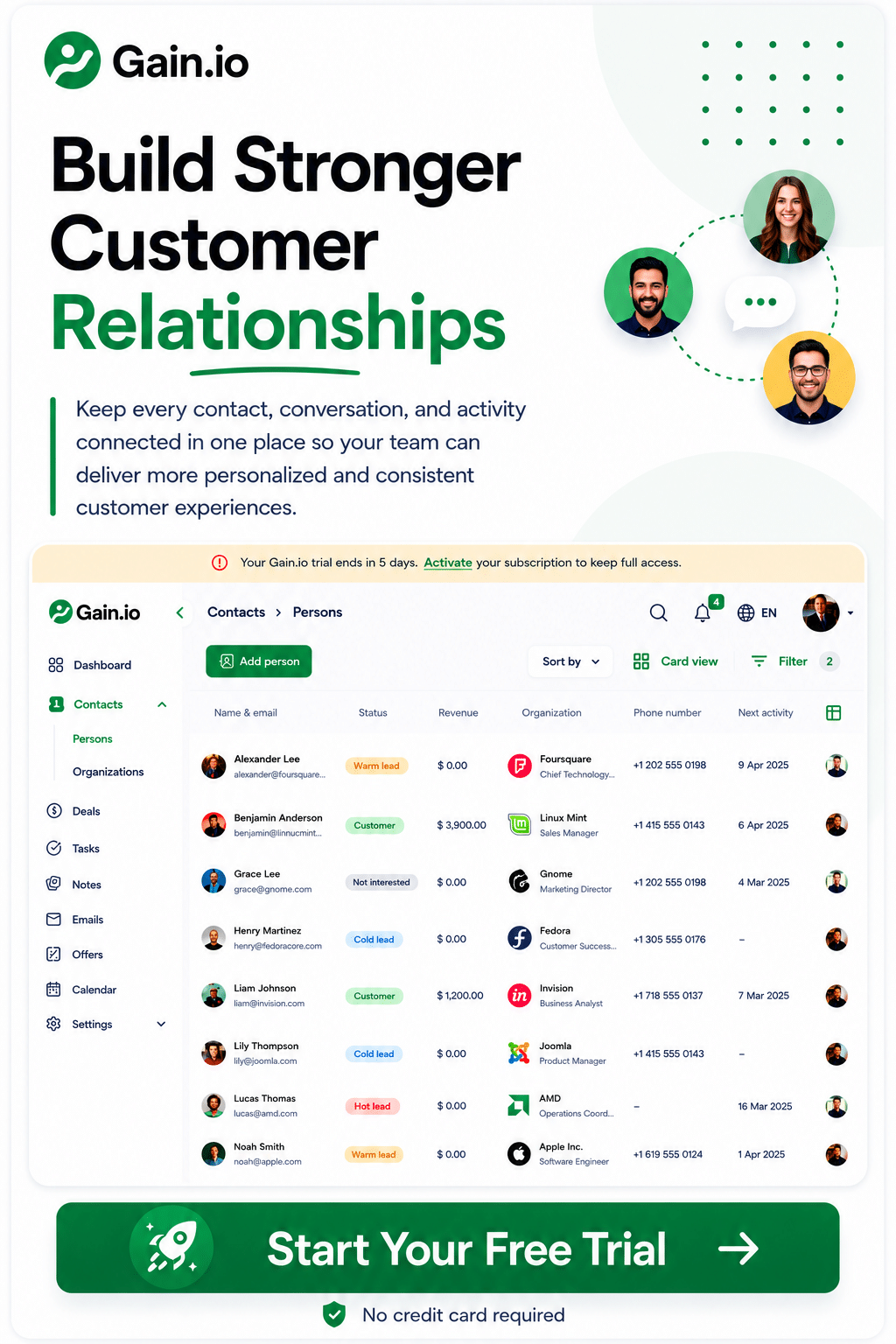
Gain.io is built around this. It gives you a way to manage access across contacts, deals, and tasks, all from one dashboard, so your team only sees what they need. Combined with email and calendar integration, everything stays connected without scattering sensitive data across separate tools.
Maintaining customer trust starts with the systems you choose. Try Gain.io free for 14 days and see how a CRM built around clear access and structure keeps your data and your customer relationships protected.
Frequently Asked Questions
How Does CRM Security Fit Into Sales Management?
Sales management depends on clean, trusted data. If a CRM isn't secure, deal records, contact details, and pipeline data become vulnerable, which slows down decisions and damages relationships with prospects. Key strategies like role-based access and encryption protect that data without disrupting daily sales work.
Why Does Continuous Monitoring Matter More Than Periodic Checks?
Continuous monitoring catches unusual activity as it happens, not weeks later. Instead of relying on scheduled reviews, your CRM should flag strange logins, bulk exports, or access attempts in real time, giving your team a chance to act before damage spreads.
How Often Should Security Patches Be Applied?
Security patches should be applied as soon as your CRM provider releases them, not on a delayed schedule. Outdated software is one of the easiest ways external threats gain access, since known vulnerabilities stay open longer than they should.
What Role Does Forensic Analysis Play After A Breach?
Forensic analysis helps you understand exactly what happened during a breach, including how attackers got in and what data was affected. This step is critical for closing the gap that caused it and preventing the same issue from happening again.
Does Endpoint Protection Matter For CRM Security?
Yes. A CRM is only as secure as the devices accessing it. Endpoint protection guards against digital threats that target laptops and mobile devices, stopping attackers from using a compromised device as a way into your CRM.
How Do Businesses Stay Ahead Of Emerging Threats?
Staying ahead means reviewing your breach history, tracking new attack methods, and adjusting security practices as threats evolve. Regulatory alignment also plays a part here, since updated compliance standards often reflect the latest known risks in the security industry.