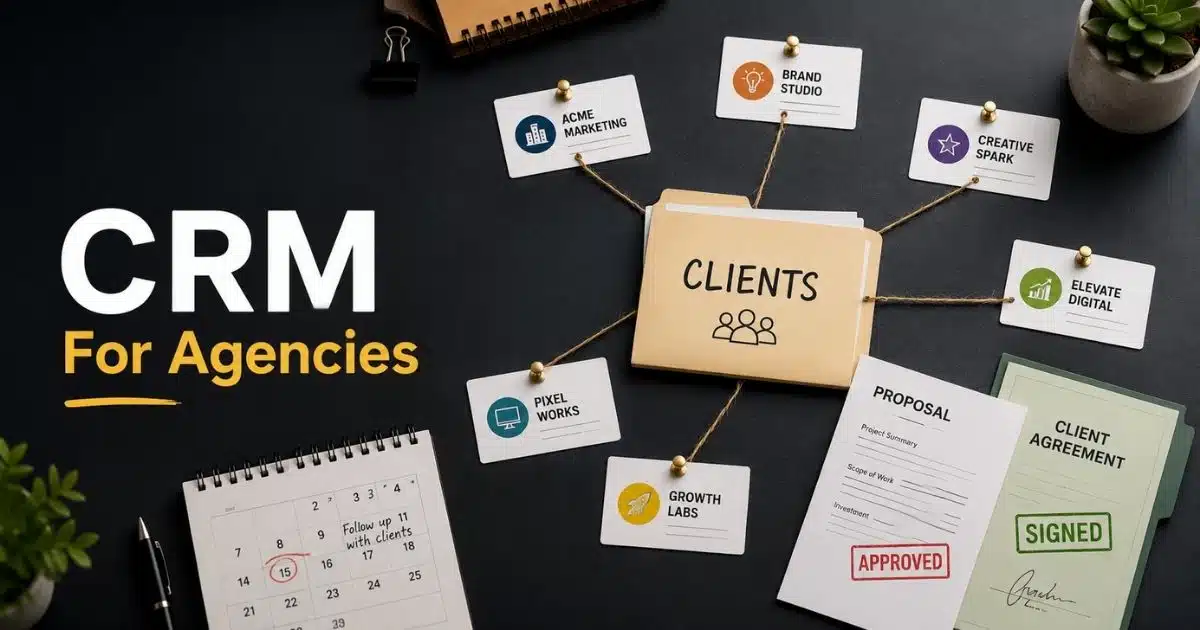
Managing client relationships becomes harder as an agency grows. Leads come from different channels, sales conversations happen across multiple touchpoints, and client information often ends up scattered. A CRM for agencies brings everything into one place. It helps teams track leads, manage contacts, automate follow-ups, and keep every client interaction organized.
The right CRM software does more than store customer data. It improves client management, supports sales pipeline visibility, and helps agencies build stronger customer relationships. Many platforms also offer workflow automation, reporting tools, and integrations with marketing and project management software.
In this guide, we compare the best CRM for agencies to help you find a solution that fits your team, streamlines operations, and supports long-term growth.
Why Agencies Need A CRM Platform
A growing agency needs more than spreadsheets and scattered notes. Client data, sales tracking, and project management become harder as teams expand. A modern agency CRM keeps everything in one place. It helps sales teams, account managers, and marketing teams stay aligned with smart CRM tools designed for sales teams. The right CRM software also improves client satisfaction, supports business growth, and helps agencies build stronger client relationships over time.
Client Management Challenges
Many agencies struggle with disconnected client communication and scattered customer data. Sales and marketing efforts often rely on multiple tools that do not work well together. As a result, teams miss follow-ups, lose track of deals, and waste time on manual updates.
A CRM for agencies solves this problem by centralizing client communication, contact management, and lead management. Every interaction stays connected to a client account. Teams can track leads, monitor client campaigns, and manage multiple clients without switching between systems. Better visibility leads to stronger client retention and smoother relationship management.
Agency Growth And Scalability
Growth creates new challenges for digital marketing agencies. More clients mean more sales processes, marketing campaigns, and project management tasks. Without a structured CRM system, scaling becomes difficult and errors become common.
A dedicated agency CRM helps manage leads and automate repetitive tasks. CRM automation can trigger email follow-ups, assign tasks, and move deals through the sales pipeline automatically. Visual project and sales pipelines help teams use visual sales pipeline software to track deals from lead generation to project delivery. CRM software also improves forecast accuracy and reduces manual work, which allows teams to focus on high-value client work.
Key Benefits Of A CRM
The biggest advantage of a CRM platform is visibility. Teams can view client data, sales performance, task management activities, and ongoing client communication from a single dashboard. Customizable dashboards and advanced reporting make it easier to measure results and spot opportunities.
Many CRM tools also include marketing automation, email marketing automation, and integration capabilities with Google Workspace, project management tools, and communication platforms. Automated workflows can send welcome emails, assign tasks, and even convert a closed deal into an active project. Research shows that 80% of customers are more likely to make another purchase after a positive experience, which makes consistent client management a major advantage for agencies.
How We Selected The Best CRM For Agencies
Every agency has different needs. Some focus on lead management, while others need strong project management and client communication tools. To find the best CRM for agencies, we reviewed the features that matter most for daily operations, business growth, and client satisfaction. We also considered ease of use, scalability, reporting capabilities, and overall value.
Ease Of Use
A CRM tool should make work easier, not harder. Teams need quick access to client data, sales tracking, and task management without spending weeks on training, especially for modern sales teams relying on CRM software. A clean interface helps account managers and sales teams stay productive from day one.
The best CRM software offers simple navigation and customizable dashboards. Team members can track deals, manage leads, and update records with minimal effort. Easy adoption also reduces resistance during the initial setup phase. That leads to faster results and smoother sales and marketing processes.
Client And Contact Management
Strong client management sits at the center of every agency CRM. Agencies handle multiple clients, campaigns, and ongoing conversations every day. Without a central system, important details can get lost.
A quality CRM platform centralizes client communication, contact management, and customer data. Teams can view centralized contact information, emails, notes, tasks, and project updates from one place. Better visibility improves client relationships and helps customer service teams respond faster. It also supports stronger client retention over time.
Sales Pipeline Management
Sales growth depends on clear visibility. Agencies need to know where every opportunity stands and what actions come next. Visual sales pipeline software makes that process much easier.
Top CRM software includes pipeline management tools that help teams build and manage a sales pipeline from first contact to signed contract. Visual pipeline layouts also show contract values and forecast recurring revenue, and a visual sales pipeline for agency teams. Sales pipeline CRM forecasting features use pipeline probability to estimate future revenue. This helps agencies improve sales performance and plan resources more accurately.
Automation Features
Manual tasks consume valuable time. Follow-up emails, status updates, and task assignments can quickly overwhelm busy teams. Automation tools help reduce that workload.
The best CRM for marketing agencies includes workflow automation that automates repetitive tasks across sales and marketing efforts. Automated workflows can send welcome emails, assign tasks, and trigger follow-ups when deal stages change. Some platforms even convert a won opportunity into an active project. This creates smoother marketing and sales processes while reducing manual updates.
Reporting And Analytics
Good decisions require reliable data. Agencies need clear insights into sales performance, client campaigns, and overall business health. Basic reports often fail to provide the level of detail agencies need.
Advanced reporting and analytics help agencies measure results more effectively. Customizable dashboards show sales metrics, campaign performance, and pipeline trends in real time, helping teams get more from their CRM with a simpler sales workflow. Client-facing reports can demonstrate campaign ROI and support stronger client relationships. Client profitability reports also compare revenue against labor costs to identify the most valuable accounts.
Integrations And Scalability
Most agencies rely on several existing tools every day. Email platforms, project management tools, collaboration tools, and marketing automation tools with CRM email integration all play a role in daily operations.
A modern agency CRM should connect with Google Workspace, email marketing platforms, communication software, and other business systems, ideally as a CRM with built-in email integration. Strong integration capabilities reduce duplicate work and improve data accuracy. Scalability matters as well. The right CRM software should support new team members, multiple service lines, and growing client portfolios without requiring a platform change.
Pricing And Overall Value
Price matters, but value matters more. A lower-cost CRM solution may lack key features that growing agencies need. Higher-priced platforms can deliver a stronger return when they improve efficiency and client management.
We compared pricing plans alongside core CRM features, automation capabilities, reporting capabilities, and scalability. Gain.io offers a free trial for 14 days and a single plan that costs $9.50 per seat per month. HubSpot offers a free CRM tier for small teams. Zoho CRM plans start at around €14 per user per month, making it a popular option for budget-conscious agencies. Agencies should focus on long-term value rather than monthly cost alone when selecting the right CRM, often using a Gain.io vs HubSpot CRM comparison as part of their evaluation.
7 Best CRM For Agencies To Manage Clients And Grow Faster
Choosing the right CRM for agencies can have a major impact on client relationships, sales performance, and business growth. The platforms below offer different strengths, from marketing automation and sales pipeline management to client communication and project collaboration, making it easier to find the right fit for your agency.
Let's start with:
1. HubSpot CRM
HubSpot CRM is one of the most popular CRM platforms for agencies of all sizes. It combines contact management, sales pipeline management, marketing automation, and customer service tools in one ecosystem, and many teams compare it using a guide when choosing a platform. The platform is easy to use and offers a free CRM plan, which makes it attractive for growing agencies. Teams can manage client relationships, track deals, automate follow-ups, and keep sales and marketing efforts aligned from a single dashboard.
Key Features
- Contact and company management with complete client history
- Visual sales pipeline and deal tracking
- Email marketing automation and lead nurturing
- Customizable dashboards and reporting tools
- Integration with Google Workspace, Slack, and hundreds of third-party apps
Pros
- Generous free plan
- User-friendly interface
- Strong marketing automation tools
- Large integration marketplace
Cons
- Advanced features require higher-tier plans
- Costs increase quickly as teams grow
- Some customization limits on lower plans
Pricing
HubSpot CRM offers a free plan for individuals and small teams. Paid plans start at around $20 per month for Starter Customer Platform when billed monthly. Annual billing provides discounts on some plans. Enterprise-level plans can exceed several hundred dollars per month depending on users and features.
Best For
HubSpot CRM is best for marketing agencies, digital marketing agencies, and growing service businesses that want a balance of CRM software, marketing automation, sales management, and customer relationship management without a steep learning curve, though some may evaluate a comparison before deciding. It works especially well for teams that rely on inbound marketing and lead generation.
2. Gain.io
Gain.io is a modern all-in-one CRM for agencies that need client management, sales tracking, and collaboration tools in one place. Unlike many CRM platforms that focus only on sales, Gain.io combines contact management, offer management, a shared inbox, and client communication features. The platform keeps client data organized and helps teams manage deals without switching between multiple tools. Its affordable pricing also makes it attractive for small and mid-sized agencies.
Key Features
- Contact management with complete client records
- Visual sales pipeline management
- Shared inbox for centralized client communication
- Offer management with a client portal
- Gmail, Outlook, calendar, and email integrations
Pros
- Agency-focused feature set
- Affordable pricing
- Shared inbox included
- Easy setup and migration assistance
Cons
- Single pricing plan only
- 14-day trial limited to 10 users
Pricing
Gain.io offers a single plan priced at $9.50 per seat per month. The plan includes contact management, sales pipeline management, offer management, shared inbox access, email integrations, custom fields, custom deal stages, and priority support. A 14-day free trial is available.
Best For
Gain.io is best for agencies that want a simple CRM solution without paying enterprise-level prices. It works well for client management, sales pipeline management, ongoing client communication, and team collaboration. Small agencies and mid-sized agencies can get strong value from its agency-focused features.
3. Pipedrive
Pipedrive is a sales-focused CRM tool known for its visual pipeline management. It helps agencies manage leads, track deals, and improve sales performance with minimal complexity. The platform is easy to learn and offers strong automation capabilities. Many agencies use it to streamline sales and marketing processes while maintaining visibility across the sales pipeline, although some compare it with a Gain.io vs Pipedrive CRM guide to decide which better fits their workflow.
Key Features
- Visual sales pipeline management
- Lead and deal tracking
- Workflow automation
- Sales forecasting tools
- Email integration and activity tracking
Pros
- Easy to use
- Excellent pipeline visibility
- Strong automation features
- Good reporting capabilities
Cons
- Limited marketing automation
- No free plan
- Advanced features cost extra
Pricing
Pipedrive plans start at approximately $24 per user per month with monthly billing. Annual billing lowers costs to around $14 per user per month on entry-level plans. Higher tiers unlock advanced reporting, automation tools, and forecasting features.
Best For
Pipedrive is best for agencies that prioritize sales pipeline CRM to improve sales management and lead management. Teams that need a clear sales process, sales forecasting, and pipeline management without enterprise-level complexity will find it a strong fit.
4. Zoho CRM
Zoho CRM offers one of the most complete feature sets at an affordable price. The platform combines customer relationship management, marketing automation, sales tracking, and advanced reporting. Agencies can manage client relationships, automate workflows, and connect multiple business tools from a single CRM system using email, calendar, and contact integration software. Its flexibility makes it popular among growing agencies.
Key Features
- Contact and lead management
- Workflow automation
- Sales forecasting and analytics
- Email marketing integrations
- Customizable dashboards and reports
Pros
- Competitive pricing
- Extensive customization options
- Strong automation capabilities
- Large integration library
Cons
- Interface can feel crowded
- Learning curve for new users
- Advanced setup requires time
Pricing
Zoho CRM offers a free plan for up to three users. Paid plans start at €20 per user per month with monthly billing or €14 per user per month with annual billing. Enterprise and Ultimate plans add advanced reporting and AI features, which some teams may compare against a streamlined Zoho CRM alternative.
Best For
Zoho CRM is best for agencies that need advanced features without paying enterprise software prices. It suits marketing agencies, digital marketing agencies, and businesses that rely heavily on workflow automation and detailed reporting, though some may choose a streamlined alternative to Zoho CRM.
5. Salesforce
Salesforce is the leading CRM platform for large agencies and enterprise organizations, though mid-sized teams may look for a simpler Salesforce CRM alternative. The platform delivers advanced sales management, customer relationship management, analytics, and automation tools. Agencies can customize nearly every aspect of the system. It is one of the most powerful CRM solutions available today.
Key Features
- Enterprise-grade sales pipeline management
- Advanced workflow automation
- AI-powered forecasting and insights
- Extensive integration capabilities
- Custom reporting and dashboards
Pros
- Highly scalable
- Powerful customization
- Strong analytics tools
- Extensive app ecosystem
Cons
- Expensive for small agencies
- Steep learning curve
- Complex implementation process
Pricing
Salesforce Starter Suite begins at approximately $25 per user per month. Pro Suite starts around $100 per user per month. Annual contracts are common for larger deployments. Additional costs may apply for advanced automation and AI features.
Best For
Salesforce is best for large agencies with complex sales processes and multiple service lines. Organizations that require advanced reporting, deep customization, and enterprise-level scalability will benefit most from the platform, while others may prefer a simpler CRM alternative to Salesforce.
6. Monday CRM
Monday CRM combines CRM functionality with project management tools. Agencies can manage leads, track deals with dedicated sales pipeline management tools, organize projects, and collaborate with teams from a single workspace. Its visual interface is easy to understand and works well for client-facing operations. The platform also supports workflow automation and customizable workflows.
Key Features
- Visual sales pipeline management
- Project and task management
- Workflow automation
- Team collaboration tools
- Custom dashboards and reporting
Pros
- Easy-to-use interface
- Strong project management features
- Flexible workflows
- Good collaboration tools
Cons
- Limited CRM depth compared to Salesforce
- Reporting varies by plan
- Costs increase with team size
Pricing
Monday CRM costs $20 per user per month with monthly billing. Annual billing can reduce costs to around $12 per user per month. Higher plans unlock advanced reporting, automation, and forecasting features.
Best For
Monday CRM is best for agencies that want CRM software and project management tools in one platform. It works especially well for teams that manage client projects and need strong collaboration across departments supported by integrated email, calendar, and contact tools.
7. Freshsales
Freshsales is a modern CRM platform built for sales teams and growing businesses that want to use CRM to manage leads more effectively. The software combines contact management, sales automation, communication tools, and AI-powered insights. Agencies can manage leads, track customer interactions, and automate routine tasks. Its simple interface helps teams become productive quickly.
Key Features
- Lead and contact management
- AI-powered sales insights
- Workflow automation
- Built-in email and phone tools
- Sales forecasting and reporting
Pros
- Free plan available
- Built-in communication tools
- Strong automation features
- Easy setup process
Cons
- Limited customization options
- Advanced features require higher plans
- Smaller integration marketplace
Pricing
Freshsales offers a free plan for small teams. Paid plans start at approximately $11 per user per month with monthly billing. Annual billing can lower entry-level pricing. Premium plans include advanced automation, forecasting, and reporting capabilities.
Best For
Freshsales is best for agencies that need a balance of affordability and functionality. It suits teams that want automation tools, lead management, sales tracking, and customer relationship management without the complexity of larger enterprise platforms, especially startups and small sales teams choosing their first CRM.
Best CRM For Agencies Comparison Table
A side-by-side comparison makes it easier to spot the right CRM software for your agency. Some platforms focus on marketing automation, while others prioritize client management, sales pipeline management, or project collaboration. The tables below compare the most important features, pricing, and use cases to help you make a confident decision.
Feature Comparison At A Glance
A feature comparison helps you quickly identify which CRM platform aligns with your agency's workflow. Focus on the tools your team uses daily, such as client management, sales tracking, automation, reporting, and collaboration.
Feature | HubSpot CRM | Gain.io | Pipedrive | Zoho CRM | Salesforce | Monday CRM | Freshsales |
|---|---|---|---|---|---|---|---|
Contact Management | ✓ | ✓ | ✓ | ✓ | ✓ | ✓ | ✓ |
Sales Pipeline Management | ✓ | ✓ | ✓ | ✓ | ✓ | ✓ | ✓ |
Lead Management | ✓ | ✓ | ✓ | ✓ | ✓ | ✓ | ✓ |
Email Integration | ✓ | ✓ | ✓ | ✓ | ✓ | ✓ | ✓ |
Custom Fields | ✓ | ✓ | ✓ | ✓ | ✓ | ✓ | ✓ |
Custom Deal Stages | ✓ | ✓ | ✓ | ✓ | ✓ | ✓ | ✓ |
Shared Inbox | ✗ | ✓ | ✗ | ✗ | ✗ | ✗ | ✗ |
Client Portal | ✗ | ✓ | ✗ | ✗ | ✗ | ✗ | ✗ |
Offer Management | ✗ | ✓ | ✗ | ✗ | ✗ | ✗ | ✗ |
Sales Forecasting | ✓ | ✓ | ✓ | ✓ | ✓ | ✓ | ✓ |
Advanced Reporting | ✓ | ✓ | ✓ | ✓ | ✓ | ✓ | ✓ |
Task Management | Limited | ✓ | ✗ | Limited | Limited | ✓ | Limited |
Pricing Comparison
Pricing can vary significantly between CRM platforms. Comparing monthly and annual costs side by side helps agencies balance budget, features, scalability, and long-term value before making a decision.
CRM Platform | Starting Price | Monthly Billing | Annual Billing |
|---|---|---|---|
HubSpot CRM | Free | From $20/month | From $15/month |
Gain.io | $9.50/seat/month | $9.50/seat/month | $9.50/seat/month |
Pipedrive | From $24/user/month | From $24/user/month | From $14/user/month |
Zoho CRM | From €20/user/month | From €20/user/month | From €14/user/month |
Salesforce | From $25/user/month | From $25/user/month | Annual Plans Available |
Monday CRM | From $15/user/month | From $15/user/month | From $12/user/month |
Freshsales | Free | From $11/user/month | Lower Annual Rates |
Best Use Cases Compared
Every CRM serves a different purpose. Some excel at marketing automation, while others focus on client communication, project management, or sales pipeline management, so it’s important to choose CRM tools that fit your workflow. This comparison highlights where each platform performs best.
CRM | Best Use Case |
|---|---|
HubSpot CRM | Agencies that need CRM software, marketing automation, and sales tools in one platform |
Gain.io | Agencies that want client management, offer management, client portals, shared inboxes, and sales tracking at an affordable price |
Pipedrive | Sales-focused agencies that prioritize pipeline management and lead tracking |
Zoho CRM | Growing agencies that need advanced features and workflow automation without enterprise pricing |
Salesforce | Large agencies with complex sales processes, large teams, and advanced customization needs |
Monday CRM | Agencies that need CRM software and project management tools in the same workspace |
Freshsales | Small agencies looking for affordable sales automation and customer relationship management |
For agencies that primarily manage client relationships, proposals, offers, and ongoing client communication, Gain.io delivers one of the most agency-focused feature sets in this comparison, including offer management with a client portal. HubSpot CRM remains a strong all-around platform, while Salesforce leads the enterprise market. The best choice depends on your agency's size, workflow requirements, and long-term growth plans.
Essential Features Of A CRM For Agencies
Not every CRM platform is built for agency workflows. The right CRM software should help manage client relationships, organize sales and marketing processes, improve collaboration, and support long-term business growth. Here are the features that matter most when evaluating a CRM for agencies.
Client Relationship Management
A CRM for agencies should make client management simple and organized. Every client interaction, email, note, and task should be easy to find. Strong customer relationship management helps account managers provide a better experience and maintain ongoing client communication.
A centralized CRM system stores all client data in one place. Teams can use dynamic contact management to access customer data, review past conversations, and track project updates without searching through multiple tools. Better visibility helps manage contacts better and strengthen client relationships and improve client retention over time.
Lead And Deal Tracking
A steady flow of leads is important for agency growth. Without a clear process, opportunities can slip through the cracks. Lead management tools help agencies use CRM to manage leads from first contact to closed deals.
Modern CRM platforms include visual sales pipeline management and sales tracking features. Teams can monitor deal stages, forecast revenue, and identify bottlenecks in the sales process. A visual sales pipeline improves deal clarity and helps sales teams focus on high-value opportunities and improve overall sales performance.
Workflow Automation
Manual work slows teams down. Repetitive tasks such as follow-up emails, task assignments, and status updates can consume hours every week. Workflow automation helps reduce that workload.
The best CRM software includes automation tools that streamline sales and marketing efforts. Automated workflows can trigger email follow-ups, assign tasks, and update records when deal stages change. This reduces manual updates, improves consistency, and allows teams to focus on client campaigns and business growth.
Team Collaboration Tools
Agency success depends on teamwork. Sales teams, marketing teams, customer service teams, and account managers often work on the same client accounts. Notes and activity tracking, and other collaboration tools keep everyone aligned.
A modern agency CRM should centralize client communication and support integrated contact management. Team members can view notes, activities, tasks, conversations, and project updates from a single workspace. This improves coordination and helps agencies manage multiple clients more efficiently.
Custom Reporting And Dashboards
Agencies need data to make better decisions. Basic reports are useful, but customizable dashboards provide deeper insights into sales performance, client management, and marketing efforts.
Advanced reporting features help agencies track deals, measure campaign results, and monitor sales pipeline health and performance. Client-facing reports can also demonstrate campaign ROI and strengthen client trust. Custom dashboards allow teams to focus on the metrics that matter most to their goals.
Third-Party Integrations
Most agencies use several platforms every day. Email marketing tools, project management tools, communication apps, and marketing automation platforms all play a role in daily operations.
Strong integration capabilities connect your CRM solution with existing tools such as Google Workspace, email marketing platforms, and collaboration software through unified email, calendar, and contact integration. Seamless integrations improve data accuracy, reduce duplicate work, and create a more connected workflow across the entire business.
How To Choose The Right CRM For Your Agency
A CRM can improve client management, sales performance, and team efficiency. However, the wrong platform can create extra work and increase costs. A structured evaluation process helps agencies choose a CRM solution that supports current needs and future growth.
Set Clear Goals
Every CRM project should start with clear objectives. Agency leaders, account managers, sales teams, and marketing teams should agree on what success looks like. A shared vision helps avoid confusion later.
Align stakeholders on CRM goals before implementation and choose CRM tools that fit your workflow. Some agencies focus on lead management, while others prioritize client communication, project management, or marketing automation. A methodical evaluation process prevents costly CRM mistakes and helps teams choose the right CRM software for their workflows.
Plan For Growth
A CRM platform should fit today's needs and tomorrow's goals. Small teams may only need core CRM features today, but future growth can create new requirements.
Consider team size, client volume, and multiple service lines when evaluating options, especially if you run a startup or small sales team that needs a simple CRM. A scalable CRM system can support more users, larger sales pipelines, and growing customer data without major disruptions. The right CRM grows alongside your agency and reduces the need for future software migrations, especially when you choose CRM tools that fit your workflow.
Review Integration Needs
Most agencies already use email marketing tools, project management tools, communication platforms, and file-sharing software. A CRM should connect with those existing tools to create a smoother workflow.
Native integrations reduce manual work and improve data accuracy, particularly when using a CRM with email integration. Strong integration capabilities allow agencies to centralize client communication and connect marketing campaigns with sales and marketing processes. Popular integrations often include Google Workspace, email marketing platforms, calendars, and collaboration tools.
Evaluate Costs And Value
Price matters, but long-term value matters more. The cheapest CRM software may lack advanced features that improve client satisfaction and business growth.
Compare pricing plans alongside workflow automation, reporting capabilities, customization options, and support quality. Agencies should also consider time savings and productivity gains. CRM automation can often deliver a stronger return on investment than a lower-priced alternative.
Test Before Full Deployment
A successful CRM implementation requires preparation. Start by documenting current workflows and auditing existing customer data. Clean records help create a smoother migration and improve reporting accuracy.
Pilot the CRM with a smaller group before rolling it out across the entire agency to validate that it supports modern sales team workflows and processes. After launch, review CRM metrics and user feedback regularly. A 30-day review helps identify issues early and refine the CRM setup. Continuous improvements ensure the platform continues to support client management, sales tracking, and agency growth effectively.
Common Mistakes To Avoid When Choosing A CRM
A CRM can improve client management and sales performance, but only when the platform matches your agency's needs. Many agencies rush the selection process and face adoption issues later. Avoiding a few common mistakes can save time, money, and frustration.
Price Over Value
Budget matters, but price should not be the only factor. A low-cost CRM tool may look attractive at first. However, missing features can create extra work for sales teams, account managers, and customer service teams.
Look beyond monthly pricing plans. Compare workflow automation, reporting capabilities, integration capabilities, and client management features. A CRM platform that improves efficiency and client satisfaction often delivers a better return than a cheaper solution with limited functionality. Long-term value should always outweigh short-term savings.
Poor Team Adoption
A CRM system only works when people use it. Complex interfaces and confusing workflows often lead to poor adoption, so agencies should understand CRM adoption challenges, mistakes, and best practices. Team members may return to spreadsheets or other existing tools instead of using the CRM solution.
Ease of use should be a priority during evaluation. Sales teams, marketing teams, and account managers should test the platform before launch to ensure task management and deal execution workflows are intuitive. A pilot program with a smaller group helps identify usability issues early. Strong adoption improves data quality, client communication, and overall sales and marketing processes.
Limited Growth Planning
Many agencies choose a CRM that fits their current size but not their future goals. Growth can quickly expose limitations in user capacity, reporting tools, and automation features.
A scalable CRM supports business growth without requiring a complete platform change and should provide robust sales pipeline management for growing teams. Consider future client volume, multiple service lines, and larger sales pipelines. Agencies should also evaluate advanced features such as capacity planning, utilization tracking, resource management, and task management for sales teams to improve deal execution. These tools help teams maintain productivity as workloads increase.
Feature Overload
More features do not always mean a better CRM. Some agencies invest in enterprise platforms packed with tools they never use. This often leads to higher costs and a longer implementation process.
Start by documenting current workflows and identifying real business needs. Focus on core CRM features that support client relationships, lead management, sales tracking, and project management. A CRM should solve actual problems, not add unnecessary complexity. The right CRM software balances functionality with usability and long-term value for modern sales teams that depend on clear processes and automation. Built-in time tracking logs billable and non-billable hours against client accounts.
How Gain.io Helps Agencies Manage Clients And Scale Faster
Gain.io is built to help agencies keep client management and sales processes organized, enabling teams to get more from their CRM with a simpler sales workflow. Instead of switching between multiple tools, teams can manage contacts, track deals, monitor activities, and handle client communication from a single CRM platform. The system also includes a shared inbox, offer management, custom deal stages, and a client portal that support smoother agency workflows.
The platform helps agencies centralize client data, improve sales tracking with dedicated sales pipeline management, and maintain better visibility across the sales pipeline. Gmail and Outlook integrations make communication easier, while email, calendar, and contact integration and reminders help account managers stay on top of follow-ups and client meetings. Gain.io also offers migration assistance, priority support, and smart CRM tools for sales teams, which can simplify CRM implementation for growing teams. At $9.50 per seat per month, it delivers a strong balance of functionality, simplicity, and affordability for agencies that need a practical CRM solution.
FAQs
Can A CRM For Agencies Improve Client Retention?
Yes, a CRM for agencies helps centralize client communication, customer data, and account history. Better visibility allows teams to deliver a more consistent experience, strengthen client relationships, and improve long-term client retention.
Do Small Agencies Need A Dedicated CRM Platform?
Yes, small agencies can benefit from a CRM platform early on. A CRM tool helps manage leads, track deals, organize client data, and automate routine tasks before growth creates operational challenges.
What Is The Difference Between A CRM And Project Management Software?
A CRM system focuses on customer relationship management, lead management, sales pipeline management, and client communication. Project management tools focus on task management, project delivery, deadlines, and team coordination after work begins.
Can A CRM Help Agencies Track Revenue And Business Performance?
Yes, most modern CRM software includes reporting capabilities, customizable dashboards, sales forecasting, and sales tracking features. Agencies can monitor pipeline performance, revenue trends, and client activity from a single platform.
Which CRM Features Matter Most For Growing Agencies?
The most important features include contact management, workflow automation, sales pipeline management, advanced reporting, integration capabilities, and collaboration tools. These core CRM features help agencies support business growth while improving efficiency and client satisfaction.
For more on this topic, see our guide on Why Real Estate Agents Rely On Specialized CRM Solutions.