Small businesses in 2026 face a stark reality: spreadsheets and scattered inboxes no longer cut it. Hybrid work has fragmented communication across Slack, Zoom, and personal emails, making it easy for leads to slip through the cracks. Meanwhile, buyer expectations have intensified. Industry benchmarks show that 80 percent of customers will switch brands after a poor service experience, putting pressure on every follow-up and response time. Local service providers, agencies, and online shops operate under tighter budgets than ever, often needing solutions under $20 per user monthly.
A simple CRM offers the answer. Think of it as a lightweight, intuitive customer relationship management system that takes hours to set up rather than weeks, designed specifically for teams of 2 to 25 people. This guide from Gain.io compares five leading simple CRMs, outlines what features matter most, and provides practical implementation advice to get your team up and running with minimal disruption.
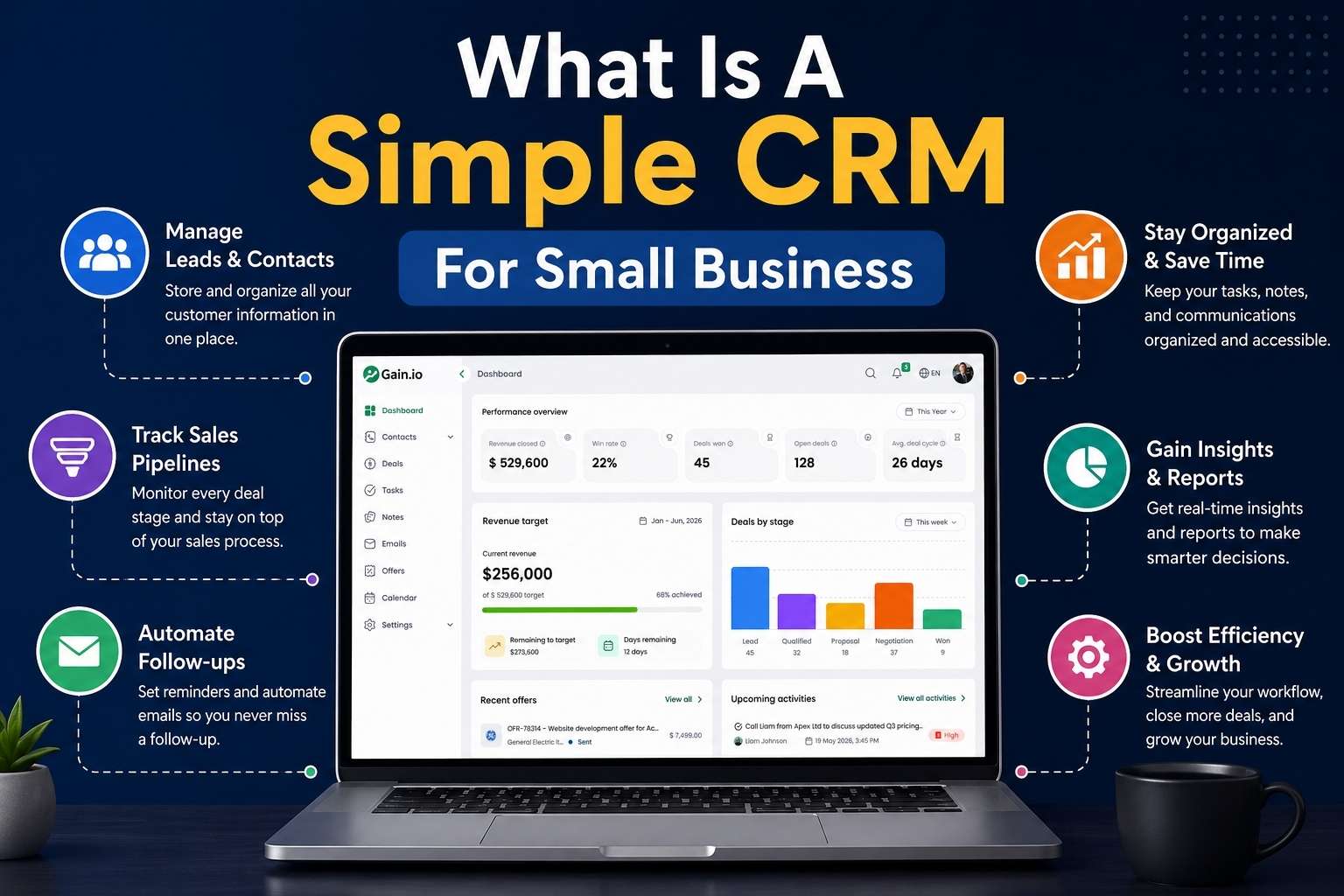
What Is A Simple CRM For Small Businesses
A simple CRM fundamentally centralizes customer data, sales pipelines, and daily activities into one accessible dashboard. CRM systems help small businesses manage customer interactions and data throughout the customer lifecycle, improving relationships and driving sales growth. Unlike enterprise platforms like Salesforce or Dynamics 365 with dozens of modules, mandatory training, and costs exceeding $75 per user, a simple CRM features a minimalistic interface closer to Google Workspace or Notion. You get drag-and-drop pipelines, one-click email logging, and preset templates deployable in minutes rather than months.
For a typical small business, this means replacing chaos with clarity. Consider a three-person landscaping company that previously tracked leads on a shared Excel sheet by neighborhood and service type. With a user friendly CRM and a structured migration from Excel to CRM process, they now see deal values, last activities, and automated reminders in a unified view. This shift alone can boost close rates by 20 to 30 percent according to case studies from similar small teams. The goal is covering 80 percent of daily tasks without overwhelming users with features they will never touch.
Top 5 Best Simple CRMs For Small Businesses
Selecting the right CRM platform starts with understanding what separates good options from poor fits. The five tools below were chosen based on ease of use (G2 and Capterra ratings above 4.5/5), transparent pricing at small business scale, onboarding that takes less than a day, and essential CRM features like pipelines and email tracking. Each review follows a consistent structure covering core features, pricing, pros, and suitability for small businesses.
CRM
Best For
Starting Price
Free Plan
HubSpot CRM
Free-forever entry point
$0
Yes
Gain.io
Fast setup, simple pipelines
$9.50/user/mo
Trial only
Zoho CRM
Budget-conscious teams
$14/user/mo
Yes
Pipedrive
Visual pipeline management
$14/user/mo
No
Insightly
Light project + CRM combo
$29/user/mo
Yes
1. Hubspot CRM
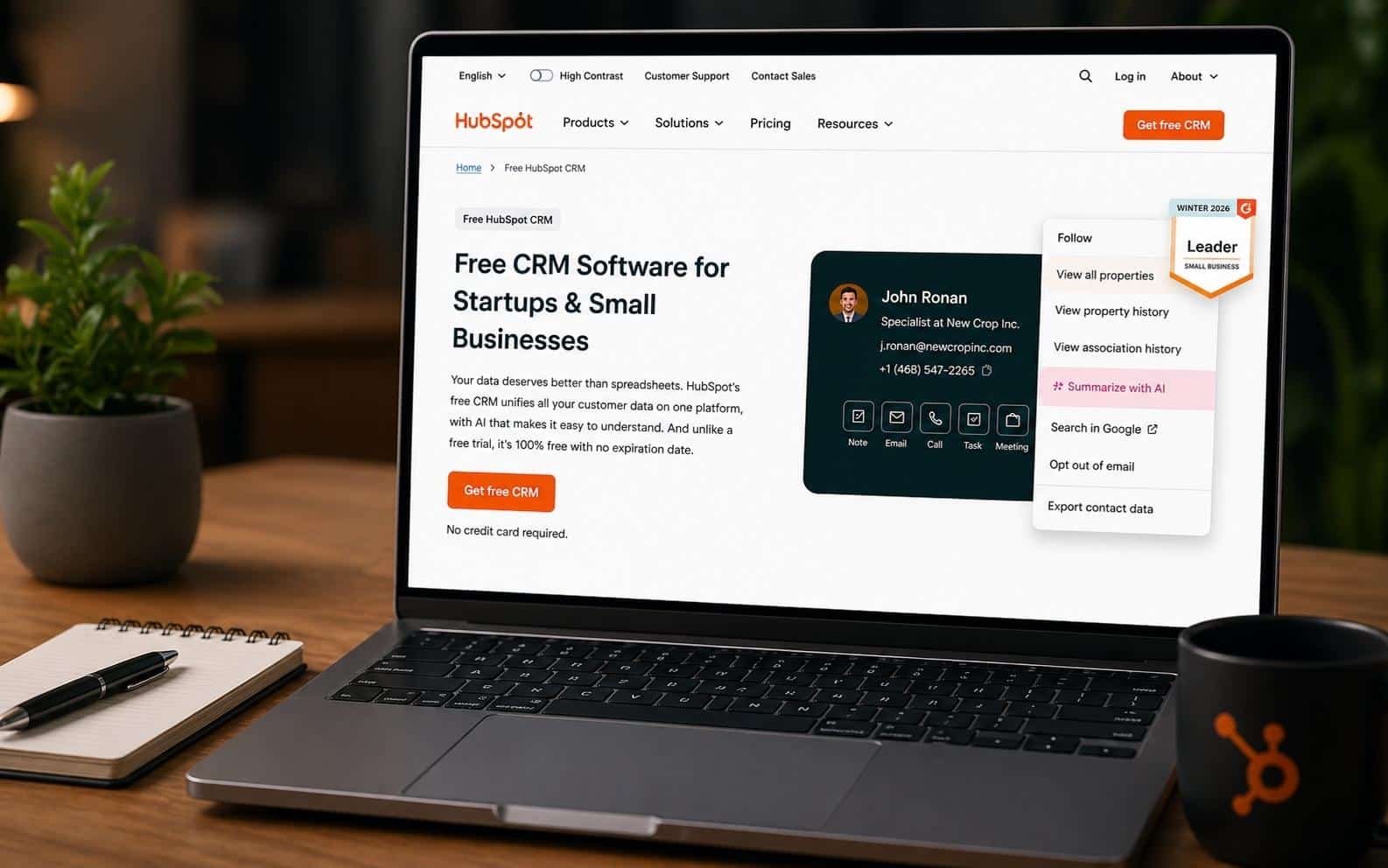
HubSpot CRM remains one of the most widely adopted free-entry CRMs for startups and small businesses in 2026, powering over 200,000 businesses globally. Its no-credit-card-required forever-free plan makes it particularly attractive for teams hesitant to commit financially before testing. User-friendly CRMs for small businesses include HubSpot, Monday CRM, and Zoho CRM, and HubSpot consistently ranks among the easiest for users transitioning from spreadsheets.
Core Features
Contact and company records with unlimited storage for tracking customer information
Customizable deals pipeline using drag-and-drop functionality for deal management
Email tracking with open and read notifications for interaction tracking
Meeting scheduler integrating with Zoom and Google Calendar
Basic automation for task assignment and reporting dashboards showing pipeline value
Pricing
The free tier supports unlimited users but limits advanced automation and custom reports. HubSpot CRM includes a free plan with unlimited users and features like contact management and email tracking. The Starter plan costs $9 per seat per month, unlocking two-way email sync and up to 2,500 marketing contacts.
Pros
HubSpot offers a polished, mobile-first interface that mirrors Gmail’s familiarity. Its extensive free academy provides over 10,000 video tutorials for self-guided learning. The modular hub structure allows seamless scaling to marketing tools or service tools without data migration.
Why It Suits Small Businesses
HubSpot CRM suits small businesses needing immediate free visibility into sales without commitment, allowing growth from solopreneur to 10-user teams while integrating natively with Gmail and Outlook.
2. Gain.io
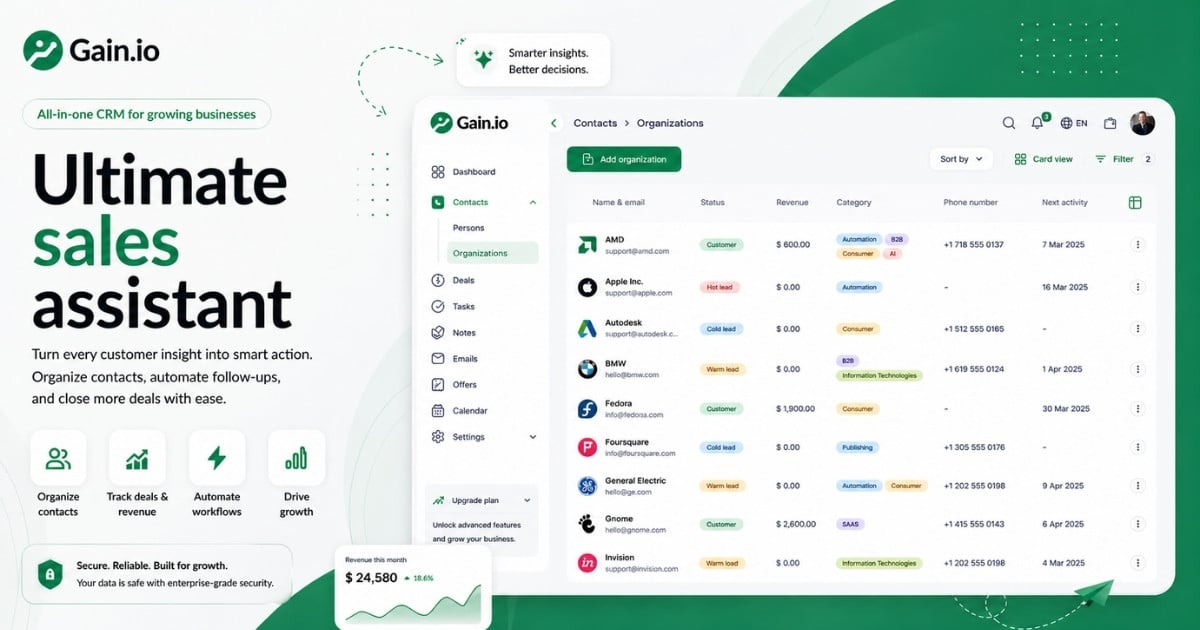
Gain.io positions itself as a streamlined simple CRM tailored for owner-led small teams seeking frictionless pipelines and task management. Setup takes under 10 minutes, and the platform focuses on core essentials without upselling traps common in competitors, acting as an all-in-one CRM to grow your sales and team. This modern CRM reflects 2026 small business realities where time and budget constraints demand immediate value.
Core Features
Unified contact and company profiles with activity timelines for complete customer journey visibility
Visual drag-and-drop sales pipelines customizable to four to seven stages for deal tracking
Email integration that logs threads automatically for communication history
Task reminders with snooze options for managing follow-ups effectively
One-page dashboards showing open deals and revenue forecasts for sales tracking
Pricing
Gain.io has one simple plan with all features included. No tiers, no hidden limits. It costs 9.50/seat/month. Many CRM providers offer free or low-cost plans, with some options available for teams of three or more users, making it easier for small businesses to manage customer relationships without high costs.
Pros
Gain.io’s intuitive UI earns praise for Notion-like simplicity. Transparent all-in pricing avoids hidden fees that plague competitors. Wizard-driven setup enables fast onboarding, and the platform extends to invoicing without requiring workflow rebuilds.
Why It Suits Small Businesses
Gain.io excels for small businesses prioritizing daily usability over feature overload. Teams under 10 see 90 percent adoption rates thanks to non-intrusive automations and mobile parity.
A local trades business can replace a cluttered spreadsheet with a visual pipeline that shows exactly which jobs need quotes and which await customer approval, paying a flat $9.50 per seat with no hidden upsells as the team grows. A five person agency using Gain.io cut missed follow ups by 25 percent within a quarter, per this sales acceleration case study.
3. Zoho CRM
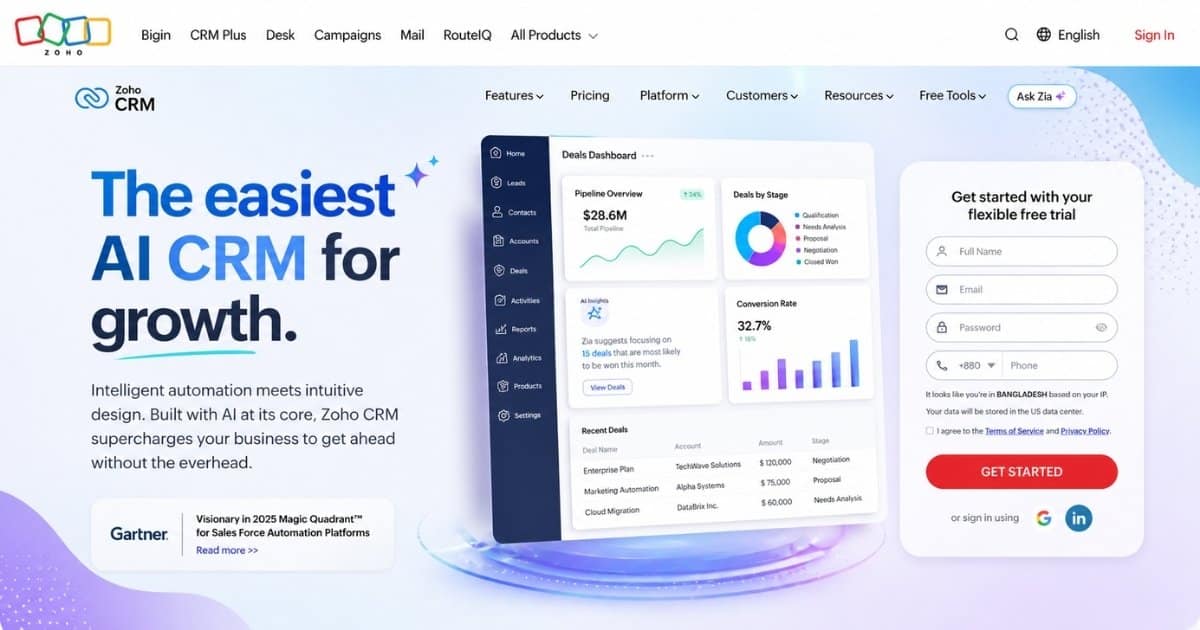
Zoho CRM stands out for small to mid sized businesses desiring customizable yet simple workflows, with over 250,000 small business adopters in 2026 leveraging its AI assistant Zia for predictions. Zoho offers Bigin for micro-businesses and Zoho CRM for those needing more flexibility, making it a frequent inclusion when choosing the best CRM options for small business. Bigin is a stripped-down version of Zoho CRM focused strictly on pipeline visualization.
Core Features
Contact and company management with custom fields for segmenting customer data
Multi-pipeline views supporting different sales cycles and lead management
Email tracking and templates for consistent messaging across sales teams
Meeting scheduling with Zia suggestions for optimizing sales activities
Drag-and-drop automation builder and funnel analytics for reducing manual effort
Pricing
The free edition supports up to three users with 5,000 records and one pipeline. The Standard plan starts at $20 per user monthly ($14 annually), adding advanced segments and web forms for capturing leads.
Pros
Deep customization without code allows workflows matching unique processes. Seamless Google Workspace integration enhances productivity. The robust mobile app with offline sync earns Zoho CRM a 4.4/5 rating from over 10,000 Capterra small business reviews.
Why It Suits Small Businesses
Zoho CRM fits small businesses balancing simplicity with tailored automations, supporting growth to 25 users without performance lags or forced upgrades.
4. Pipedrive
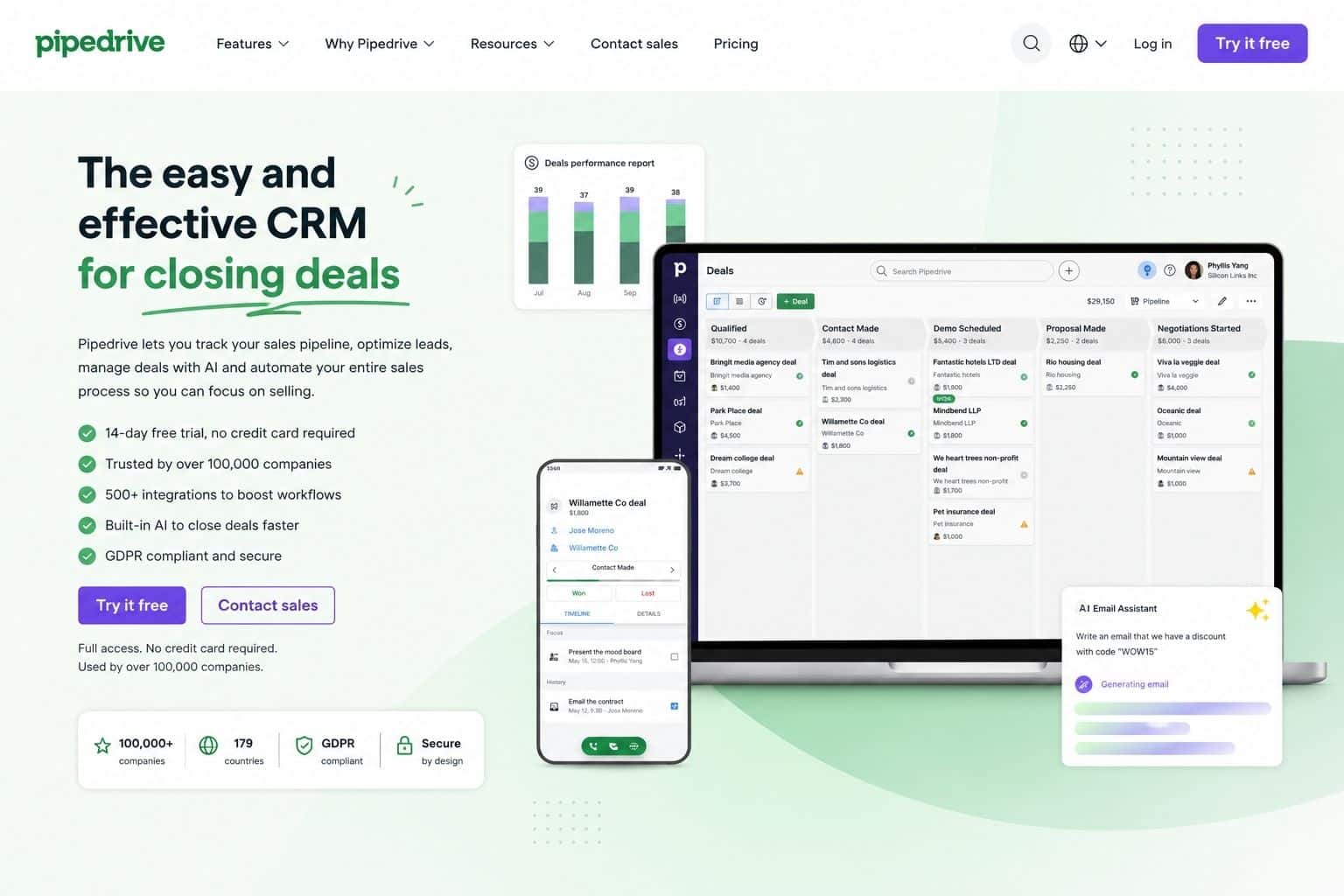
Pipedrive excels as a pipeline-centric CRM for small sales teams, serving 100,000+ small business customers in 2026 with its focus on visual deal tracking and features comparable to the best visual sales pipeline software to manage deals. Pipedrive focuses on closing deals with its activity-focused prompts and simplified interface for sales tracking, making it a favorite among B2B services and consulting firms.
Core Features
Contact and organization records with deal associations for complete contact records
Drag-and-drop visual sales pipeline supporting multiple boards and stages
Email sync with click tracking for monitoring deal progress
Scheduler and calendar links for coordinating sales meetings
Automation rules for activities and dashboard reports on deal velocity
Pricing
The Essential plan costs $19 per user monthly ($14 annually), including one pipeline and basic reporting. No free tier exists, but 14-day trials allow thorough testing before commitment.
Pros
Pipedrive’s laser focus on sales clarity provides revenue projections per stage. The intuitive interface reduces training to hours rather than days. Over 400 integrations including Stripe make it versatile, scoring 4.5/5 on G2 for usability across 20,000+ reviews.
Why It Suits Small Businesses
Pipedrive is ideal for small businesses where pipeline visibility drives revenue, minimizing distractions for field-based sales reps who need mobile access and quick updates.
5. Insightly
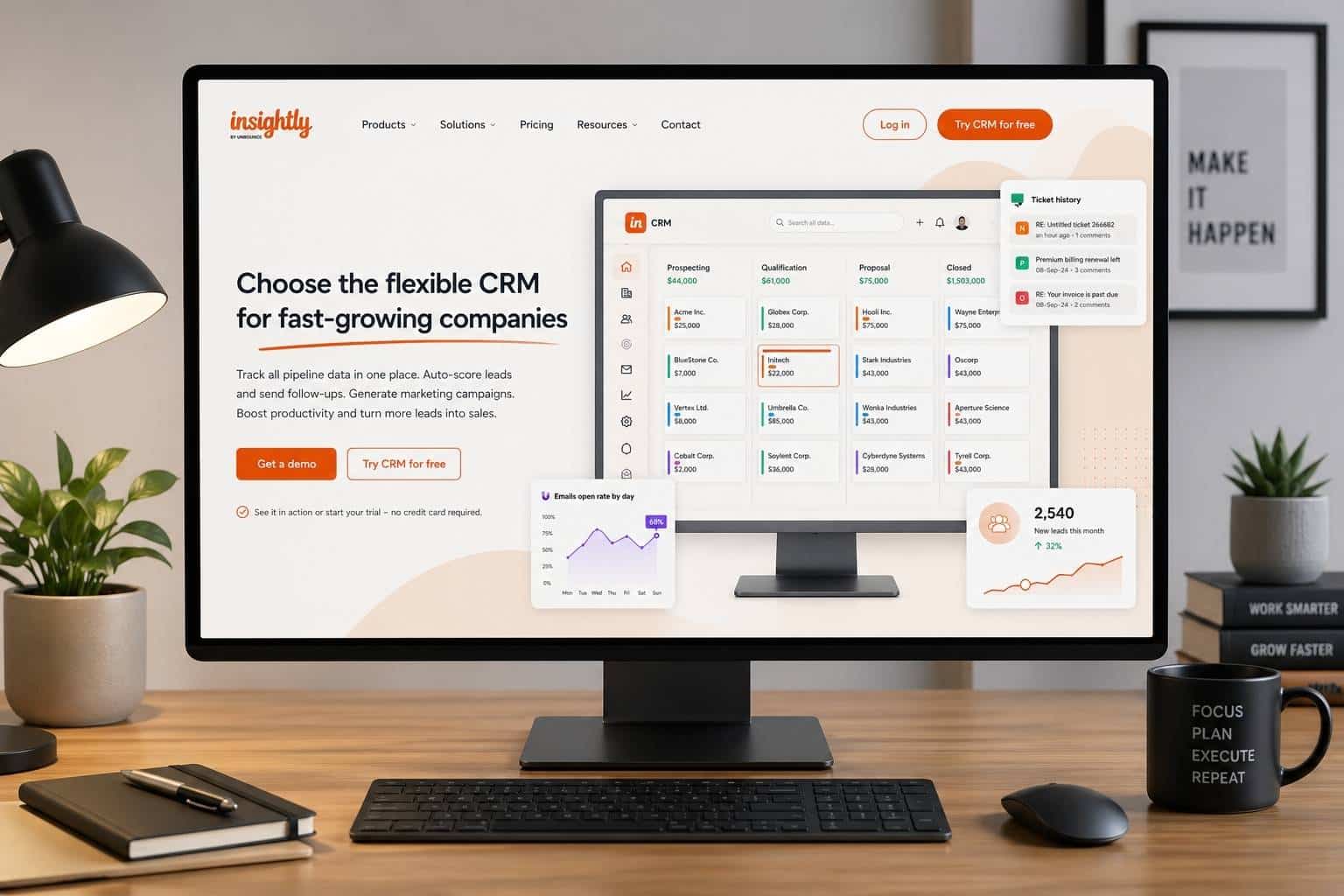
Insightly CRM targets project-oriented small teams, combining CRM with task management for over 15,000 users, including many retail and service teams that benefit from CRM tools that help retail teams stay organized. Monday CRM is recommended for businesses needing to manage projects post-sale, featuring a visual and customizable platform, but Insightly offers a tighter blend of sales and project management tools for service-focused companies.
Core Features
Contact and company profiles with relationship maps for understanding customer interactions
Customizable pipelines integrated with project management boards
Email tracking and templates for maintaining communication consistency
Smart scheduler for coordinating client meetings and follow-ups
Workflow automations and reporting on both pipeline and project status
Pricing
The Plus plan costs $29 per user per month, with no free tier but trials available. This covers unlimited pipelines and built-in project management tools, reducing the need for separate software.
Pros
Built-in project tools reduce tool sprawl for service teams tracking both sales and delivery. Strong customization supports service workflows, and Microsoft 365 sync keeps data accurate across platforms.
Why It Suits Small Businesses
Insightly suits small businesses blending sales and projects, like consultancies tracking billable hours per deal or agencies managing client deliverables alongside new business development.
How To Pick The Right Simple CRM From These Five
The core differences distill to focus areas: HubSpot for all-in-one growth with marketing automation potential, Gain.io for streamlined operations without bloat, Zoho for no-code customization, Pipedrive for pipeline purity, and Insightly for project fusion. This reflects the broader simple CRM vs all-in-one CRM comparison for 2026. Using a CRM can help small businesses centralize sales information and processes, which is essential for efficient relationship building and sales management.
Prioritize three to four criteria before trialing: budget under $20 per user, user count between 2 and 25, sales stage complexity, and add-on needs like marketing or project features. Take at least a 14-day trial with 30 to 50 real contacts, running a full week of daily work inside the CRM. Involve at least one frontline user in the decision so the chosen tool fits actual workflows rather than just management dashboards.
CRM
Ideal Team Size
Starting Price
Key Strength
Main Limitation
HubSpot
1-10
$9/user
All-in-one ecosystem
Complexity grows with hubs
Gain.io
2-20
$9.50/seat
Streamlined simplicity
Newer platform
Zoho CRM
3-25
$20/user
Deep customization
Steeper learning curve
Pipedrive
2-15
$19/user
Pipeline clarity
Limited marketing features
Insightly
5-25
$29/user
Project integration
Higher starting cost
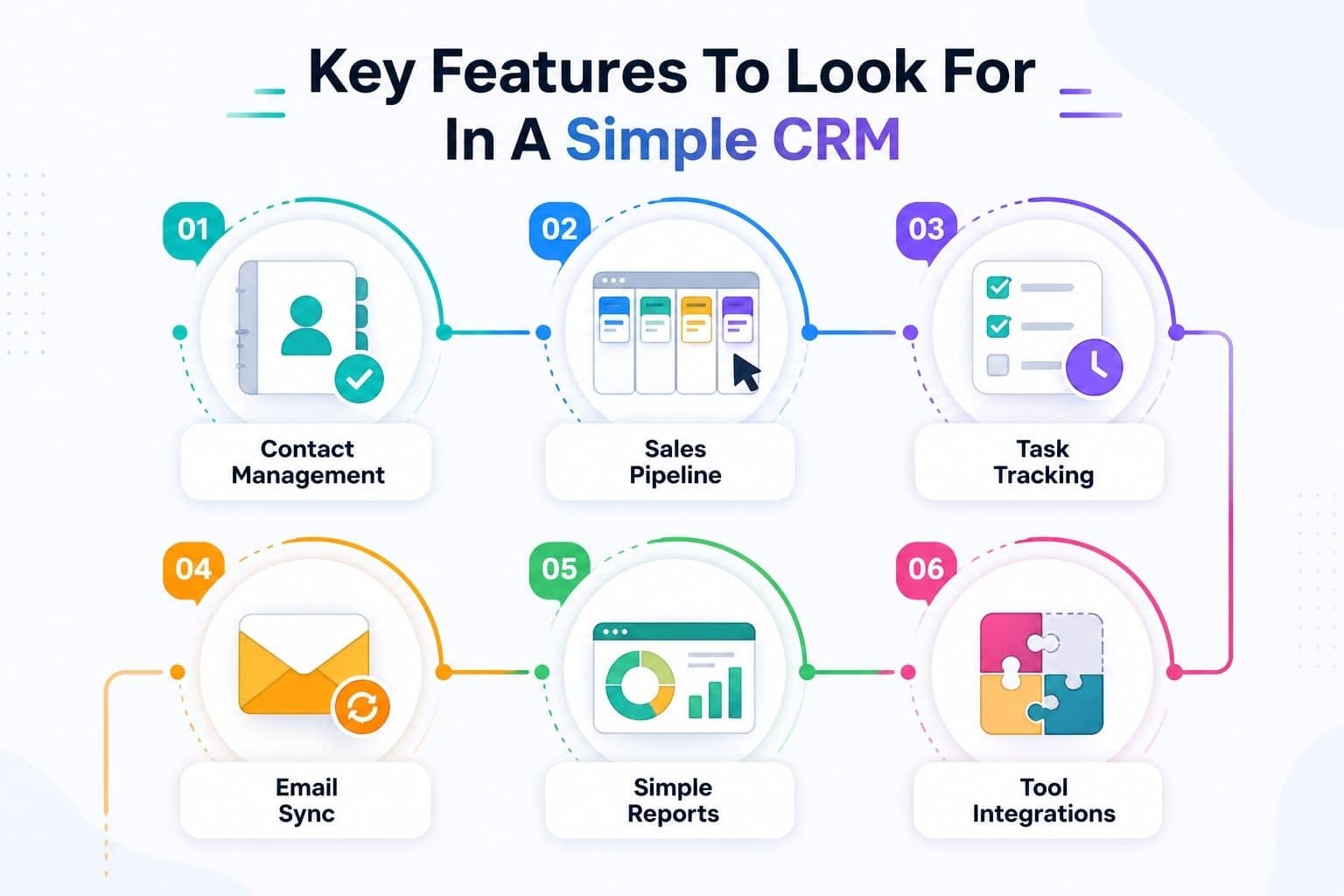
Key Features To Look For In A Simple CRM
Feature lists overwhelm most buyers, so this section narrows the focus to capabilities that remove daily friction. A simple CRM should focus on essential tools like contact management, interaction tracking, and basic reporting to avoid overwhelming users with complex features. Every feature connects directly to real small business scenarios like following up with online inquiries within 24 hours.
Contact And Company Management
A simple CRM stores names, emails, phone numbers, roles, and notes in one shared contact database rather than scattered inboxes. Dedicated contact management CRM tools for growing businesses centralize customer information, making it easier for small businesses to track interactions, manage sales pipelines, and automate follow-ups, which enhances customer service and retention.
The full history of emails, calls, and meetings per contact means any team member can pick up a conversation without asking colleagues for context. Basic segmentation through tagging customers by industry, location, or deal size enables targeted follow-ups. A new hire can understand a long-time client’s history in minutes thanks to well-organized contact records.
Visual Sales Pipeline
A visual sales pipeline uses Kanban-style boards where you drag deals through stages like New Lead, Qualified, Proposal Sent, Won, and Lost. Understanding how a visual sales pipeline improves deal clarity helps small business owners see on a single screen how much potential revenue sits in each stage for the current month.
Prefer CRMs allowing custom stage names matching your real sales process rather than forcing generic labels. Pipeline views help prioritize which deals need attention by filtering on age, value, or last activity date. This clarity in deal management often increases sales velocity by 25 percent according to implementation studies.
Task Management And Reminders
Integrated task management schedules callbacks, quote follow-ups, and renewal checks without relying on personal to-do apps. Effective CRM systems help businesses automate repetitive tasks, such as follow-up reminders and customer contact alerts, ensuring important activities are not forgotten, especially when you get more from your CRM with a simpler sales workflow.
Automated reminders for overdue activities reduce lost opportunities and help owners keep a consistent follow-up rhythm. Setting a task to revisit every new lead within 48 hours of first contact prevents the 30 percent drop-off common when responses are delayed. Calendar sync with Google Calendar or Outlook enhances this for teams already living in those tools.
Email Integration And Communication History
Basic email integration connects your inbox to log messages automatically to the right CRM records. Understanding why CRM email integration is important highlights how key features of user-friendly CRMs typically include contact management, email integration, and sales automation. You see who opened a proposal email, use templates for common replies, and avoid copy-pasting into the CRM manually.
Check whether your preferred provider (Gmail, Microsoft 365) is supported natively. Many CRM platforms with email integration support integration with email, accounting software, and scheduling apps to streamline workflows and improve data accuracy. This reduces manual effort and keeps customer data consistent across systems.
Simple Reporting And Dashboards
Simple does not mean no reporting. A good CRM offers a handful of clear dashboards showing total open deals, conversion rate, and expected revenue this month. Using a CRM can significantly reduce the time spent on manual data entry and tracking, allowing small businesses to focus more on customer engagement and relationship building.
Look for click-and-filter style reports rather than complex report builders requiring training. A small agency might check weekly which channels (referrals, social media, website form) generated the most deals, adjusting effort accordingly.
Integrations With Existing Tools
Lightweight integrations with accounting software, invoicing, forms, and other existing tools save double entry and keep customer information consistent. A simple CRM should be easy to integrate with existing tools like email and accounting software to streamline workflows and eliminate duplicate data entry.
Reference typical small business tools like Xero, QuickBooks Online, Stripe, and Google Workspace. Integrating your CRM with other software tools can eliminate duplicate data entry and create a complete view of customer interactions and purchase history. Using third-party integration tools like Zapier can help connect various web services and automate workflows, enhancing the CRM’s functionality without complex setups.
How To Choose The Right Simple CRM For Your Business
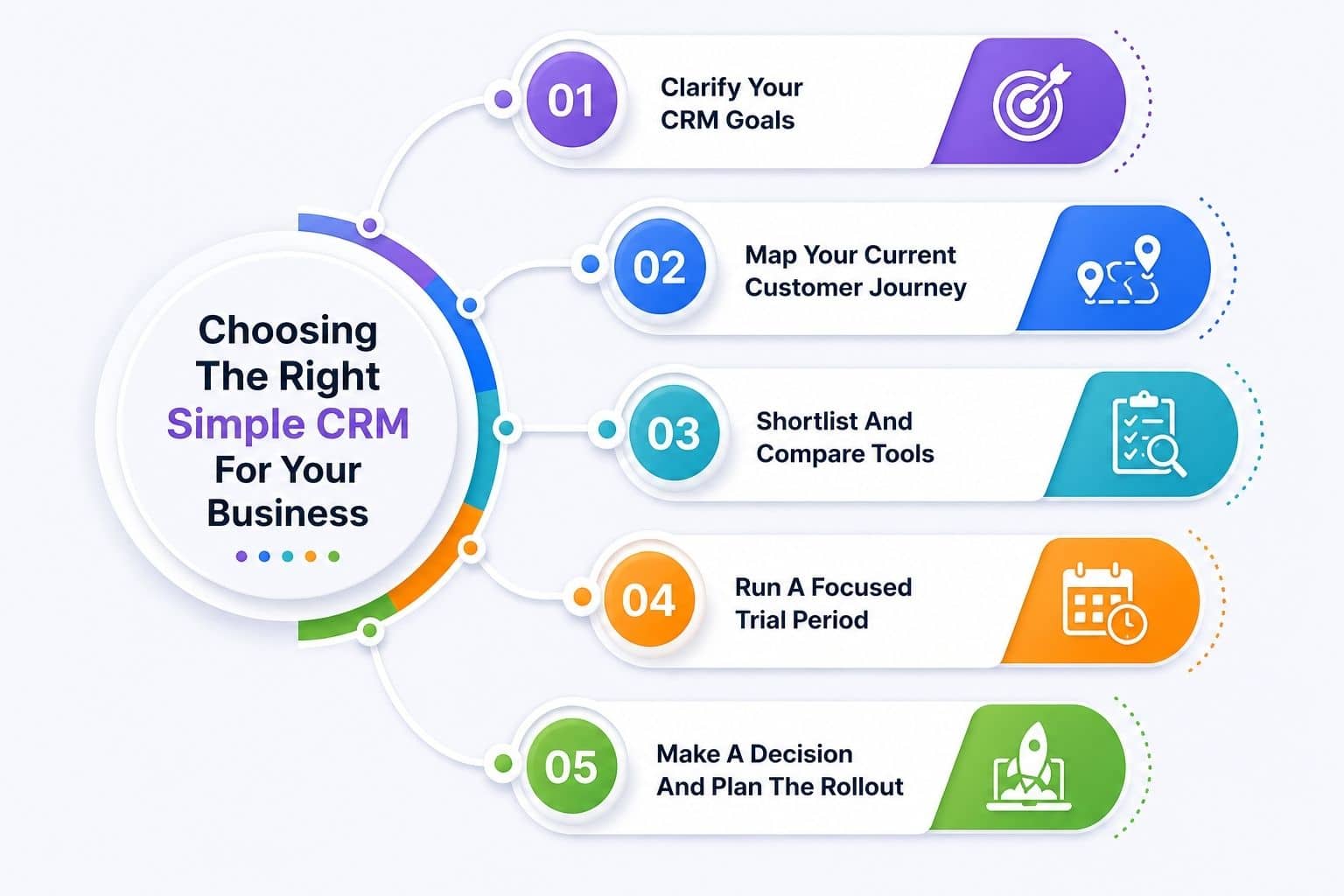
Feeling overwhelmed by options is normal. This practical decision framework helps owners, managers, and first-time CRM buyers cut through the noise, similar to broader tips for choosing CRM tools that fit your workflow. The approach follows five steps: clarify goals, map current workflows, shortlist tools, run realistic trials, and decide using clear criteria.
Clarify Your CRM Goals
Identify three to five concrete goals before looking at vendors. Examples include “never forget a follow-up,” “see weekly pipeline value,” or “reduce quoting delays by 50 percent.” Choosing a CRM system should focus on essential features that match your business needs, avoiding unnecessary complexity that may overwhelm users.
Clear goals avoid chasing unnecessary features and make measuring success straightforward. A local services business might set a goal to increase conversion from inquiry to booked job by 15 percent within six months. Write these goals down and share them with anyone involved in the selection.
Map Your Current Customer Journey
Sketch how leads come in, how they get qualified, what steps lead to a sale, and how customers are supported afterward. This map identifies where a simple CRM will have the greatest impact, such as slow responses to website forms or missed renewals.
A brief example: website inquiry leads to phone call, then on-site visit, quote sent, job completed, and review requested. Even a rough diagram informs CRM configuration later and highlights bottlenecks worth fixing.
Shortlist And Compare Tools
Narrow options to three or four CRMs including Gain.io and at least one widely known provider like HubSpot or Pipedrive. Criteria include budget, required integrations, user-friendliness, and real customer reviews from businesses of similar size, especially for a CRM for startups and small sales teams.
Many simple CRM alternatives exist for small teams to avoid heavy, complicated workflows. Ignore extremely complex enterprise tools requiring long implementations unless a clear, unique need exists. Use vendor documentation and video tours to gauge everyday usage before starting trials.
Run A Focused Trial Period
Structure a two-week trial where the team enters real leads, logs calls, and moves deals across stages daily. Involve two to three future power users, collecting feedback on speed, clarity, and friction points, much like guidance on top CRM tools that help startups grow smarter.
Measure simple metrics: time to log a call, number of follow-ups completed, clarity of the main dashboard. Document impressions while fresh, noting what felt intuitive versus confusing. The best CRM software for your situation becomes clearer through hands-on testing.
Make A Decision And Plan The Rollout
Set a firm decision date to avoid endless evaluation. Communicate clearly to the team why a specific CRM was chosen based on trial results. When selecting a CRM, consider its scalability to ensure it can grow with your business, accommodating more users and advanced features as needed.
Create a written rollout plan covering data import, training sessions, and when the old system (or spreadsheet) will be retired. Appoint a CRM “owner” internally to answer questions and keep adoption on track during the first 90 days. Review progress after 60 to 90 days to tweak pipelines and reports as the team gains experience.
Steps To Implement A Simple CRM Successfully
Even the simplest CRM can fail without a plan or clear expectations. Implementation for a small business does not require months. Many teams go fully live within one to two weeks with the right preparation, especially when following a simple CRM for small teams guide.
Prepare Your Data
Gather contacts from spreadsheets, email address books, invoicing tools, and other sources into a single master list. Clean data by removing duplicates (typically 20 percent of records), fixing email formats, and standardizing organization names before import.
Limit the first import to active and recently active customers and leads to keep the CRM focused. Most tools including Gain.io offer CSV import and simple field mapping wizards to streamline this step.
Design A Simple Pipeline
Translate your real sales process into four to seven clear stages everyone understands. Sample names include Inquiry, Qualified, Quote Sent, Negotiation, Won, and Lost. Keep stages broad initially, adding detail later only if consistently needed, aligning with best practices on how to track deals from lead to close.
Agree as a team on what must happen before a deal moves from one stage to the next. This clarity ensures consistent data and meaningful reporting from day one.
Configure Fields And Basic Automations
Create only the most necessary custom fields: service type, lead source, region, or deal value. Starting lean prevents overwhelming users with forms they ignore. Simple and effective CRM solutions often allow mobile access for on-the-go customer management, so test fields on mobile too.
Begin with a few simple automations: assigning new leads to an owner, setting follow-up tasks automatically, or sending internal notifications when deals advance. Document all automations for future adjustments.
Train Your Team
Keep training sessions short and focused, around 30 to 45 minutes each. Cover daily tasks like creating contacts, updating deals, and logging notes. Demonstrate typical scenarios the team faces rather than generic feature tours.
Record sessions or create quick reference guides with screenshots for new hires. Managers should use the CRM daily to model expected behavior. Key features of a simple CRM often include an intuitive interface, automated reminders, and easy integration with existing tools to streamline workflows, making training faster.
Monitor Adoption And Improve
Track basic adoption metrics: number of deals updated, tasks completed, and notes added per user each week. Regular feedback loops through brief monthly check-ins reveal what feels clumsy and what works well.
Make small, incremental changes rather than frequent sweeping redesigns of pipelines or fields. Simple CRMs are designed for this kind of continuous refinement without technical bottlenecks. The best crm for small businesses balances ease of use with enough power to grow revenue over time.
AI Features And What They Actually Cost
Most 2026 CRM platforms now bundle an AI assistant, but the pricing models behind them vary widely. Some charge per credit, some cap usage by tier, and one option on this list skips AI billing entirely. Here is what each ranked CRM actually charges for its AI features.
CRM
AI Feature
Billing Model
What Triggers Extra Cost
HubSpot CRM
Breeze
Credit-based ($10 per 1,000 credits)
$0.50 per resolved conversation, $1.00 per qualified lead surfaced
Gain.io
Not currently offered
N/A
No AI tier or usage fees to budget for
Zoho CRM
Zia
Tier-inclusive
Included at Desk Enterprise ($40/agent/mo) or across Zoho One ($37/user/mo annual)
Pipedrive
AI Assistant & Summaries
Mixed (tier plus credits)
Roughly $5 to $15 per user/month in credits above the Professional tier, per third-party estimates
Insightly
AI Copilot
Tier-inclusive with cap
Included in Professional ($49/user/mo), capped at 75 queries per month
These figures reflect what each vendor currently publishes for its AI add-ons, not Gain.io's own claims about competitors, and AI pricing changes often. Confirm current rates directly with each vendor before budgeting for a specific plan.
FAQs
How Do I Move From Spreadsheets To A Simple CRM Without Losing Data
Start by auditing your spreadsheet columns to understand what information you track. Export to CSV format, then use the CRM’s import tools to map fields correctly. Test with a small sample first to confirm mapping accuracy before importing the full dataset. Keep the old spreadsheet read-only for two weeks during the transition while training your team inside the CRM. HubSpot CRM is considered the easiest CRM for users transitioning from spreadsheets, but most simple CRMs offer guided import wizards that make migration straightforward.
How Quickly Can A Small Business See Results After Implementing A Simple CRM
Many small businesses notice better visibility and fewer missed follow-ups within the first four to six weeks of consistent use. Short-term indicators include improved response times, more organized pipelines, and clearer views of upcoming work. More measurable revenue improvements typically appear over three to six months as habits solidify and CRM data becomes more reliable for forecasting and decision-making.
Can A Simple CRM Support Both Sales And Basic Customer Service
Most simple CRMs allow tracking post-sale activities such as support requests, renewal tasks, or follow-up calls alongside active deals. You can use custom fields, separate pipelines, or tags to distinguish between sales opportunities and ongoing service work. As you evaluate how CRM helps sales teams manage leads, remember that businesses with heavy support volumes may eventually add a dedicated help desk tool, but a simple CRM often handles both sales teams and service teams needs adequately at early stages.
How Secure Is Customer Data Inside A Simple CRM
Reputable CRM vendors in 2026 use encryption in transit, encrypted databases, regular backups, and role-based access controls as standard protections. Review each vendor’s security page, data center locations, and compliance statements for regulations like GDPR or CCPA. Set internal policies on access, passwords, and device security to complement the CRM’s built-in safeguards. Simple does not mean less secure; many small business CRMs prioritize straightforward, well-documented security practices.
What If My Business Outgrows A Simple CRM In A Few Years
Many small businesses use a simple CRM for several years before needing advanced features, if ever. Choose a vendor supporting clean data exports to CSV or via API so migration remains possible later. Some tools, including Gain.io, scale with additional advanced features while preserving the same simple core interface. Focus first on adoption and process discipline, as these matter more to results than chasing features you may never need.
B2B sales is not simple anymore. Buyers are informed. Deals take longer. More stakeholders join every decision. A random approach does not work today. You need a clear and structured b2b sales strategy to stay competitive.
Top teams do not rely on guesswork. They use proven frameworks like MEDDIC, SPIN, and Challenger to guide every conversation. They focus on the right accounts, ask better questions, and move deals with confidence.
This guide breaks down what actually works. You will learn key sales methodologies, how they connect, and how to apply them in real situations. By the end, you will have a practical path to build a stronger and more predictable sales engine.
What Is A B2B Sales Strategy
A b2b sales strategy is a clear plan that guides how your sales team sells to other businesses. It defines your target market, target customers, and sales goals. It also maps the sales process, from lead generation efforts to closing deals. Strong sales and marketing teams align their marketing strategy and sales efforts to deliver consistent messaging. A good sales plan uses sales data, sales tools, and customer relationship management to improve lead quality and move qualified leads through the sales funnel.
Modern b2b sales focuses on value-based selling and building relationships with decision makers and multiple stakeholders. Sales reps engage prospective customers through inbound marketing, social selling, and smart sales tactics. With the right sales software, automation tools, and AI-powered lead scoring, teams can identify leads, shorten sales cycle length, and close deals faster. A strong value proposition and tailored solutions help win key accounts and drive revenue growth and sustainable growth.
How Sales Methodologies Shape A Modern B2B Sales Strategy
Modern b2b sales needs structure. A clear sales strategy alone is not enough. Sales methodologies guide how sales reps engage buyers, handle objections, and close deals. They bring consistency and improve results across the entire sales process.
Clear Structure Improves Sales Process
A strong methodology gives your sales team a clear path. Sales reps know what to do at each stage of the sales funnel. This reduces confusion and improves sales activities. Teams can focus on qualified leads and avoid wasting time on poor prospects.
Recent reports show that structured sales processes can improve win rates by up to 28%. Sales managers also gain better control over sales quotas and pipeline health. With clear steps, sales professionals can move deals faster and achieve shorter sales cycles.
Better Alignment Between Sales And Marketing
Sales and marketing teams often struggle with alignment. A shared sales strategy solves that. It connects marketing efforts with sales efforts. Both teams target the same audience and use consistent messaging.
Companies with aligned teams see up to 36% higher customer retention and 38% higher sales win rates. Marketing teams generate better leads through inbound marketing. Sales representatives then engage buyers with tailored sales pitches. This improves lead quality and supports stronger revenue growth.
Data-Driven Decisions Increase Performance
Modern sales rely on data, not guesswork. Sales methodologies use sales data to guide decisions. Sales managers track key metrics like conversion rates and sales cycle length. This helps teams adjust their sales tactics quickly.
Tools like customer relationship management systems and AI-powered lead scoring improve accuracy. Reports show companies using data-driven sales strategies can increase sales productivity by over 20%. Better data leads to better sales plans and more predictable results.
Focus On Buyer Needs And Value
Today’s buyers expect more value. Sales professionals must understand pain points and business priorities. A good methodology helps sales reps deliver tailored solutions to prospective clients.
Value-based selling improves trust and builds long-term relationships. Research shows 74% of buyers choose vendors that clearly understand their needs. Sales teams that focus on value proposition and problem-solving can engage buyers more effectively and close deals with confidence.
Scalability For Long-Term Growth
A modern b2b sales strategy must scale with your business. Sales methodologies create repeatable systems. New sales reps can follow the same process and perform faster. This supports sales-led growth and sustainable growth.
Automation tools and sales automation software also play a key role. They reduce manual work and improve efficiency. Companies that invest in scalable sales systems often see faster revenue growth and better performance across sales organizations.
MEDDIC Sales Methodology Explained
MEDDIC is a proven framework for complex b2b sales. It helps sales reps qualify deals with clarity. Teams use it to focus on the right target customers and shorten the sales cycle. It brings structure to every sales process.
What MEDDIC Stands For
MEDDIC stands for Metrics, Economic Buyer, Decision Criteria, Decision Process, Identify Pain, and Champion. Each part guides sales reps through key steps in the sales funnel. It ensures no critical detail is missed during sales activities.
Sales professionals use MEDDIC to understand decision makers and multiple stakeholders. It improves lead quality and helps identify qualified leads early. Studies show strong qualification frameworks can increase close rates by up to 20% in complex b2b sales environments.
Stronger Deal Qualification
MEDDIC focuses on clear qualification. Sales reps evaluate prospective customers based on real data and business priorities. This reduces time spent on low-value opportunities and improves sales efficiency.
Research shows nearly 50% of deals are lost due to poor qualification. A structured sales strategy like MEDDIC helps sales teams focus on potential customers with real intent. This leads to better pipeline health and more successful sales outcomes.
Better Understanding Of Decision Makers
Modern b2b sales involves multiple stakeholders. MEDDIC helps sales representatives identify key decision makers early. It also maps their roles and influence in the sales process.
Sales managers can guide teams to align sales efforts with each stakeholder’s own priorities. This improves sales pitches and builds trust. Reports show deals with strong stakeholder mapping are 2x more likely to close successfully.
Focus On Pain Points And Value
MEDDIC puts strong focus on pain points. Sales reps must clearly understand what problems the customer wants to solve. This supports value-based selling and a stronger value proposition.
Buyers prefer solutions that address real business challenges. Around 70% of decision makers say they choose vendors who clearly understand their needs. This approach helps engage buyers and build long-term relationships with other businesses.
Improved Forecasting And Sales Performance
MEDDIC improves visibility across the sales pipeline. Sales managers can track key metrics and sales data more accurately. This helps in setting realistic sales quotas and forecasting revenue growth.
Sales organizations that use structured frameworks report up to 15% higher forecast accuracy. With better insights, teams can align sales and marketing efforts and improve overall performance. This creates a more predictable and scalable b2b sales strategy.
SPIN Selling Framework Guide
SPIN is a question-based framework for modern b2b sales. It helps sales reps guide conversations with clarity. Instead of pushing sales pitches, teams uncover real needs using a SPIN Selling strategy for SaaS and complex deals. This improves engagement and supports better sales outcomes.
What SPIN Stands For
SPIN stands for Situation, Problem, Implication, and Need Payoff. Each step helps sales reps move deeper into the buyer’s context. It starts with basic facts and ends with clear value.
Sales professionals use SPIN to structure discovery calls. It fits well into any sales process and sales strategy. Research shows top-performing sales teams ask more problem-focused questions than average teams, which leads to higher win rates.
Better Discovery Calls
SPIN improves how sales reps handle early-stage conversations. It helps identify pain points and business priorities of prospective customers. This leads to better understanding and stronger engagement.
Studies show that 70% of buyers expect personalized conversations during the sales cycle. SPIN helps sales teams move beyond generic questions. It improves lead quality and supports more qualified leads in the sales funnel.
Focus On Buyer Problems
Problem and implication questions go deeper into challenges. Sales reps explore how issues affect revenue, operations, or growth. This builds urgency in the sales process.
Value-based selling becomes easier when problems are clear. Buyers respond better when sales pitches connect to real impact. Reports show deals are 30% more likely to close when the value proposition links directly to business pain points.
Stronger Buyer Engagement
SPIN helps engage buyers in a natural way. Conversations feel less like selling and more like problem-solving. This builds trust between sales representatives and decision makers.
Modern buyers prefer this approach. Around 60% of b2b buyers say they avoid vendors who push hard sales tactics. SPIN supports social selling and inbound sales strategies that focus on building relationships and long-term value.
Shorter Sales Cycles And Better Results
A structured questioning approach helps move deals faster. Sales reps can identify key needs early and align solutions quickly. This reduces delays in the sales cycle length.
Companies that use structured discovery frameworks report up to 20% shorter sales cycles. Sales managers also gain better visibility into sales data and key metrics. This leads to improved sales performance, higher close rates, and stronger revenue growth.
Challenger Sales Model Explained
Challenger is a bold approach for modern b2b sales. It helps sales reps lead conversations with insight. Teams do not just respond to needs. They reshape how buyers think. This creates stronger value and better outcomes, as outlined in the Challenger Sales Model for B2B teams.
Core Idea Of Challenger
Challenger focuses on teaching buyers something new. Sales reps share insights based on sales data and market trends. This helps decision makers see hidden problems and new opportunities.
Research from Gartner shows that over 50% of high-performing sales reps use a Challenger style. It works well in complex sales with multiple stakeholders. Sales professionals guide prospective customers instead of reacting to them.
Teach Tailor Take Control
The model follows three steps. Teach with insight, tailor the message, and take control of the conversation. Sales reps connect their value proposition to the buyer’s business priorities.
Tailored sales pitches improve engagement. Studies show personalized sales approaches can increase conversion rates by up to 20%. Sales teams align sales efforts with each stakeholder’s needs and move deals forward with confidence.
Challenge Buyer Thinking
Challenger sales encourages a new perspective. Sales representatives highlight risks and missed opportunities. This builds urgency in the sales process.
Buyers often rely on independent research. Reports show 77% of b2b buyers find purchases complex and time-consuming. A Challenger approach helps simplify decisions. It supports better understanding and faster movement through the sales funnel.
Build Trust Through Insight
Trust comes from expertise, not just relationships. Sales reps use competitive analysis and industry knowledge to guide conversations. This strengthens brand reputation and credibility.
Decision makers value partners who bring insight. Around 74% of buyers choose vendors who add clear business value. Challenger sales supports value-based selling and helps build long-term relationships with key accounts.
Drive Higher Revenue Growth
Challenger helps improve sales performance across sales organizations. It supports better sales tactics and stronger deal control. Sales managers can track key metrics and improve forecast accuracy.
Companies that adopt Challenger models often see higher revenue growth and better win rates. With the right sales enablement content and sales tools, teams can engage buyers, close deals faster, and achieve sustainable growth.
Account-Based Selling Strategy
Account-based selling focuses on a small set of high-value target customers. Sales and marketing teams work together on key accounts. The goal is clear. Win bigger deals and build long-term relationships with the right businesses.
Define Ideal Target Accounts
Start with a clear target market and firm criteria. Sales managers and marketing teams use sales data and competitive analysis to select key accounts. Focus on company size, industry fit, and revenue potential.
Companies that define ideal accounts see better lead quality and higher win rates. Research shows account-based selling can increase deal size by up to 30%. Sales teams can align sales efforts with business priorities and avoid low-value prospects.
Align Sales And Marketing Teams
Account-based selling needs tight alignment. Sales and marketing teams share one sales plan and one marketing strategy. They create consistent messaging across all touchpoints.
Aligned teams perform better. Studies show companies with strong alignment achieve up to 38% higher sales win rates. Marketing efforts support lead generation efforts, while sales reps engage prospective clients with tailored sales pitches and relevant content.
Personalize Outreach And Value
Personalization is key in account-based selling. Sales representatives create tailored solutions for each account. They focus on pain points, goals, and decision makers.
Buyers expect relevance. Reports show 72% of b2b buyers engage more with personalized communication. Sales professionals use value-based selling to highlight a strong value proposition. This helps engage buyers and build trust across multiple stakeholders.
Engage Multiple Stakeholders
Enterprise deals involve many decision makers. Account managers map stakeholders and their own priorities. This improves communication and reduces friction in the sales process.
Research shows the average b2b buying group includes 6 to 10 stakeholders. Sales reps must connect with each role using clear and relevant sales tactics. This strengthens relationships and improves chances to close deals successfully.
Measure Performance And Scale
Tracking results is critical. Sales managers monitor key metrics like deal size, conversion rates, and sales cycle length. This helps refine the sales strategy and improve sales performance.
Account-based selling supports sustainable growth and revenue growth. Companies that use this model often report shorter sales cycles and stronger pipeline value. With the right sales tools and automation tools, teams can scale efforts across more key accounts without losing focus.
Enterprise Sales Process Guide
Enterprise sales is complex and high-value. Deals involve long sales cycles and multiple stakeholders. A clear sales process helps sales teams stay organized. It improves control, reduces risk, and supports better revenue growth in large accounts.
Define Enterprise Sales Clearly
Enterprise sales focuses on large deals with other businesses. It targets key accounts with higher contract value. Sales teams must understand business priorities and long-term goals of target customers.
Reports show enterprise deals can take 6 to 12 months or more. Sales professionals must manage multiple stakeholders and complex decision processes. A strong sales strategy helps align sales efforts with each stage of the sales funnel and improves chances of successful sales.
Map The Full Sales Process
A clear sales process is critical in enterprise sales. It includes stages like lead generation, qualification, proposal, and negotiation. A defined sales process gives structure to these stages. Sales reps must follow each step with discipline.
Companies with a defined sales process see up to 28% higher revenue growth. Sales managers track sales activities and sales data across each stage, often using sales activity tracking software. This improves visibility and helps identify delays in the sales cycle.
Manage Multiple Stakeholders
Enterprise deals involve many decision makers. Sales representatives must engage buyers across departments. Each stakeholder has different pain points and own priorities.
Research shows the average buying group includes 6 to 10 stakeholders. Sales teams use customer relationship management systems to track interactions. This helps build relationships and align messaging with each role. Strong stakeholder management improves deal success rates.
Use Data And Tools Effectively
Enterprise sales relies on data and technology. Sales teams use sales software, automation tools, and CRM systems to manage pipelines. These tools support better forecasting and decision-making.
Studies show companies that use advanced sales tools improve sales productivity by over 20%. AI powered lead scoring also helps identify leads with higher potential. Automating sales admin tasks further improves lead quality and helps sales reps focus on the right opportunities.
Shorten Sales Cycles And Close Deals
Enterprise sales cycles are long, but they can be optimized. Sales reps must remove friction and keep deals moving by applying proven long sales cycle strategies. Clear communication and strong value proposition are key.
Companies that optimize their sales cycle length see up to 15% faster deal closures. Sales teams align sales and marketing efforts to support each stage. With the right sales tactics and sales enablement content, teams can close deals faster and drive sustainable growth.
How CRM Supports Complex B2B Sales
Customer relationship management plays a central role in modern b2b sales. A sales automation CRM helps sales teams manage data, track deals, and stay aligned. In complex sales, CRM systems bring structure, visibility, and better control across the entire sales process.
Centralized Sales Data And Visibility
CRM systems store all sales data in one place. Sales reps can track prospective customers, deal stages, and past interactions easily. This improves visibility across the sales funnel.
Reports show that companies using CRM see up to 29% higher sales revenue. Sales managers can monitor key metrics and sales activities in real time. This helps sales organizations stay focused on qualified leads and improve overall sales performance.
Better Lead Management And Qualification
CRM tools help identify leads and track lead quality. Sales teams can manage inbound sales, outbound efforts, and lead generation efforts in one system. This reduces confusion and improves efficiency.
CRM connects sales and marketing teams. Both teams can align sales and marketing efforts using shared data. This ensures consistent messaging across all touchpoints.
Aligned teams perform better. Research shows companies with strong alignment achieve up to 38% higher win rates. Marketing teams support inbound marketing campaigns, while sales representatives engage buyers with tailored solutions and clear value proposition.
Improved Sales Process And Automation
CRM systems automate many sales activities. Tasks like follow-ups, data entry, and reporting become easier. CRM automation saves time for sales professionals and improves productivity.
Automation tools also help shorten sales cycle length. AI sales automation supports this by streamlining tasks and surfacing the best next actions. Companies using CRM automation report up to 14% faster sales cycles. Sales teams can focus on building relationships, closing deals, and achieving sales quotas more efficiently.
Better Forecasting And Revenue Growth
CRM provides accurate forecasting based on real sales data. Sales managers can track pipeline health and predict revenue growth more reliably. This supports better planning and decision-making.
Organizations that use CRM effectively report up to 42% improvement in forecast accuracy. With better insights, sales teams can adjust sales tactics and improve performance. This leads to sustainable growth and stronger long-term relationships with other businesses.
B2B Sales Strategy Framework Comparison - Which One Fits Your Business
Every business needs the right b2b sales strategy. Each framework serves a different purpose across the sales process. Your sales cycle, deal size, and target customers define the best fit. A clear comparison helps sales teams choose with confidence.
Framework
Best For
Sales Cycle Length
Key Focus
Strength
Limitation
MEDDIC
Enterprise sales, complex deals
Long
Qualification and decision process
Improves lead quality and forecasting
Requires strong sales training
SPIN Selling
Early stage discovery
Short to mid
Buyer questions and pain points
Improves engagement and trust
Less effective for closing complex deals
Challenger
Competitive and complex sales
Mid to long
Insight-driven selling
Builds strong value proposition
Needs skilled sales reps
Account-Based Selling
High-value key accounts
Long
Personalized outreach
Increases deal size and relationships
Time-intensive and resource-heavy
Enterprise Sales Process
Large organizations
Long
Structured sales process
Handles multiple stakeholders well
Longer sales cycle length
How To Choose The Right Sales Methodology For Your Sales Cycle
The right fit depends on your sales cycle, deal size, and buyer behavior. A clear b2b sales strategy links methods to each stage. This helps sales reps stay consistent and improve results across the full sales process.
Understand Your Sales Cycle First
Map your sales cycle length and stages. Note where deals stall and where momentum drops. Sales managers should review sales data and key metrics like conversion rate and time to close.
Research shows average b2b sales cycles range from 2 to 6 months, with enterprise deals longer. Clear mapping helps sales professionals pick methods that match each stage. This improves lead quality and moves qualified leads through the sales funnel faster.
Match Method To Deal Complexity
Complex deals need structure. MEDDIC or Challenger works well with multiple stakeholders and long negotiations. Simpler deals benefit from SPIN and inbound sales for faster movement.
Studies show complex deals involve 6 to 10 decision makers. Sales teams that match methods to complexity see up to 18% higher win rates. A focused sales strategy helps align sales efforts with business priorities and close deals with more confidence.
Align With Buyer Behavior
Buyers now rely on independent research and inbound marketing. Sales reps should adapt to how prospective customers prefer to engage. SPIN helps with discovery, while Challenger adds insight for later stages.
Gartner reports that 77% of buyers find purchases complex. A method that fits buyer behavior improves engagement and trust. Sales representatives can deliver tailored solutions and a strong value proposition to engage buyers across the journey.
Use Data And Tools To Decide
Let sales data guide your choice. CRM systems and sales software track pipeline, sales activities, and outcomes. AI-powered lead scoring helps identify leads with higher intent.
Companies that use data-driven sales strategies improve productivity by over 20%. Applying targeted sales workflow automation strategies, sales teams can test methods and refine sales tactics over time. A strong tech stack supports better decisions and improves overall sales performance.
Test And Optimize Over Time
No single method works forever. Sales organizations should test, measure, and adjust. Sales managers track key metrics like sales cycle length, close rate, and pipeline velocity.
Continuous improvement leads to better results. Teams that review performance regularly see steady revenue growth. With clear sales enablement content and consistent messaging, sales professionals can adapt methods, improve sales efforts, and build long-term relationships with target customers.
How To Combine Multiple Sales Methodologies In One Strategy
A single method rarely fits every deal. Modern b2b sales needs a flexible approach. Teams blend frameworks to match each stage of the sales process. This improves lead quality, shortens the sales cycle, and supports better results.
Map Methods To Sales Funnel Stages
Assign each method to a clear stage in the sales funnel. Use SPIN for discovery, MEDDIC for qualification, and Challenger for deal control. This gives sales reps a structured path.
Studies show teams with defined stage playbooks see up to 27% higher win rates. Sales managers can track sales activities and ensure consistent execution. A mapped approach helps move qualified leads forward and reduce drop-off.
Align Sales And Marketing Efforts
Blended methods work best with strong alignment. Sales and marketing teams must share one sales plan and one marketing strategy. This ensures consistent messaging across all touchpoints.
Research shows aligned teams achieve up to 38% higher win rates. Marketing teams support lead generation efforts and inbound marketing. Sales representatives engage buyers with tailored solutions and clear value proposition, which improves engagement and conversions.
Use Data To Guide Method Selection
Sales data should decide which method to use. CRM and sales software track key metrics like conversion rates and sales cycle length. This helps sales teams refine their approach.
Companies that use data-driven sales strategies improve productivity by over 20%. AI-powered lead scoring helps identify leads with strong intent. Sales professionals can adjust sales tactics and focus on high-value opportunities.
Train Sales Teams On Hybrid Approach
Sales reps need clear guidance. Training should cover when and how to use each method. Sales enablement content and real scenarios help teams apply the right approach.
Organizations with strong training programs see up to 15% higher performance. Sales managers can coach teams using real sales data. This improves confidence, strengthens sales pitches, and supports better results across sales organizations.
Optimize For Growth And Flexibility
A hybrid approach supports sustainable growth. It allows sales teams to adapt to different buyers, industries, and deal sizes. This is critical in modern sales environments.
Companies that adopt flexible sales strategies report stronger revenue growth and shorter sales cycles. With the right sales tools, automation tools, and clear processes, teams can align sales efforts, close deals faster, and build long-term relationships with key accounts.
Common Mistakes In B2B Sales Strategy Implementation
Many teams build a b2b sales strategy but fail during execution. Gaps appear in alignment, data use, and process discipline. These mistakes slow the sales cycle and reduce results. A clear view of common issues helps sales teams avoid costly setbacks.
Lack Of Clear Sales Process
A weak or unclear sales process creates confusion. Sales reps follow different paths and use inconsistent sales tactics. This hurts lead quality and delays movement in the sales funnel.
Studies show companies with a defined sales process see up to 28% higher revenue growth. Sales managers must set clear steps, track sales activities, and guide sales professionals. A structured approach helps align sales efforts and improves overall performance.
Poor Alignment Between Teams
Sales and marketing teams often work in silos. Marketing efforts generate leads, but sales reps struggle to convert them. This leads to wasted lead generation efforts and lower conversions.
Research shows aligned teams achieve up to 38% higher win rates. Shared sales goals and consistent messaging improve engagement. Sales representatives and marketing teams must work together to target the same prospective customers and improve sales outcomes.
Weak Understanding Of Target Customers
Many sales teams target the wrong audience. Without a clear target market, sales efforts become scattered. Sales reps fail to address real pain points and business priorities.
Reports show that poor targeting can reduce conversion rates by over 20%. Sales professionals must use sales data and competitive analysis to define ideal customers. A strong value proposition helps engage buyers and build long-term relationships with the right accounts.
Overlooking Data And Technology
Some teams ignore sales data and rely on guesswork. Without proper sales software and CRM systems, tracking becomes difficult. This affects forecasting and decision-making.
Companies that use data-driven sales strategies improve productivity by over 20%. AI-powered lead scoring helps identify leads with better potential. Sales teams must use the right tech stack to improve sales process visibility and performance.
No Continuous Improvement Plan
A sales strategy is not a one-time effort. Markets change and buyer behavior evolves. Teams that fail to adapt lose momentum and miss growth opportunities.
Organizations that track key metrics and refine their sales plan regularly achieve stronger revenue growth. Sales managers should review sales cycle length, close rates, and pipeline health. Continuous improvement helps sales teams stay competitive and achieve sustainable growth.
Key Metrics To Measure B2B Sales Strategy Performance
Clear metrics show if your b2b sales strategy works. Sales teams need real data to track progress and fix gaps. The right metrics help improve sales process, increase sales, and drive steady revenue growth.
Conversion Rate Across Sales Funnel
Conversion rate shows how many potential customers become paying clients. It tracks movement from lead generation efforts to closed deals. This metric highlights gaps in the sales funnel.
Average b2b conversion rates range from 2% to 5% depending on industry. A dedicated sales conversion rate guide for B2B teams can help benchmark and interpret these numbers. Sales reps can improve results with better sales pitches and tailored solutions. Sales managers use this data to refine sales tactics and improve lead quality.
Sales Cycle Length And Speed
Sales cycle length measures how long it takes to close deals. Shorter cycles mean better efficiency and faster revenue growth. Long cycles often signal issues in the sales process.
Research shows the average b2b sales cycle lasts 2 to 6 months. Sales teams can reduce delays with strong customer relationship management and automation tools. Clear steps and aligned sales efforts help move deals faster.
Lead Quality And Qualification Rate
Lead quality shows how many leads fit your target market and business priorities. High-quality leads improve chances of successful sales. Poor quality leads waste time and resources.
Companies that focus on qualified leads see up to 20% higher close rates. AI-powered lead scoring helps identify leads with strong intent. Sales professionals can prioritize prospective customers and improve overall sales performance.
Win Rate And Deal Success
Win rate measures how many deals your sales team closes. It reflects the effectiveness of your sales strategy and sales process. A higher win rate means better alignment and stronger execution.
Studies show average win rates in b2b sales range from 15% to 25%. Dedicated sales win rate strategies focus on better qualification, faster responses, and stronger proposals. Sales representatives can improve outcomes with value-based selling and clear value proposition. Tracking this metric helps sales managers guide teams and optimize sales efforts.
Customer Acquisition Cost And Revenue Growth
Customer acquisition cost shows how much you spend to win new customers. Lower cost with higher returns indicates a strong sales strategy. Revenue growth tracks overall business impact.
Reports show companies that optimize sales and marketing efforts can reduce acquisition costs by up to 30%. Sales teams must balance cost with long-term relationships and sustainable growth. Strong performance across these metrics drives consistent success.
Future Trends In B2B Sales Strategy And Technology
B2b sales is changing fast. Buyers expect speed, value, and personalization. New tools and data reshape the sales process. Sales teams that adapt early can improve results and build a stronger, future-ready sales strategy.
AI-Driven Sales And Lead Scoring
AI is now central to modern sales. Sales teams use AI-powered lead scoring to identify leads with higher intent. This improves lead quality and helps sales reps focus on the right prospects.
Reports show AI can increase sales productivity by up to 30%. Sales managers use sales data and predictive insights to guide sales activities. This leads to better decisions, improved conversion rates, and stronger revenue growth across sales organizations.
Rise Of Data-Driven Sales Strategy
Data now drives every sales decision. Sales professionals rely on CRM and sales software to track key metrics and performance. This helps refine sales tactics and improve the sales process.
Companies that use data-driven strategies see over 20% higher efficiency. Customer relationship management systems provide full visibility into the sales funnel. This helps sales teams align sales efforts and improve forecasting accuracy.
Growth Of Account-Based And Personalization
Account-based selling continues to grow. Sales and marketing teams focus on key accounts with tailored solutions. Personalized outreach improves engagement with decision makers and multiple stakeholders.
Studies show 72% of buyers expect personalized experiences. Sales representatives must adapt their sales pitches based on business priorities and pain points. This approach strengthens relationships and increases chances to close deals successfully.
Expansion Of Digital And Social Selling
Digital channels play a bigger role in b2b sales. Social selling and inbound marketing help generate leads and engage buyers earlier in the journey. Buyers now rely on independent research before talking to sales reps.
Research shows over 70% of buyers complete most of their research before contacting sales. Sales teams must align with marketing teams to support inbound sales strategies. This improves brand reputation and builds trust with prospective clients.
Automation And Smarter Sales Tools
Automation tools are transforming sales workflows. Tasks like follow-ups, reporting, and pipeline updates become faster and more accurate. This allows sales reps to focus on high-value activities.
Companies using automation report up to 14% shorter sales cycles. A strong tech stack supports better performance across sales organizations. With the right sales tools to automate sales tasks, teams can improve efficiency, close deals faster, and achieve sustainable growth.
How To Build A Scalable B2B Sales Strategy Step-By-Step
A scalable b2b sales strategy helps you grow without losing control. It creates a repeatable, scalable sales process for your sales team. Clear steps improve consistency, increase sales, and support steady revenue growth across different markets.
Step 1: Define Target Market And Goals
Start with a clear target market and ideal customer profile. Identify target customers, key accounts, and business priorities. This helps sales reps focus on high-value opportunities.
Companies with a defined target market see up to 68% higher conversion rates. Sales managers should set clear sales goals and sales quotas. A strong sales plan aligns sales and marketing teams and improves lead generation efforts and overall performance.
Step 2: Build A Structured Sales Process
A defined sales process helps sales teams stay consistent. Map each stage from lead generation to closing deals. This creates a clear path for sales activities and improves the sales funnel.
Research shows companies with structured sales processes achieve up to 28% higher revenue growth. Sales professionals can track progress using sales data and key metrics. This improves lead quality and helps move qualified leads faster.
Step 3: Choose The Right Sales Methodologies
Select frameworks that match your sales cycle and deal size. Use MEDDIC for complex deals and SPIN for discovery. Challenger works well for competitive markets.
Teams that use the right methodology see up to 18% higher win rates. Sales reps can align sales tactics with buyer behavior. This improves engagement, strengthens the value proposition, and supports more successful sales outcomes.
Step 4: Invest In Tools And Technology
Use the right sales software and CRM systems to manage your pipeline. Customer relationship management tools help track prospective customers and sales activities.
Companies that invest in sales tools improve productivity by over 20%. Automation tools and AI-powered lead scoring help identify leads with better intent. The right sales automation software and a strong tech stack improve efficiency and shorten sales cycle length.
Step 5: Align Teams And Optimize Continuously
Sales and marketing teams must work together. Align sales efforts with marketing strategy to ensure consistent messaging. This improves engagement and conversion rates.
Organizations that align teams see up to 38% higher win rates. Sales managers should review key metrics and refine the sales plan regularly. Continuous improvement helps build long-term relationships, improve performance, and achieve sustainable growth.
How To Build A Scalable B2B Sales Strategy With Gain.io
A scalable b2b sales strategy needs the right system to manage complexity. Gain.io helps sales teams organize contacts, track deals, and automate workflows in one place. It brings clarity to the sales process and improves consistency across sales efforts.
With Gain.io, sales reps can manage prospective customers, monitor the sales funnel, and use automation tools for follow-ups. Features like visual pipelines, email sync, and task tracking improve lead quality and shorten sales cycle length.
Sales and marketing teams can align better with shared sales data and consistent messaging. This supports value-based selling, helps engage buyers, and improves revenue growth. A strong tech stack with customer relationship management ensures better decisions, stronger relationships, and sustainable growth.
FAQs
What Role Does Content Play In B2B Sales Strategy?
Content plays a key role in b2b sales. It supports inbound marketing and helps generate leads. Sales and marketing teams use content to educate prospective customers and build trust. Strong sales enablement content improves sales pitches and helps engage buyers across the sales funnel.
Can Small Sales Teams Compete With Large Sales Organizations?
Yes, small sales teams can compete with the right sales strategy and sales tools. A focused target market and strong value proposition help level the field. Automation tools, customer relationship management, and clear sales tactics allow sales reps to improve efficiency and close deals faster.
Does Social Selling Really Improve B2B Sales Performance?
Yes, social selling has a strong impact on modern sales. Around 75% of b2b buyers use social media in their decision process. Sales representatives can engage buyers earlier, build brand reputation, and generate leads more effectively through consistent social presence.
How Many Touchpoints Are Needed To Close B2B Deals?
B2b sales often require multiple touchpoints. Most deals need consistent follow-ups and engagement across the sales cycle. Research shows many deals require 5 to 12 interactions before closing. This highlights the need for strong sales efforts and relationship building.
Is Cold Calling Still Effective In Modern B2B Sales?
No, cold calls alone are no longer enough. Only about 2% of cold calls lead to meetings in modern b2b sales. Sales teams now combine inbound sales, social selling, and personalized outreach to improve lead quality and reach decision makers more effectively.
Managing customer relationships should feel simple, not overwhelming. Many teams still rely on scattered spreadsheets and manual tracking. That often leads to missed follow-ups, lost deals, and poor visibility. A better system can change everything. That is where CRM comes in.
CRM for beginners does not need to feel complex. It is about organizing contacts, tracking interactions, and improving communication. A good CRM helps you understand customers and act at the right time. It keeps everything in one place so your team can move faster and work smarter.
This guide breaks down the basics in a clear and practical way. You will learn what CRM means, how it works, and how to start using it with confidence.
What Is CRM
Customer relationship management, or CRM, is a system that helps businesses handle customer relationships in one place. CRM for beginners focuses on simple ways to organize customer data, track customer interactions, and improve contact management. With CRM software, sales reps and marketing teams can manage customer details, communication history, and customer inquiries without using multiple tools. It creates a clear view of customer behavior and helps teams respond faster.
CRM systems support sales teams through pipeline management, lead tracking, and sales forecasting. They also help automate repetitive tasks like data entry, assigning leads, and follow-ups. Tools like Gain.io CRM offer a user-friendly interface and essential features for small businesses. This makes CRM setup easy, even without deep technical expertise.
A good CRM helps manage customer relationships, build stronger customer relationships, and boost satisfaction. It aligns business processes with business goals and supports the company’s growth.
How CRM Works In Real Business Scenarios
Every business handles customer relationships in different ways. CRM systems bring structure to that work. They connect customer data, sales process, and communication in one place. Teams use CRM tools to track interactions, manage pipelines, and improve customer satisfaction with clear and simple workflows.
Centralize Customer Data And Records
CRM software collects all customer data in one system. It stores customer details, contact management records, and communication history. Sales reps and marketing teams no longer rely on multiple tools or scattered files. A report shows over 91% of companies with more than 10 employees now use CRM systems to manage customer records and improve visibility.
Each interaction becomes easy to track. Teams understand customer behavior and respond faster. Strong data collection improves customer insights and supports better decisions. This helps build stronger customer relationships and keeps existing customers engaged over time.
Manage Sales Pipeline And Lead Tracking
A CRM organizes the full sales pipeline from first contact to closing deals. Sales teams track leads, assign leads, and monitor pipeline tracking in real time. Around 74% of sales professionals say CRM systems improve access to customer data and boost sales performance.
Clear pipeline management helps teams focus on high-value opportunities. Sales forecasting becomes more accurate with updated data. Real estate agents, small business owners, and enterprise teams all benefit from structured lead tracking and better deal visibility.
Automate Tasks And Workflow Processes
CRM tools automate repetitive tasks like data entry, follow-ups, and routine tasks. Workflow automation reduces manual work and saves time. Studies show CRM automation tools can increase productivity by up to 30% by removing repetitive tasks from daily workflows.
Teams can automate tasks such as assigning leads and sending responses to customer inquiries. This improves crm processes and keeps business processes smooth. Less manual effort allows sales professionals to focus on building relationships and closing deals faster.
Improve Customer Communication And Experience
CRM systems track interactions across email, calls, and other digital tools. Every customer interaction gets recorded. Teams can respond with full context and improve customer satisfaction. Reports show companies using CRM see up to 47% improvement in customer retention.
Better communication leads to stronger customer relationships. Marketing automation supports advanced marketing and personalized outreach. Marketing teams can target potential customers based on customer behavior and past actions. This helps boost satisfaction and improve client relationships.
Support Growth With Analytics And Integration
CRM providers offer advanced features like advanced analytics and sales forecasting. Teams track sales performance and align efforts with business goals. Data-driven insights help companies grow faster. Research shows CRM adoption can increase revenue by up to 29%.
Modern CRM systems include native integration with other tools. This connects marketing, sales, and support in one ecosystem. Proper training and user adoption ensure teams use CRM effectively. A smooth setup process with minimal setup helps small businesses scale as the business grows.
Key Features Of A CRM
A CRM works best when it offers the right mix of features. Each feature supports customer relationships, sales process, and daily business processes. CRM for beginners should focus on simple tools that improve customer interactions and reduce manual work.
Contact Management And Data Organization
Contact management is the core of any CRM system. It helps organize contacts, store customer details, and keep communication history in one place. CRM software collects customer data from emails, calls, and forms. This creates a single view of every customer.
Sales reps and marketing teams can access customer records without confusion. A study shows 74% of businesses say better access to customer data improves productivity. Clean data collection also protects sensitive data and supports better customer insights.
Sales Pipeline And Lead Tracking
CRM systems help sales teams manage the full sales pipeline. Lead tracking allows teams to track leads, assign leads, and move deals through stages. Pipeline management gives clear visibility into each opportunity.
Reports show companies using CRM see up to 28% higher sales performance. Sales forecasting becomes easier with accurate data. Sales professionals can focus on closing deals instead of managing scattered information.
Automation And Workflow Tools
Automation tools reduce repetitive tasks and improve efficiency. CRM tools automate tasks like data entry, follow-ups, and assigning leads. Workflow automation keeps crm processes consistent across teams.
Research shows automation can increase productivity by up to 30%. Teams spend less time on routine tasks and more time on building relationships. This helps manage customer relationships and boost satisfaction across the business.
Customer Insights And Analytics
Advanced analytics help teams understand customer behavior and trends. CRM systems for modern sales teams track interactions and generate reports on sales performance and customer satisfaction. These insights guide better decisions.
Businesses that use CRM analytics can improve revenue by up to 29%. Customer insights help marketing teams run advanced marketing campaigns. Data-driven decisions support business goals and the long-term company’s growth.
Integration And User-Friendly Experience
A good CRM offers native integration with other digital tools. It connects marketing automation, email, and collaboration tools in one system. This reduces the need for multiple tools and improves workflow.
User-friendly interface ensures quick user adoption. Tools like Gain.io CRM offer minimal setup and essential features for small businesses. Easy crm setup and proper training help teams use CRM effectively as the business grows.
Types Of CRM Systems And Their Use Cases
Different CRM systems serve different business needs. Each type focuses on specific parts of customer relationships, sales process, and business processes. CRM for beginners should start with simple use cases before moving to advanced features.
Operational CRM For Daily Sales Tasks
Operational CRM focuses on managing customer relationships in daily work. It supports contact management, lead tracking, and pipeline management. Sales reps use it to track interactions, handle customer inquiries, and move deals through the sales pipeline.
Automation tools help automate repetitive tasks like data entry and assigning leads. Reports show over 60% of businesses use operational CRM to improve workflow automation and sales performance. It works well for small businesses and sales teams that want simple crm processes with minimal setup.
Analytical CRM For Data And Insights
Analytical CRM focuses on customer data and customer behavior. It collects data from customer interactions and turns it into useful customer insights. Marketing teams and sales professionals use it for sales forecasting and advanced analytics.
Businesses using analytical CRM can improve decision-making and increase revenue by up to 29%. It helps understand potential customers and existing customers better. This type supports advanced marketing and aligns actions with business goals and company’s growth.
Collaborative CRM For Team Alignment
Collaborative CRM improves communication across sales teams, marketing teams, and support teams. It shares customer records, communication history, and customer details across departments. This ensures everyone has the same view of client relationships.
Collaboration tools reduce confusion and improve response time. Studies show teams with sales collaboration CRM systems improve customer satisfaction by up to 47%. It helps build stronger customer relationships and keeps track of every customer interaction across channels.
Strategic CRM For Long-Term Growth
Strategic CRM focuses on building relationships over time. It helps businesses understand customer behavior and plan long-term engagement. Teams use it to manage customer relationships and boost satisfaction across the full lifecycle.
It supports tailored workflows and customer-focused strategies. Businesses that invest in strategic CRM see higher retention rates and stronger customer relationships. It aligns crm processes with business goals and supports steady company’s growth.
Industry Specific CRM For Targeted Needs
Industry-specific CRM systems serve unique use cases like real estate agents or healthcare teams. These CRM tools include built-in tools and essential features designed for specific workflows. They support pipeline tracking, lead tracking, and customer inquiries based on industry needs.
Many crm providers offer flexible plans, from basic tools to enterprise plan options with advanced features. This allows small business owners to start simple and scale as the business grows. Proper crm setup and user adoption ensure teams use CRM effectively.
Benefits Of CRM For Beginners In Business Growth
A CRM brings structure to daily work. It connects customer data, sales process, and communication in one place. CRM for beginners helps teams reduce manual work, improve visibility, and move faster toward business goals with simple and practical tools.
Stronger Customer Relationships And Retention
CRM systems help manage customer relationships with full context. Teams can track interactions, review communication history, and understand customer behavior. This leads to faster responses and better support. Reports show CRM adoption can improve customer retention by up to 47%.
Sales reps and marketing teams use customer insights to build stronger customer relationships. Better follow-ups improve client relationships with both new customers and existing customers. This directly supports long-term growth and helps boost satisfaction across every touchpoint.
Higher Sales Performance And Deal Closure
CRM software improves sales performance by organizing the sales pipeline and lead tracking. Sales teams can track leads, assign leads, and monitor pipeline management in real time. Studies show CRM systems can increase sales by up to 29%.
Sales forecasting becomes more accurate with clean customer data. Sales professionals focus on high-value deals instead of routine tasks. This helps with improving sales productivity, closing deals faster, and improving overall sales process efficiency for growing businesses.
Better Productivity With Automation Tools
Automation tools reduce repetitive tasks like data entry and follow-ups. CRM tools automate sales tasks and streamline workflow automation across teams. Research shows automation can increase productivity by around 30%.
Teams spend less time on routine tasks and more time on building relationships. Clear crm processes improve collaboration between sales teams and marketing teams. This helps manage customer relationships more effectively and supports smoother business processes.
Improved Customer Insights And Decision Making
CRM systems collect and analyze customer data from every interaction. Advanced analytics provide clear customer insights and trends. Businesses that use CRM data effectively see better results in planning and execution, especially when they address common CRM adoption challenges that limit visibility and usage.
Marketing automation supports advanced marketing campaigns based on real customer behavior. Data-driven insights help align actions with business goals. This improves decision-making and supports steady company’s growth over time.
Scalable Growth With Flexible CRM Tools
CRM providers offer flexible options with essential features and advanced features. Small businesses can start with minimal setup and scale later with enterprise plan upgrades. Tools like Gain.io CRM provide a user-friendly interface and strong native integration.
As the business grows, CRM systems adapt with tailored workflows and built-in tools. Proper training, clear goals, and strong CRM adoption strategies ensure teams use CRM effectively. This creates a strong foundation for long-term success and sustainable growth.
Step-by-Step Guide To Start Using CRM For Beginners
Starting with CRM does not need complex planning. A clear setup process helps teams adopt CRM systems faster. CRM for beginners works best when each step focuses on real business goals, clean customer data, and simple workflows.
Step 1: Set Clear Business Goals
Start with clear business goals before CRM setup. Define what you want from customer relationship management. Focus on improving customer relationships, boosting customer satisfaction, or increasing sales performance. Clear goals guide crm processes and help teams use CRM effectively and avoid common CRM implementation mistakes.
Research shows companies with defined goals are 2x more likely to see success from CRM systems. Sales teams and marketing teams align better when goals are clear. This step also supports better sales forecasting and improves overall business processes.
Step 2: Choose The Right CRM Tools
Choose CRM tools that match your business size and needs. A small business owner should focus on a user-friendly interface, essential features, and minimal setup. Many crm providers offer scalable options with advanced features and enterprise plan upgrades.
Tools like Gain.io CRM provide built-in tools, marketing automation, and native integration. Around 65% of businesses say ease of use drives user adoption. The right CRM software helps manage customer relationships without extra complexity.
Step 3: Import And Organize Customer Data
Add customer data into the CRM system during setup. Organize contacts, customer records, and customer details in one place. Clean data collection improves customer insights and supports better decision-making.
Avoid duplicate data entry and protect sensitive data with proper structure. CRM systems with good contact management help track interactions and communication history easily. Accurate data helps sales reps and sales professionals understand customer behavior and respond faster.
Step 4: Set Up Pipeline And Automation
Create a clear sales pipeline for lead tracking and deal management. Define stages that match your sales process. Tracking deals from lead to close with structured pipeline management helps sales teams track leads and monitor progress.
Automation tools help automate repetitive tasks like assigning leads and follow-ups. Workflow automation reduces routine tasks and improves efficiency. Studies show automation can increase productivity by up to 30%. This step helps teams focus on closing deals and building relationships.
Step 5: Train Teams And Track Performance
Proper training improves user adoption and ensures teams use CRM effectively. Sales teams and marketing teams need to understand crm processes and collaboration tools. Training helps teams handle customer inquiries and manage client relationships better.
Track sales performance with advanced analytics and reporting. CRM systems provide customer insights that support business goals. Continuous improvement helps the company’s growth and ensures long-term success as the business grows.
Common Mistakes Beginners Make With CRM
Many teams start CRM with good intent but face issues later. CRM for beginners often fails due to poor planning, low user adoption, or weak data handling. Simple mistakes can limit results and slow business growth.
No Clear Goals Or Strategy
A CRM setup without clear business goals leads to confusion. Teams collect customer data but do not know how to use it. Customer relationship management needs a defined purpose, such as improving customer relationships or boosting sales performance.
Studies show nearly 43% of CRM users fail to meet goals due to lack of strategy. Sales teams and marketing teams need aligned crm processes. Clear direction, plus choosing CRM tools that fit your workflow, helps manage customer relationships and supports better customer satisfaction over time.
Poor Data Quality And Data Entry Issues
Bad data creates poor results in CRM systems. Duplicate customer records, missing customer details, and messy data entry reduce accuracy. This limits customer insights and affects decision-making.
Reports show poor data quality costs businesses millions each year. Clean data collection helps track interactions and understand customer behavior. Proper contact management ensures accurate communication history and supports stronger customer relationships.
Low User Adoption Across Teams
CRM tools fail when teams do not use them properly. User adoption depends on training, ease of use, and value. A user-friendly interface and CRM tools that help startups grow smarter improve daily usage across sales reps and marketing teams.
Research shows up to 70% of CRM projects fail due to low user adoption. Proper training and simple workflows increase engagement. Teams must use CRM tools consistently to manage customer relationships and improve sales performance.
Overcomplicated Setup And Features
Many beginners choose CRM software with too many advanced features. Complex setup process slows teams and reduces efficiency. CRM for beginners should focus on essential features and minimal setup, often preferring simpler platforms in a Gain.io vs Salesforce style comparison.
A simple system helps automate tasks and manage routine tasks easily. Automation tools reduce repetitive tasks and improve workflow automation. This allows teams to focus on building relationships instead of handling complex systems.
Ignoring Integration And Workflow Gaps
CRM systems that do not connect with other digital tools create gaps. Teams end up using multiple tools, which leads to scattered customer data. This breaks crm processes and reduces efficiency.
Native integration with marketing automation and collaboration tools improves workflow. Studies show integrated systems can boost productivity by over 20%. A connected system helps track leads, manage pipeline tracking, and align business processes with business goals.
How To Choose The Right CRM For Beginners
Choosing a CRM can feel confusing at first. Many options offer similar features. CRM for beginners should focus on simplicity, usability, and clear value. The right CRM software helps manage customer relationships, improve sales process, and support long-term business goals.
Ease Of Use And User Adoption
A user-friendly interface is critical for beginners. Teams should learn the system fast without heavy technical expertise. Simple navigation helps sales reps and marketing teams handle customer data, contact management, and manage leads with CRM and customer interactions with ease.
Studies show nearly 65% of businesses choose CRM systems based on ease of use. Higher user adoption leads to better crm processes and improved sales performance. A simple CRM setup ensures teams stay active and manage customer relationships without friction.
Essential Features And Scalability
Focus on essential features first. Look for contact management, lead tracking, pipeline management, and workflow automation. These sales pipeline CRM features support sales teams and help track interactions across the sales pipeline.
As the business grows, advanced features like advanced analytics and sales forecasting become important. Many crm providers offer scalable plans, from basic tools to enterprise plan options. This helps small businesses expand without switching systems later.
Integration With Digital Tools
A CRM should connect with existing digital tools. Native CRM with email integration, marketing automation, and collaboration tools keeps data in sync. This avoids using multiple tools and reduces manual data entry.
Research shows integrated CRM systems can improve productivity by over 20%. Connected systems help track leads, manage pipeline tracking, and align business processes. This improves customer insights and supports better decision-making.
Cost And Long-Term Value
Pricing matters, but value matters more. A CRM should improve sales performance and boost customer satisfaction. Businesses that use CRM effectively can increase revenue by up to 29%.
Small business owners should compare pricing with features. Some CRM tools offer free plans with essential features and minimal setup. A good investment supports company’s growth and helps manage customer relationships efficiently.
Support, Training, And Reliability
Strong support ensures a smooth CRM setup and daily use. CRM providers should offer training, guides, and fast assistance. Proper training improves user adoption and helps teams use CRM tools effectively.
Tools like Gain.io CRM provide built-in tools, support resources, and easy onboarding. These smart CRM tools for sales teams sit on top of reliable systems that protect sensitive data and maintain stable performance. This helps sales professionals and marketing teams build stronger customer relationships and achieve business goals.
How Gain.io Helps Beginners Use CRM Effectively
Gain.io simplifies CRM for beginners with a clean system built for real business use. It helps manage customer relationships, organize customer data, and track customer interactions without complexity. Sales teams and marketing teams can manage the sales pipeline, handle lead tracking, and improve sales performance with clarity.
The platform reduces repetitive tasks through smart automation tools and workflow automation. Teams can automate tasks like assigning leads and follow-ups. Built-in collaboration tools improve communication and align business processes with business goals. With a user-friendly interface and minimal setup, Gain.io helps small businesses build stronger customer relationships and support a steady company’s growth.
FAQs
What Is The Difference Between CRM And ERP Systems?
CRM systems focus on customer relationships, customer data, and customer interactions. ERP systems manage internal business processes like finance and inventory. Both can integrate, but CRM tools mainly support sales teams, marketing teams, and customer satisfaction.
Can CRM Help Increase Customer Retention?
Yes, CRM software helps track interactions, understand customer behavior, and improve communication. Businesses using CRM see up to 27% higher customer retention. Better customer insights help build stronger customer relationships and boost satisfaction over time.
Is CRM Useful For Freelancers Or Solo Professionals?
Yes, a small business owner or freelancer can use CRM tools to organize contacts, track leads, and manage client relationships. A simple CRM setup with minimal setup helps handle customer inquiries and improve workflow without technical expertise.
Does CRM Require Technical Skills To Use Effectively?
No, most modern CRM systems offer a user-friendly interface and built-in tools. Beginners can use CRM effectively with proper training and simple automation tools. Many crm providers design systems for easy user adoption and quick setup process.
Can CRM Improve Sales Accuracy And Forecasting?
Yes, CRM systems improve sales forecasting by using real-time customer data and pipeline tracking. Studies show CRM improves reporting accuracy and sales visibility. Sales professionals can make better decisions and align actions with business goals.
Leads drive every sales engine. But confusion often starts when teams mix up lead tracking and lead management. Both sound similar, yet they serve very different purposes. One focuses on visibility. The other focuses on action and outcomes.
Lead tracking helps monitor where prospects come from and how they behave. Lead management takes it further by nurturing, scoring, and converting those leads into customers. Without clarity, teams lose opportunities and waste effort.
Understanding the difference can change how your sales process performs. It improves follow-ups, boosts conversions, and creates a more structured pipeline. Let’s break down how lead tracking vs lead management really works and which one your business should prioritize.
Lead Tracking Vs Lead Management - Key Differences
Lead tracking focuses on monitoring behavior and interactions. Lead management goes further by organizing, nurturing, and converting leads. Understanding both helps teams improve follow-ups, streamline workflows, and increase conversions across the sales pipeline.
Aspect
Lead Tracking
Lead Management
Core Focus
Tracks interactions and behavior of leads across channels
Manages leads from capture to conversion
Purpose
Provides visibility into lead activity and engagement
Converts prospects into customers efficiently
Scope
Limited to monitoring and data collection
Covers nurturing, scoring, and follow-ups
Sales Impact
Helps identify interest and intent signals
Drives revenue through structured processes
Process Stage
Early and mid funnel visibility
Full funnel management until deal closure
Core Focus Of Lead Tracking Vs Lead Management
Lead tracking focuses on capturing interactions and behavioral data across channels. Lead management focuses on turning that data into action. It aligns teams, prioritizes leads, and drives conversions through structured workflows and decision-making.
Aspect
Lead Tracking
Lead Management
Primary Goal
Monitor lead activity and engagement
Convert leads into customers
Data Usage
Collects and records interaction data
Uses data for scoring and prioritization
Team Involvement
Mostly marketing-driven
Involves both marketing and sales teams
Outcome Focus
Visibility into behavior
Revenue-driven actions and conversions
Primary Goal
Lead tracking focuses on tracking leads and capturing lead data from every interaction. It helps marketing efforts understand lead behavior and lead source. Lead management focuses on converting leads into paying customers. A strong lead management process helps sales and marketing teams move leads through the sales funnel and improve lead conversion rates.
Data Usage
Lead tracking software collects valuable insights from lead behavior and customer journey touchpoints. It helps track lead sources and measure key performance indicators. Lead management uses that lead data for lead scoring models, lead qualification, and lead distribution. Lead management systems help prioritize sales-qualified leads and marketing-qualified leads for better conversion.
Team Involvement
Lead tracking often stays within the marketing team during lead generation efforts. It supports generating leads and tracking engagement. Lead management connects marketing and sales teams. The sales team, sales rep, and customer success teams work together using effective sales team collaboration techniques to manage leads, nurture leads, and improve customer relationships across the sales pipeline.
Outcome Focus
Effective lead tracking helps identify bottlenecks and reduce lost leads in the early sales cycle. Lead management ensures better pipeline health and improved sales efficiency. With effective lead management strategy, teams shorten sales cycle length, improve sales performance, and convert more qualified leads into long-term customers.
Purpose Behind Lead Tracking And Lead Management
Lead tracking focuses on understanding lead behavior and capturing insights. Lead management focuses on turning insights into action. Both play different roles in the sales process, helping sales and marketing teams improve targeting, engagement, and overall lead conversion.
Aspect
Lead Tracking
Lead Management
Purpose Of Use
Understand lead behavior and engagement
Convert leads into paying customers
Role In Funnel
Supports early-stage awareness
Drives movement across the full sales funnel
Decision Making
Provides data for analysis
Enables action-based decisions
Business Impact
Improves marketing strategies
Improves conversion rates and revenue
Purpose Of Use
Lead tracking helps track leads effectively and understand lead behavior across channels. It supports lead generation and marketing efforts. Lead management focuses on converting leads and managing potential customers. A strong lead management process ensures better lead conversion and improved sales outcomes.
Role In Funnel
Lead tracking works at the top of the sales funnel. It helps capture leads and track lead sources during generating leads. Lead management works across the entire sales funnel. It helps nurture leads, qualify leads, and move a sales-ready lead toward becoming paying customers.
Decision-Making
Lead tracking software provides valuable insights from lead data and customer journey patterns. It helps identify bottlenecks, avoid lead generation mistakes, and improve marketing strategies. Lead management uses those insights for lead scoring, lead qualification, and lead distribution. This improves sales strategy and helps sales teams close deals faster.
Business Impact
Effective lead tracking improves visibility into marketing and sales efforts. It helps reduce leads drop and improve engagement. Lead management ensures stronger sales performance, improved sales efficiency, and better customer relationships. It also increases lead conversion rates and overall revenue growth.
Scope Of Lead Tracking Compared To Lead Management
Lead tracking covers data collection and activity monitoring. Lead management covers the full journey from capture to conversion. Both differ in scope, depth, and execution across the sales pipeline and overall sales and marketing efforts.
Aspect
Lead Tracking
Lead Management
Coverage Area
Tracks interactions and lead behavior
Manages full customer journey
Process Depth
Limited to monitoring and insights
Includes nurturing, scoring, and conversion
Tool Usage
Uses lead tracking software for data capture
Uses lead management software and systems
Funnel Involvement
Focuses on early and mid stages
Covers full sales funnel and sales cycle
Coverage Area
Lead tracking focuses on tracking leads and capturing lead data across touchpoints. It helps marketing team understand lead behavior and track lead sources. This supports lead generation efforts and improves marketing strategies. Teams can see how potential customers engage during the early customer journey.
Lead management expands the scope across the full sales funnel. It includes managing leads from lead capture to lead conversion. Sales and marketing teams work together to manage leads and build strong customer relationships. This broader coverage improves pipeline health and overall sales performance.
Process Depth
Lead tracking provides surface-level insights. It shows how leads engage and where leads drop in the sales funnel. This helps identify bottlenecks and improve effective lead tracking. It supports early decisions in the sales process but does not go deeper.
Lead management includes a complete lead management process. It covers lead scoring, lead qualification, and lead nurturing. Teams can nurture leads and move them toward a sales-qualified lead. This deeper process improves lead quality and increases lead conversion rates across the sales pipeline.
Tool Usage
Lead tracking relies on lead tracking software to capture and analyze lead data. It focuses on key features like tracking interactions, lead source, and engagement metrics. These tools provide valuable insights for marketing efforts and help track leads effectively.
Lead management uses advanced lead management systems and lead management platforms. These management systems support lead distribution, route leads to the right sales rep, and manage the sales cycle. Choosing among the best lead management software helps sales and marketing teams align better and improve sales efficiency.
Funnel Involvement
Lead tracking mainly supports the early sales funnel. It helps capture leads, monitor lead behavior, and support marketing and sales teams in generating leads. This improves awareness and engagement but stays limited to early and mid-funnel stages.
Lead management covers the entire sales funnel and sales cycle length. It helps convert marketing qualified leads into sales-ready lead and paying customers. Sales lead management ensures better follow-ups and stronger sales conversation. This full funnel involvement leads to improved sales performance and higher conversion rates.
Sales Impact Of Lead Tracking And Lead Management
Lead tracking supports visibility across the sales pipeline. Lead management drives actual revenue outcomes. Both influence sales performance differently by shaping how sales and marketing teams handle leads, improve efficiency, and increase lead conversion rates.
Aspect
Lead Tracking
Lead Management
Impact On Conversions
Identifies interest and engagement signals
Improves lead conversion and revenue
Impact On Efficiency
Helps track leads effectively
Improves sales efficiency and workflow
Impact On Pipeline
Provides visibility into pipeline health
Actively manages and improves pipeline
Impact On Revenue
Supports marketing insights
Directly drives sales performance
Impact On Conversions
Lead tracking helps sales and marketing teams understand lead behavior and engagement. It shows how potential customers interact across channels. This supports effective lead tracking and improves lead generation efforts. Teams can identify which leads engage and where leads drop in the customer journey.
Lead management focuses on converting leads into paying customers. It uses lead scoring and lead qualification to prioritize high-intent leads. A strong lead management process helps nurture leads and move them through the sales funnel. This improves lead conversion rates and creates more sales-qualified leads for the sales team.
Impact On Efficiency
Lead tracking software helps track leads effectively and organize lead data. It reduces guesswork in marketing strategies and helps identify bottlenecks. Marketing and sales teams gain valuable insights into lead source and engagement patterns. This improves coordination but remains limited to insights.
Lead management improves overall sales efficiency. Lead management systems automate lead distribution and route leads to the right sales rep. This reduces lead response time and improves the sales process. Sales and marketing efforts become more aligned, which shortens the sales cycle length and boosts improved sales efficiency.
Impact On Pipeline
Lead tracking provides visibility into the sales pipeline. It shows how leads move and where they slow down. Teams can monitor sales pipeline health metrics and understand gaps in the sales funnel. This helps improve marketing efforts and track lead sources more effectively.
Lead management actively manages the sales pipeline. A sales pipeline CRM improves sales visibility and performance by ensuring leads move smoothly from lead capture to lead conversion. Teams can manage leads, nurture leads, and maintain strong pipeline health. This structured approach improves sales performance and reduces lost leads across the sales cycle.
Impact On Revenue
Lead tracking supports revenue indirectly. It provides insights that help marketing team refine marketing strategies and improve generating leads. Better insights lead to more qualified leads and stronger marketing and sales alignment.
Lead management directly impacts revenue growth. An effective lead management strategy and process ensures better lead quality and stronger customer relationships. It helps convert marketing qualified leads into paying customers. With a clear lead management strategy, businesses improve sales performance, increase lead conversion rates, and maximize revenue from the sales pipeline.
Process Stage In Lead Tracking And Lead Management
Lead tracking works across early and mid funnel stages. Lead management spans the full sales cycle. Both differ in how deeply they operate within each process stage and how they move leads toward conversion.
Aspect
Lead Tracking
Lead Management
Early Stage Role
Captures and tracks initial interactions
Organizes and prepares leads for next steps
Mid Funnel Role
Monitors engagement and behavior
Nurtures and qualifies leads
Late Stage Role
Limited involvement
Drives conversion and closing
Post Conversion Role
Minimal role after conversion
Supports customer relationships and retention
Early Stage Role
Lead tracking focuses on lead capture and tracking leads from the first interaction. It helps track lead sources and understand lead behavior during lead generation efforts. Marketing team uses lead tracking software to capture leads and gather lead data. This supports effective lead tracking and improves marketing strategies early in the customer journey.
Lead management starts shaping leads right after capture. Lead management systems help organize lead data and prepare potential customers for the next stage. Sales and marketing teams align early to manage leads better. This early structure improves lead quality and sets a strong base for the entire sales process.
Mid Funnel Role
Lead tracking continues to monitor how leads engage across channels. It helps identify bottlenecks and track leads effectively through the sales funnel. Teams gain valuable insights into engagement patterns and lead source performance. This supports better marketing and sales efforts but stays focused on observation.
Lead management becomes more active in the mid-funnel. It uses lead scoring, lead qualification and lead nurturing to move leads forward. Teams nurture leads and convert marketing-qualified leads into sales-ready lead. This stage plays a key role in improving lead conversion rates and strengthening the sales pipeline.
Late Stage Role
Lead tracking has limited impact in the late stage of the sales cycle. It provides some visibility into final interactions but does not drive the sales conversation. Sales team may use insights, but lead tracking alone cannot close deals or convert leads into paying customers.
Lead management takes full control in the late stage. Sales lead management helps sales rep track deals from lead to close and handle the sales process faster. Lead management ensures better follow-ups and stronger sales conversation. This improves sales performance and reduces sales cycle length while increasing lead conversion.
Post Conversion Role
Lead tracking usually ends after lead conversion. It may store lead data for reporting but has little role in ongoing engagement. Marketing and sales teams shift focus to new lead generation efforts and tracking leads again.
Lead management continues beyond conversion. It supports customer relationships and long-term value. Customer success teams use lead management tools to organize sales leads effectively even after they become paying customers. This improves customer journey, strengthens retention, and supports future sales efforts through upsell and cross-sell opportunities.
Lead Tracking Vs Lead Management: What Drives Higher Conversions
Sales teams often debate lead tracking vs lead management when chasing better results. Both matter, but they play different roles. Clear understanding helps improve lead conversion rates, reduce lost leads, and build a stronger, more predictable sales pipeline.
Role In Lead Conversion
Lead tracking helps track leads effectively and understand lead behavior across channels. It shows where potential customers engage and where leads drop in the customer journey. Marketing team uses this data to improve lead generation efforts and refine marketing strategies.
Lead management turns insights into action. It uses lead scoring and lead qualification to identify a marketing qualified lead versus sales qualified lead. Teams nurture leads and move them through the sales funnel. Studies show companies with strong lead management processes achieve up to 50% more sales-ready lead and higher lead conversion rates.
Impact On Lead Quality
Lead tracking collects lead data from multiple touchpoints, often using email tracking CRM benefits and features to capture engagement. It helps identify lead source and engagement patterns. This improves marketing and sales alignment and supports generating leads with better targeting. High-quality data leads to more marketing-qualified leads.
Lead management focuses on lead quality improvement. Lead management systems filter and prioritize leads based on intent and fit, often comparing AI lead scoring vs manual scoring approaches. Sales and marketing teams work together to manage leads and route leads efficiently. Research shows businesses using lead scoring see up to 77% higher lead conversion rates.
Speed Of Response
Lead tracking software helps monitor lead response time by showing when leads engage. Teams can track lead sources and act faster. Quick response improves early engagement and reduces leads drop in the sales funnel.
Lead management improves response speed at scale. Lead management tools automate lead distribution and assign leads to the right sales rep using sales workflow automation strategies. Faster follow-ups improve sales performance. Studies show responding within 5 minutes can increase conversion chances by 8 times compared to delayed responses.
Alignment Between Teams
Lead tracking supports marketing efforts by providing valuable insights into lead behavior. Marketing and sales teams can track campaign performance and optimize lead generation strategies. This improves coordination but remains data-focused.
Lead management connects marketing and sales teams deeply. It aligns sales strategy with marketing strategies, often powered by sales automation software. Sales team receives sales-ready lead with clear context. This improves sales conversation and pipeline health. Companies with strong alignment see up to 38% higher sales win rates and improved sales efficiency.
End-to-End Sales Impact
Lead tracking improves visibility across the sales pipeline. It helps identify bottlenecks and track progress in the early sales cycle. This supports better decision-making and improves marketing and sales efforts.
Lead management drives full funnel results. It manages the entire sales cycle from lead capture to paying customers across clearly defined sales pipeline stages for B2B teams. Effective lead management ensures better customer relationships and higher revenue. Businesses with mature lead management platforms report up to 133% higher revenue compared to average performers.
How EasyDesk Unifies Lead Tracking And Lead Management For Better Conversions
EasyDesk brings lead tracking and lead management into one system. It shows how CRM helps sales teams manage leads by helping sales and marketing teams track leads effectively and manage leads without gaps. Teams can capture leads, track lead sources, and monitor lead behavior across the customer journey. All lead data stays in one place, which improves visibility and reduces lost leads in the sales pipeline.
EasyDesk also strengthens the lead management process. As lead management software for sales teams, it supports lead scoring, lead qualification, and lead distribution. Sales team can route leads to the right sales rep and reduce lead response time. This improves sales performance and pipeline health.
With built-in lead management tools, a visual sales pipeline for better deal clarity, and customer relationship management features, EasyDesk helps nurture leads and convert more qualified leads into paying customers. It aligns marketing and sales efforts and supports teams in building a sales pipeline that actually works while improving lead conversion rates across the sales funnel.
FAQs
Does Lead Tracking Replace The Need For Lead Management?
No, lead tracking alone cannot replace lead management. It only tracks leads and collects lead data. Lead management uses that data to manage leads, nurture leads, and improve lead conversion across the sales pipeline.
Can Small Businesses Benefit From Lead Management Systems?
Yes, small businesses can benefit from lead management systems. It helps manage leads, improve lead quality, and shorten the sales cycle. It also supports better sales and marketing efforts with limited resources.
How Does Lead Tracking Help Improve Marketing Strategies?
Lead tracking helps track lead sources and understand lead behavior. Marketing team can use valuable insights to refine marketing strategies. It also improves lead generation efforts and helps generate more qualified leads.
Is Lead Management Important For Customer Relationships?
Yes, lead management ensures stronger customer relationships. It helps nurture leads and guide potential customers through the customer journey. This improves trust and increases chances of turning leads into paying customers.
What Tools Support Both Lead Tracking And Lead Management?
Lead management software and lead management platforms often include lead tracking features. These tools help track leads effectively, manage leads, and support the full sales process. They also improve pipeline health and sales performance.
Customer relationship management has shifted from a luxury to a necessity for small businesses. In 2026, remote selling demands have pushed 78% of small teams to rely on digital pipelines for distributed sales processes. AI tools are commonly used in CRM platforms to automate tasks and provide insights into lead behavior, now handling roughly 40% of routine activities like lead scoring and email personalization. Customers expect responses within an hour, elevating service standards across industries.
Most popular CRM for small businesses, like HubSpot CRM, Salesforce, Gain.io, Zoho CRM, Freshsales Suite, Pipedrive, and Insightly, dominate because they balance power and simplicity for small teams. This article examines these seven small business CRM software options using current 2026 data on plans, features, and suitability. Written from Gain.io’s perspective, comparisons remain objective without promotional hype. Expect detailed mini-reviews, guidance on choosing the right CRM system, and clear answers to common questions.
Best 7 CRM Platforms For Small Business
This section delivers practical, current overviews of the seven most popular CRM platforms for small businesses in 2026. Top CRM platforms for small businesses include HubSpot, Pipedrive, Zoho CRM, and several others that consistently rank high in adoption. Each platform review covers ideal use cases, standout features, pricing snapshots, and limitations that matter specifically to smaller organizations. Many CRM providers offer free plans, which are generally sufficient for small teams and startups, along with various paid plans to suit different budgets, so it’s worth comparing the best CRM options against your actual requirements before committing.
7 Top CRM Platforms For Small Business
HubSpot CRM
Salesforce
Gain.io
Zoho CRM
Freshsales Suite
Pipedrive
Insightly
The comparison table below contrasts these platforms across key criteria before diving into individual deep dives.
CRM Platform
Starting Price
Free Plan
Usability Score
AI Features
Integrations
Best For
HubSpot CRM
$9/seat/month
Yes (unlimited users)
9.2/10
Content suggestions, forecasting
1,000+
All-in-one starter stack
Salesforce
$25/user/month
No (30-day trial)
7.8/10
Einstein AI (advanced)
7,000+
Customization-heavy teams
Gain.io
$9.50/user/month
14-day trial
9.0/10
Next-step predictors
Gmail, Outlook
Focused sales workflows
Zoho CRM
$14/user/month
Yes (3 users)
8.5/10
Zia AI workflows
800+
Budget-conscious expanders
Freshsales Suite
$9/user/month
Yes (3 users)
8.7/10
Freddy AI scoring
300+
Integrated calling/email
Pipedrive
$14/seat/month
No (14-day trial)
9.1/10
Basic insights
400+
Pure sales teams
Insightly
$29/user/month
Trial only
8.3/10
Basic automation
250+
CRM plus project delivery
1. Hubspot CRM
HubSpot CRM offers a “free forever” plan with unlimited users and up to 1 million contacts, making it the most widely used freemium CRM platform among small businesses. The free tier covers contact management, basic email marketing with up to 2,000 sends monthly, live chat, and web forms. This generous offering attracts roughly 60% of small businesses starting their CRM journey.
Paid options expand capabilities significantly. Sales Hub Starter costs $9/user/month when billed annually, adding AI content suggestions via Breeze Copilot, sales email tracking with open rates, and meeting scheduling that integrates with Gmail, Outlook, and Shopify. Costs can escalate to $100+ per user for Professional tiers as contacts exceed 10,000 or email volumes scale upward.
HubSpot suits early-stage companies with 1-10 users needing an all-in-one starter stack with minimal setup. Implementation typically takes under 10 minutes for basic configuration. However, contact-based pricing jumps can challenge very small budgets long-term. Expert reviews note 92% satisfaction for simplicity but warn of potential bloat for teams focused purely on sales. Consider whether leaner, more focused alternatives might offer better cost control as your business grows.
2. Salesforce
Salesforce remains one of the most recognizable CRM brands globally, holding roughly 25% market share among growing small businesses. The Starter Suite costs $25/user/month in 2026 when billed annually, with no permanent free plan but a 30-day trial available.
Key features include customizable sales pipelines via Lightning, opportunity tracking, Einstein AI for lead scoring and summaries, dashboards with 50+ templates, and access to 7,000+ AppExchange apps, including industry-specific solutions for real estate, nonprofits, and healthcare. This depth makes Salesforce CRM particularly valuable for teams expecting significant growth or requiring deep customization.
Setup involves Flow Builder and typically requires 2-4 weeks with Trailhead training to achieve proficiency. Small business owners should expect a steeper learning curve compared to simpler alternatives. Administrative overhead for custom objects and higher costs at $100/user for advanced AI capabilities can stretch budgets. According to industry analysis, roughly 70% of small teams underuse Salesforce due to complexity.
Salesforce works best for customization-heavy users who need specific workflows, industry applications, and advanced reporting. Teams seeking simple deal tracking may find the platform more powerful than necessary.
3. Gain.Io
Gain.io represents a modern CRM built specifically with small business workflows in mind. The platform focuses on intuitive, all-in-one CRM tools to grow sales and team productivity through intuitive sales pipelines with drag-and-drop stages, 360-degree contact views showing timelines and email histories, and automation for follow-ups without requiring code.
Typical use cases include B2B service agencies, consultancies, small SaaS companies under 20 users, and local businesses tracking deals under $50k average value, which often benefit from a dedicated B2B sales CRM strategy. Core 2026 features include revenue reporting with conversion funnels, Gmail and Outlook sync, task reminders that reduce missed follow-ups by 40%, and next-step predictors that keep sales reps focused on high-value activities, mirroring results seen in a sales acceleration case study.
Pricing remains transparent at $9.50/user/month for the Pro workspace with unlimited deals and contacts and a 14-day trial. No add-ons or per-contact fees surprise users down the line. Teams typically go live in hours rather than weeks, with case studies showing 30% faster onboarding compared to larger suites.
Gain.io positions itself as a focused alternative to complex platforms, ideal for small teams wanting quick wins without configuration traps. The system supports seamless scaling to 50 users while maintaining the simplicity that drives initial adoption.
4. Zoho Crm
Zoho CRM is known for its highly customizable environment and scalability, making it a favorite among 20% of budget-conscious small businesses. The free edition supports up to three users with 5,000 records, one pipeline, tasks, and deals.
Paid Standard tier costs $14/user/month in 2026 when billed annually, offering customizable modules, Zia AI workflows, email marketing capabilities, and social media integrations with Twitter and LinkedIn. The mobile app includes offline sync for field sales teams who need mobile access to customer data. The broader Zoho ecosystem connects CRM to Books, Desk, and Projects for businesses wanting a unified platform.
Zoho CRM makes integration straightforward with 800+ available connections. However, interface complexity from 50+ modules demands 1-2 weeks of learning for teams transitioning from spreadsheets. Statistics show 25% cost savings compared to competitors, though occasional customization glitches require patience.
This CRM solution suits small businesses planning to expand into the full Zoho stack, provided they invest time in proper setup. Teams wanting a highly customizable CRM that grows with their operations will find strong value here, while sector-specific teams like retailers may instead look at CRM tools that help retail teams stay organized.
5. Freshsales Suite
Freshsales Suite combines sales, marketing, and communication tools from Freshworks into a single platform for small and mid-sized businesses. The free plan supports up to three users with pipelines, contacts, dashboards, and 24/5 support.
Growth tier costs $9/user/month in 2026, adding Freddy AI lead scoring, visual pipelines, built-in phone with 100 free minutes monthly, email sequences, and website visitor tracking. This integrated approach appeals to businesses wanting calling and email capabilities within their CRM without relying heavily on external tools, similar to what you’d expect from a CRM with email integration.
Freshsales Suite works well for small businesses prioritizing integrated communication tools alongside standard CRM features. The built-in telephony particularly benefits teams managing high call volumes during their sales cycle, such as real estate agents using CRM tools.
6. Pipedrive
Pipedrive features a highly intuitive, drag-and-drop Kanban-style pipeline for sales management, making it one of the most popular choices for small sales teams at 18% adoption. The visual interface prioritizes deal tracking and activity scheduling over complex configurations.
Essential tier costs $14/user/month in 2026. No permanent free plan exists, but a 14-day trial allows a thorough evaluation. Core features include card-based pipeline management, activity scheduling, revenue forecasts via AI insights, email sync, and access to 400+ marketplace apps, making it a useful benchmark if you’re weighing a Gain.io vs Salesforce-style CRM comparison focused on usability versus depth.
Internal statistics show 95% of users complete onboarding within a day, with clear pipeline visibility boosting close deals rates by 28%. Sales reps appreciate the straightforward interface that keeps focus on high-value activities rather than administrative tasks.
Limitations include relatively basic native marketing tools, requiring add-ons like Mailchimp for multi-channel marketing campaigns. Pipedrive excels for pure sales teams tracking leads through defined stages but may require supplementary marketing tools for comprehensive customer engagement, even though it already supports many of the core principles of how CRM improves sales productivity.
7. Insightly
Insightly blends CRM and project management tools in a single platform, appealing to service teams managing post-sale delivery inside the same system as sales data. This hybrid approach serves roughly 10% of midsize organizations per industry reviews.
Plus tier costs $29/user/month in 2026 with trial availability. Features include contact and opportunity tracking, project pipelines, workflow automation, and integrations with Google Workspace and Microsoft 365. Custom fields and multiple pipelines allow tailored configurations for specific business processes.
Setup typically requires about one week for proper configuration of custom fields and pipelines. The combined CRM and project interface suits service-oriented teams but may overwhelm organizations focused purely on sales without project delivery components.
Consider Insightly when your team needs visibility across the full customer lifecycle from initial contact through project completion. Businesses seeking dedicated sales-only functionality may find simpler alternatives more appropriate, especially high-growth startups that benefit from CRM tools that help startups grow smarter.
How To Choose The Right CRM For Your Small Business
Selecting the right CRM directly impacts sales efficiency, customer relationships, and long-term growth. Research indicates well-chosen systems deliver 28% improvements in sales performance. A well-implemented CRM system can significantly improve customer relationships by centralizing customer data, which allows for personalized service and better tracking of customer interactions. Focus on usability, scalability, and alignment with actual workflows instead of chasing feature overload, using tips for choosing CRM tools as a checklist.
Identify Business Needs And Goals
Define what your CRM should solve before evaluating options. Map your requirements to specific capabilities: lead management requires scoring and prioritization features, sales tracking demands visual pipelines, and customer retention needs comprehensive 360-degree histories.
Prioritize must-have features aligned with your workflows rather than collecting unnecessary add-ons. A 20% revenue growth goal requires different capabilities than improving response times. Document your sales processes from lead capture through deal close, identifying friction points where automation or better visibility would help. This mapping ensures your chosen platform addresses real business needs rather than theoretical capabilities you may never use.
Evaluate Ease Of Use And Adoption
When choosing a CRM, small businesses should prioritize ease of use, as many team members may not have extensive technical expertise, making a user-friendly interface essential. Look for platforms with Net Promoter Scores above 60 and quick ramps under one week without extensive training dependencies.
Clean interfaces with simple navigation reduce adoption friction significantly. Complex systems often achieve only 50% usage rates, wasting investment and creating incomplete customer data. Focus on tools that improve productivity rather than adding complexity. Video tutorials and contextual help should enable self-service learning without constant support requests.
Check Integration And Compatibility
Integration capabilities with other applications are crucial for small business CRMs, enabling seamless data flow and enhancing overall functionality across different business processes. Many CRM platforms allow for easy integration with commonly used business tools such as Gmail and QuickBooks.
Verify compatibility with your current tech stack before committing. Creating data silos across disconnected systems costs roughly 15% productivity, according to workflow studies. Top platforms offer 500+ integrations, ensuring your CRM connects with email, marketing platforms, accounting systems, and support tools your team already uses. Smooth data flow across departments prevents duplicate entry and keeps customer information current.
Assess Scalability And Flexibility
Scalability is a crucial factor when selecting a CRM, as businesses need a solution that can grow with them and accommodate an increasing number of users and data over time. Evaluate user limits, data caps, and custom object support before selecting your platform.
HubSpot’s free tier caps contacts at certain thresholds, potentially forcing tier upgrades as your database grows. Gain.io supports scaling to 50 users without configuration overhauls. Look for customization options that adapt to changing processes rather than rigid structures requiring complete rebuilds. Planning for 200% growth prevents expensive migrations within two years of implementation.
Compare Pricing And Overall Value
Paid plans for small business CRMs typically range from $10 to $25 per month for entry-level plans, $30 to $50 per month for mid-tier plans, and $50 to over $100 per month for top-tier plans. Evaluate total cost of ownership including setup, customization, training, and maintenance rather than headline per-user pricing alone.
Salesforce implementations may require $5,000+ in setup costs compared to $1,000 or less for simpler platforms. Calculate return on investment using productivity benchmarks showing 3x improvements from proper CRM usage. Balance affordability with long-term value and choose systems delivering measurable business outcomes rather than lowest initial cost.
Essential Features Small Business CRMs Should Include
Small business CRMs must balance simplicity, automation, and scalability to support growth without adding complexity. A key feature of small business CRMs is the ability to automate routine tasks, which helps increase efficiency and allows teams to focus on higher-value activities. The right small business CRM features improve sales visibility, customer relationships, and operational efficiency while remaining accessible to non-technical users.
Contact And Customer Data Management
Effective contact management is essential in a CRM, allowing businesses to create and maintain a centralized database of customer information, which enhances customer relationships. Store all customer data in one accessible system rather than scattered across spreadsheets, email, and sticky notes, following best practices from a contact management CRM.
Track customer interactions, communication history, and preferences across channels to provide context for every conversation. Centralizing histories reduces search time by 50% and enables personalization that boosts customer loyalty by 19%. A single source of truth allows sales teams, marketing teams, and support staff to collaborate effectively with consistent customer information.
Lead And Pipeline Management
Sales automation is a key focus of many CRM platforms, providing features like lead identification and tracking. Visual pipeline management captures, tracks, and manages leads through the sales funnel while providing real-time progress visibility, illustrating core principles of how CRM helps sales teams manage leads.
Structured pipeline management prevents the 23% of deals typically lost to poor follow-up or unclear next steps. Most modern CRMs offer robust mobile applications to enable field sales and remote work, keeping sales reps connected to their pipelines regardless of location. Lead scoring capabilities improve conversion rates through better prioritization, focusing attention on opportunities most likely to close.
Automation And Workflow Management
Implementing a CRM can streamline sales processes by automating routine tasks like follow-ups, reminders, and data entry, allowing sales teams to focus more on closing deals rather than administrative work. Workflow automation cuts manual effort by 40% through if-then rules and triggered actions, aligning with documented CRM automation benefits.
Automating routine tasks across sales and marketing processes reduces errors and improves consistency. Status changes, lead assignments, and reminder sequences happen automatically based on defined criteria. This enables scalable operations without proportionally increasing workload as deal volume grows and showcases why many teams automate sales tasks.
Reporting And Performance Analytics
A CRM system can provide valuable business insights through analytics, helping small businesses make informed decisions and refine their processes for long-term growth. Generate custom reports on sales performance, customer behavior, and pipeline health to identify patterns and opportunities, reinforcing broader lessons on how CRM improves sales productivity.
Dashboards displaying win rates, activity volumes, and conversion metrics enable real-time decision-making. Advanced analytics capabilities help identify bottlenecks in your sales cycle and optimize business processes. Data-driven strategies supported by clear reporting typically yield 15% improvements in key performance metrics.
Integration And Scalability
Integrate with communication tools, marketing platforms, and project management systems to ensure seamless data management across operations. Avoid switching systems as needs evolve by selecting platforms supporting feature expansion, additional users, and growing data volumes so you can get more from your CRM rather than constantly retooling.
Monday.com CRM is designed for flexibility, allowing teams to manage sales and operations together, illustrating how integrated platforms serve multiple functions. Check that your chosen crm provider supports the connection ecosystem your business requires for current operations and anticipated growth.
Practical Steps For Implementing A New CRM
CRM implementation extends beyond technical setup, impacting sales, operations, and customer experience. Research indicates 70% of CRM failures stem from poor rollout planning rather than software limitations. Poor implementation leads to low adoption, data quality issues, and wasted investment that undermines the entire CRM journey, so following a structured CRM implementation guide is critical.
Define Clear Objectives And Use Cases
Identify what the CRM should solve before beginning configuration. Whether the focus is lead tracking, sales forecasting visibility, or customer retention improvements, clarity prevents scope creep and ensures relevant setup.
Map business processes to CRM functionalities before touching settings. Set measurable goals like 15% faster closes or improved response times to establish success criteria. Align stakeholders around expected outcomes and priorities through kickoff discussions that document requirements rather than assumptions.
Clean And Prepare Your Data
Audit existing customer data for duplicates, errors, and outdated records before migration. Most organizations find 20-30% of records require cleanup or removal. Tools like OpenRefine help standardize formats for names, contacts, and deal information.
Remove irrelevant or low-quality data rather than importing everything into your new system. Clean, structured data drives better CRM performance from day one, while garbage data undermines reporting accuracy and user trust. Using a CRM can lead to reduced operational costs for small businesses by automating data management and improving efficiency, but only when the underlying data quality supports accurate operations.
Customize CRM To Fit Workflows
Configure pipelines, fields, and dashboards based on how your team actually works. Follow the 80/20 rule: build for your primary use cases first rather than attempting comprehensive customization immediately.
Avoid over-customization that adds unnecessary complexity without corresponding value. Pipeline stages should mirror your actual sales process rather than generic templates that require constant mental translation. Ensure usability remains simple and intuitive even after adding custom fields and workflows.
Train Teams And Drive Adoption
Provide hands-on training for different roles based on their specific CRM usage patterns. Sales reps need pipeline management skills while managers require reporting proficiency. Role-based sessions with real use cases outperform generic feature walkthroughs.
Encourage daily usage through clear processes and expectations. Appointing CRM champions who model proper usage helps overcome resistance by demonstrating value and answering questions quickly. Address concerns by highlighting ease of use and time savings rather than mandating compliance.
Monitor Performance And Optimize Continuously
Track usage rates, adoption patterns, and key performance metrics through CRM analytics. Identify gaps in workflows and user behavior that suggest training needs or configuration improvements.
Collect feedback from teams through regular check-ins to improve processes iteratively. Quarterly audits comparing pre-CRM and post-CRM metrics typically yield 25% additional uplift through continuous refinement. CRM platforms enable targeted marketing efforts by providing insights into customer behavior, but these benefits require ongoing optimization to maximize impact.
Common Mistakes Small Businesses Make When Choosing A CRM
Many small businesses choose a crm tool based on features or price without aligning selection to actual workflows. Research shows 40% of CRM implementations are abandoned due to fundamental mismatches between software capabilities and business requirements. Wrong decisions lead to low adoption, wasted budget, and operational inefficiencies that cost more than the subscription fees, many of which mirror the pitfalls highlighted in CRM implementation mistakes to avoid.
Choosing Based On Features Instead Of Needs
Focus on solving real business problems instead of chasing advanced features you may never use. Selecting platforms based on impressive AI capabilities while neglecting basic crm data management needs wastes roughly 30% of budget on unused functionality.
Prioritize essential functionalities aligned with current workflows rather than theoretical future requirements. Feature-heavy tools often add complexity without corresponding value for small teams. Ensure your chosen affordable crm software supports actual day-to-day operations before evaluating premium capabilities.
Ignoring Ease Of Use And Adoption
Select a simple crm that teams can learn and use quickly without extensive technical expertise. Complex systems requiring weeks of training often achieve only 50% adoption rates, leaving customer information scattered rather than centralized.
Avoid tools demanding constant IT support or technical administration. The interface should feel intuitive from initial login, reducing friction that prevents consistent usage. Improving adoption means reducing barriers rather than adding training requirements.
Overlooking Integration Capabilities
Ensure your crm for small business integrates with existing email platforms, marketing tools, and support systems. Creating disconnected data silos undermines the centralization benefits that justify CRM investment.
Check compatibility with your current tech stack during evaluation rather than after purchase. Enable smooth data flow across departments through native integrations or well-documented APIs. Many affordable crm options sacrifice integration depth, so verify connectivity requirements match available capabilities.
Underestimating Total Cost
Consider hidden costs including setup, customization, training, and ongoing maintenance when calculating budgets. Low cost crm options with attractive per-user pricing sometimes require expensive add-ons or professional services for proper implementation.
Avoid selecting solely based on initial pricing without evaluating long-term expenses. Some platforms charge $10,000+ annually in training and configuration services on top of subscription costs. Evaluate cheap crm software carefully to ensure total investment aligns with expected value and business outcomes.
Not Planning For Scalability
Choose a CRM that grows with your business needs rather than forcing migration within two years. Ensure support for increasing users, data volume, and workflow complexity as operations expand.
Avoid basic crm tools limiting future expansion to 20 users or capping contact databases. Plan for long-term business growth by selecting platforms with clear upgrade paths. Agile crm providers should offer seamless transitions between tiers without data loss or workflow rebuilds.
Why Small Businesses Choose Gain.Io
Gain.io appeals to small businesses through a core philosophy of keeping interfaces and workflows straightforward so sales teams adopt the CRM quickly and consistently. Unlike complex suites requiring weeks of configuration, Gain.io prioritizes the features that actually drive revenue: visual pipelines, clear contact views, and automation that handles follow-ups without code.
Key differentiators include setup times under five minutes, a focused feature set avoiding unnecessary complexity, and automation tuned specifically to small business processes. Clear pricing at $9.50 per seat each month keeps costs predictable as your team grows. No hidden fees or add-ons, so you won’t face unexpected charges later.
Using a CRM leads to reduced operational costs by automating data management and improving efficiency, allowing teams to allocate resources toward closing deals rather than managing tools. Gain.io delivers these outcomes without demanding technical expertise or administrative overhead.
Explore Gain.io with your actual sales data through a 14-day trial. Compare the focused experience directly with complex suites to understand which approach fits your team’s workflow and growth trajectory.
FAQs
How Long Does It Take A Small Business To See Results From A New CRM?
Most businesses notice improved organization within 2-4 weeks as customer information centralizes and team communication streamlines. Measurable pipeline or revenue improvements typically emerge within 1-3 quarters, depending on sales cycle length. SaaS companies with 30-day cycles see faster results than service businesses with 90-day sales processes. Setting baseline metrics before implementation helps quantify improvements accurately.
What Is A Reasonable CRM Budget For A Small Team?
Budget $15-50 per user monthly based on feature requirements and growth plans. Total CRM spend should represent roughly 1-2% of the average deal size to maintain a positive ROI. Teams closing $10k average deals might budget $20/user while enterprise-focused businesses warrant higher investment. Include implementation, training, and integration costs beyond subscription fees when calculating total budget requirements.
Can A Small Business Migrate From Spreadsheets Without Losing Data?
Yes, with proper preparation. Clean spreadsheet data by removing duplicates and standardizing formats before export. Map spreadsheet columns to CRM fields during import setup, with roughly 80% of migrations succeeding on first attempt when prepared properly. Run test imports with small data samples before migrating complete databases. Most CRM providers offer CSV import tools and migration support documentation.
How Many Users Should Have Access To The CRM?
Grant access to all sales reps, marketing staff, and support team members who interact with customers. Business owners and managers need visibility for oversight and reporting. Typical 10-person organizations provide access to 5-15 users, depending on customer-facing roles. Limiting access creates data silos that undermine centralization benefits. Contact management tools should unite teams around shared customer information rather than fragmenting it.
How Can A Small Business Measure Whether Its CRM Is Working?
Track specific metrics comparing pre-CRM and post-CRM performance. Effective implementations show activity volume increases of 40%, follow-up time reductions of 50%, conversion rate improvements of 15%, and average deal value growth of 10%. Monitor sales forecasts' accuracy and pipeline velocity for leading indicators. Regular reporting against established benchmarks reveals whether CRM investment delivers expected business outcomes or requires optimization adjustments.
Your sales team is drowning in leads. Marketing hit their numbers. The CRM is full. And yet pipeline keeps shrinking.
This disconnect between lead volume and revenue is the most common problem B2B teams face today. More leads does not mean more deals. The real question is whether your lead generation efforts attract prospects who can and will buy.
This article walks through how to improve lead quality at every stage of your funnel, from targeting and forms to scoring, routing, and nurturing. No theory. Just practical steps you can implement within 30 to 60 days.
Why Lead Quality Beats Lead Quantity Every Time
Picture a B2B SaaS team processing 2,000 leads every month. SDRs work overtime. Pipeline reports look healthy. But close rates hover around 1%. Morale drops. CAC climbs. Revenue flatlines.
Now compare two scenarios with simple numbers. Team A generates 1,000 low quality leads at $50 each. They close 5 deals at 0.5% conversion. Team B generates 200 high quality leads at $100 each. They close 40 deals at 20% conversion. Team B makes 8x the revenue with half the spend.
Low quality leads slow sales cycles by 30-50% on average. They inflate pipeline reports with deals that will never close. They burn out your best sales reps.
Quality is the metric that unlocks better forecasting, cleaner CRM data, and defensible marketing ROI. The rest of this article focuses on how to engineer higher lead quality at every stage, building on a structured B2B lead generation strategy for high-quality leads.
What Lead Quality Means For Your Business
A quality lead fits your ideal customer profile, shows clear intent, and has authority or influence over the buying decision. That definition sounds simple, but most marketing and sales teams struggle to agree on it.
Here is a concrete example. A mid-market HR director at a 300-person company requests a product demo in Q1 2026. They use Workday. They mentioned scaling challenges on the form. They have budget authority. That is a quality lead.
Attributes to evaluate include company size, industry, revenue band, job titles, geography, current tech stack, timing signals, and problem urgency. Not all leads will check every box. But the process of defining and measuring quality must be structured.
Each company’s definition varies based on ACV, sales motion, and market positioning. A $5K deal and a $50K deal require different qualification criteria, and understanding how MQLs and SQLs differ in modern funnels helps keep this qualification consistent across teams.
Core Strategy: Build Lead Quality Into Your System (Not As Cleanup)
This is the framework that drives significant improvement for B2B teams wanting better leads within a quarter. The approach uses six pillars to embed qualification before capture, not after.
Think of this as a roadmap. Each step builds on the previous one. Start taking notes.
Align Sales And Marketing On “Qualified”
Schedule a working session between sales and marketing leaders within the next two weeks. Bring data from the last 6-12 months of closed won and closed lost deals.
Build a shared checklist covering company size, sector, role, pain points, and timing signals. Document it in your CRM so it drives lead scoring and routing rules. Marketing teams and sales teams need to speak the same language here.
Revisit this definition quarterly. Markets shift. Pricing changes. Your ideal buyer persona evolves.
Design Lead Forms And CTAs To Filter Not Just Capture
Lead forms should ask for work email, role, company size, and one or two qualifying questions about current challenges or tools. Questions like “How many sales reps are on your team?” or “What do you use for attribution today?” filter out wrong people fast.
Short forms work for high intent demo requests. Slightly longer multi step forms help filter content downloads and trials.
Test form changes over 30 days. Compare lead to opportunity conversion, not just form fills. CTAs like “Schedule a 20 minute pipeline review” outperform vague “Learn more” buttons by 3x in conversion rates.
Implement Lead Scoring That Reflects Real Buying Signals
Combine demographic scoring with behavioral signals. Assign more points to VP level roles, repeat visits to pricing page, and webinar attendance. Subtract points for personal email domains or student addresses.
Leads who view pricing pages with “budget approved” signals convert at 25% versus 5% for general form fills. That difference matters.
Route And Respond To High Quality Leads Fast
Response time is part of lead quality. Aim to respond to demo requests within 5-10 minutes. This benchmark alone doubles conversions.
Set up routing rules by territory, industry, or account owner. High intent leads should never wait in a queue, and an AI sales assistant built for pipeline efficiency can flag and prioritize those leads in real time.
Use auto acknowledgement emails with calendar links. A lead from a target account fills a form Wednesday morning and gets a call plus calendar invite that same hour. Track response time and first meeting booked rate on your dashboard.
Clean Standardize And Enrich Lead Data
Bad data accounts for 25-40% of wasted marketing budgets. Unvalidated contacts lead to unreachable potential customers and skewed reporting.
Audit a sample of 100 recent leads. Look for missing or inconsistent fields. Standardize core fields like industry, employee range, and country using controlled picklists rather than free text.
Enrich leads with firmographic and technographic data before the first call. Reps need context. Clean lead data is the foundation for any advanced scoring or analytics, especially when you start layering sales automation software for follow-ups and workflows.
Measure Lead Quality Outcomes Not Just Lead Counts
Track lead to MQL rate (target 40%), MQL to opportunity rate (target 20%), and cost per sales qualified lead monthly by channel.
Create a simple scorecard that marketing and sales review together. Discover which campaigns consistently deliver stronger opportunities. A smaller LinkedIn campaign in Q1 2026 might produce twice the SQLs of a larger Google Ads push when it’s rooted in lead generation strategies that drive high-quality leads.
Budget allocation decisions should flow from these quality based insights. Not raw lead totals.
Refine Targeting And Messaging Around Your Ideal Customers
Even the best lead process fails if campaigns attract the wrong people in the first place. Build or update your ideal customer profile using data from your best customers in 2024 and early 2025. Drop legacy assumptions that no longer match reality.
Use High Intent Keywords And Topics
Search terms like “B2B attribution software for HubSpot” bring better leads than broad terms like “marketing analytics.” High intent keywords signal prospects actively searching for solutions.
Check search terms reports monthly. Add negative keywords to filter irrelevant traffic from your search campaigns. Map blog topics, comparison pages, and case studies to specific use cases your target audience cares about, and regularly review them against common lead generation mistakes that hurt conversions.
Align content with buyer’s journey stages. High intent pages attract leads closer to decision. Expect higher opportunity rates from organic and paid search within one to two quarters.
Tailor Campaigns To Decision Makers And Buying Committees
Identify primary and secondary personas in typical deals. VP Sales cares about forecasting accuracy. Finance stakeholders care about ROI. RevOps leads care about data quality.
Run separate ad sets and automated email sequences for each persona. Use LinkedIn filters like seniority level and function to reach key decision makers instead of broad audiences.
As campaigns mature, the mix of job titles entering your funnel should shift toward people with real buying power, which also sets up stronger lead nurturing programs for sustained B2B growth.
Qualify Out Mismatched Segments Early
Use exclusion criteria in ad platforms. If your product targets mid market and enterprise, exclude micro companies. Add firmographic filters and simple screening questions on landing pages.
Track disqualification reasons in your CRM. This data helps refine audiences based on real patterns. Saying “no” earlier keeps your sales team focused on leads with a realistic path to revenue.
Align Content With The Buyer’s Journey
Map current content assets to awareness, consideration, and decision stages. Identify gaps where buyers drop off.
Awareness stage needs benchmark reports and playbooks. Decision stage needs ROI calculators and case studies. Pair stage specific content with matching CTAs.
Use behavioral triggers. When a lead visits pricing or integration pages repeatedly, serve decision stage content. Update key content pieces annually to reflect current product capabilities, and reflect those same stages in your sales pipeline CRM for better visibility.
Test Offers That Signal Serious Intent
Replace generic lead magnets like newsletters with stronger signals. Offers like “pipeline review workshop” or “ROI assessment” attract fewer leads but higher quality ones.
Run A/B tests for 4-6 weeks comparing opportunity and close rates, not just form fills. Collaborate with sales to design offers that set up productive first conversations.
Once you find a high performing offer, reuse it across multiple channels including paid ads, outbound, and partner campaigns, and pair it with follow-up cadences that avoid common sales follow-up mistakes growing teams make.
Operational Habits That Protect Lead Quality Long Term
Lead quality is not a one time project. These habits keep it improving month after month. Pick two or three to implement within the next 30 days with clear owners and cadences.
Hold Monthly Lead Quality Reviews
Schedule a recurring monthly meeting with sales, marketing, and RevOps. Pull 20-30 leads from key campaigns. Walk through status, quality, and outcomes together. Capture concrete action items like updating exclusions or refining scoring rules. Keep a shared document with insights across months. Patterns become obvious by quarter end. This rhythm builds shared ownership.
A strong lead generation strategy depends on consistent reviews. Teams analyze how marketing qualified lead segments perform, identify gaps in generating high quality leads, and refine how they generate leads aligned with business goals, often by upgrading to a more effective B2B sales CRM purpose-built for revenue teams.
Close The Loop With Sales Feedback
Set up simple feedback fields in your CRM. Let reps quickly tag leads as good fit, wrong fit, or wrong timing. Train them to leave short notes on rejected leads. Marketing should review these notes weekly. A shared Slack channel lets sales highlight standout leads and broken expectations in real time. This loop helps both teams refine understanding without relying on anecdotes.
Sales feedback improves the sales process by identifying what defines a sales ready lead. It ensures leads convert more effectively while helping teams nurture leads based on real insights from frontline interactions, especially when paired with disciplined sales deal tracking practices.
Keep Your Tech Stack And Integrations Tight
Map the full lead flow from form fill through CRM to pipeline. Check integrations between marketing automation, CRM, and enrichment platforms quarterly. Create alerts for sync errors or missing fields. Consolidate redundant tools where possible. A clean tech stack keeps both lead data and reporting trustworthy.
Using the right automation tools ensures accurate data flow and supports generating high quality leads. Clean integrations help teams target the right prospects while aligning campaigns with search intent and measurable outcomes, and a CRM with built-in email integration is often the backbone of that setup.
Document Playbooks For Handling High Intent Leads
Write step by step playbooks for handling demo requests, pricing enquiries, and inbound referrals. Include email templates, call scripts, and follow ups based on your best performing reps. Store playbooks where new SDRs and AEs can access them easily. Standard playbooks ensure high quality leads receive consistent handling. Update twice yearly based on performance data and buyer feedback.
Playbooks help teams build meaningful connections with prospects and improve how leads convert. Structured workflows ensure sales ready lead handling remains consistent while supporting long-term lead generation strategy improvements, especially when reinforced inside a CRM that helps sales teams manage leads.
Protect Compliance And Trust While Qualifying
Respect GDPR, CCPA, and similar regulations. Capture explicit consent on forms with clear language about communication expectations. Keep unsubscribe and preference centers simple. Transparent data practices build credibility with high value prospects. Compliance should be baked into lead workflows, not bolted on as a legal afterthought.
Trust-driven practices help nurture leads while maintaining compliance. Transparent communication builds meaningful connections with the right prospects and ensures campaigns align with search intent and long-term relationship building.
How To Nurture High Quality Leads Without Diluting Them
High quality leads still need thoughtful nurturing. B2B sales cycles often span several months. The goal is keeping promising leads engaged until timing and budget line up, supported by a structured lead nurturing approach for B2B growth.
Segment Nurture Tracks By Fit And Behavior
Build separate nurture streams. High fit but early stage leads need one track. Near term opportunities need another. Use behavior like webinar attendance and content downloads to move leads between tracks.
Send fewer, more relevant emails. A four email series over 21 days for new high fit leads focused on problem framing works better than generic blasts. Review performance monthly by reply rates and meetings booked.
Personalize Outreach Around Real Context
Use details like pages visited, content downloaded, and company news to tailor messages. Reference a specific case study the lead viewed recently.
Give SDRs quick snapshots of each lead’s journey. Even modest personalization dramatically increases response rates. Avoid generic openers. Focus on the specific outcome the prospect likely cares about.
Use Events And Live Sessions To Deepen Interest
Host focused webinars and roundtables around concrete problems your ICP faces. Invite segments of high fit leads to smaller, interactive sessions.
These events give sales a natural reason to follow up with thoughtful conversations. Track which attendees engage most and prioritize them for direct outreach after the session.
Balance Automation With Human Touch
Marketing automation handles timing and basic personalization. Humans handle nuance and objections. Design automation that hands leads to people at key intent moments.
Simple rules work. If a lead interacts with three or more decision stage assets in a week, trigger personal outreach. Review automated flows quarterly to remove stale content and simplify them inside a streamlined CRM sales workflow.
Respect Not Now Without Losing The Relationship
Train reps to treat “not now” as “not yet.” Capture timing notes like budget cycles, contract renewals, or team changes. Set calendar reminders or automated re engagement campaigns around those dates.
Many high quality leads buy months after the first conversation. Log all interests and constraints in the CRM so the full team has context when timing improves, using robust contact management to build stronger relationships.
Common Mistakes That Kill Lead Quality
Avoiding a few common pitfalls often has bigger impact than adding more tools. Pick one or two to correct right away.
Optimizing For Form Fills Instead Of Revenue
Teams celebrate record lead counts while pipeline stays flat. This is wasted effort disguised as success.
Reframe key metrics around sales qualified leads, opportunities, and closed won deals. Revisit dashboards and remove widgets that highlight vanity metrics. Look back at last quarter and identify which lead generation campaigns drove real deals.
Not all leads are created equal, and focusing only on volume hides real performance. Teams must continuously measure outcomes tied to business goals to drive more sales from qualified opportunities.
Over Relying On One Channel Or Tactic
Leaning too heavily on one channel like Google Ads campaigns creates risk. If that channel degrades, your entire funnel suffers.
Diversify into search, social media, outbound, partner, and customer referral sources. Track lead quality by channel. Reduce spend on high volume low quality channels to free budget for better performing efforts.
Relying on one channel limits reach to the right audience. Diversification helps attract new leads, increase more traffic, and identify the best prospects who are more likely to convert.
Ignoring Bad Data Until It Becomes A Crisis
Small data issues grow into serious problems. Inconsistent job titles and missing industries break reporting.
Poor data quality impacts engagement levels and prevents accurate targeting. Clean data ensures teams reach key decision makers like a vice president and align campaigns with the right audience.
Treating All Leads The Same In Follow Up
Sending identical follow ups to every lead bores high intent prospects and overwhelms early stage ones. Set clear rules for how different lead scores should be handled.
Give high scoring leads a direct route to senior reps or AEs. Thoughtful differentiation leads to higher meeting acceptance. Listen to call recordings periodically to hear how converted leads experience your outreach.
Personalized follow ups help build relationships with prospects who have shown interest. Tailoring outreach based on intent increases engagement levels and improves chances of converting the best prospects.
Changing Strategy Too Quickly Or Too Slowly
Some teams pivot every few weeks. Others stick with poor tactics for years. Neither works.
Give strategies enough time to gather data. Review on a set cadence like quarterly. Set thresholds for change based on opportunity rates before shifting budgets. Document test plans and outcomes so future decisions draw on real history.
Balanced execution supports long-term success and aligns with business goals. Teams that continuously measure performance and adjust based on data can improve results, generate more sales, and sustain growth.
How Gain.io Helps You Improve Lead Quality Not Just Lead Volume
Gain.io works with B2B teams to define what quality means in their specific context and build that definition into daily operations. The platform unifies data from campaigns, CRM, and product activity so you can see which leads are genuinely likely to convert, combining an all-in-one CRM to grow your sales and team with smart CRM tools tailored for sales teams.
Clients use Gain.io to refine lead scoring, routing, and reporting. Marketing and sales share a single trusted view of the funnel. Teams shift investment toward channels and offers that consistently produce strong opportunities, similar to the results in a recent sales acceleration case study where Gain.io reduced cycle times.
Ready to stop chasing volume and start closing more deals? Book a short call to see how Gain.io could support your lead quality goals this year.
FAQs
How long does it usually take to see better lead quality after making changes?
Small improvements often show up within 30-60 days, especially when adjusting targeting and lead forms. Deeper changes like new scoring models and data cleanup show clearer impact over 2-3 quarters. Set realistic expectations and measure progress with simple before and after comparisons.
What should I do if sales and marketing completely disagree on what a quality lead is?
Start with recent closed won and closed lost opportunities as neutral ground. Use them to build a shared picture of good and bad fits. Agree on a time boxed experiment where both teams test a new shared definition for one quarter. Reviewing results together builds trust and a more objective view.
Can smaller teams with limited tools still improve lead quality?
Yes. Even with a basic CRM and email tool, you can define lead qualification criteria, refine forms, and improve follow ups. Focus first on tightening targeting, adding qualifying questions, and responding quickly to high intent leads. The principles matter more than the software stack.
How do I balance experimenting with new channels and keeping lead quality high?
Run small pilots in any new channel with clear success metrics tied to opportunities, not just cost per lead. Pause or adjust experiments quickly if they bring volumes of unqualified leads. A steady pace of measured experiments keeps the funnel fresh without sacrificing quality.
What metrics should I present to leadership to prove lead quality is improving?
Track trends in lead to MQL rate, MQL to opportunity rate, cost per SQL, and win rate from marketing sourced pipeline. Pair these numbers with a few specific examples of high quality leads that became loyal customers. Leadership responds well to clear metrics combined with short stories showing how the strategy works in real deals.
Contains information related to marketing campaigns of the user. These are shared with Google AdWords / Google Ads when the Google Ads and Google Analytics accounts are linked together.
90 days
__utma
ID used to identify users and sessions
2 years after last activity
__utmt
Used to monitor number of Google Analytics server requests
10 minutes
__utmb
Used to distinguish new sessions and visits. This cookie is set when the GA.js javascript library is loaded and there is no existing __utmb cookie. The cookie is updated every time data is sent to the Google Analytics server.
30 minutes after last activity
__utmc
Used only with old Urchin versions of Google Analytics and not with GA.js. Was used to distinguish between new sessions and visits at the end of a session.
End of session (browser)
__utmz
Contains information about the traffic source or campaign that directed user to the website. The cookie is set when the GA.js javascript is loaded and updated when data is sent to the Google Anaytics server
6 months after last activity
__utmv
Contains custom information set by the web developer via the _setCustomVar method in Google Analytics. This cookie is updated every time new data is sent to the Google Analytics server.
2 years after last activity
__utmx
Used to determine whether a user is included in an A / B or Multivariate test.
18 months
_ga
ID used to identify users
2 years
_gali
Used by Google Analytics to determine which links on a page are being clicked
30 seconds
_ga_
ID used to identify users
2 years
_gid
ID used to identify users for 24 hours after last activity
24 hours
_gat
Used to monitor number of Google Analytics server requests when using Google Tag Manager
1 minute
PostHog is used to collect anonymous usage statistics and product interaction data to help improve website performance and user experience.