Three people sell. One spreadsheet holds every lead. Someone sorts by "Company" while someone else is typing, the follow-up dates live in a column nobody filters, and the customer who emailed support about a billing error last week is the same one sales is about to pitch an upgrade to. Nobody on the sales side knows.
A CRM template is a spreadsheet that tracks contacts, deals, follow-ups and activities the way CRM software does, for $0. This free template adds a Support Requests tab and a live Dashboard, and works in Excel and Google Sheets with no email form. It comes from Gain.io (gain.io), the CRM and help desk on one customer record, which costs $9.50 per user per month, billed monthly.
A spreadsheet is a perfectly good first CRM. It just needs the right columns, a few formulas that do the remembering for you, and one ID that ties every tab to the same customer. This template has all three, and it's free with no email form in the way.
Key Takeaways
- A CRM template is a spreadsheet laid out to track contacts, deals and follow-ups the way CRM software does, without a subscription.
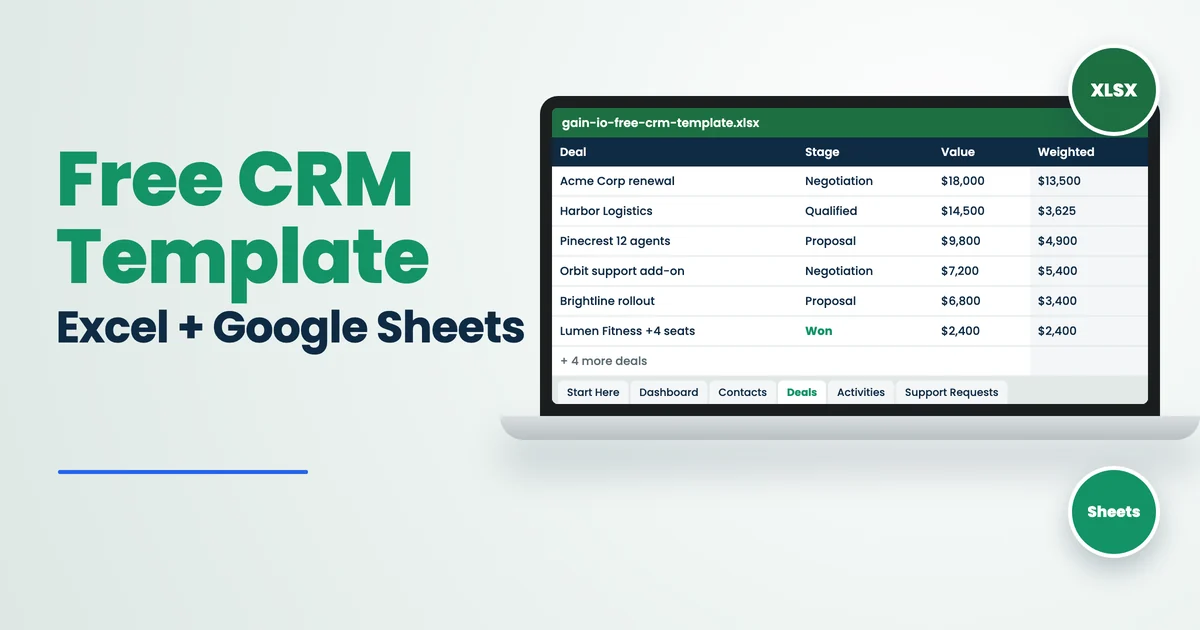
- This free template has 7 tabs: Start Here, Dashboard, Contacts, Deals, Activities, Support Requests and Lists.
- Every tab links back to one Contact ID, so name, company and owner fill in on their own.
- Pick a deal stage and the sheet adds the win probability and the weighted value. The Dashboard sums them into a forecast.
- The Support Requests tab shows the open deal value on the account, so a ticket from a customer with $18,000 in play stands out.
- It works in Excel 2016 and later, Excel for the web and Google Sheets, with formulas covering 500 rows per tab.
- Most teams outgrow a spreadsheet CRM once more than three people edit it daily or follow-ups start slipping.
This guide covers what's in the template, how to set it up in Excel or Google Sheets, how the formulas work, a 15-minute weekly pipeline review you can run from it, and the signs that it's time to move to CRM software.
Download The Free CRM Template
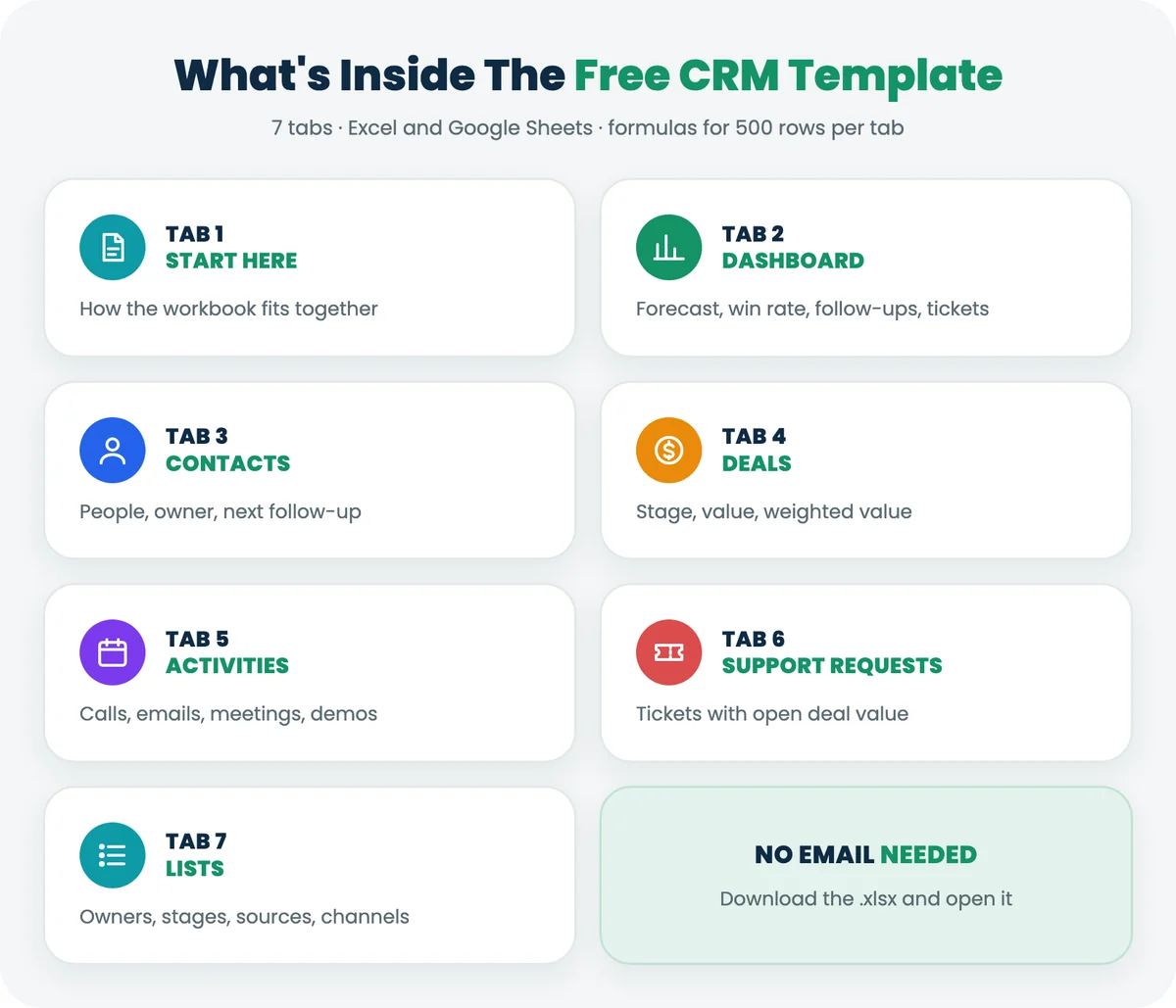
Download the free CRM template for Excel (.xlsx) or make your own copy in Google Sheets. No email or sign-up needed. The .xlsx also opens in Excel for the web and LibreOffice.
The workbook ships with 10 fictional contacts, 10 deals, 10 activities and 6 support requests, so the Dashboard shows real numbers the moment you open it. Clear the sample rows when you're ready to add your own.
Tab | What it tracks | What fills in on its own |
|---|---|---|
Start Here | How the workbook fits together | Nothing; read once |
Dashboard | Pipeline by stage, forecast, win rate, overdue follow-ups, open tickets | Everything |
Contacts | People, company, source, owner, status, last contact, next follow-up | Full name, days since contact, follow-up due |
Deals | Opportunities, stage, value, expected close | Company, owner, win probability, weighted value, days open |
Activities | Calls, emails, meetings, demos and notes | Contact name, owner, overdue flag |
Support Requests | Customer problems by channel, priority and status | Company, days to resolve, open deal value on the account |
Lists | Owners, stages, probabilities, sources, channels | Feeds every dropdown |
What Is A CRM Template
A CRM template is a ready-made spreadsheet that tracks customer relationship management (CRM) data: who your contacts are, which deals are open, what happened on the last call and when to follow up. It gives a small team the structure of CRM software for $0, at the cost of doing the updating by hand.
The useful ones share three traits. They separate people from deals, because one contact can have several deals over time. They use dropdowns, so "Proposal", "proposal sent" and "prop." don't end up as three different stages. And they calculate something, such as a forecast or an overdue flag, so the sheet tells you what to do next instead of only storing what you typed.
A template is not a database. Excel and Google Sheets don't stop two people overwriting the same cell, don't send reminders and don't log emails on their own. That's fine for a team of one to three. It stops being fine later, and the last section of this guide covers when.
What Each Tab In The CRM Template Tracks
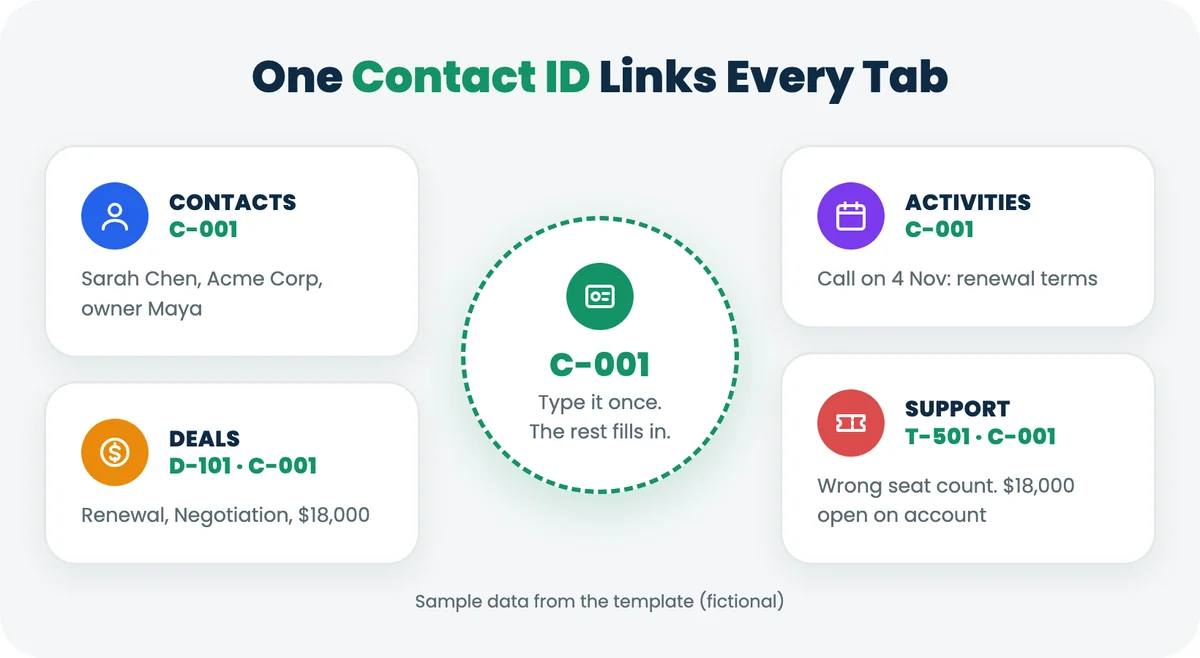
Each tab has one job, and the Contact ID (C-001, C-002 and so on) connects them. You type the ID once on a deal, an activity or a ticket, and the sheet looks up the rest.
Contacts Tab
One row per person: name, company, email, phone, role, lead source, owner and status (Lead, Prospect, Customer or Churned). Two dates do the real work. "Last Contact" feeds a Days Since Contact counter, and "Next Follow-Up" feeds a Follow-Up Due column that reads Overdue (red), This week (amber) or Later.
Deals Tab
One row per opportunity. Pick a stage from Lead, Qualified, Proposal, Negotiation, Won or Lost, and the sheet pulls the win probability from the Lists tab (10%, 25%, 50%, 75%, 100% and 0% by default) and multiplies it by the deal value. A $9,800 deal at Proposal shows a weighted value of $4,900. Days Open counts from the created date until you add a close date.
Activities Tab
Log every touch: date, Contact ID, Deal ID, type (Call, Email, Meeting, Demo or Note), a one-line summary, the next action and its due date. Past-due actions are flagged Overdue.
Support Requests Tab
This is the tab most CRM templates leave out. Log each customer problem with the channel it came in on (email, live chat, phone, WhatsApp or web form), priority, status and who has it. The last column sums the open deals on that contact. In the sample data, Acme Corp's "Invoice shows the wrong seat count" ticket sits next to $18,000 of renewal in Negotiation, and the row turns amber so nobody treats it as routine.
How This Template Compares To Other Free CRM Templates
Most free CRM templates are built by CRM vendors as a step toward their software, which is fair. We checked what the most-visited ones include on their own pages on 9 November 2026.
Template | Tabs or sheets | Support requests | Formulas and dashboard |
|---|---|---|---|
Gain.io (this one) | Start Here, Dashboard, Contacts, Deals, Activities, Support Requests, Lists | Yes, linked to open deal value | Forecast, win rate, follow-ups, ticket counts |
HubSpot (a CRM platform) | Start Here, Dropdowns, Organizations, Contacts, Opportunities, Interactions, Dashboard | No | Dashboard with pipeline and contact counts |
Salesflare (a sales CRM) | Sales Funnel plus a Settings & Instructions sheet | No | Pipeline analysis and follow-up reminders after a set number of days |
OnePageCRM (a follow-up CRM) | One tab | No | A follow-up date on every contact |
If you only sell and never handle post-sale support, HubSpot's template covers the same ground with an extra Organizations tab. If your team also answers customer questions, the Support Requests tab is the reason to use this one.
How To Set Up The CRM Template In Excel
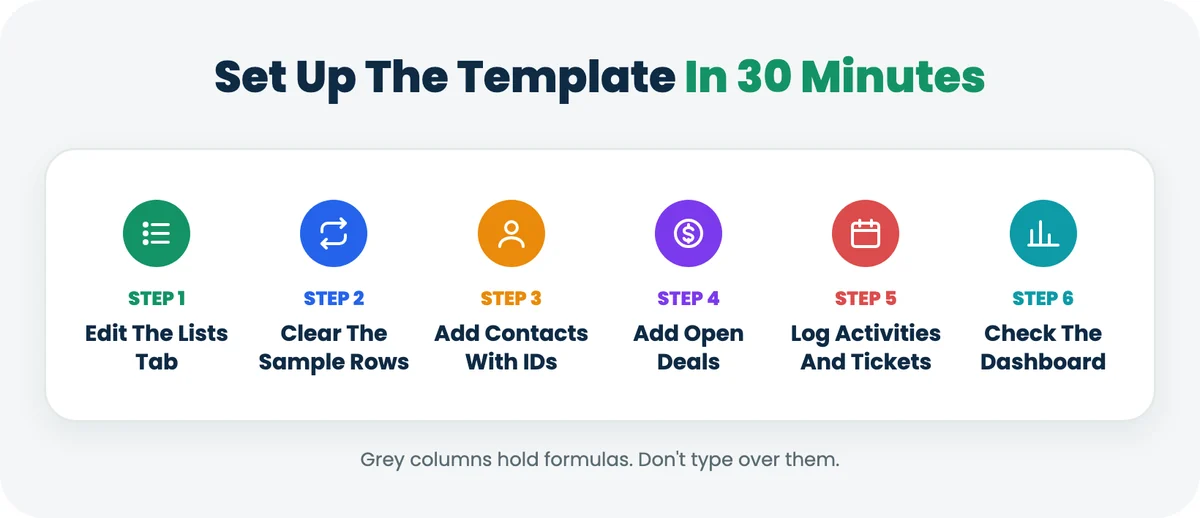
Setup takes about 30 minutes for a team with 50 to 100 existing contacts. Follow these six steps in order.
- Edit the Lists tab. Replace the sample owners (Maya, Leo, Priya, Sam) with your team. Rename stages to match how you actually sell, and set a win probability for each based on your own history if you have it.
- Clear the samples. Delete rows 2 to 11 on Contacts, Deals and Activities, and rows 2 to 7 on Support Requests. Delete the values only; keep the grey formula columns.
- Add contacts first. Paste existing contacts into the white columns and give each one an ID (C-001 onward). Fill in Last Contact and Next Follow-Up for anyone active.
- Add open deals. One row per deal, with the Contact ID, stage, value and expected close date.
- Log this week's activities and tickets against the same IDs.
- Open the Dashboard. Check that the open pipeline total matches what you expected. If it doesn't, the usual cause is a stage typed by hand instead of picked from the dropdown.
Grey cells hold formulas. Typing over one breaks that row's calculation, so if a number looks wrong, check whether someone pasted over a grey cell.
How To Use The CRM Template In Google Sheets
The fastest route is the Google Sheets version: click it, sign in to Google and choose Make a copy. The copy lands in your own Drive and nobody else can see your data. If you already downloaded the .xlsx, upload it to Google Drive, open it with Google Sheets, then use File, then Save as Google Sheets.
Dropdowns, conditional formatting and every formula carry over, because the template only uses functions both apps support: INDEX, MATCH, SUMIFS, COUNTIFS, AVERAGEIF and TODAY. There's no XLOOKUP and no Excel table syntax, which Google Sheets would break on import.
Google Sheets is the better home if more than one person updates the CRM, because everyone works in the same file and the version history shows who changed which cell.
How The CRM Template Formulas Work
Five calculated columns do most of the work. Knowing what they do makes it easier to change them.
Column | Tab | What it calculates | Example from the sample data |
|---|---|---|---|
Win Probability | Deals | Looks up the stage on the Lists tab | Negotiation = 75% |
Weighted Value | Deals | Deal value × win probability | $18,000 × 75% = $13,500 |
Days Open | Deals | Today (or the close date) minus the created date | Created 1 Oct, still open |
Follow-Up Due | Contacts | Compares Next Follow-Up with today | Due 6 Nov, so Overdue on 9 Nov |
Open Deal Value On Account | Support Requests | Sums deals for that contact that aren't Won or Lost | Acme Corp = $18,000 |
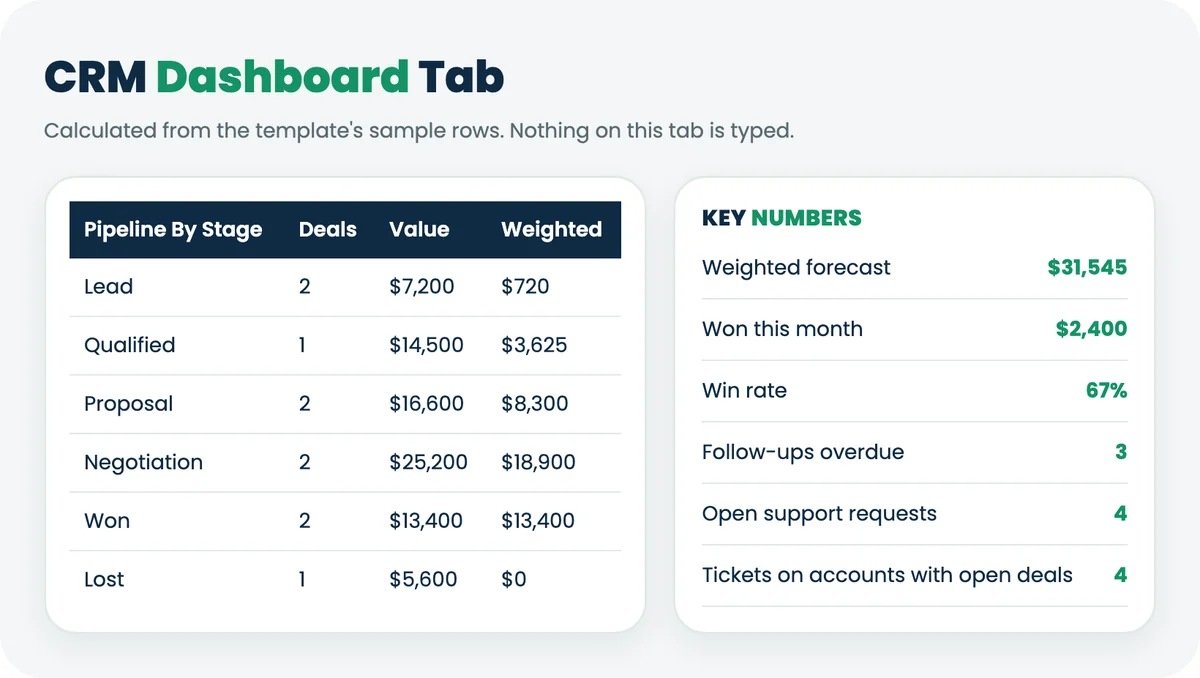
The Dashboard adds them up. With the sample data, the weighted forecast is $31,545 across 7 open deals, the win rate is 67% (2 won, 1 lost), 3 follow-ups are overdue, and 4 open tickets sit on accounts with an open deal.
How To Run A Weekly Pipeline Review From The Sheet
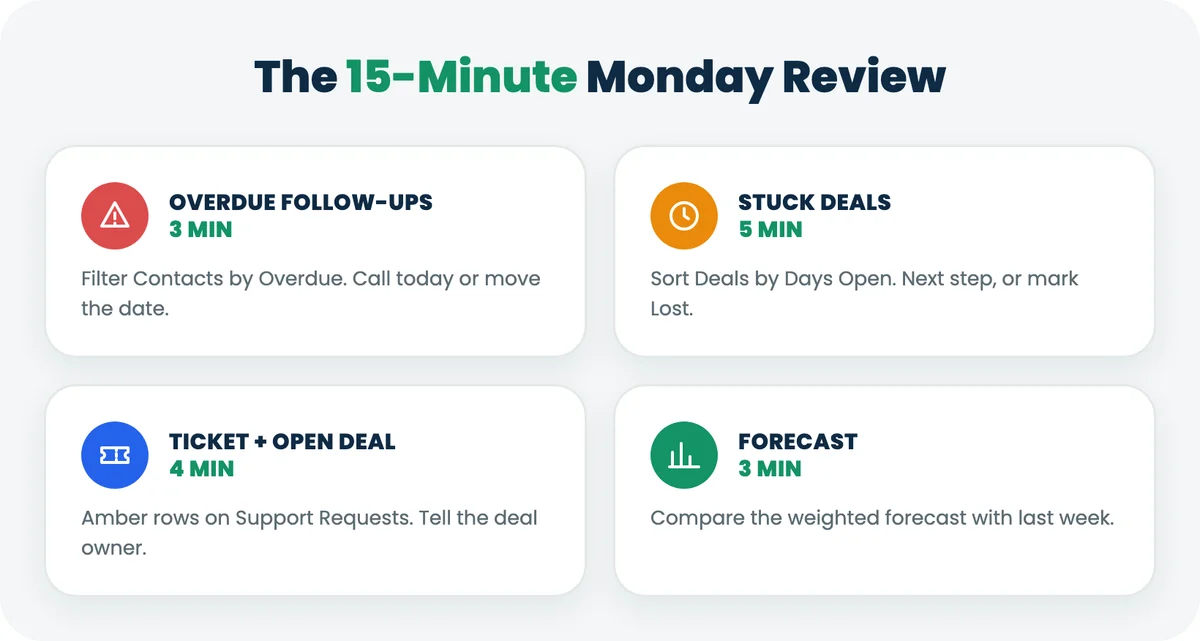
A CRM only helps if someone reads it. Block 15 minutes every Monday and work through four checks.
- Overdue follow-ups (3 minutes). Filter Contacts by Follow-Up Due = Overdue. Each owner either contacts the person today or moves the date with a reason in Notes.
- Stuck deals (5 minutes). Sort Deals by Days Open. Anything open longer than your normal sales cycle needs a next step or a Lost status. A pipeline full of zombie deals inflates the forecast.
- Accounts with an open ticket and an open deal (4 minutes). Filter Support Requests for amber rows. Sales should know before the next call; support should know the account is mid-deal.
- Forecast (3 minutes). Read the weighted forecast on the Dashboard and compare it with last week. A drop usually means deals moved to Lost, which is useful information, not a failure.
Excel CRM Template Vs CRM Software
A spreadsheet wins on cost and flexibility. CRM software wins on everything that happens without you: logging emails, sending reminders, stopping two people editing the same record and keeping support conversations on the contact.
Need | Spreadsheet CRM template | CRM software |
|---|---|---|
Cost | $0 | Per user per month (Gain.io: $9.50, billed monthly) |
Setup | About 30 minutes | Hours to days, depending on imports |
Email logging | Manual copy and paste | Automatic from Gmail or Microsoft 365 |
Follow-up reminders | An Overdue flag you have to look at | Tasks and notifications |
Several people editing | Possible in Google Sheets, but no record locking | Built in, with permissions |
Support tickets | Logged by hand on a separate tab | Tickets arrive from email, chat and social on the same contact (in a CRM with a help desk) |
Reporting | The formulas you build | Pipeline, activity and support reports |
When To Move From A Spreadsheet To A CRM
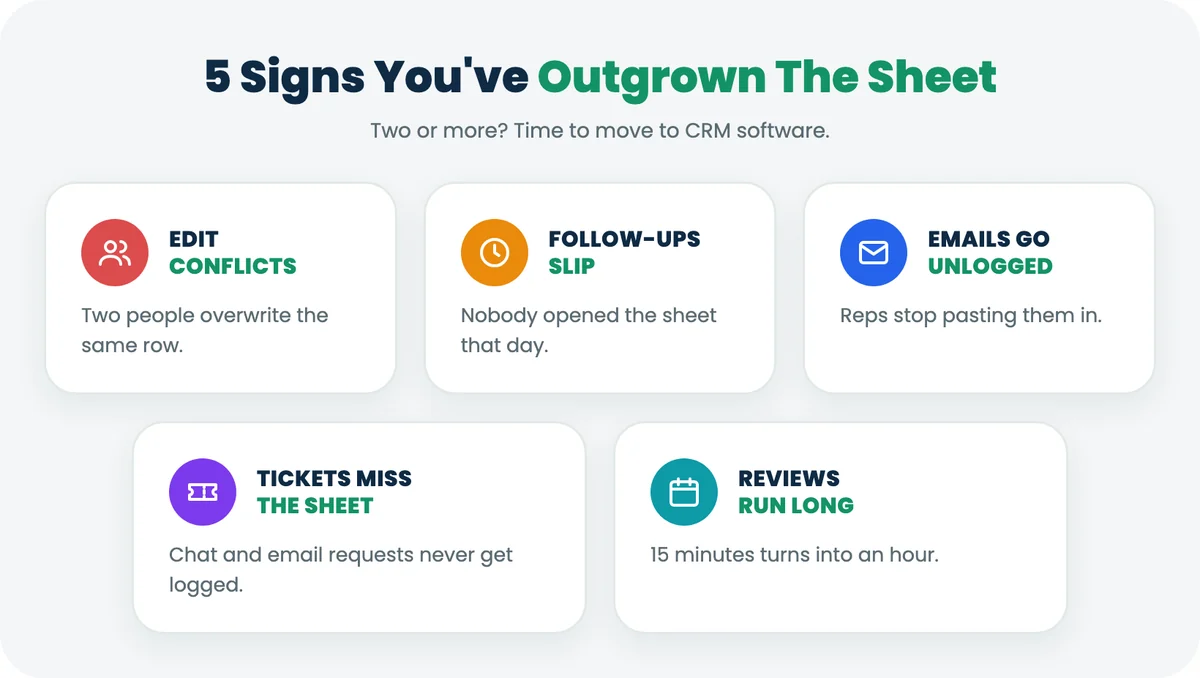
Stay on the spreadsheet while one to three people use it, you have fewer than a few hundred active contacts, and the weekly review takes 15 minutes. Moving earlier mostly buys you a monthly bill.
Move when you see two or more of these:
- Two people overwrite each other's changes more than once a month.
- Follow-ups slip because nobody opened the sheet that day.
- Reps paste emails into the Activities tab, or stop logging them at all.
- Support requests arrive by email and chat and never reach the Support Requests tab.
- The weekly review takes longer than the meetings it's meant to prepare for.
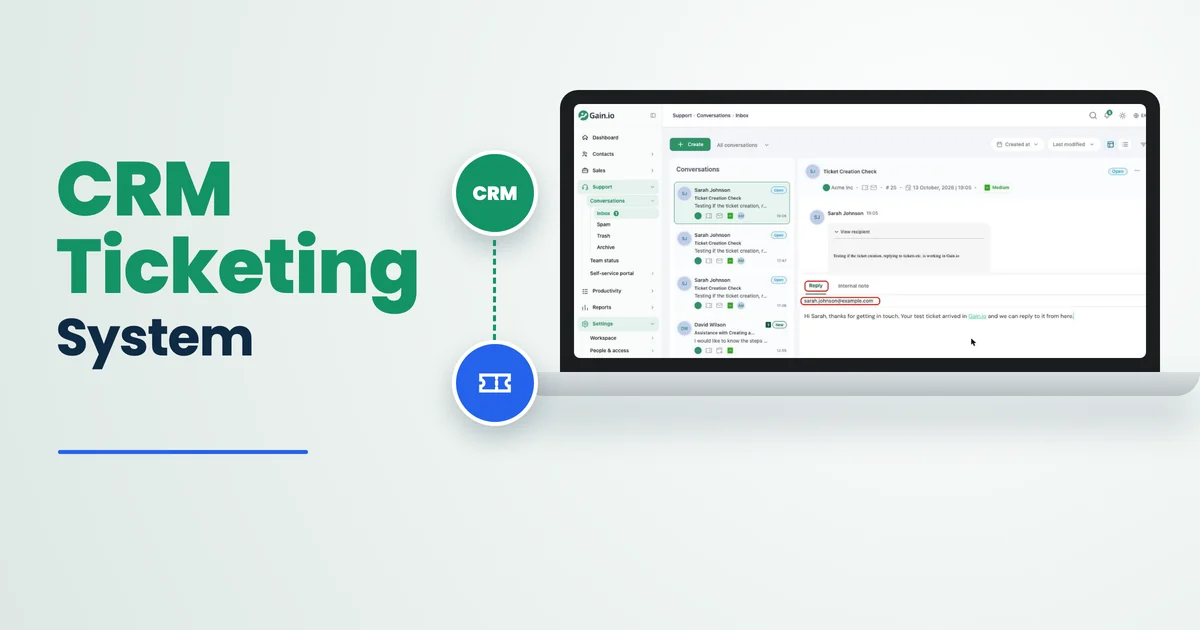
When you move, the template's structure carries over. Contacts become contact records, Deals become a pipeline with the same stages, and Support Requests become tickets. In Gain.io (gain.io), the CRM and help desk on one customer record, deals and support tickets link to the same contact, so you can open one contact and see their open deals and tickets together instead of cross-checking two tabs. You still run the weekly review; the information is just in one place. It costs $9.50 per user per month, billed monthly, with a 14-day free trial and no credit card. For a team of 3, that's $28.50 a month. If you're weighing tools at that point, our guide to simple CRMs for small businesses compares 5 options with checked prices, and the CRM ticketing system guide explains when sales and support should share one record.
Key Terms In CRM Templates
Term | Definition |
|---|---|
CRM (customer relationship management) | Software or a system for tracking contacts, deals and every interaction with them. |
Contact ID | A unique code for each person (C-001) that links their deals, activities and tickets across tabs. |
Deal stage | Where an opportunity sits in your sales process, such as Qualified or Proposal. |
Win probability | The share of deals at a stage that usually close as Won. |
Weighted value | Deal value multiplied by its win probability. |
Weighted forecast | The sum of weighted values for all open deals. |
Win rate | Won deals divided by all closed deals (Won plus Lost). |
Support request | A customer question or problem logged as a ticket, with a channel, priority and status. |
Final Discussion
A spreadsheet CRM works when it's built around one customer ID, calculates the things you'd otherwise forget, and gets read every week. This template does the first two. The third is a 15-minute Monday habit.
The tab most teams skip is the one that pays off first. When a support request sits next to an $18,000 renewal, the person answering it should know, and so should the rep who owns the deal. A spreadsheet can show that if you keep both on the same Contact ID.
When the sheet starts costing more time than it saves, Gain.io keeps the same contacts, deals and tickets on one record for $9.50 per user per month. Until then, download the template and run your first review this Monday.