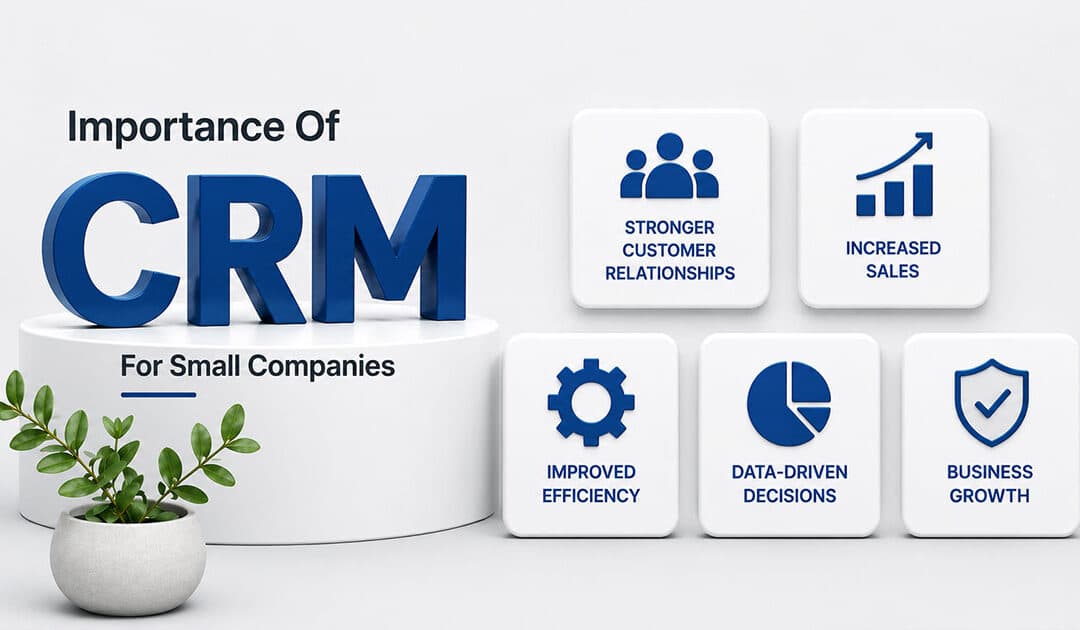
Every small business needs a structured way to manage customer relationships, streamline operations, and support growth. A customer relationship management crm helps teams organize customer data, improve communication, and reduce manual effort across daily workflows. Choosing the right crm software ensures better alignment between sales, marketing, and service teams while maintaining efficiency.
Modern tools offer advanced crm features, including automation, analytics, and integration with social media tools, allowing businesses to manage tasks and track engagement from one place. The best crm for small companies often includes flexible pricing, such as a free plan or free crm options, making adoption easier without high upfront costs.
By selecting the right crm solution, businesses can deliver a consistent customer experience, use service tools effectively, and access key features that support long-term scalability.
What Is CRM For Small Companies
CRM for small companies refers to customer relationship management software designed to help businesses organize, track, and improve every interaction with their customers. A CRM solution acts as a central system where all customer data, communication history, and sales activities are stored and managed efficiently, especially when focused on helping sales teams manage leads effectively.
For small business operations, a CRM for small business simplifies lead management by capturing potential customers, tracking progress, and guiding them through the sales funnel. It also helps track customer interactions across emails, calls, and other touchpoints, ensuring no opportunity is missed.
Modern small business CRM software goes beyond basic contact storage. Tools like Zoho CRM and HubSpot CRM offer automation, reporting, and integration features that improve productivity and decision-making. These platforms are often considered among the best CRM solutions because they combine ease of use with powerful functionality.
Overall, customer relationship management and customer relationship management software help small companies build stronger relationships, improve sales outcomes, and maintain organized, scalable business processes, which is why dedicated CRM for startups and small sales teams can be so impactful.
Top 7 Importance Of CRM For Small Companies
The seven areas below address challenges most small teams face after their first growth spurt. When a company scales from 10 to 50 customers, informal systems break down. Leads slip through cracks, follow-ups get missed, and revenue becomes unpredictable.
Each section focuses on one specific important area with concrete, real-world examples. These seven points also serve as a checklist when evaluating CRM tools like Gain.io. A CRM that addresses all seven creates a foundation for sustainable growth.
1. Stronger Customer Relationships And Retention
CRM keeps a complete history of every customer interaction in one accessible place. Email threads, call notes, meeting outcomes, and deal details all live in a single record. When a team member opens a contact, they see the full customer journey rather than fragments scattered across inboxes and notebooks.
Consider a local agency preparing for a 2026 renewal call with a client they served throughout 2025. Without CRM, the account manager scrambles through old emails and asks colleagues for context. With CRM, they open the client record and see every conversation, preference noted, and promise made. This context enables personalized service that builds trust.
The retention impact is significant. Widely cited research from Bain & Company shows that small increases in customer loyalty drive outsized profit gains. A 5% improvement in retention can boost profits by 25-95%. CRM supports this by enabling better customer relationships through consistent, informed interactions.
CRM also provides continuity when team members take time off or leave the company. The knowledge stays in the system, ensuring customers receive the same level of attention regardless of who handles their account.
2. Better Organization Than Spreadsheets And Inboxes
Spreadsheets and shared inboxes fragment customer information across multiple files and accounts. Duplicates accumulate, records become outdated, and finding specific information requires searching through endless rows or email threads. This disorganization wastes time and creates opportunities for mistakes.
CRM replaces scattered files with one source of truth through integrated contact management that builds stronger relationships. Contacts, deals, tasks, and documents live in a structured contact database where searching takes seconds rather than minutes. Need to find every deal that mentions a specific product add-on? A quick search returns results immediately instead of requiring manual review of multiple spreadsheets.
Studies show 29% efficiency gains when teams move from informal organization to structured CRM systems, a shift that also benefits retail teams using CRM tools to stay organized. Better organization also makes onboarding new hires faster. Instead of learning where different people keep their notes, new team members log in and see the entire pipeline on one board. They understand the business context within days rather than weeks.
3. More Predictable Sales And Revenue
Visual sales pipelines with defined stages transform random activity into measurable flow. Stages like “New Lead,” “Qualified,” “Proposal Sent,” and “Closed Won” create visibility into where every opportunity stands. This structure supports accurate sales forecasting for even small teams.
Historical CRM data enables informed projections. By analyzing conversion rates from 2024 to 2025, a company can forecast likely revenue for Q3 2026 with reasonable confidence. Teams of three or four sales reps can spot bottlenecks, such as proposals stalling in negotiation or follow-ups being neglected.
Predictable sales processes help small business owners plan responsibly. Knowing probable revenue for the next quarter informs decisions about hiring, cash flow management, and marketing spend. Salesforce data indicates that CRM users see 34% productivity improvements through this visibility.
Simple visual reporting delivers this value. Small companies do not need complex enterprise analytics. A dashboard showing pipeline by stage and forecast by month provides the clarity required for confident decision-making.
4. Higher Team Productivity Through Automation
Repetitive manual tasks drain time from activities that actually close deals. Sales automation handles routine work like sending a follow-up email two days after a quote, creating a task when a form is submitted, or updating deal stages based on customer actions.
A small B2B services firm might save hours each week by automatically logging emails and updating pipeline stages. Rather than manually tracking which leads need follow-up, the CRM triggers reminders and sequences based on defined rules. Marketing automation tools extend this capability to nurture leads through automated email sequences.
Automation improves consistency alongside efficiency, and broader sales task automation tools extend these gains across more of the sales process. Every lead receives the same minimum level of contact, preventing some prospects from slipping through while others get attention. Studies show 41% productivity boosts when teams implement automating routine tasks properly.
Tools like Gain.io keep sales task automations understandable without requiring technical scripting. Small teams can adjust workflows quickly as business processes evolve, rather than waiting for IT support or consultants.
5. Smarter Marketing And Campaign Targeting
CRM data reveals patterns that sharpen marketing efforts. When the system tracks which industries, company sizes, or sources produce the best customers, marketing teams can focus resources where they generate results.
A small company might segment 2025 leads by source: webinar attendees, organic search visitors, and referrals. Analysis shows referrals convert at twice the rate of webinar leads. This insight shapes 2026 marketing campaigns toward referral programs rather than additional webinar investment.
Syncing CRM with email and email marketing tools enables targeted sequences based on pipeline stage or last activity date. A prospect who received a proposal gets different messaging than someone who just downloaded a whitepaper. This relevance increases engagement and conversion.
Small teams run leaner, more effective campaigns instead of generic blasts to every contact in the database. Limited marketing budgets produce better ROI when guided by actual customer insights rather than assumptions.
6. Improved Customer Service And Response Times
CRM tracks support requests, questions, and issues in unified histories accessible to everyone on the team. When a customer calls, the person answering sees previous interactions without asking the customer to repeat their story. This speeds resolution and improves customer experience.
Consider a small e-commerce brand that notices unresolved customer requests from March 2026. Rather than waiting for complaints, they proactively follow up using CRM records. Service teams can set simple response-time goals and monitor them through dashboards.
Research shows 20-30% improvements in response times when companies implement CRM for customer communication. Faster, more accurate replies are often the easiest way for small firms to outshine bigger competitors with slower, more bureaucratic service processes.
The unified history also resolves disputes. When questions arise about what was promised or discussed, the CRM record provides clarity. This reduces friction and builds trust with customers.
7. Scalable Processes As The Business Grows
CRM forces teams to define clear stages, responsibilities, and hand-offs instead of relying on informal habits that exist only in founders’ heads, creating a solid base for sales workflow automation strategies that support further growth. A process documented in CRM, such as lead qualification criteria or customer onboarding steps, scales from 10 to 100 customers without breaking.
Without this structure, founders become bottlenecks. Every decision routes through the people who hold the knowledge, slowing growth and creating single points of failure. Documented workflows mean new sales reps or account managers can be productive quickly because the process exists in the system.
CRM supports new roles smoothly. When a company hires its first dedicated salesperson or splits account management from new business development, the system accommodates these changes without overhauling everything. The entire sales process stays visible even as responsibilities shift.
This scalability makes CRM an investment in future growth, not just a tool for managing current workload. Companies that implement CRM early avoid the painful data migration and process reconstruction required when growth forces a late transition.
Key CRM Features Small Companies Should Prioritize
Small teams should prioritize essentials over lengthy feature lists. The best CRM software for small companies includes capabilities that directly support the seven importance areas above without overwhelming users with complexity.
Each feature below maps to specific pain points. When evaluating CRM platforms, consider what a founder, sales rep, or marketer would actually do in the interface daily.
Centralized Contact And Company Records
A single shared record for each person and company forms the foundation of effective CRM, and dynamic contact management for smarter relationship tracking ensures those records stay accurate and actionable. Key fields include role, last interaction date, current deal value, and relevant notes. One screen should provide enough context to handle a renewal call without additional research.
Custom fields allow adaptation to specific niches. A subscription business might add “Subscription Start Date” and “Preferred Service Package” fields. A consulting firm might track “Primary Decision Maker” and “Budget Timeline.”
Start simple and expand only when clear needs arise. Over-engineered data models create friction that discourages daily use. The goal is customer contacts that inform action, not comprehensive data collection for its own sake.
Deal Pipelines And Task Management
Visual pipelines let teams drag deals from stage to stage, reflecting real conversations and progress, and well-defined custom sales stages for different teams keep those pipelines accurate and scalable. Integrated task management connects calls, demos, proposals, and follow-ups directly to each opportunity.
A salesperson might start each morning from a “Today’s Activities” view showing exactly what needs attention. This task management approach keeps every deal moving forward without requiring memory or separate to-do lists.
Most small companies benefit from starting with one simple, streamlined pipeline for new business. Add additional pipelines for renewals or expansions only when distinct processes warrant separation. Simplicity supports adoption.
Email Integration And Communication History
Syncing email accounts to CRM automatically logs customer communication without manual data entry. Before calling a client or prospect, a quick scan of the message timeline provides context.
This history proves valuable when resolving disputes or questions about previous discussions, especially when supported by reliable CRM email sync that keeps every message in one place. Checking what was promised in a late 2025 message takes seconds rather than requiring extensive email searches.
Calendar and meeting integrations link events to specific contacts and deals. New team members can review existing relationships through communication tools that capture the full customer relationship history.
Simple Automation And Reminders
Starter automations deliver immediate value without complexity. A follow-up reminder triggered 7 days after no reply, a welcome sequence for new contacts, or automatic task creation when leads enter the pipeline all reduce manual effort.
Workflow automation should use clear triggers and actions that non-technical users understand. Small teams need the ability to adjust automations quickly as they learn what works. Complex systems that require developers to modify become rigid rather than helpful.
Lead-scoring rules and qualification tags can be added gradually as data volume grows. Start with basics and expand based on actual needs rather than anticipated requirements.
Reporting And Dashboards For Small Teams
Core reports include pipeline by stage, forecast by month, and activity volume, which are also central when choosing the best CRM options for small business. A simple dashboard showing key metrics for the current quarter and the previous one side by side enables quick assessment.
Reviewing April-June 2026 conversion rates compared to the previous quarter helps refine qualification criteria and sales approaches. Reports should be readable at a glance on a laptop or mobile device without specialist training.
Advanced analytics belong in enterprise systems. Small companies need clarity on basic questions: How many deals are in the pipeline? What revenue is expected next month? Where are opportunities stalling?
How To Choose The Right CRM For Your Small Company
The CRM market is crowded with options ranging from simple contact databases to enterprise platforms that would overwhelm most small teams, so it is important to follow practical tips for choosing CRM tools that fit your workflow. Choosing the right CRM system requires focusing on actual needs rather than impressive feature lists.
A founder or small leadership team can complete this evaluation in days rather than months. Involve at least one everyday user in the decision process, not just management.
Start With Clear Problems To Solve
List specific issues before evaluating any CRM provider. Examples include “losing track of leads from our website,” “no visibility into renewal dates,” or “sales reps duplicating effort on the same accounts.”
This list becomes a filter for demos and trials. Focus attention on CRMs that address real outcomes rather than being swayed by features that sound impressive but do not solve actual problems.
Rank problems before talking to vendors. Revisit this list three to six months after adoption to measure whether the CRM delivered expected improvements.
Balance Simplicity With Growth Potential
The ideal CRM feels simple in week one but does not limit the company two or three years later. Test how easy it is to add a new field, pipeline, or basic automation without technical help.
A business that started with one product line in 2024 might add new services by 2026. The CRM should accommodate this evolution without requiring migration to a different platform as the business grows.
Extremely stripped-down tools may force a disruptive migration later. A flexible, modular CRM structure provides long-term advantages for small companies planning to scale.
Check Integration With Your Current Stack
CRM should connect to email, calendars, forms, and accounting tools already in use. Common systems for small firms include Google Workspace, Microsoft 365, and online invoicing platforms.
Integrations reduce double entry. Auto-creating contacts from form submissions or syncing calendar events to deal records saves time and improves data accuracy.
Test at least one or two integrations during the free trial period. A CRM that sits comfortably alongside existing tools creates less friction than one requiring complete workflow changes.
Evaluate Pricing, Seats, And Limits Carefully
Calculate total monthly cost based on expected users and contacts over the next one to two years. Typical pricing triggers include contact limits, automation volume, or advanced reporting tiers.
A five-person team planning to double headcount by the end of 2026 should project costs at 10 users before committing. Watch for hidden fees like mandatory onboarding or expensive add-ons for basic CRM features.
Transparent, predictable pricing structures help small companies budget appropriately. Less annoying CRM pricing models avoid surprise costs as usage grows.
Test Usability With Real Scenarios
Design a short checklist of everyday tasks: adding a contact, logging a call, updating a deal, running a report. Time how long each takes in candidate CRMs.
Involve at least one non-technical person in testing. If the system feels intuitive to them, adoption will be smoother across the team. Use real data from recent months rather than test contacts for meaningful results.
Pay attention to mobile access if the team spends time in the field or on-site with clients. A user friendly interface that works across devices increases actual usage rather than creating an ignored system.
How To Implement CRM Successfully In A Small Company
Success depends as much on habits and processes as on software features, which is why following a structured CRM implementation guide for successful deployment makes a difference. A practical roadmap from selection to measurable benefits takes about 90 days when approached methodically.
Phased rollout works better than attempting to configure everything from day one, just as startups benefit from selecting CRM tools that help them grow smarter rather than chasing every possible feature at once. Teams without full-time IT or operations staff can handle implementation by focusing on essentials first.
Clean And Import Your Existing Data
Gather contacts from spreadsheets, email tools, and legacy systems into one master file. Remove exact duplicates and outdated records before import to avoid cluttering the new system with bad data.
Dedicate one week to data preparation before going live. Use standard fields first, adding custom ones only where they clearly matter for daily work.
Clean data at the start leads to better reporting and builds user trust in the system. Staff who find accurate information become advocates rather than skeptics.
Define Simple Pipelines And Stages
Design a straightforward sales pipeline that mirrors the company’s real-world sales cycle. Example stages include “Inquiry,” “Qualified,” “Proposal Sent,” “Negotiation,” and “Won.”
Document what must happen before a deal moves to the next stage. This clarity aligns everyone on what progress looks like for each opportunity.
Start with one pipeline and add more only if clearly needed, such as distinct processes for new business versus renewals. Pipeline simplicity supports consistent usage.
Set Team Rules And Responsibilities
Small teams need agreed rules. Define who owns a contact, how quickly leads must be called, and how notes should be written. Create a short, one-page internal guide rather than a lengthy manual no one reads.
Examples include “log every customer call the same day” and “update deal value after each proposal.” Consistent habits make reports and forecasts reliable rather than approximate.
Leadership must model good CRM usage by keeping their own records current. If owners and managers use the CRM daily, others follow.
Train, Support, And Iterate
Schedule at least two focused training sessions: one at launch and one after a few weeks of use. A single internal “CRM champion” gathers questions and shares best practices with the team.
Collect feedback during the first 30-60 days and refine fields, views, or automations accordingly. Regular small adjustments prove more effective than large, infrequent overhauls.
Adoption improves when staff see the CRM saving them time within the first month. Quick wins build momentum for deeper usage.
Measure Early Wins And Communicate Them
Set clear success indicators such as faster response times, more follow-ups completed, or increased win rates. Compare January-March 2026 results to the previous quarter after CRM rollout.
Share improvements with the team so they see tangible benefits from new routines. Stories about deals saved because reminders prevented leads from going cold reinforce the value of consistent usage.
These quick wins create the foundation for expanding CRM usage over time. Success breeds adoption.
CRM For Small Companies With Gain.io
Gain.io is designed specifically for small and growing companies that need clarity without enterprise complexity. The platform combines contact management, visual sales pipelines, activity tracking, and simple automation in a clean, intuitive interface built for sales teams.
Fast setup means small business owners can be productive within days rather than weeks. Transparent pricing eliminates surprise costs as teams grow, and integrations with common tools like Google Workspace and Microsoft 365 fit Gain.io into existing workflows without disruption.
Gain.io serves as a partner that helps small companies turn everyday customer interactions into long-term, profitable relationships by offering smart CRM tools for sales teams. The focus remains on what matters for growing businesses: managing opportunities, tracking conversations, and closing deals faster without unnecessary features or steep learning curves.
Frequently Asked Questions
When Is The Right Time For A Small Company To Adopt A CRM
Clear signs include losing track of leads, having multiple people contact the same customer unknowingly, or heavy reliance on spreadsheets for customer data. Many small firms benefit from implementing CRM once they have a steady stream of new inquiries each month, not only after they become large. Early adoption is simpler and less disruptive. A company that implemented CRM just before doubling its sales team avoided the chaos that typically accompanies rapid growth without structured systems. Tools like Gain.io are light enough for early-stage businesses but scale as companies grow.
How Much Time Does It Take To Set Up A CRM For A Small Team
Realistic timeframes include a few days to choose and configure the system, plus one to two weeks to import data and refine pipelines. Most effort involves data cleaning and defining processes rather than technical installation. Start with a limited group of users for the first month to refine configuration before broader rollout. Cloud-based systems like Gain.io avoid server setup and can be accessed as soon as accounts are created. Incremental setup is acceptable; teams do not need to configure every feature at once.
How Can A Small Company Encourage Staff To Actually Use The CRM
Keep the system simple and remove unused fields that create friction. Demonstrate how CRM saves individuals time by eliminating repetitive updates or manual reminders they currently handle. Make CRM usage part of regular routines, such as reviewing pipelines in weekly meetings. Recognize good CRM habits publicly. Leadership consistency is crucial; if owners and managers use the CRM daily and reference it in conversations, others follow naturally.
What About Data Security And Privacy In Small-Business CRM
Even small companies must protect customer data through secure, reputable cloud providers. Important safeguards include encryption in transit and at rest, role-based access controls, and regular backups. Regulations like GDPR apply to companies serving European customers regardless of company size. A modern CRM reduces risk compared to ad hoc spreadsheets emailed between team members. Gain.io is built with small-business data protection in mind without requiring in-house IT expertise.
Can A CRM Help If A Company Has A Very Small Or Nonexistent Sales Team
CRM is valuable even when the founder or a single person handles sales, marketing, and customer service. The system tracks every conversation and deadline so the owner does not rely on memory alone for critical follow-ups. A solo consultant might use CRM to manage proposals, invoices, and recurring check-ins with clients. Starting early makes it easier to bring in additional team members later with full context available from day one. Systems like Gain.io scale from one user to larger teams without requiring a platform change.
Is Salesforce a CRM? The short answer is yes. Salesforce CRM was originally launched as a simple tool for managing customer data, and that core purpose has never changed. What has changed is how much more it can do.
Salesforce launched in 1999 as a pioneering cloud based crm, built in San Francisco with a mission to make customer relationship management accessible through any web browser. Fast forward to 2026, and it remains primarily known as a crm platform. But the story does not stop there. Salesforce has grown into a complete customer platform spanning sales service marketing and analytics, all built on top of that same crm foundation.
Customer relationship management functionality serves as a system of record for customer data and a system of engagement for interaction. Salesforce delivers both. It centralizes every customer touchpoint including email, phone, chat, social, and commerce into a single shared view. Teams across departments work from the same trusted data instead of scattered spreadsheets and disconnected tools.
The platform now includes powerful AI features like Einstein GPT, Einstein Copilot, and autonomous service agents that sit directly on top of crm data. These tools help sales teams prioritize leads, draft emails, and predict deal outcomes without manual guesswork.
So is Salesforce a crm? Absolutely. But it is also much more. The rest of this article will help you understand exactly what Salesforce offers and whether you need it as a core crm or as a broader business platform.
What Salesforce Is In Simple Terms
Salesforce is a cloud based crm that has grown into a full customer platform. It combines crm software with marketing automation, analytics, and app development capabilities on a single integrated platform.
Cloud-based platforms provide real-time access from anywhere. In practical terms, this means you access Salesforce through a web browser or mobile app without needing to install software or maintain servers. Updates roll out automatically, typically quarterly, so you always have the latest features. Mobile CRM allows teams to access and update customer data from any location, whether they are in the office, at a client site, or working remotely.
The salesforce platform supports three delivery models: SaaS (Software as a Service), PaaS (Platform as a Service), and IaaS (Infrastructure as a Service), allowing businesses to choose the best fit for their needs. Most teams start with the SaaS model through products like Sales Cloud or Service Cloud, then expand into building custom apps or integrating other services as requirements grow.
What A CRM Is And How Salesforce Fits The Definition
Customer relationship management means exactly what it sounds like. It is software that helps businesses manage their relationships with customers by organizing every interaction into a single, accessible record. Day to day, this means your team knows who talked to a customer last, what was discussed, what deals are in progress, and what support issues are open.
The purpose of customer relationship management systems is to streamline processes, improve profitability, and enhance customer satisfaction. When everyone works from the same customer information, nothing falls through the cracks.
Standard CRM jobs include:
Contact management that centralizes all customer details including emails, calls, and social media handles in a shared digital record
Lead and opportunity management that tracks potential sales from lead to closure
Activity history logging every email, call, meeting, and task tied to each account
Pipeline forecasting that predicts revenue based on current deal stages
Salesforce maps directly to each of these functions. Sales Cloud handles lead management and opportunity tracking with customizable stages and probability scoring. Service Cloud extends the same crm data to customer support teams, keeping all cases and resolutions linked to the customer record. Centralized customer data serves as a single source of truth, eliminating the silos that slow teams down.
Salesforce is not just a contact database. It tracks full communication history across email, phone, web forms, integrated tools like Outlook and Gmail, and even social channels. Every activity appears on a timeline so anyone on the team can see exactly what happened and when.
Because Salesforce checks every crm box and then adds marketing automation, process automation, AI-powered insights, and a platform for building custom apps, some people have started calling it a customer operating system. That label makes sense when you see how crm data powers everything else on the platform.
Core Salesforce CRM Capabilities You Should Know
Salesforce CRM delivers structured capabilities that help businesses manage customer relationships, optimize sales processes, and improve service outcomes through data-driven workflows, automation, and unified customer information across teams.
Lead And Opportunity Management
Within Salesforce Sales Cloud, lead and opportunity management structures your sales pipeline with clear stage definitions aligned to your sales processes. Automated routing assigns potential customers to the right reps based on rules, improving conversion speed. Teams gain visibility into deal progress, ensuring consistent pipeline control and predictable revenue outcomes.
Account And Contact Management
Account and contact management centralizes customer data into a unified system. Each record reflects a company’s interactions, including customer activity, purchase history, and communication logs. This approach strengthens customer relationships by giving teams a full context before every interaction, helping build long lasting relationships through informed engagement and accurate customer information.
Salesforce Automation And Process Efficiency
Automation within the Salesforce Platform reduces manual work across business processes. Workflow rules, reminders, and alerts streamline execution without heavy data entry. Teams benefit from consistent operations and better tracking of key performance metrics. This structured automation supports scalable growth while ensuring every process aligns with defined crm systems standards.
Customer Support And Service Cloud
Salesforce Service Cloud enables efficient case management for customer support teams. It routes issues based on priority and agent skills while maintaining visibility across departments. This ensures alignment between sales and service, improving resolution speed and maintaining strong customer relationships through consistent, high-quality support experiences.
AI CRM And Advanced Capabilities
Modern AI CRM capabilities enhance decision-making with predictive insights and automation. Features like intelligent recommendations and analytics improve personalized customer experiences. Integration with platforms such as Microsoft Dynamics 365 highlights competitive crm solutions. Emerging concepts like the agentic enterprise further evolve how businesses use crm features to drive smarter, autonomous operations.
How Salesforce Has Grown Beyond Traditional CRM
While Salesforce began as crm software, it has expanded into a broad platform over the last two decades. The crm foundation remains, but the capabilities built on top of it now serve marketing teams, developers, commerce operations, and more.
In 2005, Salesforce launched the AppExchange, marking a significant step in its evolution as a comprehensive business solution. The Salesforce AppExchange is an online marketplace that allows users to find and install third-party applications and integrations that extend the functionality of Salesforce. Today it hosts over 7,000 pre-built apps covering everything from billing and CPQ to membership management and industry-specific solutions. This means teams can add capabilities without building from scratch.
Salesforce integrates seamlessly with a wide range of software applications, including marketing automation, accounting, and custom-built applications, creating a robust ecosystem for businesses. Major acquisitions expanded the platform further. Tableau joined in 2019 for advanced analytics visualization. Slack came aboard in 2021 for real-time collaboration directly tied to crm workflows. Heroku, acquired in 2010, provides scalable app hosting for custom development.
Salesforce’s ecosystem includes various tools that support app development. The Salesforce Platform, formerly known as Force.com, allows developers to build custom applications on top of Salesforce using tools like Apex for custom logic, Lightning Web Components for modern interfaces, and Flow Builder for workflow automation. Building custom apps does not always require developers either. Many teams use low-code tools to create exactly what their business processes need.
Workflow automation sets up automatic triggers to streamline complex business processes. For example, when a deal closes, automation can create a welcome task for customer success, notify billing to generate an invoice, and add the customer to a nurture journey in Marketing Cloud.
Marketing Cloud and Commerce Cloud layer on top of the same crm data. Marketing campaigns trigger based on lifecycle stage or purchase date stored in the crm. Commerce Cloud syncs storefront behavior back into customer records so sales reps see browsing history alongside support notes. This keeps crm as the core while extending capabilities across the entire customer journey.
Salesforce Clouds And What They Do
Salesforce breaks its capabilities into Clouds, each focused on a different part of the customer lifecycle. Think of them as specialized modules that all share the same crm data underneath.
Sales Cloud
Sales Cloud is the core crm product most companies start with. It handles everything related to managing leads, opportunities, forecasts, territories, and quotes.
Reps work through opportunity stages that mirror their real sales processes. Each opportunity shows probability, expected close date, and next steps. Territory management ensures fair distribution of accounts and prevents overlap.
Real-time analytics provide customizable dashboards and reports for forecasting and performance measurement. Sales leaders see pipeline health instantly without waiting for spreadsheet updates. As of 2026, Sales Cloud includes AI forecasting and Einstein opportunity insights layered directly on crm records. These tools predict which deals will close and flag risks before they become problems.
Service Cloud
Service Cloud is Salesforce’s customer support crm. It handles cases coming from email, phone, chat, and social channels through case management workflows designed for customer support teams.
Features include intelligent case routing based on agent skills, knowledge base integration for quick answers, and field service scheduling for teams that work on-site. Service agents resolve issues faster when they can see the full customer history in one place.
Salesforce has continuously integrated artificial intelligence into its platform, starting with the launch of Salesforce Einstein in 2016, which marked the company’s entry into AI-driven customer relationship management. Newer AI-powered agents like Einstein Service Agent, announced in 2024, can resolve common issues directly from crm data. Internal studies show these service agents handle 30% of routine queries autonomously, freeing human agents for complex problems.
Experience Cloud
Experience Cloud lets you build customer and partner portals connected directly to Salesforce crm records. Customers log in to see their own cases, order history, and account details without calling support.
Imagine reducing email volume because customers update their own requests through a self-service portal. Partners access quotes, deal registration, and training resources from a branded site that pulls data straight from your crm. This extends crm visibility beyond your internal teams while keeping everything linked to the same trusted data.
Marketing Cloud
Marketing Cloud is Salesforce’s suite for email, mobile, social, and journey orchestration. Everything runs on crm data, so marketing campaigns personalize based on fields like lifecycle stage, last purchase date, or open service issues.
Marketing automation allows teams to plan and execute targeted campaigns while scoring leads to identify high-potential prospects. Personalized campaigns reach more customers with relevant messages instead of generic blasts.
Einstein GPT now helps with content suggestions and send-time optimization, achieving higher engagement rates by sending messages when each customer is most likely to respond.
Commerce And Other Add Ons
Commerce Cloud and related solutions connect storefront behavior back into the crm record. This means sales reps see browsing activity, abandoned carts, and purchase data alongside support conversations.
Order management capabilities handle the logistics after a sale, keeping fulfillment status visible within the customer record. These add-ons show the breadth of salesforce products but all rely on the same underlying crm data.
AI In Salesforce And What It Means For CRM
Recent Salesforce innovation has focused heavily on AI built directly on top of crm data. This is not separate technology bolted on as an afterthought. It reads your customer information and delivers actionable insights.
The evolution started with Salesforce Einstein in 2016, bringing predictive analytics to crm records. Einstein GPT arrived in 2023, adding generative AI that drafts emails and summarizes calls. Einstein Copilot launched in 2024 as an AI sidekick that prioritizes leads, suggests next-best actions, and handles routine tasks automatically.
Salesforce CRM incorporates AI through its Einstein feature, which offers predictive analytics and smart recommendations to enhance user experience and optimize customer interactions. Specific developments in 2024 through 2026 include Einstein Copilot for Health Actions with HIPAA-compliant capabilities and ai agents handling common support tasks without human intervention.
In practical terms, AI uses crm data to draft personalized emails, summarize customer calls, prioritize which leads deserve attention, and recommend what reps should do next. Internal studies show reps save two to three hours daily on administrative tasks. Lead prioritization powered by Einstein helps teams identify deals that might otherwise slip through the cracks.
The platform’s built-in analytics capabilities provide real-time data on customer behavior and trends, allowing for data driven decisions instead of gut instincts.
Salesforce CRM helps organizations improve customer service by providing representatives with easy access to complete customer histories, which helps resolve issues more quickly. AI amplifies this by surfacing relevant knowledge articles and suggesting responses based on similar past cases.
You do not need to adopt everything at once. AI features can be enabled gradually and configured with guardrails around sensitive crm data. Start with lead scoring, see the results, then expand to more capabilities as your team gets comfortable.
When Salesforce Is The Right CRM Choice For You
Salesforce is not the only crm option, and fit depends on your size, complexity, and goals. But certain scenarios make it a particularly strong choice.
Salesforce excels when you have multi-team sales processes where sales, service, and marketing need to share customer information. It handles multi-country operations with support for multiple languages and currencies across 200+ countries. Heavy integration needs become manageable through MuleSoft and the thousands of connectors available on AppExchange. Large enterprises benefit from the scalability and enterprise-grade capabilities.
Mobile and cloud access allows teams to access real-time customer data and collaborate from any device or location. This matters for field teams, remote workers, and distributed organizations.
Simpler crm options might suit very small teams without complex workflows. If you only need basic contact management and do not plan to grow beyond a handful of users, lightweight crm solutions could work fine. But they lack the automation depth, reporting, and extensibility that Salesforce provides as your needs expand.
Salesforce CRM consolidates customer data from every channel and department into a shared database, enabling teams to make decisions from the same source of truth. This simplified collaboration matters as teams grow and customer relationships become more complex.
The platform can start small. A five-user sales team on a basic edition gets core lead and opportunity management. That same implementation scales to global deployments with thousands of users and dozens of integrated systems. You do not have to rebuild when you outgrow your crm.
Conclusion
Salesforce is a crm. That statement was true when the software company launched in 1999, and it remains true in 2026. But it has grown into something larger: a complete customer platform spanning sales service marketing commerce and analytics.
The question is not just whether Salesforce is a crm. It is whether you need a crm that can grow into something more. If your answer is yes, or even maybe, exploring Salesforce makes sense. Free trials and demos configured around your own customer journey let you see exactly how salesforce crm fits your business operations.
Whether you start with just Sales Cloud or plan to expand across multiple Clouds, Salesforce connects every piece of your customer experience. Other services layer on over time as your requirements evolve. That flexibility, built on a crm foundation, is what makes Salesforce the choice for organizations serious about customer success.
Frequently Asked Questions
Is Salesforce Only A CRM Or Also An ERP
Salesforce is primarily a crm and customer platform, not a full ERP system. It focuses on front-office functions like sales, service, and marketing rather than back-office operations like accounting, manufacturing, and supply chain management. Many companies integrate Salesforce crm with separate ERP systems so customer data and financial or inventory data can sync. MuleSoft handles these integrations, keeping both systems connected without duplicating functionality.
Can Small Businesses Use Salesforce As Their First CRM
Yes. Salesforce has editions and bundles designed specifically for small business teams with limited users and streamlined features. You do not need enterprise scale to benefit from organized customer data.
Do I Need Developers To Customize Salesforce CRM
Many customizations can be done with point-and-click tools by an admin. Fields, page layouts, validation rules, and simple automation workflows all work through the Setup menu without code. Data entry requirements, approval processes, and user interface adjustments typically need no developers.
How Secure Is Salesforce For Storing Customer Data
Salesforce prioritizes data protection by implementing robust security measures, including role-based access controls, field-level permissions, and audit logs, which are essential for regulated industries like healthcare and finance.
How Is Salesforce Different From Simpler Contact Management Tools
Basic tools store names, phone numbers, and email addresses. Salesforce tracks full customer history including deals, service issues, marketing campaigns, and AI insights in one place. Simple address books or email contact lists do not offer automation, reporting, or multi-team collaboration. Salesforce helps businesses manage the entire customer lifecycle, not just store contact details.
Sales representatives continue to spend over half their workweek on tasks that do not involve direct selling. Data entry, logging customer interactions, updating deal stages, and chasing internal approvals consume upwards of 50 to 60 percent of a rep’s time, leaving fewer hours for prospecting and closing deals. This pattern persists even with modern CRM systems in place, creating a gap between technology investment and actual productivity gains.
CRM workflow productivity addresses this challenge by transforming your customer relationship management platform from a passive data repository into a proactive assistant. Through automation, conditional triggers, and standardized business processes, sales teams can eliminate repetitive tasks that drain selling time. The result is shorter sales cycles, better data accuracy, and more time spent on revenue-generating activities.
What Is A Time Saving CRM Workflow
A time-saving CRM workflow is a rules based sequence within your CRM platform that automatically performs predefined actions when specific conditions are met. These workflows operate on trigger condition action logic, eliminating manual work that slows down your sales process.
Consider a practical example. When a lead submits a form from a recent webinar, the workflow triggers assignment to the appropriate sales development representative within two minutes, initiates an email nurture sequence, and logs the activity. This reduces first response times from hours to minutes and improves connection rates significantly.
Unlike broader CRM automations focused on marketing campaigns or general reporting, these workflows target high friction points that directly impact selling time. They support SDRs, AEs, and account managers by addressing handoffs, idles, and follow ups. Beyond time savings, automated CRM workflows enforce data hygiene through required fields and standardized picklists, making pipeline visibility reliable for accurate forecasting. The trigger action structure also reduces context switching, where reps can lose up to 20 minutes each time they shift between tasks.
Top 7 Time Saving CRM Workflows Productivity For Sales Teams
This section covers seven practical workflows that sales and marketing teams can implement to reclaim hours each week. Each workflow follows a consistent structure covering its purpose, ideal trigger, automated steps, and expected time savings.
1. Instant Lead Routing And First Response Workflow
This workflow automatically distributes new leads from web forms, LinkedIn Lead Gen Forms, or event registrations to the optimal SDR based on territory, company size, or product interest signals. The trigger activates upon lead creation with filters like industry equals SaaS or company size falls between 50 and 500 employees.
Automated actions include assigning an owner via round robin or skills based routing, updating lead status to new, creating a same day call task, and sending a personalized thank you email within five minutes. When companies drop response times from four hours to under 15 minutes, connection rates increase by approximately 30 percent and qualified meetings from event leads rise by 25 percent, demonstrating how a well-implemented CRM helps sales teams manage leads more effectively.
Gain.io centralizes these incoming channels and applies routing rules that integrate with your existing CRM tools, bringing many of the core CRM automation benefits for sales and growth while preventing the lead leakage that affects a significant portion of inbound leads when manual processes are used.
2. Sales Qualified Lead Hand Off To Account Executive Workflow
This workflow standardizes the transition from marketing qualified to sales qualified leads based on BANT criteria covering budget, authority, need, and timeline. The trigger fires when an SDR updates the lead or opportunity stage to SQL or marks a qualification checkbox after a discovery call.
Automated steps create a new opportunity record, assign it to a territory matched account executive, generate a follow up task due within 24 hours, and post a summary in a shared sales channel with key details like pain points and next steps. The workflow also auto attaches call transcripts and discovery responses so AEs receive full context without hunting through customer records.
In distributed teams, this approach shortens handoff gaps from days to hours and reduces email back and forth by approximately 40 percent. Without automation, qualification drift causes more than a third of SQLs to stall due to poor handoffs.
3. Automated Meeting Follow Up And Recap Workflow
Connecting your CRM with calendar and meeting platforms enables a workflow that triggers every time a sales meeting ends. The workflow pulls attendee data, discussed topics, and next steps from meeting notes.
Automated actions populate a recap email template with dynamic inserts for meeting date, product modules covered, and action items. The email sends within one hour while the workflow creates due dated tasks for internal actions like sending pricing or sharing demo recordings. In Gain.io, reps customize only minor details rather than drafting emails from scratch.
For account executives handling five to seven follow ups daily, this automation saves 30 to 45 minutes each day. Teams report a 20 percent uplift in next meeting bookings when recaps arrive promptly, countering the follow up failures that result from delayed customer engagement.
4. Deal Stage Update And Stakeholder Notification Workflow
This workflow monitors opportunity stage or probability field changes and executes tiered actions for each transition. Triggers fire on updates such as moving from Discovery to Proposal Sent or from Negotiation to Closed Won.
Actions include notifying finance for deals exceeding specific annual contract value thresholds, alerting customer success on verbal commits, and auto adjusting close dates and forecast categories via formulas. On closed wins, the workflow spawns renewal tasks automatically.
This structure eliminates manager chase ups before pipeline reviews, where the majority of surprises arise from unlogged stage moves. With proper notifications, forecast error drops substantially, and sales managers save hours weekly on status checks.
5. Idle Opportunity Re Engagement Workflow
This workflow scans for opportunities with no activity logged for a defined period, typically 10 business days in mid funnel stages like Proposal or Negotiation. The trigger excludes closed records and evaluates logged calls, emails, or tasks.
Automated actions generate rep tasks, dispatch check in emails with value add content like case studies, or surface dashboard alerts. Cadences scale by deal size, with shorter intervals for smaller deals and longer intervals for six figure opportunities to match typical B2B buying cycles, and tools like Gain.io stand out when you compare Gain.io vs Salesforce CRM for simple, effective execution of these cadences.
Pipeline decay silently affects approximately 40 percent of opportunities. This workflow improves velocity by surfacing risks early and saves reps time otherwise spent on manual spreadsheet audits tracking stalled deals.
6. Renewal And Expansion Reminder Workflow
This workflow tracks contract dates stored in custom fields and triggers at 90 days before renewal or when usage crosses specific thresholds indicating expansion potential. Actions include creating preparation tasks for account managers, sending notifications, and emailing customers curated content about features released recently.
The workflow automatically attaches usage reports and NPS scores, providing instant context and preventing last minute scrambles that jeopardize a significant percentage of renewals. For SaaS teams, expansion signals like high utilization prompt upsell tasks that protect recurring revenue.
Account managers save approximately two hours weekly, and teams report retention improvements around 12 percent when these reminders are in place.
7. Sales Activity Logging And Data Hygiene Workflow
This workflow leverages integrations with email, calling tools, and marketing platforms to auto capture sends, clicks, call outcomes, and registrations as timeline events. This bypasses manual data entry that consumes over 20 percent of rep time.
Data hygiene extends to normalizing job titles via standardized libraries, enriching industries from enrichment sources, and flagging duplicate records created during data imports. Accurate customer data makes dashboards trustworthy and eliminates weekly cleanup sessions for RevOps teams.
Gain.io aggregates these activities centrally without requiring scattered integrations, yielding two to three hours of rep savings weekly while cutting error rates substantially.
How To Design And Implement Time Saving CRM Workflows
Effective CRM workflows improve productivity by reducing repetitive tasks and aligning business processes. A structured approach using automation tools, clear workflows, and data insights helps teams enhance efficiency, improve customer experience, and drive better results.
Identify Workflow Gaps And Bottlenecks
Start by auditing current processes using workflow management software to identify inefficiencies. Analyze where manual tasks slow down operations and where delays impact customer interactions. Understanding customer behavior helps teams pinpoint friction areas. This step improves operational efficiency and highlights opportunities to create workflows that simplify business processes while reducing dependency on repetitive manual work across teams.
Choose The Right Workflow Tools
Selecting the right workflow management tools ensures scalability and flexibility. Use project management software and automation tools that integrate with your CRM. These tools help manage data management processes, streamline communication, and improve seamless customer experience. Proper tool selection also supports integrating crm systems effectively, and following tips for choosing CRM tools that fit your workflow allows businesses to automate tasks while maintaining accuracy across different operational functions.
Build Automated And Scalable Workflows
Design workflows that automate tasks like lead routing, follow-ups, and updates. CRM workflow automation reduces manual intervention and improves workflow efficiency. Using workflow automation tools and automated systems ensures consistency across processes. Automated processes help teams save time, reduce operational costs, and allow sales reps to focus on high-value activities instead of repetitive administrative work, especially when guided by structured sales workflow automation strategies.
Align Workflows With Customer Needs
Workflows should reflect real customer behavior and expectations. Use insights to predict customer behavior and design customer service workflows that address customer inquiries efficiently. Updating customer records regularly ensures accurate customer information, supported by robust contact management to build stronger relationships. This alignment improves customer management, strengthens customer relationships, and ensures workflows deliver a seamless customer experience across all touchpoints.
Monitor Performance And Optimize Continuously
Track key performance indicators to evaluate workflow effectiveness. Monitoring metrics helps optimize workflows and improve enhancing efficiency across business operations. Regular analysis helps identify gaps and refine processes. Involving relevant team members ensures continuous improvement, while consistent updates help maintain efficient management and long-term workflow success.
How To Measure Productivity Gains From CRM Workflows
Measuring CRM workflow productivity helps teams understand efficiency, reduce wasted effort, and improve outcomes. Clear metrics, structured tracking, and aligned processes allow businesses to evaluate performance, optimize workflows, and support better decision-making across teams.
Define Clear Productivity Benchmarks
Start by defining measurable benchmarks for customer management and workflow performance. Track improvements in task completion speed, response time, and output quality. Use workflow management tools to establish baselines and compare results over time. Clear benchmarks help teams understand how changes impact efficiency and ensure efforts align with business operations and overall performance goals.
Track Customer Interaction Efficiency
Monitor how quickly teams handle customer inquiries and complete customer follow ups. Faster responses improve customer relationships and enhance seamless customer experience. Analyzing customer behavior helps identify delays and inefficiencies. Tracking these interactions ensures workflows support better engagement while reducing manual tasks and improving overall service quality across teams.
Measure Workflow Performance Metrics
Use key performance indicators to evaluate workflow success. Metrics like completion rates, turnaround time, and error reduction provide insights into performance. Workflow efficiency improves when teams focus on optimizing processes and reducing bottlenecks. Monitoring these indicators helps teams identify gaps and improve operational costs while ensuring consistent results across different business functions, especially when paired with disciplined sales deal tracking for modern sales teams.
Analyze Process Improvements Over Time
Compare performance before and after workflow changes to measure enhancing efficiency. Look at reductions in manual tasks, improved turnaround time, and better data management practices. Project management tools support tracking progress and maintaining accountability. Continuous analysis helps refine workflows and ensures long-term improvements in productivity and efficiency.
Align Teams And Optimize Continuously
Ensure relevant team members stay aligned with workflow goals and performance expectations. Integrating crm systems improves coordination across departments and supports efficient management. Regular reviews help teams optimize workflows and adapt to changing needs. This alignment strengthens collaboration, improves output quality, and ensures workflows deliver consistent productivity gains over time.
Common Challenges When Scaling CRM Workflows
Scaling CRM workflows introduces complexity across teams, systems, and processes. Without proper structure, businesses face inefficiencies, data issues, and misalignment. Addressing these challenges helps maintain performance, improve coordination, and support sustainable growth, which is where a well-designed sales automation CRM for growing sales teams becomes critical.
Tool Fragmentation And Integration Issues
Using multiple workflow management systems without alignment creates silos and inefficiencies. CRM workflow automation often fails when tools do not connect properly. Integrating project management software, lead management systems, and a CRM with email integration to streamline sales communication ensures smoother operations. Poor integration impacts customer service workflows and reduces overall effectiveness, making it harder to scale processes efficiently across teams.
Data Inconsistency And Management Problems
Incomplete or outdated customer information creates confusion across teams. Without proper data management, updating customer records becomes inconsistent. Workflow efficiency depends on accurate data, and errors can impact decision-making. Strong processes ensure reliable data flow, improve customer support, and maintain consistency across all systems and touchpoints within the organization.
Over Reliance On Automation Systems
While crm workflow automation improves efficiency, excessive dependence on automated processes can reduce flexibility. Automated systems may fail to handle unique customer service workflows or complex cases. Balancing automation with human input ensures better outcomes. Teams need to monitor workflows and adjust when necessary to maintain quality and effectiveness.
Lack Of Clear Process Ownership
Scaling workflows without defined ownership leads to confusion and delays. Efficient management requires clear accountability across project management and operational teams. When roles are unclear, workflows break down and performance suffers. Assigning responsibility ensures better coordination and helps teams manage increasing complexity as operations expand, supporting stronger sales time management for sales teams.
Difficulty Maintaining Workflow Consistency
As workflows grow, maintaining consistency becomes challenging. Variations in processes affect quality and customer support outcomes. Ensuring standardized workflows across teams helps maintain performance. Regular reviews and updates help teams adapt while preserving structure, allowing businesses to scale efficiently without compromising service quality or operational efficiency.
How Gain Io Supports Time Saving CRM Workflows
Gain.io provides sales teams with the infrastructure to build and orchestrate CRM workflows without complex custom code or scattered integrations. As an all-in-one CRM to grow your sales and team, the platform connects to popular CRMs and sales tools, centralizing triggers like new leads, stage changes, meeting completions, and renewal dates.
Visual workflow builders let teams create automated workflows using drag and drop interfaces. Reusable step templates accelerate setup for common actions like notifications and task creation, while guardrails prevent conflicting automations that disrupt efficient business processes, all powered by Gain.io features and smart CRM tools for sales teams.
Teams can replicate all seven workflows outlined in this article inside Gain.io, then iterate quickly as playbooks evolve. The platform supports streamlining processes across the customer journey, from customer acquisition through customer onboarding to renewal. For sales organizations focused on pipeline management and closing deals, Gain.io delivers the workflow automation software needed to reclaim selling hours and maintain clean customer relationship management CRM data, helping you get more from your CRM with a simpler sales workflow.
Frequently Asked Questions
How Quickly Can A Sales Team Realistically See Time Savings
Most teams implementing two to three of the simpler workflows, such as instant lead routing and meeting follow up, see noticeable time savings within 30 days. Quantifiable improvements like lower response times and more consistent logging typically appear in CRM reports by the end of the first full sales cycle. Larger process redesigns involving complex approval flows may take a full quarter to stabilize, though they often deliver bigger long term productivity gains, similar to the impact seen in a sales acceleration case study using Gain.io.
Do Small Sales Teams Still Need Automated CRM Workflows
Even teams with only three to five reps benefit from automation because every hour saved can be redirected to prospecting or customer conversations. A small team handling inbound demos can use simple routing and follow up workflows to cover more leads without hiring, especially when supported by a purpose-built CRM for startups and small sales teams. For these groups, using a CRM for startups and small sales teams ensures workflows stay lightweight and practical. Starting with lightweight workflows early makes scaling easier as headcount grows, and the numerous benefits compound over time as customer relationships expand.
How Do We Prevent Automation From Feeling Robotic To Prospects
Combine automation with personalization by using templates that include dynamic fields from customer preferences while still allowing reps to edit messages before sending. Limit automated emails to early stage touchpoints in the sales funnel, then switch to more tailored outreach once prospects engage or book a meeting. Review email copy regularly to ensure it reflects current voice and product messaging rather than generic text that damages customer satisfaction, and make sure your CRM with email integration captures those conversations accurately.
What Skills Does Our Team Need To Maintain These Workflows
Teams need basic process mapping skills, familiarity with CRM configuration screens, and an internal owner, often in RevOps, to manage changes. Modern productivity tools like Gain.io reduce the need for coding by offering visual builders and reusable components well-suited to a structured B2B sales CRM for revenue teams. Light documentation ensures future administrators can understand logic and dependencies before modifying live workflows supporting various business functions.
How Often Should We Review And Update Our CRM Workflows
Schedule a structured review at least once every quarter, aligned with sales planning cycles. Trigger additional reviews whenever major changes occur, such as new products, pricing models, or target segments. Regular tuning prevents outdated rules from blocking deals, misrouting leads, or generating irrelevant notifications and helps maintain a healthy sales pipeline CRM for improved visibility and performance. Teams that skip these reviews see approximately 25 percent of automation failures stemming from staleness in their workflow management processes.
Sales teams spend too much time on admin work. Updating CRM records. Logging calls. Writing follow-ups. Creating reports. All of it eats into selling time. Deals slow down. Opportunities slip away. Teams feel busy, but results do not match the effort.
Modern CRM systems change that. They remove repetitive tasks and bring everything into one place. Sales reps focus more on conversations and closing deals. Less admin. More selling. In this guide, learn how modern CRMs help reduce sales admin work effectively and improve team performance.
Sales Admin Work Explained
Sales admin work includes all the small tasks that support the sales process. Think manual data entry, crm data entry, and updating deal stages. Sales reps also manage contact records, meeting notes, and report generation. They jump between multiple tools, communication platforms like slack or Microsoft Teams, and calendar systems. Constant tool switching and back and forth slow the sales team. Admin tasks grow fast and reduce selling time.
Admin work affects sales productivity and revenue growth. Reps spend hours on data entry, manual spreadsheet work, and handling administrative tasks. Data formats vary, and data accuracy drops. Sales managers struggle with pipeline visibility, performance metrics, and pipeline analysis. Deal cycles get longer, and closing deals becomes harder.
Modern systems use intelligent automation and automation tools to reduce sales admin work. Automated workflows handle routine tasks, data enrichment, and updating existing records. Teams gain measurable time savings and efficiency gains. Sales representatives focus on revenue-generating activities, building relationships, and revenue generation.
Reasons Sales Teams Struggle With Excessive Admin Tasks
Sales teams deal with more admin work than ever. Tools promise efficiency, but reality looks different. Reps spend large parts of the day on admin tasks instead of actual selling activities. This gap slows revenue generation and affects performance across the sales organization.
Too Many Tools Create Constant Switching
Sales teams rely on multiple tools for daily work. CRM, email, calendar systems, and communication platforms like slack or Microsoft Teams all run together. Reps move back and forth between multiple platforms all day. Constant tool switching breaks focus and reduces selling time.
Data from Salesforce shows sales reps spend only about 28% of their time on actual selling activities. The rest goes to admin tasks and internal work. Poor integration affects pipeline visibility and slows deal cycles.
Manual Data Entry Slows Down The Sales Process
Manual data entry remains one of the biggest challenges. Sales reps update crm data entry, contact records, deal records, and meeting notes after every interaction. Manual effort increases quickly across the sales process.
Research from HubSpot shows reps spend up to 17% of their time on data entry. Manual data reduces data accuracy and creates errors. Poor crm data impacts pipeline analysis, pricing decisions, and performance metrics.
Lack Of Automation In Routine Tasks
Many sales teams still depend on manual workflows for routine tasks. Tasks like follow-ups, updating deal stages, and report generation take time. Without automated workflows, reps repeat the same admin work daily.
Automation tools bring measurable time savings and efficiency gains. Intelligent automation helps reduce sales admin work and supports revenue generation. When powered by AI, AI sales automation also improves lead scoring, personalization, and forecast accuracy. Without it, reps spend less time on revenue generating activities and more on admin time.
Poor Data Management And Fragmented Records
Customer data often sits across multiple tools and systems. Contact details, existing records, and customer data may not match. A modern platform for managing contacts prevents different data formats from creating confusion and errors across the sales organization.
According to Forrester, poor data quality can cost businesses up to 12% of revenue. Weak data integrity and missing data enrichment reduce trust in reports. Sales managers struggle with pipeline visibility and deal size accuracy.
Too Much Internal Communication And Meetings
Sales teams spend hours on internal meetings, updates, and coordination. Sales leaders and revenue leaders ask for constant updates on sales activities and deal stages. Communication tools increase collaboration but also create noise.
Reps spend less time on closing deals and building relationships. Back-and-forth communication increases admin work and reduces selling time. Less focus on revenue-generating work impacts sales productivity and slows revenue growth.
Role Of Modern CRM Systems In Reducing Sales Admin Work
Modern CRM systems change how sales teams handle admin work. They replace manual effort with automation and structured workflows. Sales reps spend less time on admin tasks and more time on revenue-generating activities. That shift improves sales productivity and shortens deal cycles.
Centralize Customer Data And Contact Records
Modern CRM systems store all customer data in one place. Contact records, deal records, meeting notes, and communication history stay connected. With a simpler sales workflow in your CRM, sales reps no longer jump across multiple tools to find information. That improves pipeline visibility and reduces admin time.
Data from Salesforce shows teams with a unified CRM improve productivity by up to 34%. Centralized crm data also improves data accuracy and data integrity. Sales managers get better pipeline analysis and clearer performance metrics.
Automate Data Entry And Activity Tracking
Automation removes the need for manual data entry. CRM systems capture emails, calls, and meeting notes automatically. Sales reps do not need to update crm data entry after every interaction. That saves time and reduces manual effort.
Research from HubSpot shows automation can reduce time spent on data entry by up to 30%. Automated workflows keep customer data updated and accurate. Sales representatives focus more on actual selling activities and revenue generation.
Streamline Sales Process With Automated Workflows
Modern CRM systems use automated workflows to manage routine tasks. Follow-ups, updating deal stages, and report generation run automatically. A dedicated sales automation CRM helps sales teams follow a structured sales process without extra admin work.
Automation tools create measurable time savings and efficiency gains. Intelligent automation reduces back and forth between systems. Sales reps spend more time selling and less time handling administrative tasks. That improves deal cycles and supports revenue growth.
Improve Pipeline Visibility And Reporting Accuracy
CRM dashboards show real-time pipeline data. Sales managers track deal stages, deal size, and sales cycle length without manual spreadsheet work. Custom reports and performance metrics update automatically.
According to Forrester, data-driven organizations are 58% more likely to exceed revenue goals. Accurate crm data improves pricing decisions and revenue systems. Comparing options like Gain.io vs Salesforce CRM helps sales leaders get better insights for revenue operations and planning.
Reduce Communication Gaps Across Sales Teams
Modern CRM systems integrate with communication tools like Slack or Microsoft Teams. Sales teams share updates, collect feedback, and track sales activities in one system. That reduces unnecessary internal meetings and back and forth.
Better communication improves collaboration across the sales organization. Sales managers and revenue leaders stay aligned without extra admin tasks. Reps spend more time building relationships and less time on admin work. That drives efficiency gains and supports revenue-generating work.
Key CRM Features That Eliminate Manual Sales Tasks
Modern CRM platforms come with features that directly reduce sales admin work. They replace manual effort with automation and smart systems. Sales reps save time on admin tasks and focus more on revenue generating activities. That improves sales productivity and pipeline performance.
Workflow Automation For Routine Sales Tasks
Workflow automation handles repetitive admin tasks across the sales process. Tasks like follow-ups, updating deal stages, and task assignments run automatically. Applying proven sales workflow automation strategies means sales reps do not need to track every step manually.
Data from Salesforce shows automation can increase productivity by up to 30%. Automated workflows reduce manual effort and improve consistency. Sales teams gain measurable time savings and focus more on closing deals and revenue generation.
Automatic Data Capture And CRM Data Entry
Modern CRM systems capture customer data from emails, calls, and forms. Contact details, meeting notes, and deal records update without manual data entry. This reduces crm data entry work for sales representatives.
Research from HubSpot shows automated data capture improves data accuracy and saves hours each week. Clean crm data improves pipeline visibility and reporting. Sales reps spend more time on actual selling activities.
Integrated Communication And Activity Tracking
CRM platforms connect with modern sales communication tools. All sales activities, emails, and conversations stay linked to contact records. Sales teams avoid switching between multiple tools.
This integration reduces back-and-forth communication and admin time. Sales managers track activity without asking for updates. Better tracking improves performance metrics and supports revenue generating work across the sales organization.
Real Time Reporting And Custom Dashboards
CRM systems provide real-time reports and custom dashboards. Sales automation software helps sales managers track deal size, deal stages, and sales cycle length without manual spreadsheet work. Report generation becomes instant.
According to Forrester, data-driven teams are more likely to improve revenue growth and efficiency gains. Accurate reports support pipeline analysis and pricing decisions. Sales leaders get clear insights for revenue operations.
Data Enrichment And Smart Record Management
CRM tools use data enrichment to improve customer data quality. Missing contact details update automatically. Existing records stay clean and consistent across systems.
Strong data integrity reduces errors in crm data. Access controls protect sensitive information. Sales teams avoid confusion from multiple platforms and data formats. Better data helps sales reps build relationships and focus on revenue generating activities.
Impact Of CRM Automation On Sales Productivity And Revenue
CRM automation changes how sales teams work every day. It removes manual effort and speeds up the sales process. Sales reps spend more time on revenue-generating activities and less on admin tasks. As a result, the benefits of CRM automation include higher efficiency, better customer experiences, and more scalable revenue operations.
More Selling Time For Sales Reps
Automation reduces time spent on admin work like manual data entry, crm data entry, and updating deal records. Sales reps no longer handle repetitive admin tasks after every interaction. A structured approach to automating sales admin tasks ensures automated workflows capture customer data and update contact records in real time.
Data from Salesforce shows reps spend only about 28% of their time on actual selling activities. CRM automation helps increase that number. More time selling leads to better revenue generation and stronger pipeline performance.
Faster Deal Cycles And Shorter Sales Process
Automation speeds up deal cycles by removing delays in routine tasks. Follow-ups, task assignments, and updating deal stages happen automatically. These sales automation benefits help sales teams move deals faster across deal stages without manual effort.
Research from HubSpot shows companies using automation see shorter sales cycle length and higher win rates. Faster deal cycles improve pipeline velocity. Real-world results, like teams that close deals faster with Gain.io, show how sales reps close deals quicker and increase overall deal size.
Higher Data Accuracy And Better Decisions
Automated systems improve data accuracy by reducing manual data entry errors. CRM data stays consistent across multiple tools and platforms. Data enrichment fills missing contact details and keeps existing records updated.
According to Forrester, better data quality leads to stronger performance metrics and improved revenue outcomes. Accurate data supports pipeline analysis and pricing decisions. Sales managers and revenue leaders make better decisions.
Improved Pipeline Visibility And Forecasting
CRM automation provides real-time pipeline visibility. Sales managers track deal stages, deal size, and sales activities without manual spreadsheet work. Custom reports update automatically with current data.
Better visibility helps sales leaders manage revenue systems more effectively. Forecasts become more reliable with accurate crm data. An AI sales assistant can further enhance visibility so sales organizations gain control over revenue operations and reduce uncertainty in revenue growth planning.
Increased Efficiency Gains Across Sales Teams
Automation tools reduce routine tasks and admin time across the sales organization. Sales representatives avoid constant tool switching between communication tools, calendar systems, and multiple platforms. That improves workflow efficiency.
Measurable time savings allow reps to focus on building relationships and revenue-generating work. Teams achieve significant productivity gains and better sales productivity. More efficiency leads to stronger revenue generation and long-term growth.
Common CRM Mistakes That Increase Admin Work Instead
CRM systems should reduce sales admin work, but poor setup can do the opposite. Many sales teams face more admin tasks after adoption. Bad processes, weak automation, and messy data increase manual effort and slow the sales process.
Overcomplicated CRM Setup And Too Many Fields
Many sales teams add too many fields and steps in the CRM. Sales reps must fill long forms for every deal record and contact record. That increases crm data entry and slows down daily sales activities.
Data from Salesforce shows poor CRM usability reduces adoption and sales productivity. Complex systems increase admin time and manual data entry. Sales representatives spend less time on revenue generating activities and more on admin work.
Lack Of Automation In Key Sales Tasks
Some teams fail to use automation tools inside the CRM. Routine tasks like follow-ups, updating deal stages, and report generation remain manual. That adds repetitive admin tasks across the sales process.
Research from HubSpot shows automation can save hours each week per sales rep. Without automated workflows, reps spend more time handling administrative tasks. Less time goes to closing deals and revenue generation.
Poor Data Management And Low Data Accuracy
CRM data often becomes messy without clear rules. Customer data, contact details, and existing records may not match across multiple platforms. Different data formats reduce data integrity and create confusion.
According to Forrester, poor data quality can cost companies up to 12% of revenue. Sales managers struggle with pipeline visibility and performance metrics. Poor data also affects pipeline analysis and pricing decisions.
Too Many Tools Without Proper Integration
Sales teams use multiple tools for communication, reporting, and tracking. CRM, email, Slack, Microsoft Teams, and calendar systems often do not sync well. The right sales task automation tools reduce how often reps move back and forth between systems.
Constant tool switching increases admin work and wastes time. Sales reps spend more time updating data than selling. Lack of integration reduces efficiency gains and impacts sales productivity across the sales organization.
Weak Adoption And Lack Of Training
Many sales teams do not use the CRM properly. Sales leaders fail to train reps on workflows, automation, and data entry best practices. These CRM adoption challenges and mistakes lead to inconsistent usage and poor crm data quality.
Studies from Gartner show low CRM adoption reduces ROI and efficiency. Sales representatives create manual workarounds like spreadsheets. Manual spreadsheet work increases admin time and reduces measurable time savings.
Step-by-Step Process To Reduce Sales Admin Work Using CRM
A clear process helps sales teams reduce sales admin work fast. CRM alone is not enough. Teams need the right setup, clean data, and smart automation. The right sales automation software ensures each step removes manual effort and improves sales productivity and revenue generation.
Step 1: Audit Current Sales Admin Tasks And Tools
Start with a full audit of sales admin tasks. List manual data entry, crm data entry, report generation, and updating deal stages. Track time spent using time tracking tools. Identify where reps spend admin time instead of actual selling activities.
Data from Salesforce shows reps spend less than one-third of their time selling. This audit highlights gaps in the sales process. A clear view of how CRM helps sales teams manage leads also helps sales managers spot bottlenecks, constant tool switching, and manual effort across multiple tools.
Step 2: Clean And Standardize CRM Data
Fix data quality issues before automation. Review customer data, contact records, and existing records. Align data formats and ensure data accuracy across the CRM. Remove duplicate deal records and incomplete contact details.
According to Forrester, poor data quality can cost up to 12% of revenue. Strong data integrity improves pipeline visibility and performance metrics. Clean crm data supports better pipeline analysis and pricing decisions.
Step 3: Set Up Automated Workflows For Routine Tasks
Build automated workflows for routine tasks. Automate follow-ups, updating deal stages, and task assignments. Reduce manual data entry and repetitive admin tasks across the sales process.
Research from HubSpot shows automation saves hours each week per sales rep. Intelligent automation reduces admin work and increases selling time. Sales representatives focus more on revenue generating activities and closing deals.
Step 4: Integrate CRM With Communication And Calendar Systems
Connect CRM with communication tools like slack or Microsoft Teams and calendar systems. Sync emails, meetings, and sales activities into one platform. Avoid back and forth across multiple platforms.
Integration reduces constant tool switching and improves efficiency gains. Sales teams access crm data, meeting notes, and contact details in one place. Better integration supports smoother deal cycles and improves sales productivity across the sales organization.
Step 5: Track Performance And Optimize Continuously
Monitor performance metrics and pipeline visibility using CRM dashboards. Track deal size, sales cycle length, and revenue growth. A dedicated sales pipeline CRM makes it easier to use custom reports for pipeline analysis and revenue operations.
Studies from Gartner show that data-driven teams achieve better efficiency gains and measurable time savings. Sales leaders collect feedback and refine workflows. Continuous improvement reduces admin work and increases revenue generating work.
How Gain.io Helps Reduce Sales Admin Work And Improve Sales Productivity
Gain.io helps sales teams reduce sales admin work with smart automation and a clean workflow. Sales reps spend less time on manual data entry, crm data entry, and updating deal stages. The platform centralizes customer data, contact records, and deal records in one place. That improves data accuracy and pipeline visibility across the sales process.
Automation tools handle routine tasks like follow-ups, report generation, and activity tracking. Purpose-built platforms help you automate sales tasks. Sales teams avoid constant tool switching across multiple tools and communication platforms. Reps focus more on actual selling activities, not admin tasks.
Sales managers track performance metrics, deal size, and sales cycle length in real time. This leads to measurable time savings, efficiency gains, and better revenue generation.
FAQs
What Is The Real Cost Of Sales Admin Work On Revenue?
Sales admin work reduces revenue generation by taking time away from selling. Sales reps spend only about 28–30% of their time on actual selling activities.
Can Automation Tools Fully Eliminate Manual Data Entry?
Yes, automation tools can remove most manual data entry and crm data entry tasks. They capture customer data, meeting notes, and deal records automatically.
Does Reducing Admin Work Improve Deal Size And Conversion Rates?
Yes, less admin work gives sales reps more time for actual selling activities and building relationships. That improves deal size and conversion rates.
How Do Time Tracking Tools Help Reduce Sales Admin Work?
Time tracking tools show where reps spend time across admin tasks, meetings, and sales activities. Sales managers identify gaps in the sales process.
Is CRM Data Quality More Important Than Automation?
No, both matter equally for reducing sales admin work. Poor data accuracy and weak data integrity create more admin tasks even with automation.
Sales teams move fast. But repetitive tasks slow everything down. Emails, follow-ups, and data entry take time away from selling. That is where sales automation steps in. Sales automation goes beyond tools. It defines a smarter way to manage leads, workflows, and customer interactions without manual effort.
Modern businesses rely on automation to stay competitive. It helps teams respond faster, close deals quicker, and reduce human errors. Sales automation means connecting technology with strategy. It creates a streamlined process where every action supports revenue growth. Understanding this concept can change how sales teams perform and scale.
Sales Automation Meaning And Core Concept Explained
Sales automation refers to using technology to handle repetitive sales tasks with minimal manual effort. Sales automation software and sales automation tools help sales teams manage the entire sales process more efficiently. Tasks like data entry, follow-ups, and sales calls can run through automated workflows. Sales reps and sales representatives save time and focus more on closing deals. Sales automation acts as a bridge between crm software, customer data, and daily sales operations.
Sales automation focuses on improving sales productivity and sales efficiency across the sales funnel. It supports lead generation, lead management, and sales pipeline management. Sales managers and sales leaders use a sales automation platform to track sales performance and sales reports. Sales automation and marketing automation also work together to improve customer interactions and customer relationships. Implementing sales automation enables sales teams to reduce time-consuming tasks and build stronger, consistent communication with prospects.
How Sales Automation Works Across The Sales Funnel
Sales automation connects each stage of the sales funnel with speed and clarity. It reduces manual tasks and improves consistency. Sales automation tools help sales teams act faster and smarter. Each step becomes measurable and easier to scale.
Lead Generation And Capture
Sales automation software collects leads from websites, ads, and social channels. Automation tools store customer data inside a sales automation platform. Sales teams get a clear view of every new prospect. Around 68% of businesses report better lead generation efficiency with automation.
Sales reps use lead management and lead scoring to prioritize leads. Sales automation AI tracks customer behavior and ranks prospects, making AI lead scoring more accurate and scalable. Sales productivity improves because teams focus on high-intent leads. Sales teams avoid time-consuming data entry and repetitive tasks.
Lead Qualification And Scoring
Sales automation solutions qualify leads through rules and past sales data. Customer relationship management systems analyze deal data and customer interactions. Sales automation acts fast without delays from manual tasks. Companies using automation often see up to 30% higher conversion rates.
Sales managers can alert sales teams when leads are ready. Sales representatives respond with better timing and context. Sales automation strategy removes repetitive sales tasks and improves decision-making. Sales team members stay aligned across the sales pipeline.
Engagement And Nurturing
Sales automation and marketing automation support lead nurturing. Automated workflows send emails and follow-ups based on user actions. Consistent communication improves customer relationships and trust. Automated emails can increase response rates by nearly 70%.
Sales teams focus on building relationships instead of administrative tasks. Marketing teams support campaigns with targeted content. Sales automation technology keeps communication relevant across the sales cycle, especially when supported by CRM follow-up automation. Sales professionals manage customer interactions with less effort.
Pipeline Management And Tracking
Sales pipeline management becomes clearer with automation platforms. Automated data entry keeps sales data accurate in real time. Sales managers and sales leaders track progress through dashboards. About 57% of sales leaders report better forecasting accuracy with automation.
Sales operations teams use sales automation systems to create sales reports. Revenue operations gain full visibility into the entire sales process. Sales efficiency improves because decisions rely on real data. Sales automation amplifies performance across sales operations, especially when supported by an AI sales assistant.
Closing Deals And Post-Sale Follow-Up
Sales automation tools support closing deals with alerts and reminders. Sales reps receive timely prompts to act. Automation software reduces delays in the sales cycle, as shown in a sales acceleration case study using Gain.io. Businesses using automation report up to 14.5% higher sales productivity.
Sales automation continues after deals close. Automated workflows maintain customer interactions and follow-ups, supported by sales activity tracking software. Building customer relationships becomes easier with less manual effort when using Gain.io’s smart CRM tools. Sales automation focuses on long-term value and stronger customer satisfaction.
Key Features Of Sales Automation Systems
Sales automation systems bring structure and speed to the sales process. They reduce manual tasks and improve accuracy. Sales automation software connects data, workflows, and communication. Sales teams gain better control over performance, pipeline, and customer interactions.
Lead Management And Lead Scoring
Sales automation software helps sales teams manage leads in one place. It tracks customer data from multiple sources. Lead management becomes more organized and reliable, especially when supported by AI sales automation. Around 79% of leads fail without proper nurturing, which makes automation tools essential.
Sales automation AI supports lead scoring based on customer behavior. Sales reps can focus on high-value prospects. Sales productivity improves because less time goes into repetitive sales tasks. Sales managers gain clear insights into the sales funnel and deal data.
Automated Workflows And Task Automation
Sales automation tools handle repetitive tasks like follow-ups and reminders. Automated workflows reduce manual tasks across the entire sales process. Sales task automation tools help sales teams automate repetitive sales tasks and focus on closing deals.
Studies show automation can increase productivity by up to 14.5%. Sales team members avoid time-consuming administrative tasks. Sales automation acts as a support system for daily operations. Sales professionals can execute sales strategies with more efficiency and fewer delays.
CRM Integration And Data Management
Sales automation platforms connect directly with crm software. CRM automation makes customer relationship management more powerful with real-time updates. Automated data entry keeps sales data accurate and consistent. About 65% of sales teams say CRM improves visibility into customer interactions.
Sales operations teams use this data for better sales forecasting and reporting. Sales managers track sales performance through dashboards. Sales automation solutions ensure all customer interactions stay aligned. Sales teams build stronger customer relationships with clean and reliable data.
Sales Pipeline Management And Reporting
Sales pipeline management becomes easier with automation platforms, including modern sales pipeline software options. Sales data updates instantly across the system. Sales leaders can monitor progress through visual dashboards. Around 57% of leaders report better forecasting accuracy with automation tools.
Sales reports provide insights into the entire sales process. Revenue operations teams use this data to improve strategies. Sales efficiency increases because decisions rely on real numbers. Sales automation amplifies visibility across the sales pipeline and sales cycle.
Communication And Engagement Tools
Sales automation and marketing automation improve communication across channels. Automated workflows send messages based on customer interactions. Consistent communication helps in building relationships and improving customer satisfaction.
Sales reps manage sales calls and emails without missing follow-ups by using sales task automation to stay organized. Sales automation technology ensures every touchpoint stays relevant. Marketing teams support engagement with targeted campaigns. Sales teams focus more on meaningful conversations instead of repetitive tasks.
Real Use Cases Of Sales Automation
Sales automation is not just theory. It solves real problems across the sales process. Teams use sales automation tools to save time and improve results. Each use case shows how automation reduces effort and drives more sales.
Lead Capture And Distribution Across Channels
Sales automation software collects leads from websites, ads, and landing pages. Automation tools send customer data directly into a sales automation platform. Sales teams avoid manual data entry and reduce errors. Around 68% of companies report better lead generation with automation.
Sales automation solutions assign leads to the right sales reps instantly. Sales managers set rules based on location or deal size, applying sales workflow automation strategies. Sales teams respond faster to new prospects. Sales productivity improves because no lead stays unattended in the sales funnel.
Automated Follow Ups And Email Sequences
Sales automation tools send follow-ups based on customer interactions. Automated workflows trigger emails after form fills or sales calls. Consistent communication improves customer relationships. Studies show automated emails can increase response rates by nearly 70%.
Sales reps avoid repetitive sales tasks and focus on closing deals. Sales automation technology ensures no missed follow-up. Sales teams build trust with timely outreach. Sales professionals manage multiple prospects without extra manual effort.
Lead Scoring And Qualification In Real Time
Sales automation AI tracks customer behavior across channels. It scores leads based on actions like clicks and visits. Sales automation acts quickly to identify high-intent prospects. Companies using lead scoring see up to 30% higher conversion rates.
Sales managers can alert sales teams when leads are ready. Sales representatives focus on qualified prospects only. Sales pipeline becomes more efficient and predictable. Sales automation strategy reduces wasted effort across the entire sales process.
Sales Pipeline Updates And Forecasting
Sales pipeline management becomes smoother with automation platforms and sales activity tracking software. Automated data entry updates sales data in real time. Sales managers and sales leaders monitor deal progress easily. About 57% of leaders say automation improves sales forecasting accuracy.
Sales reports provide insights into deal data and trends. Sales operations teams use this data to guide revenue operations. Sales efficiency improves because decisions rely on real numbers. Sales automation amplifies control across the sales cycle.
Post-Sale Engagement And Customer Retention
Sales automation continues after closing deals. Automated workflows send follow-ups, feedback requests, and updates. Customer interactions stay consistent across channels thanks to CRM follow-up automation. Strong communication improves customer satisfaction and loyalty.
Sales teams focus on building customer relationships without extra manual tasks. Marketing automation supports retention campaigns with targeted messaging. Sales automation and marketing work together to drive repeat business. Businesses using automation often see up to 20% higher customer retention rates.
Benefits Of Sales Automation For Growth
Sales automation creates a real impact on growth and performance. It removes friction from the sales process. Sales automation benefits show how tools help teams save time, improve accuracy, and close deals faster. Businesses gain better control over the entire sales funnel.
Higher Sales Productivity And Efficiency
Sales automation software reduces repetitive tasks like data entry and follow-ups, especially when focused on sales admin tasks automation. Sales reps spend more time on high-value activities. Sales productivity improves as manual tasks decrease. Studies show automation can boost productivity by up to 14.5%.
Sales teams focus on selling instead of administrative tasks. Sales automation tools streamline daily workflows. Sales efficiency improves across the entire sales process. Sales professionals achieve better output with the same effort.
Faster Sales Cycle And Deal Closure
Sales automation speeds up each stage of the sales cycle. Automated workflows reduce delays between actions. Sales reps get alerts and reminders to act on time. Companies using automation often see faster deal closures and shorter sales cycles.
Sales pipeline management becomes more structured and predictable. Sales managers track deal progress in real time. Sales automation acts to remove bottlenecks in the sales funnel. Sales teams close more deals with less friction.
Improved Lead Management And Conversion Rates
Sales automation solutions improve lead management and lead scoring. Sales automation CRM uses AI to analyze customer behavior and rank prospects. Sales teams focus on high-intent leads first. Businesses report up to 30% higher conversion rates with proper automation.
Sales automation platform keeps customer data organized and updated. Sales reps respond faster with better context. Sales automation strategy ensures no lead is ignored. Sales pipeline becomes more efficient and results-driven.
Better Customer Relationships And Experience
Sales automation and marketing automation improve customer interactions. Automated workflows and CRM automation ensure consistent communication across channels. Customer relationships grow stronger with timely responses. Studies show personalized communication can increase engagement by over 50%.
Sales teams focus on building relationships instead of repetitive sales tasks. Customer relationship management systems track every interaction. Sales automation technology supports better customer satisfaction. Sales professionals create meaningful connections with less effort.
Data-Driven Decisions And Forecast Accuracy
Sales automation systems provide real-time sales data and insights. Sales reports and dashboards help sales managers make better decisions. Around 57% of sales leaders say automation improves forecasting accuracy.
Sales operations teams use deal data for revenue operations planning. Sales automation amplifies visibility across the sales pipeline. Sales strategies become more data-driven and reliable. Sales teams perform better with clear insights and accurate forecasting.
Sales Automation Compared With CRM And Manual Sales
Sales automation, CRM software, and manual sales often overlap, but they serve different roles. Each approach affects how sales teams manage tasks, customer data, and the sales process. A clear comparison helps choose the right strategy.
Aspect
Sales Automation
CRM Software
Manual Sales
Core Purpose
Automate repetitive sales tasks and workflows
Manage customer relationships and store customer data
Handle sales activities without automation tools
Role In Sales Process
Streamlines the entire sales process with automated workflows
Acts as a central system for customer relationship management
Relies on human effort for each step in the sales funnel
Task Handling
Automates data entry, follow-ups, lead scoring
Stores and organizes customer interactions and deal data
Requires manual handling of all sales tasks
Efficiency
High sales efficiency with reduced time-consuming tasks
Moderate efficiency with structured data management
Low efficiency due to repetitive tasks
Sales Productivity
Boosts sales productivity by freeing up sales reps
Supports productivity with better visibility
Limits productivity due to manual workload
Sales Pipeline Management
Real-time updates with automation platforms
Tracks pipeline but may need manual updates
Difficult to manage and prone to errors
Lead Management
Uses automation tools for lead generation and qualification
Stores leads but needs manual actions for progress
Manual tracking and follow-ups
Sales Forecasting
Data-driven insights with automated reports
Provides data for forecasting but needs analysis
Inaccurate and inconsistent forecasting
Customer Interactions
Ensures consistent communication through automated workflows
Tracks interactions but does not automate all touchpoints
Depends fully on sales representatives
Best Use Case
Scaling sales teams and improving revenue operations
Managing customer data and relationships
Small teams with limited sales volume
Common Challenges Of Sales Automation
Sales automation brings speed and efficiency, but it also creates new challenges. Teams often face issues with data, adoption, and strategy. Sales automation tools need proper setup and alignment. Without that, results can fall short.
Poor Data Quality And Inaccurate Insights
Sales automation systems rely heavily on clean customer data. Poor data quality can break the entire sales process. Automated data entry helps, but errors still happen. Around 30% of CRM data becomes outdated each year, which affects decision-making.
Sales managers depend on accurate sales data for forecasting and reports. Bad data leads to wrong insights and missed opportunities. Sales automation solutions must include data validation rules. Sales teams need regular checks to maintain reliable customer relationship management.
Over Automation And Loss Of Personal Touch
Sales automation can reduce human interaction if used without balance. Automated workflows may send generic messages. Customer interactions can feel robotic and impersonal. Studies show 72% of customers expect personalized communication.
Sales teams must focus on building relationships, not just automation. Sales automation and marketing automation should support personalization. Sales reps need to step in at the right time. A strong sales automation strategy keeps the human element intact.
Complex Implementation And Tool Integration
Sales automation platforms can be complex to set up. Integrating crm software, marketing tools, and automation platforms takes time. Sales operations teams often struggle with system compatibility. Around 40% of businesses report integration challenges.
Sales automation technology needs proper planning before implementation. Sales leaders must align tools with sales strategies and build a simpler sales workflow in their CRM. Without integration, data stays siloed. Sales efficiency drops when systems fail to communicate across the entire sales funnel.
Low Adoption Among Sales Teams
Sales team members may resist new automation tools. Learning new systems can feel overwhelming. Nearly 50% of CRM projects fail due to low user adoption, as shown in CRM adoption best practices and challenges. Sales reps often prefer familiar manual tasks.
Sales leaders need to train and support teams properly. Sales automation software must be easy to use. Clear benefits of sales automation help drive adoption. Sales teams focus more when tools actually reduce workload and improve sales productivity.
High Initial Cost And ROI Uncertainty
Sales automation solutions require upfront investment. Costs include software, setup, and training. Small businesses may hesitate due to budget concerns. Around 27% of companies cite cost as a major barrier.
Sales managers need to measure sales performance and ROI carefully. Sales automation amplifies results over time, not instantly. Revenue operations teams track improvements in sales efficiency and pipeline growth. A clear sales automation strategy helps justify long-term value.
Future Trends Of Sales Automation
Sales automation continues to evolve with new technology and data. Businesses expect faster results and better accuracy. Sales automation tools now combine AI, analytics, and automation platforms, as outlined in this AI sales automation guide. Future trends will reshape how sales teams manage the entire sales process.
AI-Driven Sales Automation And Predictive Insights
Sales automation AI is changing how teams analyze customer data. It predicts customer behavior and suggests next actions. Sales automation software can identify high-intent leads faster. Reports show over 60% of sales teams now use AI to improve sales performance.
Sales managers rely on predictive insights for sales forecasting. Sales automation acts on real-time data instead of guesswork. Sales reps gain better direction across the sales pipeline. Sales productivity improves as decisions become data-driven and accurate.
Hyper Personalization Across Customer Interactions
Sales automation technology now supports deep personalization. Automation tools use customer data to tailor messages and offers. Customer interactions feel more relevant and timely. Studies show 80% of buyers prefer personalized experiences.
Sales teams focus on building relationships instead of generic outreach. Sales automation and marketing automation work together for better targeting. Sales professionals can adjust sales strategies based on behavior. Customer satisfaction improves with consistent and personalized communication.
No Code And Low Code Automation Platforms
Automation platforms are becoming easier to use. No-code and low-code tools allow sales teams to build workflows without developers. Sales automation systems are becoming more accessible for small and mid-sized businesses. Around 70% of new applications will use low-code tools.
Sales operations teams can create automated workflows quickly. Sales managers adjust processes without technical delays. Sales efficiency improves because changes happen faster. Sales automation solutions become more flexible and scalable across the sales funnel.
Deeper Integration With CRM And Revenue Operations
Sales automation platforms now integrate deeply with crm software and revenue operations tools. Data flows across marketing teams, sales teams, and support systems, and comparisons like Gain.io vs Salesforce CRM highlight different approaches. Sales automation amplifies visibility across the entire sales process.
Sales operations gain better control over deal data and pipeline management. Sales leaders track sales performance with unified dashboards. Sales reports become more accurate and actionable. Sales automation strategy aligns teams and improves coordination across functions.
Real-Time Automation And Smart Workflows
Sales automation systems are shifting toward real-time actions. Automated workflows respond instantly to customer interactions. Sales reps receive alerts and recommendations at the right moment. Businesses report faster response times and higher engagement rates.
Sales automation tools reduce time-consuming tasks across the sales cycle. Sales teams focus on closing deals instead of manual tasks. Sales automation acts as a real-time support system. Sales efficiency improves as every step becomes faster and more responsive.
How Gain.io Enhances Sales Automation For Smarter Sales Operations
Gain.io strengthens sales automation by bringing structure and clarity to the entire sales process. It connects sales automation tools, customer data, and workflows in one place. Sales teams can reduce manual tasks like data entry and follow-ups. Sales reps get better visibility into the sales pipeline and deal data. This improves sales productivity and helps sales managers track sales performance with ease.
Sales automation software inside Gain.io supports automated workflows, lead management, and consistent communication. Sales automation and marketing automation work together to improve customer interactions. Sales teams focus more on closing deals and building relationships. Sales automation strategy becomes easier to execute with the right sales automation platform. As a result, sales efficiency improves, and revenue operations stay aligned across the sales funnel.
FAQs
How Does Sales Automation Impact Revenue Operations Efficiency?
Yes, sales automation improves revenue operations by connecting sales data, crm software, and automated workflows. It reduces administrative tasks and improves sales forecasting accuracy. Studies show automation can drive 10–20% revenue growth and better pipeline visibility.
Can Sales Automation Replace Human Decision-Making In Complex Sales Cycles?
No, sales automation supports decisions but does not replace sales professionals. Sales reps still handle complex customer interactions and closing deals. Automation tools provide insights, but human judgment drives relationship building and strategy.
Does Sales Automation Improve Data Accuracy Across CRM Systems?
Yes, sales automation software improves data accuracy through automated data entry and validation. Around 82% of sales reps say CRM improves data quality. Clean customer data leads to better sales reports and stronger decision-making.
What Role Does Sales Automation Play In Multi-Channel Customer Interactions?
Sales automation enables consistent communication across email, social, and sales calls. Automation tools track customer behavior and unify customer interactions. With 80% of B2B engagements now digital, automation ensures seamless engagement across channels.
Is There A Measurable Link Between Sales Automation And Sales Team Productivity?
Yes, sales automation increases sales team productivity by reducing repetitive tasks. Sales professionals often spend up to 71% of time on non-selling work. Automation frees time for high-value sales tasks and improves overall sales performance.
A modern CRM system does far more than store contacts. It aligns sales management, marketing campaigns, and customer inquiries into one unified workflow that supports the entire customer life cycle. Businesses that use the right setup can manage customer data efficiently while also connecting with other business tools to remove silos. The result is stronger customer relationship management, better visibility, and consistent revenue growth.
From engaging potential leads to retaining existing customers, the impact extends across every stage of business growth. Teams can automate repetitive tasks, improve sales productivity, and focus on meaningful interactions that actually convert. This guide breaks down key CRM features and essential CRM features list that directly influence performance, helping you understand how to drive revenue growth without adding unnecessary complexity.
What Is a Sales-Focused CRM
A sales-focused integrated CRM system is built to unify sales and marketing into one streamlined workflow. It connects campaign management, sales marketing, and broader sales and marketing efforts so teams can act on real-time data. By reducing repetitive sales tasks, it allows teams to focus on high-value customer conversations that lead to stronger customer relationships, which is especially critical in B2B sales CRM environments.
Such systems often extend beyond core sales functions by connecting inventory management and other operations, giving a complete view of the business. Teams can gain insights into performance, refine marketing efforts, and improve customer relationships at every stage. The ultimate goal is simple: remove friction, improve efficiency, and drive revenue growth through smarter, data-backed decisions.
7 CRM Features That Actually Drive Sales Growth
This section covers the core capabilities that separate revenue-generating CRMs from glorified spreadsheets. Each feature ties to a measurable sales outcome: better pipeline coverage, higher conversion rates, faster cycle times, or increased expansion revenue.
Revenue-Grade Contact and Account Management
Contact management in a sales-focused CRM goes beyond storing contact details and company names. Revenue-grade systems link contacts to accounts with hierarchy views, interaction timelines, and buying signals that surface when accounts show engagement, reflecting the fundamentals of a robust contact management CRM built for growing teams.
This approach supports critical sales motions. During outbound prospecting, enriched profiles help SDRs identify key stakeholders before reaching out. When an SDR-AE handoff occurs, shared notes and interaction history prevent dropped context. In QBRs and renewals, usage patterns and conversation history reveal expansion opportunities that would otherwise go unnoticed.
Research from Salesforce indicates that teams with enriched customer profiles achieve 19% higher win rates. The reason is straightforward: when sales representatives understand the full picture of customer behavior and purchase history, they have better conversations and make smarter recommendations.
Intelligent Pipeline and Opportunity Management
Your sales pipeline should tell you exactly where every deal stands and which ones need attention. Intelligent pipeline management visualizes the entire sales funnel from first touch to closed-won, giving managers and reps clarity on deal progression.
Key capabilities include drag-and-drop Kanban views for moving opportunities through stages, weighted pipeline values based on stage probabilities (discovery at 10%, negotiation at 75%), deal health scores that aggregate engagement data, and time-in-stage alerts that flag stalled opportunities before they go cold, all hallmarks of a well-designed sales pipeline CRM that improves visibility and control.
A B2B SaaS team restructured their opportunity stages to match their actual sales process and improved forecast accuracy from 65% to 92% within one quarter. This kind of structured pipeline management also enables better coaching during weekly reviews, where managers can identify at-risk deals and intervene before they slip. Gartner’s 2024 research shows that teams with properly structured stages reduce stalled deals by 35%.
AI-Assisted Selling
AI inside a CRM should help sales reps decide who to call, what to say, and when to follow up. The practical applications go beyond buzzwords to deliver predictive analytics that shape daily priorities.
Specific capabilities that matter include lead and account scoring that ranks potential customers by fit using historical win-loss data and behavioral signals like website visits or email opens. Automated email suggestions generate personalized drafts from CRM context. Next-best-action recommendations tell reps whether to call, send a proposal, or schedule a demo based on pipeline stage. Smart alerts flag risks like competitor mentions in recent conversations, mirroring how an AI sales assistant for pipeline efficiency guides daily priorities.
HubSpot 2025 data indicates that AI scoring boosts conversions by 20 to 50%. Platforms like Salesforce’s Agentforce can automatically summarize call transcripts and suggest follow-up actions. The key difference from generic chatbots is integration with your specific pipeline stages, ICP definitions, and historical patterns. Teams leveraging this kind of deeply integrated AI report a 32% improvement in MQL-to-SQL conversion.
Revenue-Centric Workflow Automation
Workflow automation in a sales context should shorten cycles and prevent leakage, not just eliminate random administrative tasks. The focus is on automating routine tasks that directly impact deal velocity.
Examples of high-impact automations include auto-creating follow-up tasks after demo calls, routing inbound leads to the right rep within two minutes, triggering renewal playbooks 120 days before contract end, and sending alerts when proposals sit in a stage for more than 14 days without activity, the same kinds of scenarios where CRM automation for sales and growth delivers outsized returns.
These automated workflows free reps from manual admin work, increasing their selling time by an average of 34% according to industry research. A mid-market services firm automated their SDR-AE handoffs and cut response times by 70%, lifting conversions 18%. Another team reduced their average sales cycle from 90 to 60 days by implementing structured workflows that eliminated gaps between stages.
Advanced Revenue Analytics, Forecasting, and Dashboards
CROs and heads of sales need real-time visibility into performance to make informed decisions. Advanced reporting and analytics capabilities transform CRM data into actionable insights that shape strategy.
Essential features include customizable dashboards showing win rate by segment, pipeline coverage ratio, average deal size, and sales velocity, all powered by a visual sales pipeline that improves deal clarity. Cohort analysis helps identify which customer segments convert best. Forecast categories like commit, best case, and upside enable scenario-based planning. The best systems automatically surface anomalies like sudden drops in win rate for a specific product line, much like the reporting built into a visual sales pipeline that makes risks immediately obvious.
Sales forecasting tied to structured pipeline data delivers significantly better accuracy. Teams with advanced forecasting capabilities hit quotas 1.5 times more often according to 2024 benchmarks. These insights inform resource allocation decisions like hiring and territory changes, as well as strategic moves around product focus and pricing.
Multi-Channel Communication and Sales Engagement
Managing customer interactions across email, phone, social, and in-app messaging requires a unified view where every touchpoint is tracked against the right contact and deal. Multi-channel communication capabilities prevent the scattered approach that leads to duplicate outreach and missed follow-ups.
Key features include email templates and sequencing, call logging with notes, click and open tracking, and integrations with email and calendar tools inside your CRM. Having all sales conversations centralized improves handoffs between SDRs, AEs, and customer service teams while ensuring nothing falls through the cracks.
Research shows centralized communication tracking boosts reply rates by 26%. A practical example is a 14-day multi-touch outbound sequence that combines emails on days 1, 4, and 10 with calls on days 3 and 7 and LinkedIn outreach on day 12. Teams using structured cadences report 22% more pipeline attributed to outreach.
Deep Integrations With Your Revenue Stack
Integration capabilities determine whether your CRM operates as a single source of truth or becomes another data silo. Tight connections with marketing automation, billing, and collaboration tools enable the data flow that powers accurate forecasting and targeted expansion plays.
Critical integrations include marketing platforms like HubSpot or Marketo for lead handoffs, billing systems like Stripe or Chargebee for revenue data, and collaboration tools like Slack or Microsoft Teams for real-time alerts, enabling sales workflow automation strategies that connect data across tools. Two-way sync ensures that product usage data, account status, and opportunity details stay consistent across systems, making it far easier to execute cross-tool sales workflow automation strategies without brittle, manual handoffs.
When product usage data flows into the CRM automatically, it can trigger expansion sequences when customers hit usage thresholds or churn-prevention outreach when engagement drops. Teams with well-integrated stacks see 15 to 20% improvement in forecast accuracy because their data reflects reality rather than manual updates that lag behind.
On-the-Go Mobile CRM for Field and Hybrid Teams
Mobile access keeps revenue teams productive in environments where meetings happen outside the office. Mobile CRM capabilities should go beyond checking boxes to deliver genuine utility for field and hybrid sales reps.
Practical features include updating opportunities from a phone immediately after customer interactions, logging notes before context fades, and accessing full contact history before walking into a meeting. The ability to trigger follow-up workflows from mobile devices ensures that deals keep moving even when reps are between appointments, reducing the likelihood of common sales follow-up mistakes like delayed responses or forgotten touches by helping reps automate sales tasks to stay focused and organized.
Clean UI, offline mode, and fast load times separate useful mobile CRM from afterthought apps. Teams that actively use mobile capabilities report reduced data gaps, more accurate forecasting, and faster follow-ups that improve customer satisfaction and higher customer satisfaction scores.
How to Evaluate CRM Features Through a Revenue Lens
Many teams choose CRMs based on feature checklists without asking whether those features actually impact pipeline and revenue, instead of following tips for choosing CRM tools that fit your workflow. A better approach scores capabilities against criteria like increasing selling time, improving forecast accuracy, and helping teams prioritize the right accounts.
Start by mapping current sales bottlenecks. Poor lead follow-up suggests automation needs. Inaccurate forecasts point to pipeline and analytics gaps. Long approval cycles may require integration with CPQ or accounting software. Then run small pilots with one region or team to track KPIs before and after enabling specific features, especially when redesigning how your sales pipeline is structured to reflect real buying journeys.
Questions to Ask Vendors About Sales-Impacting Features
When evaluating CRM software, pointed questions separate genuine capabilities from demo-driven claims.
Ask how the AI model learns from your historical win-loss data and whether it incorporates firmographic and behavioral signals. Inquire whether workflows can trigger actions based on product usage data or customer behavior patterns. Request specifics on how the platform handles lead management inside the CRM and lead routing speed. Ask about forecast category support and scenario modeling capabilities.
Interpret vague answers as warning signs, especially when discussing how CRM helps sales teams manage leads and route them quickly. Demand customer references with post-2023 case studies showing specific revenue metrics like cycle length reduction or win rate improvement. If a vendor cannot provide examples of 20% or greater revenue lifts, their impact claims deserve skepticism.
Aligning CRM Features List With Your Sales Process
Misalignment between your actual sales process and CRM structure leads to dirty data, poor adoption, and misleading forecasts. The fix starts with documentation.
Map your existing stages from discovery through demo, proposal, negotiation, and closed-won, keeping in mind that you can get more from your CRM with a simpler sales workflow that mirrors reality. Identify gaps where deals stall or context gets lost. Then design CRM stages and workflows that mirror reality. Involve frontline reps in this process since they know where friction exists. Teams that align CRM structure with how they actually sell report significantly better reporting accuracy and manager coaching effectiveness.
Balancing Feature Depth With Ease of Use
The trade-off between powerful features and daily usability determines whether your sales team actually uses the system. Over-customizing fields, building excessive reports, or layering in unused integrations creates friction that drives reps away.
Start with a minimum viable CRM configuration: core pipeline stages, essential fields, and a small set of reports used weekly. Enable advanced features like complex automations in phases based on actual need. One team simplified their setup in 2025 by removing 40% of their custom fields and saw adoption rise 45% with corresponding improvements in data quality, a clear example of getting more from your CRM by committing to a simpler sales workflow and focusing on how CRM improves sales productivity.
Common Mistakes When Choosing Sales Growth CRM Features
Even teams with good intentions make errors that undermine their CRM investment. Understanding common pitfalls helps you avoid them before they impact business operations.
The most frequent mistakes include chasing trendy AI features without solid fundamentals, underestimating integration and data quality requirements, skipping adequate training, failing to tie features to revenue targets, and over-customizing too early. Each mistake directly impacts sales outcomes through inaccurate forecasts, lost leads, or rep frustration that tanks adoption.
Over-Prioritizing Vanity Features Over Core Sales Needs
Teams sometimes get distracted by impressive demos and flashy interfaces while neglecting basics like clean contact data and clear pipeline stages. A sophisticated AI feature means nothing if underlying customer information contains duplicates or missing fields.
Vanity features look great in presentations but rarely change selling time or win rates. Prioritize reliable reporting, straightforward pipeline management, and workflow automation that streamlines repetitive tasks before exploring advanced add-ons.
Ignoring Integration and Data Quality From Day One
Poor integrations and bad data undermine every advanced feature. Duplicate accounts, missing contacts, and inconsistent stage definitions typically surface within 6 to 12 months of implementation and erode trust in forecasts by 20% or more.
Set up basic governance early: field standards, deduplication rules, and clear ownership of integration maintenance. Teams that address data issues proactively see immediate improvements in forecast reliability and reporting usefulness.
Underestimating Training and Enablement Needs
Insufficient training leads to adoption rates below 50% regardless of feature strength. A simple rollout plan includes initial training, role-specific sessions for different team members, and ongoing coaching over the first 90 days, addressing many of the classic CRM adoption challenges that sink otherwise strong implementations.
Build concise internal playbooks documenting how your team uses the CRM. Standardize behavior around data entry and pipeline updates. Sales leadership must model usage and hold teams accountable for keeping records current.
Failing to Tie Features to Clear Revenue Targets
Rolling out features without linking them to specific revenue KPIs makes success impossible to measure. Each major feature should have a defined objective like increasing MQL-to-SQL conversion by 15% in six months or reducing sales cycle length by 20 days.
Periodically revisit whether each feature still supports current GTM strategy and quota attainment. Features that served last year’s business processes may need adjustment as your approach evolves.
Over-Customizing Too Early
Heavy customization at launch makes upgrades harder, confuses new users, and creates maintenance burdens. Dozens of custom fields, overly complex approval flows, and non-standard pipeline stages cause more problems than they solve.
Follow a phased customization strategy that reflects the needs of your current team size, especially if you are evaluating a CRM for startups and small sales teams. Start with core objects and add fields or workflows based on real usage data after 90 days. Teams that overbuilt in year one often spend year two simplifying, echoing broader advice from modern CRM software guides for sales teams and CRM tools that help retail teams stay organized that warn against premature complexity.
Best Practices for Implementing Sales-Driving CRM Features
Turning chosen CRM features into real sales outcomes requires a practical playbook built around clear sales workflow automation strategies. These practices reduce the risk of underutilization and accelerate time to value, particularly when you connect them to concrete CRM automation benefits for sales.
Cross-functional collaboration between sales, RevOps, marketing teams, and finance matters when rolling out new features. Realistic timelines help set expectations. Plan for 30, 60, and 90-day milestones when enabling core features like pipeline management and sales automation, using them to steadily expand your sales admin tasks automation without overwhelming the team.
Start With a Clearly Defined Sales Process and Data Model
Align CRM setup with a documented sales process and consistent data structure before onboarding users. Define stages, mandatory fields, and key objects like accounts, opportunities, and products upfront.
Use simple, intuitive naming conventions that sales people understand without translation, especially in fast-moving environments where CRM tools that help startups grow smarter must stay easy to use. A standard B2B SaaS data model might include Lead, Account, Contact, Opportunity, and Product objects with clear relationships between them. This foundation enables reliable reporting and accurate AI recommendations, regardless of whether you choose a heavyweight platform or a streamlined option in a Gain.io vs Salesforce comparison.
Phase Feature Rollout to Match Team Readiness
Start with core features like contact and pipeline management. Layer in AI, automation, and advanced analytics as the team builds comfort and data quality improves.
A practical sequence over 3 to 6 months might enable basic pipeline and contact management in month one, add workflow automation in month two, introduce AI scoring in month three, and roll out advanced forecasting in months four through six. Gather feedback after each phase and iterate configurations based on real usage.
Involve Sales Leadership and Reps in Configuration Decisions
Frontline involvement in decisions about stages, fields, and automations leads to better fit and higher adoption. Hold workshops or surveys to gather input from reps across different regions and roles.
When rep feedback leads to simplifying fields or renaming stages for clarity, adoption improves. Teams that feel ownership over CRM configuration keep data cleaner and use features more consistently.
Use Dashboards and Reports in Regular Revenue Meetings
Build CRM dashboards that become the centerpiece of weekly pipeline reviews and monthly QBRs. Create role-appropriate views: personal pipeline for AEs, team performance for managers, forecast and trends for leadership, all grounded in a clear sales pipeline CRM and supported by intuitive visual sales pipeline software.
Decisions in these meetings should come directly from crm data, reinforcing its role as the authoritative source. A typical weekly meeting agenda might review new opportunities, stalled deals, forecast changes, and upcoming activities all from a single dashboard.
Continuously Refine Features Based on Data and Feedback
RevOps or CRM admins should regularly review usage data and talk to users about friction points. Prune unused fields, optimize workflows that cause slowdowns, and adjust scoring models after accumulating a few quarters of data.
A quarterly review rhythm where stakeholders examine adoption metrics and KPIs tied to major features keeps the system aligned with evolving GTM strategy. This continuous refinement turns the CRM into a living system rather than a static implementation.
Why Gain.io Focuses on Sales-Growth Features
Gain.io prioritizes features that demonstrably help sales teams grow revenue rather than accumulating capabilities for their own sake. The platform brings together intelligent pipeline management, workflow automation, and analytics in a unified experience designed around how modern revenue teams actually operate, positioning it as an all-in-one CRM to grow your sales and team.
Built for 2024 through 2026 selling environments, Gain.io supports hybrid work patterns, multi-channel sales engagement, and complex B2B buying journeys with multiple stakeholders. The implementation approach emphasizes fast time to value through phased rollouts and tight integrations with existing business tools, backed by smart CRM tools for sales teams and evidenced by a sales acceleration case study showing faster deal cycles.
Rather than overwhelming teams with configuration options, Gain.io delivers powerful defaults with focused customization that matches typical B2B sales process needs. If you want to see how these seven core feature areas work in practice, exploring a tailored demo shows how Gain.io can support your specific pipeline and revenue goals.
Frequently Asked Questions
How long does it typically take to see revenue impact from new CRM features?
Initial productivity gains from automation typically appear within 30 to 60 days as reps spend less time on administrative tasks. Forecast improvements usually become measurable around 90 days once enough data flows through structured stages. Full revenue impact, including higher win rates and larger deal sizes, generally takes 6 to 12 months, depending on your sales cycle length. Strong change management and leadership support can accelerate these timelines significantly. Teams that follow phased rollout best practices see results faster than those who try to enable everything at once.
Which CRM feature should a small sales team prioritize first?
Small teams under 10 reps should focus on core pipeline and opportunity management plus basic automation for follow-ups before exploring advanced AI or heavy customization. Clear stages, required fields, and a basic set of reports used weekly create the foundation. Once these fundamentals are solid, small teams can benefit disproportionately from AI-assisted prioritization and email sequences since they lack the headcount to manually optimize every interaction.
How can we avoid overwhelming reps with too many CRM features?
Focus on a small, high-value set of capabilities at first and hide or disable non-essential features. Role-based views ensure each user sees only what matters to their job. Progressive feature rollout adds complexity only when the team demonstrates readiness. Listen to rep feedback actively and trim friction points in the UI and workflows. Adoption and data quality matter more than having every feature turned on from day one.
Do we really need AI in our CRM to grow sales, or can we start without it?
Teams can absolutely start growing with strong fundamentals like structured pipelines, workflow automation, and solid analytics. AI becomes particularly valuable once there is enough historical data in the CRM to train useful models, typically after 6 to 12 months of consistent usage. A phased approach works best: implement core features first, then enable AI capabilities once data quality and volume reach sufficient levels. AI acts as a multiplier for existing processes rather than a replacement for basic CRM hygiene.
How should we budget for CRM features that are truly sales-critical?
Think in terms of ROI rather than just license cost. Tie investment to expected revenue gains and productivity improvements rather than feature counts. Categorize capabilities into critical for operating, like pipeline and reporting, versus growth accelerators like AI and advanced automation. Factor hidden costs including implementation, training, and integration work into your planning. A focused, sales-centric CRM can reduce the need for multiple point solutions, potentially lowering overall tooling spend while delivering greater business efficiency.
Contains information related to marketing campaigns of the user. These are shared with Google AdWords / Google Ads when the Google Ads and Google Analytics accounts are linked together.
90 days
__utma
ID used to identify users and sessions
2 years after last activity
__utmt
Used to monitor number of Google Analytics server requests
10 minutes
__utmb
Used to distinguish new sessions and visits. This cookie is set when the GA.js javascript library is loaded and there is no existing __utmb cookie. The cookie is updated every time data is sent to the Google Analytics server.
30 minutes after last activity
__utmc
Used only with old Urchin versions of Google Analytics and not with GA.js. Was used to distinguish between new sessions and visits at the end of a session.
End of session (browser)
__utmz
Contains information about the traffic source or campaign that directed user to the website. The cookie is set when the GA.js javascript is loaded and updated when data is sent to the Google Anaytics server
6 months after last activity
__utmv
Contains custom information set by the web developer via the _setCustomVar method in Google Analytics. This cookie is updated every time new data is sent to the Google Analytics server.
2 years after last activity
__utmx
Used to determine whether a user is included in an A / B or Multivariate test.
18 months
_ga
ID used to identify users
2 years
_gali
Used by Google Analytics to determine which links on a page are being clicked
30 seconds
_ga_
ID used to identify users
2 years
_gid
ID used to identify users for 24 hours after last activity
24 hours
_gat
Used to monitor number of Google Analytics server requests when using Google Tag Manager
1 minute
PostHog is used to collect anonymous usage statistics and product interaction data to help improve website performance and user experience.