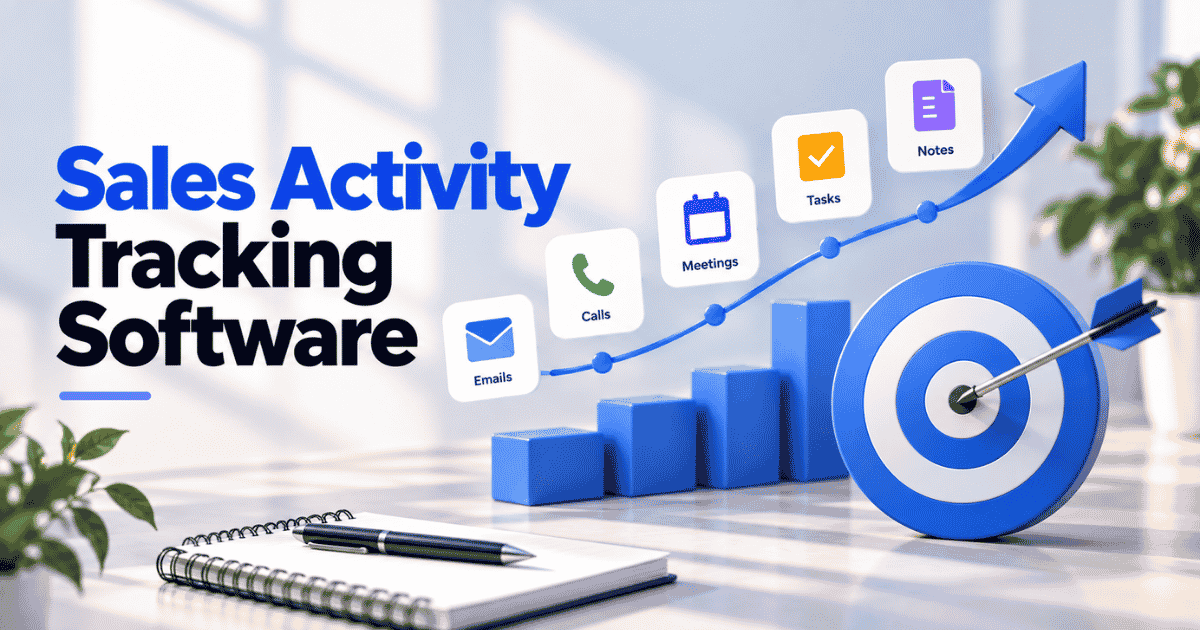
Most deals don't slip because of a bad pitch. They slip because a follow-up never happened, or a deal went quiet unnoticed. Sales activity tracking software helps businesses monitor and optimize daily sales operations. It records every email, call, meeting, and task, then ties each one to the right contact and deal. Salesforce reports that its CRM applications can increase company sales by up to 29%.
Small sales teams feel the gap most. Founders, sales managers, and reps on teams of 5 to 50 rarely have RevOps support to chase missing data. Every unlogged touchpoint weakens the forecast and hides stalled deals. Below, you'll see what to track, which tools fit your team, and how to set up tracking without burying reps in admin.
What Is Sales Activity Tracking Software
Sales activity tracking software records every action a rep takes with a prospect or customer. Dedicated sales activity tracking platforms log emails, calls, meetings, and tasks on one timeline, linked to the right contact and deal.
Most sales tracking software connects to your inbox and calendar, so reps skip manual data entry. Sales tracking software centralizes customer communication for better visibility across the sales pipeline. Effective sales tracking can improve customer relationship management significantly and shows where your sales process stalls.
Sales Activity Tracking Vs. Sales Tracking
Sales activity tracking records what reps do. Sales tracking records what happens to deals and revenue. Both matter, but they answer different questions.
Criteria | Sales Activity Tracking | Sales Tracking |
|---|---|---|
What It Records | Emails, calls, meetings, tasks, notes | Deals, stages, revenue, win rates |
Question It Answers | What are reps doing? | What's closing, and when? |
Indicator Type | Leading | Lagging |
Main Users | Reps and sales managers | Sales leaders and finance |
Main Use | Coaching and follow-ups | Pipeline management and forecasting |
Activity tracking sits one step upstream. It logs the emails, calls, and meetings behind every deal. Tracking individual metrics aids in data-driven coaching, since managers can see which habits separate top reps from the rest.
The best sales tracking software combines both views on one record. Some tools add marketing automation too, but activity data is what explains why pipeline numbers move.
Which Sales Activities Should The Software Capture
Sales tracking software automates logging of calls, emails, and meetings. Capturing the right activity types keeps sales data complete and shows real deal progression. Six activity types matter most for lean sales teams. Activity tracking works best alongside the right sales communication tools; this guide covers the five types and how to choose a stack.
Emails And Replies
Email is where most B2B deals move forward. The software should log every sent email, every reply, and the thread it belongs to. Tools that act as sales tracking software integrate with Gmail and Outlook, so nothing needs forwarding or copying.
Replies matter more than sends. A rep who sends 40 emails with no response has a messaging problem, not an effort problem. Open and reply data shows which conversations are still alive.
Meetings And Calendar Events
Meetings are the clearest sign of deal progression. A discovery call, a demo, and a pricing review each mark a real step forward. The software should pull each one straight from the calendar and attach it to the right deal.
Look for attendee names and meeting type, not just a time slot. Knowing who joined tells you whether a deal has more than one champion. Single-contact deals carry more risk and deserve a closer look.
Calls And Call Outcomes
Calls still close deals, especially in outbound and high-touch sales. Logging a call should capture more than the fact it happened. Duration, outcome, and a short note on next steps give managers real sales data to work with.
Outcome tags like connected, voicemail, or no answer keep reporting honest. Without them, 50 dials and 50 conversations look the same on a dashboard. Good sales tracking software focuses on what each call achieved.
Tasks And Follow-Ups
Tasks turn good intentions into scheduled work. Every follow-up needs an owner, a due date, and a link to the contact or deal. Unlike generic project management apps, a sales tracking system ties each task to a live opportunity.
Completion data counts as much as creation. Sales tracking helps identify stalled deals and improve follow-ups, because overdue tasks show exactly where momentum dropped. A deal with three missed follow-ups needs attention before it goes cold.
Notes And Deal Updates
Notes capture what the other activity types miss. Budget concerns, a new decision-maker, or a competitor in the mix rarely show up in an email log. A quick note on the record keeps that context from living only in a rep's head.
Stage changes, value edits, and new close dates need logging too. Together, they show how customer interactions shape each opportunity over time. Reliable sales tracking tools record every change with a timestamp and author.
Post-Sale Touchpoints
Most tools stop tracking once a deal closes. The customer relationship doesn't. Onboarding calls, support tickets, renewal talks, and satisfaction scores all belong on the same timeline as the original deal.
Centralizing past interactions enhances customer context for sales reps. A rep pitching an upsell should know about last week's open ticket before picking up the phone. Post-sale activity also reveals how sales performance holds up after the contract is signed.
How Sales Activity Tracking Software Captures Data
Sales activity tracking tools capture data in five main ways. Each method trades accuracy against rep effort and cost. Picking the right sales tracking software starts with knowing how your team actually sells.
Manual Logging
Manual logging means reps type in each call, email, and meeting themselves. It works for a solo founder or a two-person team. A spreadsheet or a basic sales tracking program is often enough at that stage.
The problem shows up as the team grows. Reps skip logging when deals get busy, so records fall behind the actual sales process. Automated activity logging reduces administrative burdens and closes those gaps without adding daily chores.
Email And Calendar Sync
Email and calendar sync is the easiest place for B2B teams to start. The software connects to Gmail or Outlook and logs every email and meeting against the matching contact. Reps keep working in their inbox as usual.
Sales tracking software improves data quality by logging interactions automatically. Timestamps stay accurate, threads stay intact, and managers can check deal progress without asking for updates. Set filters early so personal emails stay out.
Built-In Dialers And Call Logging
Built-in dialers let reps call straight from the CRM or a connected phone app. Every call logs automatically with duration and outcome, plus a recording where local laws allow it. No one has to remember what happened after hanging up.
Outbound SDRs and inside sales teams benefit most. Among sales tracking software options, some include native calling while others rely on integrations with tools like Aircall or RingCentral, sometimes paired with AI sales assistants for pipeline efficiency. Check which applies before you buy.
Conversation Intelligence
Conversation intelligence tools record and transcribe sales calls and video meetings. AI then pulls out topics, objections, competitor mentions, and next steps. Gong is a well-known example in the category.
The data goes deeper than a simple activity log. Managers can see how talk patterns relate to sales cycle length and win rates, which sharpens revenue forecasting. The trade-off is cost, since most tools sit on top of an existing CRM.
GPS And Field Check-Ins
Field sales teams need a different capture method. Mobile apps log customer visits with GPS coordinates and timestamps when a rep checks in on site. SPOTIO and similar field tools are built around the workflow.
Location data proves visits happened and helps plan better routes. Trust is the risk, since reps may see GPS as surveillance. Pick sales tracking functionalities that are permission-based and tied only to work tasks during working hours.
Key Features To Look For In Sales Activity Tracking Software
Choosing sales tracking software gets easier when you know which features actually save time. Seven features separate a useful tool from another admin burden for busy sales reps and their managers.
Automatic Activity Capture
Automatic capture determines whether tracking lasts. The software should log emails, meetings, and calls in the background, with no extra clicks. If reps must remember to log, gaps appear fast.
Sales tracking software enhances productivity by automating administrative tasks. Reps spend their time selling instead of updating fields at the end of the day. Ask vendors exactly which channels get captured automatically and which still need manual entry.
Single Timeline On The Contact Record
Every email, call, meeting, note, and task should appear on one timeline attached to the contact. Anyone opening the record sees the full history in order. Nobody has to dig through inboxes or ask a colleague what happened last week.
A shared system improves accountability by clarifying ownership of prospects. Handoffs get cleaner when a rep leaves or an account changes owner. The timeline, especially when enriched with centralized notes and activity tracking, keeps context intact across the entire sales process.
Activity Linked To Deals And Pipeline Stages
Activity only means something when it connects to a deal. Look for software that links each touchpoint to an opportunity and its current stage. Visual sales pipelines help teams see deal statuses at a glance, which makes visual pipeline management far simpler.
Customizable fields ensure the software fits specific sales processes. A team with short sales cycles needs different stages than one selling six-month contracts. Sales pipeline CRM tools add the flexibility that prevents messy workarounds later.
Inactivity Alerts And Follow-Up Reminders
Deals rarely die loudly. They go quiet. Inactivity alerts flag any deal with no emails, calls, or meetings for a set number of days, so managers can step in early.
Automated reminders prevent stalled deals by triggering follow-ups. A good rule might remind a rep three days after a proposal goes out with no reply. The right sales tracking system lets you set these rules without code and adjust them by pipeline stage.
Activity Dashboards And Reports
Real-time dashboards provide insights into sales performance and trends. Managers can see activity by rep, by week, and by deal stage without building spreadsheets. Sales tracking software provides real-time pipeline visibility for better decision-making.
Sales activity tracking software provides useful performance reporting when it ties activity to outcomes. Look for reports that connect key sales metrics like meetings booked and win rate. Strong sales deal tracking also shows which marketing campaigns produced the leads behind your sales efforts.
Mobile Logging
Sales doesn't only happen at a desk. Reps log calls after client meetings, update deals between site visits, and check the pipeline on the road. A mobile app that syncs with the main record keeps that activity from getting lost.
Check how much the app can actually do. Some only show data, while others let reps add notes, log calls, and complete tasks. Voice notes and quick-log buttons help reps capture details while they're fresh.
Privacy Controls And Email Filters
Automatic capture needs guardrails. Good software lets admins exclude personal emails, internal threads, and specific domains from logging. Reps should also be able to mark a conversation private without breaking the rest of the record.
Privacy controls matter for compliance too. Teams selling in Europe need tools that support GDPR requirements, such as data access and deletion. Clear rules also build trust, so sales reps see tracking as support rather than surveillance.
5 Best Sales Activity Tracking Software By Team Type
No single tool fits every sales team. The five picks below cover lean B2B teams, all-in-one buyers, pipeline-first sellers, inbox-heavy reps, and call-driven teams, so you can match software to how your team actually sells.
1. Gain.io
Gain.io suits B2B teams that want activity tracking without manual data entry. It connects your Gmail or Microsoft inbox and calendar, so emails log against the right contact automatically, with opens and replies. Every email, call, note, meeting, and deal sits on one contact timeline. Anyone who picks up an account sees the full history, powered by Gain.io’s smart CRM features.
Tasks carry due dates and priority and link to the deal or contact they belong to. No-code workflows schedule reminders and send follow-ups, so nothing depends on memory. The drag-and-drop pipeline updates deal values as cards move, with filters and forecasting by stage, value or owner. Meeting booking, Eden AI conversation summaries, and one dashboard for sales and support numbers are also included.
Best for: Teams where sales and support share one customer record.
2. HubSpot Sales Hub
HubSpot Sales Hub works well for teams that want activity tracking inside a large marketing and sales platform. Its extensions for Gmail and Outlook log emails to the CRM, and email tracking shows engagement in real time. Reps can call with a power dialer and voicemail drops, and the calls log to the contact. The free tier covers deal tracking and meeting scheduling. Sequences, workflows and call recording come with the paid tiers. Its AI reads transcripts, emails and deal history to suggest CRM updates and next steps, similar in spirit to tools compared in Gain.io vs Salesforce CRM.
Best for: Teams already using HubSpot for marketing.
3. Pipedrive
Pipedrive is built around activity-based selling. The idea is that closing deals comes from completing the right actions, not from watching the pipeline. Reps schedule calls, meetings, and tasks against each deal, and the mobile app lets them schedule even while offline. Email sync and tracking keep conversations on the deal, and calls made from the app are tracked automatically. Task automation cuts down on data entry. Customizable reports and an AI sales assistant show which activities lead to won deals, and many teams compare options using a Gain.io vs Pipedrive CRM guide.
Best for: Small sales teams that run on a visual pipeline.
4. Salesflare
Salesflare aims to remove manual logging almost completely. Once you connect your inbox, it fills the account timeline with the email history between your team and every contact on the account. Meetings from your calendar and phone calls show up on the same timeline. Email and web tracking show when prospects engage. Automated reminders and AI suggestions tell reps when to follow up. The LinkedIn integration and email sequences support outreach from the same tool, similar to other email, calendar, and contact integration software.
Best for: Small B2B teams that hate data entry.
5. Gong
Gong isn't a CRM. It's a revenue intelligence platform that sits on top of the CRM you already use. It captures calls, meetings, and emails, then analyzes them to show what's working in deals. Managers get unbiased insights into pipeline risk and more accurate forecasts. AI agents handle follow-ups and CRM updates after conversations, acting as a layer of sales automation software on top of your stack. Gong connects to your existing tools through its integration network.
Best for: Mid-market and enterprise teams that want conversation insights on top of their CRM.
How To Set Up Sales Activity Tracking Without Burdening Reps
Rollout decides whether tracking sticks. A good setup lets reps focus on selling while the software handles logging. Five steps keep sales activity tracking simple, accurate, and tied to revenue outcomes.
Decide What Counts As An Activity
Start with a short list of activities that show real buyer engagement. Replied emails, booked meetings, connected calls, and completed follow-ups usually make the cut. Notes and unified activity tracking then keep that engagement visible across the team. Newsletters, auto-replies, and internal chats don't belong there.
Write the definitions down and share them with the team. Complex sales processes may need extra types, like security reviews or pilot kickoffs. Keep the list tight at first, since skipping advanced features early makes adoption easier.
Connect Inbox And Calendar First
Email and calendar sync delivers the biggest win for the least effort. Once connected, most emails and meetings log without reps lifting a finger. Sales tracking software makes the switch from manual logging almost invisible.
Test the connection on a free plan or trial before rolling it out. Check that emails match the right contacts and that personal threads stay out. Fix those rules first, then add calls and other channels. When choosing CRM tools that fit your workflow, prioritize reliable email, calendar, and contact integration so tracking works without extra effort.
Link Every Activity To A Contact Or Deal
An activity with no linked record is almost useless. Every email, call, and meeting should attach to a contact and, where one exists, an open deal. Dynamic contact management helps here, since orphaned activity is where deal tracking breaks down.
Good customer relationship management tools do most of the matching automatically by email domain. Use rules to automate repetitive tasks like creating a contact from a new sender. A well-designed B2B sales CRM with drag-and-drop functionality on the pipeline board then keeps deals current in seconds.
Set Inactivity Rules Before You Set Quotas
Quotas push reps to do more. Inactivity rules make sure nothing already in the pipeline gets forgotten. Set them first, because a missed follow-up on a live deal costs more than a slow prospecting week.
Real-time pipeline visibility helps identify stalled deals early. A simple starting rule flags any deal with no activity in 7 to 14 days. Adjust the window by stage, since late-stage deals should never sit quiet for long.
Keep Tracking Going After The Deal Closes
Closed won is a milestone, not the finish line. Onboarding calls, support tickets, and renewal talks all add to the customer story. Logging them on the same record gives customer success teams full context from day one.
Post-sale activity also helps sales. Reps planning an upsell can see open issues and satisfaction scores before reaching out. Tools that keep sales and support on one record, with strong sales pipeline management, make the handoff simple for both teams.
Common Sales Activity Tracking Problems And How To Fix Them
Most revenue teams hit the same tracking problems once the tool goes live. Small businesses feel them fastest, since one bad habit skews activity data. Five issues come up most, each with a clear fix.
Orphaned And Duplicate Activities
Orphaned activities are emails or calls logged without a linked contact or deal. Duplicates appear when the same contact exists twice under different email addresses. Both clutter the record, skew reports, and weaken sales visibility.
Most CRM systems can match activity by email domain and merge duplicate contacts. Turn on those rules first, then run a quick monthly cleanup of unlinked items. Effective CRM lead management and disciplined data hygiene upfront prevent painful data entry fixes later, and case studies on closing deals faster with Gain.io show the impact of getting this right.
Reps Treating Tracking As Surveillance
Sales professionals push back when tracking feels like a manager watching over their shoulder. Resistance shows up as skipped logs, vague notes, and private side spreadsheets. The data quietly gets worse, and nobody notices until forecasts miss.
Explain what gets tracked and why. Show reps how activity data helps them close deals, through reminders and context, instead of only feeding performance metrics to leadership. When tracking lifts their own sales productivity, adoption follows.
Activity Volume Without Deal Context
High activity counts look great on a dashboard. But 200 emails mean little if they went to cold leads that never replied. Volume without context rewards busywork over progress and hides weak targeting.
Tie every activity to lead tracking and deal stages in your sales CRM. Managers monitoring deal progress should see which touches moved an opportunity forward. Reviewing activity across the entire sales cycle shows which habits actually lead to wins.
Deal Stages That Don't Match Reality
Activity can look healthy while the deal stage is wrong. A deal marked Negotiation with no contact in three weeks isn't really in negotiation. Stale stages make the whole forecast unreliable.
A visual sales pipeline makes the mismatch obvious when stages and recent activity sit side by side. Visual sales pipeline software shows exactly where each deal stands. Review stages weekly and move deals back when activity doesn't support the current stage.
Too Many Tools Logging The Same Touchpoint
Many teams stack a CRM, an email tracker, a meeting notetaker, and dedicated marketing platforms. Each one logs its own version of the same call or email. Reports double-count, and reps stop trusting the numbers.
Pick one system as the source of truth for activity. Sales software that captures core activity natively eliminates manual data entry and removes the need for overlapping add-ons. A simpler CRM with a streamlined sales workflow is often easier to maintain as you grow. Review your stack as part of each growth plan, before adding another tool.
Final Thoughts
Sales activity tracking works when it runs in the background. Reps shouldn't spend their evenings logging calls, and managers shouldn't chase updates. Sales tracking provides real-time visibility into sales pipelines, but only when capture is automatic and every activity links to a contact or deal. Start small. Connect inbox and calendar, define what counts, and set inactivity rules before quotas.
Your team type should drive the tool choice. Call-heavy teams may need a dialer or conversation intelligence, while lean B2B teams get the most from email sync and a clean timeline. Gain.io keeps sales activity and support history on one customer record, so tracking doesn't stop when the deal closes. This all-in-one CRM helps you start a free trial and see your pipeline with nothing missing.