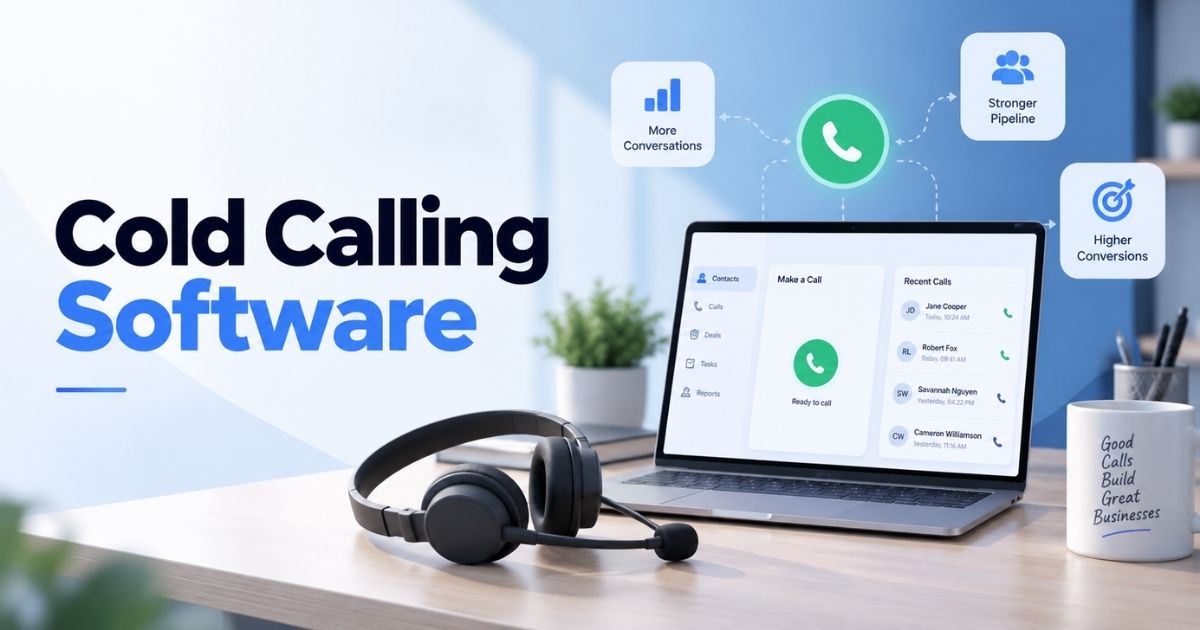
Cold calling software is any tool built to help sales teams place, track, and manage outbound calls to prospects who haven't shown interest yet. It combines dialing, call recording, and CRM syncing so reps spend less time on admin and more time talking to people. Not every option fits every team, though. Real estate dialers work differently than tools built for B2B software sales.
Enterprise call centers need features a five-person startup never will. The guide covers what cold calling software actually does, the features worth paying for, and how to choose a tool that matches your sales process instead of fighting it. We'll also look at how a solid CRM setup makes every call count, before and after you dial.
What Is Cold Calling Software
Cold calling software is a set of cold calling tools that let sales reps dial prospects, track outbound calls, and log results without switching between apps. It replaces a phone, a spreadsheet, and a notepad with one system built around outbound sales.
Most platforms include an auto-dialer, call recording, and voicemail drop as standard. Many also offer local presence dialing, which shows prospects a local area code instead of an out-of-state number, boosting the odds they'll pick up. Some tools handle inbound calls too, routing them to the right rep when a prospect calls back.
The software exists because outbound sales teams make a high volume of calls daily, and manual dialing wastes hours reps could spend actually talking to people. Good cold calling software removes that friction and gives managers visibility into what's working and what isn't.
How Does Cold Calling Software Work
A cold calling solution works in stages, from picking the right leads to logging what happened after each call. Here's what happens at each step, from prep to performance review.
Lead Selection And Preparation
Every cold calling campaign starts before the first dial. Reps pull lead lists from the CRM, filtered by industry, company size, or past engagement, then confirm contact details are current. New sales reps often skip this step and pay for it later with wrong numbers and wasted calls.
Good prep also means knowing why you're calling. A quick note on the account, the trigger event, or the last touchpoint gives the rep something real to open with instead of a generic pitch.
Automated Number Dialing
Once the lead list is ready, the dialer takes over. Auto-dialers move through numbers automatically, skip busy signals and disconnected lines, and connect reps only when a real person picks up. Most of the time savings in a cold calling solution show up right here.
Dialing at scale also means staying inside the rules. The Telephone Consumer Protection Act sets limits on autodialed calls and prerecorded messages, so any team that wants to conduct cold calls legally needs software built around those restrictions from the start.
Call Connection And Routing
When a prospect answers, the software connects the call instantly and, in many cases, uses local presence dialing so the prospect sees a familiar area code instead of a random one. Local presence alone changes how many phone calls actually get picked up.
If the call comes in the other direction, routing rules send it to the rep who owns the account or whoever's next in the queue, so inbound calls never sit unanswered while the team is heads-down on outbound work.
Call Disposition And Activity Logging
After the call ends, the rep marks a disposition, connected, voicemail, no answer, or not interested, so the outcome gets captured in one click instead of relying on memory that fades before lunch. It keeps the pipeline accurate later on, without the guesswork.
Call notes get added right after, while the conversation is still fresh. Good software makes this fast, a text box next to the dial pad, not a separate form buried three clicks away.
CRM Updates And Follow-Up
The best cold calling software options push the disposition and notes straight into the CRM automatically, so nobody has to copy details from one system to another by hand. The record updates the moment the call ends.
The update also triggers what happens next. If the sales call went well, a follow-up task gets scheduled. If it didn't, the lead moves to a different sequence or gets flagged for a callback in a few weeks.
Performance Tracking
Managers need to know what's working, not just how many calls got made in a day. Dashboards break down connect rates, talk time, and conversion by rep, campaign, or script version, so patterns show up fast.
Many outbound sales teams treat this step as optional and lose the chance to coach reps on real data instead of gut feel. Tracking performance turns a pile of call logs into a repeatable process.
Types Of Cold Calling Software
Not every cold calling setup dials the same way. The dialer type built into your sales tools shapes how many calls get made, how natural each phone system sounds, and how much control reps keep over the conversation.
Preview Dialers
A preview dialer shows the rep the lead's details before the call connects, giving them a moment to check notes, the company, and the last touchpoint. Nothing dials until the rep clicks to call, so there's no risk of connecting before the rep is ready.
Preview dialers work well for complex or high-value accounts where prep matters more than speed. New team members often start here, since the extra seconds before each call give them room to think without pressure to keep pace with a faster queue.
Power Dialers
A power dialer moves to the next number the moment a call ends, no manual redial needed. It keeps the entire sales team moving through a list without the gaps that slow down manual dialing.
Reps still handle one call at a time, so quality doesn't drop. Call outcomes get logged right after each conversation, keeping the dialer fast without sacrificing the follow-up work that turns a call into a real opportunity.
Progressive Dialers
A progressive dialer works like a power dialer but adds a short pause between calls, giving reps a few seconds to finish notes before the next number connects. It fits teams running a sales engagement platform alongside their dialer, where sequencing and timing matter as much as call volume.
Fewer dropped calls and cleaner data are the payoff. Reps who use progressive dialers consistently report closing more deals, since the extra seconds protect call quality instead of rushing straight to the next dial.
Predictive Dialers
A predictive dialer uses call data to guess when a rep will be free, then dials multiple numbers ahead of time so a connection is ready the moment the rep hangs up. It's built for volume, not per-call prep.
Automatic call recording is standard here, since reps move too fast to take detailed notes mid-call. Teams record calls by default and review them afterward, catching what got missed in the moment.
Parallel Dialers
A parallel dialer calls several numbers at once and connects the rep to whichever one answers first, dropping the rest. It's the fastest way to burn through a list when the goal is raw connect volume over precision.
Among the best cold calling tools for high-volume prospecting, parallel dialers stand out for speed alone. They suit large lead lists and early-stage outreach, where getting a live person on the line matters more than which specific lead answers first.
AI-Powered Dialers
An AI-powered dialer adds automation on top of the dialing itself. AI human voice detection filters out voicemail and dead air before a rep ever picks up, so reps only connect to real conversations.
Some platforms go further with an AI voice agent that can run the opening seconds of a call or qualify a lead before handing off to a human rep. It's the newest category here, and the one changing fastest.
Features Of Cold Calling Software
The right calling tools do more than dial a number. Here's what separates a basic phone line from software built to run outbound at scale.
Power And Automated Dialing
Automated dialing removes the manual work of typing numbers one by one. The system queues the list and moves reps straight to the next call the moment the last one ends, keeping call volume high without extra effort.
This matters most on high-output days. Reps stay focused on the conversation instead of the dial pad, and managers get a steady, predictable pace across the whole team instead of gaps between calls.
CRM Integration And Automatic Call Logging
Post call automation pushes the outcome, notes, and next steps straight into the CRM the moment a call ends. Nobody switches tabs or copies details by hand.
This is where call automation earns its keep. A clean, synced record means the next call, whether it's a follow-up or a fresh lead, starts with full context instead of a rep guessing what happened last time.
Call Recording And Transcription
Recording every call gives managers a way to coach without sitting in on live conversations. Transcripts turn each call into searchable text, so finding a specific objection or pricing question takes seconds, not a full replay.
Support teams benefit from this too, not just sales. A transcribed call history means anyone picking up an account later can review calls fast and understand exactly where things stand.
Voicemail Drops And Call Disposition
Voicemail drops let reps leave a pre recorded message with one click instead of repeating the same line by hand on every unanswered call. It saves real time across a full day of dialing.
Disposition tagging closes the loop right after. Marking a call connected, no answer, or not interested takes a second and keeps the pipeline accurate without reps relying on memory hours later.
Local Presence And Caller ID
A local number changes pickup rates more than almost any other feature on this list. Prospects are far more likely to answer when the caller ID matches their own area code instead of showing up as an unknown number.
This works across a virtual sales floor of any size, whether reps are calling from one office or scattered across time zones. The software handles the number swap automatically, so no rep needs to think about it.
AI Conversation Intelligence
AI tools now flag talk-time ratios, objection patterns, and even tone shifts inside a call, turning raw recordings into structured coaching data. It's a faster way to spot what's working across the team than manually reviewing calls one at a time.
For managers running a large team, this closes the gap between call volume and call quality. The software surfaces the calls worth a manager's attention instead of leaving them buried in a list.
How Does Cold Calling Software Improve The Sales Process
Cold calling software touches almost every stage of outbound work, not just the dial itself. Here's where it actually moves the needle across a complete outbound motion, from first call to closed deal.
Reduce Manual Dialing And Data Entry
Manual dialing eats time that should go toward selling. Automated dialing and call routing remove the busywork of typing numbers and waiting on connections, so reps spend their day talking instead of clicking through a list.
Data entry drops just as much. Call details sync to the CRM without a rep typing anything twice, cutting the small daily tasks that pile up and quietly steal hours from a full workweek.
Increase Productive Talk Time
Every dropped call, wrong number, or slow redial cuts into actual selling time. Automated dialing skips the dead ends and connects reps only when someone's on the line, protecting talk time across the day.
Human voice detection adds another layer, screening out voicemail and dead air before a rep ever says a word. Reps end up talking to more real people in less time, not just dialing more numbers.
Keep Prospect Records Updated
A prospect record that's out of date leads to duplicate calls, missed context, and awkward conversations. Automatic logging keeps every field current the moment a call wraps, without anyone circling back to fix it later.
This also protects caller ID reputation over time. Clean records mean fewer repeat calls to numbers that already opted out, which keeps a business number from getting flagged as spam by carriers.
Speed Up Post-Call Follow-Up
The gap between a call ending and a follow-up going out is where deals quietly die. Software that triggers the next task automatically closes that gap, so a follow-up email or callback gets scheduled while the conversation is still fresh.
Reps don't have to remember to circle back. The system does it for them, which matters most on high-volume days when a dozen calls happen before lunch.
Improve Sales Rep Visibility
Managers can't coach what they can't see. Call recordings paired with call scoring give a clear, consistent way to judge conversations instead of relying on a rep's own summary of how the call went.
That visibility opens the door to real-time coaching, catching a missed objection or a weak close while it's still relevant instead of during a review weeks later. Reps improve faster with feedback that's actually timely.
Connect Calls To The Sales Pipeline
A call means little if it doesn't tie back to where the deal stands. Linking call outcomes directly to pipeline stages turns a single conversation into a visible step in the deal's progress, not an isolated event.
This is also where cold calling software has to work with other sales tools, particularly the CRM. When the two are connected properly, every call updates the record automatically instead of leaving that step to a rep's memory.
What Should You Look For In Cold Calling Software
Picking the right tool means matching features to how your team actually sells, not just picking the option with the longest feature list. Here's what to check before you commit.
Dialing Capabilities
Start with how the dialer matches your call volume. High-volume outbound teams running frequent call blitzes need power dialing or predictive dialing to keep pace, while smaller teams calling fewer, higher-value potential customers often do better with a preview dialer that leaves room to prep. Check whether the tool supports local presence numbers too, since that alone can shift pickup rates more than any other setting. The wrong dialer type either slows a high-volume team down or overwhelms a team that needs more control per call.
CRM And Sales Stack Integration
A dialer that doesn't sync with your CRM creates extra work instead of saving it. Look for native integration, not just a Zapier workaround, so call outcomes, notes, and next steps land in the record automatically. Modern revenue teams run on more than a phone line, calendars, email, and pipeline tools all need to talk to each other. Before buying, confirm the software connects cleanly with what you already use, since a tool that forces reps to update two systems defeats the entire point of automation.
Call Intelligence And Analytics
Recordings alone aren't enough if nobody reviews them. Look for transcription, call scoring, and talk-time breakdowns that turn raw calls into something a manager can actually act on. This is what lets a manager coach reps using real conversations instead of a rep's own summary of how a call went. Analytics should also roll up by rep, team, and campaign, so patterns in what's working show up fast instead of staying buried in individual call logs nobody has time to review one by one.
Lead Management And Data Quality
Software is only as good as the list it's dialing. Look for tools that flag bad numbers, dedupe records, and let reps filter leads by industry, engagement, or account owner before a call blitz starts. Poor data quality wastes call volumeon numbers that were never going to answer in the first place. The best platforms also update lead status automatically after each call, so the next rep working that list sees an accurate picture instead of information that's already a week stale.
Workflow And Follow-Up Automation
A call that ends without a scheduled next step is a call that's easy to forget. Look for software that triggers follow-up tasks, sequences, or reminders the moment a disposition gets logged, closing the gap between the conversation and what happens next. This matters most for high-volume outbound teams juggling dozens of calls a day, where memory alone isn't reliable. Good automation here turns a single call into a tracked step in a longer process instead of a one-off event with no clear follow-through.
Security, Compliance, And Scalability
Compliance isn't optional, especially with autodialing rules like the Telephone Consumer Protection Act shaping what's allowed. Look for built-in consent tracking, call recording disclosures, and do-not-call list management before rolling software out broadly. Scalability matters just as much, a tool that works for five reps should still hold up as the team grows, without a costly platform switch later. Check how easily new seats, numbers, and permissions get added, since scaling pains usually show up right when growth is happening fastest.
Best Cold Calling Software For Different Sales Teams
The right cold calling software depends on team size, call volume, and how leads move through the pipeline. Here's what to prioritize for each type of team, since "best" looks different depending on where you sit.
Small B2B Sales Teams
Small teams don't need every feature on the market, just the core ones done well. A preview or power dialer, solid CRM integration, and transparent pricing matter more than a long feature list built for a call center.
Look for tools priced per seat with no long-term contract, since small teams need to scale up or down without penalty. Parallel dialing and advanced AI features are usually a nice to have here, not a requirement, at this size.
SDR And Outbound Teams
SDR teams liveon volume, so power dialing or predictive dialing that keeps reps moving between calls matters most. The ability to manage leads directly inside the dialer, without switching to a separate CRM tab, saves real time across a full shift.
Call disposition and automatic logging are non-negotiable here too. SDRs make dozens of calls a day, and any manual step that slows down the next dial adds up fast across an entire team working the same target list.
High-Volume Sales Teams
Teams running heavy call blitzes need dialers built for speed, parallel dialing especially, since it connects reps to whichever number answers first and drops the rest. Multiple numbers or local presence pools also help maintain pickup rates at scale.
Analytics matter more here than anywhere else. With this much call volume, managers need dashboards that surface patterns automatically, since reviewing every call manually isn't realistic once a team is dialing into the hundreds or thousands weekly.
Remote And Distributed Teams
Distributed teams need software that works the same regardless of where a rep is calling from, with cloud-based dialing tied to business lines instead of physical desk phones. Consistent caller ID across locations keeps pickup rates steady no matter the rep's timezone.
Visibility becomes more important too. Without a shared office, managers rely entirely on recordings, call scoring, and logged notes to coach reps and confirm the team is staying on pace with targets.
Enterprise Sales Teams
Enterprise teams need software that scales across large rosters without breaking, with support for multiple numbers, advanced permissions, and integration into a broader sales stack beyond just the CRM. Compliance tooling becomes critical at this size too.
Security and audit requirements are usually stricter here as well. Enterprise buyers should expect detailed reporting, role-based access, and vendor support that can handle rollout across dozens or hundreds of seats at once.
How To Choose The Right Cold Calling Software?
Picking the right tool comes down to matching features to how your team actually sells, not chasing the platform with the most add-ons. Here's a practical framework to work through before you commit to anything.
- Define your call volume and team size first. A five-person team calling a handful of warm leads a day needs something different than a 50-seat SDR floor running constant call blitzes. Get this number right before you look at a single feature.
- Pick the dialer type that matches your motion. High-volume outbound needs power or predictive dialing. Complex, high-value sales need a preview dialer that leaves room to prep. Don't buy for the sales team you wish you had.
- Check CRM integration before anything else. Confirm the software syncs natively with your CRM, not through a third-party workaround. If call outcomes and notes don't land in the record automatically, you've bought a second system to babysit.
- Test local presence and caller ID options. Pickup rates depend heavily on this. Ask how many local numbers the platform supports and whether it swaps numbers automatically based on the prospect's area code.
- Review the compliance tooling. Confirm the software handles consent tracking, call recording disclosures, and do-not-call list management out of the box. This isn't optional once autodialing rules like the Telephone Consumer Protection Act come into play.
- Ask about analytics depth, not just recordings. Raw call recordings without transcription, scoring, or talk-time data are hard for a manager to use. Look for reporting that rolls up by rep and campaign automatically.
- Confirm pricing scales the way your team will. Look for transparent, per-seat pricing with no long lock-in. A tool that's affordable at 5 seats but punishing at 25 will cost you a painful migration later.
- Run a real trial with your own leads. Skip the demo script and test the software on an actual call list for a few days. That's the only way to see how it performs with your real prospects, not a sales rep's curated example.
Final Thoughts
Cold calling software works best when it fits how your team already sells, not the other way around. A five-person team calling warm leads needs a different setup than a fifty-seat SDR floor running constant blitzes, and the dialer type, CRM integration, and compliance tooling should all follow from that reality.
The real payoff shows up in small moments: a rep who never types a number twice, a manager coaching from real call data instead of guesswork, and a pipeline that stays accurate without anyone circling back to fix it. Start with your call volume and team size, test a short list against your own leads, and let the results decide. The right tool should make outbound easier, not hand you another system to babysit.