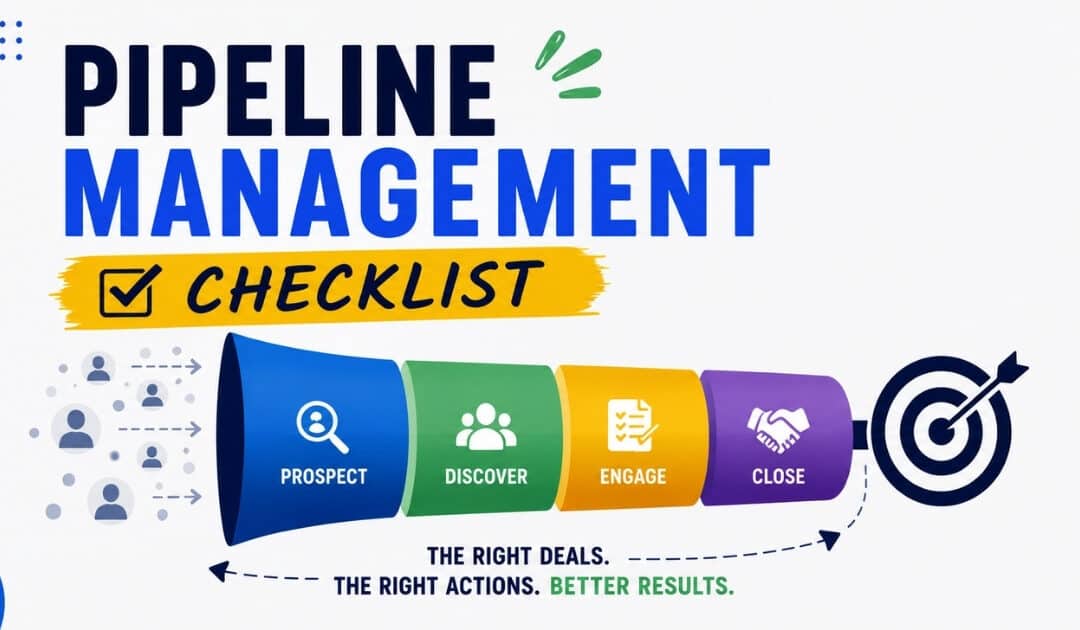
B2B buying has become slower, more committee-driven, and more research-heavy since 2020. B2B sales funnels typically involve longer sales cycles, often ranging from 3 to 12 months, compared to B2C sales funnels, which usually have shorter decision-making processes. In B2B sales, the average buying committee consists of 8 to 13 decision-makers, whereas B2C purchases are generally made by individual consumers or smaller groups. A b2b sales funnel maps the buyer’s journey from initial problem identification, engagement, evaluation, and purchase decision. Most teams use 5 to 6 core sales funnel stages. This article focuses on Awareness, Interest, Consideration, Decision, and Purchase.
B2B Sales Funnel Stages From Awareness To Purchase
Modern funnels evolved from AIDA, but sales leaders and RevOps teams now prefer a structured process that reflects how B2B buyers actually work. Some organizations use six stages, such as Prospecting, Needs Discovery, Solution Crafting, Solution Presentation, Win, and Account Development.
Awareness Stage
The awareness stage begins when potential buyers recognize a business problem or opportunity. They may find your company through search, LinkedIn, events, word of mouth, referrals, or industry reports from firms such as Gartner and McKinsey. During the Prospecting stage, sellers target potential buyers and generate demand through targeted campaigns, which are essential for filling the sales pipeline. Marketing teams usually own demand generation, content, paid search, and social visibility, while sales reps support through thoughtful social selling. Delivering immediate value while addressing industry pain points builds initial brand trust. Since many buyers complete 60 to 70% of their research before contacting sales, educational content is vital at this funnel stage.
Interest Stage
Interest starts when a prospective customer moves from passive research to active engagement. Signals include newsletter signups, repeat blog visits, a second webinar registration, comparison checklist downloads, or visits to a pricing page. Automated lead-nurturing email sequences provide continuous value to prospects, especially when the content is tied to role, industry, or pain point. This is where a marketing-qualified lead often appears, based on fit and behavior. Some teams label high-engagement activity as an intent stage, but the goal is the same: identify the right buyers before sales pressure begins. For many saas companies, buyers move between Awareness and Interest several times before booking a demo.
Consideration Stage
Consideration is the evaluation stage where qualified leads start evaluating solutions, comparing vendors, and involving multiple stakeholders. Buyers may request feature breakdowns, review integration guides, invite IT or finance, or start free trials. The Solution Crafting stage involves sellers analyzing the buyer’s situation to create a customized solution that demonstrates a clear return on investment. Middle-funnel tactics include tailored demos, ROI calculators, proof of concept plans, customer testimonials, and case studies. Providing quantifiable data and proof of concept helps prospects gain internal consensus among their buying committee. This is also where many MQLs become a sales-qualified lead after BANT, MEDDIC, or custom fit checks.
Decision Stage
The decision is where the buying committee has a shortlist and works toward the final purchase decision. Buyers run pilot reviews, security checks, legal review, procurement steps, reference calls, and 3 to 5-year total cost modeling. B2B sales funnels require multiple touchpoints and approvals due to the complexity of the buying process, while B2C funnels often allow for quicker, more impulsive purchases. Sales professionals have the most leverage here through mutual action plans, executive briefings, procurement alignment, and strong business cases. Benchmarks commonly place Opportunity to Closed Won conversion rates around 15 to 30%. A 9-month SaaS deal can stall when a CFO questions risk, but a clear ROI model and customer proof can restore momentum.
Purchase Stage
Purchase begins when the contract is signed, but it is only the beginning of the customer relationship. Implementation, onboarding, data migration, user training, and first-value milestones shape customer satisfaction and renewal confidence. The Account Development stage focuses on ensuring that buyers achieve maximum value from their purchase, which can lead to new opportunities and account growth. Excellent customer success delivery is essential to prevent early churn and identify opportunities for account expansion. Post-sale, B2B growth relies on maintaining client relationships and turning clients into brand advocates. Activities to foster long-term client loyalty include onboarding, customer success management, and requesting referrals from existing clients and existing customers.
Lead Qualification And Conversion Across Funnel Stages
Disciplined lead qualification protects marketing spend, improves conversion rates, and keeps the sales team focused on real opportunities. The lead qualification process is crucial for identifying whether a prospect has the budget, authority, need, and timeline (BANT) to move forward in the sales cycle, and understanding the distinction between marketing qualified leads and sales qualified leads is central to that discipline.
From Lead To Marketing Qualified Lead
The Lead to marketing qualified lead transition is mostly owned by marketing teams and is based on engagement plus ICP fit. A lead might become an MQL after 3 high-intent visits in 7 days, a webinar attendance plus guide download, or a product signup that matches target audience criteria. Well-targeted B2B campaigns often convert 20 to 35% of leads into MQLs, while top performers may reach 45 to 60%. If the rate is far higher, the scoring model may be too loose. If it is far lower, lead generation sources or messaging may need review. Closed-won and closed-lost data should recalibrate lead scoring regularly.
From MQL To Sales Qualified Lead
The MQL to sales qualified lead step is where SDRs, inside sales reps, or field sales teams validate whether a lead has real intent and fit. The questions should cover budget range, authority, urgency, technical requirements, and the business impact of doing nothing. Typical MQL to SQL rates often sit near 10 to 15%, though strong inbound programs can perform higher. Quick follow-up matters because interest cools fast, and many teams now compare AI lead scoring vs manual scoring approaches to decide how to prioritize responses. A unified CRM helps ensure that marketing passes high-quality data to sales when a prospect shows buying intent, reducing duplicate work and improving the quality of sales conversations.
From SQL To Opportunity
SQL to Opportunity means the buyer has an active project, defined scope, clear next steps, and at least one engaged sponsor. Mutual action plans, early ROI cases, and technical feasibility checks turn interest into a real sales process, and disciplined sales deal tracking practices keep these opportunities visible and actionable. Many B2B teams see SQL to Opportunity conversion near 40 to 60%, with higher rates when qualification is strict. If a prospect has no sponsor, no timeline, or no business priority, respectful disqualification protects rep capacity. For example, a SaaS proof of concept with strong usage, multiple team invites, and executive interest is a clear signal to move to the next stage.
From Opportunity To Closed Won
Opportunity to Closed Won depends less on lead volume and more on stakeholder management, negotiation, and risk reduction. Common blockers include security review, legal redlines, procurement delays, budget freezes, and late objections from finance. Complex enterprise deals may close at lower rates but produce much higher revenue generated per win. Better discovery, earlier legal and security engagement, multi-threaded relationships, and executive-ready business cases improve late-stage outcomes. Lost-deal reviews should feed back into messaging, qualification, sales enablement, and competitive analysis, so the same issue does not damage future opportunities.
Lead Quality Throughout The Funnel
Lead quality deteriorates when campaigns chase volume instead of fit. Warning signs include very small budgets, unsupported regions, misaligned industries, incompatible tech stacks, and no clear economic buyer. Shared dashboards help sales and marketing teams see source quality, stage movement, conversion rates, and revenue contribution from the same view. Progressive profiling and intent data improve the picture as potential customers move through the marketing funnel and sales funnel. Consistent win-rate gains usually come from better targeting and qualification, not simply more activity at the top of the funnel.
Key Metrics And Sales Forecasting By Funnel Stage
Good funnel management connects activity to revenue outcomes. The key metrics are lead volume, stage conversion rates, average deal size, sales cycle length, time in stage, win rate, and pipeline coverage. A dedicated sales pipeline CRM makes these metrics easier to track and act on. Regular analysis of the sales funnel helps B2B organizations to increase the close deal ratio, shorten the sales cycle, accelerate sales, and hit revenue quotas more often.
Stage Conversion Rates And Benchmarks
Useful benchmark ranges include Visitor to Lead at 2 to 5%, Lead to MQL at 25 to 35%, MQL to SQL at 10 to 15%, SQL to Opportunity at 40 to 60%, and Opportunity to Closed Won at 20 to 30%, according to current B2B benchmark summaries from sources such as Leadster. Deviations tell a story. Low Lead to MQL may signal poor targeting. Low MQL to SQL may show weak scoring. Low Opportunity to Close may reveal pricing, stakeholder, or proof gaps. Cohort analysis by industry, region, and deal size keeps targets realistic.
Sales Cycle Length And Time In Stage
The average sales cycle for B2B teams typically ranges between 60 to 120 days, though it can vary depending on deal size, segment, and enterprise sales motion complexity. Research on SaaS sales cycles places the median around 84 days, while enterprise deals often stretch 90 to 180 days or more, and cycle length has increased since 2022, according to Optifai. Tracking time in stage helps leaders spot stalled deals, such as an opportunity sitting in evaluation for 45 days without a new stakeholder meeting. Reducing average sales cycle length by 10 to 15% can create meaningful revenue growth without adding more leads.
Deal Size, Pipeline Coverage, And Sales Velocity
Pipeline coverage gives sales leaders a practical view of whether there is enough active opportunity to hit revenue quota. Many teams target 3 to 4 times quota in pipeline, adjusted for win rate, segment, and deal risk. Sales velocity is simple: number of qualified opportunities multiplied by win rate and average deal size, divided by average sales cycle. A small improvement in win rate or deal size can lift future revenue quickly. For SaaS forecasting, recurring revenue, expansion, renewal risk, and customer lifetime value also matter, even when the core sales funnel stops at Purchase.
Forecasting Methods Based On Funnel Data
Sales forecasting usually combines stage-weighted pipeline, historical conversion modeling, and cohort-based forecasts. Early opportunities receive lower probability weights than late-stage deals because buyer commitment is weaker. Large asymmetric deals should be forecast as separate scenarios because one enterprise contract can distort the full number. Back-testing forecast accuracy every quarter improves assumptions after market shifts, pricing changes, or new competitors enter. Clean CRM data, consistent stage definitions, and rep training are non-negotiable for credible pipeline management, and effective CRM use to improve sales productivity directly supports this rigor.
Funnel Health Over Time
Funnel health should be reviewed monthly and quarterly with rolling averages, not one-off reactions. Dashboards should show stage counts, conversion rates, deal age, time in stage, average deal size, source quality, and revenue generated. Sales organizations that stay ahead of the competition run extensive, ongoing competitive analysis, from features and benefits breakdowns to product positioning and third-party industry analysis. Healthy funnels show stable ratios between stages. Sudden changes in one sales funnel stage deserve investigation, especially when they affect forecast accuracy or close dates.
Buyer Journey Alignment With Funnel Stages
The customer journey is rarely linear. Buyers use websites, email, events, marketplaces, peer communities, analysts, partners, and self service research before speaking with a vendor. The best revenue teams align the b2b sales funnel with real buyer behavior instead of forcing every account through internal steps too rigidly.
Buyer Questions By Funnel Stage
In Awareness, buyers ask whether the problem is real and worth solving. In Interest, they ask which approaches exist. In Consideration, they ask which vendor fits their use case, integrations, budget, and risk tolerance. In Decision, they ask why this vendor now and who must approve. Different stakeholders can sit in different stages at the same time. End users care about usability, IT cares about risk, finance cares about payback, and executives care about strategic value. During the Needs Discovery stage, sellers must understand the buyer’s needs by asking insightful questions and inspiring them with new ideas, which can significantly influence buyer loyalty.
Stage-Specific Touchpoints That Match Buyer Readiness
Touchpoints should match buyer readiness. Awareness needs reports, practical blog content, events, and useful problem framing. Interest needs webinars, nurture sequences, and light discovery. Consideration needs demos, case studies, ROI tools, and technical workshops. Decision needs proposals, references, contract support, and executive alignment. In outbound journeys, sellers create more early momentum. In inbound or product-led journeys, buyer behavior tells the team when to engage. High-performing teams document the sequences that work and train new sales reps to repeat them with judgment.
Nonlinear Journeys And Loopbacks
Buyers often loop back when budgets change, a new stakeholder joins, or risk concerns surface. A prospect revisiting a pricing page, security page, or comparison asset may be showing both interest and concern. The right response is not pressure. It is re-qualification, updated ROI analysis, refreshed stakeholder mapping, and relevant proof. A deal that stalls for months can reactivate when a new champion arrives and needs a clean summary of the original problem, current value case, and agreed next step.
Marketing And Sales Coordination Around The Journey
Shared journey maps align campaign planning, SDR scripts, AE playbooks, and handoff rules. Service level agreements define response times, required qualification fields, and feedback loops on lead quality. For example, sales may commit to contacting new SQLs within one business day, while marketing commits to passing source, content engagement, and ICP data. Strong marketing and sales teams reduce friction around “lead quality” because both teams can see the same signals and outcomes, especially when they use a shared CRM designed to help sales teams manage leads effectively. This alignment improves sales and marketing efforts across the full buying process.
The Journey Beyond Purchase
Although this article focuses on Purchase, real growth continues through onboarding, adoption, renewal, expansion, and advocacy. A 5% increase in customer retention can boost revenue by 25-95%, significantly increasing customer lifetime value (LTV). Post-purchase engagement is essential for building a strong B2B sales pipeline and ensuring customer satisfaction, as dissatisfied customers are quick to churn. Happy customers are more likely to become brand advocates, offer testimonials, and leave positive reviews, which can enhance a company’s reputation and attract new clients. Loyal customers also create referrals and expansion pipeline through word of mouth.
Strategies For Improving Conversion Rates At Each Stage
Better conversion does not come from generic activity. It comes from focused experiments by funnel stage, clear ownership, and consistent follow-through. Sales and marketing teams should improve targeting, messaging, sales enablement, handoffs, and coaching as one system, using smart sales task automation to remove manual work where possible.
Top-Of-Funnel Awareness And Interest
Strong top-of-funnel performance starts with a sharper ICP and clearer value proposition. Segment by vertical, role, pain point, and deal size instead of speaking to everyone. Search, paid social, partner marketing, events, and content syndication can all work, but channel mix should reflect deal economics. For example, enterprise deals may justify account-based programs and executive events, while smaller opportunities may rely more on search and educational content. A campaign tied to a measurable business outcome, such as reducing manual reporting hours, usually attracts better-fit leads than generic product messaging.
Middle-Of-Funnel Consideration Improvements
Consideration improves when buyers see fit, proof, and relevance. Tailored demos, role-specific case studies, consultative discovery, and technical resources help buyers connect the solution to their environment. Personalization by industry, role, and tech stack shows that the seller understands the buyer’s constraints. Dynamic nurture flows based on observed behavior perform better than static email drips because they respond to what the buyer is actually doing. Sales automation can help route leads, trigger tasks, and prevent delays, especially when supported by a CRM with strong email integration, but seller judgment still determines whether the conversation creates trust.
Late-Stage Win Rate Gains
Late-stage losses often come from weak business cases, single-threaded relationships, and objections that should have been addressed earlier. Sellers should build relationships with 3 to 5 stakeholders, prepare executive-ready summaries, and co-create implementation plans with the buyer. Negotiation should protect value while allowing flexibility on timing, packaging, or payment structure. If a CFO challenges risk, an executive sponsor, quantified ROI narrative, and customer proof can keep the deal alive. Win-loss analysis and coaching improve win rates over several quarters.
Friction Between Funnel Stages
Many opportunities are lost between stages, not inside them. Required fields, handoff checklists, next-step agreements, and deal summaries reduce confusion. Automated routing and task reminders ensure no qualified lead waits days for follow-up while interest fades. Clear ownership matters: marketing owns early education, SDRs validate interest, AEs manage opportunities, and customer success prepares for value delivery. A short SDR-to-AE handoff note covering pain, stakeholders, urgency, objections, and next meeting can prevent repeated discovery and improve buyer confidence, especially when supported by a simpler, well-structured sales workflow in your CRM.
Continuous Funnel Improvement Culture
Sustainable gains require monthly funnel reviews, small A/B tests, rep coaching, and regular ICP refinement. Revenue teams should treat funnel metrics as shared scorecards, not management-only reports. Markets shift, competitors reposition, and buyers change expectations, so the sales process must keep improving. The best teams ask where deals slow down, what proof buyers need, which sources create paying customers, and where marketing spend produces revenue. That discipline helps teams close more deals without relying only on higher lead volume.
Role Of Technology And AI In Managing Funnel Stages
By 2026, CRM, marketing automation, sales engagement, revenue analytics, and AI analytics have become common in B2B sales operations. These tools support fundamentals, but they do not replace clear stage definitions, strong qualification, and disciplined follow-up.
Core Technology Foundation For B2B Sales Funnels
The core stack usually starts with CRM as the system of record, marketing automation for nurture, sales engagement for outreach, and analytics for performance visibility. Integrations help stage changes, activities, and outcomes stay accurate. Common problems include duplicate contacts, inconsistent fields, missing next steps, and manual data entry. Tool consolidation can improve reporting on b2b sales funnel stages because leaders can see contact history, activities, pipeline status, and forecast risk in fewer places, especially when they implement a purpose-built B2B sales CRM for revenue teams.
AI For Lead Scoring And Prioritization
AI-based lead scoring evaluates behavior, firmographic fit, engagement, and historical win patterns to prioritize high-value accounts. It can surface an account that visited the pricing page twice, downloaded a technical guide, and matches the ICP, even if that account is buried in a large database. Human oversight remains essential because markets change and models can overvalue the wrong signals. Transparent scoring criteria help sales professionals trust recommendations instead of treating AI as a black box, particularly when those criteria are embedded into smart CRM tools for sales teams.
AI For Personalization And Engagement
AI can personalize outreach timing, email content, website suggestions, and recommended case studies based on buyer behavior. During Consideration and Decision, AI can help suggest the most relevant proof, such as a customer story from the same industry or a video for a specific role. Personalization improves engagement when it is accurate, respectful, and privacy-aware. Over-automation creates robotic outreach and buyer fatigue, so the best results come from combining AI recommendations with human context.
AI For Pipeline Risk Detection And Forecasting
AI can detect risk patterns such as stalled activity, missing stakeholders, shrinking deal value, or close dates that keep slipping. AI-enhanced forecasts use historical conversion, engagement signals, and stage behavior to refine close probability. Real-time alerts allow sales leaders to intervene earlier with coaching, executive support, or a revised mutual action plan. The forecast should still be back-tested against actual results each quarter because trust depends on accuracy, not novelty.
Responsible AI Use In B2B Sales
Responsible AI use requires privacy controls, bias monitoring, access permissions, and clear policies on what data is collected and processed. Reps and managers need training on AI limitations, especially when scoring models influence outreach priority or forecast confidence. AI should augment human decision-making, not replace relationship-building, critical thinking, or direct buyer discovery. Responsible use strengthens trust with buyers and internal teams, which supports long-term funnel performance.
Gain.io And The Future Of B2B Sales Funnel Management
Gain.io is a sales CRM built to help sales teams manage leads, prospects, customers, and opportunities through a clear sales process. For teams refining b2b sales funnel stages, the value is practical: contact management keeps buyer information organized, visual sales pipelines show where deals stand, sales task management keeps follow-ups on track, notes capture sales conversations and decision history, email integration supports outreach, and calendar management helps teams plan demos, follow-ups, and pipeline reviews.
A B2B team can use Gain.io to see that many qualified leads reach Consideration but do not progress. The sales leader can review pipeline stages, notes, follow-up tasks, email activity, and deal history to identify patterns, such as weak discovery, missing technical stakeholders, or no agreed next step. The team can then improve demo preparation, add stronger proof points, and create clearer follow-up tasks for sales reps. As shown in a sales acceleration case study on closing deals faster with Gain.io, the result is a cleaner pipeline, more consistent execution, and better visibility into where deals need attention.
The future of funnel management will keep moving toward clearer data, faster follow-up, and better collaboration across revenue teams. Choosing CRM tools that align with your team’s daily habits and workflow is critical, which is why many leaders use a guide to selecting CRM tools that fit their workflow before committing. Gain.io’s role is to reduce friction in sales workflows, eliminate scattered deal information, and give sales teams a dependable place to manage relationships and close opportunities without unnecessary complexity.
Frequently Asked Questions
How Many Stages Should A B2B Sales Funnel Have?
Most effective B2B funnels use 5 to 7 stages, depending on deal complexity, reporting needs, and the sales motion. If you are asking how many stages to start with, use Awareness, Interest, Consideration, Decision, and Purchase. Add or split stages only when the extra detail improves coaching, forecasting, or handoffs. Too many micro-stages create reporting noise. Too few stages hide important differences in buyer readiness.
How Do B2B Sales Funnels Differ For SaaS Companies?
Many saas companies add product-led signals such as free trials, freemium usage, logins, feature adoption, and team invites. These signals often sit between Consideration and Decision because they show whether users are gaining value before they become paying customers. SaaS funnels also place more weight on onboarding, adoption, renewal, and expansion because recurring revenue depends on long-term usage, not just the first contract.
What Should Sales Leaders Do When Deals Get Stuck In One Funnel Stage?
Stalled deals should trigger a structured review, not random chasing or discounting. Sales leaders should re-check qualification, confirm the business problem, identify missing stakeholders, revisit ROI, and clarify the next step. Time-in-stage thresholds, such as 30 or 45 days with no meaningful activity, help managers spot risk early. Dormant deals should be reclassified or closed out so forecasts stay realistic.
How Can Smaller B2B Teams Track Funnel Stages Without An Enterprise Tech Stack?
Smaller teams can track funnel stages with a lightweight CRM, consistent stage definitions, simple automation, and a shared dashboard. Start with clean data entry, required next steps, lead source tracking, and basic conversion reporting. A monthly review can quickly show leaks, such as MQLs not contacted by sales or opportunities stuck after demos. For startups and small sales teams, a simple CRM built for smaller teams can provide this structure without enterprise complexity. Process discipline matters more than tool complexity at this stage.
How Do Economic Downturns Affect B2B Sales Funnel Stages?
Economic downturns usually lengthen Decision and Purchase because buyers add approvals, scrutinize ROI, and delay budget release. Awareness and Interest may stay active, but deals can pause, shrink, or require stronger cost-saving arguments. Sales leaders should adjust forecast assumptions, prioritize opportunities with clear 12 to 18 month payback, and help buyers build internal consensus. Teams with disciplined funnel visibility are better positioned to accelerate when demand returns.
A mid-market B2B team can have plenty of activity and still miss the quarter. Reps run demos, managers review forecasts, marketing delivers potential leads, yet the number slips because deals were stale, follow-ups were late, and the pipeline value looked stronger than reality.
A pipeline management checklist fixes that gap. It gives sales managers and every sales rep a shared way to qualify, advance, inspect, and close opportunities. A sales pipeline typically includes stages such as lead generation, qualification, proposal, negotiation, and closing, which represent the journey a prospective customer goes through from initial contact to final purchase.
This guide breaks down the sales pipeline checklist into practical operating rules. The goal is not paperwork. The goal is better sales performance, improved sales forecasting, fewer missed opportunities, and more business from the right prospective clients.
Sales Pipeline Management Foundations For B2B Teams
Effective sales pipeline management means tracking every opportunity through various stages with clear ownership, verified buyer signals, and reliable data. It connects the sales process, client relationship management, and sales forecasting so leaders can make accurate predictions about future sales.
Managing a sales pipeline effectively can significantly impact success rates by helping sales teams track and manage their prospects, ensuring that no potential client falls through the cracks. Effective sales pipeline management can significantly impact success rates by helping sales teams track and manage their prospects, ensuring that no potential client falls through the cracks.
The primary advantages are visibility and control. Sales managers can identify bottlenecks, adjust resource allocation, and make better resource allocation decisions before the quarter is at risk. Improved sales forecasting is a key benefit of a well-managed sales pipeline, allowing sales managers to make more accurate predictions about future sales based on conversion rates at each stage.
Research on pipeline hygiene shows clean pipelines can improve forecast accuracy by 15% to 20% and accelerate pipeline velocity by 25% to 30% when fields, stages, and ownership stay current. The right sales pipeline CRM to improve visibility and performance makes it easier to maintain these standards at scale. That matters for hiring plans, quarterly revenue calls, territory design, and business objectives.
7 Point Pipeline Management Checklist For B2B Sales Teams
This is the operational core of the article. The checklist covers seven non-negotiable areas that turn pipeline management from a weekly meeting into a disciplined revenue system.
Ideal Customer Profile And Lead Generation Discipline
Effective lead generation is crucial as it sets the foundation for future sales, emphasizing the need to identify potential clients and nurture these leads effectively, which is where a focused CRM to help sales teams manage leads becomes essential. But not all leads are created equal. Research shows that 60 percent of marketing-qualified leads fail to convert due to misalignment with ideal customer profiles, often hidden inside assumptions that the top of the funnel looks fine.
Use firmographic, technographic, and behavioral signals to score fit. Lead scoring should include explicit rules for company size, industry, urgency, engagement, and buying intent. Using qualification frameworks like BANT (Budget, Authority, Need, Timeframe) and a clear understanding of MQL vs SQL lead qualification helps to weed out bad-fit prospects early.
Aligning Sales and Marketing teams on what constitutes a Sales-Qualified Lead (SQL) is crucial for optimizing the pipeline, and choosing the right B2B sales CRM for revenue teams helps keep those definitions consistent in day-to-day execution. Companies with structured pipelines see a 16% higher win rate compared to those without, highlighting the importance of effective lead generation strategies.
Stage Design With Clear Entry And Exit Criteria
Pipeline stages must reflect buyer progress, not seller optimism, and a well-designed visual sales pipeline that improves deal clarity helps teams see that progress in real time. Common stages include New Lead, Qualified, Discovery Completed, Proposal Sent, Negotiation, and Closed Won or Closed Lost.
Establishing concrete, verifiable actions for leads to move from one stage to the next is vital in pipeline management. Setting clear entry and exit criteria for each stage of the sales pipeline ensures that deals do not stall and helps maintain momentum throughout the sales process.
For example, a deal should not move into Proposal Sent until budget is validated, key stakeholders are identified, pain is quantified, and success criteria are documented. Exit criteria reduce inflated forecasts and help sales operations keep reporting consistent.
Ownership, Handovers, And Activity Cadence
Every opportunity needs one owner. A handover from SDR to AE should include qualification notes, buyer goals, decision process, next step, and relationship history, all of which depend on managing contacts better to build stronger relationships. This keeps the team accountable and protects momentum.
Research shows that 62 percent of buyers abandon after one ignored touch, highlighting the importance of consistent follow-ups in the sales process. Companies with structured follow-up processes see a 16% higher win rate compared to those without, emphasizing the need for a well-defined follow-up strategy.
Effective follow-up strategies should include a tangible next step with a specific future date for every active deal to maintain its status as a deal. Timely follow ups and personalized communication strengthen relationships and reduce inconsistent follow ups.
Performance Metrics, Conversion Rates, And Velocity
Monitoring key performance indicators (KPIs) like average deal value, win rates, and sales cycle length is essential for effective pipeline management. Sales performance metrics include stage conversion rates, which track the percentage of leads moving from one stage to the next in a sales pipeline, and are essential for identifying areas needing improvement.
Track performance metrics by segment, source, rep, region, and product. Useful critical metrics include lead conversion rates, opportunity-to-close rate, average deal size, sales cycle length, and stage aging, all of which improve with disciplined sales deal tracking for modern sales teams.
Sales velocity measures how quickly a deal moves from initial contact to a win, and is one of several critical sales performance metrics that can indicate the efficiency of the sales process. The formula is:
Sales Velocity = Opportunities × Average Deal Value × Win Rate ÷ Sales Cycle Length
Forecasting Discipline And Scenario Planning
Forecast categories need rules. Commit should mean verified timing, budget, authority, legal or procurement path, and next step. Best Case can include strong opportunities that still need one or two buyer actions.
Maintaining pipeline coverage involves ensuring enough deal value in the pipeline to hit targets, with many teams aiming for a coverage ratio of 3 × to 6 × their quota. If quota is $1 million and win rate is 25%, a team may need $4 million or more in qualified pipeline to feel confident.
Scenario planning creates valuable insights. If MQL-to-SQL conversion improves by five percentage points, one benchmark showed closed revenue could rise materially, in some cases by up to 18%. That helps leaders identify opportunities for coaching, campaign changes, or better territory focus.
Data Hygiene And CRM Governance
A clean CRM is the foundation of accurate tracking, and teams get more value when they support it with a simpler sales workflow inside their CRM. Required fields should include primary decision maker, deal value, close date, qualification notes, next step, stage, source, and buying committee.
Poor data quality leads to wasted effort, weak sales productivity, and inflated expectations. Daily updates by reps, weekly stuck-deal reviews, and monthly duplicate cleanup keep reports credible.
Sales operations should own governance. A consistent policy for fields, definitions, and pipeline stages prevents fragmented reporting and gives leadership a reliable visual representation of the business.
Continuous Improvement And Feedback Loops
A sales pipeline stages guide for B2B teams is closely related to a sales pipeline audit, which is a comprehensive review of a company’s sales operation, including strategies, processes, tools, and team performance, to identify inefficiencies and growth opportunities.
Run quarterly audits to compare intended behavior with actual CRM activity. Look for areas for improvement such as stale close dates, missing decision makers, weak proposal conversion, or slow follow-up after demos.
Customer feedback, win-loss reviews, and data collection should feed back into the sales strategy. No checklist can guarantee success, but regularly reviewing pipeline performance helps teams identify areas that deserve training, process changes, or new messaging.
Pipeline Stage Architecture For Modern B2B Sales
Modern B2B buying rarely moves in a straight line. More people are involved, buyers do more research before speaking with sales, and key decisions may depend on security, finance, legal, or executive approval. Pipeline architecture must match the buyer’s journey.
Discovery And Qualification Stage Design
Discovery should capture pain, current solution, business impact, urgency, budget, authority, and timeline. Lead qualification should separate early interest from real purchase intent.
Marketing Qualified Leads and Sales Qualified Opportunities must use shared rules. A prospective customer may engage with content, but that does not mean the account is ready for a sales conversation. BANT, MEDDIC, or a blended framework gives reps a consistent way to qualify.
Structured discovery templates also support data analytics and become far more useful when combined with dynamic contact management for smarter relationship tracking. Over time, leaders can compare why some prospective clients move forward and others stall.
Proposal, Evaluation, And Mutual Action Plans
Proposal stages should be based on buyer activity, not just a document sent by the seller, and a strong visual sales pipeline software to manage deals makes those activities easier to track and act on. The buyer may be reviewing ROI, checking security, comparing vendors, or sharing financial documents internally.
A mutual action plan keeps both sides aligned on milestones, responsibilities, evaluation criteria, and procurement steps. It also prevents late-stage surprises.
Before a deal enters Commit, confirm success metrics, approval path, legal review, and decision date. These details improve conversion rates from proposal to closed won.
Closing, Implementation, And Early Value Realization
Closing deals is not only signature collection. It is the transition from promise to delivery, and it sets the tone for retention, referrals, and expansion.
Late-stage risks include new decision makers, budget changes, competitive pricing, or delayed procurement. Reps should revalidate business impact and executive sponsorship before assuming the deal is safe.
Plan the first value moment before close. When buyers know what will happen after signature, confidence increases and friction drops.
Expansion, Renewal, And Account Growth Motions
A well managed sales pipeline does not stop at the first contract, and robust Gain.io features for smart CRM teams help extend pipeline discipline into expansion and renewal motions. Existing customers can become a second pipeline for renewal, cross-sell, and upsell.
Account plans should include growth hypotheses, usage milestones, stakeholder maps, and renewal risks. Track churn reasons, expansion rate, and net revenue retention where relevant.
This keeps relationship management connected to revenue, not treated as a separate activity.
Alignment Between Marketing, Sales, And Customer Success
Marketing, sales, and post-sale account teams need shared definitions for lead, SQL, opportunity, customer, expansion, and renewal. Misalignment creates duplicate numbers and weak decisions.
Cross-functional reviews should examine lead quality, campaign source performance, speed to qualified opportunity, win rate, and handoff quality.
When everyone works from the same pipeline data, leaders can spot issues earlier and coordinate action faster.
Time, Resource Allocation, And Focus Across The Pipeline
A strong sales pipeline can still fail if reps spend time in the wrong places. Effective pipeline management helps teams decide which deals deserve focus, which need requalification, and which should be closed lost, starting with a clear understanding of what a sales pipeline is and how to build one.
Prioritizing High Probability Opportunities
Score opportunities by fit, engagement, stage, size, and timing. A high-fit account with active executive engagement deserves more attention than a large but silent opportunity. Historical win rates by industry, deal size, and source help guide focus. If a potential client has not responded for weeks and no next step exists, the sales rep should requalify or remove it from the active forecast.
Strong prioritization also prevents sales teams from wasting resources on low-conversion deals that slow pipeline movement. Businesses that regularly review opportunity quality often improve forecast accuracy, sales productivity, and overall revenue performance.
Balancing Prospecting And Active Deal Work
Pipeline health depends on both active deal work and steady prospecting. If reps only work current opportunities, future sales suffer. Managers can set weekly targets for new opportunities created, discovery calls completed, and follow-ups scheduled. A practical AE calendar might reserve mornings for outbound and follow-up, afternoons for demos, proposal work, and negotiation.
Balanced activity planning also helps sales teams maintain stable pipeline growth during slower market periods. Organizations that consistently combine prospecting with active deal management usually create more predictable revenue opportunities and stronger long-term pipeline health.
Automation Without Losing Personalization
Automation should reduce repetitive tasks, not replace judgment. Use reminders, email follow-up prompts, meeting scheduling, and stale-deal alerts to keep momentum. Guardrails matter. Messages should adjust by role, stage, and engagement level. Personalized communication helps buyers feel understood while automation keeps timely follow-ups from slipping.
Well-managed automation also improves team efficiency without damaging relationship quality during the sales process. Sales organizations that balance automation with human interaction often create stronger buyer trust, higher engagement rates, and more successful deal progression.
Capacity Planning And Territory Design
Pipeline analytics help leaders decide when to hire, rebalance territories, or adjust quotas. If one region has high pipeline value but falling win rates, reps may be overloaded. Track open opportunities per rep, active proposals per rep, account load, and cycle time. Capacity planning should include new business and existing account work.
Effective territory planning also prevents uneven workload distribution that reduces sales performance across teams. Companies that monitor pipeline capacity closely usually improve rep productivity, customer coverage, and operational efficiency within growing sales organizations, especially when they augment their CRM with an AI sales assistant for pipeline efficiency.
Data Analytics To Redirect Effort
Data analytics reveal where sales efforts produce the best return. A campaign may generate many potential leads but poor opportunity conversion, while another source may produce fewer leads and higher revenue.
Monthly reviews should compare sources, segments, sales cycle length, and conversion rates. The output should be clear action: shift spend, change messaging, coach reps, or refine ICP rules, supported by strong sales visibility into deals and activities.
Consistent pipeline analysis also helps leadership teams identify weak sales stages and underperforming acquisition channels earlier. Businesses that act on performance insights quickly often improve conversion efficiency, resource allocation, and long-term revenue forecasting accuracy.
Improved Forecasting, Reporting, And Revenue Visibility
Forecasting is not a finance exercise at the end of the quarter. It is the result of daily pipeline discipline. Clean stages, clear next steps, and reliable data produce more accurate predictions.
Trustworthy Pipeline Reports
A strong report segments pipeline by stage, owner, product, region, source, and time frame. Current-quarter, next-quarter, and full-year views answer different leadership questions.
Reports should highlight risk, including deals with no next step, old close dates, missing stakeholders, or stage aging beyond normal thresholds. Centralizing reports in the CRM reduces spreadsheet errors.
Consistent reporting structures also help sales leaders identify bottlenecks earlier and improve operational visibility across revenue teams. Businesses with reliable pipeline reporting often make faster decisions around hiring, forecasting, and resource allocation.
Forecast Methodologies And Commit Practices
Common methods include stage-weighted forecasts, rep-level commits, and data-driven models. Each works better when the underlying pipeline is clean.
Checklists standardize when a rep can mark a deal as Commit or Best Case. For example, Commit may require a confirmed budget, an identified economic buyer, an agreed timeline, and a procurement path.
Standardized forecasting processes also improve accountability across sales teams and reduce inconsistent pipeline judgment. Organizations that define clear commitment rules often improve forecast accuracy and strengthen confidence in revenue planning discussions.
Executive Visibility And Cross-Functional Reporting
Executives need pipeline data for hiring, budget, quota, and revenue planning. Finance and sales must agree on definitions for pipeline value, forecast category, close date, and risk.
Transparent reporting builds trust because leadership can see not only the number, but also the action plan behind it.
Shared visibility across departments also improves alignment between sales, finance, marketing, and operations teams. Businesses with connected reporting structures often reduce forecasting conflicts and improve long-term strategic planning across revenue operations.
Pipeline Insights Linked To Strategic Planning
Pipeline trends over six to twelve months can reveal strategic signals. Longer enterprise cycles may show a need for earlier legal involvement. Strong conversion in one vertical may justify new sales content or a focused campaign.
These insights should influence pricing, packaging, enablement, and market focus. Pipeline management becomes a source of strategic intelligence, not only deal tracking.
Long-term pipeline analysis also helps organizations identify emerging market opportunities and operational weaknesses before revenue declines occur. Companies that use pipeline insights strategically often improve sales efficiency and competitive positioning over time.
Continuous Improvement Reviews Close The Loop
Post-quarter reviews should compare forecast to actuals, inspect major slips, and identify root causes. Were deals poorly qualified? Did buyers go silent? Were stage rules too loose?
Update playbooks, coaching plans, and checklist rules based on findings. Continuous improvement turns forecasting into a learning system.
Regular review cycles also help revenue teams adapt faster to changing buyer behavior and market conditions. Organizations that consistently refine forecasting practices usually improve sales execution, pipeline quality, and long-term revenue predictability.
How Gain.io Supports B2B Pipeline Management Checklists
Gain.io is a modern all-in-one CRM to grow your sales and team built for sales teams that need clear pipeline visibility without unnecessary complexity. It helps teams manage leads, prospects, customers, opportunities, follow-ups, notes, sales emails, and meetings in one connected workflow.
With Gain.io, sales managers can create visual pipelines that reflect real pipeline stages, track progress from initial contact to close, and keep deal-related activity organized. Reps can manage contacts, log sales conversations, schedule demos, set follow-up tasks, and keep important notes tied to the right opportunity.
Gain.io also supports daily pipeline discipline. Teams can use pipeline views to spot stalled deals, review upcoming activities, and keep close dates, deal values, and next steps current. That supports improved sales forecasting and helps managers coach from facts rather than assumptions.
How Often Should B2B Teams Review And Update Their Pipeline Checklist?
Most B2B teams should run a light checklist review every quarter and a deeper audit once a year. Review sooner if the company launches a new product, enters a new market, changes pricing, or misses the forecast for two consecutive quarters. Regular reviews also help sales organizations adjust pipeline criteria based on changing buyer behavior, market conditions, and internal sales processes. Teams that refresh checklists consistently usually maintain better forecast accuracy and operational alignment.
What Is The Best Way To Roll Out A New Pipeline Checklist To An Existing Sales Team?
Start with a pilot group of experienced reps and one sales manager for 30 to 60 days. Use live opportunities in enablement sessions, then reinforce the checklist during one-on-one deal reviews and team pipeline meetings. A phased rollout also helps leadership identify workflow friction, training gaps, and adoption challenges before company-wide implementation. Teams that test checklist processes early often improve long-term consistency and sales team acceptance rates.
How Can Teams Use A Checklist Without Slowing Down Experienced Reps?
Position the checklist as a safety net, not a script. Senior reps should have flexibility in how they sell, as long as core fields, defined criteria, next steps, and buyer evidence are captured. Flexible checklist usage also encourages experienced sales reps to maintain their personal selling styles without sacrificing reporting accuracy. Organizations that balance structure with autonomy often improve both sales productivity and CRM data quality.
How Should Pipeline Checklists Adapt To Very Long Enterprise Sales Cycles?
Long enterprise cycles need sub-stages or milestones, such as proof of concept completion, executive sponsorship, procurement review, and security approval. These checkpoints prevent a nine-month deal from hiding risk inside one broad stage. Detailed enterprise milestones also help revenue teams monitor deal progression more accurately across lengthy buying processes. Businesses that segment complex opportunities clearly usually reduce forecasting uncertainty and improve executive pipeline visibility over time.
What Metrics Indicate That A Pipeline Checklist Is Actually Working?
Look for better stage-to-stage conversion rates, shorter sales cycles, higher win rates, cleaner CRM data, and fewer quarter-end surprises. Also, compare quota attainment and forecast accuracy before and after implementation while accounting for seasonality. Successful checklist adoption may also improve rep accountability, pipeline consistency, and coaching effectiveness across sales teams. Organizations that monitor performance metrics regularly often identify operational improvements faster and strengthen long-term revenue predictability.
Sales leaders cannot improve performance without clear visibility into pipeline activity, deal movement, and revenue opportunities. Modern sales pipeline management helps teams understand how many deals are currently in progress, which active deals require attention, and whether current efforts align with overall sales targets. Without accurate visibility, teams often rely on assumptions instead of data-driven decisions.
A structured pipeline also helps sales leaders evaluate sales tactics, identify weak points in the sales process, and prioritize leads based on deal quality, urgency, or conversion potential. Better visibility allows teams to understand where each deal stands, reduce forecasting errors, and improve decision-making across the sales cycle. As competition increases, organizations need stronger pipeline visibility to maintain consistent growth, improve team accountability, and close revenue gaps more effectively.
What Is Sales Pipeline Visibility
Sales pipeline visibility refers to the ability to clearly track and understand every opportunity across the sales process. A typical sales pipeline gives sales teams a visual representation of where prospects stand, from the first interaction to the final purchase decision. Unlike a sales funnel that focuses mainly on conversion percentages, pipeline visibility helps businesses monitor movement from one stage to the next with greater accuracy.
Strong visibility helps teams identify pain points, detect warning signs, and gain a deeper understanding of stalled opportunities before revenue is affected. Many businesses realize half of their forecasting challenges come from limited visibility into deal progress and pipeline activity. With better pipeline visibility, sales leaders can track performance, improve decision-making, and manage opportunities more effectively throughout the entire sales cycle.
Reasons Sales Leaders Need Better Pipeline Visibility
This section details the six most critical reasons modern sales leaders cannot afford to run with partial or misleading pipeline visibility. Each subsection focuses on a specific leadership-level outcome: forecasting accuracy, pipeline health control, resource planning, coaching effectiveness, strategic decisions, and board-level credibility.
Greater Forecast Accuracy For Board And Executive Stakeholders
Accurate forecasting relies on pipeline visibility, as it enables sales teams to base their predictions on actual buyer engagement rather than just rep updates, leading to more reliable revenue projections. The common pattern of over-weighting late-stage but low-engagement deals creates systematic forecast inflation. When managers cannot see who from the buyer organization has engaged with content, attended meetings, or reviewed proposals, they default to trusting optimistic rep probability assessments.
Consider a scenario where a $500K deal sits in the proposal stage with high stated probability, but engagement data shows no proposal opens and no stakeholder activity in three weeks. Without visibility into these signals, this deal appears in committed forecast. When it slips, the quarter misses.
Stronger Control Over Pipeline Health And Risk
Pipeline health encompasses several key metrics: coverage ratio relative to target, stage distribution across the funnel, days-in-stage for identifying stalled deals, and win rates by stage. Each metric tells a different story about pipeline viability.
With a clear view of your pipeline, you can quickly identify any bottlenecks in the sales process, allowing you to address them promptly and keep deals moving through the pipeline more efficiently. Leaders might spot too many deals stuck over 45 days in proposal stage, or a sudden conversion drop from Discovery to Evaluation. These signals enable early intervention through re-qualification or resource redirection. Each stage of the sales pipeline helps identify the next best steps based on where prospects are on the road to a sale.
Smarter Resource Allocation Across Reps, Regions, And Channels
Better resource allocation allows organizations to identify bottlenecks and reallocate resources to support deals that are close to closing. Strong sales visibility enables leaders to balance territories, manage rep workload, and direct solution engineering or enablement support to high-impact opportunities.
Visibility into deal velocity and stage conversion across regions reveals which markets are under-resourced or overstaffed. If one region shows strong pipeline coverage but weak win rates while another has thin coverage but strong conversion, resource allocation looks different for each. Marketing budget allocation follows similar logic. Doubling down on channels that consistently create faster-moving, higher-converting opportunities produces better returns than spreading budget evenly.
Better Coaching And Performance Management For Sales Teams
Improved coaching and accountability involve managers reviewing specific deal stages and rep activities to provide targeted coaching. Detailed pipeline views reveal patterns like reps who overfill early stages but underperform at negotiation, or those who struggle specifically at the evaluation to proposal transition.
Visibility into both activity levels and genuine buyer engagement enables precise coaching. A rep might show high activity with a particular deal but if buyer engagement metrics remain low, the outreach is not resonating. Coaching can address specific messaging or approach issues. Regular pipeline reviews help identify stalled deals, allowing sales teams to determine specific next actions to get them moving again. When reps know they will face detailed questions about specific deals in weekly reviews, they update CRM data more consistently and think more strategically about deal progress.
More Informed Strategic Decisions And GTM Adjustments
Aggregated pipeline data reveals which segments, products, and use cases produce the best combination of win rate, average deal size, and deal velocity. These patterns inform go-to-market adjustments that compound over time.
Reliable pipeline visibility supports prioritization of enablement initiatives. If analysis shows reps consistently underperform at the proposal stage, training should focus on proposal writing and negotiation rather than discovery skills. Sales enablement tools and a dedicated sales visibility CRM help sales teams improve their skills and close deals efficiently by providing content, coaching modules, and training courses tailored to current market and buyer needs, supported by real-time pipeline insights.
Greater Credibility With Investors And Finance Teams
CFOs and investors increasingly require scenario-based forecasting grounded in high-quality pipeline data rather than optimistic rollups. Leaders who can articulate why coverage is lower in a region or why win rates improved after adjusting pricing have more credibility than those who simply miss targets without explanation.
When leadership evaluations include forecast accuracy as a metric, leaders naturally prioritize pipeline discipline and data quality. This cascades to managers and reps, creating a culture where accurate pipeline reporting is expected. The downstream effect is smoother planning conversations with finance and more credible investor communications.
Foundations Of Effective Sales Pipeline Visibility
Building effective visibility requires establishing core infrastructure before layering on advanced analytics. Accurate visibility starts with a well-defined sales process, disciplined data management, and a customer relationship management system that reflects reality rather than just logging activity.
Role Of Customer Relationship Management Platforms
Companies should adopt a centralized sales pipeline CRM as the single source of truth to improve sales pipeline visibility and enhance sales processes. Customer relationship management software is essential for managing and organizing customer data, tracking interactions, and monitoring the sales pipeline, enabling better customer engagement and sales efficiency.
Good CRM usage means every meaningful interaction is logged, next steps are defined, and standardized fields are completed for each opportunity. A well-implemented B2B sales CRM system supports this discipline in complex sales cycles where multiple stakeholders and long decision processes are common. Setting minimum data requirements for each stage enforces discipline. For example, a deal should not move past qualification without identifying the decision-maker and confirming budget availability.
Importance Of Clear, Actionable Deal Stages
Vague or overlapping pipeline stages cause inaccurate pipeline reporting and forecast confusion. Defining clear, standardized stages ensures everyone follows a standard sales process with clear criteria for moving a deal between stages.
A stage should be defined as “mutually confirmed problem and success metrics” rather than “second call completed.” This distinction matters because two reps could complete identical call counts but have entirely different levels of buyer alignment. Documenting each deal stage in a simple internal playbook ensures consistent interpretation across new and tenured reps.
Data Hygiene As A Leadership Responsibility
Pipeline visibility depends on reliable CRM data, which requires leadership emphasis rather than just rep reminders. Working from bad data clouds pipeline visibility and leads to lost revenue.
Non-negotiable standards include: deals updated before weekly pipeline reviews, realistic close dates maintained, and values based on actual pricing rules rather than arbitrary estimates. Sales ops or RevOps should run regular audits to catch missing fields, outdated close dates, or deals with excessive age in stage. Tracking key metrics such as deal age can help identify bottlenecks, as longer lead times may indicate that prospects are stuck in the pipeline.
Cross-Functional Alignment Around Pipeline Data
Pipeline visibility is a shared responsibility across marketing, finance, product, and customer success. Fostering collaboration between sales and marketing teams helps define lead quality and ensures a smooth handoff process.
Creating shared dashboards showing pipeline coverage, stage distribution, and forecast by segment for all revenue teams eliminates misinterpretation. Marketing can see which campaigns produce leads that progress most quickly. Customer success can prepare onboarding plans based on upcoming closes. Product teams can see which features appear most frequently in proposals.
Governance And Ownership Of Pipeline Management
Clear ownership hierarchy prevents pipeline decay: individual reps update deals, managers coach and validate, RevOps maintains structure and reporting, and sales leadership sets standards.
Organizations should document a pipeline governance charter describing roles, responsibilities, and review cadences. For example, the charter might state that all deals must be updated with next steps within 24 hours of a key meeting, or that any deal over 90 days in stage requires manager review.
Methods To Improve Sales Pipeline Visibility Across Your Team
This section provides a tactical playbook for sales leaders looking to materially improve pipeline visibility in the next one to three quarters. The focus is on practices that scale: structured reviews, shared dashboards, automation, and engagement tracking standards.
Structured Pipeline Review Cadences
Regular structured pipeline reviews using live data can help in discussing deal health, next steps, and bottlenecks. A two-tier cadence works well: weekly deal-level reviews between managers and reps, and monthly leadership reviews focused on trends and coverage.
A high-quality weekly review focuses on top deals per rep, deals at risk, and specific next actions rather than reading every CRM line. Monthly reviews examine win rates by stage, average deal velocity, and changes in segment performance.
Limiting meetings to focused time blocks with consistent agendas keeps them actionable. The frequency of reviews directly impacts data quality. When reps know they face detailed questions Monday morning, they prepare more thoroughly Friday, improving CRM accuracy naturally.
Shared Dashboards And Key Pipeline Metrics
Key metrics for shared dashboards include pipeline coverage ratio, deal velocity, win rates by stage, average deal size, and pipeline age distribution. Tracking these sales performance metrics for SaaS teams helps both managers and executives quickly assess pipeline health without examining every deal.
Segmenting dashboards by region, product line, or customer segment surfaces localized issues and opportunities. A dashboard showing strong top-of-funnel creation but weak conversion at proposal stage points to specific coaching needs. Near real-time updates ensure leaders make decisions on current data, not month-old snapshots.
Automation To Reduce Manual Pipeline Updates
Automation of routine tasks, such as scheduling follow-ups or updating deal status, allows sales reps to focus on selling. Applying targeted sales workflow automation strategies and connecting sales engagement platforms, call recording systems, and contract tools so status changes update pipeline fields automatically reduces rep burden.
Automation rules can flag deals with no activity over a set period or approaching close dates without recent engagement. Key performance indicators for sales include pipeline velocity, conversion rates between stages, and customer acquisition costs, all of which can be calculated automatically.
Tracking Deal Velocity And Time-In-Stage
Deal velocity combines the number of deals, average value, win rate, and sales cycle length. Understanding velocity requires disciplined sales deal tracking to see how fast deals move through the pipeline and where they concentrate at each stage.
Improving velocity by even a few days frees rep capacity and accelerates cash flow. Sales cycle length directly impacts revenue timing and resource planning. A visual sales pipeline that improves deal clarity makes stage-by-stage velocity analysis easier and reveals where process changes could accelerate progression.
Using Buyer Engagement Signals To Validate CRM Data
Integrating buyer behavior data like email opens, content views, and multi-stakeholder meeting attendance into pipeline visibility validates what CRM stages suggest. AI-driven sales assistant tools for pipeline efficiency can surface these engagement signals automatically. Deals that appear advanced in CRM but lack recent engagement are likely at risk.
Combining engagement scores with deal status prioritizes coaching and management time on high-value but engagement-light opportunities. This validation layer addresses the limitation of CRM data that only reflects what reps enter rather than what buyers actually do.
Pipeline Visibility For Accurate Forecasting And Growth Planning
Pipeline visibility connects directly to financial planning, headcount decisions, and revenue growth strategies. Building a structured sales pipeline that actually works is foundational, and accurate forecasting then requires systematically analyzing pipeline data quality, deal quality, and historical performance rather than simply counting deals.
Connecting Pipeline Coverage To Revenue Targets
Pipeline coverage must align with historical win rates and sales cycle length. A team with 25% win rate needs approximately 4x coverage, while a team at 40% win rate might manage with 2.5x coverage.
Walking through this calculation: targeting $1M quarterly revenue with $100K average deal size and 25% win rate requires $4M in pipeline to reasonably expect hitting target. Tracking coverage by segment and quarter matters because healthy coverage three quarters ahead differs from near-term expectations.
Using Historical Pipeline Data To Improve Forecasts
Sales forecasting is the process of estimating future sales performance based on historical data, market trends, and other variables, which is essential for effective business planning and resource allocation. Analyzing 12 to 24 months of historical data reveals true conversion rates by stage, segment, and average deal size band.
Accurate sales forecasts depend on having clear visibility into the sales pipeline, allowing businesses to make data-driven predictions about future revenue and plan accordingly. Using visual sales pipeline software to monitor movement by stage ensures historical patterns adjusted for current conditions produce better forecasts than rep-entered probabilities alone.
Scenario Planning With Pipeline Insights
Leaders use pipeline visibility to model best-case, likely, and downside scenarios for upcoming projects and quarters. Segmenting pipeline into tiers based on stage, engagement, and historical similarities creates this structure.
Scenario planning informs decisions about hiring, quota setting, and marketing spend. Modeling the impact of a 5-point drop in win rate or two-week extension in average sales cycle on quarterly revenue reveals whether contingency plans are needed.
Aligning Sales, Marketing, And Finance On Forecast Inputs
Forecast reliability improves when sales, marketing, and finance agree on how pipeline metrics and assumptions are defined. Quarterly calibration sessions reviewing conversion assumptions and demand-generation plans together prevent misalignment.
Marketing commits to generating a certain volume of qualified leads while sales commits to maintaining specific stage conversion rates. Finance must understand which parts of the forecast revenue is pipeline-backed versus dependent on yet-to-be-created opportunities.
Linking Forecast Accuracy To Leadership Accountability
Sales leaders should track forecast accuracy over time as a core performance metric for themselves and their management team. Publicly reviewing forecast versus actual results, discussing which assumptions held and which broke down, creates accountability.
Tying leadership evaluations partly to forecast accuracy incentivizes better pipeline visibility practices and more honest deal assessments. This discipline builds credibility with boards and investors, making it easier to secure resources when needed.
Effective lead qualification can significantly improve conversion rates, long-term retention, and customer lifetime value by ensuring that only suitable leads are pursued. A structured lead qualification guide for sales teams helps implement this in practice. Common frameworks for lead qualification include SPIN selling, the Challenger sales model, and GPCTBA/C&I, which help sales teams identify qualified leads based on specific criteria.
Best Practices For Maintaining High Pipeline Visibility Over Time
Sustaining visibility requires consistent routines, cultural reinforcement, and continuous improvement. Simplifying your sales workflow and getting more from your CRM ensures a one-time cleanup does not produce only temporary benefits that erode without ongoing discipline.
Regular Pipeline Hygiene And Cleanup Cycles
Monthly or quarterly pipeline hygiene sessions close out stale deals, low-engagement opportunities, or obviously unqualified prospects. Enforcing maximum permissible deal age per stage prevents forecast inflation.
An initial cleanup often reduces apparent pipeline value by 20 to 30 percent but dramatically improves forecast accuracy. Managers should lead by example, actively participating in cleanup and not tolerating hope deals that lack evidence of progress.
Coaching Reps To Value Quality Over Volume
Sustainable pipeline visibility requires a culture that rewards realistic deal assessments and disciplined qualification over headline pipeline numbers. Performance conversations should shift partly toward win rates, deal velocity, and forecast accuracy per rep.
Coaching a rep who chronically overstates deal stage or probability requires showing data from past deals. If deals they labeled 60% probability historically closed at 35%, the adjustment conversation becomes data-driven rather than subjective.
Embedding Visibility Into Team Rituals And Tools
Incorporating pipeline views into daily standups, weekly team meetings, and one-to-ones keeps visibility top-of-mind. Shared digital workspaces or dashboards, powered by smart CRM tools for sales teams, displayed in recurring meetings maintain alignment on current status.
A simple pipeline health scorecard reviewed at the same time each week creates consistent focus. When visibility is built into regular rituals, data quality improves naturally as reps anticipate questions and understand expectations.
Aligning Compensation And Incentives With Data Integrity
If compensation plans reward only bookings and ignore data quality, reps naturally deprioritize accurate updates. Small but meaningful incentives for maintaining high-quality crm data reinforce desired behaviors, especially when teams see how centralized CRM helps sales teams manage leads and enables reliable sales performance metrics.
Management performance reviews can include forecast accuracy and pipeline quality as evaluation criteria. Aligning eligibility for accelerators or strategic account assignments with adherence to pipeline management standards creates positive reinforcement.
Continuous Improvement Based On Pipeline Analytics
Leaders should treat pipeline visibility as an ongoing improvement project. Quarterly analytics reviewing conversion by stage, time-in-stage, and lost reasons identify where training or process changes are needed.
Analysis revealing that deals involving a specific competitor stall at the same stage prompts improved battlecards or messaging. Discovering that prospects who attend architecture reviews close at higher rates suggests expanding that program.
How Gain.io Supports Sales Pipeline Visibility For Modern Revenue Teams
Gain.io provides sales leaders with the pipeline visibility infrastructure needed to track deal progress and make informed decisions. As an all-in-one CRM to grow your sales and team built specifically for revenue teams, Gain.io centralizes contact details, communication history, and deal records in a single platform that eliminates data silos between team members.
The visual sales pipeline in Gain.io gives leaders immediate insight into where each prospect stands in the buying process. Sales teams can track deals from first contact through the final stage, with clear visibility into stage progression, deal status, and upcoming projects requiring attention. This unified view supports the accurate data requirements that make forecasting reliable.
For teams focused on closing deals and hitting quota, Gain.io reduces friction in the sales process while providing the visibility leaders need for resource allocation, coaching, and strategic planning. Teams that adopt Gain.io as their CRM often close deals faster and gain more predictable revenue, whether they are startups and small sales teams or growing organizations comparing options like Gain.io vs Salesforce CRM. Sales leaders ready to improve pipeline visibility and forecast revenue more accurately can explore how Gain.io fits their revenue operations.
Frequently Asked Questions
How Long Does It Typically Take To Improve Pipeline Visibility In A Sales Organization?
Meaningful improvements often become visible within one to three months when leaders standardize stages, clean existing data, and introduce consistent review cadences. Fully embedding new habits and reaching stable forecast accuracy may take two to four quarters depending on sales cycle length and team size. Starting with a pilot group or region allows process refinement before organization-wide rollout.
Which Pipeline Visibility Metrics Should A New Sales Leader Prioritize First?
Start with a focused set: pipeline coverage ratio versus target, win rates by stage, average sales cycle length, and pipeline age distribution. These metrics together provide an early view of volume, quality, speed, and staleness without overwhelming the team. More advanced measures like engagement-based health scores or segment-specific conversion should wait until basics are reliable. Benchmarking these metrics against historical performance and industry norms sets realistic improvement goals.
How Can Sales Leaders Increase Rep Adoption Of New Pipeline Processes And Tools?
Involving respected top performers in designing new processes makes them feel practical and credible to the wider team. Demonstrating how better visibility helps reps personally through better coaching, more accurate quotas, and fewer last-minute surprises builds buy-in. Short, focused training sessions and quick reference guides work better than lengthy workshops.
What Is The Best Way To Handle Legacy Deals?
Segment legacy deals by size and strategic importance, then systematically review them during pipeline hygiene sessions. Use age and engagement criteria to flag deals likely non-viable. For example, no meaningful activity in 60 or more days should trigger review. Leaders should encourage clear decisions: actively re-engage with a concrete plan including contact details for next steps, downgrade probability, or close the deal as lost with a documented reason.
How Does Pipeline Visibility Support Post-Sale Success And Customer Retention?
Clear visibility into which deals are likely to close, and when, allows customer success and onboarding teams to plan resources. Sharing pipeline insights helps CS teams maintain relationships, prepare for implementation complexity, and anticipate expansion opportunities. Aligning post-sale handoff stages with specific pipeline milestones ensures critical context about customer lifetime value potential transfers between sales and delivery.
Enterprise sales cycle stages often involve far more complexity than standard B2B transactions. Enterprise sales teams usually deal with complex sales environments where multiple stakeholders, longer sales cycles, and detailed evaluations shape every decision. Unlike smaller deals, enterprise sales deals require a structured process that aligns with the needs of enterprise companies and their decision-makers.
From the first discovery call to final negotiations, sales reps must address business pain points, build trust with the customer base, and present relevant company offers backed by CRM insights. Qualified leads also take more time to nurture because buyers expect tailored solutions and long-term value. A clear enterprise sales strategy helps teams stay organized, improve communication, and move deals forward without losing momentum across different sales cycle stages.
Enterprise Sales Cycle Stages In Complex B2B Deals
The modern enterprise sales process can be broken down into six core stages: research, prospecting, discovery, solution alignment, procurement/legal, and closing/onboarding. This framework provides enterprise account executives and sales leadership with a repeatable structure for managing deals from initial targeting through long-term expansion.
Account Selection And Ideal Customer Profile Alignment
Enterprise sales start with focused account selection, not random cold outreach. Sales reps build Ideal Customer Profiles using firmographic filters like 1,000+ employees and $1B+ revenue, combined with technographic signals such as current tech stack and intent data from platforms like Bombora.
Enterprise deals typically involve 8 to 12 stakeholders including champions, blockers, and economic buyers. Targeting accounts that match your top 20 percent profiles can accelerate close rates by 2.5x according to Gartner research. Focus Digital’s 2025 benchmarks reveal targeted account-based strategies reduce prospecting time by 40 percent and boost opportunity-to-close rates by 25 percent in enterprise segments versus broad outreach.
Customer relationship management systems integrate territory models at this stage, with account executives typically handling 10 to 20 ideal accounts rather than the 100+ common in SMB sales. A well-designed B2B sales CRM for complex cycles supports this model by centralizing account data, activities, and stakeholder insights. This focused approach ensures adequate attention for the long enterprise sales cycle ahead.
Discovery And Deep Qualification
Discovery is the stage where enterprise sales reps qualify pain, fit, and urgency across multiple stakeholders, not just the first contact. The discovery stage is crucial in the enterprise sales cycle as it helps sales teams understand the prospect’s pain points and specific requirements.
Lead qualification frameworks like MEDDIC (Metrics, Economic Buyer, Decision Criteria, Decision Process, Identify Pain, Champion) adapt well to layered decision processes. Forrester’s 2025 Sales Enablement Report indicates 70 percent of enterprise deals stall due to poor qualification. Understanding the client’s business and mapping successful, long-term solutions is essential in enterprise sales, as it helps demonstrate clear ROI and addresses the nuanced pain points of various stakeholders.
Sales automation tools can help streamline the enterprise sales process by saving time on lead qualification and nurturing, allowing sales teams to focus on high-value activities. Implementing a dedicated sales automation CRM ensures these workflows are consistent, trackable, and tightly connected to pipeline stages. Best practices include confirming the economic buyer early, documenting decision criteria, and qualifying out 50 percent of leads in first discovery calls to protect limited sales engineering capacity. ZoomInfo’s MEDDIC adoption shortened their average discovery phase from 45 to 28 days.
Solution Alignment And Executive Buy In
This phase translates discovery insights into a tailored solution narrative using sales methodology approaches like Challenger Sale or consultative selling. Building strong relationships with key stakeholders within an enterprise is crucial for success in enterprise sales, as it often involves multiple decision makers across various departments.
Sales representatives who excel in relationship-building are more likely to succeed in enterprise sales, as they can establish trust, build consensus, and effectively negotiate with multiple stakeholders. Co-creating a vision with prospects through workshops, ROI models, and mutual action plans significantly improves outcomes for deals over $100K ACV. Utilizing interactive demos rather than traditional presentations can enhance stakeholder engagement in the sales process.
The business case must quantify impact using benchmarks and customer data, not vague promises. Engaging 3+ stakeholders at this stage increases win rates by 28 percent per Gartner research and positions your value proposition effectively across the buying committee.
Technical Evaluation, Security Review, And Proof Of Value
Technical stages often consume 30 to 50 percent of the entire sales cycle due to infosec reviews, data privacy assessments, and integration validations. Enterprises generally require customized solutions that can be scaled to meet their specific demands, while SMBs often seek quick, off-the-shelf solutions. Enterprise sales often require customized solutions that can be scaled to meet specific demands, making the sales process more complex and time-consuming.
Activities include detailed demos, sandbox access, proof of concept deployments, pilot projects, and security documentation for IT and security teams. Deloitte’s 2025 Vendor Risk Management study indicates security reviews add 4 to 8 weeks in regulated sectors, with 62 percent of enterprises requiring SOC 2 and GDPR compliance upfront.
Proactive libraries containing security questionnaires, ISO certifications, and implementation playbooks accelerate this stage by 35 percent. These are core elements of long sales cycle strategies and metrics that keep complex deals moving while maintaining governance. Customer success and solution engineering involvement de-risks complex deployments and builds internal trust with technical evaluators.
Commercial Negotiation, Procurement, And Closing
Enterprise negotiation spans pricing, legal terms, SLAs, procurement processes, and executive approvals across departments. Engaging legal and procurement teams early in the sales process can prevent delays and streamline the deal closure. Rigorous sales deal tracking practices also help leadership spot stalled approvals and intervene before quarter-end. The enterprise sales cycle involves multiple stakeholders and high-value contracts, requiring a consultative, risk-management approach that prioritizes building trust and consensus among stakeholders.
Creating a Mutual Action Plan (MAP) with specific dates and owners can effectively manage the sales cycle by aligning executives on strategic value. Common friction points include redlined contracts, data processing agreements, and procurement queues. Legal reviews average 21 to 45 days, but executive sponsorship can accelerate closes by 70 percent.
Bridge Group research notes an 18 percent win rate drop from excessive discounting over 25 percent, emphasizing the importance of maintaining value during negotiation rather than simply cutting price to close deals.
Onboarding, Adoption, And Expansion
Onboarding functions as a formal stage of the enterprise sales process with clear revenue and retention objectives. Driving a warm handoff to customer success to ensure retention is key to maintaining a long-term partnership after a sale. This handoff includes sharing discovery notes, success metrics, and timelines within the CRM.
Early adoption milestones within 30 to 90 days correlate strongly with renewal likelihood. Gainsight’s 2025 benchmarks show 90 percent renewal rates when time-to-value falls within this window. The customer journey does not end at contract signature.
Expansion, upsell, and cross-sell opportunities become part of the long enterprise sales cycle. Bessemer Venture Partners reports 40 percent of enterprise ARR comes from upsells. This stage treats expansion as a continuation of the same disciplined sales cycle stages, not separate random events.
Enterprise Sales Cycle Length, Benchmarks, And Industry Data
Average sales cycle length varies significantly by deal size, sector, and sales channel. HubSpot’s 2025 data shows an 84-day median B2B SaaS cycle, but enterprise and mid market segments trend materially higher. The enterprise sales cycle typically spans from 6 months to 2 years, involving multiple stakeholders and long procurement processes, which makes mastering long sales cycle strategies and metrics essential for accurate planning.
Cycle Length By Deal Size And Company Segment
Deal size correlates directly with sales cycle length. SMB sales in the $10K to $25K range typically close within 30 to 60 days, while $100K to $500K mid market and enterprise deals extend to 6 to 12 months. Deals exceeding $1M often require 12 to 24 months.
Large companies with 5,000+ employees require more stakeholder alignment and approvals than mid market organizations with 200 to 2,000 employees. Misclassifying deals by segment skews the sales pipeline and creates forecast inaccuracies that damage planning.
Cycle Length By Industry And Buying Complexity
Heavily regulated sectors like financial services, healthcare, and government typically have the longest enterprise sales cycles. Financial services deals often span 9 to 18 months due to compliance requirements, while mid market HR software might close in 4 to 6 months.
Mandatory security audits, legal reviews, and compliance checks add predictable time to each stage. Internal change management on the buyer side acts as a hidden driver of longer timelines, sometimes adding 20 to 30 percent to the total cycle.
Impact Of Sales Channel And Product Complexity
Inbound opportunities with clear intent typically move 20 percent faster than cold outreach. Partner-led sales channels may accelerate trust in certain ecosystems. Product complexity, integration requirements, and implementation scope expand or compress specific sales cycle stages.
Complex, multi-module platforms close slower than narrow point solutions at similar ACV. The tradeoff involves higher lifetime value from complex solutions against longer, more resource-intensive deal cycles that demand greater sales team investment.
Stakeholder Count, Buying Committees, and Multi-Threading
Average buying committees in enterprise accounts have grown from around 5 people to 8 to 12 over the last decade, according to Gartner’s 2024 research. With enterprise sales involving 10 or more stakeholders, the need for consensus among various departments can complicate and prolong the sales process.
Engaging 3 or more contacts in the prospect company can result in closing deals 2.4 times faster. Multi-threaded deals demonstrate 1.7x higher win rates and reduce risk when one contact changes roles or leaves the company. Stakeholder mapping discipline inside the CRM prevents surprises late in the cycle.
Forecasting Accuracy And Revenue Planning
Understanding true enterprise sales cycle stages and lengths improves forecast accuracy and cash flow planning. Typical forecast slippage in enterprise sales runs 25 to 40 percent without proper stage definitions anchored to concrete exit criteria.
Sales managers can use historical opportunity data from CRM software to model realistic close dates for different regions and verticals. A dedicated sales pipeline CRM makes these patterns visible through clear stage views and real-time metrics. Stage definitions cut slippage by 25 percent and enable predictions within 10 percent variance.
Sales Strategy For Enterprise, Mid Market, And SMB Segments
Enterprise sales, mid-market, and SMB sales require distinct strategies based on cycle length, deal size, and stakeholder complexity. A one-size-fits-all sales strategy does not work. Effective enterprise sales management requires a high-velocity, technology-enabled approach that differs fundamentally from SMB velocity plays.
Structuring Enterprise Sales Motions
Enterprise sales motions rely on account-based strategies, dedicated account executives, and often sales engineers due to technical complexity. Strong sales visibility across complex pipelines is critical so leaders can understand which strategic accounts are progressing and which are stuck. Sales reps handle fewer accounts with deeper research and more meetings per opportunity over 6 to 18-month cadences.
Marketing supports enterprise sales strategy through executive events, targeted content, and C-level outreach. Sales training specific to enterprise negotiations and stakeholder alignment becomes essential. Target account lists, executive briefings, and mutual success plans form the foundation.
Designing Mid-Market Sales Plays
Mid-market sales bridges SMB speed and enterprise complexity with typical cycles of 60 to 120 days. These strategies combine volume-oriented tactics with light account-based personalization suited to the target audience.
SDR and BDR teams feed mid-market account executives, often supported by scalable digital content. Effective CRM-based lead management ensures these handoffs are clean and that high-intent prospects receive timely follow-up. Deal sizes and stakeholder counts allow hybrid inside and field models that balance efficiency with the relationship depth needed for paying customers.
Aligning SMB Sales For Velocity
SMB sales focus on speed, self-service elements, and shorter average sales cycle length, often under 30 to 60 days. PLG (product-led growth), free trials, and light-touch sales support dominate SMB playbooks focused on converting potential customers quickly, especially when combined with automated sales task workflows that prevent leads from slipping through the cracks.
Minimal stakeholder involvement, often 1 to 2 decision makers, contrasts sharply with enterprise buying committees. Applying enterprise processes to SMB hurts conversion rates and wastes resources. However, SMB deal data can inform messaging and proof points used later in mid-market and enterprise pursuits.
Cross-Segment Sales Methodology And Enablement
A unifying sales methodology that flexes across SMB, mid-market, and enterprise prevents rep confusion while maintaining consistency. Core concepts like discovery, qualification, and mutual next steps remain consistent while depth varies by segment.
Ongoing sales enablement programs adapt pitches, assets, and tools by deal size and complexity. Aligning enablement content with a simpler, CRM-driven sales workflow makes it easier for reps to apply training in their daily pipeline management. Studies link structured enablement to 22 percent higher quota attainment in complex B2B teams through better sales training and process adherence.
Revenue Operations And Territory Design Across Segments
RevOps teams use data to allocate headcount and territories between SMB, mid-market, and enterprise based on historical performance. Thoughtful CRM automation for revenue teams ensures these strategic decisions are supported by accurate, up-to-date data rather than manual spreadsheets. Misaligned territories or compensation models can skew rep focus away from strategic enterprise accounts toward easier SMB wins.
Historical win rates, average deal size, and sales cycle length inform territory and quota design. Balancing near-term SMB revenue with longer-term enterprise bets requires deliberate planning and continuous improvement of the allocation model.
Customer Relationship Management Across The Enterprise Sales Cycle
CRM software serves as the backbone of enterprise sales execution, not merely a reporting tool. All-in-one platforms like Gain.io CRM for growing sales teams centralize contacts, deals, and activities so each sales cycle stage relies on accurate, shared CRM data to avoid stalled deals and missed stakeholders.
Structuring Sales Cycle Stages Inside CRM
Mapping the six enterprise sales stages into CRM opportunity stages with clear exit criteria enables accurate reporting. Using smart CRM features for stage management makes it easier to standardize these definitions so discovery, technical evaluation, and negotiation mean the same thing across all teams.
Well-structured stages enable accurate reporting on win rates, stage conversion, and sales cycle length. Clarity matters more than granularity. Too many micro-stages without clear criteria create confusion rather than visibility.
Improving Data Quality And Deal Visibility
Incomplete contact records, missing activities, and outdated fields undermine enterprise forecasting. Tactics for improving data hygiene include automated enrichment, required fields, and regular pipeline reviews with sales managers. Keeping an eye on future CRM technology trends helps teams adopt emerging tools that further improve data completeness and accuracy.
Culture and coaching help sales reps view the CRM as a shared operating system rather than administrative overhead. Research shows a correlation between a 40 percent improvement in data completeness and 18 percent higher win rates.
Leveraging Analytics For Sales Cycle Optimization
CRM and BI tools analyze bottlenecks by stage, segment, or region in enterprise deals. Using a robust sales pipeline CRM for visibility makes it easier to track key metrics like stage conversion rates, average days in stage, and variance between top and average performers.
Analytics inform targeted coaching and process changes to accelerate specific stages like technical review or legal negotiation. Dashboards spot 20 to 30 percent of bottlenecks that qualitative reviews miss.
Coordinating Cross Functional Enterprise Deal Teams
Marketing, sales, customer success, legal, finance, and product must collaborate seamlessly in enterprise sales. Centralized contact and relationship management within CRM provides a single view of the account and sales cycle stages for all stakeholders involved in complex deals.
Account plans, shared notes, and tasks manage internal collaboration. Clear internal responsibility using RACI frameworks speeds approvals and responses to buyer requests by 30 percent, according to research.
AI And Automation In Modern CRM Workflows
AI-powered features like automated call summaries, predictive scoring, and next-step recommendations support enterprise sales reps. Purpose-built AI sales assistant tools for pipeline efficiency plug into CRM data to surface risks and next actions in real time. Automation reduces admin work while preserving genuine human relationship building with stakeholders. Implementing a sales engagement platform can enhance the effectiveness of CRM data by enabling personalized communication with customers, which is crucial for building relationships in enterprise sales.
Using AI tools in sales processes can help identify patterns and provide actionable insights, which can optimize decision-making and improve sales forecasting accuracy. AI-assisted teams see improved conversion and reduced ramp time for new enterprise account executives. However, over-automation risks generic outreach that damages a business relationship in high-value environments.
Sales Cycle Optimization Tactics For Complex Enterprise Deals
Sales cycle optimization means shortening time to close without skipping critical steps or harming win rates. This requires diagnosing bottlenecks at each stage and designing targeted interventions rather than generic quick fixes.
Key stages in the enterprise sales cycle include prospecting, discovery, solution design, proposal and presentation, and contract signing. Sustainable improvements come through better qualification, multi-threading, and content strategy, all of which are central themes in modern long sales cycle strategy playbooks.
Refining Lead Qualification And Discovery
Tightening qualification criteria removes low-probability deals from the sales funnel earlier, shortening average sales cycle length and protecting capacity. Best practices for discovery calls produce clear next steps and stakeholder maps, not surface-level needs assessments.
Top performers spend more time with fewer, higher quality opportunities in enterprise environments. Robust CRM-based lead and opportunity management helps enforce these focus decisions. Strong qualification protects limited sales engineering and implementation capacity for deals most likely to close.
Multi Threading And Stakeholder Alignment
Practical multi-threading involves identifying and engaging additional stakeholders early through org chart mapping and asking champions targeted questions about who else needs involvement. Multi-threaded deals survive when one contact changes role or leaves the company.
Regular stakeholder summaries and shared docs keep large buying groups aligned on progress. Coupling this with disciplined deal tracking inside CRM ensures no stakeholder conversations or commitments are lost. Sales teams treating stakeholder alignment as a continuous process rather than a one-time task see measurably faster closes and higher customer satisfaction during the buying journey.
Content, Proof, And Business Case Assets
Tailored case studies, ROI calculators, technical one-pagers, and recorded demos give champions tools to sell internally. Reference stories like a 37 percent cycle-time reduction in a sales acceleration case study provide concrete evidence of impact. Specific, relevant proof points speed decision making versus generic marketing collateral by 2x according to research.
Assets should mirror the sales cycle stages: discovery summaries, evaluation guides, security packets, and implementation outlines. Proof must address both business and technical risk. Reference data from existing customers showing measurable outcomes like 20 to 30 percent efficiency gains when available. Previous customers provide the brand credibility that moves enterprise deals forward.
Process Discipline, Mutual Action Plans, And Timelines
Mutual action plans function as shared timelines with milestones, owners, and dates aligned to the buyer’s internal process. Visualizing these steps in a pipeline-focused CRM makes it easier for teams to monitor progress and anticipate risks. Evidence shows structured mutual plans reduce slippage by 28 percent and clarify expectations.
Introducing mutual action plans after solution alignment or at evaluation start keeps both sides on the same page. Key milestones include stakeholder workshops, security review completion, procurement approval, contract signature, and go-live dates.
Coaching, Deal Reviews, And Continuous Improvement
Regular deal reviews focused on specific sales cycle stages improve both sales pipeline health and rep skills. Structures like weekly forecast calls, stage-based reviews, and win-loss analyses work well for complex B2B deals.
Sales leaders use CRM data and conversation intelligence to coach on discovery depth, negotiation tactics, and stakeholder management. Automating follow-ups and reminders with sales task automation inside CRM reinforces these coaching priorities in day-to-day execution. Research links consistent coaching rhythms to 27 percent higher attainment in enterprise teams. High-quality deal review agendas focus on specific stage risks and required next actions rather than generic status updates.
Gain.io Enterprise Sales Perspective
Gain.io supports revenue teams running complex, multi-stakeholder B2B sales cycles. With smart CRM tools for sales teams, the platform helps shorten average sales cycle length, improve deal qualification, and increase win rates for enterprise and mid market accounts through data-driven insights and better stakeholder visibility.
Gain.io integrates with common CRM software and sales stacks to enhance, not replace, existing workflows. Native CRM email integration for streamlined communication ensures interactions are captured automatically while reps stay in their normal inbox tools. The focus remains on structured enterprise sales methodologies that give sales teams full visibility into their pipeline without unnecessary complexity.
How Do Enterprise Sales Cycle Stages Differ From A Simple SMB Sales Funnel?
The enterprise sales process operates non-linearly with 6 to 11 stakeholders, multiple evaluation phases, and extended negotiations. SMB sales funnels move linearly with 1 to 2 decision makers through initial contact to close in 30 to 45 days. Enterprise cycles revisit discovery and alignment multiple times as new stakeholders surface.
When Should Teams Consider Adding Or Removing Sales Cycle Stages?
Deal size thresholds, regulatory requirements, or internal capacity constraints justify modifying stages. Use historical CRM data to identify natural inflection points where deals change status, such as after security review completion. Avoid adding stages purely for reporting granularity without clear exit criteria. Consider splitting evaluation into business and technical review once deals regularly exceed $100K ACV and involve distinct stakeholder groups for each.
How Can Growing Teams Transition From Founder Led To Structured Enterprise Sales Cycles?
Scaling past a handful of large customers or hiring the first dedicated account executives typically triggers this transition. Start by documenting what already works in current customer experiences, define core stages based on actual buyer milestones, then train early hires on the formal process. Keep the first version simple and grounded in real customer journeys.
What Metrics Best Show Whether Enterprise Sales Cycle Optimization Works?
Track overall sales cycle length, days in stage, stage conversion rates, win rate by segment, and forecast accuracy. Improvements should be measured over at least two to three quarters to filter noise from individual large deals. Optimization success means both faster closes and more predictable outcomes.
How Do You Maintain Strong Customer Relationships Across Long Enterprise Sales Cycles?
Consistent, value-adding touchpoints matter more than transactional check-ins during months between major meetings. Share relevant research, invite prospects to customer roundtables, and provide early access to product updates. Strong customer relationship management helps prospects make good decisions even when they are not close to signing. Retail and other industry-specific teams can strengthen this further by using CRM tools built for organized retail sales and aligning them with a simpler CRM-driven sales workflow.
In Q4 2025, a mid-sized B2B SaaS team at a fintech firm watched quarterly revenue targets slip away by 28 percent. Their pipeline appeared robust at 150 percent of quota on paper. The reality told a different story. Unqualified leads masqueraded as hot opportunities. Deals stalled in proposal stages for over 60 days without follow ups. Inaccurate close dates inflated forecasts while real buyers ghosted due to poor handoffs from SDRs to account executives. A sales pipeline audit checklist would have caught these problems weeks earlier.
This article is written for revenue leaders, sales managers, and RevOps teams who need a reliable audit process rather than a one-off cleanup. You will find seven focused checklists, each taking about 15 to 30 minutes, which together form a complete pipeline audit covering your entire sales funnel. The goal extends beyond finding problems. You will turn findings into a prioritized action plan for the next 90 days with assigned owners, timelines, and measurable outcomes.
What Is Sales Pipeline Audit
A sales pipeline audit is a comprehensive, systematic review of a company’s entire sales operation, including strategies, processes, tools, and team performance, to identify inefficiencies, gaps, and growth opportunities. It evaluates data accuracy, stage definition, conversion metrics, and deal velocity across all open opportunities within your CRM system.
Unlike a quick pipeline review that scans active deals, a full audit dissects every stage from lead entry to close. It incorporates quantitative metrics like conversion rates and qualitative assessments like activity logs and call recordings. An effective sales pipeline audit checklist focuses on data integrity, process alignment, and performance velocity. Conducting a sales audit can help pinpoint bottlenecks in the sales process, such as issues in lead generation, qualification, or closing, and provides valuable insights into eliminating them. Sales audits should ideally be conducted at least annually, but a quarterly or bi-annual frequency can be beneficial depending on the organization’s size and market changes.
7 Sales Pipeline Audit Checklists That Fix Revenue Leaks
These seven checklists create a full-funnel audit from first touch to expansion. Run them in sequence to identify areas for improvement across every stage of your sales pipeline. A sales pipeline is a visual representation of the various stages a prospective customer goes through from initial contact to final purchase, including stages such as lead generation, qualification, proposal, negotiation, and closing. Each checklist below targets specific leaks that compound into major revenue losses when left unaddressed.
1. Lead Generation Quality And Volume Checklist
Poor lead generation quality represents one of the earliest and most expensive revenue leaks. Research shows that 60 percent of marketing-qualified leads fail to convert due to misalignment with ideal customer profiles, often hidden inside assumptions that the top of the funnel looks fine.
Start by extracting CRM reports for the last 90 days. Quantify inbound volume per channel including LinkedIn organic, webinars, paid search, and partner referrals. Compare against benchmarks where high-performing B2B teams generate 50 to 100 marketing-qualified leads per rep monthly. Key components of a sales pipeline checklist include lead generation, lead qualification, initial contact, needs analysis, proposal and presentation, handling objections, and follow-up and relationship management.
Define ideal customer profile filters rigorously. Include firmographic criteria like industry, employee count of 500 to 5000, and North America regions. Add behavioral filters such as C-suite titles with intent signals from G2 or similar platforms. Audit lead capture forms on your website and webinars. Ensure fields collect relevant data including company revenue above 50 million, tech stack details, buying timeline under 90 days, and specific pain points. Managing a sales pipeline effectively can significantly impact success rates by helping sales teams track and manage their prospects, ensuring that no potential client falls through the cracks.
2. Lead Scoring And Qualification Rules Checklist
Inconsistent lead scoring leads to wasted sales time and fractures alignment between marketing and sales development teams. Studies indicate this wastes 27 percent of sales hours on unfit prospective clients, often compounding common lead generation mistakes that hurt conversions.
Review your scoring model step by step. Assign points explicitly for job titles where C-level receives 50 points and director receives 30. Add engagement scores with email opens at 10 points and demo bookings at 40. Include website behavior where pricing page views earn 20 points. Firmographic matches to your ICP should add 25 points.
Sample 50 closed-won and closed-lost deals from the past two quarters. Compare their initial scores to outcomes. Top performers typically average 70 or more points for wins versus 45 for losses. Audit qualification frameworks like BANT or MEDDIC. Check whether sales reps actually fill in those fields with complete, accurate information rather than vague entries like TBD. Your sales strategy depends on clean qualification data to focus efforts on prospects with real value potential.
3. Buyer Journey Stage Definitions And Exit Criteria Checklist
Unclear stage definitions in the buyer’s journey create inflated pipelines and surprise forecast misses at quarter-end. Stage definitions in a sales pipeline should include strict, documented exit criteria for effective management. Buyer behavior should be mapped to sales pipeline stages rather than just internal sales activities.
Document current stages from first contact to closed-won and closed-lost. Include names like Discovery, Proposal Sent, and Legal Review. Define explicit, observable entry and exit criteria for each stage. For example, Discovery exits only when at least two stakeholders attend a scheduled meeting and budget range is discussed.
Defined custom stages and criteria in a sales pipeline ensure that every stage has specific exit criteria to prevent clogged pipelines. Clear exit criteria should be defined for every stage of the sales process to ensure momentum is maintained. Audit deals stuck longer than 21 days in any one stage. Determine whether to advance, regress, or close them based on deal tracking and activity patterns. An enterprise software team that defined criteria this way purged 25 percent of ghost deals and improved forecast accuracy from 68 to 89 percent.
4. Activity Cadence, Follow Up And Relationship Management Checklist
Inconsistent follow ups and weak relationship management quietly drain win rates even when lead volume appears healthy. Research shows 62 percent of buyers abandon after one ignored touch. Every active deal must have a tangible next step with a specific future date to maintain its status as a deal.
Outline checks for follow up cadences by segment. SMB accounts might need seven touches over 14 days including day one email, day two call, and day four LinkedIn connection. Enterprise accounts often require 12 touches over 30 days with video personalization. Audit CRM activity logs over the last 30 days. Verify that each active deal has a future-dated next step and that no high-value opportunity has gone more than seven business days without contact, using a visual sales pipeline to quickly spot gaps.
Review handoffs between SDRs, AEs, and customer success. Ensure owners are set correctly within 24 hours. Capture relationship management details including champions, influencers, and economic buyers. Effective sales pipeline management enhances client relationship management by ensuring timely follow-ups and personalized communication, which builds trust and strengthens relationships with prospective clients.
5. Performance Metrics, Conversion Rates And Velocity Checklist
Without rigorous performance metrics, teams guess which part of the pipeline leaks. This leads to random fixes rather than targeted changes. Stage conversion rates track the percentage of leads moving from one stage to the next in a sales pipeline. Conversion rates indicate the rate at which leads move between specific stages in the sales process.
Focus on three core categories. First, track sales pipeline health metrics such as stage-to-stage conversion rates using data from the last six months. Second, calculate win rates by segment where win rate is the percentage of opportunities that become closed-won deals. Third, measure the average sales cycle length, which is the total days required to move an opportunity through the entire pipeline.
Velocity and conversion metrics measure how quickly deals move between stages and identify stages with high abandonment rates. Sales velocity measures how quickly a deal moves from initial contact to a win and is one of several critical sales performance metrics for SaaS teams. Calculate opportunity velocity and compare fast-moving deals with velocity above 1.2 to long-stalled ones below 0.6. Top quartile teams achieve velocity of 1.8 or higher. One of the primary advantages of a well-managed sales pipeline is improved sales forecasting, allowing sales managers to make more accurate predictions about future sales based on conversion rates at each stage. Pipeline coverage is calculated by dividing the total value of opportunities by the revenue target, and should be monitored as part of how you track deals from lead to close. Coverage ratio determines if the total pipeline value is enough to hit revenue targets, typically four to six times quota. Weighted forecasting adjusts pipeline value based on accurate historical conversion rates.
6. Data Hygiene, Relevant Data Fields And Tooling Checklist
Even the best process fails if underlying data in the CRM is incomplete, outdated, or captured in inconsistent formats, which is why a simpler, well-structured sales workflow in your CRM matters. Pipeline hygiene is about keeping data current and accurate, which is essential for reliable sales forecasts and effective decision-making. Poor pipeline hygiene can lead to forecast inaccuracies, wasted effort, and ineffective handovers, ultimately harming sales performance.
Walk through auditing mandatory fields. Check contact info, company, deal size, forecast category, close date, and primary use case for blanks and obvious inaccuracies. CRM usage involves salespeople entering information for every touchpoint to maintain data integrity, illustrating how CRM helps sales teams manage leads. Zombie deals are identified as those that have not moved in a specified period, indicating the need for regular reviews.
Review duplicate accounts and contacts. Flag old deals with last activity older than 60 or 90 days. Address inconsistent naming conventions in custom fields. A core checklist for maintaining pipeline hygiene includes daily updates, weekly reviews of stuck deals, monthly cleanups of duplicates, and quarterly audits. Assess whether current fields capture relevant data for decision making. Remove unused fields that clutter reports and confuse sales reps. Bad data undermines 29 percent of forecasts. Clean data is just what makes downstream analysis, forecasting, and dashboards trustworthy across the whole revenue team.
7. Action Plan, Governance And Review Rhythm Checklist
An audit without a clear action plan, ownership, and cadence quickly becomes a forgotten slide deck rather than a driver of revenue improvement. Research shows 70 percent of audits stall without assigned accountability.
Turn findings into a prioritized list of projects with timelines. Examples include revise lead scoring by June 30, 2026 or rebuild stage definitions before the next quarterly business review. Assign clear owners for each initiative including sales managers, RevOps leaders, or marketing operations. Define what success looks like in measurable terms such as 15 percent win rate lift in 90 days.
Weekly formal pipeline reviews are recommended for maintaining an effective sales process. Set a review rhythm with monthly pipeline health reviews and a more comprehensive sales audit checklist run at the end of every quarter. Track progress using before-and-after performance metrics. A firm that implemented this governance achieved 18 percent revenue growth quarter over quarter.
Sales Pipeline Audit Process And Timeline
Execute the seven checklists as a cohesive audit process over 30 days rather than disconnected tasks. Week one focuses on data hygiene with RevOps leading the cleanup of 90-day opportunities. Week two tackles lead generation and scoring with marketing joining the review. Week three covers buyer journey and activity cadences with sales reps providing qualitative feedback. Week four addresses metrics, key performance indicators, and building your detailed action plan with leadership involvement.
Involve specific stakeholders at each step. Invite sales reps for feedback sessions on five deals each. Bring finance leaders for forecast validation. This alignment ensures your sales operations function cohesively across departments.
Consider trade-offs between running a light five-minute spot check each week versus deeper quarterly reviews. High-velocity transactional sales with average deal values under 10K and 30-day cycles benefit from frequent lightweight checks. Enterprise sales with 180-day cycles align better with quarterly deep dives. Plan audits in the company calendar alongside major sales periods like Q4 pushes, product launches, and annual renewals to maximize impact without disrupting critical closing deals activities.
Revenue Impact, Resource Allocation And Continuous Improvement
Connect audit outcomes directly to revenue metrics, including annual recurring revenue growth, churn reduction, and sales productivity per rep, and make sure your sales pipeline CRM mirrors these priorities in how it’s configured. Teams that implement structured audits see 15 to 30 percent revenue uplift, according to Forrester research. This translates to $150K extra per rep annually.
Insights from the audit checklist should guide better resource allocation. Shift headcount from low-impact outbound lists with eight percent win rates to high-converting partner channels with 28 percent close rates. One mid-market team tightened follow-up processes after their audit and lifted win rates by 10 percent, adding $2.4M in revenue that quarter.
Embed continuous improvement by revisiting one checklist each month rather than waiting for problems to accumulate across the entire sales funnel. This approach prevents missed opportunities from compounding. Continuous optimization also improves relationship management with existing customers because teams learn which engagement patterns safeguard renewals and expansions. Your sales team's performance compounds when operational efficiency becomes habitual rather than reactive.
Sales Pipeline Audit Examples, Templates And Internal Alignment
Examples and templates speed up adoption and reduce resistance from busy frontline sellers, much like curated roundups of the best sales pipeline software help teams compare tooling options quickly. Using a structured sales pipeline checklist can significantly improve sales forecasting by allowing sales managers to analyze sales stages and understand conversion rates at each stage.
Create internal templates, including a one-page pipeline audit checklist, a sample dashboard view, and a standard slide layout for presenting findings to leadership, and decide where an AI sales assistant for pipeline efficiency fits into that operating model. Run workshops where managers bring real deals to walk through the checklists live. This turns theory into a practical discussion about specific accounts and helps identify gaps in current processes.
Align marketing, sales, and customer success around a shared view of the buyer’s journey. Ensure everyone uses the same language for sales stages and follow up expectations. Document decisions in a central knowledge base or internal wiki. This allows new hires to quickly learn the updated audit process, reducing ramp time by 20 percent and making it easier to evaluate tools like a focused Gain.io vs Salesforce CRM comparison during your stack decisions. Your sales content and training materials should reference these documented standards for customer experience consistency, and your chosen B2B sales CRM should reinforce them in day-to-day workflows.
Consider incorporating customer feedback into your audit process. Review customer feedback from closed-won and closed-lost deals to identify opportunities for sales efforts improvement. This external perspective often reveals blind spots that internal metrics miss. Your business objectives should align with what prospective clients actually value in their buying journey.
How Gain.io Supports Your Sales Pipeline Audit Journey
We at Gain.io — an all-in-one CRM to grow your sales and team have built our platform to help teams run these sales pipeline audit checklists continuously, not just once per year. Our sales tools centralize relevant data from your CRM into unified pipeline views that mirror the seven audit areas covered above.
Users can configure alerts for missing follow-ups, stalled opportunities beyond seven days, and incomplete mandatory fields. This transforms audit insights into daily operational behaviors. Rather than discovering zombie deals quarterly, your team catches them in real time before they inflate forecasts or waste sales efforts.
Managers can build dashboards and simple scorecards around performance metrics like conversion rates, velocity, and forecast accuracy using Gain.io features and smart CRM tools. These update automatically, eliminating manual report building. The platform helps teams stay organized and track progress against their action plan commitments. Gain.io serves as the operational layer that turns audit findings into systematic improvements across your revenue team, providing the competitive advantage of continuous pipeline visibility, as shown in our sales acceleration case study on closing deals faster with Gain.io.
Frequently Asked Questions
How Often Should A Growing B2B Team Run A Full Sales Pipeline Audit?
Quarterly full audits work for most growing teams, with lighter monthly checks on critical metrics like stage aging and win rates. High-velocity transactional sales models with shorter cycles benefit from more frequent audits. Longer enterprise cycles might align reviews with semiannual planning. Any major shift such as entering a new market or changing pricing is also a good trigger for an out-of-cycle audit. Calendar your audits in advance to ensure they happen consistently rather than only when problems become visible.
Who Should Own The Sales Pipeline Audit Checklist Inside The Company?
Ownership typically sits with revenue operations or sales operations, in partnership with sales leadership and marketing leaders. While one role owns the audit process, each functional leader should own fixes in their area, such as lead generation or enablement. Document ownership in a simple RACI chart so that responsibilities are obvious to all stakeholders. This clarity prevents findings from falling through the cracks between team members and departments.
What If Our CRM Data Is Too Messy To Trust The Audit Results?
Start with a focused data hygiene sprint on a single segment, such as all opportunities created in the last 90 days, rather than trying to fix everything at once. Add clear standards for required fields and lightweight validation rules to prevent future data decay. Label any audit conclusions with a data quality confidence level to avoid overreacting to unreliable numbers. Even imperfect data reveals patterns when analyzed systematically. Progress beats perfection when financial documents and forecasts depend on forward momentum.
How Can We Involve Frontline Reps Without Slowing Them Down?
Propose short, focused workshops where reps review a handful of their own deals against the checklist instead of filling long surveys. Incorporate audit topics into existing one-on-ones and team meetings rather than adding extra sessions. Sharing quick wins, such as rescued deals or improved overall performance, shows reps that audits help them close more business. Top performers often become audit advocates when they see how the process helps identify bottlenecks that previously frustrated their deals.
What Is The Fastest Way To Turn Audit Insights Into A Concrete Action Plan?
Group findings by impact and effort, then select three high-impact, medium-effort projects to complete in the next 90 days. Create a simple roadmap with start and end dates, assigned owners, and target metrics. Use dashboards in your CRM or tools like Gain.io to track progress. Revisit this roadmap every two weeks to keep the team accountable. This rhythm ensures that the audit leads to visible, revenue-linked changes rather than sitting in a forgotten document. Not all leads are created equal, so prioritize fixes that affect your highest-value segments first.
A strong sales process does not happen by luck. Without a clear system, leads get lost, deals slow down, and revenue becomes harder to predict. Many sales teams struggle with poor visibility, weak follow-ups, and inaccurate forecasts because their pipeline lacks structure.
Sales pipeline management helps teams track every deal from the first contact to the final close. It gives better control over pipeline stages, sales activity, and team performance. With the right strategy, businesses can spot risks early, improve sales win rate, and shorten a long sales cycle.
This guide covers everything you need to know about sales pipeline management, including forecasting, pipeline health metrics, and deal risk management strategies that support steady business growth.
What Is Sales Pipeline Management
Sales pipeline management is the process of tracking and organizing every step in the sales process. It helps sales teams move qualified leads from initial contact to a closed deal. A sales pipeline gives a visual representation of the entire sales process, from lead generation to customer success. Sales reps and sales managers use pipeline management to track sales activities, active deals, and sales stages more effectively.
An effective sales pipeline helps businesses improve sales performance and hit revenue targets. It also supports sales forecasting, lead tracking, and customer relationship management. With effective pipeline management, sales leaders can monitor key metrics like win rate, sales velocity, average deal size, and conversion rates between stages.
Modern sales pipeline management software help manage sales pipelines with better sales data, lead scoring, and marketing automation. Strong pipeline management practices create a steady flow of potential customers and support long-term sales goals.
Why Sales Pipeline Management Is Important For Revenue Growth
A clear sales pipeline gives businesses more control over deals, forecasts, and sales performance. Without structure, sales teams lose visibility into opportunities and miss revenue targets. Strong sales pipeline management helps teams close more deals, improve conversion rates, and maintain a steady flow of qualified leads.
Better Visibility Into Deals
Sales teams need clear visibility into every pipeline stage. A structured sales pipeline helps sales reps track active deals, follow-ups, and buyer activity without confusion. Sales managers can quickly spot stalled opportunities and take action before deals go cold.
Research from Harvard Business Review shows companies with strong pipeline management see up to 28% higher revenue growth. Clear pipeline visibility also improves sales forecasting and helps teams focus on high-value opportunities.
Higher Conversion Rates
An effective sales pipeline helps sales teams move potential customers through the sales funnel more efficiently. Each stage of the sales cycle becomes easier to manage with proper lead qualification and sales tracking. Sales reps can focus on deals with stronger close potential.
Businesses that use CRM and pipeline management tools report major gains in conversion rates and sales productivity. Recent CRM studies show companies improve sales revenue by 29% after adopting better pipeline systems.
More Accurate Revenue Forecasts
Revenue forecasting becomes difficult when pipeline data is outdated or incomplete. Effective pipeline management gives sales leaders real-time insights into deal flow, sales velocity, and average deal size. Better sales data leads to smarter business decisions.
Modern sales pipeline management software also uses AI to improve forecast accuracy. Guides on AI sales automation for modern sales teams show how intelligent lead scoring, predictive insights, and automated workflows can significantly improve forecasting accuracy and day-to-day execution. Accurate forecasts help businesses plan budgets, hiring, and sales goals with less risk.
Shorter Sales Cycles
Long sales cycles slow revenue growth and create pressure on sales teams. A structured sales process helps sales reps identify delays earlier and move deals faster across sales pipeline stages. Teams can remove bottlenecks before they affect revenue targets.
Pipeline metrics also reveal where prospects lose interest during the buyer's journey. Sales leaders can improve sales calls, follow-ups, and lead scoring based on real data. Better pipeline management practices often lead to faster deal closures and higher win rates.
Stronger Team Performance
Sales pipeline management creates accountability across the entire sales process. With stronger sales visibility into deals and activities, sales managers can track sales activities, monitor sales quota progress, and identify winning behaviors from top performers. Every sales team member gains a clearer understanding of priorities.
CRM and customer relationship management platforms also improve collaboration between sales operations and marketing teams. When teams follow best practices for choosing CRM tools that fit their workflow, better alignment creates stronger lead generation and more qualified leads entering the pipeline. Teams work toward the same revenue goals with fewer gaps in communication.
Common Sales Pipeline Stages Every Team Should Define
Every sales pipeline needs clear stages to track deals from first contact to final purchase. Without structure, sales teams struggle with follow-ups, forecasting, and lead tracking. Defined sales pipeline stages for B2B teams help businesses improve conversion rates, sales velocity, and overall pipeline management.
Lead Generation Stage
Lead generation is the starting point of the sales process. Sales and marketing teams attract potential customers through email campaigns, social media, paid ads, referrals, and website traffic. The goal is to create a steady flow of qualified leads for the pipeline.
Recent HubSpot data shows companies that prioritize lead generation produce 50% more sales-ready leads at lower costs. Strong lead generation also improves pipeline health and supports long-term revenue growth. Better targeting helps sales reps focus on prospects with real buying intent.
Lead Qualification Stage
Not every lead fits your ideal customer profile. Lead qualification helps sales reps identify prospects with budget, interest, authority, and real business needs. This stage reduces wasted sales efforts and improves sales win rate.
Sales teams often use AI lead scoring and customer relationship management tools during qualification. Gartner reports that businesses with structured lead qualification improve conversion rates by over 20%. Qualified leads also move through the sales funnel faster and create more accurate sales forecasting.
Sales Presentation Stage
This pipeline stage focuses on showing value to potential customers. Sales reps present solutions through demos, meetings, proposals, or sales calls. A strong sales strategy helps teams connect product benefits to customer pain points.
Clear communication matters during this stage. Salesforce reports that 79% of buyers expect personalized interactions before making a purchase decision. Sales managers often monitor deal stage activity here because weak presentations can slow the sales cycle and reduce conversion rates between stages.
Negotiation Stage
The negotiation stage starts when buyers show serious interest. Pricing, contract terms, timelines, and service expectations usually become the main focus. Sales leaders often watch this stage closely because delays can affect sales velocity and future revenue.
Pipeline management tools help teams track active deals and identify deal risks during negotiations. Research from RAIN Group shows successful sales reps are more likely to focus on buyer needs instead of discounts alone. Better negotiation practices often lead to larger average deal size and stronger customer relationships.
Closed Deal Stage
The final pipeline stage ends with a closed deal or lost opportunity. Sales teams review outcomes, update sales data, and analyze pipeline metrics after the decision. Closed deals help businesses measure sales performance and identify winning behaviors.
Customer success teams also become important after the sale. Strong onboarding and support improve retention and future upsell opportunities, especially when supported by disciplined sales deal tracking across the pipeline. Studies show returning customers spend nearly 67% more than new buyers over time. A smooth close process strengthens customer trust and supports long-term business growth.
Pipeline Health Metrics Every Sales Team Should Track
Pipeline health metrics help sales teams understand how well the sales pipeline performs at every stage. Without accurate data, businesses struggle with forecasting, conversion tracking, and revenue planning. Strong pipeline visibility helps sales managers improve sales performance and spot problems before they affect growth.
Conversion Rate Between Stages
Conversion rates show how many deals move from one pipeline stage to the next. Low conversion rates often signal weak lead qualification, poor follow-ups, or gaps in the sales process. Sales leaders use this metric to identify where prospects drop out of the sales funnel.
Recent Salesforce research shows high-performing sales teams achieve conversion rates nearly 2.7 times higher than underperforming teams. Better stage conversions improve sales velocity and support more accurate revenue forecasting. Strong sales pipeline management also helps sales reps focus on qualified leads with higher close potential.
Sales Velocity
Sales velocity measures how quickly deals move through the sales pipeline. It combines average deal size, win rate, sales cycle length, and number of active deals. Faster sales velocity usually means healthier pipeline management and stronger sales operations.
HubSpot reports that companies with shorter sales cycles often generate higher revenue growth and better pipeline efficiency. Sales managers track this metric to identify delays in deal flow and pipeline stage movement. Faster deal progression also improves sales quota achievement and future revenue planning.
Pipeline Coverage Ratio
Pipeline coverage ratio compares the value of active deals against revenue targets. Most sales teams aim for at least 3x pipeline coverage to maintain predictable sales forecasting. Weak coverage can signal low lead generation or poor pipeline management practices.
Sales pipeline management software helps teams monitor deal flow and customer data in real time. Guides on CRM for startups and small sales teams show how even lean organizations can use coverage data to stay ahead of targets. Businesses with healthy pipeline coverage usually have stronger sales performance and better forecast accuracy. Sales leaders also use this metric to plan hiring, marketing campaigns, and sales strategy adjustments.
Win Rate
Win rate measures how many deals become closed deals compared to total opportunities. A low win rate often points to weak lead qualification, poor sales calls, or mismatched customer targeting. This metric directly affects sales goals and revenue growth.
Recent industry data shows the average B2B sales win rate sits around 21%. Top sales teams often exceed 30% through better customer relationship management and pipeline management practices. Sales reps can improve win rate by focusing on buyer needs, personalized outreach, and stronger follow-up strategies.
Average Sales Cycle Length
Sales cycle length tracks how long it takes to close a deal after initial contact. Long sales cycles can slow cash flow and reduce pipeline efficiency. Sales managers use this metric to identify delays in the buyer's journey and improve sales stages.
Gartner research shows complex B2B deals now involve more stakeholders than ever before, which increases sales cycle length. Applying structured long sales cycle strategies and metrics alongside better lead scoring, sales automation, and customer relationship management tools helps reduce unnecessary delays. Shorter cycles often lead to stronger pipeline health and higher conversion rates.
Deal Risk Management Strategies For Better Deal Visibility
Deal risks can slow revenue growth and weaken sales forecasting. Without proper visibility, sales teams may focus on deals that never close. Strong deal risk management helps businesses identify warning signs early, improve pipeline health, and protect future revenue from unexpected losses.
Early Risk Detection
Early risk detection helps sales teams avoid wasted time and lost revenue. Delayed replies, missed meetings, and low buyer engagement often signal trouble inside the sales pipeline. Sales reps need clear visibility into deal activity before problems grow.
Modern sales pipeline management software tracks sales activities, email engagement, and pipeline stage movement in real time. Gartner reports that companies using predictive sales analytics improve forecast accuracy by up to 20%. Early alerts also help sales managers focus on active deals with stronger close potential.
Clear Lead Qualification
Weak lead qualification creates unnecessary deal risks. Prospects without budget, urgency, or decision-making authority often stay too long in the sales funnel. This affects sales velocity, conversion rates, and pipeline forecasting accuracy.
Sales teams use lead scoring and customer relationship management tools to qualify prospects more effectively. Implementing a structured lead scoring model for high-conversion funnels improves deal flow and supports stronger sales performance. HubSpot data shows businesses with structured lead qualification generate nearly 50% more sales-ready leads compared to teams without a defined process.
Consistent Pipeline Reviews
Regular pipeline reviews improve deal visibility across the entire sales process. Sales managers can quickly identify stalled opportunities, inactive prospects, and weak sales activities. This helps teams protect pipeline health and maintain realistic sales forecasting.
Many sales leaders now rely on weekly pipeline reviews to improve accountability. Salesforce research shows that high-performing sales teams are more likely to track pipeline metrics consistently. Clear reviews also help sales reps adjust follow-ups, sales strategy, and outreach before deals become inactive.
Stronger Buyer Engagement
Low buyer engagement is one of the biggest signs of deal risk. Prospects who avoid meetings, delay feedback, or stop communication rarely become closed deals. Sales teams need consistent communication throughout the buyer's journey.
Personalized sales calls, targeted follow-ups, and relevant content improve customer relationship building. Research from LinkedIn shows buyers respond better to sales reps who provide value instead of generic pitches. Strong engagement also improves sales win rate and conversion rates between stages.
Data Driven Forecasting
Accurate sales forecasting depends on clean pipeline data and reliable deal tracking. Sales leaders need visibility into active deals, average deal size, and sales cycle length to reduce forecasting errors. Poor data often leads to missed revenue targets.
Sales pipeline management tools now use AI and automation to analyze deal stage movement and pipeline metrics. As part of this, many teams adopt structured sales forecasting methods for accurate revenue planning and invest in CRM adoption to transform modern sales teams. Recent studies show businesses using AI-based forecasting improve revenue prediction accuracy by more than 30%. Better forecasting helps sales operations make smarter decisions and reduce pipeline uncertainty.
Pipeline Forecasting Methods For Accurate Revenue Planning
Revenue planning becomes difficult without accurate pipeline forecasting. Sales teams need reliable data to predict future revenue, manage sales targets, and improve decision-making. Strong forecasting methods help businesses reduce uncertainty, improve pipeline health, and maintain better control over sales performance.
Historical Sales Analysis
Historical sales analysis uses past sales data to predict future revenue trends. Sales leaders review closed deals, average deal size, sales cycle length, and conversion rates to estimate future pipeline performance. This method works well for businesses with stable sales patterns.
Many sales pipeline management tools now automate historical forecasting with AI support. According to Salesforce, companies that use data-driven forecasting improve forecast accuracy by nearly 42%. Historical analysis also helps sales managers identify seasonal trends and improve long-term sales strategy planning.
Stage-Based Forecasting
Stage-based forecasting estimates revenue based on deal position inside the sales pipeline. Each pipeline stage receives a probability score based on past conversion rates. Deals closer to the final stage usually receive higher forecast values.
This method improves visibility across the entire sales process and supports better pipeline management. Sales teams can quickly identify weak spots in deal flow and sales funnel stages. HubSpot research shows businesses with structured pipeline stages achieve more predictable revenue forecasting and stronger sales operations performance.
Sales Velocity Forecasting
Sales velocity forecasting focuses on how quickly deals move through the sales cycle. This method combines active deals, win rate, average deal size, and sales cycle length to predict future revenue. Faster sales velocity often signals healthier pipeline performance.
Sales managers use this forecasting model to monitor pipeline efficiency and identify delays in deal progression. Teams that pair sales velocity monitoring with CRM tools that improve sales productivity often outperform slower competitors in revenue growth. Better sales velocity also supports faster decision-making and more accurate sales forecasting.
AI-Based Forecasting
AI-based forecasting uses machine learning and predictive analytics to improve revenue predictions. Modern sales pipeline management software analyzes customer data, buyer behavior, and sales activities in real time. This helps sales leaders identify deal risks earlier and improve forecast accuracy.
Gartner reports that AI-driven sales forecasting can reduce prediction errors by more than 30%. AI tools also help sales reps prioritize qualified leads and active deals more effectively. Better automation improves pipeline visibility and supports stronger revenue planning across sales operations.
Pipeline Coverage Forecasting
Pipeline coverage forecasting compares total pipeline value against revenue targets. Sales teams often aim for pipeline coverage between three to five times their sales quota. Low coverage usually signals weak lead generation or poor pipeline health.
Customer relationship management platforms help sales managers monitor coverage ratios in real time. Strong coverage improves confidence in sales forecasting and future revenue planning. Businesses with healthy pipeline coverage often maintain steadier deal flow, stronger sales performance, and more consistent revenue growth.
How To Improve Sales Win Rate Across Every Pipeline Stage
Sales win rate has a direct impact on revenue growth and pipeline performance. A low win rate often points to weak lead qualification, poor follow-ups, or gaps in the sales process. Applying targeted sales win rate strategies for B2B growth alongside strong sales pipeline management helps teams close more deals at every pipeline stage.
Focus On Qualified Leads
Qualified leads give sales reps a better chance of closing deals. Weak lead qualification fills the sales pipeline with prospects who lack budget, urgency, or decision-making authority. This lowers conversion rates and wastes valuable sales efforts.
Sales teams that use lead scoring and customer relationship management tools often improve deal quality. Dedicated guides on how CRM helps sales teams manage leads show how centralized data and automation support better qualification. HubSpot reports that companies with strong lead qualification generate 50% more sales-ready leads. Better targeting also improves sales velocity and helps sales managers maintain healthier pipeline metrics.
Improve Sales Follow-Ups
Fast and consistent follow-ups increase buyer engagement across the sales funnel. Prospects often lose interest when sales reps delay responses or fail to maintain communication after initial contact. Strong follow-ups keep active deals moving through the sales pipeline stages.
Research from InsideSales shows responding to leads within five minutes can improve conversion chances by nearly 100 times compared to delayed responses. Sales pipeline management software also helps automate reminders, email tracking, and follow-up schedules for better sales performance.
Personalize Sales Conversations
Generic sales pitches rarely improve sales win rate. Buyers now expect personalized communication based on their goals, challenges, and industry needs. Sales reps who understand the buyer's journey often create stronger customer relationships and higher close rates.
LinkedIn research shows 76% of buyers prefer personalized sales interactions. Sales managers can improve sales strategy by using customer data, sales activities, and pipeline insights to guide conversations. Better personalization also increases trust during critical sales stages and negotiations.
Track Pipeline Metrics Closely
Pipeline metrics help sales leaders identify where deals fail inside the sales process. Metrics like sales velocity, conversion rates between stages, and sales cycle length reveal weaknesses that affect win rate. Clear visibility helps teams adjust faster.
Sales pipeline management tools now provide real-time reporting for active deals and sales forecasting. Businesses that regularly monitor pipeline health often improve revenue planning and sales quota performance. Better data also helps identify winning behaviors from top-performing sales reps.
Strengthen Team Coaching
Sales coaching plays a major role in pipeline management and sales success. Sales managers who review calls, deal stage activity, and sales performance regularly help teams improve faster. Strong coaching builds confidence and sharper sales skills.
According to Salesforce, high-performing sales teams are nearly twice as likely to provide ongoing coaching and feedback. Coaching also improves pipeline management practices and helps sales reps handle objections more effectively. Better guidance often leads to stronger win rates and more closed deals.
Long Sales Cycle Challenges And How To Reduce Delays
A long sales cycle can slow revenue growth and create pressure across the entire sales pipeline. Delayed decisions often reduce sales velocity, weaken forecasting accuracy, and affect pipeline health. Strong sales pipeline management helps teams remove bottlenecks and close deals faster.
Weak Lead Qualification
Poor lead qualification is one of the biggest reasons behind a long sales cycle. Sales reps often spend too much time on prospects who lack budget, urgency, or buying authority. This slows deal flow and reduces overall sales performance.
Sales teams that use lead scoring and customer relationship management tools usually identify qualified leads faster, especially when they rely on a simpler sales workflow inside their CRM. HubSpot research shows businesses with strong lead qualification generate higher conversion rates and shorter sales cycles. Better qualification also improves sales forecasting and pipeline management practices across the sales process.
Slow Buyer Decisions
Modern buying decisions often involve multiple stakeholders. B2B buyers now take longer to approve purchases because teams review budgets, risks, and vendor options carefully. This delay affects active deals and future revenue planning.
Gartner reports that most B2B buying groups now include six to ten decision makers. Sales reps need clear communication and personalized sales strategy to maintain momentum during the buyer's journey. Faster responses, clearer proposals, and stronger follow-ups help reduce delays across sales pipeline stages.
Poor Follow-Up Processes
Missed follow-ups can quickly slow the sales funnel. Prospects often lose interest when sales teams fail to maintain regular communication after sales calls or demos. Weak follow-up systems create inactive deals and lower sales win rate.
Sales pipeline management software helps automate reminders, email tracking, and sales activities. Dedicated tools that automate sales tasks to stay organized ensure these workflows run consistently. According to InsideSales, nearly half of buyers choose the vendor that responds first. Better follow-up timing improves customer relationship building and keeps deals moving through each pipeline stage more efficiently.
Complex Approval Processes
Large deals often require approvals from finance teams, legal departments, and senior executives. Complex approval structures increase sales cycle length and create uncertainty inside the sales pipeline. Sales managers must track these delays closely.
Clear deal stage visibility helps sales leaders identify stalled approvals earlier. Sales operations teams also use pipeline metrics and sales data to monitor bottlenecks. Better collaboration between departments improves sales velocity and reduces unnecessary delays before a closed deal.
Limited Pipeline Visibility
Poor pipeline visibility makes it difficult to identify where deals slow down. Without accurate sales data, sales managers struggle to monitor active deals, pipeline health, and conversion rates between stages. This often leads to forecasting errors and missed sales targets.
Modern sales pipeline management tools provide real-time reporting and deal tracking. Salesforce research shows high-performing sales teams are more likely to rely on data-driven pipeline management. Better visibility helps sales leaders improve sales strategy, identify winning behaviors, and shorten long sales cycles.
Best CRM Features For Sales Pipeline Management
A CRM system plays a major role in modern sales pipeline management. Without the right features, sales teams struggle with lead tracking, forecasting, and deal visibility. A dedicated CRM software platform for modern sales teams helps businesses improve pipeline health, sales performance, and revenue growth.
Pipeline Visualization
A visual sales pipeline helps sales teams track active deals across every pipeline stage. Sales reps can quickly see deal progress, stalled opportunities, and upcoming sales activities without searching through spreadsheets or scattered customer data.
Modern CRM platforms use drag-and-drop dashboards to simplify pipeline management, often through visual sales pipeline software to manage deals. Dedicated CRM tools that keep retail sales teams organized show how this visual approach improves day-to-day execution. Salesforce research shows sales teams using visual pipeline tools improve productivity and forecast accuracy significantly. Better pipeline visibility also helps sales managers monitor conversion rates, sales velocity, and overall sales performance more effectively.
Lead Tracking And Scoring
Lead tracking helps sales reps monitor prospect behavior throughout the buyer's journey. A dedicated B2B sales CRM for revenue teams with strong CRM email integration to streamline communication collects customer data from emails, website visits, sales calls, and marketing campaigns. This improves lead qualification and helps teams focus on qualified leads.
Lead scoring features rank prospects based on buying intent and engagement levels, and a sales automation CRM can operationalize this at scale. HubSpot reports businesses that use lead scoring generate better conversion rates and stronger deal flow. Accurate lead tracking also improves sales forecasting and pipeline management practices across the sales process.
Sales Automation Tools
Sales automation reduces repetitive tasks inside the sales pipeline. Dedicated sales automation software and broader sales task automation tools to boost productivity automate follow-ups, meeting reminders, email sequences, and task assignments. This helps sales teams spend more time on customer relationships and less time on manual work.
Research from McKinsey shows sales automation can improve productivity by up to 15%. Applying structured sales workflow automation strategies also improves pipeline health by reducing delays between sales stages. Faster responses help sales reps maintain stronger buyer engagement and improve sales win rate across active deals.
Forecasting And Reporting
Strong forecasting tools help sales leaders predict future revenue with better accuracy. CRM reporting features track key metrics like sales cycle length, average deal size, pipeline coverage, and conversion rates between stages. Real-time sales data improves decision making.
Modern sales pipeline management software also uses AI to analyze sales trends and deal risks. Gartner reports AI-based forecasting tools can reduce forecast errors by over 30%. Better reporting helps sales managers identify bottlenecks and improve sales strategy planning.
Team Collaboration Features
Sales pipeline management works better when teams share information easily. Sales collaboration CRM features allow sales reps, sales managers, and marketing teams to access the same customer relationship data in real time. This improves communication across the entire sales process.
Shared notes, activity timelines, and internal updates help sales operations move faster. Businesses with stronger team collaboration often close more deals and improve customer success outcomes. Better alignment also supports smoother lead generation, stronger follow-ups, and healthier pipeline management overall.
Sales Pipeline Management Mistakes That Hurt Conversions
Many sales teams lose deals because of poor pipeline management habits. Small mistakes inside the sales process often lead to weak conversion rates, inaccurate forecasting, and lower sales performance. Strong sales pipeline management helps businesses avoid these problems and maintain steady revenue growth.
Poor Lead Qualification
Weak lead qualification fills the sales pipeline with low-value prospects. Sales reps waste time on leads that lack budget, urgency, or decision-making authority. This slows sales velocity and reduces overall sales win rate.
HubSpot research shows poor lead qualification remains one of the biggest causes of lost revenue opportunities. Sales teams that use lead scoring and customer relationship management tools usually improve conversion rates faster. Better qualification also helps sales managers maintain healthier pipeline metrics and stronger deal flow.
Inconsistent Follow Ups
Delayed follow-ups hurt customer engagement across the sales funnel. Potential customers often lose interest when sales reps fail to respond quickly after initial contact or sales calls. Weak communication creates inactive deals and longer sales cycle length.
InsideSales reports that fast follow-ups significantly improve the chance of converting leads into closed deals. Sales pipeline management software helps automate reminders and sales activities to maintain consistent outreach. Better follow-up timing also improves customer relationship building and pipeline health.
Outdated Pipeline Data
Outdated sales data creates major problems for sales forecasting and revenue planning. Sales leaders cannot make accurate decisions when deal stage updates are missing or incomplete. Poor visibility also affects conversion rates between stages and sales targets.
Modern CRM systems help sales teams track active deals and customer data in real time. Businesses that maintain clean pipeline data often improve sales performance and forecast accuracy. Accurate reporting also helps identify winning behaviors and improve pipeline management practices across the entire sales process.
Undefined Sales Stages
Unclear sales pipeline stages create confusion for sales reps and sales managers. Team members may follow different sales strategies or move deals without proper qualification. Implementing custom sales stages tailored to each team reduces this confusion, strengthens pipeline visibility, and improves forecasting accuracy.
Defined sales stages help teams manage sales pipelines more effectively. Salesforce research shows high performing sales teams are more likely to follow structured pipeline processes. Clear stages also improve sales velocity, lead tracking, and customer relationship management across the buyer's journey.
Lack Of Pipeline Reviews
Sales pipelines need regular reviews to stay healthy. Without pipeline reviews, sales managers may miss stalled opportunities, weak sales activities, and deal risks. Problems often grow larger before teams notice them.
Weekly pipeline reviews improve accountability and strengthen sales operations. Many teams pair these reviews with dedicated sales pipeline software so sales leaders can track key metrics like conversion rates, active deals, average deal size, and sales quota progress more accurately. Strong review habits also help teams improve future revenue forecasting and close more deals consistently.
Automation Tactics That Improve Pipeline Efficiency
Automation helps sales teams reduce manual work and improve pipeline management across every sales stage. Without automation, sales reps spend too much time on repetitive tasks instead of closing deals. A well-implemented sales automation CRM, supported by focused guides on automating sales tasks to stay organized, and strong automation tactics improve sales velocity, pipeline health, and overall sales performance.
Automated Lead Assignment
Fast lead assignment improves response time and pipeline efficiency. CRM systems can automatically route qualified leads to the right sales reps based on location, industry, or deal size. This removes delays after initial contact and improves customer engagement.
HubSpot reports that businesses responding to leads faster often achieve higher conversion rates. Automated lead assignment also helps sales managers balance workloads across the sales team. Better distribution improves sales activities and keeps active deals moving smoothly through the sales pipeline.
Automated Follow Ups
Consistent follow-ups play a major role in sales pipeline management. Automation tools can send reminder emails, meeting notifications, and follow-up tasks without manual effort. This helps sales reps maintain regular communication with potential customers throughout the buyer's journey.
Research from InsideSales shows most sales happen after multiple follow-ups, yet many sales reps stop too early. Automated follow-up systems reduce missed opportunities and improve sales win rate. Better communication also supports stronger customer relationship management and healthier pipeline metrics.
AI-Based Lead Scoring
Lead scoring automation helps sales teams prioritize high-value prospects faster. AI tools analyze customer data, website activity, email engagement, and sales behavior to rank leads based on buying intent. This improves lead qualification and deal visibility.
Gartner reports that AI-powered sales tools continue to improve forecasting accuracy and sales efficiency across modern businesses. Better lead scoring reduces wasted sales efforts and shortens sales cycle length. Sales leaders can also improve revenue planning with more accurate pipeline forecasting and cleaner sales data.
Automated Pipeline Updates
Manual pipeline updates often create outdated sales data and forecasting errors. Automation tools update pipeline stages, deal status, and customer activities in real time. This improves pipeline visibility and supports stronger sales operations.
Sales pipeline management software also helps sales managers track conversion rates, sales velocity, and active deals more accurately. Businesses with automated reporting systems often improve sales forecasting and pipeline health. Real-time updates help sales leaders make faster and more informed business decisions.
Workflow Automation
Workflow automation connects sales pipeline management with marketing automation, customer success, and internal approvals. Sales teams can automate repetitive processes like contract requests, proposal generation, and task assignments, especially when guided by a sales admin tasks automation framework and supported by an AI sales assistant for pipeline efficiency. This reduces delays across the entire sales process.
McKinsey research shows workflow automation improves productivity and operational efficiency across sales organizations. Better workflows also improve collaboration between sales managers, marketing teams, and sales operations departments. Strong automation systems help businesses close more deals while maintaining steady pipeline growth.
How Gain.io Supports Modern Sales Pipeline Management
Gain.io offers smart CRM tools for sales teams to help sales teams manage the entire sales pipeline from one central platform. As an all-in-one CRM to grow your sales and team, sales reps can track deals, organize customer data, automate follow-ups, and monitor pipeline stages without switching between multiple tools. The platform also gives sales managers better visibility into deal flow, pipeline health, and sales activities.
The visual sales pipeline makes it easier to manage active deals and improve sales forecasting. Teams can track sales velocity, monitor conversion rates, and identify deal risks earlier. Gain.io also supports lead tracking, task management, email integration, and workflow automation for stronger pipeline management practices, and real-world results like a sales acceleration case study on closing deals faster illustrate the impact of these features.
Automation and real-time reporting help sales leaders improve sales performance and future revenue planning. Choosing the right CRM matters here, and some teams compare options like Gain.io vs Salesforce CRM to find the best fit. Better pipeline visibility, supported by a clear understanding of what a sales pipeline is and how to build one, helps businesses close more deals, reduce delays, and maintain stronger customer relationships across the entire sales process.
FAQs
What Is The Difference Between A Sales Pipeline And A Sales Funnel?
A sales pipeline focuses on the sales team’s view of active deals and pipeline stages. A sales funnel focuses on the buyer's journey and conversion rates from lead generation to a closed deal. Both support better sales pipeline management and forecasting.
Can Small Businesses Benefit From Sales Pipeline Management?
Yes, small businesses can improve sales performance, lead tracking, and customer relationship management with a structured sales pipeline. Clear pipeline management also helps small sales teams monitor sales goals, active deals, and future revenue more accurately.
How Often Should Sales Teams Review Pipeline Metrics?
Sales managers should review pipeline metrics weekly to monitor sales velocity, conversion rates, pipeline health, and deal flow. Regular reviews help sales leaders identify deal risks earlier and improve sales forecasting accuracy.
Does AI Improve Sales Pipeline Management?
Yes, AI helps sales teams automate lead scoring, forecasting, and sales activities across the entire sales process. Modern CRM platforms use AI to improve pipeline visibility, identify winning behaviors, and reduce forecasting errors.
Which Metrics Matter Most In Sales Pipeline Management?
Critical pipeline metrics include win rate, sales cycle length, average deal size, sales velocity, and conversion rates between stages. Strong sales pipeline management depends on accurate sales data and consistent pipeline health tracking to hit revenue targets.
Contains information related to marketing campaigns of the user. These are shared with Google AdWords / Google Ads when the Google Ads and Google Analytics accounts are linked together.
90 days
__utma
ID used to identify users and sessions
2 years after last activity
__utmt
Used to monitor number of Google Analytics server requests
10 minutes
__utmb
Used to distinguish new sessions and visits. This cookie is set when the GA.js javascript library is loaded and there is no existing __utmb cookie. The cookie is updated every time data is sent to the Google Analytics server.
30 minutes after last activity
__utmc
Used only with old Urchin versions of Google Analytics and not with GA.js. Was used to distinguish between new sessions and visits at the end of a session.
End of session (browser)
__utmz
Contains information about the traffic source or campaign that directed user to the website. The cookie is set when the GA.js javascript is loaded and updated when data is sent to the Google Anaytics server
6 months after last activity
__utmv
Contains custom information set by the web developer via the _setCustomVar method in Google Analytics. This cookie is updated every time new data is sent to the Google Analytics server.
2 years after last activity
__utmx
Used to determine whether a user is included in an A / B or Multivariate test.
18 months
_ga
ID used to identify users
2 years
_gali
Used by Google Analytics to determine which links on a page are being clicked
30 seconds
_ga_
ID used to identify users
2 years
_gid
ID used to identify users for 24 hours after last activity
24 hours
_gat
Used to monitor number of Google Analytics server requests when using Google Tag Manager
1 minute
PostHog is used to collect anonymous usage statistics and product interaction data to help improve website performance and user experience.